Blog

  • Legitimate Transcription Jobs From Home

    Legitimate Transcription Jobs From Home

    By Amjad Izhar
    Contact: amjad.izhar@gmail.com
    Phone: +1 720 325 5991

    Are you looking for a way to earn money from home while setting your own schedule? Transcription might be the perfect fit for you. With the rise of remote work, there’s a growing demand for skilled transcriptionists. Let’s dive into the world of legitimate transcription jobs and explore how you can turn your typing skills into a profitable career.

    Transcription is the meticulous process of converting spoken or recorded audio or video content into written text. This essential task is performed by skilled professionals known as transcriptionists.

    With the rise of remote work and the increasing demand for accurate documentation, transcription has emerged as a lucrative and flexible career option for individuals seeking home-based employment.

    The audio, you will be given for transcription may be from lectures, interviews, sermons, podcasts, webinars, videos, or any other form of recorded speech.

    1-
    KMBANGI Women Y2k Floral V Neck Maxi Dress Flowy Sleeveless Satin Patchwork Long Dress Elegant Boho Summer Sundress

    1-What is Transcription?

    Transcription involves converting spoken language into written text. This process is essential in various fields where accurate documentation of audio or video content is required. Transcriptionists listen to recordings or live audio and meticulously transcribe them into written documents. Transcriptionists may encounter challenges such as poor audio quality, accents, background noise, and industry-specific terminology. Maintaining focus and consistency throughout long transcription projects can also be demanding.

    The transcription process typically involves several steps, including audio or video playback, listening, typing, proofreading, and formatting. Transcriptionists may use specialized software to enhance accuracy and efficiency.

    Transcription is the process of converting spoken or recorded audio or video into written text. This can include a variety of formats, such as dictations, interviews, conferences, and legal proceedings.

    Transcriptionists play a crucial role in various industries, including legal, medical, business, and media. Their work ensures that spoken information is accurately and efficiently documented for future reference or analysis.

    With busy schedules some professionals want their work done by transcribers.

    Individuals with hearing difficulties may need subtitles or written documentation to comprehend what’s up-to-the-minute in a movie or TV show. Transcriptionists produce documents and captions to support these people.

    Additionally, the basis is on personal favorite. Let’s say about a business proprietor archives a video, but many of their patrons prefer understanding over viewing a video. They transcribe the video into a written transcript so those clients can consume the content in their chosen format.

    2-
    Jild Polo Collar Premium Leather Jacket Men – Old School Classic Style Everyday Wear Real Lambskin Mens Leather Jacket

    2-Transcription Types

    Transcription jobs fall into several categories, each requiring specific skills and knowledge. Understanding these types is crucial for choosing the right transcription job that aligns with your expertise and interests.

    There are several types of transcription, each with its own specific requirements and challenges.

    The three main transcription areas are: general, legal, and medical transcription.

    3-
    Mens Genuine Black Hooded Bomber Leather Jacket | Real Lambskin Waxed Brown Leather Jackets for Men with Removable Hood

    3-General Transcription

    General transcription is the broadest category, covering a wide range of topics. It includes transcribing interviews, meetings, podcasts, and other non-specialized content. This type of transcription doesn’t require specialized knowledge, making it accessible to many beginners.

    General transcription involves converting audio or video into plain text without any specialized formatting.

    General Transcription does not emphasize on any definite niche. Instead, it includes converting all kinds of audio, like business recordings, interviews, and phone conversations into text. In wide-ranging transcriptions, no specialized knowledge or terminology of the subject is mandatory.

    4-
    2024 – Men’s Light Bomber Leather Jacket – 100% Genuine Lambskin Leather Jacket

    4-Legal Transcription

    Legal transcription involves converting legal proceedings, such as court hearings, depositions, and legal briefs, into written format. This type requires familiarity with legal terminology and procedures, making it suitable for those with a background in law or legal studies.

    Legal transcription is a highly specialized field that requires a deep understanding of legal terminology and procedures.

    Sometimes, people require legal recordings transcribed into written documents. This includes court proceedings from judges, lawyers, or advocates. As a legal transcriptionist, you’ll have to know legal terminology and yield work without any mistakes to work in this field of transcription excellently.

    5-
    HOOD CREW Men’s Casual Stand Collar PU Faux Leather Zip-Up Motorcycle Bomber Jacket With a Removable Hood

    5-Medical Transcription

    Medical transcription requires transcribing doctors’ notes, medical reports, and other healthcare-related audio files. This field demands a strong understanding of medical terminology and often requires certification, making it ideal for those with a background in healthcare.

    Medical transcription focuses on accurately converting medical dictations, reports, and other healthcare documents into written format.

    Transcribers in the medical industry will transcribe audio files for doctors, surgeons, psychiatrists, and nutritionists who want their recordings transformed into written documents. Medical transcribers necessity is to distinguish medical terminology and acronyms that are shared within the medical field.

    Other point to note about medical transcription is the demand and pay rates for medical transcriptionists have reduced as medical services have switched over to automated medical records. So, it is not recommended career path as medical transcription is a disappearing arena.

    6-
    Calvin Klein Mens Motorcycle Jacket With Removable Hoodie

    6-Qualifications Needed for Transcription Jobs

    While formal education is not always required, having certain qualifications can significantly enhance your prospects. A background in language, law, or medicine can be beneficial, depending on the type of transcription you wish to pursue.

    While formal education is not always required for transcription, possessing a high school diploma or equivalent can be beneficial. Strong language skills, including grammar, spelling, and punctuation, are essential for accurate transcription.

    Additionally, proficiency in typing, with a speed of at least 60 words per minute, is crucial for efficient work. You can begin from 40 words per minute. Some transcription jobs may require specialized knowledge or certifications, such as legal or medical terminology.

    Having right skills and knowledge, online transcription jobs are a boundless work from home prospect! Here are the qualifications you’ll need to jump into be employed as a transcriber.

    7-
    Tommy Hilfiger Men’s Classic Faux Leather Jacket

    7-Perfect Command of the English Language

    A strong grasp of the English language is essential for any transcription job. This includes excellent grammar, punctuation, and spelling skills to ensure that the transcribed content is accurate and professional.

    A deep understanding of the English language is paramount for transcriptionists. This includes a strong grasp of grammar, syntax, and vocabulary. Effective communication skills are also essential for interacting with clients and colleagues.

    The ability to accurately transcribe accents, dialects, and technical jargon is another critical skill. Transcriptionists must be able to distinguish between similar-sounding words and accurately convey the speaker’s intended meaning.

    In short, trivial blunders such as confusing phrases or not being meaningful when to use a comma or colon should be evaded at all costs. It’s a plus if you can differentiate between the US and UK directions of English.

    8-
    TBMPOY Men’s Lightweight Jackets Casual Windbreaker Stylish Light Golf Full Zip Up Work Dress Business with Zip Pockets

    8-Keen Listening Skills

    Transcriptionists must have exceptional listening skills to accurately capture every word spoken, even in recordings with background noise or multiple speakers. This ability is crucial for ensuring the quality and accuracy of the transcription.

    Transcriptionists must possess exceptional listening skills to accurately capture spoken words. This involves paying close attention to the speaker’s pace, tone, and accent.

    The ability to filter out background noise and distractions is also crucial. Effective listening skills enable transcriptionists to produce high-quality transcripts that are free from errors.

    Transcription audio will vary significantly in superiority, intonation, rapidity, and difficulty. You have to listen clearly and get the confrontations right.

    9-
    Milwaukee Leather SH1408 Men’s Sporty Crossover Vented Black Motorcycle Leather Scooter Jacket

    9-Good Research Skills

    Often, transcriptionists need to research unfamiliar terms or verify names and places to ensure accuracy. Strong research skills are essential for providing precise and error-free transcriptions.

    Transcription often involves researching unfamiliar terms, proper nouns, and technical jargon. Strong research skills allow transcriptionists to verify information and ensure accuracy in their work.

    The ability to use online resources and reference materials efficiently is essential for conducting thorough research.

    In some cases, you may have audio that has non-English words or difference of opinion that you’ve never heard of before. To produce an exact script, it will be required to look some words up. Often names of towns, people, and things may not be distinct in the audio. By captivating the extra time to explore the unknowns, you’ll expand the quality and suitability of your work.

    10-
    HWK Brando Leather Motorcycle Jacket for Men, Genuine Black Leather Jacket with Removable CE Armor & Micro Polyester Thermal Lining for Weather & Water Resistant Enduro Motorbike Riding – X-Large

    10-Fast and Accurate Typist

    Speed and accuracy in typing are critical for a successful transcription career. The faster you can type without compromising accuracy, the more efficient and profitable your work will be.

    Ensuring accuracy is crucial in transcription. Many transcription companies have quality control procedures in place, including multiple reviews and editing. Transcriptionists should strive for perfection and be willing to revise their work as needed.

    Speed is serious to your achievement. Transcribing one audio file may yield hundreds, sometimes even thousands of words. To be effective, you’ll want a typing speed of at least 40-60 WPM (words per minute). The quicker you can type, the more money you can make in most scenarios. It’s significant to note that speed should not be compromised for your accuracy.

    11-
    fjackets Real Lambskin Leather Biker Jacket – Quilted Cafe Racer Zip Up Moto Jackets Men

    11-Required Equipment and Training for Transcription Jobs

    Transcriptionists need specific equipment, such as a reliable computer, high-quality headphones, and transcription software. Additionally, some may require specialized training, particularly in legal or medical transcription, to excel in their roles.

    Transcriptionists typically require a computer with reliable internet access, as well as transcription software or word processing software. A comfortable headset with a noise-canceling microphone is essential for capturing audio clearly.

    While some transcriptionists may learn on the job, formal training can be beneficial. There are online courses and certifications available that can enhance transcription skills and knowledge.

    Having a good command of the English language and you’re a fast and accurate typist, you may be able to learn transcription without taking a course. If your English, grammar, and typing skills are unpracticed, taking an online course can help make you more suitable for this career.
    For medical and legal transcription, you’ll need to take a course to learn the appropriate terminology.

    The equipment you’ll need to work as a transcriptionist:

    • Dependable desktop computer or laptop
    • Fast internet connection
    • Any Transcription software
    • First-rate headphones
    • Payoneer, PayPal account to accept payments

    12-
    Genuine Classic Leather Jacket for Men – 100% Lambskin Leather Biker Vintage Jacket – Cafe Racer Jacket

    12-How Much Do Transcription Jobs Pay?

    The pay for transcription jobs varies depending on the type of transcription, your experience, and the employer. Typically, transcriptionists are paid per audio minute or hour, with rates varying widely across different companies and job types.

    Transcription offers several rewards, including flexibility, the opportunity to work from home, and the satisfaction of contributing to various industries.
    As transcriptionists gain experience, they can specialize in specific areas, leading to higher earning potential and increased job satisfaction.

    The salary for transcription jobs varies depending on factors such as experience, specialization, and the volume of work. Entry-level transcriptionists may earn an hourly rate, while experienced professionals may command higher rates or project-based fees.

    Additionally, the type of transcription can impact earnings. Legal and medical transcription typically offer higher pay rates due to the specialized knowledge and skills required.

    Transcription pay is considered by the audio hour or minute. The average wage for a transcriber is $20 per hour. You can get more based on the excellence, swiftness, and type of transcription you’re undertaking. One plus about transcription work is you can set your own schedule and work any time of the day or night as long as you meet your deadlines.

    Other point to be noted with transcription is if it says you’re paid per audio minute, this is not the same as per minute worked. This is how long it takes you to type out one audio minute. Experienced transcriptionists usually have a 3-to-1 shift rate, meaning that it takes them 3-4 minutes to type out one minute of audio. Novices can assume a slower improvement rate, but with practice, you can rise your typing speed and improve your listening skills.

    13-
    TBMPOY Men’s Lightweight Jackets Casual Windbreaker Stylish Light Golf Full Zip Up Work Dress Business with Zip Pockets

    13-Where to Find Legitimate Transcription Jobs from Home

    Finding legitimate transcription jobs can be challenging due to the abundance of scams online. It’s crucial to use reputable platforms and companies known for offering genuine transcription opportunities.

    There are numerous online platforms and transcription companies that offer remote work opportunities. Researching reputable companies and reading reviews from other transcriptionists can help you find legitimate job opportunities.

    Networking with other transcriptionists can also be beneficial in finding job leads. Attending industry conferences and joining online forums can help you connect with professionals in the field.

    There are many transcription companies to discover. Most companies on this list will need you to take and pass a skills test before you’re able to jump into working on their projects. Other aspect to note is most transcription work is for self-determining free-lancers, which means you’re answerable for paying self-employment taxes. Be sure to teach yourself on the pros and cons of this work arrangement.

    14-
    COOFANDY Men’s Casual Varsity Jacket Vintage Lightweight Suede Bomber Jackets

    14-AccuTran Global

    AccuTran Global is a reputable company offering transcription jobs primarily in finance and legal fields. They provide competitive pay and opportunities for growth.

    Established in 2002, AccuTran Global provides transcription and related services to clients around the world from our headquarters in Victoria, British Columbia, Canada.

    With our established network of North American real-time writers, transcriptionists, and editors, AccuTran Global is a proven and reliable partner for all your transcription needs. Our high level of accuracy and ability to meet tight turnaround times make us the right choice for all your outsourcing projects. Whatever your requirements are, AccuTran Global takes pride in providing personal service to meet your individual needs.

    15-
    Levi’s Men’s Faux Leather Aviator Bomber Jacket (Regular & Big & Tall Sizes)

    15-AlphaSights

    AlphaSights is known for its high standards in transcription services. They hire skilled transcriptionists to work on a variety of projects, offering flexible working hours.

    We provide frictionless access to expert knowledge. Since launching in 2008, we have focused relentlessly on one thing: helping our clients unlock knowledge advantage. We do this by providing frictionless access to the expert insights that matter – whatever the company, sector, geography or topic

    We have developed our client experience over 15 years serving the world’s top investment funds, consultancies, and businesses.

    Today, our team of 1,500+ professionals provide round-the-clock coverage from San Francisco to Shanghai. Hailing from the world’s top universities, and speaking 60+ languages, we are proud that many of our clients view AlphaSights professionals as ‘an extension of the team’.

    16-
    Mens Genuine Leather Jacket Cowhide Motorbike Motorcycle Moto-Jacket Real Leather Black/Brown

    16-Appen

    Appen is a global leader in providing work-from-home transcription jobs. They offer a wide range of transcription opportunities, making them a popular choice for freelancers.

    Make data your differentiator. Appen has been providing high-quality datasets that power the world’s leading AI models for decades. Our end-to-end platform, flexible services and deep expertise ensure the delivery of the high-quality, diverse data that is crucial for building foundation models and enterprise-ready AI applications.

    Appen improves model performance through human-AI collaboration.

    Gartner estimates 80% of enterprises will be using generative AI APIs or models by 2026. Enterprises are eager to adopt generative AI but momentum hinges on a system they can trust.

    Appen optimizes delivery of deep learning services to our customers, supports the foundation of generative AI model-building with human feedback and mobilizes human-AI collaboration through a customizable, auditable platform

    17-
    2024 Genuine Leather Biker Jacket for Men – 100% Lambskin Leather Biker Brown Vintage Jacket

    17-CrowdSurf

    CrowdSurf specializes in providing transcription services for the deaf and hard-of-hearing community. They offer flexible jobs that are ideal for those seeking part-time work.

    We’re always hiring new transcribers to turn audio into text! Work from home on your own schedule and at your own pace. You’re paid per task, so the more you work, the more you earn. Start with basic transcription, then earn promotions to higher paying tasks. Follow our 3 simple steps to get started. Thank you for being part of the CrowdSurf journey!

    18-
    Jild Lambskin Leather Jacket Men Casual Coat – Notched Collar Classic Bond’s Style Ultimate Leather Blazer for Men

    18-Daily Transcription

    Daily Transcription is a well-established company offering transcription jobs across various industries. They provide training and support to help transcriptionists succeed.

    19-
    Tommy Hilfiger Men’s Faux Leather Bomber Jacket

    19-eScribers

    eScribers is a leading provider of legal transcription services. They hire experienced legal transcriptionists and offer competitive pay and flexible hours.

    Transcription & Reporting. We’ve built the easiest, most secure, most accurate system available. It’s made specifically to handle the kind of volume and turnaround required by courts and agencies.

    20-
    Cole Haan Men’s Smooth Leather Moto Jacket

    20-FlexJobs

    FlexJobs is a job board specializing in remote and flexible jobs, including transcription. They screen job postings to ensure they are legitimate, making it a trustworthy source for finding transcription work.

    21-
    Levi’s Men’s Faux Leather Aviator Bomber Jacket with Sherpa Collar

    21-GMR Transcription

    GMR Transcription offers transcription services across various fields, including academic, legal, and general transcription. They provide steady work and pay based on experience and performance.

    22-
    Mens Leather Jacket Motorcycle Black Biker Jackets Vintage Faux Leather Outwear Casual Lightweight

    22-GoTranscript

    GoTranscript is a global transcription company that offers freelance transcription jobs. They are known for their user-friendly platform and competitive pay rates.

    Since 2005: Used & Trusted by 144,000 Satisfied Clients

    23-
    FLAVOR Men Brown Leather Motorcycle Jacket with Removable Hood

    23-Happy Scribe

    Happy Scribe provides transcription and subtitling services. They hire transcriptionists from around the world, offering flexibility and competitive pay.

    Transcription & Subtitles all-in-one platform. State of the art A.I. working side by side with the best language professionals.

    24-
    WULFUL Men’s Stand Collar Leather Jacket Motorcycle Lightweight Faux Leather Outwear

    24-VIQ Solutions

    VIQ Solutions offers transcription services primarily in the legal and insurance sectors. They hire experienced transcriptionists and offer opportunities for growth.

    Transform Documentation with VIQ Solutions. Modernize your business with innovative, AI-powered transcription and recording solutions

    25-
    FLAVOR Men’s Leather Flight Bomber Jacket Air Force Aviator

    25-Production Transcripts

    Production Transcripts specializes in transcription services for the entertainment industry. They provide opportunities to work on exciting projects in film and television.

    We offer flat rate transcription services with outstanding turnaround times for any job, large or small. When confidentiality and quality matter, use our domestic US-based work force

    26-
    Men’s SWORD Genuine Lambskin Leather Biker Jacket

    26-Quicktate

    Quicktate offers short audio transcription jobs, making it ideal for those looking for quick, manageable tasks. They hire transcriptionists for various industries, including legal and medical.

    Speech Transcription. Recognize speech with industry-leading human accuracy and rapid turnaround times, using Quicktate’s transcription platform. Upload audio files into our system using our web interface, or send them automatically direct from your application using our flexible API.

    Contact us to explore how Quicktate can meet your speech transcription needs.

    27-
    Men’s Casual Zip Up Slim Bomber Faux Leather Jacket

    27-Rev

    Rev is one of the most popular platforms for transcriptionists. They offer a wide range of transcription jobs with flexible hours, making it an excellent option for freelancers.

    Earn Money with Transcription Jobs from Home. Want to enjoy the flexibility of working from anywhere? Work from home as a transcriptionist with Rev. Freelancers at Rev are detail-oriented people who follow Rev’s styling rules to accurately type and correct draft transcripts. To get started, you’ll need strong English skills, a computer, and a dependable Internet connection.

    28-
    Jild Polo Collar Premium Leather Jacket Men – Old School Classic Style Everyday Wear Real Lambskin Mens Leather Jacket

    28-Scribie

    Scribie offers freelance transcription jobs with flexible hours and competitive pay. They provide a platform that supports transcriptionists in delivering high-quality work.

    We’re on a mission to make audio/video transcription as painless as possible without compromising on the accuracy.

    29-
    fjackets Real Lambskin Leather Biker Jacket – Quilted Cafe Racer Zip Up Moto Jackets Men

    29-SpeakWrite

    SpeakWrite provides transcription services primarily to the legal and law enforcement sectors. They offer steady work and pay rates that reward experience and skill.

    Fast & Accurate Transcription Services. That Make Your Life Easier. We transcribe audio dictations, interviews, phone calls, videos, virtual meetings, PDFs & more! Try our transcription services today!

    30-
    Mens Genuine Black Hooded Bomber Leather Jacket | Real Lambskin Waxed Brown Leather Jackets for Men with Removable Hood

    30-Speechpad

    Speechpad offers transcription services for a variety of industries, including marketing, legal, and media. They are known for their flexible work options and competitive pay.

    Accurate & Affordable Transcription by Real People
    Accurate…Highest levels of accuracy, 100% money-back satisfaction guarantee.

    31-
    Milwaukee Leather SH1011 Black Classic Brando Motorcycle Jacket for Men Made of Cowhide Leather w/Side Lacing

    31-Telenotes

    Telenotes offers transcription services for sales teams, providing a unique niche for transcriptionists. They offer steady work and a supportive working environment.

    In our journey from Telenotes to Voze, we’ve remained committed to two core outcomes: enabling sales teams to capture better notes and providing managers with greater visibility into their team’s activities. This focus has driven our rebranding efforts and continues to shape our product development and customer success initiatives.

    32-
    Brown Leather Jacket Men – Black Real Lambskin Mens Leather Jacket

    32-TELUS International

    TELUS International provides a wide range of transcription services, hiring transcriptionists with diverse skills. They offer competitive pay and opportunities for growth.

    AI-fueled customer experience partner of choice
    Our brand refresh is coming soon! TELUS International to become TELUS Digital.

    33-
    JYG Men’s Faux Leather Jacket Stand Collar Motorcycle Bomber Jackets with Removable Hood

    33-Tigerfish

    Tigerfish is one of the oldest transcription companies in the industry. They offer transcription jobs in various fields, including legal, corporate, and entertainment.

    Tigerfish is a transcription service that caters to a wide range of clients, from individuals to businesses.

    They offer various transcription options, including general, legal, and medical transcription. Tigerfish emphasizes fast turnaround times and affordable pricing.

    34-
    Decrum Leather Jacket Mens – Cafe Racer Syle Real Lambskin Leather Jackets for Men

    34-TranscribeMe

    TranscribeMe is a popular platform for beginners and experienced transcriptionists alike. They offer flexible work and pay rates that increase with experience.

    The Gold StandardTranscribeMe.com – The Gold Standard in transcription services in transcription services
    Get the most accurate and affordable transcription of your audio and video through TranscribeMe’s AI + human-powered technology.

    35-
    Men’s Casual Faux Leather Jacket

    35-Ubiqus

    Ubiqus offers transcription services in various languages and fields, including legal and medical. They hire experienced transcriptionists and provide opportunities for growth.

    Verbal Ink is Now Ubiqus On Demand!
    New name, new look, same dedicated team and reliable services

    36-
    DECIMAL Men’s Black Genuine Lambskin Leather Biker Jacket VINTAGE REAL BROWN MOTORCYCLE JACKETS FOR MEN

    36-Final Words About Online Transcription Jobs

    Transcription jobs offer a flexible and legitimate way to work from home. With the right skills and equipment, you can find a rewarding transcription career. Explore the companies listed above, and start your journey as a transcriptionist today!

    37-
    CREATMO US Men’s Faux Leather Jacket Motorcycle Jacket Waterproof Windproof PU Moto Vintage Bomber Hoodie with Removable Hood

    37-Conclusion

    Transcription is a versatile and rewarding career path that offers flexibility and the potential for substantial income. With the increasing reliance on digital content and remote work, the demand for skilled transcriptionists continues to grow. By carefully selecting a suitable transcription company and honing essential skills such as listening, typing, and research, individuals can build successful careers in this field.

    Remember, the key to success in transcription lies in accuracy, efficiency, and a strong work ethic. With dedication and perseverance, aspiring transcriptionists can carve a niche for themselves in this dynamic industry. As technology advances, the transcription landscape will undoubtedly evolve, presenting new opportunities and challenges. By staying informed about industry trends and continuously improving their skills, transcriptionists can position themselves for long-term success.

    Transcription offers a flexible and rewarding career path for individuals with strong listening, typing, and language skills. By choosing the right transcription company, developing essential skills, and building a strong professional network, you can establish a successful transcription business.

  • 12 Scientifically Proven Signs of You’re in Love with someone Head Over Heels!

    12 Scientifically Proven Signs of You’re in Love with someone Head Over Heels!

    By Amjad Izhar
    Contact: amjad.izhar@gmail.com
    amjadizhar.blog

    1-Focusing on the Positive

    2-Emotional Instability

    3-Intensifying Attraction

    4-Intrusive Thinking

    5-Emotional Dependency

    6-Planning a Future

    7-Feelings of Empathy

    8-Aligning Interests

    9-Possessive Feelings

    10-Craving an Emotional Union

    11-Feeling Out of Control

    12-Losing the Spark (Temporarily)

    Conclusion

  • Right to believe on anything is enshrined in the Universal Declaration of Human Rights.

    Right to believe on anything is enshrined in the Universal Declaration of Human Rights.

    1-
    Gear up for Labor Day Weekend with Kyle Richards

    1-Fundamental Human Right is Right to Believe on anything.

    2-
    Shop the latest deals

    2-Personal Beliefs are Private to every human being.

    3-
    Get Ready for My Summer Skincare Routine w Vanessa Simmons

    3-Understanding the Right to Believe

    4-
    Easy Outfit Tricks and Ideas

    4-Forcing Beliefs: A Violation of Human Rights

    5-
    Back to School Backpack Essentials

    5-Forcing personal beliefs on others is a crime.

    6-
    Mama’s Still Got It with Lala Kent Featuring Michelle Lally

    6-Consequences of Forcing Beliefs on Others

    7-
    Shop the latest deals

    7-Protection of Right to Believe.

    8-
    Work From Home Office Essentials

    8-Promoting Tolerance and Mutual Respect

    9-
    BAGSMART Carry On Luggage 22x14x9 Airline Approved with TSA Lock,20 Inch Lightweight Luggage with Spinner Wheels,100% PC Hard Shell Carry On Suitcases for Men Women,Off White

    9-Dialogue and Mutual Understanding

    10-
    Best Amazon Daily Deals

    10-By protecting Right to Believe flourishes Individuals and Societies.

    11-
    Keurig K-Mini Single Serve Coffee Maker, Black

    11-How can we promote respect for diverse beliefs in our communities.

    12-
    Coolife Expandable Suitcase Luggage set PC ABS TSA Lock Spinner Carry on 3 Piece Sets (blue)

    12-Create Space for Interfaith and Intercultural Dialogue.

    13-
    Amazon Fire HD 10 tablet, built for relaxation, 10.1″ vibrant Full HD screen, octa-core processor, 3 GB RAM, latest model (2023 release), 32 GB, Black

    13-Role of Media and Organizations.

    14-
    Keurig K-Mini Single Serve Coffee Maker, Studio Gray, 6 to 12 oz. Brew Sizes

    14-Respect for Other Human Beings having different beliefs.

    15-
    Waterpik Aquarius Water Flosser Professional For Teeth, Gums, Braces, Dental Care, Electric Power With 10 Settings, 7 Tips For Multiple Users And Needs, ADA Accepted, White WP-660, Packaging May Vary

    15-Compassion and Desire to Help Others.

    16-
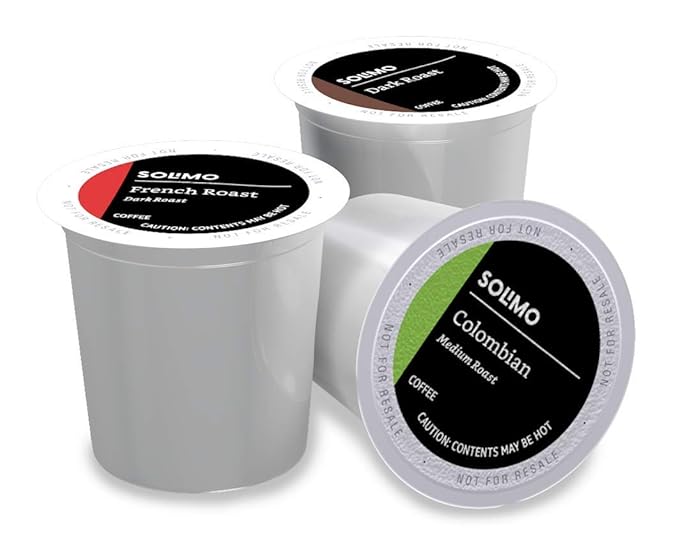
    Amazon Brand – Solimo Coffee Pods, Assorted pack (French, Dark, Colombian), Compatible with Keurig 2.0 K-Cup Brewers, 100 Count

    16-Boldly Speak Out Against Hate Speech.

    17-
    CREATMO US Men’s Faux Leather Jacket Motorcycle Jacket Waterproof Windproof PU Moto Vintage Bomber Hoodie with Removable Hood

    17-Efforts should be made to produce religious harmony among followers of diverse religions.

    18-
    Ninja Air Fryer Pro 4-in-1 with 5 QT Capacity, Air Fry, Roast, Reheat, Dehydrate, Air Crisp Technology with 400F for hot, crispy results in just minutes, Nonstick Basket & Crisper Plate, Grey, AF141

    18-Dialogues in Community Centers and Places of Worship.

    19-
    Oral-B iO Deep Clean Rechargeable Electric Powered Toothbrush, Black with iO Series 3 Limited, 2 Brush Heads and Travel Case – Pressure Sensor to Protect Gums – 3 Cleaning Settings – 2 Minute Timer

    19-Diverse Cultural Exchanges.

    20-
    Washing Machine Cleaner Descaler 24 Pack – Deep Cleaning Tablets For HE Front Loader & Top Load Washer, Septic Safe Eco-Friendly Deodorizer, Clean Inside Drum and Laundry Tub Seal – 12 Month Supply

    20-Role of Political Leadership

    21-
    Roku Streaming Stick 4K | Portable Roku Streaming Device 4K/HDR/Dolby Vision, Roku Voice Remote, Free & Live TV

    21-Highlighting Stories of Harmony and interfaith cooperation.

    22-
    SAMSUNG T7 Portable SSD, 4TB External Solid State Drive, Speeds Up to 1,050MB/s, USB 3.2 Gen 2, Reliable Storage for Gaming, Students, Professionals, MU-PC4T0T/AM, Gray

    22-Role of Local Councils.

    23-
    SAMSUNG T5 EVO Portable SSD 4TB, USB 3.2 Gen 1 External Solid State Drive, Seq. Read Speeds Up to 460MB/s for Gaming and Content Creation, MU-PH4T0S/AM, Black

    23-Religious Harmony is an ongoing and dynamic process.

    24-
    SAMSUNG T7 Portable SSD, 2TB External Solid State Drive, Speeds Up to 1,050MB/s, USB 3.2 Gen 2, Reliable Storage for Gaming, Students, Professionals, MU-PC2T0T/AM, Gray

    24-Religious scholars should promote commonalities among all religious teachings.

    25-
    All-new Amazon Echo Spot (2024 release), Smart alarm clock with vibrant sound + Alexa, Black

    25-Academic Discourse among Muslims, Jews, Christians, Buddhists, Sikhs and Hindus.

    26-
    Dr. Martens Women’s Voss Ii Sandal

    26-Promote Commonalities.

    27-
    Double Buckle Cloud Sandals

    27-Role of Religious Scholars.

    28-
    Coach Tabby Shoulder Bag 20, Vivid Pink

    28-Religious Sermons, Teachings should not include Hate Speech.

    29-
    Theory Women’s Tee Dress

    29-Maintain Society that Values Diversity.

    30-
    Ray-Ban Women’s RB4098 Jackie Ohh Ii Butterfly Sunglasses

    Conclusion.

    By Amjad Izhar
    Contact: amjad.izhar@gmail.com
    https://amjadizhar.blog

  • 19 Hobbies Retirees Can Turn Into Hustles to Combat Inflation

    19 Hobbies Retirees Can Turn Into Hustles to Combat Inflation

    01
    SpotMyUV UV Detection Stickers for Sunscreen with Patented Dermatrue SPF Sensing Technology, Know When to Reapply Sunscreen to Help Prevent Sunburn, 16 Count

    1-Freelance Writing or Editing

    01
    Luxury Gold Plated Elegant Textured Alloy Design with Irregular Pearl Earrings For Women,3D & Movable,Nice Gift Box Included,14k Gold Plated Melting Rock Alloy Stainless steel Stud Earrings for Women

    2-Antique Restoration

    01
    Locket Necklace Holds Pictures Alphabet Initial Letter Love Heart Lockets Photo Memory Locket Necklaces Birthday Gifts

    3-Cooking or Meal Prep Services

    01
    Compatible with Aolon Curve Smart Watch Band, 22mm Women, Soft Silicone Glitter Clear Sport Strap Compatible with Aolon Curve 2.01″ Inches Smart Watch

    4-Community Education Classes

    01
    White Gold Plated White & Pink Cubic Zirconia Dangle Earrings for Women Daily Evening Parties Wear Lightweight Jewelry Earring Gift for Her

    5-Fitness or Yoga Instructor

    01
    Gold Plated White Cubic Zirconia Leaf-Shaped Hoop Earrings for Women Wedding Bridal Daily Evening Parties Wear Lightweight Jewelry Earring Gift for Her

    6-Personal Historian Services

    01
    White Gold Plated Cubic Zirconia Flower Shape Pearl Stud Earrings for Women Wedding Bridal Daily Evening Parties Wear Lightweight Jewelry Earring Gift for Her

    7-Vehicle Restoration and Upkeep

    01
    Car Charger Adapter, 5 Port QC3.0 Fast Charging Car Cigarette Lighter USB Charger, Compatible with iPhone, Android, Samsung, iPad Pro, and More (Black)

    8-Renting Extra Space

    9-Mystery Shopping

    10-Consulting in Your Former Profession

    11-Gardening Services

    12-Crafting and Selling Handmade Goods

    13-Pet Sitting/Dog Walking

    14-Tutoring

    15-Personal Shopping and Errand Services

    16-Photography

    17-Language Translation

    18-Cooking or Baking Classes

    19-Home Organizing

  • 15 Simple Ways to Earn Extra Money

    15 Simple Ways to Earn Extra Money

    01
    SpotMyUV UV Detection Stickers for Sunscreen with Patented Dermatrue SPF Sensing Technology, Know When to Reapply Sunscreen to Help Prevent Sunburn, 16 Count

    1-Freelancing

    01
    Luxury Gold Plated Elegant Textured Alloy Design with Irregular Pearl Earrings For Women,3D & Movable,Nice Gift Box Included,14k Gold Plated Melting Rock Alloy Stainless steel Stud Earrings for Women

    2-Online Surveys

    01
    Locket Necklace Holds Pictures Alphabet Initial Letter Love Heart Lockets Photo Memory Locket Necklaces Birthday Gifts

    3-Selling Unwanted Items

    01
    Compatible with Aolon Curve Smart Watch Band, 22mm Women, Soft Silicone Glitter Clear Sport Strap Compatible with Aolon Curve 2.01″ Inches Smart Watch

    4-Ridesharing and Food Delivery

    01
    White Gold Plated White & Pink Cubic Zirconia Dangle Earrings for Women Daily Evening Parties Wear Lightweight Jewelry Earring Gift for Her

    5-Renting Out Space

    01
    Gold Plated White Cubic Zirconia Leaf-Shaped Hoop Earrings for Women Wedding Bridal Daily Evening Parties Wear Lightweight Jewelry Earring Gift for Her

    6-Tutoring and Teaching

    01
    White Gold Plated Cubic Zirconia Flower Shape Pearl Stud Earrings for Women Wedding Bridal Daily Evening Parties Wear Lightweight Jewelry Earring Gift for Her

    7-Pet Sitting and Dog Walking

    01
    Car Charger Adapter, 5 Port QC3.0 Fast Charging Car Cigarette Lighter USB Charger, Compatible with iPhone, Android, Samsung, iPad Pro, and More (Black)

    8-Part-Time Retail Work

    9-Blogging and Content Creation

    10-Affiliate Marketing

    11-House Cleaning

    12-Babysitting and Childcare

    13-Gardening and Yard Work

    14-Renting Out Tools and Equipment

    15-Social Media Management

  • Admin Skills That Freelancers Can Cash In On

    Admin Skills That Freelancers Can Cash In On

    In the fast-paced world of freelancing, adaptability and the right skill set are essential for success. As businesses increasingly shift to remote operations, the demand for proficient administrative professionals has soared. Whether you are highly organized, detail-oriented, or an excellent communicator, certain admin skills can transform your freelance career. These skills not only position you as an invaluable asset to your clients but also open doors to consistent, high-paying opportunities.

    01
    SpotMyUV UV Detection Stickers for Sunscreen with Patented Dermatrue SPF Sensing Technology, Know When to Reapply Sunscreen to Help Prevent Sunburn, 16 Count
    PODCAST: Admin Skills That Freelancers Can Cash In On

    As freelancers, understanding which admin skills are most in-demand allows you to market yourself more effectively. Today, businesses are not just looking for employees; they are searching for independent professionals who can seamlessly integrate into their teams, handle critical tasks, and deliver results with minimal supervision. The beauty of administrative skills is their versatility, making them highly sought after across industries, from startups to multinational corporations.

    In this blog post, we will explore some of the most profitable administrative skills that freelancers can monetize. With the rise of digital communication and global business operations, these skills are no longer just a support function but a driving force in operational success. Let’s delve into the top three admin skills that can set you apart in the freelance world.

    01
    Luxury Gold Plated Elegant Textured Alloy Design with Irregular Pearl Earrings For Women,3D & Movable,Nice Gift Box Included,14k Gold Plated Melting Rock Alloy Stainless steel Stud Earrings for Women

    1-Virtual Assistance

    Virtual assistance has become a cornerstone of freelance admin work, allowing businesses to access professional support from anywhere in the world. As a virtual assistant (VA), you manage key tasks such as email correspondence, appointment scheduling, and customer service, relieving business owners of time-consuming duties. The versatility of a VA’s role means that freelancers with experience in office management or executive assistance are perfectly positioned to succeed in this area. This skill not only helps streamline business operations but also offers you the chance to work with a diverse client base across multiple industries.

    01
    Locket Necklace Holds Pictures Alphabet Initial Letter Love Heart Lockets Photo Memory Locket Necklaces Birthday Gifts
    Virtual Assistant Training for Beginners | Free Virtual Assistant Course

    The demand for VAs is growing at an unprecedented rate. According to a study by Upwork, virtual assistant roles have seen a significant increase in job postings over the past few years. Businesses, particularly startups and small enterprises, increasingly rely on VAs for day-to-day operations without the need for in-house staff. As long as you possess strong organizational skills and a keen attention to detail, the role of a virtual assistant can be both financially rewarding and fulfilling.

    Keywords: virtual assistance, freelance admin, remote work, appointment scheduling
    Hashtags: #VirtualAssistant #FreelancerSkills #RemoteWork

    01
    Compatible with Aolon Curve Smart Watch Band, 22mm Women, Soft Silicone Glitter Clear Sport Strap Compatible with Aolon Curve 2.01″ Inches Smart Watch

    2-Data Entry

    Although data entry may appear basic, it plays a vital role in maintaining the integrity and accuracy of a business’s information. As a freelancer, if you have fast typing skills, an eye for detail, and an ability to stay focused on repetitive tasks, data entry can be an excellent source of income. Many companies seek freelance data entry specialists to organize large volumes of data into systems such as spreadsheets or databases, ensuring the smooth operation of business processes.

    01
    White Gold Plated White & Pink Cubic Zirconia Dangle Earrings for Women Daily Evening Parties Wear Lightweight Jewelry Earring Gift for Her
    5 Legit Data Entry Work From Home Jobs To Make Money Online In 2024

    Data entry may not require highly specialized knowledge, but it is essential for business operations, particularly in sectors like e-commerce, healthcare, and finance, where data accuracy is paramount. Efficient data entry ensures that businesses can analyze trends, make informed decisions, and maintain compliance with regulations. This seemingly simple task offers a stable flow of work for freelancers who are dependable and diligent.

    Keywords: data entry, freelance data, accurate records, typing skills
    Hashtags: #DataEntryJobs #FreelancingOpportunities #AdminTasks

    01
    Gold Plated White Cubic Zirconia Leaf-Shaped Hoop Earrings for Women Wedding Bridal Daily Evening Parties Wear Lightweight Jewelry Earring Gift for Her

    3-Project Management

    Project management is a high-value skill in the freelance world. With more companies managing teams remotely, project managers are essential for coordinating efforts, overseeing task completion, and keeping clients in the loop. As a freelance project manager, your responsibilities include delegating tasks, managing budgets, and ensuring that all project milestones are met within deadlines. Freelancers with experience in industries like marketing, IT, and creative services will find project management to be a lucrative opportunity.

    01
    White Gold Plated Cubic Zirconia Flower Shape Pearl Stud Earrings for Women Wedding Bridal Daily Evening Parties Wear Lightweight Jewelry Earring Gift for Her
    Project Management Basics [QUICK GUIDE]

    Project management tools such as Trello, Asana, and Monday.com have made it easier for freelancers to take on large-scale projects and manage them efficiently from anywhere. The ability to lead teams and meet client expectations is highly prized. According to the Project Management Institute, employers will need nearly 88 million individuals in project management roles by 2027, underscoring the rising demand for skilled professionals in this field.

    Keywords: project management, freelance project manager, team coordination, deadlines
    Hashtags: #ProjectManagement #FreelancerOpportunities #RemoteProjectManagement

    01
    Car Charger Adapter, 5 Port QC3.0 Fast Charging Car Cigarette Lighter USB Charger, Compatible with iPhone, Android, Samsung, iPad Pro, and More (Black)

    4-Social Media Management

    In the digital age, social media has become an essential tool for businesses to engage with their audience and build brand awareness. Freelancers skilled in social media management can capitalize on this by offering services such as creating compelling content, scheduling posts, and analyzing campaign results. With a strong understanding of platforms like Facebook, Instagram, LinkedIn, and Twitter, you can help businesses improve their online presence and attract more customers. Social media managers play a pivotal role in shaping the brand’s voice, responding to customer feedback, and staying updated with the latest trends.

    How To Become A Social Media Manager – Beginners Guide

    Moreover, businesses, especially small and mid-sized ones, often prefer outsourcing their social media needs to freelancers rather than hiring full-time staff. This offers a flexible working arrangement for freelancers and allows businesses to scale their efforts according to their needs. According to HubSpot, companies that engage actively with customers on social media see a significant increase in customer loyalty. This makes social media management a valuable service, enabling you to command competitive rates while helping brands thrive in the digital landscape.

    Keywords: social media management, brand presence, social media marketing, online engagement
    Hashtags: #SocialMediaManagement #FreelanceSocialMedia #DigitalMarketing

    5-Customer Support

    Customer support is the backbone of any successful business. With many companies adopting a remote or hybrid working model, the demand for freelance customer support has grown. As a customer support professional, you will be responsible for addressing client inquiries, troubleshooting issues, and offering solutions that foster customer satisfaction. Freelancers who specialize in this area can work across various communication channels, including email, live chat, and phone support, providing a critical service that businesses depend on for maintaining strong customer relationships.

    Bad vs Great Customer Service | Scenarios with Explanation

    Effective customer support is not just about solving problems; it’s about creating positive experiences that lead to long-term customer loyalty. According to Forrester Research, companies that excel in customer service tend to retain more customers and even attract new ones through word-of-mouth. As a freelancer, mastering the art of empathetic and efficient communication will set you apart from others in the field and position you as a vital part of any business’s operational strategy.

    Keywords: customer support, freelance customer service, customer satisfaction, client communication
    Hashtags: #CustomerSupport #FreelanceCustomerService #ClientRelations

    6-Bookkeeping

    Bookkeeping is an indispensable service that ensures the financial health of a business. Freelancers who are well-versed in accounting principles can offer services such as managing accounts payable and receivable, preparing financial statements, and overseeing payroll processes. Many businesses, especially small enterprises, look to freelance bookkeepers to handle these tasks as a cost-effective alternative to hiring full-time staff. If you have a background in finance or accounting, offering bookkeeping services can be highly profitable, with demand across various industries.

    How to get started as a virtual bookkeeper in 7 steps

    Accurate bookkeeping is essential for businesses to maintain financial transparency and comply with legal requirements. For freelancers, there is an opportunity to establish long-term relationships with clients, as businesses often need consistent financial oversight. The American Institute of Professional Bookkeepers highlights that skilled bookkeepers play a crucial role in ensuring businesses can make informed financial decisions, which further underlines the importance of this freelance service. If you have strong attention to detail and are proficient with financial software, bookkeeping can be an ideal way to cash in on your expertise.

    Keywords: bookkeeping, freelance bookkeeping, financial management, accounts payable/receivable
    Hashtags: #BookkeepingServices #FreelanceFinance #BusinessAccounting

    7-Email Management

    Email management is an often-overlooked yet critical administrative task that can make a world of difference for busy professionals. As a freelancer, offering email management services allows you to take control of your client’s inbox by organizing emails, responding to routine queries, and filtering out unnecessary or spam messages. The ability to streamline communication ensures that important emails are prioritized, and nothing crucial slips through the cracks. By providing this service, you save your clients time and allow them to focus on more significant aspects of their business.

    Virtual Assistant Training: Inbox Management

    Email management is especially vital for entrepreneurs, executives, and small business owners who may receive hundreds of emails a day. According to Harvard Business Review, professionals can spend up to 28% of their workweek dealing with emails, making this a highly valuable service. Freelancers with strong organizational skills and an understanding of email automation tools, such as filters and autoresponders, can turn this skill into a steady stream of income.

    Keywords: email management, inbox organization, freelance services, email automation
    Hashtags: #EmailManagement #InboxZero #FreelancerSkills

    8-Calendar Management

    For professionals juggling multiple projects, meetings, and deadlines, calendar management is indispensable. Freelancers who offer calendar management services help clients stay on track by scheduling appointments, sending reminders, and ensuring that their days are planned efficiently. This requires not only exceptional organizational skills but also a deep understanding of time management and prioritization. Effective calendar management prevents scheduling conflicts and ensures that the client’s time is maximized for productivity.

    Google Calendar for Administrative Assistants

    In today’s fast-paced business environment, missing a meeting or appointment can lead to lost opportunities. Freelance calendar managers are in demand by executives, business owners, and consultants who need help navigating their packed schedules. As a freelancer, your ability to handle multiple calendars, set appointments with various stakeholders, and ensure no detail is overlooked will set you apart from others. David Allen, the productivity expert and author of Getting Things Done, emphasizes that “your mind is for having ideas, not holding them,” making this service invaluable for keeping busy professionals focused on their goals.

    Keywords: calendar management, time management, appointment scheduling, freelance services
    Hashtags: #CalendarManagement #FreelanceOrganization #TimeEfficiency

    9-Travel Planning

    Travel planning is a niche administrative skill that is particularly valuable for business professionals who frequently travel for work. Freelancers who specialize in this service can help their clients by booking flights, hotels, and transportation, as well as creating detailed travel itineraries. Additionally, travel planners often assist in managing travel expenses and ensuring that everything from check-in to transport runs smoothly. With remote work and global business meetings becoming more common, this service offers tremendous value by removing the hassle of planning from the client’s workload.

    Learn essential travel management skills as an Executive Virtual Assistant

    Freelance travel planners must have a keen eye for detail, knowledge of travel logistics, and the ability to troubleshoot any potential issues that may arise during the trip. Offering personalized service that takes into account the client’s preferences and travel policies ensures a smooth, efficient travel experience. According to Business Travel News, corporate travel is on the rise again, making travel planning a lucrative skill for freelancers who can offer reliability and convenience.

    Keywords: travel planning, business travel, itinerary management, freelance travel services
    Hashtags: #TravelPlanning #FreelanceTravel #CorporateTravel

    10-Transcription Services

    Transcription services are highly sought after across industries, particularly in legal, medical, and media fields. As a freelancer, providing transcription services involves listening carefully to audio or video recordings and converting them into accurate written documents. This work requires excellent listening and typing skills, as well as the ability to distinguish different speakers, accents, and technical jargon. Freelancers offering this service often work on transcribing meetings, interviews, podcasts, and presentations, which are essential for keeping detailed records or repurposing content.

    Top 5 Best Transcription Jobs For Beginners 2024 (Best Transcriptionist Jobs)

    In industries like law and medicine, precise transcription is crucial to maintaining accurate records and ensuring compliance with industry regulations. For example, legal transcription ensures that court proceedings or depositions are properly documented, while medical transcription aids healthcare professionals in recording patient histories and treatment plans. According to The Transcription Certification Institute, the demand for transcription services continues to grow as businesses look for cost-effective ways to document important information. Freelancers with a keen eye for detail and proficiency in specialized terminology will find this a rewarding niche.

    Keywords: transcription services, audio-to-text, freelance transcription, accurate records
    Hashtags: #TranscriptionServices #FreelanceTranscription #LegalTranscription

    Conclusion

    The administrative skills of virtual assistance, data entry, and project management offer freelancers substantial opportunities to build thriving careers. These skills are in high demand, as businesses continue to seek out cost-effective, flexible solutions for their operations. By honing these abilities and leveraging them to cater to the diverse needs of clients, freelancers can not only secure steady work but also differentiate themselves in a competitive market.

    For freelancers looking to cash in on these admin skills, continuous improvement and adaptation to industry trends are essential. Whether it’s staying updated with the latest project management software or refining your data entry techniques, excelling in these fields requires a commitment to growth. With persistence and a professional approach, these skills can be a cornerstone for long-term freelance success.

    Keywords: admin skills, freelancing success, remote work, business operations
    Hashtags: #AdminSkills #FreelanceCareer #RemoteWorkSuccess

    Freelancers who offer services in social media management, customer support, and bookkeeping provide businesses with much-needed flexibility and expertise. These roles allow businesses to streamline their operations, focus on core activities, and remain competitive in their respective industries. As a freelancer, the key to success in these fields lies in delivering high-quality, reliable services that address your clients’ specific needs. The ongoing rise of remote work makes these skills increasingly valuable, offering freelancers abundant opportunities to grow their businesses.

    Whether you’re a creative professional managing social media campaigns or a detail-oriented expert handling customer inquiries or financial records, these admin skills provide a solid foundation for a lucrative freelance career. As industries continue to adapt to new working models, the demand for skilled freelancers will only increase, making this the perfect time to refine your skills and position yourself as a top-tier service provider.

    Keywords: admin skills, freelance services, social media management, customer support, bookkeeping
    Hashtags: #FreelanceAdmin #RemoteAdminJobs #DigitalFreelancing

    The skills of email management, calendar management, and travel planning offer freelancers an excellent way to position themselves as indispensable administrative support for busy professionals. These services not only save clients time but also add a layer of organization and efficiency that enhances overall productivity. As businesses continue to operate in an increasingly global and fast-paced environment, the demand for these freelance services will continue to grow.

    For freelancers, the key to excelling in these areas is to stay detail-oriented and adaptable, offering personalized solutions that meet the specific needs of each client. Whether managing an inbox, scheduling meetings, or planning a complex business trip, mastering these skills will ensure that your freelance career thrives in today’s competitive market. Each of these services addresses essential pain points that clients face, positioning you as a valuable partner in their success.

    Keywords: admin skills, email management, calendar management, travel planning, freelance services
    Hashtags: #AdminSupport #FreelanceAdminSkills #OrganizationalExcellence

    The admin skills discussed—email management, calendar management, travel planning, and transcription services—highlight the broad range of freelance opportunities available to those with strong organizational and communication abilities. These skills are crucial for clients who need help staying on top of their day-to-day tasks, organizing their schedules, and ensuring that key information is documented. Each of these services allows freelancers to offer tangible value to clients, saving them time and stress while maintaining efficient workflows.

    Freelancers who excel in these areas have the chance to build long-term relationships with clients, providing ongoing support and ensuring that operations run smoothly. Whether you’re managing an inbox, planning a trip, or transcribing important meetings, your contribution can make a significant difference in the efficiency and success of your clients’ businesses. For those looking to enhance their freelance career, honing these admin skills can unlock a steady stream of income and create a reliable reputation in the industry.

    Keywords: admin skills, freelance services, transcription, email management, travel planning
    Hashtags: #FreelanceAdminSupport #AdminSkillsForSuccess #EfficientAdminServices

    Freelancers with strong administrative skills are in a unique position to offer essential services that help businesses run smoothly, no matter their size or industry. From virtual assistance and data entry to project management, email and calendar management, social media management, and more, these tasks may seem routine, but they are the backbone of efficient operations. Freelancers who can master these skills will always find themselves in demand, offering businesses the flexibility and expertise they need without the overhead of full-time hires.

    In today’s competitive freelance market, the ability to provide specialized administrative support can set you apart from the crowd. Whether it’s ensuring that emails are organized, appointments are kept, finances are managed, or travel plans run smoothly, freelancers who excel in these areas are indispensable. As businesses increasingly shift toward remote work and digital operations, the need for freelancers with these versatile skills will only continue to grow. By honing your expertise, keeping up with industry trends, and delivering top-notch service, you can build a thriving freelance career that stands the test of time.

    Ultimately, the success of freelancing lies in understanding the value you bring to your clients. By offering services that save them time, enhance productivity, and maintain accuracy, you can transform yourself from a freelancer into a trusted business partner. The key is to be adaptable, efficient, and proactive in your approach, always striving for excellence. With the right mix of admin skills and a commitment to professional growth, the possibilities in the freelance world are endless.

    Keywords: admin skills, freelance success, essential services, business operations, remote work
    Hashtags: #FreelanceCareerSuccess #AdminSkillsMastery #FreelanceOpportunities #RemoteAdminSupport

    Bibliography

    1. Allen, David. Getting Things Done: The Art of Stress-Free Productivity. Penguin Books, 2015.
      This book offers valuable insights into effective time management and organizational skills, which are key for freelancers providing services like calendar management and email organization.
    2. American Institute of Professional Bookkeepers. The Professional Bookkeeper’s Guide. AIPB, 2020.
      A comprehensive guide on bookkeeping practices, offering useful information for freelancers interested in providing financial administrative services.
    3. HubSpot. The State of Inbound Marketing 2023. HubSpot, 2023.
      This report provides valuable data on the rising demand for social media management services and highlights trends in digital marketing that can be leveraged by freelancers.
    4. Project Management Institute. A Guide to the Project Management Body of Knowledge (PMBOK® Guide). 7th ed., Project Management Institute, 2021.
      A critical resource for freelance project managers, offering essential frameworks and strategies for successfully managing projects in various industries.
    5. Harvard Business Review. HBR Guide to Being More Productive. Harvard Business Review Press, 2017.
      This guide explores productivity techniques that can benefit freelancers offering services like email and calendar management.
    6. The Transcription Certification Institute. The Ultimate Guide to Transcription Services. TCI, 2021.
      A detailed guide to transcription work, outlining the skills and tools necessary for freelancers looking to provide transcription services across different sectors.
    7. Forrester Research. Customer Service Trends: 2023 Report. Forrester, 2023.
      This report emphasizes the importance of customer service for business success and explores the growing role of freelancers in this area.
    8. Business Travel News. Corporate Travel Report 2024. Business Travel News, 2024.
      Offers valuable insights into business travel trends and how freelancers can tap into the travel planning market to assist business professionals.
    9. Upwork. Freelance Forward 2023 Report. Upwork, 2023.
      A report detailing the growth of the freelance economy, highlighting the increasing demand for virtual assistants, project managers, and other admin-related freelance services.
    10. The Virtual Assistant’s Handbook: Everything You Need to Work from Home as a VA. CreateSpace Independent Publishing Platform, 2019.
      This book is a practical guide for freelancers interested in becoming virtual assistants, covering everything from setting up your business to providing top-notch services.

    These sources provide foundational knowledge and current trends related to freelancing and administrative skills, offering deeper insights for freelancers looking to excel in the admin services industry.

    By Amjad Izhar
    Contact: amjad.izhar@gmail.com
    https://amjadizhar.blog

  • The Art of Connection

    The Art of Connection

    Welcome to WordPress! This is a sample post. Edit or delete it to take the first step in your blogging journey. To add more content here, click the small plus icon at the top left corner. There, you will find an existing selection of WordPress blocks and patterns, something to suit your every need for content creation. And don’t forget to check out the List View: click the icon a few spots to the right of the plus icon and you’ll get a tidy, easy-to-view list of the blocks and patterns in your post.

    45-
    20-Piece Makeup Brush Set | Face & Eye Cosmetics Brushes for Blending, Contouring, Eyebrow, Lip, and More | Soft Synthetic Fiber Beauty Tools

    By Amjad Izhar
    Contact: amjad.izhar@gmail.com
    https://amjadizhar.blog

  • Amazon Live

    Amazon Live

    Welcome to Amazon Live! Learn with Amazon. Inspire with video.
    Home to everything you need to successfully create and share videos on Amazon. Create or amplify your Amazon video strategy with livestreaming and shoppable videos.

    As an Amazon Influencer or Amazon Selling Partner, you can merge the world of online shopping and videos. Share your favorite products, create educational video guides and so much more through interactive video placements for shoppers to engage with on product detail pages, influencer storefronts and more.

    Why should I upload videos to Amazon?
    Video is a core part of the modern-day shopping experience. Shoppers use videos to get inspired, learn how to build something, how to style an outfit, discover products, make more informed decisions, and engage with creators and communities they trust. Videos on Amazon can help Influencers enhance earning potential and help Selling Partners increase sales and customer engagement.

    How do I create a video strategy for Amazon?
    Start your video creation strategy with our help and improve your audience’s shopping experience. Already have a video strategy and content to upload? Utilizing videos from your social media, website or other platforms is a great way to enhance your presence on Amazon. Simply upload them straight to your storefronts or product detail pages.

    45-
    20-Piece Makeup Brush Set | Face & Eye Cosmetics Brushes for Blending, Contouring, Eyebrow, Lip, and More | Soft Synthetic Fiber Beauty Tools

    45-
    Gear up for Labor Day Weekend with Kyle Richards

    45-
    Acrylic Resin C Shape Open Hoop Earrings with Pearl Ball Back Hypoallergenic Double Sided Faux Pearl Statement Hoop Earrings for Women

    45-
    Author Q&A with Demi Leigh Tebow

    I speak to everyone in the same way, whether he is the garbage man or the president of the university.

    • one
    • two
    • three
    • four
    <h1>code</h1>
    Detail

    Details

    Pre Formatted text for writing code itself like
    <h1>Pre Formatted code</h1>

    Pullquote

    citation
    Column HeadingColumn Heading
    cell textcell text
    verse
    SyntaxHighlighter code
    
    Daily writing prompt
    What brings a tear of joy to your eye?

    markdown

    By Amjad Izhar
    Contact: amjad.izhar@gmail.com
    https://amjadizhar.blog

  • Advanced Excel Pivot Table Techniques

    Advanced Excel Pivot Table Techniques

    These texts, likely from a course on advanced pivot tables, provide a comprehensive guide to working with pivot tables in Excel. The content covers essential foundational skills, starting with creating a basic pivot table from raw data, ensuring the data is properly formatted and cleaned, and placing it into a table for easier management. It then moves into more advanced techniques, including importing data from external sources like text files and Access databases, demonstrating how to consolidate data from multiple sources, and showing various ways to group data within a pivot table by text, numbers, and dates. Finally, the texts explore formatting options for pivot tables, including applying built-in and custom styles, and handling error values and empty cells to present data clearly.

    Fundamentals of Excel Pivot Tables

    Based on the provided sources, here is a discussion of pivot table basics:

    Pivot tables are described as the single most useful tool available in Excel for analyzing data. They are helpful for analyzing data in different ways, such as seeing the total sales accumulated by managers, sales in each category, sales by store, or sales between certain dates. The sources mention a recap of basic pivot table skills early in the course for those who haven’t used them recently or are not overly familiar with creating them from scratch.

    Before creating a pivot table, it’s recommended to start with clean data. Cleaning data involves ensuring consistency and the absence of anomalies, such as blank rows, blank cells, inconsistent case, duplicates, and ensuring everything is formatted correctly. The sources also emphasize the importance of putting your data into a regular Excel table before creating a pivot table. This can be done by selecting the data and using Control + T, or by going to the Home ribbon, Styles group, and selecting “Format as Table”. When data is in a table, the “Table Design” contextual ribbon appears when clicked within the data. Another indicator is the presence of filter buttons at the top of each column. It’s also recommended to name your table for easier reading and understanding. Naming a table involves going to the Table Design ribbon, Properties group, and entering a name (without spaces, using underscores if needed), remembering to hit Enter. Putting data into a table also makes it easier to update pivot tables later when new data is added, as the table automatically expands to accommodate new rows.

    To create a pivot table from scratch, make sure you are clicked within your data. You can use the “Summarize with PivotTables” option on the Table Design ribbon or go to the Insert ribbon and select the “PivotTable” button in the Tables group. Clicking either option opens a dialog box.

    In this dialog box, you need to:

    1. Choose the data you want to analyze. Excel often intuitively picks up the table name or range you are clicked within. You can also choose to use an external data source.
    2. Choose where to place the pivot table report. It is generally suggested to keep your raw data separate from your pivot tables, so placing it on a new worksheet is recommended. You can rename the new sheet to something meaningful like “Pivot Table”.
    3. Click OK.

    Once the pivot table is created, you will see an empty pivot table report area on the left and the PivotTable Fields pane on the right. If the pane is not visible, ensure you are clicked within the pivot table report area, or go to the PivotTable Analyze ribbon, Show group, and click “Field List”.

    The PivotTable Fields pane lists all the column headings from your source data. Below the list of fields are four areas: Filters, Columns, Rows, and Values.

    The core basic operation of building a pivot table is dragging any of these fields into any of these four areas.

    • Values: Fields dragged here are typically numeric and are used for calculations like sum, count, average, etc..
    • Rows: Fields dragged here display their unique values as rows in the pivot table.
    • Columns: Fields dragged here display their unique values as columns in the pivot table.
    • Filters: Fields dragged here create a filter above the pivot table, allowing you to filter the entire report by selecting specific items from that field.

    Building a basic pivot table often involves some trial and error depending on the information you want to extract. For example:

    • To see total sales broken down by manager, drag “Sales” to Values and “Manager” to Rows.
    • To see total sales by category, drag “Sales” to Values and “Category” to Rows.
    • Dragging a field like “Manager” or “Product” between Rows and Columns changes the layout and how the data is presented.
    • Dragging “Category” to Filters allows you to filter the sales data shown in the report by selected categories.
    • Combining fields in Rows and Columns (e.g., Towns in Rows, Categories in Columns, Sales in Values) creates a cross-tabulated report.

    The sources also mention the Recommended Pivot Tables option on the Insert ribbon, which analyzes your data and suggests potential pivot table layouts based on what might be useful. This can be a quick way to get a starting point, pre-populating the pivot table fields in the appropriate areas. However, this option cannot be used when combining data from multiple tables; in that case, you must use the standard “PivotTable” option and select the “Add this data to the Data Model” checkbox.

    You can have more than one field in each area. When multiple fields are in the Rows or Columns areas, their order determines how the data is organized (e.g., organized by country first, then product, or product first, then country).

    In summary, the basics involve preparing your data by cleaning it and putting it into a named Excel table, creating the pivot table using the Insert or Table Design ribbon, choosing the data source and location, and then dragging fields from the PivotTable Fields pane into the Rows, Columns, Values, and Filters areas to analyze and summarize your data.

    Importing External Data for Pivot Tables

    Importing data is a fundamental step when the information you need to analyze with a pivot table is not already in your current Excel workbook. The sources discuss various methods and considerations for bringing external data into Excel so it can be used effectively in pivot tables.

    The primary location within Excel for accessing data import tools is the Data ribbon, specifically within the Get & Transform Data group. While the options available might differ slightly depending on your version of Excel, this is where you’ll find utilities for importing data from numerous sources.

    The sources detail importing data from two main types of external sources:

    1. Text Files (like .txt or .csv):
    • One method is using the Get & Transform Data tool from the Data ribbon and selecting “From Text/CSV”. This opens a preview window where Excel attempts to detect the delimiter (the character separating columns, such as a tab, comma, or semicolon) and data types. You can change the delimiter if needed. From here, you can either “Load” the data directly or “Transform Data” using the Power Query Editor.
    • The Transform Data option is highlighted as a way to clean up data as part of the import process. In the Power Query Editor, you can check and correct data types (e.g., ensuring numbers are formatted as currency or dates are recognized as dates) and remove columns that are not needed for your analysis. Once satisfied, you can use “Close & Load” to import the data into an Excel table or “Close & Load To” to load it directly into a pivot table report.
    • Another way to import a text file is by opening it directly through the File menu. This often triggers the Text Import Wizard, which guides you through steps like defining the delimiter and setting column data formats. If you use the wizard or simply open a file, cleaning steps like correcting case, splitting columns, removing duplicates, and applying correct number formatting need to be performed after the data is in the worksheet using standard Excel tools. After cleaning, it’s recommended to put this data into a regular Excel table before creating a pivot table.
    1. Databases (like Microsoft Access):
    • To import from a database, you again use the Get & Transform Data group on the Data ribbon. Click the “Get Data” drop-down, select “From Database,” and then choose the relevant database type, such as “From Microsoft Access Database”.
    • You browse and select the database file, and Excel will connect and display the tables contained within it. You then select the specific table you want to import.
    • Similar to text files, you have the option to “Load” or “Transform Data”. Using “Transform Data” opens the Power Query Editor, allowing you to refine the data before importing, such as removing columns that are not relevant to your pivot table.
    • After transforming, the “Close & Load To” option can be used to directly import the cleaned data into a PivotTable Report on a new worksheet.

    Regardless of how the data is imported, the sources strongly emphasize the importance of starting with or creating clean data. This means ensuring consistency, formatting data correctly, and removing anomalies like blank rows, blank cells, inconsistent casing, or duplicate entries. Cleaning can be done during the import process using Power Query or afterward using various Excel functions and tools.

    Furthermore, after importing data into a worksheet (if not loaded directly into a pivot table), putting the data into a regular Excel table and naming it is recommended. This makes the data easier to reference, understand, and is particularly beneficial because a table automatically expands when new rows are added, making it much easier to update pivot tables built upon that data later on using the refresh function.

    A more advanced scenario discussed is consolidating data from multiple tables into a single pivot table. This is necessary when your data is spread across different sets of information that need to be linked for combined analysis.

    • Each set of data must first be placed into a regular Excel table and named.
    • The tables must share a common field (referred to as a “key” or “primary key”) that logically links the data between them, like an “Order ID” shared across customer, order, and payment information.
    • To create a pivot table from multiple tables, you must use the standard “PivotTable” option on the Insert ribbon and select “Add this data to the Data Model” in the creation dialog box. The “Recommended Pivot Tables” option cannot be used for this.
    • Once the pivot table is created, you will see fields from the initial table in the PivotTable Fields pane but can click “All” to view fields from all imported tables.
    • The crucial next step is to create relationships between these tables based on their common key field. This is done via the PivotTable Analyze ribbon, using the “Relationships” button. By defining these links (e.g., linking the Order ID field in one table to the Order ID field in another), you enable the pivot table to draw data from different sources correctly.
    • After relationships are established, you can freely drag fields from any of the linked tables into the different areas of the pivot table to perform your analysis.

    In essence, importing data involves using the tools on the Data ribbon to bring external information into Excel, potentially cleaning and transforming it using Power Query, ensuring it is in a clean Excel table format, and for analyzing multiple sources, creating relationships between the tables via the Data Model.

    Essential Data Cleaning for Pivot Tables

    Data cleaning and preparation are highlighted as absolutely crucial steps before analyzing data, particularly with pivot tables. The primary reason for this is that if your data is not clean, you might end up with inaccurate or misleading results.

    Clean data is described as data that is consistent and free from anomalies. This includes ensuring there are:

    • No blank rows or blank cells.
    • No inconsistent casing (e.g., some text is all uppercase, some proper case).
    • No duplicate entries.
    • All data is formatted correctly, such as numbers, currencies, and dates.

    Cleaning can be performed at different stages. If you are importing data using the “Get & Transform Data” tools, you can utilize the Power Query Editor to clean and transform data as part of the import process. Alternatively, if you open a file directly or data is already in Excel, you can clean it afterwards using standard Excel tools.

    Here are some specific techniques and tools for cleaning data mentioned in the sources:

    • Checking and Correcting Data Types: When importing with Get & Transform Data, Excel attempts to detect data types, but you should verify and correct them in the Power Query Editor (e.g., changing numbers to currency or dates). If opening a file directly using the Text Import Wizard, you can set some formats, but often you need to correct them after import using the Home ribbon’s Number group. For values in a pivot table, number formatting is best done via Value Field Settings > Number Format to ensure consistency across the entire pivot table. Custom number formatting can be used to control how positive, negative, and zero values appear, including adding currency symbols, colors (like red or blue for negatives), or text (like “no data” for zeros).
    • Handling Blank Rows and Cells: Blank rows can be efficiently removed by selecting all columns, going to Find & Select > Go To Special > Blanks, and then using the Delete Sheet Rows option. For blank cells, you can select them using the same “Go To Special > Blanks” method and then enter a value (like 0) followed by Control + Enter to fill all selected blank cells at once. Pivot table options also allow you to specify what to show for empty cells (e.g., 0 or custom text).
    • Ensuring Consistent Case: You can use the PROPER function in a helper column to convert text to proper case. After using the function, it’s recommended to copy the helper column and paste values over the original data to replace the formulas with the cleaned text.
    • Removing Duplicates: Excel has a dedicated Remove Duplicates tool on the Data ribbon in the Data Tools group. You can select the columns Excel should check for duplicate information before removing entire rows that match across the selected columns.
    • Correcting Text Inconsistencies: The Find and Replace feature (Home ribbon > Find & Select, or Control + H) is useful for replacing inconsistent abbreviations or spellings with a standard version (e.g., replacing “mktg” with “marketing”).
    • Handling Non-Printable Characters, Line Breaks, and Erroneous Spaces: Text functions like CLEAN (removes non-printable characters and manual line breaks) and TRIM (removes excess spaces) can be used. These functions can even be combined with other functions like PROPER within a single formula in a helper column to address multiple issues at once. Again, pasting values over the original data is recommended after using formulas.
    • Splitting Data in Columns: The Flash Fill tool (Data ribbon > Data Tools group, or Control + E) is a quick way to split combined text, like separating a full name into first and last names, by recognizing a pattern from the first few manually entered examples.
    • Handling Error Values: Pivot table options allow you to specify what to display for error values (e.g., custom text like “no data” or a value like 0) instead of showing the raw error (like #N/A).

    After the data has been cleaned, the final and critically important step before creating a pivot table is to put the data into a regular Excel table. This can be done by selecting the data and using Control + T or by using the “Format as Table” option on the Home ribbon. Putting data into a table provides several benefits:

    • It automatically adds filter buttons to column headers, making sorting and filtering easier.
    • It creates a Table Design contextual ribbon with tools specific to tables.
    • It’s recommended to name your table from the Table Design ribbon > Properties group. Table names (like sales_data) are easier to read and understand than cell ranges when creating pivot tables.
    • Crucially for pivot tables, when you add new data (rows) to the bottom of a table, the table automatically expands to include the new data. This makes updating pivot tables built on that table much simpler, as you only need to use the Refresh function on the PivotTable Analyze ribbon to incorporate the new data. If the data wasn’t in a table, you would have to manually change the pivot table’s data source to include the new rows, which takes much longer.

    In summary, thorough data cleaning and preparation are essential for accurate pivot table analysis, involving various techniques to address inconsistencies, errors, and formatting issues, and culminating in placing the cleaned data into a named Excel table for ease of use and future updates.

    Creating Excel Pivot Tables from Single or Multiple Tables

    Creating pivot tables is the primary goal after you have prepared and imported your data, as discussed previously. Pivot tables are considered the single most useful tool in Excel for analyzing data. This course is designed to guide you through utilizing the pivot table options to create meaningful analysis.

    Before you begin creating a pivot table, it is crucial that your data is clean and, importantly, placed within a regular Excel table. As we’ve discussed, clean data is consistent and free from anomalies like blank rows, blank cells, inconsistent casing, or duplicates, and everything is formatted correctly. Putting your data into a regular table (Control + T or Home ribbon > Format as Table) is a vital final step. Naming your table (Table Design ribbon > Properties group) is also highly recommended for clarity, making the data easier to read and understand. A key benefit of using a table for pivot tables is that it automatically expands to include new data added to the bottom, making it simple to refresh your pivot table to incorporate the new information later.

    There are a few different ways to initiate the process of creating a pivot table from your prepared data:

    1. Using the Table Design Ribbon: If your data is in an Excel table and you are clicked inside it, you can use the “Summarize with PivotTable” option found on the Table Design contextual ribbon.
    2. Using the Insert Ribbon: A more standard method is to go to the Insert ribbon and click the “PivotTable” button, located in the Tables group. This is the first option in that group.
    3. Using Recommended PivotTables: Excel offers a “Recommended PivotTables” option on the Insert ribbon, right next to the standard “PivotTable” button. This feature analyzes your data and suggests potential pivot table layouts that might be useful, such as summing profit by country or month. Choosing one of these suggested options can create a pre-populated pivot table very quickly. However, this method cannot be used if you need to analyze data from multiple tables simultaneously.

    Regardless of whether you use the Table Design or Insert ribbon’s standard “PivotTable” option, clicking it will open the “Create PivotTable” dialog box. Here, you need to make two main choices:

    • Choose the data that you want to analyze: If you were clicked inside a named Excel table when you opened the dialog, Excel will intuitively select that table name as the data source. You can also choose to use an external data source.
    • Choose where you want the PivotTable Report to be placed: The recommendation is always to place the pivot table on a new worksheet to keep your raw data separate. You can also choose an existing worksheet and specify the location.

    Clicking “OK” (after specifying data and location) will create a new worksheet (or navigate you to the chosen location) containing a blank pivot table report on the left side. On the right side, you will see the PivotTable Fields pane. If this pane is not visible, ensure you are clicked within the blank pivot table report area. If it still doesn’t appear, it might have been accidentally closed; you can get it back by going to the PivotTable Analyze ribbon, clicking “Field List” in the Show group.

    The PivotTable Fields pane is essential for building your pivot table. It lists all the column headings from your data source as available fields. Below the field list, there are four distinct areas:

    • Filters: Fields placed here allow you to filter the entire pivot table report.
    • Columns: Fields dragged here become the column headings in your pivot table.
    • Rows: Fields dragged here become the row headings in your pivot table.
    • Values: Fields placed here are the numbers or values you want to summarize (e.g., sum of sales, count of units). By default, Excel often sums numeric fields, but you can change the calculation type in the Value Field Settings.

    Building the Pivot Table: The core process of creating a pivot table involves simply dragging fields from the list at the top of the pane into the four areas below. There’s often a bit of trial and error involved depending on the analysis you need. For example, to see the total sales by manager, you would drag the “Sales” field into the Values area and the “Manager” field into the Rows area. The pivot table report will update as you drag and drop fields. You can easily move fields between areas to change the layout and analysis. Placing multiple fields in the Rows or Columns areas will create nested levels of detail. The order of fields within an area matters for the hierarchy of the report (e.g., Country then Product, or Product then Country).

    Excel provides helpful automatic grouping for date fields when you drag them into Rows or Columns, often breaking them down into Years, Quarters, and the Date itself, allowing you to easily analyze data by different time periods. You can expand or collapse these groups or customize which levels (Years, Quarters, Months, Days) are displayed via the Group Field option on the PivotTable Analyze ribbon.

    A more advanced scenario is creating a pivot table from multiple tables. This is necessary when the data you need for analysis is spread across different sets of information, each in its own table. To do this:

    1. Ensure each set of data is in a regular Excel table and named meaningfully.
    2. The tables must share a common field (like an “Order ID”) that acts as a “key” to link the data logically between them.
    3. When creating the pivot table, you must use the standard “PivotTable” option from the Insert ribbon. In the “Create PivotTable” dialog box, after selecting your first table and location, you must select the option “Add this data to the Data Model”.
    4. After the pivot table is created, the PivotTable Fields pane will initially show fields from the table you were in, but clicking “All” will display fields from all imported tables that were added to the Data Model.
    5. The critical next step is to create relationships between these tables based on their common field. This is done from the PivotTable Analyze ribbon using the “Relationships” button. In the “Manage Relationships” dialog, you click “New” and define the links, specifying which table and column relate to which other table and column (e.g., linking the “Order ID” in the ‘Order Info’ table to the “Order ID” in the ‘Payment Info’ table).
    6. Once relationships are established, you can freely drag fields from any of the linked tables into the Filters, Columns, Rows, and Values areas to build your consolidated pivot table.

    Finally, it’s a good practice to name your pivot table itself (PivotTable Analyze ribbon > Properties group) to keep everything organized and easy to reference, similar to naming tables. You can also drill down into any number in your pivot table by double-clicking it, which will open a new sheet showing the underlying data that makes up that total. For large data sets, you can use the “Defer Layout Update” option at the bottom of the PivotTable Fields pane to organize your fields before updating the pivot table, which can improve performance.

    Excel Custom Formatting: Numbers and Styles

    Based on the sources and our conversation, custom formatting in Excel, particularly within pivot tables, refers primarily to controlling the visual appearance of numbers and values, and also extending to the overall look and feel of the pivot table itself through custom styles.

    Custom Number Formatting in Pivot Tables

    Custom number formatting is a powerful tool for controlling exactly how numbers and values are displayed in your pivot table report. While you can apply basic formatting like currency or accounting format through the Value Field Settings dialog box, custom formatting allows for much greater control.

    To apply custom number formatting in a pivot table, you should right-click anywhere in your numeric data within the pivot table, go down to Value Field Settings, and then select Number Format from there. This is a better approach than using the formatting options on the Home ribbon, which might lead to problems later. From the Format Cells dialog that appears, you can select the Custom category.

    The key to understanding custom number formatting is remembering a simple rule: the format string is typically broken into four parts separated by semicolons. These parts define how different types of values are displayed:

    1. Positive numbers: The format before the first semicolon.
    2. Negative numbers: The format between the first and second semicolon.
    3. Zero values: The format between the second and third semicolon.
    4. Text values: The format after the third semicolon.

    You don’t necessarily have to define all four parts every time.

    Examples of Custom Number Formatting from the Sources:

    • Formatting Negative Numbers: By default, negative numbers might show in brackets. You can use custom formatting to show them with a minus sign and/or in a different color like red or blue. For example, the format #,##0.00;[Red]-#,##0.00 formats positive numbers with a thousand separator and two decimal places, while negative numbers are shown in red with a minus sign and the same number format. You can add currency symbols to these formats as well.
    • Formatting Zero Values: You can define how cells with a value of zero should appear. This could be simply 0 or you could display text like “no data” by putting the desired text in quote marks in the third section of the format string (e.g., Positive;Negative;”no data”).
    • Combining Text and Values: You can include text along with the numeric display. For example, you could add the word “loss” next to negative numbers by including “loss” in quote marks within the negative number part of the format string.
    • Using Placeholders (# vs. 0): Within the format parts, symbols like # (hash) and 0 (zero) are used as placeholders for digits. A # is a variable placeholder, only displaying digits if they are present, while a 0 is fixed, forcing a digit (zero if necessary) to be displayed. This is useful for maintaining consistent length for numbers, such as formatting item numbers like “1” and “100” to “0001” and “0100” using 0000 as the custom format.

    It is important to remember that applying custom formatting only changes the visual appearance of the number; the underlying value in the cell remains unchanged. This means you can format a zero value to show as “no data,” but Excel still recognizes it as a zero for calculations.

    If you want to revert a cell or range back to its original state after applying custom formatting, you can use the General format. Custom formats you create are saved in the Custom formatting list within the workbook for potential reuse.

    Custom Pivot Table Styles

    Beyond number formatting, the sources also discuss creating custom pivot table styles. This refers to defining the visual look of different elements within the pivot table itself, such as header rows, banded rows or columns, first column, grand totals, etc., including aspects like font styles (e.g., italics), fill colors, and borders.

    You can access options to create a new custom style from the PivotTable Design ribbon, in the PivotTable Styles group, by clicking the “more” button and selecting New PivotTable Style. This opens a dialog where you can name your style and then select and format each individual element of the pivot table.

    Unlike custom number formats, custom pivot table styles are typically saved within the workbook where they were created and are not automatically available in other workbooks. However, you can copy a custom style to another workbook by copying a worksheet containing a pivot table with that style applied into the new workbook.

    Advanced Pivot Tables Tutorial in Excel – 2.5 Hour Pivot Table Excel Course

    By Amjad Izhar
    Contact: amjad.izhar@gmail.com
    https://amjadizhar.blog