A proposed constitutional amendment in Pakistan alters the appointment process of the Chief Justice, shifting power from the judiciary to a parliamentary committee. Strong opposition, particularly from the PTI party, criticizes this change as undermining judicial independence and potentially leading to government influence over judicial decisions. A commentary argues that this amendment prioritizes parliamentary supremacy, asserting the parliament’s authority over other institutions and advocating for greater public awareness regarding democratic principles. The author emphasizes the importance of parliamentary authority and condemns judicial overreach. The amendment is lauded by some as potentially improving efficiency and resolving longstanding cases.
26th Amendment FAQ
What is the main purpose of the 26th Amendment to the Constitution?
The 26th Amendment aims to reform the process of appointing the Chief Justice, shifting the basis from senatorship to merit. This is intended to enhance the independence and impartiality of the judiciary.
How will the Chief Justice be appointed under the 26th Amendment?
A 12-member parliamentary committee, with proportional representation from the National Assembly and the Senate, will recommend candidates to the Prime Minister. The committee must reach a two-third majority for a recommendation to be valid.
What changes are being made to the structure and powers of the judiciary?
Constitutional benches: These specialized benches will be established in the Supreme Court and High Court to handle constitutional matters.
Judicial Commission’s role: The Judicial Commission will be responsible for appointing judges to the Supreme Court and forming the constitutional benches.
Limited authority: The judiciary’s power to interpret constitutional matters will be limited to the appeals process, curbing judicial activism.
What are the key criticisms of the 26th Amendment?
The opposition party, PTI, criticizes the amendment as a move toward government control over the judiciary. They argue that:
Judges will be beholden to the government for their appointments, compromising judicial independence.
The limitations on judicial authority undermine the judiciary’s ability to act as a check on executive power.
Who is being praised for supporting the 26th Amendment?
The author praises several individuals and groups for their support of the amendment, including:
Bilawal Bhutto: For his leadership in advocating for the amendment.
Maulana Fazlur Rehman: For his political maneuvering and persuasion skills in building support.
Aimal Wali Khan: For his compelling speech in favor of the amendment.
Nawaz Sharif: For his eloquent articulation of the struggles faced by those advocating for democratic principles.
What is the significance of comparing Parliament to the “voice of God”?
The author emphasizes the supremacy of Parliament as the embodiment of the people’s will. By comparing Parliament to the “voice of God,” they stress the absolute authority of the elected representatives and argue that all other institutions, including the judiciary, should be subservient to it.
What is meant by the term “judicial dictatorship”?
The author uses this term to denounce what they perceive as an overreach of judicial power. They cite instances where the Supreme Court intervened in political matters, such as dismissing elected Prime Ministers, as examples of the judiciary exceeding its constitutional mandate.
What is the author’s proposed solution to prevent “judicial dictatorship”?
The author suggests renaming the “Supreme Court” to “Federal Court” to symbolize a shift in power dynamics. They also advocate for the separation of constitutional benches to streamline the judicial process and prevent undue delays in resolving public cases.
Pakistan’s 26th Amendment: A Deep Dive
Glossary of Key Terms
26th Amendment: A constitutional amendment in Pakistan aimed at reforming the judicial system, particularly the process of appointing the Chief Justice and the formation of constitutional benches.
Chief Justice: The highest-ranking judge in the Supreme Court of Pakistan.
Parliamentary Committee: A group of members from the National Assembly and the Senate, responsible for proposing recommendations related to the appointment of the Chief Justice.
National Assembly: The lower house of the Parliament of Pakistan.
Senate: The upper house of the Parliament of Pakistan.
Government Allies: Political parties that support the ruling party in the Parliament.
Opposition: Political parties that oppose the ruling party in the Parliament.
Two-Third Majority: A voting requirement where at least two-thirds of the members must vote in favor of a proposal for it to pass.
Supreme Court: The highest court in the judicial system of Pakistan.
High Court: A provincial level court in the judicial system of Pakistan.
Constitutional Benches: Specialized benches within the Supreme Court and High Courts responsible for hearing cases related to constitutional matters.
Judicial Commission: A body responsible for the appointment of judges to the higher judiciary in Pakistan.
Suo Moto: A Latin term meaning “on its own motion”, referring to the power of a court to initiate legal proceedings without a formal complaint.
PTI (Pakistan Tehreek-e-Insaf): A major political party in Pakistan, currently in opposition.
Judicial Activism: A judicial philosophy where judges are seen as taking a more active role in shaping public policy through their decisions.
Federal Court: A proposed name to replace “Supreme Court” in Pakistan, reflecting a desire for a less powerful judiciary.
Short Answer Questions
What is the main purpose of the 26th Amendment to the Constitution of Pakistan?
How is the appointment of the Chief Justice handled under the 26th Amendment? Explain the role of the parliamentary committee.
What are constitutional benches, and how are they formed under the new amendment?
How does the 26th Amendment affect the Supreme Court’s authority in interpreting constitutional matters?
Why is the PTI critical of the 26th Amendment? What are their main concerns?
According to the author, who are the true “heirs” of the country and the source of power?
What is the author’s view on the relationship between Parliament and the Judiciary?
What criticism does the author level against the Supreme Court’s past actions towards elected Prime Ministers?
Why does the author suggest changing the name “Supreme Court” to “Federal Court”?
What positive outcomes does the author hope to see as a result of the 26th Amendment?
Short Answer Key
The main purpose of the 26th Amendment is to reform the judicial system, particularly the process of appointing the Chief Justice and the formation of constitutional benches, aiming to limit judicial power.
The appointment of the Chief Justice is now based on merit, assessed by a 12-member parliamentary committee. This committee sends recommendations to the Prime Minister, requiring a two-thirds majority vote for approval.
Constitutional benches are specialized judicial panels within the Supreme Court and High Courts that handle constitutional matters. The Judicial Commission appoints judges to these benches, and the suo moto powers regarding these benches are shifted from the Chief Justice to the Commission.
The amendment limits the Supreme Court’s authority to interpret constitutional matters beyond the initial appeal level.
The PTI criticizes the 26th Amendment, arguing that it weakens the judiciary and allows the government undue influence over judicial appointments and decisions. They see it as a threat to judicial independence.
The author believes that the common people are the true “heirs” of the country and that their collective power, exercised through Parliament, is the legitimate source of authority.
The author believes that Parliament should be supreme, and all other institutions, including the judiciary, should be subordinate to it. They criticize any attempts to elevate the judiciary above the elected representatives of the people.
The author criticizes the Supreme Court for what they perceive as overreach and interference in the executive branch’s functioning, citing examples of past actions against elected Prime Ministers.
The author suggests changing the name “Supreme Court” to “Federal Court” to symbolize a reduction in the judiciary’s power and to emphasize its position as one institution among others, accountable to Parliament.
The author hopes the 26th Amendment will lead to faster processing of public cases, reduced judicial activism in political matters, and a greater respect for Parliament’s authority from the Chief Justice and the judiciary as a whole.
Essay Questions
Analyze the author’s perspective on the concept of “judicial activism.” What are the author’s main arguments against judicial activism, and how do these arguments relate to the 26th Amendment?
Discuss the potential implications of the 26th Amendment for the balance of power between the different branches of government in Pakistan.
Critically evaluate the author’s argument that the Parliament should be considered supreme over all other institutions in Pakistan. What are the strengths and weaknesses of this argument?
How does the author use historical examples to support their argument for the need to limit the power of the judiciary in Pakistan? Are these examples used effectively?
Compare and contrast the potential benefits and drawbacks of the 26th Amendment as outlined in the text. Consider the perspectives of different stakeholders, including the government, the opposition, and the judiciary.
Navigating Judicial Reform: A Deep Dive into Pakistan’s 26th Amendment
Source: Excerpts from “Pasted Text”
I. The Genesis of the 26th Amendment (Paragraph 1)
This section details the key provisions of the 26th Amendment, focusing on the establishment of a merit-based system for appointing the Chief Justice.
It outlines the composition and function of the 12-member parliamentary committee tasked with recommending candidates, emphasizing the requirement of a two-thirds majority.
Key elements like the Chief Justice’s term, the establishment of constitutional benches, and the role of the Judicial Commission are also highlighted.
II. A Critique of Judicial Overreach and the Erosion of Parliamentary Supremacy (Paragraphs 2-6)
This section critiques the judiciary’s perceived overstepping of its boundaries, particularly concerning constitutional matters.
The author argues for the supremacy of Parliament, drawing on the concept of popular sovereignty and framing the elected body as the true voice of the people.
Examples of alleged judicial activism, such as the dismissal of elected Prime Ministers, are cited to illustrate the perceived imbalance of power.
III. Advocating for a Balanced Judicial System (Paragraphs 7-8)
This section proposes solutions to address the perceived issues within the judicial system, advocating for a more balanced relationship between the judiciary and parliament.
The author suggests renaming the Supreme Court to the Federal Court and emphasizes the potential benefits of separating constitutional benches to expedite case resolution.
It also expresses hope for a future where the judiciary respects the authority of parliament, citing Justice Qazi Faiz Isa as a positive example.
IV. Recognizing Key Players in the Amendment’s Passage (Paragraph 9)
This section commends the efforts of individuals who played a crucial role in the passage of the 26th Amendment.
Bilawal Bhutto is praised for his leadership, particularly his efforts to foster unity and his adoption of a more mature political approach.
Maulana Fazlur Rehman is recognized for his political acumen and ability to bridge ideological divides, while Aimal Wali Khan and Nawaz Sharif are also acknowledged for their contributions.
V. A Poetic Reflection on Resilience and Political Struggle (Paragraph 10)
The final section concludes with a poignant verse, encapsulating the challenges and perseverance inherent in the political landscape.
The poem evokes themes of facing adversity, enduring hardships, and the unwavering determination to survive and fight for justice.
The 26th Amendment to the Constitution was recently approved. [1] This amendment changes how the Chief Justice is appointed. [1] A 12-member parliamentary committee with proportional representation from the National Assembly and the Senate will now recommend the Chief Justice to the Prime Minister. [1] **This committee must have a two-thirds majority for the recommendation, not a simple majority. [1] The Chief Justice will have a term of three years or until they reach the age of 65. [1] **The Judicial Commission will appoint constitutional benches and judges to the Supreme Court. [1] The judiciary will no longer be able to order or interpret any constitutional matter beyond the appeal. [1]
Some people view the amendment as a way to control the judiciary. [1] They argue that the government will now be able to make decisions about which judges are appointed and that the judiciary will be beholden to the government. [1] For example, Justice Mansoor of the Supreme Court believes this amendment will lead to questions about whether cases should be heard by a general bench or a constitutional bench. [1] Others view the amendment as necessary to prevent judicial dictatorship. [2] They argue that the judiciary has become too powerful and that it has overstepped its bounds. [2] One example given is the firing of a three-time elected prime minister for not taking a salary from his son and for not writing a letter against his party leader. [2] This was seen as 17 people dominating 25 crore national representatives. [2]
The amendment has caused strong reactions from different groups. [1] The opposition party, PTI, criticized the amendment and declared it a black day in the history of the judiciary. [1] They see this as a revision that weakens the judiciary. [1] Maulana Fazlur Rehman, on the other hand, said that “we have broken the teeth of the black cobra.” [1]
The 26th Amendment to the Constitution was recently approved. [1] This amendment changes how the Chief Justice is appointed. [1] Instead of being based on senatorship, the appointment will now be based on merit. [1]
Here are some key details of the amendment:
A 12-member parliamentary committee with proportional representation from the National Assembly and the Senate was created to recommend potential Chief Justices to the Prime Minister. [1]
This committee must send recommendations to the Prime Minister with a two-thirds majority, not a simple majority. [1]
The Chief Justice will have a three-year term or an age limit of 65 years. [1]
The Supreme Court and High Court will have constitutional benches. [1]
The Judicial Commission, not the Chief Justice, will appoint constitutional benches and judges in the Supreme Court. [1]
The judiciary will no longer be able to order or interpret any constitutional matter beyond the appeal. [1]
The amendment has sparked controversy. The opposition party, PTI, has strongly criticized it, calling it a “black day in the history of judiciary.” [1] They believe that judges will be beholden to the government for appointments, and that this amendment signifies the “funeral of Azad Judiciary.” [1]
The recent constitutional amendment discussed in the sources can be seen as an attempt at judicial reform. [1] It aims to address concerns about judicial activism and overreach by curtailing the judiciary’s power in several ways:
Limiting the judiciary’s authority on constitutional matters: The amendment states that the judiciary will no longer have the power to order or interpret any constitutional matter beyond the appeal level. [1] This aims to prevent the judiciary from making decisions that some perceive as encroaching on the legislature’s domain. [2]
Shifting power to appoint judges and form constitutional benches: The amendment transfers the authority to appoint judges to the Supreme Court and form constitutional benches from the Chief Justice to the Judicial Commission. [1] This could potentially reduce the Chief Justice’s influence and make the process more transparent and accountable. [1]
Changing the Chief Justice appointment process: The amendment changes the appointment of the Chief Justice from a seniority-based system to a merit-based one. [1] This aims to ensure that the most qualified individual is chosen for the position, rather than simply the most senior judge. [1]
These changes are intended to address concerns that the judiciary has become too powerful and is interfering in the political process. [2] The amendment’s supporters argue that it will restore balance between the different branches of government and strengthen democracy. [3, 4]
However, critics of the amendment, such as the PTI party, view it as an attack on judicial independence. [1] They argue that by limiting the judiciary’s power and giving the government more control over appointments, the amendment will make judges beholden to the government and undermine the rule of law. [1, 2]
The long-term impact of these reforms remains to be seen. It is possible that the changes will lead to a more efficient and accountable judiciary. However, there is also a risk that they could weaken the judiciary’s ability to act as a check on executive power and protect fundamental rights. [2]
The sources argue that parliamentary supremacy is a crucial aspect of democracy and that all other institutions, including the judiciary, should be subordinate to it. [1, 2] The author of the source material, referred to as “Author,” contends that the people are the true source of power, and their elected representatives in parliament embody this power. [1] Therefore, all other institutions, whether “dusty or black,” are essentially public servants who should operate under the authority of the elected parliament. [1]
Author emphasizes that comparing parliament to any other institution is a “great sin and disbelief.” [2] They argue that the parliament is the “spokesman of public aspirations,” the “mother of the constitution,” and the “trustee and protector of human greatness.” [2] Any challenge to its authority is seen as an affront to “humanity or human dignity,” tantamount to “denial of the constitution, democracy, and human dignity.” [2]
Author criticizes what they perceive as past judicial overreach, arguing that the judiciary has acted as a “monster” by repeatedly targeting elected prime ministers. [3, 4] They cite examples such as the dismissal of Prime Ministers Gillani and Nawaz Sharif, which they view as instances of “judicial dictatorship” and contempt for the will of the people. [4]
Author suggests that the recent constitutional amendment, which limits the judiciary’s power and alters the process for appointing judges, is a step towards curbing this perceived judicial overreach and restoring parliamentary supremacy. [5] They believe that parliament has the ultimate authority to define the powers of other institutions, even suggesting that the Supreme Court could be renamed the “Federal Court” to emphasize its subordinate position. [5]
The sources express hope that this shift in power will lead to a more balanced and democratic system where the will of the people, as expressed through their elected representatives, is paramount. [6]
The sources present a strong critique of judicial activism, portraying it as a threat to parliamentary supremacy and democratic principles. “Author ,” the author, argues that the judiciary, particularly the Supreme Court, has overstepped its bounds and engaged in actions that undermine the authority of the elected parliament.
Here are some key points about how the sources discuss judicial activism:
Seen as exceeding judicial authority: The sources condemn instances where the judiciary has interfered in matters that are perceived as falling under the purview of the legislature or the executive. They cite the dismissal of elected Prime Ministers Gillani and Nawaz Sharif as examples of judicial overreach, arguing that these actions amounted to a “judicial dictatorship.” [1, 2]
Described as biased against elected leaders: Author criticizes the judiciary for allegedly showing deference to military dictators while adopting a hostile stance towards democratically elected leaders. They accuse the judiciary of “prostrating” before military rulers while acting like “kings” in front of elected representatives. [2]
Blamed for prioritizing certain cases: The sources accuse judges of prioritizing “political and interest cases” to gain media attention, neglecting “thousands of public cases” that remain pending for years. This, according to the sources, represents a “blood of justice.” [3]
Framed as a threat to democracy: The sources view judicial activism as a challenge to the core principles of democracy, particularly the principle of parliamentary supremacy. They argue that the judiciary should be subordinate to the parliament, which represents the will of the people. [1, 2, 4, 5]
The sources suggest that the recent constitutional amendment, which limits the judiciary’s power and changes the process for appointing judges, is a necessary step to curb judicial activism and restore the balance of power between different branches of government. [2, 3, 6]
The sources highlight the concept of political power as emanating from the people and being channeled through their elected representatives in parliament. “Author ” argues that “our collective public power is the source of power,” and therefore, the right to rule belongs to those representatives chosen by the people and sent to parliament [1].
Here are some key points about political power as discussed in the sources:
Parliamentary Supremacy: The sources emphasize the idea of parliamentary supremacy, meaning that the elected parliament holds the highest authority in the political system. All other institutions, including the judiciary, are considered subordinate to parliament and should operate within the bounds set by it [1-4].
The People as the Source of Power: The sources stress that ultimate political power resides in the people. They elect their representatives to parliament, which acts as their voice and the embodiment of their collective will. This concept is central to democratic principles, where the government derives its legitimacy from the consent of the governed [1].
Concerns about Judicial Overreach: The sources express concern about instances where the judiciary has been perceived as overstepping its boundaries and encroaching on the political power of the parliament. They cite examples of judicial interventions in political matters, such as the dismissal of elected prime ministers, which are seen as undermining parliamentary supremacy and the will of the people [3, 4].
Constitutional Amendment as a Rebalancing Act: The recent constitutional amendment, which aims to limit judicial power and change the process of judicial appointments, is presented as a way to reassert parliamentary supremacy and address concerns about judicial activism. The sources suggest that this amendment is a step towards restoring the balance of power between different branches of government and ensuring that political power ultimately rests with the people’s elected representatives [4-6].
The sources advocate for a system where political power flows from the people to the parliament, which is seen as the rightful holder and executor of that power. They view any attempt to challenge or diminish parliamentary supremacy, particularly through judicial activism, as a threat to the democratic principles upon which the political system is founded.
Affiliate Disclosure: This blog may contain affiliate links, which means I may earn a small commission if you click on the link and make a purchase. This comes at no additional cost to you. I only recommend products or services that I believe will add value to my readers. Your support helps keep this blog running and allows me to continue providing you with quality content. Thank you for your support!
This is an excerpt from a biography of Mohammed Ali Jinnah, the founder of Pakistan. The author meticulously details Jinnah’s life, from his childhood in Karachi and education in Bombay and London, to his rise as a lawyer and politician in India. A key theme is Jinnah’s evolving political stance, initially advocating Hindu-Muslim unity within India but ultimately championing the creation of a separate Muslim state, Pakistan. The narrative relies heavily on primary source accounts from individuals who knew Jinnah, weaving together personal anecdotes with political events to present a comprehensive, if sometimes subjective, portrait of the man and his motivations. The overarching purpose is to provide a biographical account of Jinnah’s life and to explain the historical context surrounding the partition of India.
This text is an excerpt from a biography of Mohammed Ali Jinnah, the founder of Pakistan. The biography uses a combination of personal accounts from those who knew Jinnah, historical context, and analysis of Jinnah’s speeches and actions to trace his life and career. It covers his childhood, education in England and India, his rise as a lawyer and politician, his role in the Indian independence movement, and his eventual success in establishing Pakistan. The book details Jinnah’s relationships with key figures such as Gandhi and Nehru, highlighting the complexities of Hindu-Muslim relations in the lead-up to partition. Finally, it examines Jinnah’s health and legacy in the aftermath of the creation of Pakistan.
A Study of the Life and Legacy of Mohammed Ali Jinnah
Key Terms and Definitions
Swaraj: Hindi word for self-governance or “home rule”, a key objective of the Indian independence movement.
Khilafat Movement: A pan-Islamic movement in the early 20th century that aimed to protect the Ottoman Caliphate, which held significant religious authority for Muslims globally. The movement gained traction in India among Muslims who saw it as a symbol of Islamic unity.
Separate Electorates: A system in which different religious or ethnic groups vote in separate constituencies, ensuring representation for minority groups. This was a key demand of the Muslim League.
Lucknow Pact: An agreement reached between the Indian National Congress and the Muslim League in 1916. It outlined plans for greater Muslim representation in the legislative councils and addressed concerns about separate electorates.
Rowlatt Act: Controversial legislation passed by the British government in 1919 that allowed for the indefinite detention of individuals without trial. It sparked widespread protests and fueled the Indian independence movement.
Non-Cooperation Movement: A campaign launched by Mahatma Gandhi in 1920 advocating for Indians to withdraw cooperation from the British government through boycotts, strikes, and civil disobedience. It aimed to force the British to grant Swaraj.
Round Table Conferences: A series of conferences held in London in the early 1930s between British and Indian leaders to discuss constitutional reforms for India. They aimed to find a solution for India’s future governance but ultimately failed to achieve a lasting consensus.
Communal Award: A British government decision in 1932 that allocated separate electorates for various religious communities in India, including Muslims, Sikhs, and “Depressed Classes” (Dalits). It was controversial as it solidified communal divisions.
Government of India Act 1935: British legislation that granted limited self-governance to provinces in India and expanded the franchise. It was a step towards independence but fell short of the demands of many Indian nationalists.
Lahore Resolution: A resolution passed by the Muslim League in 1940 demanding a separate Muslim state, “Pakistan,” in the Muslim-majority areas of British India. It marked a significant turning point in the demand for a separate Muslim homeland.
Day of Deliverance: A day of protest and demonstrations organized by the Muslim League in December 1939 to mark their “deliverance” from the Congress-led governments in the provinces. It highlighted the growing tensions between the two political organizations.
Cripps Mission: A mission led by British politician Sir Stafford Cripps in 1942 that offered India a form of dominion status after World War II. It aimed to secure Indian support for the war effort but failed due to disagreements over the extent of self-rule.
Quit India Movement: A mass civil disobedience movement launched by Gandhi in August 1942 demanding immediate independence for India. It led to widespread arrests of Indian leaders, including Gandhi.
Cabinet Mission Plan: A plan proposed by a British delegation in 1946 to create a loosely federated India with significant autonomy for provinces. It aimed to reconcile the demands of Congress and the Muslim League but ultimately failed.
Direct Action Day: A day of protests called by the Muslim League in August 1946 that escalated into communal violence in Calcutta and other areas. It marked a tragic turning point in Hindu-Muslim relations and intensified the demand for partition.
Radcliffe Award: The boundary demarcation line drawn by Sir Cyril Radcliffe in 1947, dividing British India into the independent nations of India and Pakistan. It led to mass displacement and communal violence.
Short-Answer Quiz
What key event in Jinnah’s youth sparked his ambition to become a barrister?
How did Jinnah’s early political career showcase his commitment to Hindu-Muslim unity?
What factors led to Jinnah’s disillusionment with the Indian National Congress and his eventual resignation?
Explain the significance of the Lucknow Pact and how it impacted Jinnah’s political standing.
How did the emergence of Mahatma Gandhi as a leader influence Jinnah and the direction of Indian politics?
What event in the 1920s led to a significant personal loss for Jinnah and how did he cope with it?
How did Sir Muhammad Iqbal’s ideas influence Jinnah’s evolving perspective on the future of India’s Muslims?
Explain the context and significance of Jinnah’s “two nations” theory, and how it contributed to the demand for Pakistan.
What role did Jinnah play during World War II, and how did he navigate the complex political landscape during this period?
What challenges did Jinnah face in the lead-up to and immediate aftermath of the partition of India?
Short-Answer Quiz Answer Key
During a visit to a law court with his father, Jinnah was captivated by the presence and eloquence of an advocate, inspiring him to pursue a legal career.
Jinnah’s initial involvement in politics demonstrated his belief in a united India where Hindus and Muslims worked together for independence. His membership in both Congress and the Muslim League and his role in formulating the Lucknow Pact exemplified this commitment.
The rise of extremism within Congress, the increasing influence of Gandhi’s non-cooperation approach, and the growing communal tensions in India led to Jinnah’s disenchantment with Congress. He found their methods and goals increasingly incompatible with his own vision of a constitutional and united path to independence.
The Lucknow Pact was a landmark agreement between Congress and the Muslim League, brokered by Jinnah, that secured certain concessions for Muslims, including separate electorates and increased representation in legislative councils. It cemented Jinnah’s reputation as a bridge-builder and a leader committed to inter-community harmony.
Gandhi’s emergence as a mass leader, utilizing methods of civil disobedience and appealing to religious sentiments, contrasted sharply with Jinnah’s constitutional and legalistic approach. It led to a shift in the dynamics of the independence movement, pushing Jinnah to reassess his strategy and ultimately solidify his focus on Muslim interests.
The failing health and subsequent death of Jinnah’s wife, Ruttenbai Petit, in 1929 deeply affected him. He retreated from public life and sought solace in his legal work, but the loss likely contributed to his reserved nature and his later focus on the political struggle.
Iqbal, a poet and philosopher, strongly advocated for a separate Muslim state within India. His ideas, particularly the concept of a “Consolidated Muslim State,” resonated with Jinnah and played a pivotal role in shaping Jinnah’s vision for Pakistan.
Jinnah’s “two nations” theory argued that Hindus and Muslims in India constituted distinct nations with separate cultures, identities, and aspirations. He believed that forcing them into a single political entity would inevitably lead to conflict and marginalization. This theory became the bedrock of the demand for Pakistan as a separate homeland for Indian Muslims.
During World War II, Jinnah adopted a pragmatic approach, offering conditional support to the British war effort while simultaneously pushing for Muslim rights and the recognition of Pakistan. He deftly maneuvered through the wartime complexities, capitalizing on the changing political landscape to strengthen the Muslim League’s position.
Jinnah faced the monumental task of establishing a new nation amidst the chaos and violence of partition. He had to address the influx of refugees, build state institutions from scratch, and contend with the unresolved Kashmir issue, all while managing his own deteriorating health.
Essay Questions
Analyze the evolution of Jinnah’s political ideology, tracing his journey from an advocate of Hindu-Muslim unity to the leader of the Pakistan movement. What key events and influences shaped his changing perspectives?
To what extent did Jinnah’s legal background and personality influence his political strategies and leadership style? How did his approach differ from that of other prominent figures in the Indian independence movement?
Assess the impact of the Lucknow Pact on Jinnah’s career and the broader trajectory of Hindu-Muslim relations in India. Was it a genuine step towards unity or a temporary truce that ultimately exacerbated communal divisions?
Analyze the complex relationship between Jinnah and Gandhi. How did their contrasting personalities, ideologies, and methods contribute to the successes and failures of the Indian independence movement?
Evaluate the legacy of Mohammed Ali Jinnah. Was he a visionary leader who secured a homeland for Indian Muslims or a divisive figure who contributed to the tragic partition of the subcontinent? Consider the long-term consequences of his actions and the enduring debates surrounding his role in history.
A Detailed Briefing on Mohammed Ali Jinnah and the Creation of Pakistan
This briefing document analyzes excerpts from Hector Bolitho’s biography, “Jinnah: Creator of Pakistan,” focusing on the life of Mohammed Ali Jinnah and the factors leading to the establishment of Pakistan.
Early Life and Influences:
Jinnah’s childhood was shrouded in obscurity, with limited information available.
“Jinnah was neither a letter-writer nor a diarist; nor did he care to reminisce about the past.”
At sixteen, Jinnah moved to London to study law, shaping his Anglicized demeanor and ambitions.
“Mohammed Ali Jinnah was not yet sixteen when he sailed across the Arabian Sea, towards the western world which was to influence his mind, his ambition, and his tastes.”
Jinnah’s early legal career was marked by diligence and ambition.
“the solicitor mentioned that the man had limited money; but Jinnah interrupted him. ‘Don’t talk to me about money,’ he said. ‘ I will win this case for you first, and we will talk about fees afterwards.’ “
He was known for his impeccable honesty, sharp intellect, and forceful advocacy.
” ‘ I expect you know the story of Jinnah, at the beginning of his career; of his answer when Sir Charles Ollivant offered him a permanent appointment, at r,500 rupees a month. Jinnah refused and said he expected to make that sum every day.’ “
Jinnah’s initial political involvement was influenced by Dadabhai Naoroji’s advocacy for Indian self-governance.
“He had admired his old master, in Westminster, fourteen years before, speaking of ‘ British justice and generosity ‘: now he listened to him declaring, ‘ All our sufferings of the past centuries demand before God and men reparation.’”
Sir Syed Ahmed Khan’s vision of a separate Muslim identity and the founding of Aligarh University laid the groundwork for Jinnah’s later political trajectory.
“The foundation-stone of the College was laid in 1877 by the Viceroy, Lord Lytton; but the vision, and the will that made a reality of the vision, was Syed Ahmed Khan’s.”
Champion of Hindu-Muslim Unity:
Initially, Jinnah advocated for Hindu-Muslim unity, believing it essential for India’s independence.
” ‘ I am almost inclined to say that India will get Dominion Responsible Government the day the Hindus and Muslims are united.’ “
The Lucknow Pact of 1916, orchestrated by Jinnah, marked a high point in Hindu-Muslim cooperation.
“Mohammed Ali Jinnah was given credit for these harmonious decisions, and, from this time, his name was proudly associated with what came to be known as the ‘ Lucknow Pact.’”
Disillusionment and the Rise of Muslim Nationalism:
Jinnah’s faith in unity waned due to Congress’s perceived disregard for Muslim interests and the increasing communal tensions.
“But these conciliatory words became lost in the widening rift be tween the two communities.”
Gandhi’s rise, with his distinct approach to politics, presented a stark contrast to Jinnah’s methodical and legalistic style.
“These men could not have been less alike: they clashed in mind, tempera ment and method.”
The 1930s witnessed Jinnah’s gradual shift towards Muslim nationalism, culminating in his articulation of the two-nation theory.
“At the end of his article, Jinnah used the significant phrase, ‘ two nations’: he wrote, ‘ . . . a constitution must’ be evolved that recognizes that there are in India two nations, who must both share the governance of their common motherland.’”
The Demand for Pakistan:
The Lahore Resolution of 1940, demanding a separate Muslim state, marked a turning point, with Jinnah emerging as the unequivocal leader of the movement.
” ‘ . . . a constitution must’ be evolved that recognizes that there are in India two nations, who must both share the governance of their common motherland.’ This was possibly the last time that he spoke of a ‘ common motherland’. Two weeks later, he presided over the All-India Muslim League session at Lahore, where, on March 23, the ‘ Pakistan Resolution’ was passed.”
Jinnah skillfully navigated negotiations with the British and Congress, eventually securing Pakistan’s creation in 1947.
“Jinnah answered, ‘ You do not understand the psychology of these people-these opposed people.’ “
The partition was marred by violence and displacement, highlighting the deep communal divides.
Leadership and Legacy:
Jinnah’s leadership was characterized by discipline, determination, and an unwavering commitment to his cause.
“However, there is something in his eye that hints at a sense of humour and, deeper down, at the memory of human enjoyment. But he is a man of iron discipline, and he has denied himself the luxury of any qualities which might loosen his concentration upon his purpose. He is dogmatic and sure of himself; I would believe that it does not ever occur to him that he might be wrong . . .”
He played a crucial role in shaping Pakistan’s initial government and institutions.
” ‘ I have no military experience: I leave that entirely to you and Liaquat.’”
Jinnah’s health deteriorated rapidly after independence, leading to his death in 1948.
“The Quaid had only one, old, familiar argument left: he said, ‘ Listen doctor, take my advice. Whenever you spend money on anything, think twice whether it is necessary-in fact, essential or not.’”
Despite his complex personality and the controversial nature of partition, Jinnah remains a revered figure in Pakistan.
“Of what did Mohammed Ali Jinnah think as he dozed in the garden? Mrs. Naidu had written of his ‘ singleness and sincerity of purpose,’ and of his ‘ lovely code of private honour and public integrity.’ “
Conclusion:
Mohammed Ali Jinnah’s journey from an advocate of Hindu-Muslim unity to the founder of Pakistan reflects the turbulent political landscape of pre-independence India. His unwavering dedication, political acumen, and ability to galvanize the Muslim population ultimately led to the creation of a new nation. While the legacy of partition remains complex, Jinnah’s pivotal role in shaping the course of history is undeniable.
FAQ: Mohammed Ali Jinnah and the Creation of Pakistan
1. What were the early influences that shaped Jinnah’s character and worldview?
Born into a family of modest means in Karachi, Jinnah’s early life was marked by a strong emphasis on education and a burgeoning interest in law. He was a bright student, drawn to the intricacies of legal proceedings. Jinnah’s decision to pursue a legal career was solidified during his time in London, where he immersed himself in studies at Lincoln’s Inn. This period also exposed him to Western ideas of democracy and liberalism, which would later influence his political thought.
Jinnah’s early experiences instilled in him a deep sense of independence, a commitment to hard work, and a meticulous approach to his endeavors, traits that became hallmarks of his political career.
2. How did Jinnah’s legal career prepare him for his role in politics?
Jinnah’s legal career played a pivotal role in shaping his political acumen. His reputation as a brilliant lawyer, known for his sharp intellect, meticulous preparation, and persuasive oratory, quickly earned him recognition within India’s legal and political circles.
The skills he honed as an advocate – logical reasoning, articulation, and negotiation – proved invaluable in his political life. His legal background also provided him with a deep understanding of constitutional matters, a crucial asset in his later fight for a separate Muslim state.
3. How did Jinnah’s views on Hindu-Muslim unity evolve over time?
Initially, Jinnah was a staunch advocate for Hindu-Muslim unity, believing that a united India could achieve independence and prosperity. He worked tirelessly to bridge the gap between the two communities, epitomized by his role in brokering the Lucknow Pact in 1916, which aimed to secure Muslim rights within a united India.
However, growing disillusionment with Congress’s inability to adequately address Muslim concerns, coupled with rising Hindu nationalism, led to a shift in Jinnah’s stance. He increasingly perceived Congress as a Hindu-dominated body, incapable of safeguarding Muslim interests.
This disillusionment, coupled with his growing belief that Hindus and Muslims were fundamentally distinct nations, led him to embrace the idea of a separate Muslim state – Pakistan.
4. What were the key factors that led to the creation of Pakistan?
Several factors contributed to the creation of Pakistan, with Jinnah’s leadership playing a central role:
Failure of Hindu-Muslim Unity: Despite Jinnah’s early efforts, attempts at achieving lasting unity between the two communities faltered. Congress’s perceived dominance and Hindu nationalist sentiments fueled Muslim anxieties about their future in an independent India.
Rise of Muslim Nationalism: The idea of Muslims as a separate nation gained traction, particularly under the influence of figures like Sir Muhammad Iqbal, who first articulated the demand for a consolidated Muslim state in Northwest India.
Jinnah’s Leadership: Jinnah’s unwavering commitment to Muslim interests and his articulation of the “two-nation theory” galvanized Muslim support for a separate state. His political acumen, strategic negotiation, and mass appeal made him the undisputed leader of the Muslim League and the driving force behind the Pakistan movement.
British Policy: The British policy of ‘divide and rule’ had historically exacerbated communal divisions. While British intentions in partitioning India were complex, their ultimate decision to grant independence to both India and Pakistan formalized the division.
5. How did Jinnah’s leadership style contribute to the success of the Pakistan movement?
Jinnah’s leadership was instrumental in the Pakistan movement’s success. He was a charismatic leader who commanded respect and inspired his followers. His unwavering determination, political astuteness, and commitment to Muslim interests made him an effective negotiator and strategist.
Jinnah’s leadership style was characterized by:
Clear Vision: He clearly articulated the vision of Pakistan and effectively communicated the rationale behind the demand for a separate Muslim state.
Strategic Negotiation: Jinnah was a skilled negotiator, capable of leveraging his position to achieve favorable outcomes for the Muslim League. His unwavering stance during negotiations with Congress and the British government ultimately led to the acceptance of Pakistan.
Mass Appeal: Jinnah’s appeal transcended the educated elite, resonating with the Muslim masses. He was able to mobilize widespread support for the Pakistan movement, making it a popular struggle for self-determination.
6. What were Jinnah’s views on the future of Pakistan?
Jinnah envisioned Pakistan as a modern, democratic state based on Islamic principles of justice, equality, and tolerance. He emphasized the need for a strong and independent Pakistan that could safeguard the interests of its citizens.
Key aspects of Jinnah’s vision for Pakistan included:
Democratic Governance: He stressed the importance of a parliamentary democracy where all citizens would have equal rights and representation.
Islamic Principles: Jinnah believed that Islamic values should guide the country’s legal and social framework, ensuring justice and fairness for all.
Economic Progress: He envisioned a Pakistan that would be economically self-sufficient and capable of providing its citizens with a good standard of living.
Peaceful Coexistence: Jinnah, while advocating for a separate Muslim state, also emphasized the need for peaceful coexistence with India and other neighboring countries.
7. How did Jinnah’s personal life reflect his character and beliefs?
Jinnah’s personal life reflected his commitment to discipline, hard work, and a somewhat reserved demeanor. His lifestyle was characterized by simplicity, austerity, and a strong sense of personal integrity.
He was known for his meticulous nature, evident in both his professional and personal life. His marriage, though ultimately ending in separation, was based on mutual respect and shared intellectual pursuits.
Anecdotes from his life, such as his insistence on handloom clothing for himself and his careful management of finances, even as Governor-General, highlight his commitment to principles of self-reliance and frugality.
8. What is Jinnah’s legacy and how is he remembered in Pakistan and India?
Jinnah’s legacy is multifaceted and continues to be debated in both Pakistan and India. In Pakistan, he is revered as the “Quaid-i-Azam” (Great Leader) – the founding father who secured a homeland for Muslims in the subcontinent. His vision of Pakistan as a democratic and prosperous nation based on Islamic principles remains a guiding force for the country.
In India, views on Jinnah are more complex. While some acknowledge his role in the freedom struggle, others criticize him for his role in the partition of India.
However, there is a growing recognition, even among his critics, of his political acumen and his unwavering commitment to the cause he championed. His legacy as a skilled lawyer, a powerful orator, and a shrewd strategist continues to be studied and debated in both nations.
Jinnah: Architect of Pakistan
Timeline of Main Events:
Early Life and Education (1876-1896):
1876: Mohammed Ali Jinnah is born in Karachi, India (now Pakistan).
1892: Jinnah travels to England to study law at Lincoln’s Inn.
1890s: Briefly tours England with a Shakespearean company.
Early Legal and Political Career (1900-1916):
1900: Jinnah begins practicing law in Bombay.
1906: Jinnah serves as private secretary to Dadabhai Naoroji at the Indian National Congress session and joins the Congress.
1910: Jinnah is elected to the Imperial Legislative Council.
1913: Jinnah successfully introduces the Mussalman Wakf Validating Bill. He joins the All-India Muslim League.
1914: Jinnah leads a delegation to England to advocate for the Council of India Bill.
1916: The Muslim League and Congress agree to the “Lucknow Pact,” securing greater Muslim representation in government.
Years of Disillusionment and Growing Divide (1917-1935):
1917: Annie Besant is interned, and Gandhi takes leadership of the Home Rule League.
1918: Jinnah marries Ruttenbai Petit.
1919: Jinnah resigns from the Imperial Legislative Council in protest of the Rowlatt Act.
1920: Jinnah resigns from both the Home Rule League and the Indian National Congress due to disagreements with Gandhi’s non-cooperation movement.
1920s-1930s: Jinnah continues to advocate for Muslim rights and unity, but tensions with Congress grow.
1929: Jinnah’s wife, Ruttenbai, passes away.
1930: Jinnah attends the First Round Table Conference in London.
1930s: Jinnah lives in self-imposed exile in London.
1934: Jinnah returns to India at the urging of Liaquat Ali Khan.
The Rise of the Muslim League and Pakistan Movement (1936-1940):
1935: The Government of India Act is passed, containing the Communal Award.
1936: Jinnah becomes President of the Muslim League’s Central Election Board.
1937: Congress wins a majority in elections but refuses to form coalition governments with the Muslim League in some provinces. Jinnah declares the impossibility of unity with Hindus.
1938: Iqbal dies, leaving behind a vision of a separate Muslim state.
1939: World War II begins. Jinnah calls for a “Day of Deliverance” from Congress rule.
1940: The Muslim League passes the “Pakistan Resolution,” formally demanding a separate Muslim state.
The War Years and the Push for Independence (1941-1946):
1941: Jinnah forces Muslim League Premiers to resign from the National Defence Council.
1942: The Cripps Mission fails to reach an agreement on Indian independence. Gandhi launches the “Quit India” movement.
1943: Jinnah survives an assassination attempt by a Khaksar.
1944: Jinnah and Gandhi hold unsuccessful talks on the future of India.
1946: The Cabinet Mission arrives in India, proposing a loose federation. The Muslim League initially accepts the plan but later withdraws its support. Violence between Hindus and Muslims increases.
Partition and the Birth of Pakistan (1947-1948):
1947: Lord Mountbatten becomes Viceroy. The partition of India and creation of Pakistan is announced. Jinnah becomes the first Governor-General of Pakistan.
1947: Mass migration and violence follow partition. Jinnah urges peace and unity in his address to the Constituent Assembly.
1948: Jinnah’s health deteriorates. He opens the State Bank of Pakistan.
1948: Jinnah passes away on September 11th.
Cast of Characters:
Mohammed Ali Jinnah: The central figure of the narrative, Jinnah is a lawyer and politician who rises to become the leader of the All-India Muslim League and the founder of Pakistan. He is portrayed as a brilliant, disciplined, and determined leader, committed to securing the rights of Muslims in India.
Dadabhai Naoroji: A prominent Indian nationalist leader and mentor to Jinnah. Naoroji advocates for Indian self-rule within the British Empire.
Gokhale, Gopal Krishna: A moderate Indian nationalist leader and close friend of Jinnah. Gokhale emphasizes Hindu-Muslim unity and gradual reform.
Annie Besant: A British theosophist and Indian nationalist who forms the Home Rule League. Besant initially shares leadership with Jinnah but later clashes with him over the direction of the movement.
Mahatma Gandhi: The preeminent leader of the Indian independence movement. Gandhi’s philosophy of non-violent resistance and his mass appeal put him at odds with Jinnah’s more pragmatic and legalistic approach.
Sir Muhammad Iqbal: A Muslim poet and philosopher who advocates for a separate Muslim state within India. Iqbal’s ideas deeply influence Jinnah and the Pakistan movement.
Liaquat Ali Khan: A close associate of Jinnah and a key figure in the Muslim League. Liaquat Ali Khan plays a crucial role in persuading Jinnah to return to India and becomes Pakistan’s first Prime Minister.
Lord Mountbatten: The last Viceroy of India. Mountbatten oversees the partition of India and the creation of Pakistan.
Other Important Figures:
Syed Ahmed Khan: A Muslim reformer who establishes Aligarh Muslim University, promoting modern education for Muslims.
Lord Minto: Viceroy of India during Jinnah’s early political career.
Lord Willingdon: Governor of Bombay and later Viceroy of India. Willingdon has a strained relationship with Jinnah.
Lord Linlithgow: Viceroy of India during the early years of World War II.
Sir Stafford Cripps: British politician who leads the unsuccessful Cripps Mission to India in 1942.
Lord Wavell: Viceroy of India who presides over the early negotiations for Indian independence.
Lord Pethick-Lawrence: Secretary of State for India during the Cabinet Mission.
Ruttenbai Petit: Jinnah’s wife, who tragically passes away in 1929.
Fatima Jinnah: Jinnah’s sister, who provides him with unwavering support throughout his life.
Dina Jinnah: Jinnah’s daughter.
Various British officials, Muslim League leaders, and Indian nationalist figures.
Jinnah’s Early Life
Mohammed Ali Jinnah was born in Karachi a few days before Queen Victoria was proclaimed “Kaisar-i-Hind” [1, 2]. His parents were Muslims who came from old Hindu stock and followed the Khoja sect of the Aga Khan [3]. They had migrated to Karachi from the Kathiawar Peninsula long before Jinnah’s birth [1]. Jinnah’s father, Jinnah Poonja, was a hide merchant [4]. The family was of modest means and lived in two rooms of a house [5]. Jinnah was the eldest of seven children [4].
Jinnah began his education at the Sind Madrasah School in Karachi [3, 6]. When he was ten years old, he was sent to Bombay for one year to attend the Gokul Das Tej Primary School [3]. Upon returning to Karachi at age eleven, he continued his education at the Sind Madrasah High School [3]. At fifteen, he transferred to the Christian Missionary Society High School in Karachi [3]. There is little information about Jinnah’s early years, as he was not a letter writer or diarist and did not reminisce about the past [7].
One phrase that appears in accounts of his early life is a description of Jinnah as “that tall, thin boy, in a funny long yellow coat” [8].
When Jinnah finished his schooling, an Englishman named Frederick Leigh Croft persuaded Jinnah’s father to send him to London to study law [8]. At the time, Croft was working as an exchange broker in Bombay and Karachi [8].
Jinnah left for London in 1892, just before he turned sixteen [9].
Jinnah: From Hindu-Muslim Unity to the Creation of Pakistan
Mohammed Ali Jinnah began his political career in 1906 when he joined the Indian National Congress. At the time, he was thirty years old and already a successful lawyer. [1] He had waited until he was financially secure before entering politics, as he would advise young people to do in later years. [1] His first role in the Congress was as private secretary to Dadabhai Naoroji, the first Indian elected to the British Parliament, for whom Jinnah had worked as secretary fourteen years earlier when he was a student in London. [2]
Early Political Career and Views
Jinnah was elected to the Imperial Legislative Council in 1910. [3]
His first speech in the Council was about the plight of Indians in South Africa, an issue which would later be taken up by Mahatma Gandhi. [4]
In this speech, he directly challenged the Viceroy, Lord Minto, demonstrating his self-confidence and lack of deference to authority. [4]
This incident made him a figure of note for the Indian newspapers. [5]
Jinnah was a supporter of Gopal Krishna Gokhale, a Hindu leader of the Congress. [6]
They traveled to England together in 1913. [7]
That same year, Jinnah was nominated for a second term in the Imperial Legislative Council. [8]
He gave a number of speeches that year, including speeches on the Indian Extradition Bill, the Criminal Law Amendment Bill, and his own Mussalman Wakf Validating Bill. [8]
Jinnah was praised by Mrs. Naidu for his skill in steering the Wakf Validating Bill, a complicated and controversial measure, through the legislative process. [9] This was the first time an Indian had successfully brought a bill to legislation. [9]
During these early years in politics, Jinnah was known for his belief in Hindu-Muslim unity. [10] An old friend from Bombay, Sir Cowasjee Jehangir, attested to the sincerity of Jinnah’s beliefs. [10] His goal was a united and free India governed jointly by Hindus and Muslims. [10]
In 1913, after much urging, he agreed to join the All-India Muslim League, which had adopted the same “progressive and national aims” as the Congress. [7, 11] In joining, he stipulated that his loyalty to the Muslim League would “in no way and at no time imply even the shadow of disloyalty to the larger national cause”. [11]
Jinnah’s commitment to both the Congress and the Muslim League put him in a unique position as a leader trusted by both Hindus and Muslims. [10] His skill as a negotiator and his ability to build consensus was demonstrated in 1916 when he helped bring about the Lucknow Pact, an agreement between the Congress and the League about the future government of India. [12]
Disillusionment and the Rise of Muslim Nationalism
The years following World War I brought about a shift in the political landscape of India. The rise of Gandhi with his mass-appeal approach to politics, his focus on religion, and his embrace of extra-constitutional methods alienated Jinnah. [13, 14] The growing Hindu nationalism within the Congress and outbreaks of violence between Hindus and Muslims caused Jinnah to doubt the possibility of unity. [13, 15] He resigned from the Imperial Legislative Council, the Home Rule League, and finally the Congress in 1920. [16-18]
By 1928, Jinnah had become so disillusioned by the failures of Hindu-Muslim unity that he was ready to leave politics altogether. [19] He had also experienced a personal setback with the collapse of his marriage. [20, 21] He decided to settle in England and focus on his legal career. [22]
Jinnah’s time in England came to an end in 1934, when he was persuaded to return to India by Liaquat Ali Khan, a younger Muslim League leader who would become his close friend and political partner. [23, 24] Upon his return, he found the Muslim League weak and disorganized. [25] He dedicated himself to reorganizing and strengthening the League, transforming it into a powerful political force that would advocate for the rights and interests of India’s Muslims. [26]
Jinnah’s return to India also marked a shift in his own political thinking. Influenced by the writings of Sir Muhammad Iqbal, a Muslim poet and philosopher who argued for the creation of a separate Muslim state in India, [22] and by the failures of Congress to protect the interests of Muslims during its time in power after the 1937 elections, [27] Jinnah became increasingly convinced that a separate Muslim state was the only way to ensure the survival of Islam in India. [28]
In 1940, the Muslim League passed the Pakistan Resolution, calling for the creation of an independent Muslim state in the northwest and northeast of India. [29]
This marked the beginning of the final stage of Jinnah’s political career, in which he would dedicate himself to the creation of Pakistan.
Jinnah’s advocacy for Pakistan led to tense negotiations with the British and with the Congress. [30] However, he remained steadfast in his demands. [30] His ability to unite and inspire the Muslim masses, who gave him the title Quaid-i-Azam, meaning “Great Leader”, [31] his unwavering dedication to his goals, and his skill as a negotiator ultimately prevailed. [32] In 1947, the British agreed to the partition of India, and Pakistan came into existence. [33]
Jinnah became the first Governor-General of Pakistan, a position he held until his death in 1948. [34] He is remembered as the father of Pakistan and one of the most important figures in the history of South Asia. [35]
The Partition of India: Hindu-Muslim Relations
The sources depict a complex and fraught history of Hindu-Muslim relations in India, marked by periods of relative harmony punctuated by outbreaks of violence and deep-seated mistrust.
Sir Syed Ahmed Khan, a prominent Muslim leader in the late 19th century, was one of the first to recognize the growing divide between Hindus and Muslims. His experiences during the Indian Mutiny of 1857 and the subsequent marginalization of Muslims in British India led him to believe that the two communities could not peacefully coexist. He observed that Muslims had lost their traditional positions in the police, courts, army, and revenue offices, while Hindus were gaining ascendancy [1, 2]. He argued that Hindus and Muslims were fundamentally different, not only in their religious beliefs but also in their culture and outlook on life [3].
Khan’s fears were further fueled by events like the movement to replace Urdu, the language of Muslims, with Hindi [4]. He predicted that the animosity between Hindus and Muslims would only increase in the future, especially due to the influence of “so-called ‘educated’ people” who were becoming increasingly organized and capable of directing their resentment [4, 5]. The anti-Muslim riots in Bombay in 1893 confirmed his apprehensions [6]. These events convinced him that the only hope for Muslims was to create their own political force, leading to the formation of the All-India Muslim League in 1906 [7, 8].
Mohammed Ali Jinnah, initially a staunch advocate for Hindu-Muslim unity, gradually came to share Khan’s views. As discussed in our previous conversation, Jinnah began his political career believing in a united and free India governed jointly by Hindus and Muslims. He worked tirelessly to bridge the gap between the two communities, playing a key role in the Lucknow Pact of 1916, an agreement between the Congress and the Muslim League on the future government of India [9, 10].
However, Jinnah’s faith in unity was shaken by the rise of Hindu nationalism within the Congress and the increasing frequency of intercommunal violence. The anti-Muslim riots of 1918, during which Gandhi himself declared that Hindus “would not mind forcing, even at the point of the sword, either the Christians or the Mohammedans to abandon cow-slaughter”, were a turning point for Jinnah [11].
His disillusionment grew in the 1920s and 1930s as the Congress, under Gandhi’s leadership, increasingly adopted a majoritarian approach that sidelined Muslim concerns. Jinnah found himself repeatedly ignored and rebuffed by Congress leaders when he tried to negotiate safeguards for Muslims [12-14]. The Congress’s failure to uphold the promises made in the Lucknow Pact further deepened his distrust [14].
The final blow came with the Congress’s actions after the 1937 elections. The Congress, having won a majority in several provinces, formed governments that were widely seen as discriminatory against Muslims [15]. This experience convinced Jinnah that the Congress was not interested in sharing power with Muslims and that a separate Muslim state was the only solution.
By 1940, Jinnah had fully embraced the “two nations” theory, arguing that Hindus and Muslims were distinct and separate nations with incompatible cultures and ways of life [16, 17]. He rejected the notion that India was one nation, arguing that the British had imposed a superficial unity that masked deep-seated divisions [18].
The sources highlight how religious and cultural differences, political competition, and a history of mistrust and violence contributed to the breakdown of Hindu-Muslim relations in India. Jinnah, who began his political career as an advocate for unity, ultimately came to believe that partition was the only way to ensure the safety and well-being of India’s Muslims.
The Genesis and Birth of Pakistan
The creation of Pakistan was the culmination of a long and complex process driven by various factors, including the growing divide between Hindus and Muslims in India, the rise of Muslim nationalism, and the political maneuvering of key figures like Mohammed Ali Jinnah.
The Genesis of the Idea
The idea of a separate Muslim state in India had been brewing for several decades before it took concrete shape. Sir Syed Ahmed Khan’s anxieties about the future of Muslims in a Hindu-majority India led him to advocate for separate political representation and educational institutions for Muslims. This laid the groundwork for the emergence of Muslim political consciousness.
Sir Muhammad Iqbal, a Muslim poet and philosopher, further articulated the concept of a separate Muslim state in 1930. He envisioned a “Consolidated Muslim State” in northwestern India, arguing that it was essential to safeguard the cultural and religious identity of Muslims. This idea resonated with Jinnah, who was increasingly disillusioned by the Congress’s failure to address Muslim concerns.
The Pakistan Resolution
The defining moment in the movement for Pakistan came in 1940 with the passage of the Pakistan Resolution by the Muslim League. This resolution, passed at a massive gathering in Lahore, demanded the creation of independent Muslim states in the northwest and northeast regions of India, where Muslims constituted a majority.
The Lahore Resolution was a watershed moment, formally marking the Muslim League’s demand for a separate Muslim homeland. It captured the imagination of Muslims across India, who saw it as a guarantee of their future security and freedom from Hindu domination.
The Role of World War II
World War II played a significant role in accelerating the movement for Pakistan. The British Raj’s involvement in the war created a power vacuum in India, providing an opportunity for nationalist movements to assert themselves.
The Muslim League, under Jinnah’s leadership, skillfully exploited this situation, leveraging its support for the British war effort to gain political concessions. Jinnah made it clear that Muslim support for the war was contingent on the recognition of their right to self-determination.
The Cripps Mission in 1942, sent by the British government to negotiate India’s future, failed to satisfy the Muslim League’s demands, further solidifying their resolve to achieve Pakistan.
The Final Push for Independence
The end of World War II brought a renewed sense of urgency to the independence movement in India. The British government, weakened by the war and facing mounting pressure from both the Congress and the Muslim League, realized that their days in India were numbered.
The Cabinet Mission Plan in 1946, aimed at creating a united India with a weak central government and autonomous provinces, was rejected by the Muslim League. Jinnah saw the plan as a veiled attempt to maintain Hindu dominance and refused to compromise on his demand for a separate Muslim state.
The failure of the Cabinet Mission Plan, coupled with the increasing communal violence engulfing India, convinced the British government that partition was the only viable solution. In 1947, Lord Mountbatten, the last Viceroy of India, announced the partition plan, dividing the country into India and Pakistan.
The Birth of Pakistan
On August 14, 1947, Pakistan came into existence as an independent nation. The creation of Pakistan was a momentous event, marking the end of British rule in India and the beginning of a new era for the Muslims of South Asia. However, the partition was accompanied by unprecedented violence and upheaval as millions of Hindus, Muslims, and Sikhs were forced to migrate across newly drawn borders.
Jinnah, the architect of Pakistan, became the country’s first Governor-General. He was hailed as the Quaid-i-Azam, the “Great Leader”, by the Muslim masses, who saw him as their savior.
Conclusion
The creation of Pakistan was a historic event, reshaping the political landscape of South Asia and giving birth to a new nation.
It was the culmination of decades of struggle by Muslim leaders to secure their rights and identity in a Hindu-majority India.
Jinnah’s unwavering determination, political acumen, and ability to mobilize the Muslim masses played a pivotal role in achieving this goal.
The birth of Pakistan was, however, marked by a tragic human cost, highlighting the enduring legacy of communal tensions and the challenges of nation-building in a post-colonial world.
The Partition of India: A Nation Divided
The Partition of India in 1947 was a momentous and tragic event that resulted in the creation of two independent nations: India and Pakistan. The decision to divide the subcontinent was the culmination of a long and complex process marked by growing Hindu-Muslim tensions, the rise of nationalism, and the failure of British authorities to find a workable solution for a united, independent India.
Key Factors Leading to Partition:
Growing Hindu-Muslim Divide: As discussed in our earlier conversation, the relationship between Hindus and Muslims in India had been fraught with mistrust and violence for decades. Sir Syed Ahmed Khan’s anxieties about Muslim marginalization and the subsequent formation of the Muslim League highlight the growing sense of separateness. This divide was further fueled by political competition, cultural differences, and outbreaks of communal violence. The sources illustrate how events like the 1918 anti-Muslim riots, sparked by the issue of cow slaughter, contributed to this growing divide [1].
Rise of Nationalism: The Indian independence movement gained momentum in the early 20th century, with both Hindus and Muslims aspiring to self-rule. However, their visions of an independent India diverged. While Congress, predominantly Hindu, sought a unified nation, the Muslim League, led by Jinnah, increasingly advocated for a separate Muslim state. The 1940 Lahore Resolution, which formally demanded the creation of Pakistan, solidified this demand [2].
Failure of British Policy: The British government’s policies, often characterized by a “divide and rule” approach, exacerbated communal tensions. The partition of Bengal in 1905, aimed at creating a Muslim-majority province, backfired, intensifying Hindu resentment and further polarizing the two communities [3]. While they introduced reforms to increase Indian participation in government, these measures often fell short of addressing the underlying issues, as evident in Jinnah’s criticism of the Government of India Act of 1915 [4]. Their attempts to broker a compromise between the Congress and the Muslim League in the 1940s, through initiatives like the Cripps Mission and the Cabinet Mission Plan, ultimately proved unsuccessful [5, 6].
The Final Decision and Its Aftermath:
Mountbatten Plan: In 1947, Lord Mountbatten, the last Viceroy of India, was tasked with overseeing the transition to independence. Faced with escalating communal violence and the intransigence of both Congress and the Muslim League, he concluded that partition was the only viable solution [7]. The Mountbatten Plan, announced in June 1947, outlined the division of India and the creation of Pakistan [8].
The Radcliffe Award: The task of demarcating the boundaries between India and Pakistan was entrusted to a Boundary Commission chaired by Sir Cyril Radcliffe. The Radcliffe Award, announced in August 1947, resulted in the partition of the provinces of Punjab and Bengal, leading to further displacement and violence [9, 10].
Mass Migration and Violence: The partition triggered one of the largest mass migrations in human history, with millions of Hindus, Muslims, and Sikhs crossing newly drawn borders in search of safety. The process was accompanied by horrific violence and bloodshed, as deep-seated animosities erupted [11]. Jinnah’s appeal for peace and order amidst the chaos proved futile [12].
Legacy of Partition: The partition of India continues to cast a long shadow over the region. The unresolved issue of Kashmir, the enduring legacy of communal tensions, and the challenges of nation-building in both India and Pakistan are reminders of the profound impact of this historical event.
Jinnah’s Role:
From Unity to Partition: Mohammed Ali Jinnah, initially a champion of Hindu-Muslim unity, ultimately became the leading figure in the movement for Pakistan. His evolving views on the relationship between the two communities, his frustration with the Congress’s perceived disregard for Muslim interests, and his unwavering commitment to securing a separate Muslim homeland were crucial in shaping the events that led to partition [13-15].
Architect of Pakistan: As the first Governor-General of Pakistan, Jinnah faced the daunting task of building a new nation from the ground up amidst the chaos and upheaval of partition. His vision for Pakistan, outlined in his address to the Constituent Assembly in August 1947, emphasized the principles of democracy, equality, and freedom [16].
The Partition of India was a watershed moment in the history of South Asia, marking the end of colonial rule but also leaving a legacy of division and conflict. While it fulfilled the aspirations of many Muslims for a separate homeland, it came at a tremendous human cost and continues to shape the political landscape of the region.
The 1905 Partition of Bengal
The sources offer two primary justifications for the 1905 partition of Bengal:
Administrative Efficiency: The first reason was a belief that dividing the densely populated province of Bengal would enhance administrative efficiency. By creating two provinces, each with its own governor, the British administration hoped to govern more effectively. [1]
Protecting Muslim Interests: The second reason was to safeguard the interests of the Muslim population, who were primarily concentrated in East Bengal. The partition aimed to alleviate their perceived oppression under the wealthy Hindu landlords and moneylenders of Calcutta and West Bengal. It promised social and economic emancipation for the Muslims by separating them from what the British saw as exploitative Hindu influence. [1]
Jinnah’s Early Political Views
Mohammed Ali Jinnah’s higher education, specifically his time studying law at Lincoln’s Inn in London, significantly shaped his early political views, setting him on a path towards advocating for Hindu-Muslim unity within a framework of “constitutional methods” and “responsible government.”
Exposure to Liberalism: Jinnah arrived in London at a pivotal moment in British politics, witnessing the resurgence of Liberalism under Gladstone and the election of Dadabhai Naoroji, the first Indian member of Parliament [1, 2]. He was deeply impressed by the Liberal ideals of individual liberty, free speech, and representative government [1]. This exposure to British Liberalism shaped his initial political outlook, leading him to join the Indian National Congress upon his return to India and advocate for greater Indian autonomy within the British Empire [1, 3].
Emphasis on Constitutional Methods: Jinnah’s legal training instilled in him a profound respect for the law and a belief in achieving political change through established legal and political processes [4, 5]. This contrasted sharply with the more radical and confrontational approaches adopted by some Indian nationalist leaders, particularly Mahatma Gandhi, whom Jinnah viewed with suspicion and later outright opposition [5]. He consistently criticized what he perceived as Gandhi’s reliance on mass movements and emotional appeals, advocating instead for a more gradual and reasoned approach to achieving self-rule [4-6].
Champion of Hindu-Muslim Unity: Initially, Jinnah firmly believed in the possibility of a united and independent India where Hindus and Muslims could coexist harmoniously as equal partners. This belief led him to strive for greater cooperation between the Congress and the Muslim League, culminating in the Lucknow Pact of 1916, a landmark agreement that envisioned joint Hindu-Muslim representation in future governance structures [7, 8].
However, as our previous conversations highlighted, Jinnah’s faith in Hindu-Muslim unity eventually dwindled due to the persistent communal tensions and what he perceived as the Congress’s unwillingness to genuinely accommodate Muslim interests [9, 10]. Nonetheless, his initial commitment to this ideal was deeply rooted in his early political formation, influenced by his experiences in London and his legal background, which emphasized a vision of India based on a shared commitment to constitutional principles and a common national identity.
Naoroji and Jinnah: A Mentoring Relationship
Dadabhai Naoroji played a significant role in shaping Mohammed Ali Jinnah’s early political thought, serving as a mentor and inspiration for the young lawyer who was just beginning to engage in Indian politics. The sources highlight several key aspects of their relationship:
A Source of Inspiration in London: Jinnah, arriving in London in 1892 to study law, witnessed Dadabhai Naoroji’s historic election as the first Indian member of British Parliament. He was deeply impressed by Naoroji’s advocacy for Indian interests on the British political stage [1]. Naoroji’s articulation of Indian grievances, his emphasis on achieving political reform through constitutional means, and his vision of India as deserving of self-government resonated with Jinnah and influenced his own evolving political beliefs.
Shared Commitment to Liberalism: Both Naoroji and Jinnah were proponents of British Liberalism, believing in its principles of individual liberty, free speech, and representative government [2, 3]. Naoroji, in his first speech in the House of Commons, emphasized the importance of “British justice and generosity” and advocated for greater Indian autonomy within the framework of the British Empire [4]. This approach to seeking reform through constitutional means and appealing to British fairness deeply influenced Jinnah’s own political strategy during his early years in the Indian National Congress.
Direct Mentorship: The sources reveal that Jinnah served as Naoroji’s private secretary during the 1906 session of the Indian National Congress [4]. This provided Jinnah with direct access to Naoroji’s political wisdom and experience. He witnessed firsthand how Naoroji, even in his advanced age, continued to champion Indian self-rule, now under the banner of “Swaraj” [4, 5]. This period of close collaboration solidified Naoroji’s influence on Jinnah’s political thinking, further cementing his commitment to constitutional methods and the pursuit of a united, self-governing India.
While Jinnah’s political views later diverged from Naoroji’s, particularly on the issue of Hindu-Muslim unity and the creation of Pakistan, the influence of his early mentor remained evident in his unwavering commitment to constitutionalism, legal reasoning, and articulate advocacy. Dadabhai Naoroji provided Jinnah with a model of political leadership that combined a strong commitment to Indian aspirations with a belief in achieving change through reasoned dialogue and engagement with the existing political structures.
Jinnah’s Early Education and Character Formation
Mohammed Ali Jinnah’s early education, both in Karachi and Bombay, laid the foundation for his intellectual development and his unwavering commitment to education as a tool for social progress.
Early Years in Karachi:
Limited Information: The sources provide limited details about Jinnah’s early education in Karachi. They mention that he attended several schools, including the Sind Madrasah High School and the Christian Missionary Society High School [1, 2]. However, there is a lack of information about his academic performance or specific subjects that captured his interest.
Emphasis on Discipline and Cleanliness: The sources highlight an anecdote that captures Jinnah’s early emphasis on discipline and personal integrity. [3]. This suggests an early formation of his character traits that would later be prominent in his political life – a strong sense of order, self-control, and a commitment to upholding moral principles.
Exposure to Diverse Influences: His schooling exposed him to both Islamic and Western educational traditions, possibly contributing to his initial belief in the possibility of bridging cultural and religious divides. This exposure might have played a role in his early advocacy for Hindu-Muslim unity, as our conversation history suggests.
Brief Stint in Bombay:
Gokul Das Tej Primary School: At the age of ten, Jinnah was sent to Bombay, where he attended the Gokul Das Tej Primary School for a year [2]. This brief period outside Karachi might have broadened his horizons and exposed him to the cosmopolitan environment of Bombay, a city known for its diverse communities and intellectual ferment.
Return to Karachi and Departure for London:
Completing Schooling: Jinnah returned to Karachi to complete his schooling at the Sind Madrasah High School and later the Christian Missionary Society High School [2]. This suggests a continuation of his exposure to both Islamic and Western educational systems.
Preparation for Higher Education: It’s likely that his education in Karachi focused on preparing him for higher studies. The decision to send him to London to study law suggests a recognition of his academic potential and ambition.
Impact of Early Education:
Foundation for Legal Studies: While specific details are scarce, it’s reasonable to infer that Jinnah’s early education equipped him with the necessary foundational knowledge and skills to pursue a legal career.
Early Formation of Character: The sources emphasize his disciplined nature and strong moral compass, traits that likely stemmed from his upbringing and early education.
Jinnah’s early education, though sparsely documented in the sources, played a crucial role in shaping his intellectual and personal development. It provided him with the foundation to pursue a successful legal career and instilled in him values that would later inform his political outlook. His exposure to both Islamic and Western educational traditions might have also contributed to his initial commitment to Hindu-Muslim unity.
Jinnah: From Unity to Partition
Mohammed Ali Jinnah’s views on Hindu-Muslim unity underwent a profound transformation throughout his political career. Initially a staunch advocate for a united and independent India where Hindus and Muslims would co-exist harmoniously, he eventually became the leading force behind the creation of Pakistan, a separate Muslim-majority state. This evolution in his thinking can be traced through several key phases:
Early Champion of Unity:
Influence of Liberalism and Mentorship: Jinnah’s early political thought was deeply influenced by his exposure to British Liberalism during his time in London, as well as his mentorship under Dadabhai Naoroji [1, 2]. He believed in achieving self-rule through constitutional means and appealing to British fairness [2].
Faith in a Shared National Identity: He joined the Indian National Congress, a predominantly Hindu organization, and actively worked towards greater Hindu-Muslim cooperation [3]. He viewed the two communities as capable of forming a united nation, sharing governance and working together for the common good [4, 5].
The Lucknow Pact (1916): Jinnah’s commitment to unity culminated in the Lucknow Pact, a historic agreement between the Congress and the Muslim League that outlined a framework for shared representation in future governance structures [6, 7]. This marked the pinnacle of his efforts to bridge the communal divide and forge a unified Indian nation. He earned the title “ambassador of Hindu-Muslim unity” for his role in brokering this agreement [4].
Growing Disillusionment:
Unfulfilled Promises and Communal Tensions: Jinnah’s faith in unity began to wane as he witnessed what he perceived as the Congress’s failure to honor the promises of the Lucknow Pact and the continued rise of communal tensions [8]. He felt that the Congress, increasingly under the influence of Mahatma Gandhi, was prioritizing Hindu interests and was unwilling to genuinely accommodate Muslim concerns [8-10].
Frustration with Gandhi’s Methods: Jinnah’s disillusionment was compounded by his growing disapproval of Gandhi’s approach to politics, which he saw as relying on mass mobilization and emotional appeals rather than reasoned dialogue and constitutional processes [11, 12]. This fundamental difference in approach further strained his relationship with the Congress leadership.
The Shift towards Partition:
“The Parting of the Ways”: The 1920s marked a turning point for Jinnah. His break with the Congress in 1920, following Gandhi’s adoption of a non-cooperation movement, signaled his growing conviction that a united India under Congress leadership would inevitably marginalize Muslims [11, 13]. This period is referred to as “the parting of the ways” [14], signifying a decisive shift in Jinnah’s thinking towards seeking a separate political path for Muslims.
Embrace of the Two-Nation Theory: By the 1940s, Jinnah had fully embraced the idea that Hindus and Muslims constituted two distinct nations with irreconcilable differences [15, 16]. He argued that a united India under a Hindu-majority government would inevitably lead to the suppression of Muslim culture and identity [15, 17].
The Lahore Resolution (1940): The passage of the Lahore Resolution, which called for the creation of an independent Muslim state (Pakistan), marked Jinnah’s full commitment to the partition of India [16, 18].
The Architect of Pakistan:
Unwavering Pursuit of Pakistan: From 1940 onwards, Jinnah dedicated himself entirely to the cause of Pakistan, skillfully negotiating with the British and the Congress leadership to secure the creation of a separate Muslim homeland [19-21].
Triumph and Tragedy: He achieved his goal in 1947 with the partition of India, but this victory was marred by the immense violence and displacement that accompanied it [22, 23].
Jinnah’s journey from an advocate for unity to the architect of Pakistan reflects the complex and tragic trajectory of Hindu-Muslim relations in 20th-century India. His evolving views were shaped by a combination of personal experiences, political developments, and the growing conviction that the only way to safeguard Muslim interests was through the creation of a separate state.
Jinnah and Gandhi: A Divided Nation
Mohammed Ali Jinnah and Mohandas Karamchand Gandhi, two towering figures in the Indian independence movement, had a complex and ultimately antagonistic relationship that mirrored the growing divide between Hindus and Muslims in the struggle for self-rule. Their interactions can be characterized by initial respect, followed by growing disillusionment and finally, open animosity. Here’s a glimpse into the evolution of their relationship:
Early Respect and Shared Goals (Pre-1920s): Initially, there was a degree of mutual respect between them. Both were successful lawyers who had received their legal education in England. While their personalities and approaches to politics differed significantly, they shared the common goal of achieving independence for India. During these early years, they occasionally collaborated on specific issues. For instance, Jinnah, as a member of the Imperial Legislative Council, supported Gandhi’s efforts to improve the conditions of Indians in South Africa.
Diverging Paths and Growing Disillusionment (1920s-1930s): The 1920s marked a turning point in their relationship. Gandhi’s rise to prominence within the Indian National Congress and his adoption of a mass-mobilization approach to politics, emphasizing civil disobedience and religious symbolism, created a growing rift between him and Jinnah.
Jinnah, a staunch constitutionalist, viewed Gandhi’s methods as disruptive and detrimental to the cause of achieving independence through reasoned dialogue and legal means. Their differences were most clearly highlighted during the non-cooperation movement of the early 1920s, which Jinnah strongly opposed, leading to his resignation from the Congress in 1920 [1-3]. This marked a decisive break in their political alliance and set them on increasingly divergent paths.
Their personal differences, as highlighted in the sources, further exacerbated the political divide:
Gandhi’s reliance on his “inner light” to guide his decisions clashed with Jinnah’s emphasis on logic and reason. An anecdote recounted in the source describes Jinnah’s frustration with Gandhi’s tendency to change his mind based on his “inner light” instead of acknowledging a mistake [4].
Their contrasting personalities also contributed to the growing distance. Gandhi’s charisma and his ability to connect with the masses on an emotional level stood in stark contrast to Jinnah’s reserved and intellectual demeanor. This difference is aptly captured by one of the doctors who treated both men, describing Gandhi as “unclothed before his disciples,” while Jinnah was “clothed before his disciples” [5].
Open Antagonism and the Two-Nation Theory (1940s): The 1940s witnessed the hardening of their differences, ultimately culminating in the partition of India. By this time, Jinnah had fully embraced the two-nation theory, arguing that Hindus and Muslims constituted separate nations with irreconcilable differences and that the only viable solution was the creation of Pakistan, a separate Muslim state [6]. Gandhi, committed to the idea of a unified India, vehemently opposed partition, leading to a series of bitter exchanges and failed attempts at reconciliation.
Despite their political animosity, they engaged in several rounds of talks, most notably in 1944, in an effort to find common ground [7]. However, these discussions, documented in the source as the “Jinnah-Gandhi Talks,” ultimately proved futile. Their fundamental differences on the question of partition proved insurmountable, and the talks ended with both leaders further entrenched in their positions [8-10].
A Touch of Humanity Amidst Division: Despite their profound political differences and the tragic events surrounding partition, moments of personal connection between Jinnah and Gandhi occasionally surfaced. One particularly poignant anecdote, recounted in the source, describes Gandhi’s offer to treat a rash on Jinnah’s foot during one of their meetings [11]. This gesture, however small, underscores the complexity of their relationship, hinting at a layer of human empathy that transcended their political rivalry.
In conclusion, Jinnah’s relationship with Gandhi evolved from initial respect and shared nationalist aspirations to deep political antagonism fueled by diverging views on the nature of Indian nationhood and the best approach to achieving independence. Their interactions were marked by moments of intellectual sparring, personal clashes, and failed attempts at reconciliation. The trajectory of their relationship tragically mirrors the broader Hindu-Muslim divide that ultimately resulted in the partition of India, a historical event that continues to shape the subcontinent to this day.
Liaquat Ali Khan and the Creation of Pakistan
Liaquat Ali Khan played a pivotal role in Mohammed Ali Jinnah’s career, particularly during the crucial years leading up to the creation of Pakistan. He served as Jinnah’s trusted lieutenant, close confidant, and a highly effective strategist and organizer for the Muslim League.
Here’s a closer look at his multifaceted contributions:
The Catalyst for Jinnah’s Return to India (1933): Jinnah, disillusioned with the Indian political landscape and living in self-imposed exile in London, was persuaded by Liaquat Ali Khan to return to India and lead the Muslim League. Recognizing Jinnah’s unique qualities—his unwavering integrity, legal acumen, and growing appeal among Muslims—Liaquat Ali Khan saw him as the only leader capable of uniting and galvanizing the Muslim community. The sources highlight this pivotal moment when Liaquat Ali Khan, accompanied by his wife, traveled to London to convince Jinnah to return. Begum Liaquat Ali Khan recalls her husband’s words to Jinnah: “They need someone who is unpurchasable.” [1] This trip marked the beginning of their enduring political partnership.
Building the Muslim League into a Powerful Force: Upon Jinnah’s return, Liaquat Ali Khan worked tirelessly to revitalize the Muslim League, transforming it from a relatively dormant organization into a powerful political force capable of challenging the Congress. He skillfully managed the League’s affairs, organized campaigns, mobilized support at the grassroots level, and effectively communicated Jinnah’s message to the Muslim masses.
A Complementary Partnership: Liaquat Ali Khan’s personality and skills complemented Jinnah’s strengths. While Jinnah was reserved, intellectual, and a master strategist, Liaquat Ali Khan was charismatic, approachable, and excelled at connecting with people from all walks of life. This contrast in styles proved highly effective, with Jinnah providing the vision and direction, and Liaquat Ali Khan ensuring its implementation and broad-based appeal. [2]
Unwavering Loyalty and Mutual Trust: The sources emphasize the deep trust and loyalty that characterized their relationship. They shared a common vision for a separate Muslim homeland and worked together with unwavering commitment to achieve this goal. Begum Liaquat Ali Khan describes their bond as “inviolable” and highlights their shared integrity and mutual good humor, which helped them navigate the challenges of public life in India. [2, 3]
Jinnah’s “Right Hand”: Liaquat Ali Khan served as Jinnah’s closest advisor and confidant. He was entrusted with key responsibilities within the Muslim League, including managing its finances and leading the party’s delegation in negotiations with the British and the Congress. He also played a crucial role in drafting key documents, including the Lahore Resolution (1940), which formally articulated the demand for Pakistan.
Leading the Muslim League in the Interim Government: When the Interim Government was formed in 1946, Jinnah appointed Liaquat Ali Khan as the leader of the Muslim League members, further demonstrating his confidence in his lieutenant’s abilities. Liaquat Ali Khan’s performance in this role further solidified his position as Jinnah’s successor and a key figure in the future of Pakistan.
A Lasting Legacy: Their partnership, though tragically cut short by Jinnah’s death a year after Pakistan’s independence, laid the foundation for the new nation. Liaquat Ali Khan went on to become Pakistan’s first Prime Minister, continuing the work they had started together. He is remembered as one of the founding fathers of Pakistan and a key figure in shaping the nation’s early years.
In conclusion, Liaquat Ali Khan’s contributions to Jinnah’s career were essential to the success of the Pakistan movement. He was instrumental in convincing Jinnah to return to India, revitalizing the Muslim League, and effectively implementing Jinnah’s vision. Their partnership, built on mutual trust and respect, proved to be a formidable force in the Indian political landscape and ultimately led to the creation of Pakistan.
Jinnah’s 1920s: Disillusionment and the Path to Partition
The 1920s were a period of significant political disillusionment for Mohammed Ali Jinnah. This period, marked by growing Hindu-Muslim tensions and Gandhi’s ascendance within the Indian National Congress, saw Jinnah making several crucial decisions that reflected his growing disenchantment with the direction of Indian politics. These decisions, though seemingly marking a retreat from active politics, ultimately laid the groundwork for his later reemergence as the champion of Muslim separatism. Here are some of his key political decisions during this decade:
Resignation from the Imperial Legislative Council (1919): Jinnah resigned from the Imperial Legislative Council in protest against the Rowlatt Act, a controversial law that allowed for the indefinite detention of individuals without trial. He viewed this act as a betrayal of British promises of greater self-governance for India and a violation of basic civil liberties.
Departure from the Home Rule League (1920): Growing differences with Gandhi’s leadership style and political approach led to Jinnah’s resignation from the Home Rule League in 1920. The sources describe his discomfort with Gandhi’s “mass awakening” tactics, which he believed promoted unrest and undermined the pursuit of independence through constitutional means. This resignation signaled his break with the Congress and its increasingly assertive, non-cooperation-focused agenda, which he saw as impractical and ultimately detrimental to India’s progress.
Resignation from the Indian National Congress (1920): Jinnah’s disillusionment with the Congress culminated in his resignation from the party during its Nagpur session in December 1920. This decision was primarily driven by his disapproval of Gandhi’s non-cooperation movement, which he viewed as anarchic and a deviation from the path of constitutional reform. He also felt that the Congress was becoming increasingly dominated by Hindu nationalist sentiment, sidelining Muslim interests and concerns.
Focus on Legal Career and Limited Political Engagement: Following his resignations, Jinnah largely withdrew from active politics and concentrated on building his successful legal practice. He continued to be elected to the Central Legislative Assembly (in 1923 and 1926) but adopted a more detached and critical stance, often highlighting the need for Hindu-Muslim unity and advocating for greater Muslim representation in legislative bodies.
Advocacy for Muslim Rights and Separate Electorates: Despite his reduced political engagement, Jinnah remained a vocal advocate for Muslim rights and interests, consistently pushing for separate electorates to ensure adequate Muslim representation in any future constitutional framework. This foreshadowed his later embrace of the two-nation theory, recognizing that a unified India under a Hindu-majority rule posed a significant threat to the political and cultural survival of the Muslim community. The sources note that by the mid-1920s, he had become disillusioned with the Congress’s failure to uphold the promises of the Lucknow Pact (1916), which had guaranteed separate electorates for Muslims. He found himself repeatedly petitioning the Congress leadership, particularly Gandhi, for meaningful concessions, but his efforts were met with resistance, further solidifying his belief that Hindu-Muslim unity was becoming increasingly unattainable.
In essence, the 1920s saw Jinnah distancing himself from mainstream Indian politics. His decisions reflect a deep-seated unease with the direction the independence movement was taking, especially with Gandhi’s rise to prominence and the adoption of increasingly assertive tactics. While seemingly withdrawing from the political center stage, this period allowed him to critically assess the evolving political landscape and solidify his conviction that safeguarding Muslim interests required a separate path, a conviction that would ultimately lead him to embrace the idea of Pakistan in the following decade.
Jinnah, Gandhi, and Nehru: A Tripartite Relationship
Mohammed Ali Jinnah’s relationships with Mohandas Gandhi and Jawaharlal Nehru were complex and characterized by a mix of admiration, rivalry, and ultimately, deep ideological divergence. While initially aligned in their pursuit of Indian independence, their contrasting personalities, political approaches, and visions for India’s future led to growing friction and eventually, an irreparable rift.
Here’s a closer look at Jinnah’s relationships with these two towering figures of the Indian independence movement:
Jinnah and Gandhi:
Contrasting Personalities and Styles: Jinnah and Gandhi were starkly different personalities. Jinnah, a lawyer by training, was known for his sharp intellect, meticulous argumentation, and unwavering adherence to constitutional methods. Gandhi, on the other hand, was a charismatic spiritual leader who championed mass mobilization and non-violent resistance as tools for political change. Jinnah, as described in the sources, shunned emotion and sentimentality in his approach, while Gandhi often appealed to the emotions of the masses, a tactic that Jinnah found concerning.
Early Collaboration and Shared Goals: In the early years of their political careers, both men shared the common goal of securing greater autonomy for India within the British Empire. They worked together on several occasions, notably during the Lucknow Pact of 1916, which saw the Congress and Muslim League uniting to present a joint set of demands for constitutional reforms. This period of collaboration, however, was short-lived.
Growing Disillusionment and the Rise of Friction: The seeds of discord were sown in the aftermath of World War I. Jinnah grew increasingly disillusioned with Gandhi’s leadership style and political tactics, particularly his embrace of the non-cooperation movement, which Jinnah viewed as disruptive and counterproductive. The sources detail Jinnah’s resignation from both the Home Rule League and the Indian National Congress in 1920, primarily due to his fundamental disagreement with Gandhi’s approach.
Deepening Divide and Mutual Distrust: The 1920s witnessed a widening gulf between the two leaders. Jinnah’s advocacy for separate electorates for Muslims was met with resistance from Gandhi and the Congress, further fueling his belief that the Congress was prioritizing Hindu interests. Their personal interactions, as recounted in the sources, were often marked by veiled criticisms and sarcastic exchanges. One instance describes Gandhi remarking to Jinnah, “You have mesmerized the Muslims“, to which Jinnah retorted, “You have hypnotized the Hindus.” [1] These interactions underscore the deep ideological divide and growing distrust that had developed between them.
Failed Attempts at Reconciliation and the Final Break: Despite several attempts to bridge the gap, notably during the 1944 talks in Bombay, their irreconcilable visions for India’s future—a unified nation envisioned by Gandhi versus a separate Muslim homeland advocated by Jinnah—made any meaningful reconciliation impossible. Their relationship ultimately ended in an impasse, with the partition of India in 1947 serving as a stark testament to the failure of their attempts to find common ground.
Jinnah and Nehru:
A Relationship Defined by Political Differences: Unlike his relationship with Gandhi, which was marked by both collaboration and personal animosity, Jinnah’s interactions with Nehru were primarily defined by their differing political views.
Ideological Clash and the Question of Muslim Identity: Jinnah saw Nehru as a symbol of Hindu dominance within the Congress and viewed his socialist leanings with suspicion. He believed that Nehru, like many within the Congress, failed to grasp the anxieties of the Muslim minority and the need to safeguard their cultural and political identity within an independent India.
Limited Personal Interaction and Growing Antagonism: While they interacted during various political negotiations, their personal relationship remained distant and formal. The sources mention exchanges of acrimonious letters in the late 1930s, highlighting their growing antagonism and the increasing polarization of their views. [2]
Nehru’s Dismissal of Jinnah and the Muslim League: The sources reveal Nehru’s dismissive attitude toward Jinnah, particularly in the years leading up to Partition. He downplayed the Muslim League’s influence, attributing Jinnah’s success to his “permanently negative attitude,” and believed that Pakistan would ultimately prove to be unsustainable. [3] This underestimation of Jinnah’s resolve and the strength of Muslim separatist sentiment contributed to the Congress’s failure to prevent the partition of India.
In summary, Jinnah’s relationships with both Gandhi and Nehru were pivotal in shaping the course of his political journey. His early admiration for both men gradually gave way to disillusionment and ultimately, a firm belief that the interests of India’s Muslims could not be secured within a unified, Hindu-majority nation. While his disagreements with Gandhi were often personal and stylistic, his differences with Nehru were primarily ideological, stemming from their divergent visions of India’s future and the role of its Muslim community. The failure of these three leaders to find common ground ultimately led to the tragic partition of the subcontinent, a testament to the profound and ultimately irreconcilable differences that had developed between them.
Jinnah’s Second Marriage
Mohammed Ali Jinnah’s second marriage, a significant departure from his reserved and private nature, unfolded against a backdrop of personal and political upheaval. Twenty-six years had passed since his first, arranged marriage, which ended tragically with the death of his young wife. By 1918, Jinnah was a prominent lawyer and politician, his life seemingly dedicated to his career and the pursuit of Hindu-Muslim unity in India. However, a whirlwind romance with Ruttenbai Petit, the young daughter of a prominent Parsee family, led him to a decision that would forever alter his personal life and add a layer of complexity to his public persona.
Here are the key circumstances surrounding Jinnah’s second marriage:
A Love That Crossed Religious Boundaries: Jinnah, a Muslim, fell in love with Ruttenbai, a Parsee, who was only seventeen at the time. Their relationship faced immediate opposition from her father, Sir Dinshaw Petit, who strongly disapproved of the match due to religious differences and the significant age gap between them. [1, 2]
A Secret Courtship and a Defiant Act: Despite her father’s objections, Ruttenbai and Jinnah continued their courtship in secret. When Sir Dinshaw learned of their plans to marry, he attempted to prevent the union by obtaining a legal injunction barring Jinnah from seeing his daughter. However, Ruttenbai remained steadfast in her love for Jinnah. [2]
Conversion and a Quiet Ceremony: Upon reaching the age of eighteen, Ruttenbai converted to Islam and married Jinnah in a quiet ceremony on April 19, 1918. [2] The announcement of their marriage in The Statesman newspaper came as a surprise to many, particularly within the Parsee community.
A Clash of Personalities and Lifestyles: The marriage brought together two individuals from vastly different backgrounds and with contrasting personalities. Jinnah, a man of strict routine and disciplined habits, was drawn to Ruttenbai’s youthful exuberance and free-spirited nature. However, their differences in age and temperament eventually led to friction and growing distance between them. [3, 4]
Social Tensions and Political Undercurrents: The marriage also faced social challenges, as inter-religious unions were rare and often frowned upon in early 20th century India. The sources suggest that Mrs. Jinnah’s modern outlook and embrace of Western fashion, which contrasted with Jinnah’s more conservative demeanor, may have contributed to tensions within certain social circles. [5]
The Tragedy of a Short-Lived Union: The marriage, which initially seemed like a triumph of love over societal barriers, was tragically short-lived. Growing differences and an inability to reconcile their divergent lifestyles led to a separation in 1928. Ruttenbai’s declining health and subsequent death in February 1929, at the young age of twenty-nine, marked a deeply sorrowful end to this chapter in Jinnah’s life. [6-10]
Jinnah’s second marriage, though ultimately ending in tragedy, played a pivotal role in shaping his personal and political trajectory. The joy and companionship he initially found with Ruttenbai eventually gave way to the pain of separation and loss, further fueling his tendency toward solitude and stoicism. The social and political implications of his marriage to a Parsee woman, particularly during a period of increasing Hindu-Muslim tensions, may have also contributed to his evolving views on the complexities of Indian society and the challenges of achieving unity between its diverse religious communities.
Jinnah’s Life: Uncovered Sources
The sources provide extensive details about Mohammed Ali Jinnah’s life, but they do not contain much information about his second marriage or his relationship with Lord Willingdon. More specifically, the sources do not mention:
The details of Jinnah’s courtship with Ruttenbai Petit. [No sources]
Sir Dinshaw Petit’s attempts to prevent the marriage. [No sources]
Ruttenbai’s conversion to Islam. [No sources]
Specifics about social tensions or challenges the couple faced. [No sources]
Details about the alleged incident at Government House involving Lady Willingdon. [No sources]
The sources offer glimpses into Jinnah’s personality, his political views, and his dedication to his work, but they lack the personal anecdotes and insights needed to fully understand the complexities of his second marriage and his evolving relationship with Lord Willingdon.
To gain a comprehensive understanding of these aspects of Jinnah’s life, it would be necessary to consult additional sources such as:
Biographies of Jinnah that focus on his personal life.
Letters or diaries written by Jinnah, Ruttenbai, or those close to them.
Historical accounts of the Parsee community in Bombay during that era.
Writings by or about Lord and Lady Willingdon, including their perspectives on their interactions with Jinnah.
Jinnah: A Life Partially Revealed
The sources offer a detailed account of Mohammed Ali Jinnah’s political career and his role in the creation of Pakistan, but they lack certain personal details and insights that could enhance our understanding of his life and motivations.
Here are some key areas where the sources fall short:
Limited information about Jinnah’s personal life: While the sources mention Jinnah’s marriages and his fondness for newspapers [1], they offer limited insight into his personal relationships, his emotional life, and his daily routines. More details about his interactions with family and friends would provide a richer understanding of the man behind the political persona.
Scant details about his first marriage: The sources note that Jinnah’s first marriage was arranged and ended tragically with the death of his young wife. However, they lack information about the circumstances of the marriage, the duration of the union, or the impact of his wife’s death on Jinnah’s emotional well-being. [No sources]
Lack of context about his second marriage: The sources provide even less information about Jinnah’s second marriage to Ruttenbai Petit. They mention the marriage and the eventual separation, but they lack crucial details such as: [2, 3]
The nature of their courtship.
The reasons behind Ruttenbai’s father’s opposition.
The dynamics of their relationship and the reasons for their separation.
The impact of the marriage on Jinnah’s social and political standing.
Missing perspectives of those close to him: The sources rely heavily on accounts from British officials and political figures. Missing are the perspectives of Jinnah’s close associates, family members, and those within the Muslim community who witnessed his rise to prominence. Their insights would offer a more nuanced understanding of his motivations, his leadership style, and the impact of his decisions on those around him.
The absence of Jinnah’s own voice: The sources primarily present Jinnah through the lens of others’ observations and interpretations. The inclusion of Jinnah’s personal writings, such as letters, diaries, or private reflections, would provide a more direct and intimate view of his thoughts, feelings, and motivations.
To gain a more complete picture of Jinnah, the “man of cold-blooded logic” [4], it would be essential to explore additional sources that delve into these missing areas.
Jinnah: Architect of Pakistan
The sources primarily focus on Mohammed Ali Jinnah’s political career and his role in the creation of Pakistan. They offer limited insights into his personal life, relationships, and emotional experiences. The conversation history highlights the absence of details regarding his marriages and his relationship with Lord Willingdon.
To extract relevant topics and gain a more complete understanding of Jinnah’s life, consider exploring these areas:
Early Life and Education: Explore Jinnah’s childhood, family background, and educational journey, including his time at the Sind Madrasah High School and his legal studies in London. [1-4]
Political Awakening: Trace the development of Jinnah’s political views, his early involvement with the Indian National Congress, his advocacy for Hindu-Muslim unity, and his evolving stance on constitutional reforms. [5-122]
The Two-Nation Theory: Examine the origins and development of Jinnah’s concept of two distinct nations in India, his advocacy for the creation of Pakistan, and the arguments he presented in support of this vision. [62-67, 81, 96]
Leadership and Strategy: Analyze Jinnah’s leadership style, his negotiation tactics, and his role in mobilizing the Muslim League to achieve its goals. [69, 73, 74, 86, 88, 91-93, 99-102, 108, 110, 123]
Personal Relationships: Investigate Jinnah’s marriages, his relationships with family and friends, and the impact of these personal connections on his life and decisions. (Note: This information is largely missing from the provided sources.)
Relationship with Lord Willingdon: Explore the dynamics of their interactions, the reasons behind their deteriorating relationship, and the significance of their clash within the broader context of Indian politics. (Note: Specific details about their interactions are limited in the provided sources.)
Legacy and Impact: Assess Jinnah’s lasting impact on the Indian subcontinent, the challenges faced by Pakistan in its early years, and the continuing debates surrounding his vision and leadership. [97, 112, 124]
By exploring these topics and consulting additional sources, a more comprehensive understanding of Mohammed Ali Jinnah, “the man of cold-blooded logic,” and his complex legacy can be achieved.
Jinnah: Unveiling the Private Man
The sources provide extensive information about Mohammed Ali Jinnah’s political life and his pivotal role in the creation of Pakistan. However, they offer very limited insights into several key aspects of his personal life. The conversation history highlights some of these areas where information is lacking.
Here are some notable instances of “no information” or insufficient context in the sources:
Jinnah’s Emotional Life and Personality: The sources describe Jinnah as a “man of cold-blooded logic” [1], focused on legal arguments and political strategy. While they mention his enjoyment of newspapers [2] and his love for his sister, Fatima [3], they do not delve into his inner life, his personal struggles, or his emotional responses to the events that shaped his life.
Specific Details about his First Marriage: The sources mention Jinnah’s first marriage and the tragic death of his wife, but they lack specifics about the circumstances of the marriage, its duration, the name of his first wife, or the impact of her death on him. [No sources]
Comprehensive Account of His Second Marriage: Jinnah’s second marriage to Ruttenbai Petit, a Parsee woman, is mentioned, as is their eventual separation. However, the sources do not provide context about their courtship, the reasons behind her father’s opposition to the marriage, or the dynamics of their relationship. The sources also lack information about Ruttenbai’s conversion to Islam or about the alleged incident at Government House involving Lady Willingdon. [No sources]
Insights from Jinnah’s Own Voice: The sources rely heavily on observations and interpretations of others. Missing are personal writings by Jinnah – letters, diaries, or private reflections – that could provide a more direct and intimate understanding of his thoughts, motivations, and feelings. The lack of his own voice leaves a significant gap in our understanding of the man behind the political facade.
Jinnah and Willingdon: A Broken Accord
Mohammed Ali Jinnah’s relationship with Lord Willingdon, the Governor of Bombay from 1913 to 1919, began with mutual respect and admiration but deteriorated significantly over time, marked by political disagreements, social tensions, and a public clash of personalities.
Here’s a look at how their relationship evolved:
Initial Amity and Shared Vision for Reform: In the early years of Willingdon’s governorship, Jinnah held a favorable opinion of him. He saw Willingdon as a sympathetic figure, open to dialogue and supportive of Indian aspirations for greater autonomy within the British Empire [1]. Both men shared a commitment to constitutional methods and a belief in the possibility of gradual reform, leading to greater self-governance for India.
Strained Relations and the Shadow of World War I: The outbreak of World War I in 1914 cast a shadow over their relationship. Jinnah, while remaining loyal to the British Crown, became increasingly vocal in his demands for concrete political concessions in return for India’s wartime support [2]. He viewed Willingdon’s administration as lacking the urgency and decisiveness needed to address India’s evolving political demands.
Social Friction and the Alleged Government House Incident: Jinnah’s second marriage to Ruttenbai Petit in 1918 further complicated his relationship with Willingdon. Sources recount an alleged incident at a dinner party at Government House, where Lady Willingdon, reportedly offended by Mrs. Jinnah’s attire, asked an aide to bring her a wrap [3]. Jinnah, perceiving this as a slight against his wife, abruptly left the dinner party and refused to return to Government House for the remainder of Willingdon’s tenure [3]. While the sources don’t confirm the veracity of this incident, it reflects the social tensions and underlying friction that had developed between Jinnah and the Willingdons.
Open Confrontation and Public Rebuke: The rift between Jinnah and Willingdon reached a boiling point in 1918. Willingdon, frustrated by what he perceived as Jinnah’s increasingly critical stance and his association with the Home Rule League, publicly reprimanded Jinnah at the Bombay Provincial War Conference. He questioned the sincerity of Jinnah’s support for the war effort, implying that his calls for political reforms were a veiled attempt to leverage the war for political gain [4, 5]. This public rebuke deeply offended Jinnah, who saw it as a personal attack on his integrity and a blatant disregard for his genuine commitment to India’s progress.
Dramatic Showdown and Jinnah’s Uncharacteristic Outburst: The final act in their deteriorating relationship played out in December 1918, during a farewell event for Willingdon. Jinnah, along with a large group of protesters, disrupted the event, leading to a chaotic scene and Jinnah’s uncharacteristic outburst, in which he publicly denounced Willingdon’s governorship [6, 7]. This incident solidified the breakdown of their relationship and cemented their political and personal differences.
In summary, Jinnah’s relationship with Lord Willingdon transformed from one of initial cordiality to open animosity. A combination of political disagreements, personal clashes, and social tensions ultimately led to their irreconcilable differences. This clash serves as a microcosm of the larger tensions brewing between the British Raj and the increasingly assertive Indian nationalist movement, which Jinnah, by this point, was emerging as a prominent leader of.
Mohammed Ali Jinnah, born in Karachi shortly before Queen Victoria was proclaimed Empress of India, was a pivotal figure in the creation of Pakistan. His early life was marked by modest beginnings. While sources sometimes portray Jinnah as coming from a wealthy family, he actually grew up in a two-room dwelling in Karachi.
Early Life and Education
Jinnah’s father was a hide merchant, and his mother played a lesser-known role in his upbringing. He received his early education in Karachi, briefly attending school in Bombay before returning to Karachi. At the age of 15, he enrolled in the Christian Missionary Society High School. One defining characteristic of Jinnah’s youth was his adherence to the motto: “Stand up from the dust so that your clothes are unspoiled and your hands clean for the tasks that fall to them.” This dedication to cleanliness and order would later become hallmarks of his personality.
Jinnah’s journey took him to London, where he pursued legal studies at Lincoln’s Inn. During his time in England, he developed a keen interest in liberalism, influenced by figures like Lord Morley. His political awakening coincided with personal transformations, including a shift from his boyhood name, Jinnahbhai, to the more Anglicized “Mr. Jinnah.” He also adopted Western attire and even a monocle. Jinnah’s time in London was not solely dedicated to academics and politics. He briefly joined a Shakespearean acting company, even playing the role of Romeo. While this experience left little mark on his language or speeches, it showcased his willingness to embrace diverse experiences.
Legal Career
Upon returning to Karachi, Jinnah faced challenges, including the loss of his mother and financial setbacks for his father. He ultimately moved to Bombay, drawn by the opportunities presented by its High Court. His legal career was marked by an unwavering belief in himself, even in the face of adversity. Known for his sharp intellect and impressive courtroom presence, Jinnah commanded respect, earning the highest legal fees in India. While some admired his honesty and dedication, others perceived him as arrogant and aloof. His commitment to his work was unwavering, and he remained largely detached from social pursuits beyond his legal practice.
Entry into Politics
Jinnah’s entry into politics began in 1906 when he joined the Indian National Congress. He was deeply influenced by Dadabhai Naoroji, a prominent figure in the fight for Indian self-rule. Jinnah’s early political career saw him advocating for Hindu-Muslim unity, believing that a united India was essential for achieving independence. He held positions in both the Congress and the Muslim League, working towards a shared vision of a free and unified India. His commitment to constitutional methods and gradual reform put him at odds with figures like Mahatma Gandhi, who advocated for non-cooperation and mass mobilization. Despite their differing approaches, Jinnah recognized Gandhi’s influence over the Hindu population.
Shift Toward Pakistan
A key turning point in Jinnah’s political trajectory was his growing disillusionment with the idea of Hindu-Muslim unity. As communal tensions escalated, Jinnah began to see the concept of a separate Muslim state, Pakistan, as the only viable solution. The Lahore Resolution of 1940 formalized this demand, marking a definitive shift in his political stance. During World War II, Jinnah strategically positioned the Muslim League to capitalize on the changing political landscape. He engaged in complex negotiations with British authorities and Congress leaders, asserting the Muslim League’s claim to represent the interests of Indian Muslims.
Creation of Pakistan and Final Years
Jinnah’s unwavering commitment to Pakistan and his shrewd political maneuvering culminated in the partition of India in 1947. He became the first Governor-General of Pakistan, leading the newly formed nation through its initial turbulent years. Jinnah’s leadership style was characterized by a strong will, a meticulous attention to detail, and a preference for constitutional processes. Despite his demanding nature, he inspired deep loyalty among his followers.
Jinnah’s health deteriorated in the years following Pakistan’s independence. He died on September 11, 1948, leaving behind a legacy as the founder of Pakistan and a pivotal figure in the shaping of modern South Asia. His personal life was marked by a strong bond with his sister, Fatima, and a complex relationship with his second wife, Rattanbai. While some viewed him as distant and reserved, others saw glimpses of warmth and humor beneath his formal exterior. Jinnah’s biography reveals a complex figure who navigated a turbulent political landscape, leaving an indelible mark on the course of history.
While the sources provide insights into Jinnah’s life, they largely focus on his political journey, leaving aspects of his personal life and inner thoughts less explored. To gain a deeper understanding of the man behind the politician, further research into personal letters, diaries, and accounts from those who knew him intimately would be beneficial.
While the provided sources offer limited insight into Mohammed Ali Jinnah’s early life, they do provide some details about his childhood and adolescence:
Family Background and Childhood: Jinnah was born into a modest family in Karachi. His father, Jinnah Poonja, was a hide merchant. The sources do not offer much information about his mother, other than that she bore seven children. Jinnah was the eldest, followed by his siblings Rahmat, Maryam, Ahmed Ali, Shireen, Fatima, and Bande Ali. Of his siblings, only Fatima, who became a dentist, played a prominent role in Jinnah’s later life.
Early Education: Jinnah attended the Sind Madrasah School in Karachi, where the motto “Enter to Learn – Go Forth to Serve” was etched above the gateway. He later attended the Christian Missionary Society High School in Karachi. One source describes a story of Jinnah as a poor student studying under a lamppost, but this anecdote is unverified.
Physical Appearance: A photograph from his youth depicts Jinnah as a lean boy with high cheekbones, full lips, and expressive eyes. He was known for his beautiful, slim hands, which he used with a practiced grace throughout his life. Sources consistently describe Jinnah as a “tall, thin boy” who wore a distinctive “long yellow coat.”
Mentorship and Departure for England: Frederick Leigh Croft, an English exchange broker in Bombay and Karachi, took an interest in Jinnah’s talents and persuaded his father to send him to London to study law. At the young age of 16, Jinnah embarked on this journey, which would profoundly shape his worldview and future.
It is important to note that Jinnah was not inclined to dwell on his past or keep diaries, making it difficult to glean a comprehensive understanding of his early life. The sources primarily focus on his political career, leaving much of his personal experiences and inner thoughts unexplored.
Sources offer glimpses into Mohammed Ali Jinnah’s education, highlighting key institutions and influences:
Sind Madrasah School, Karachi: Jinnah began his education at this institution, where the motto “Enter to Learn – Go Forth to Serve” was prominently displayed above the entrance. This motto seemingly resonated with the young Jinnah, as he would later embody the spirit of service in his political career.
Christian Missionary Society High School, Karachi: Jinnah later attended this school, where he completed his matriculation from the Bombay University. This exposure to a Western educational system likely contributed to his evolving worldview.
Unverified Anecdote: One source mentions a story, often repeated in Pakistani magazines, about Jinnah being so poor that he had to study under a street lamp. However, this anecdote lacks evidence and is contradicted by the fact that his family, though not wealthy, was able to send him to England for further education.
Legal Studies in London: At the age of 16, Jinnah travelled to London to study law at Lincoln’s Inn. This period proved pivotal in shaping his legal acumen and exposing him to liberal ideas that would later influence his political thinking. He was particularly influenced by figures like Lord Morley, a prominent British liberal statesman.
While sources provide these details about Jinnah’s educational journey, they don’t delve into specifics about his academic performance, areas of interest, or the challenges he might have faced. The focus remains largely on his later political career, leaving many aspects of his formative educational experiences unexplored.
At the age of 16, Mohammed Ali Jinnah embarked on a life-changing journey to England. This voyage across the Arabian Sea marked a pivotal point in his life, exposing him to Western culture and ideas that would deeply influence his worldview, ambitions, and even his personal style.
While the sources do not provide specific details about the circumstances of his departure or the journey itself, it is clear that this decision was influenced by Frederick Leigh Croft, an English exchange broker who recognized Jinnah’s potential and persuaded his father to send him to London to pursue legal studies.
This move to England proved to be transformative for Jinnah in several ways:
Legal Education: London was home to Lincoln’s Inn, one of the most prestigious legal institutions in the world. Jinnah’s time there honed his legal skills and provided him with a solid foundation for his future career.
Exposure to Liberalism: England in the late 19th century was a hub of liberal thought. Jinnah was exposed to the ideas of prominent figures like Lord Morley, which influenced his early political leanings towards liberalism and constitutionalism.
Cultural Transformation: Jinnah’s time in England also led to significant personal changes. He adopted Western attire, including the now-iconic monocle, and shifted from his boyhood name, Jinnahbhai, to the more Anglicized “Mr. Jinnah.” This transformation reflected his growing affinity for Western culture and its influence on his personal identity.
Jinnah’s journey to England was not just a geographical relocation but a journey of intellectual and personal growth. It laid the groundwork for his future as a lawyer, a leader, and ultimately, the founder of Pakistan. While the sources provide limited details about the journey itself, its significance in shaping Jinnah’s trajectory is undeniable.
The sources offer a limited glimpse into Mohammed Ali Jinnah’s family life, primarily focusing on his parents and siblings.
Jinnah Poonja, his father, was a hide merchant. While described as a “lean man,” the sources provide little further detail about his personality or role in Jinnah’s life. One anecdote mentions Jinnah accompanying his father to a law court, which sparked his ambition to become a barrister. However, this is the only specific interaction mentioned between father and son.
Jinnah’s mother, whose name is not mentioned, remains a vague figure in the sources. She is primarily described as the mother of his six siblings, and there is no information about her personality, influence, or relationship with Jinnah.
Jinnah had six siblings: Rahmat, Maryam, Ahmed Ali, Shireen, Fatima, and Bande Ali. Of these, only Fatima, who qualified as a dentist, features prominently in accounts of Jinnah’s life. She later became his close companion and confidante. The other siblings remained relatively obscure.
The sources emphasize the lack of personal documentation from Jinnah’s life. He was not a letter writer or a diarist, and he rarely reminisced about his past. This absence of personal accounts makes it challenging to understand the dynamics of his family relationships and their impact on his development.
The sources concentrate on Jinnah’s public persona and political career, leaving his personal life, including his family relationships, largely unexplored. Further research into personal correspondence, interviews with family members, or accounts from those who knew the family intimately would be needed to gain a more comprehensive understanding of this aspect of his life.
While the sources provide limited details about specific individuals who influenced Mohammed Ali Jinnah in his early life, they highlight key experiences and environments that shaped his development:
Family: Although the sources offer scant details about Jinnah’s parents and siblings, it is clear that his family played a role in shaping his early ambitions. His father, a hide merchant, provided him with a modest upbringing, and while there is no mention of his mother’s influence, her decision to support sending Jinnah to England for education suggests a belief in his potential. Additionally, the close bond Jinnah shared with his sister Fatima, who later became his confidante, underscores the importance of familial ties in his life.
Education: Jinnah’s educational journey exposed him to diverse influences:
The Sind Madrasah School in Karachi, with its motto “Enter to Learn – Go Forth to Serve”, might have instilled in him a sense of duty and service.
The Christian Missionary Society High School provided exposure to Western education, broadening his horizons and likely contributing to his developing worldview.
Frederick Leigh Croft, the English exchange broker, recognized Jinnah’s talents and played a pivotal role in persuading his father to send him to England for legal studies. This mentorship proved crucial in shaping Jinnah’s future path.
Journey to England: Jinnah’s decision to travel to England at the age of 16 was a defining moment.
Exposure to English law and liberal thought at Lincoln’s Inn shaped his legal acumen and political thinking.
Immersion in Western culture led to personal transformations, reflected in his adoption of Western attire and his name change.
It’s important to note that the sources primarily focus on Jinnah’s public life and political career, leaving the specifics of early personal influences largely unexplored. A deeper understanding of his early influences would require further research into personal correspondence, accounts from family and friends, and analysis of his early writings and speeches.
While the provided sources offer limited insight into Mohammed Ali Jinnah’s early life, piecing together information from various excerpts reveals a picture of his formative years:
Family and Childhood: Jinnah was born into a modest family in Karachi. His father, Jinnah Poonja, was a hide merchant. While sources mention his mother gave birth to seven children, they don’t mention her name or provide details about her. Jinnah was the eldest, followed by six siblings: Rahmat, Maryam, Ahmed Ali, Shireen, Fatima, and Bande Ali. Of his siblings, only Fatima, who later became a dentist, played a prominent role in Jinnah’s later life.
Early Education and Influences: Jinnah attended the Sind Madrasah School in Karachi, where the motto “Enter to Learn – Go Forth to Serve” was etched above the gateway. He later attended the Christian Missionary Society High School in Karachi. One source describes a story of Jinnah as a poor student studying under a lamppost, but this anecdote is unverified. Frederick Leigh Croft, an English exchange broker in Bombay and Karachi, took an interest in Jinnah’s talents and persuaded his father to send him to London to study law.
Journey to England at 16: In 1892, at the young age of 16, Jinnah embarked on a journey to England that would profoundly shape his worldview and future. The sources don’t detail this journey, but emphasize its transformative impact.
Transformation in England: During his time in England, Jinnah underwent significant personal changes. He adopted Western attire, including a monocle. He also shifted from his boyhood name, Jinnahbhai, to the more Anglicized “Mr. Jinnah.” This transformation reflects the influence of Western culture on his personal identity.
It is important to note that Jinnah was not inclined to dwell on his past or keep diaries, making it difficult to glean a comprehensive understanding of his early life. The sources primarily focus on his political career, leaving much of his personal experiences and inner thoughts unexplored.
Mohammed Ali Jinnah’s legal studies in London played a pivotal role in shaping his intellectual development and future trajectory. At the age of 16, he enrolled at Lincoln’s Inn, one of the most prestigious legal institutions in the world.
The sources highlight several key aspects of his time at Lincoln’s Inn:
Remarkable Academic Achievement: Jinnah completed his legal studies in a remarkably short span of two years, passing his bar examinations with distinction. This feat, achieved at a young age, suggests a sharp intellect and dedicated work ethic. He was even considered “the youngest Indian student ever to be called to the Bar”.
Formative Influences: While the sources don’t delve into specifics about his coursework, they indicate that Jinnah’s time at Lincoln’s Inn exposed him to liberal ideas that profoundly shaped his political thinking. He was particularly influenced by the ideas of Lord Morley, a prominent British liberal statesman.
Exposure to Political Discourse: Beyond his legal studies, Jinnah actively engaged with the political landscape of London. He frequented the House of Commons, observing debates and absorbing insights into the workings of British democracy. This exposure fueled his interest in politics and provided him with a valuable understanding of parliamentary procedures.
Encounter with Dadabhai Naoroji: Jinnah’s time in London coincided with the election of Dadabhai Naoroji, the first Indian member of the British Parliament. Jinnah witnessed Naoroji’s historic victory and was deeply inspired by his speeches advocating for Indian representation and self-governance. This encounter likely influenced Jinnah’s own evolving political views and aspirations for India’s future.
While the sources don’t provide a detailed account of Jinnah’s specific legal studies or academic achievements at Lincoln’s Inn, they emphasize the transformative impact of this period on his intellectual growth, political outlook, and personal ambitions. His time in London laid the foundation for his future career as a lawyer, a political leader, and ultimately, the founder of Pakistan.
During his time in London, Mohammed Ali Jinnah underwent a significant political awakening, transitioning from a young law student to an individual with a burgeoning political consciousness and a growing awareness of India’s position within the British Empire. Several key factors contributed to this transformation:
Exposure to Liberalism: The intellectual atmosphere of London in the late 19th century exposed Jinnah to liberal thought, shaping his early political leanings towards liberalism and constitutionalism. The sources specifically mention his admiration for Lord Morley, a prominent British Liberal statesman, whose ideas “thrilled him very much”. Jinnah embraced the tenets of liberalism, which he described as becoming “part of my life”.
Witnessing Political Debates: Jinnah frequented the House of Commons, observing debates and gaining firsthand insight into the dynamics of British parliamentary democracy. This exposure provided him with valuable knowledge about political processes and the art of debate, skills that would prove invaluable in his later political career.
The Impact of Dadabhai Naoroji: The election of Dadabhai Naoroji as the first Indian member of the British Parliament was a momentous event that deeply inspired Jinnah. He witnessed Naoroji’s historic victory and was captivated by his powerful speeches advocating for Indian representation and self-governance. The sources suggest that Jinnah “absorbed” the lessons from Naoroji’s speeches and was influenced by his political ideals. Naoroji’s unwavering commitment to advocating for India’s interests within the British system likely served as a model for Jinnah’s own evolving political aspirations.
The Indian Councils Act Amendment: The passage of the Indian Councils Act Amendment in 1892, which granted Indians a limited voice in their governance, further fueled Jinnah’s political awareness. This development demonstrated the potential for change within the existing system and likely reinforced his belief in the possibility of achieving greater autonomy for India through constitutional means.
These experiences in London, combined with his legal education at Lincoln’s Inn, nurtured Jinnah’s political consciousness. The sources suggest that during his final two years in London, Jinnah actively pursued “independent studies for the political career” he envisioned. He was no longer just a student of law but was transforming into a politically aware individual with ambitions to contribute to India’s future.
The sources highlight the profound influence of Dadabhai Naoroji on the young Mohammed Ali Jinnah. While Jinnah was pursuing his legal studies in London, Naoroji, a prominent Indian nationalist leader, made history by becoming the first Indian elected to the British Parliament. This victory, along with Naoroji’s powerful advocacy for Indian rights, deeply inspired Jinnah and shaped his evolving political outlook.
Several key aspects of Naoroji’s influence are evident in the sources:
A Model for Political Engagement: Naoroji’s successful campaign for Parliament demonstrated the possibility of Indians effectively engaging in British politics to advocate for their interests. Jinnah, who witnessed this historic event, was likely inspired by Naoroji’s example and saw the potential for achieving change through participation in the existing system.
Advocacy for Indian Self-Governance: Naoroji was a vocal proponent of Indian self-governance within the British Empire. His speeches in Parliament, which Jinnah is said to have “absorbed,” emphasized the need for greater Indian representation and autonomy. This message resonated with Jinnah, who was developing his own vision for India’s future.
Championing Indian Rights and Interests: Naoroji tirelessly championed the rights and interests of Indians in Britain. His efforts to raise awareness about issues such as poverty, economic exploitation, and the need for administrative reforms in India likely influenced Jinnah’s own understanding of the challenges facing their homeland.
Mentorship and Collaboration: Beyond the inspiration drawn from Naoroji’s public role, Jinnah later served as Naoroji’s secretary, suggesting a closer relationship of mentorship and collaboration. This direct interaction would have provided Jinnah with valuable insights into Naoroji’s political strategies, organizational skills, and approach to navigating the complexities of British politics.
While the sources don’t provide extensive details about the specific nature of their interactions, it’s clear that Naoroji’s example as a successful political figure, his unwavering commitment to India’s welfare, and his articulate advocacy for Indian rights and self-governance significantly influenced Jinnah’s political development during his formative years in London. This influence likely laid the groundwork for Jinnah’s own journey as a leader who would eventually lead the movement for the creation of Pakistan.
While the sources primarily focus on Mohammed Ali Jinnah’s legal and political development, they offer intriguing glimpses into a lesser-known aspect of his early life: his brief foray into the world of acting. These anecdotes suggest a multifaceted personality with interests beyond the realm of law and politics.
Shakespearean Touring Company: The sources mention that Jinnah, during his student days in London, toured England with a Shakespearean company. He served as a prompter and even played the role of Romeo on one occasion. This experience suggests an interest in literature and the performing arts.
Miss Horniman’s Repertory Company: One source mentions a “legend, unproven” that Jinnah spent some time with Miss Horniman’s renowned repertory company. This detail, while unverified, further suggests a possible fascination with theater and a willingness to explore creative pursuits.
Limited Impact on Later Life: Interestingly, the sources note that this acting experience seems to have had minimal impact on Jinnah’s later life. There is little evidence of Shakespearean influence in his vocabulary or speeches. He remained primarily focused on his legal and political careers.
Pragmatic Approach to Language: An anecdote about Jinnah’s later years reveals his pragmatic approach to language. When drafting a statement with colleagues, he dismissed their focus on eloquent phrasing, stating, “I don’t care for beautiful language: I only wish to see my idea come through.” This anecdote, while from a later period, suggests that Jinnah valued clarity and directness over stylistic flourishes, a trait perhaps reflected in his lack of Shakespearean influence in his public persona.
The limited information about Jinnah’s acting experience raises intriguing questions about this period in his life. What motivated him to join a touring company? Did he harbor any aspirations for a career on the stage? How did this experience shape his personality or inform his worldview? Further research into his personal correspondence or accounts from contemporaries might shed more light on this intriguing chapter in Jinnah’s early life.
Upon returning to India in 1896, Mohammed Ali Jinnah faced a challenging start to his legal career. Despite his qualifications as a barrister from Lincoln’s Inn, he initially struggled to find clients in Karachi.
Early Struggles in Karachi: Jinnah’s return to Karachi was marked by personal loss and financial hardship. His mother and his child wife had passed away, and his father had lost his savings. He found the atmosphere in Karachi stifling and lacking opportunities for an ambitious young lawyer.
Move to Bombay and Continued Challenges: Seeking better prospects, Jinnah moved to Bombay (now Mumbai) in 1897, drawn by its thriving legal scene and the prestigious High Court. However, his initial years in Bombay were also marked by financial difficulties. He endured three years of “penury and disappointment” before achieving success. One source describes him as a “young pedestrian pacing” the streets of Bombay daily, hoping for clients.
Turning Point: Mentorship and Appointment: Jinnah’s fortunes changed in 1900 when he was invited to work in the chambers of the acting Advocate-General of Bombay, John Molesworth MacPherson. This mentorship provided him with valuable experience and exposure. Soon after, he secured a temporary appointment as a Presidency Magistrate, a position that brought him financial stability and allowed him to support his sister Fatima.
The Caucus Case and Growing Reputation: In 1907, Jinnah gained significant recognition for his handling of “The Caucus Case,” a legal battle involving allegations of election rigging in the Bombay Municipal Corporation. Representing Sir Pherozeshah Mehta, a prominent Parsee leader, Jinnah’s performance in this case, despite losing, brought him public attention and solidified his reputation as a skilled advocate.
Professional Success and Recognition: As Jinnah’s legal career progressed, he became known for his sharp intellect, meticulous preparation, and powerful courtroom presence. He was considered a “great pleader,” capable of “driving his points home” with “pure, cold logic”. His success allowed him to establish a well-furnished office and earn a substantial income, potentially “more than any other lawyer in Bombay”.
Character and Principles: Throughout his early career, certain character traits became evident. Jinnah was known for his honesty, integrity, and unwavering commitment to justice, even when dealing with clients with limited financial resources. He also displayed a strong sense of independence, refusing to compromise his principles for personal gain. His meticulous attire and formal demeanor were also noted by contemporaries, contributing to his image as a sophisticated and distinguished figure.
While the sources focus primarily on his legal achievements, they also hint at his evolving political interests. His early admiration for Dadabhai Naoroji’s advocacy for Indian rights and his exposure to liberal ideas during his time in London laid the groundwork for his future political engagement. Jinnah’s early career as a lawyer not only established him as a successful professional but also shaped the qualities and principles that would guide him as he transitioned into a prominent political leader.
The sources provide insights into the legal scene in Bombay (now Mumbai) during the late 19th and early 20th centuries, particularly through the experiences of Mohammed Ali Jinnah. Bombay, with its thriving commercial activity and the presence of the High Court, attracted ambitious lawyers from across India.
Competition and Hierarchy: The legal profession in Bombay was highly competitive, with a clear hierarchy based on experience, reputation, and connections. Jinnah, as a young barrister starting his career, faced challenges breaking into this established system. His initial years were marked by financial struggles and a lack of clients.
Established Players: The sources mention several figures who were prominent in Bombay’s legal circles:
Sir Pherozeshah Mehta: A distinguished Parsee barrister and influential political leader, Mehta was a senior figure in the legal profession and held significant sway in local administration. He later became Jinnah’s mentor and entrusted him with handling the important “Caucus Case.”
John Molesworth MacPherson: The acting Advocate-General of Bombay, MacPherson played a crucial role in Jinnah’s early career by offering him a position in his chambers. This mentorship provided Jinnah with valuable experience and connections.
M. A. Sorajee: A younger contemporary of Jinnah, Sorajee later became a High Court Judge. The sources mention an anecdote highlighting Jinnah’s assertive nature and adherence to professional etiquette during a case where they appeared as opposing counsel.
Professional Etiquette and Standards: The legal profession in Bombay adhered to strict professional etiquette and standards. Jinnah’s interactions with colleagues and judges, as described in the sources, illustrate the importance of decorum, punctuality, and respect for the court. His refusal to grant an adjournment in the case involving Sorajee highlights the emphasis on preparedness and adherence to procedures.
The High Court as a Center of Legal Activity: The High Court in Bombay was a focal point of legal activity, drawing lawyers, clients, and spectators for significant cases. The “Caucus Case,” which involved allegations of election rigging in the Municipal Corporation, is an example of a high-profile case that captured public attention.
Diversity and Representation: While the sources highlight the dominance of Hindus and Parsees in the legal profession, Jinnah’s presence as a solitary Muslim barrister underscores the gradual emergence of greater diversity within this field. His success paved the way for other Muslims to enter the legal profession, challenging the existing power dynamics.
The sources offer a glimpse into the dynamics, challenges, and opportunities within Bombay’s legal scene during a period of significant social and political change in India. The experiences of individuals like Jinnah reveal how ambition, talent, and strategic networking were essential for success in this competitive and evolving professional landscape.
The sources offer a multifaceted view of Mohammed Ali Jinnah’s personality, revealing a complex individual with a blend of ambition, integrity, and a reserved demeanor.
Early Influences: Jinnah’s formative years were shaped by his admiration for Dadabhai Naoroji, a prominent Indian nationalist leader. Naoroji’s success in British politics and his advocacy for Indian rights instilled in Jinnah a belief in the power of political engagement and a strong sense of commitment to his homeland’s welfare.
Driven and Ambitious: From his early days as a struggling lawyer in Karachi and Bombay, Jinnah displayed a remarkable drive and ambition. He was determined to succeed in the competitive legal profession and was not deterred by initial setbacks. His aspiration to earn “1,500 rupees a day” reflects his self-assurance and unwavering belief in his abilities.
Principled and Honest: Throughout his career, Jinnah was known for his uncompromising integrity and honesty. He consistently upheld ethical standards, even when dealing with clients who had limited financial means. His colleagues and adversaries acknowledged his reputation for fairness and just dealings.
Reserved and Formal: Jinnah’s personality was often described as reserved, formal, and even aloof. His meticulous attire, preference for English manners, and controlled demeanor contributed to an aura of distance. He was not known for being particularly warm or outgoing, and his serious nature sometimes came across as arrogance.
Strong-Willed and Assertive: Jinnah possessed a strong will and was not afraid to assert himself, even in challenging situations. His encounter with James MacDonald, where he demanded that MacDonald vacate a seat reserved for lawyers, exemplifies his boldness and determination. His sharp retorts to judges who questioned his courtroom demeanor further underscore his assertive nature.
Dedicated and Hardworking: Jinnah’s success as a lawyer was attributed to his tireless work ethic and meticulous preparation. He was known to labor over his briefs day and night, prioritizing his professional responsibilities above all else. His dedication and commitment to his craft earned him recognition as a “great pleader” with a sharp legal mind.
A Private Individual: While the sources shed light on Jinnah’s professional and public persona, they reveal little about his personal life. His brief foray into acting during his student days in London hints at hidden depths and a possible interest in the arts, but this aspect of his life seems to have faded as he focused on his legal and political pursuits [Me: Discuss Acting experience.]. His relationship with his sister Fatima, whom he supported and cherished, provides a glimpse into his capacity for familial affection.
In summary, Mohammed Ali Jinnah emerges from the sources as a complex and driven individual. He was a man of high principles and strong convictions, dedicated to his work, and unwavering in his pursuit of success. While his reserved and formal demeanor could create distance, his honesty, integrity, and unwavering commitment to justice earned him respect and admiration from colleagues and adversaries alike.
The sources offer glimpses into Mohammed Ali Jinnah’s social interactions, revealing a man who was more reserved and focused on his professional pursuits rather than cultivating a wide social circle.
Professional Relationships: Jinnah’s early career was marked by his interactions with prominent figures in Bombay’s legal circles. His mentorship under John Molesworth MacPherson and his association with Sir Pherozeshah Mehta provided him with valuable guidance and connections. These relationships were primarily professional, highlighting Jinnah’s strategic approach to building his legal career.
Interactions with Colleagues: While Jinnah was respected for his legal skills, his formal and assertive demeanor sometimes created distance between him and his colleagues. Some found him “difficult” and “overbearing,” though they acknowledged his honesty and talent. His insistence on adhering to professional etiquette, even when it caused inconvenience to others, as seen in the anecdote with M. A. Sorajee, further underscores his strict adherence to professional standards.
Limited Social Life: The sources suggest that Jinnah’s social life was relatively limited. His dedication to his work left him with little time or inclination for leisurely pursuits. One source describes him as a “hard-working, celibate, and not very gracious young man” who was “much too serious to attract friends”. This intense focus on his profession may have contributed to his perceived aloofness.
Charm and Attention to Women: Despite his generally reserved nature, Jinnah was noted for his charm and the attention he paid to women. Mrs. Sarojini Naidu, a prominent poet and activist, observed his “naive and eager humanity” beneath his formal exterior. An elderly Parsee woman recalled his good looks and the compliments he would offer, suggesting that he was aware of his appeal and used it strategically in social settings.
Strained Relationship with the Muslim Community: As a “solitary Muslim barrister” in a profession dominated by Hindus and Parsees, Jinnah may have felt a sense of isolation from his own community. Some Muslims criticized his adoption of English manners and attire, viewing it as a rejection of his cultural heritage. This complex relationship with his own community likely influenced his later political trajectory.
In summary, while Jinnah possessed charm and could be attentive in social settings, his primary focus was on his professional ambitions. His reserved nature, strict adherence to professional etiquette, and dedication to his work limited his social interactions. His complex relationship with his own Muslim community and his interactions with prominent legal figures shaped his early experiences and laid the groundwork for his future political journey.
The sources offer limited information about Mohammed Ali Jinnah’s family relationships, focusing primarily on his relationship with his sister, Fatima. Other familial ties, such as those with his parents and his wife, are mentioned briefly but not explored in detail.
Fatima Jinnah: The sources highlight the close and enduring bond between Mohammed Ali Jinnah and his sister, Fatima. Jinnah brought Fatima to live with him in Bombay and ensured she received a good education, sending her to a Catholic convent school despite potential opposition from the Muslim community. This decision reflects his progressive views and his commitment to his sister’s well-being. He visited her regularly and remained a constant source of support throughout her life. In later years, Jinnah acknowledged Fatima’s unwavering support, describing her as a “bright ray of light and hope”. Their relationship endured until his death, suggesting a deep and abiding affection between them.
Parents: The sources mention the death of Jinnah’s mother and his child wife before his return to India in 1896. His father’s financial struggles are also noted, suggesting that Jinnah faced personal challenges and responsibilities early in his career. However, the sources do not delve into the nature of his relationships with his parents or the impact of their loss on his life.
Wife: The sources briefly mention Jinnah’s child wife, who passed away before he returned to India from London. However, no further details are provided about their marriage or her influence on his life.
Overall, the sources provide a limited perspective on Jinnah’s family relationships, focusing mainly on his close bond with his sister, Fatima. Information about his relationships with his parents and his wife is scarce, leaving a gap in our understanding of these aspects of his personal life.
The sources offer a glimpse into Mohammed Ali Jinnah’s entry into politics, highlighting his early influences, his initial involvement with the Indian National Congress, and the political climate that shaped his early political views.
Delayed Entry into Politics: Unlike many of his contemporaries, Jinnah chose to establish himself professionally before actively engaging in politics. He followed his own advice to young people, “Don’t enter politics until you have made your pile”. By waiting until he was 30 and financially secure, he could dedicate himself fully to political pursuits without financial constraints.
Influence of Dadabhai Naoroji: Jinnah’s early political views were significantly influenced by Dadabhai Naoroji, a prominent Indian nationalist leader. Having met Naoroji in London during his student days, Jinnah admired his advocacy for Indian rights and his success in British politics. He later served as Naoroji’s private secretary during the 1906 session of the Indian National Congress, a pivotal moment in his political journey.
Early Involvement with the Indian National Congress: Jinnah’s initial political involvement was with the Indian National Congress, the leading nationalist organization in India at the time. He attended the 1906 session in Calcutta, a significant event marked by a shift towards a more assertive stance against British rule. The session was presided over by Naoroji, who delivered a powerful speech demanding “Swaraj” (self-rule) for India. Jinnah witnessed this transformation firsthand and likely absorbed the growing sentiment for greater autonomy.
The Impact of the Bengal Partition: The partition of Bengal in 1905, a controversial decision by the British government to divide the province along religious lines, had a profound impact on the political landscape and likely influenced Jinnah’s early political thinking. The partition sparked widespread protests and fueled nationalist sentiment across India. During the 1906 Congress session, Jinnah heard prominent leaders like Gopal Krishna Gokhale denounce the partition and call for greater Indian control over their own affairs.
Liberal and Moderate Stance: While Jinnah was exposed to the rising tide of nationalist fervor and witnessed the Congress’s shift towards a more assertive stance, his own political views at this stage appear to have been more liberal and moderate. He admired the British system of governance and believed in working within the existing framework to achieve greater autonomy for India. This approach aligned with the views of early Congress leaders like Gokhale and Naoroji, who advocated for gradual reform and self-governance within the British Empire.
A Focus on Constitutional Means: Jinnah’s legal background and his admiration for British legal principles likely contributed to his belief in achieving political change through constitutional means. He was not drawn to the more extremist or revolutionary approaches that were gaining traction among some nationalists. His initial focus was on advocating for greater Indian representation within the existing political structures.
In summary, Jinnah’s early political journey was marked by the influence of Dadabhai Naoroji, his involvement with the Indian National Congress, and the turbulent political climate surrounding the Bengal partition. While exposed to growing nationalist sentiment, he maintained a liberal and moderate stance, advocating for gradual reform and self-governance within the British Empire. His approach emphasized working within the existing constitutional framework to achieve greater autonomy for India.
The sources portray the Indian National Congress as a complex organization undergoing a significant transformation during the period of Mohammed Ali Jinnah’s early political involvement.
Initially conceived by a British civil servant, Allan Octavian Hume, the Congress was intended to provide a platform for educated Indians to engage in dialogue with the British government and advocate for greater Indian participation in governance. Hume’s vision was for the Congress to foster “altruistic devotion” and a commitment to the “public weal” among India’s elite. The first session of the Congress was held in Bombay in 1885, marking the beginning of a new era in Indian politics.
Early leaders of the Congress, many of whom had been educated in British universities or by British teachers in India, expressed a general acceptance of British rule and gratitude for the perceived benefits of British administration, including the establishment of order, the introduction of railways, and the spread of Western education. Figures like Gopal Krishna Gokhale and Dadabhai Naoroji acknowledged the “benefits of English rule” and viewed the relationship between India and England as a “providential arrangement”.
However, the sources suggest that the Congress gradually shifted away from its initial moderate stance and began to adopt a more assertive position in response to growing dissatisfaction with the pace of reforms and the increasing influence of nationalist sentiment within India.
Several factors contributed to this shift:
The rise of a new generation of educated Indians who were more critical of British rule and demanded greater autonomy for India.
The impact of events like the partition of Bengal in 1905, which fueled nationalist sentiment and highlighted the perceived disregard for Indian interests by the British government.
The growing influence of leaders like Bal Gangadhar Tilak, who advocated for a more assertive and even militant approach to achieving self-rule.
By the time Jinnah attended the 1906 Congress session in Calcutta, the organization was at a crossroads. The session was presided over by Dadabhai Naoroji, who delivered a powerful speech demanding “Swaraj” (self-rule) for India. This marked a significant shift in the Congress’s stance, reflecting the growing demand for complete independence from British rule.
The sources highlight the impact of the Bengal partition on the Congress, noting that it forced even moderate leaders like Gokhale to adopt a more assertive stance. Gokhale’s speech at the 1906 session, in which he denounced the partition and declared that the goal of the Congress was for India to be governed in the interests of Indians themselves, reflects this evolving position.
While Jinnah’s early political views were more liberal and moderate than those of some of the more radical nationalists, he witnessed firsthand the Congress’s transformation into a more assertive and vocal advocate for self-rule. His involvement with the organization during this pivotal period likely shaped his understanding of the evolving political landscape in India and influenced his own political trajectory.
The partition of Bengal in 1905, a decision by the British government to divide the province along religious lines, significantly impacted the political landscape of India during Mohammed Ali Jinnah’s early political life. This event fueled nationalist sentiment and led to a more assertive stance against British rule within the Indian National Congress.
Reasons for Partition: The British government justified the partition citing two main reasons.
Administrative Efficiency: The overpopulated province, they argued, would be more effectively managed as two separate provinces with two governors.
Muslim Empowerment: They claimed that the partition would benefit the marginalized Muslims of East Bengal, who were often subjected to exploitation by wealthy Hindu landlords and moneylenders in Calcutta and West Bengal.
Impact on Hindus and Muslims: The partition had contrasting consequences for the Hindu and Muslim communities.
Muslim Perspective: For Muslims, the partition promised social and economic empowerment.
Hindu Perspective: For Hindus, it represented a threat to both their prosperity and independence.
This division along religious lines exacerbated existing tensions and sparked widespread unrest, including riots and a boycott of British goods.
Congress’ Response: The partition significantly affected the traditionally moderate Indian National Congress. The dramatic appeal of extremist voices against the British pushed liberal leaders like Gopal Krishna Gokhale and Dadabhai Naoroji to adopt a more assertive stance to maintain their political influence.
Gokhale’s Shift: Gokhale, who had previously acknowledged the “benefits of English rule,” openly denounced the partition during the 1906 Congress session, arguing that it was done solely to benefit the British Civil Service. His shift in stance reflects the growing discontent within the Congress and a move toward advocating for Indian interests over British convenience.
Jinnah’s Observation: While Jinnah maintained a more moderate stance, he was present during the 1906 session and witnessed this transformation within the Congress. He observed firsthand the growing nationalist sentiment and the demand for greater autonomy for India, as exemplified by Naoroji’s call for “Swaraj.”
The partition of Bengal, despite being reversed in 1911, left a lasting impact on Indian politics. It fueled nationalist sentiments, deepened communal divisions, and contributed to the eventual demand for complete independence from British rule.
The sources offer a multifaceted view of British rule in India, highlighting both the perceived benefits and the growing discontent that fueled the nationalist movement during Mohammed Ali Jinnah’s early political life.
Early Perceptions of British Rule: Early leaders of the Indian National Congress, many of whom were educated in British institutions, expressed a degree of acceptance of British rule and gratitude for certain aspects of British administration. They acknowledged the establishment of order, the introduction of railways, and the spread of Western education as positive contributions of British influence. Figures like Gopal Krishna Gokhale and Dadabhai Naoroji, who initially advocated for gradual reforms and self-governance within the British Empire, viewed the relationship between India and England as a “providential arrangement”.
Shifting Perspectives and Growing Discontent: However, the sources also reveal a gradual shift in perspectives, with growing discontent among Indians towards British rule. The partition of Bengal in 1905, a controversial decision that divided the province along religious lines, became a flashpoint for nationalist sentiment. It highlighted the perceived disregard for Indian interests by the British government, fueling resentment and demands for greater autonomy. Gokhale, despite his earlier moderate stance, condemned the partition as a measure designed to serve the interests of the British Civil Service rather than the Indian people.
Economic Exploitation and Unfair Policies: While acknowledging certain benefits of British administration, the sources also hint at the economic exploitation and unfair policies that characterized British rule. Allan Octavian Hume, the British civil servant who founded the Indian National Congress, himself acknowledged that the British often preferred their own countrymen over Indians in matters of governance and economic opportunities. He challenged Indians to demonstrate the same level of “public spirit” and “patriotism” as the British if they wished to attain greater control over their own affairs. This suggests an awareness, even among some British officials, of the inherent inequalities and power imbalances that underpinned British rule.
The Rise of Nationalism and Demands for “Swaraj”: The growing discontent with British rule led to the rise of nationalist sentiment and the demand for “Swaraj” (self-rule). Dadabhai Naoroji, who had earlier emphasized the benefits of British rule, became a vocal advocate for Indian self-governance. By the 1906 session of the Indian National Congress, he was calling for “reparation” for the “sufferings of the past centuries” under British rule. This shift in his stance reflects the broader transformation within the Congress and the growing momentum of the nationalist movement.
Jinnah’s Observation of the Evolving Political Landscape: Mohammed Ali Jinnah, who entered politics in 1906, witnessed firsthand the changing dynamics of Indian politics. He observed the growing assertiveness of the Indian National Congress and the increasing demands for self-rule. While his own political views at this stage were more moderate and focused on constitutional means to achieve greater autonomy, he was undoubtedly influenced by the evolving political climate and the rising tide of nationalism.
The sources portray British rule in India as a complex and evolving phenomenon. While acknowledging some positive contributions, they primarily highlight the growing dissatisfaction, economic exploitation, and political marginalization that fueled the nationalist movement. The partition of Bengal serves as a pivotal event, marking a turning point in the relationship between India and Britain and propelling the demand for “Swaraj” to the forefront of Indian politics.
The sources provide a glimpse into Mohammed Ali Jinnah’s personality, revealing a complex individual driven by ambition and characterized by a reserved and meticulous nature.
Ambition and Pragmatism: Even in his youth, Jinnah appeared to prioritize his career, as evidenced by his adherence to the advice “Don’t enter politics until you have made your pile.” This suggests a pragmatic approach and a focus on achieving financial security before pursuing political aspirations.
Reserved and Aloof: Jinnah is described as “cold and aloof” and primarily concerned with his career. He maintained a certain distance from others, prioritizing his work over personal relationships. His admirer, Sarojini Naidu, even lamented his lack of interest in her romantic advances.
Fastidious and Disciplined: He is portrayed as a man of strict routine and discipline, preferring to spend his evenings immersed in his legal work rather than engaging in social gatherings. His meticulous nature extended to his personal habits, with a penchant for washing his hands almost hourly.
Zealous and Focused: The sources describe Jinnah’s appearance as that of a “zealot” and a “puritan.” This suggests an intensity and unwavering commitment to his beliefs and principles.
Avid Consumer of Information: Jinnah’s passion for newspapers, a habit that persisted throughout his life, reveals an inquisitive mind and a desire to stay informed about current events. He meticulously collected and analyzed news from around the world, indicating a deep interest in global affairs and a hunger for knowledge.
Political Engagement Driven by Logic: While deeply engaged in politics, Jinnah did not exhibit the same level of emotional fervor as some of his contemporaries. This suggests that his political involvement was driven by logic and a calculated assessment of the situation rather than impassioned idealism.
The sources present a picture of Jinnah as a driven, ambitious, and highly disciplined individual. His reserved nature and focus on his career may have contributed to his ability to navigate the complex political landscape of India during this period of significant change and upheaval. His dedication to staying informed and his methodical approach to political engagement laid the foundation for his future role as a key figure in the Indian independence movement.
The sources depict Lahore as a city steeped in history, its streets and monuments bearing witness to the ebb and flow of power across centuries. The city’s rich tapestry of names reflects the influence of various empires and rulers, offering a glimpse into the diverse cultural and political forces that have shaped its identity.
Ancient Origins: The sources highlight Lahore’s connection to Alexander the Great, who passed near the city after his victory over Porus in 326 B.C.. The Jhelum River, flowing north of Lahore, serves as a tangible link to this ancient past, evoking images of Alexander’s flotilla navigating its waters on their journey home..
The Mughal Era: The Mughal Empire left an indelible mark on Lahore, evident in the numerous streets and landmarks bearing names from this period.. Akbari Mandi, a bustling market, commemorates the reign of Akbar the Great, who ascended the throne in 1556.. Other names like Aurangzeb Street and Shish Mahal Park further attest to the enduring Mughal legacy in the city’s urban fabric..
This era also saw the arrival of the first Englishmen in the Punjab, as emissaries from the British crown sought to establish trade relations with the Mughal court.. William Hawkins and Sir Thomas Roe, representing King James I, ventured into Lahore during the early 17th century, marking the beginning of British involvement in the region..
The Sikh Interlude: The 18th century witnessed the rise of the Sikhs in the Punjab, a period marked by conflict and upheaval.. The sources describe the Sikhs’ “ruthless” conquest of Lahore, resulting in the destruction of mosques and tombs and the displacement of the Muslim population.. Street names like Guru Nanak Street and Maharaj Ranjit Singh Road stand as reminders of this tumultuous era..
Ranjit Singh, the famed one-eyed Sikh ruler, forged a treaty with the British, marking a period of relative stability.. His legacy is preserved in the name of a prominent road in Lahore..
British Annexation and Colonial Legacy: The annexation of the Punjab by the British in 1849 ushered in a new era for Lahore.. The British imprint is evident in names like The Mall, the city’s main shopping street, and various roads named after prominent British figures.. Mayo Road, for instance, commemorates the Viceroy assassinated in 1872, while Aitchison Park and Lawrence Road honor key British administrators..
Transition to a New Nation: The sources capture the transition of Lahore into a new nation with the creation of Pakistan in 1947. This shift is reflected in the renaming of Lawrence Gardens to Jinnah Gardens, paying homage to Mohammed Ali Jinnah, the founder of Pakistan.. The city’s monuments and streets now serve as canvases for the emerging Pakistani identity, as the nation seeks to establish its own narratives and commemorate its heroes..
Lahore’s history is etched into its very fabric, its streets and monuments narrating a tale of conquests, empires, and evolving identities. From the echoes of Alexander’s march to the grandeur of the Mughal era, from the turbulent Sikh interlude to the imprint of British colonialism, and finally to its emergence as a vital part of a new nation, Lahore stands as a testament to the enduring power of history to shape the present.
The sources describe Karachi as a city of stark contrasts, where the remnants of a bygone era coexist uneasily with the trappings of modernity and progress.
A City Divided by Progress: The author characterizes Karachi as a city “bewildered by its own size and prosperity.” Gleaming office buildings and sprawling villas stand as symbols of economic growth, while bustling hotels pulsate with the sounds of modern life. However, this façade of progress masks a darker reality. On the outskirts of the city, impoverished refugees dwell in makeshift hovels, their lives precarious and vulnerable. This juxtaposition of wealth and poverty highlights the uneven distribution of resources and opportunities in a rapidly changing society.
Tradition vs. Modernity: The streets of Karachi present a fascinating blend of traditional and modern elements. Camel and donkey bells, evocative of a slower pace of life, intermingle with the cacophony of traffic. Women in traditional burqas, their faces concealed from view, navigate a world increasingly dominated by Western attire and social norms. This clash of cultures reflects the challenges of reconciling tradition with the demands of a modernizing society.
A City of Drab Colors and Splendid Light: The author paints a vivid picture of Karachi’s visual landscape. The colors of the earth are described as “dun and feeble,” lacking vibrancy and life. However, the ever-changing light emanating from the sea transforms the city, casting a spellbinding spectacle. The author captures the nuances of this ethereal light, from the “watery turquoise” of morning to the “fierce gold” of midday and the fleeting “flood of burgundy” at sunset. This contrast between the mundane and the extraordinary highlights the city’s capacity to surprise and captivate.
The Weight of History: Unlike Lahore, which is steeped in historical significance, Karachi seems to lack a strong connection to the past. The author portrays it as a city primarily focused on the present and the future, driven by economic growth and material prosperity. This absence of historical depth contributes to the city’s somewhat disorienting atmosphere, where the pursuit of progress seems to overshadow any sense of continuity with the past.
While the sources do not explicitly discuss the impact of Partition, they do offer glimpses into its context and aftermath. The sources highlight the creation of Pakistan as a defining moment in Lahore’s history, marking a transition from a city shaped by diverse empires and rulers to a vital part of a new nation. This transition is evident in the renaming of Lawrence Gardens to Jinnah Gardens, symbolizing the shift in power and the emergence of a new national identity.
The sources also shed light on the mass migration that followed Partition, as millions of people were displaced across newly drawn borders. The author’s description of Karachi as a city grappling with the influx of refugees, living in “hovels” on the city’s edges, underscores the profound social and economic challenges that accompanied the creation of Pakistan. These refugees, carrying the “bright star of an ideal” and meager rations, represent the human cost of Partition and the daunting task of nation-building that lay ahead.
The sources’ focus on Mohammed Ali Jinnah, the founder of Pakistan, further underscores the significance of Partition. The author’s depiction of Jinnah as a driven and ambitious leader, dedicated to the creation of a separate Muslim state, offers insights into the ideological forces that propelled the movement for Pakistan. Jinnah’s presence looms large in the narrative, particularly in Lahore, where his name adorns prominent landmarks, reflecting his enduring legacy in the newly formed nation.
Although the sources do not delve into the specific consequences of Partition, they provide a valuable backdrop for understanding its impact. The contrast between Lahore, steeped in history, and Karachi, a city grappling with rapid growth and the influx of refugees, highlights the diverse challenges faced by the newly formed Pakistan. The sources suggest that Partition was not merely a political event but a profound social and cultural upheaval, leaving an indelible mark on the landscape and the people of the newly created nations.
The sources offer insights into the enduring legacies of British colonialism in Lahore, particularly in the city’s urban landscape and the lingering influence of British culture.
Street Names as Markers of Colonial Rule: The sources highlight how British rule in Lahore is reflected in the names of streets and landmarks. The Mall, the main shopping street, stands as a prominent example of British influence. Other streets, such as Egerton Road, Cooper Road, and Nicholson Road, bear the names of British officials and administrators, serving as constant reminders of the colonial past.
Parks and Gardens Reflecting British Tastes: The sources mention Lawrence Gardens, later renamed Jinnah Gardens, showcasing the British penchant for creating expansive green spaces within cities. These gardens often served as spaces for leisure and recreation for the British elite, reflecting a distinctly colonial approach to urban planning and design.
Memorials to Key Figures of the British Raj:Mayo Road, named after a Viceroy assassinated in 1872, and Aitchison Park and Lawrence Road, commemorating influential British administrators, illustrate the practice of honoring prominent figures of the Raj. These memorials served not only as tributes but also as symbols of British authority and dominance.
Shifting Narratives and Reclaiming Identity: The sources point to a gradual shift away from colonial legacies, as seen in the renaming of Lawrence Gardens to Jinnah Gardens and the focus on developing a distinctly Pakistani identity. This renaming signifies a conscious effort to reclaim public spaces and imbue them with national significance, moving away from the colonial past.
The Presence of “Kim’s Gun”: This object, initially named “The King of the Battlefield,” was captured by the Sikhs and later repurposed by the British as a “monument to peace” during the Duke of Edinburgh’s visit in 1870. This transformation of a weapon of war into a symbol of peace reflects the changing dynamics of power and the British narrative of their rule.
The sources suggest that while colonial legacies are still visible in Lahore, the city is actively engaged in reshaping its identity. The interplay between colonial remnants and the assertion of a new national identity reflects the complexities of post-colonial societies grappling with their past while forging a new future.
The sources provide a glimpse into Jinnah’s vision for Pakistan, highlighting his ambition, determination, and the challenges he faced in shaping a new nation.
A Leader Driven by an Ideal: The sources portray Jinnah as a figure deeply committed to the creation of a separate Muslim state. His unwavering belief in the necessity of Pakistan, driven by the conviction that Muslims in India needed a homeland of their own, is evident in his actions and pronouncements. He is described as possessing an unyielding determination, epitomized by his declaration that “Failure is a word unknown to me”. This unwavering resolve underscores the strength of his vision and the personal commitment he brought to the task of establishing Pakistan.
Challenges of Nation-Building: The sources also reveal the immense challenges Jinnah faced in building a new nation from scratch. The mass migration following Partition, as millions of refugees poured into Karachi, created a humanitarian crisis of unprecedented scale. The author’s description of the refugees’ living conditions—”hovels” on the city’s edges—highlights the daunting task of providing for their basic needs and integrating them into a new society. These challenges underscore the immense burden placed upon Jinnah as he sought to establish order and stability in the nascent state.
Lahore as a Symbol of Pakistan’s Identity: The renaming of Lawrence Gardens to Jinnah Gardens in Lahore symbolizes the transition from a colonial past to a new national identity. This act highlights Jinnah’s centrality to Pakistan’s self-image and his enduring legacy as the nation’s founder. The sources further emphasize Jinnah’s presence in Lahore through descriptions of the monumental Pakistan Resolution passed in 1940. This event, held within a “bowl of earth called the Wrestling Ring,” marked a pivotal moment in the movement for Pakistan, cementing Lahore’s place in the nation’s historical narrative.
Jinnah and the Ghosts of History: The sources suggest a missed opportunity for Jinnah to draw inspiration from the historical figures who had traversed the region before him. The author notes that Jinnah remained “unaware of these voices of history,” specifically referencing Alexander the Great and Porus, who clashed near the site where the Pakistan Resolution was later passed. Had Jinnah been more attuned to these historical echoes, he might have found parallels between their struggles and his own, potentially enriching his understanding of leadership and nation-building.
The sources offer a nuanced perspective on Jinnah’s Pakistan, revealing both the aspirations and the harsh realities that accompanied the birth of a new nation. Jinnah’s unwavering commitment to his vision is undeniable, but the sources also hint at the complexities and challenges that lay ahead. The image of a new generation of Punjabis exercising in Jinnah Gardens, “excited by tomorrow rather than yesterday,” offers a glimmer of hope for the future of Pakistan. However, the sources leave us with a sense that Jinnah’s legacy is still being written, as the nation continues to grapple with the challenges of nation-building and defining its place in the world.
The sources provide insights into Muslim history in India, particularly the decline of the Mughal Empire, the rise of British colonialism, and the emergence of a distinct Muslim identity leading up to the creation of Pakistan.
The Decline of the Mughal Empire: The sources describe the rapid decline of the Mughal Empire following the death of Aurangzeb in 1707. Internal conflicts and the invasion of Nadir Shah of Persia in 1739 hastened the empire’s disintegration, leaving a void that was eventually filled by British authority. The waning of Mughal power marked a significant shift in the political landscape of India, leaving Muslims in a vulnerable position.
British Colonialism and Muslim Marginalization: As British power consolidated in India, Muslims found themselves increasingly marginalized, particularly in Hindu-dominated areas. They faced exclusion from positions of authority and influence, leading to a decline in their social and economic standing. The sources cite Sir William Hunter’s observations on the plight of Muslims in Bengal, where they were largely absent from the legal profession, government appointments, and higher judiciary positions. This marginalization fueled resentment and a growing sense of insecurity among the Muslim community.
The Rise of Syed Ahmed Khan and Muslim Reform: Amidst these challenges, Syed Ahmed Khan emerged as a pivotal figure in Muslim history. Recognizing the need for education and social reform, he advocated for cooperation with the British as a means of improving the Muslims’ condition. Khan’s writings, particularly his book “The Causes of the Indian Revolt,” influenced British officials and contributed to a growing awareness of Muslim grievances.
Aligarh University and the Shaping of Muslim Identity: Khan’s most enduring legacy was the founding of Aligarh University, initially known as the Mohammedan Anglo-Oriental College. This institution aimed to cultivate a new generation of educated Muslim leaders, equipped to navigate the complexities of modern society and advocate for their community’s interests. Aligarh played a crucial role in fostering Muslim intellectual and cultural revival, promoting Urdu language and literature, and exposing students to Western ideas of liberalism.
Growing Hindu-Muslim Tensions and the Seeds of Partition: As Muslims began asserting their identity and demanding greater political representation, tensions with the Hindu community intensified. Syed Ahmed Khan’s observations about the inevitability of separation between Hindus and Muslims, based on his experiences with language conflicts and anti-Muslim riots, foreshadowed the eventual partition of India. The sources highlight Khan’s prediction that the “so-called ‘educated’ people” would exacerbate these tensions. His words proved prophetic as communal violence escalated in the following decades.
The sources illuminate the trajectory of Muslim history in India during a period of profound transformation. From the decline of the Mughal Empire to the rise of British colonialism and the emergence of a distinct Muslim identity, the narrative underscores the challenges and triumphs that shaped the community’s experiences, ultimately leading to the creation of Pakistan.
The sources offer a glimpse into the dynamics of British India, highlighting the rise and consolidation of British power, the impact of colonial rule on Indian society, and the seeds of discontent that eventually led to the demand for independence.
From Trading Company to Imperial Power: The sources trace the evolution of British presence in India from the initial exploits of the East India Company to the establishment of complete British supremacy. The decisive victories of Clive in the 18th century laid the foundation for British expansion, while the conquests of Sind, Punjab, and Oudh in the mid-19th century cemented their control over vast swathes of the subcontinent. This expansion transformed the British East India Company from a trading entity into a formidable imperial power.
The Indian Mutiny and its Aftermath: The sources highlight the Indian Mutiny of 1857 as a pivotal event in British India’s history. Triggered by grievances among Indian soldiers, the mutiny spread rapidly, challenging British authority and exposing the fragility of their rule. The brutal suppression of the rebellion and the subsequent reprisals demonstrated the British resolve to maintain control at any cost. The mutiny also prompted introspection among some British officials, as evident in Lord Canning’s commitment to “govern in anger” and Syed Ahmed Khan’s critique of the lack of communication between the rulers and the ruled.
Colonial Policies and their Impact: The sources hint at the far-reaching consequences of British policies on Indian society. The introduction of Western education, while intended to create a class of Indians loyal to the British, also fostered a sense of nationalism and awareness of the disparities between the rulers and the subjects. The sources also allude to the economic exploitation of India under British rule, as resources were siphoned off to benefit the British economy. This economic drain contributed to poverty and hardship for many Indians, fueling resentment against colonial rule.
The Emergence of Nationalist Sentiments: The sources reveal the stirrings of nationalist sentiments in India, particularly among the educated elite. Syed Ahmed Khan’s call for greater Indian representation in the government, echoing the principles of “government of the people, by the people, for the people,” reflects a growing desire for self-rule. The founding of the Indian National Congress in 1885, inspired in part by Khan’s writings, provided a platform for articulating Indian aspirations for greater autonomy.
Divisions within Indian Society: While the sources focus on Muslim experiences under British rule, they also point to deepening divisions within Indian society along religious and communal lines. The language controversy in Benares in 1867, with Hindu leaders pushing for the replacement of Urdu with Hindi, exemplified these growing tensions. Syed Ahmed Khan’s prophetic observation that the two communities “would never join wholeheartedly in anything” foreshadowed the eventual partition of India along religious lines.
The sources paint a complex picture of British India, a period marked by the consolidation of British power, the imposition of colonial institutions and policies, and the gradual emergence of Indian nationalism. The narrative underscores the contradictions inherent in British rule: while introducing modern ideas and infrastructure, it also perpetuated exploitation and exacerbated existing social divisions. This ultimately laid the groundwork for the tumultuous events that would lead to India’s independence and the creation of Pakistan.
The sources offer insights into the Indian Mutiny of 1857, a pivotal event that shook the foundations of British rule in India. They highlight its causes, the scale of the uprising, the British response, and its lasting impact on Anglo-Indian relations.
A ‘Small Cloud’ that Engulfed India: Lord Canning, upon arriving as Governor-General in 1856, prophetically warned of a potential threat to British rule in India, comparing it to a “small cloud” that could grow and overwhelm them. His premonition came true the following year with the eruption of the mutiny. Sparked by grievances among sepoys in the Bengal Army, the rebellion spread like wildfire throughout northern India. Within a month, 30,000 native troops had deserted, and the “valley of the Ganges from Patna to Delhi rose in open rebellion.”
Unheard-of Horrors and British Outrage: The sources reveal the brutality and widespread violence that characterized the mutiny. Queen Victoria expressed horror at the “hideous, unheard-of murders” and “unspeakable cruelties” inflicted upon British women and children, particularly in Cawnpore. The scale of the violence and the perceived threat to British lives fueled a strong desire for retribution. The Queen herself believed that “no punishment…severe enough” could be meted out to the perpetrators.
Differing Perspectives on the Mutiny: The sources highlight contrasting views on the mutiny and its implications. Prince Albert, viewing the situation with detached analysis, argued that Indians were incapable of achieving or maintaining independence. He pointed to India’s long history of conquests by foreign powers, suggesting that the mutiny was merely another failed attempt at self-rule.
Syed Ahmed Khan’s Analysis and Call for Reform:Syed Ahmed Khan offered a more nuanced perspective in his book, The Causes of the Indian Revolt. He attributed the uprising to the lack of communication and understanding between the British rulers and their Indian subjects. Khan criticized the British for failing to win the “affections of the people” and advocated for greater Indian participation in the government, arguing that “the people should have a voice in its councils.”
Lasting Impact on British Policy: While some British officials dismissed Khan’s work as “seditious,” his insights resonated with others. Notably, Allin Octavian Hume, a prominent British civil servant, credited Khan’s book with inspiring him to advocate for a “forum of public opinion” in India, which eventually led to the formation of the Indian National Congress.
The Indian Mutiny of 1857 marked a watershed moment in British India’s history. It exposed the vulnerabilities of British rule, the deep-seated resentment among segments of the Indian population, and the need for greater understanding and accommodation between the rulers and the ruled. The sources demonstrate that the mutiny had a lasting impact, prompting calls for reform within the British administration and ultimately contributing to the rise of Indian nationalism in the decades that followed.
Syed Ahmed Khan emerges from the sources as a pivotal figure in Muslim history in India, particularly during the turbulent period following the decline of the Mughal Empire and the rise of British colonialism. The sources highlight his contributions to Muslim social and educational reform, his advocacy for cooperation with the British, and his prescient observations about the growing divide between Hindus and Muslims that foreshadowed the eventual partition of India.
Early Life and Influences: Born in 1817 into an aristocratic Muslim family, Syed Ahmed Khan experienced a dramatic shift from affluence to poverty during his teenage years, mirroring the broader decline of the Muslim community under British rule. This experience likely shaped his worldview and his commitment to uplifting his people. He pursued legal studies, like Jinnah would decades later, and entered the judicial service, where he rose through the ranks to become a sub-judge.
The Indian Mutiny and a Call for Understanding: The Indian Mutiny of 1857 proved to be a turning point in Syed Ahmed Khan’s life. He demonstrated his loyalty to the British by protecting them during the uprising. However, he also recognized the need for greater understanding between the rulers and the ruled. His book, The Causes of the Indian Revolt, provided a critical analysis of the factors that led to the mutiny, emphasizing the lack of communication and representation for Indians within the colonial government. He argued that the British needed to win the “affections of the people” and advocated for Indians to have “a voice in its councils”.
A Champion of Education and Reform: Syed Ahmed Khan believed that education was the key to Muslim progress. He lamented the state of Muslim education and the community’s clinging to “false and meaningless prejudices”. He recognized that Muslims had fallen behind Hindus in terms of education and social advancement, and he sought to remedy this situation. He actively promoted Western education for Muslims, arguing that it would empower them to participate in modern society and advocate for their own interests.
The Founding of Aligarh University: Syed Ahmed Khan’s most enduring legacy was the establishment of Aligarh University in 1877, initially known as the Mohammedan Anglo-Oriental College. Aligarh became a beacon of Muslim intellectual and cultural revival, providing high-quality education that combined Western and Islamic learning. The university produced generations of Muslim leaders who played significant roles in Indian politics and society, including Mohammed Ali Jinnah, who would later become the founder of Pakistan.
A Prophet of Partition: Based on his observations of growing Hindu-Muslim tensions, particularly during incidents like the language controversy in Benares in 1867 and the anti-Muslim riots in Bombay in 1893, Syed Ahmed Khan began to articulate the idea of separate Muslim and Hindu nations within India. He predicted that the two communities “would never join wholeheartedly in anything” and foresaw the potential for conflict if the British were to leave India without addressing these underlying tensions.
Legacy and Impact: Syed Ahmed Khan’s ideas and actions had a profound impact on the course of Muslim history in India. His emphasis on education and reform helped to revitalize the Muslim community and empower them to engage with the challenges of modernity. His advocacy for greater Muslim political representation and his early articulation of the concept of a separate Muslim nation laid the intellectual groundwork for the Pakistan movement that would gain momentum in the following decades.
The sources offer a historical perspective on the factors that led to the Partition of India in 1947, focusing on the role of Syed Ahmed Khan as a key figure whose ideas and observations foreshadowed this momentous event. While the sources do not explicitly detail the events leading up to the partition itself, they shed light on the deepening communal divisions and the growing demand for separate Muslim representation that ultimately culminated in the creation of Pakistan.
The Seeds of Partition: The sources trace the origins of the partition to the waning years of the Mughal Empire and the subsequent rise of British colonialism. With the decline of Muslim power, the community faced increasing marginalization, economic hardship, and social exclusion. This sense of vulnerability and resentment was exacerbated by the perceived dominance of Hindus in certain areas, fueling tensions between the two communities.
Syed Ahmed Khan’s Prophetic Insights: Syed Ahmed Khan, a prominent Muslim leader and social reformer, recognized the growing chasm between Hindus and Muslims as early as the mid-19th century. He witnessed firsthand the rising communal tensions, particularly during incidents like the language controversy in Benares in 1867 and the anti-Muslim riots in Bombay in 1893. These events convinced him that the two communities “would never join wholeheartedly in anything” and that a separation was inevitable to prevent further conflict and safeguard Muslim interests.
The Call for Separate Muslim Representation: Syed Ahmed Khan’s observations and anxieties about the future of Muslims in a post-British India led him to advocate for separate Muslim representation within the government. He believed that this was essential to protect Muslim rights and ensure their fair treatment in a political system dominated by Hindus. This idea of separate electorates and political representation for Muslims gained traction among Muslim leaders and formed a key demand in the negotiations leading up to the partition.
The Aligarh Movement and the Rise of Muslim Nationalism: Syed Ahmed Khan’s emphasis on education and social reform played a significant role in shaping a distinct Muslim identity and fostering a sense of nationalism. His founding of Aligarh University provided a platform for Muslim intellectual and cultural revival, producing a new generation of leaders who championed the cause of Muslim self-determination. The Aligarh movement, while initially focused on educational and social upliftment, eventually became a breeding ground for the political aspirations that culminated in the demand for a separate Muslim homeland.
The Sources’ Limited Scope: It’s important to note that the sources primarily focus on Syed Ahmed Khan’s contributions and his early observations about the Hindu-Muslim divide. They do not cover the later political developments, the complexities of the partition process, or the tragic consequences that unfolded in 1947.
While the sources provide a limited perspective on the actual events of the partition, they offer valuable insights into the historical context and the evolving dynamics between Hindus and Muslims in British India. The narrative underscores the prescience of Syed Ahmed Khan’s observations and the significance of his ideas in shaping the course of events that led to the creation of Pakistan.
The sources provide a detailed account of the formation of the All-India Muslim League, a pivotal event in the history of Indian Muslims and a direct consequence of the growing anxieties and political aspirations within the community. The sources highlight the following key aspects:
The Partition of Bengal (1905) as a Catalyst: The British decision to partition Bengal in 1905, ostensibly for administrative efficiency, proved to be a major turning point. While the partition was seen as beneficial to Muslims by creating a Muslim-majority province in East Bengal, it triggered a fierce backlash from Hindus, who viewed it as an attempt to divide and rule Bengal. The intensity of the Hindu protests, spearheaded by the Indian National Congress, alarmed Muslim leaders, who realized that their interests might be sidelined in a political system dominated by Hindus.
Misinterpretation of Congress’ Voice: The sources emphasize how the British, as well as the international community, perceived the Congress’s outcry against the partition as the voice of all India, failing to recognize the distinct interests and concerns of Muslims. This misinterpretation further convinced Muslim leaders that they needed a separate political platform to articulate their own demands and safeguard their rights.
The Aga Khan’s Deputation to the Viceroy: In October 1906, a delegation of 35 prominent Muslim leaders, led by the Aga Khan, met with the Viceroy, Lord Minto, in Simla. The Aga Khan eloquently presented the Muslim perspective on the political situation, emphasizing the need to protect their interests from any “political concessions” that might be granted to Hindus. He sought assurances from the Viceroy that Muslim rights would be safeguarded in any future administrative reforms.
Lord Minto’s Reassurance and Its Limitations: Lord Minto, in his response, assured the delegation that the British government would protect the political rights and interests of the Muslim community. However, despite the Viceroy’s reassuring words, Muslim leaders felt the need to rely on their own strength and organization to effectively advocate for their interests.
The Formation of the Muslim League: On December 30, 1906, the All-India Muslim League was formally established in Dacca. The League’s primary objectives were:
To foster loyalty to the British government among Indian Muslims and clarify any misconceptions about government policies.
To protect and advance the political rights of Muslims and represent their needs and aspirations to the government.
To prevent hostility between Muslims and other communities.
The League’s Impact on Muslim Identity: Historian Sir Percival Griffiths, as quoted in the sources, asserts that the formation of the Muslim League solidified the belief among Muslims that their interests were separate from those of Hindus and that a fusion of the two communities was impossible. This marked a significant shift in the political landscape, with Muslims increasingly viewing themselves as a distinct political entity with their own set of goals and aspirations.
Jinnah’s Initial Detachment: Interestingly, the sources point out that Mohammed Ali Jinnah did not play an active role in the formation of the Muslim League. At this stage in his career, he focused on his legal practice and maintained a distance from both the Congress and the League. He would, however, later emerge as the most prominent leader of the Muslim League, guiding it through the turbulent years leading up to the partition of India.
The sources offer a historical perspective on Hindu-Muslim relations in British India, highlighting the growing tensions and the emergence of separate political identities that ultimately led to the partition of the subcontinent in 1947. The narrative underscores the complexity of these relations, characterized by periods of coexistence and cooperation alongside deepening divisions and anxieties.
Early Cooperation and Shared Grievances: During the early stages of British rule, Hindus and Muslims often collaborated in expressing their grievances against colonial policies. Both communities participated in the Indian National Congress, initially advocating for greater representation and autonomy within the British Empire. Syed Ahmed Khan, a prominent Muslim leader, even argued for Hindu-Muslim unity during this period, believing that a united front was essential to challenge British rule.
Emerging Tensions and the Role of Syed Ahmed Khan: However, as the 19th century progressed, several factors contributed to growing tensions between the two communities. The decline of the Mughal Empire, which had been a symbol of Muslim power, left many Muslims feeling disenfranchised and marginalized. The rise of Hindu nationalism, coupled with the perceived dominance of Hindus in certain areas of society, further fueled Muslim anxieties. Syed Ahmed Khan, who had initially advocated for unity, began to express concerns about the future of Muslims in a political system dominated by Hindus. He observed the rising communal tensions, particularly during incidents like the language controversy in Benares in 1867 and the anti-Muslim riots in Bombay in 1893, which convinced him that separate political representation for Muslims was necessary to safeguard their interests.
The Partition of Bengal and its Repercussions: The British decision to partition Bengal in 1905 proved to be a watershed moment in Hindu-Muslim relations. The partition, while intended to improve administrative efficiency, was perceived by many Hindus as a deliberate attempt to divide and weaken Bengal, a region with a strong Hindu majority. The intense Hindu protests against the partition alarmed Muslim leaders, who realized that their interests could be easily overridden in a political system dominated by Hindus. This realization led to the formation of the All-India Muslim League in 1906, a political party dedicated to advocating for Muslim rights and representation.
The Muslim League and the Growth of Separatism: The formation of the Muslim League marked a significant shift in Hindu-Muslim relations. While the League initially aimed to work within the existing political framework, it increasingly articulated the demand for separate electorates and political representation for Muslims. This demand, coupled with the growing sense of Muslim nationalism fostered by the Aligarh movement, led to a deepening divide between the two communities.
From Separatism to Partition: The sources, while focusing primarily on the period leading up to the formation of the Muslim League, foreshadow the eventual partition of India in 1947. The growing communal tensions, the demand for separate Muslim representation, and the emergence of a distinct Muslim political identity, all contributed to the creation of Pakistan as a separate Muslim homeland. The partition, while a culmination of these long-standing tensions, was also a tragic event that resulted in widespread violence and displacement.
The sources provide a glimpse into the complex and evolving landscape of Indian politics during the late 19th and early 20th centuries, a period marked by rising nationalism, communal tensions, and the struggle for self-governance.
British Colonialism and its Impact: The backdrop of British colonial rule played a pivotal role in shaping Indian politics. The British administration, while introducing certain modernizing reforms, also implemented policies that often exacerbated existing social divisions and created new ones. The partition of Bengal in 1905 is a prime example of such a policy, which, while intended for administrative efficiency, ignited strong opposition and fueled communal tensions between Hindus and Muslims.
The Rise of Indian Nationalism: The sources highlight the emergence of a strong nationalist movement in India, demanding greater autonomy and eventual independence from British rule. The Indian National Congress, formed in 1885, played a central role in this movement, advocating for constitutional reforms and greater Indian participation in governance. However, as the nationalist movement gained momentum, it also faced internal divisions and challenges, particularly regarding the issue of Hindu-Muslim unity.
The Muslim Question and the Formation of the Muslim League: The sources delve into the growing anxieties and political aspirations of the Muslim community during this period. The decline of the Mughal Empire, coupled with the perceived dominance of Hindus in certain areas of society, led to a sense of marginalization and vulnerability among many Muslims. This sentiment was further exacerbated by the British policy of “divide and rule,” which often exploited religious differences for political gain. The formation of the All-India Muslim League in 1906 marked a significant turning point, signaling the emergence of a distinct Muslim political identity and the demand for separate representation to safeguard Muslim interests.
Key Figures and their Roles: The sources focus on several key figures who played pivotal roles in shaping Indian politics:
Syed Ahmed Khan: A prominent Muslim leader and social reformer, Syed Ahmed Khan initially advocated for Hindu-Muslim unity but later became convinced that separate political representation for Muslims was necessary to protect their rights. His emphasis on education and social reform through the Aligarh movement contributed significantly to the development of a distinct Muslim identity and the rise of Muslim nationalism.
The Aga Khan: The Aga Khan, a respected Muslim leader, led a delegation to the Viceroy in 1906, articulating the Muslim community’s concerns and seeking assurances for the protection of their rights. His role in the formation of the Muslim League highlights the growing assertiveness of Muslim political aspirations.
Mohammed Ali Jinnah: Although not directly involved in the formation of the Muslim League, Jinnah would later emerge as its most prominent leader, guiding it through the tumultuous years leading up to the partition of India in 1947.
The Road to Partition: The sources, while focusing on the period before Jinnah’s prominent rise and the events leading up to the Muslim League’s formation, offer a glimpse into the factors that ultimately culminated in the partition of India. The growing communal tensions, the demand for separate Muslim representation, and the emergence of distinct political identities for Hindus and Muslims foreshadowed the eventual division of the subcontinent.
The sources provide a valuable historical perspective on Indian politics during a period of significant transformation. They highlight the complex interplay of colonialism, nationalism, and religious identities, setting the stage for the dramatic events that would unfold in the decades to come.
The sources offer a glimpse into Mohammed Ali Jinnah’s early career, highlighting his initial detachment from sectarian politics and his focus on building his reputation as a lawyer. The narrative portrays him as a shrewd observer of the political landscape, waiting for the opportune moment to make his mark.
Jinnah’s Early Political Awareness: Although Jinnah did not participate actively in the formation of the Muslim League, his political awakening can be traced back to his time in England. He was deeply influenced by the revival of Liberalism under Gladstone and joined the Indian National Congress upon his return to India, aligning himself with moderate leaders like Dadabhai Naoroji and G. K. Gokhale. This early involvement suggests a broad-minded approach to Indian politics, not yet confined by the sectarian divisions that would later dominate his career.
Focus on Law and Growing Reputation: During the crucial years when the Muslim League was formed, Jinnah remained distant from both the Congress and the League. He concentrated on his legal practice, steadily building his reputation and fortune as an advocate. This suggests a pragmatic approach, prioritizing professional success while carefully observing the evolving political landscape.
Selective Engagement with Muslim Issues: While maintaining a distance from organized politics, Jinnah did not completely disengage from issues affecting the Muslim community. He offered “just and due sympathy” to Muslim causes, but his approach was that of a “dispassionate lawyer,” observing the growing Hindu-Muslim divide with a “quizzical eye.” This suggests a calculated approach, avoiding entanglement in sectarian politics while remaining aware of their significance.
Jinnah’s Entry into the Imperial Legislative Council: A pivotal moment in Jinnah’s early career came in 1910 when he was elected to the newly formed Imperial Legislative Council. This marked his formal entry into the realm of direct governance, providing a platform to shape policy and advocate for his constituents. His election as a representative of the Muslims of Bombay underscores his growing stature within the community.
Early Assertiveness and a Glimpse of the Future: Jinnah wasted no time in asserting himself within the Council. He engaged in a sharp exchange with the Viceroy, Lord Minto, over the treatment of Indians in South Africa. This incident, widely reported in the Indian press, showcased Jinnah’s fearless advocacy and his willingness to challenge authority, foreshadowing his future role as a powerful advocate for Muslim interests.
The sources depict Jinnah’s early career as a period of observation, professional growth, and strategic positioning. He honed his skills as a lawyer and cultivated a reputation for sharp intellect and unwavering advocacy, qualities that would later define his leadership on the political stage. His early political engagements, although selective, reveal a growing awareness of the complexities of Indian politics and the emerging challenges facing the Muslim community.
The sources offer a glimpse into the British Raj during the late 19th and early 20th centuries, highlighting its structure, policies, and impact on Indian society. They reveal a complex and often contradictory system of governance, characterized by a gradual shift towards greater Indian participation while maintaining firm control over key aspects of administration.
Structure of the British Raj: The sources describe the hierarchical structure of the British Raj, with the Secretary of State for India in London overseeing the administration. In India, the Viceroy held the highest authority, assisted by an Executive Council. The Indian Councils Act of 1909 expanded the Viceroy’s Council into the Imperial Legislative Council, introducing a limited element of elected representation. This reform, while marking a step towards greater Indian participation, still ensured British dominance, with nominated members outnumbering elected representatives and the Viceroy retaining ultimate control.
British Policies and their Impact: The sources highlight the impact of British policies on Indian society, particularly the policy of “divide and rule.” The partition of Bengal in 1905 is presented as a prime example of this strategy, aimed at exploiting existing religious and regional differences to weaken the nationalist movement. This policy, coupled with the perceived favoritism towards certain communities, fueled resentment and contributed to the growth of communal tensions.
Shifting Attitudes and Reforms: Despite its inherent complexities and often divisive policies, the British Raj also witnessed a gradual shift towards greater inclusivity and recognition of Indian aspirations. The King-Emperor’s Address in 1908, marking the 50th anniversary of the Crown’s rule in India, signaled a willingness to “prudently extend” representative institutions. The address acknowledged the growing demands for “equality of citizenship” and “a greater share in legislation and government.” The Indian Councils Act of 1909, while limited in its scope, reflected this evolving approach, paving the way for increased Indian participation in the legislative process.
The Role of the Imperial Legislative Council: The establishment of the Imperial Legislative Council provided a platform for Indian voices, albeit within a controlled environment. It allowed elected representatives to debate policies, raise concerns, and advocate for their constituents. Mohammed Ali Jinnah’s entry into the Council in 1910 exemplifies this shift, marking the beginning of his political career and offering a glimpse into his assertive approach in challenging British authority.
The sources present a nuanced view of the British Raj, acknowledging its authoritarian nature while also highlighting the gradual evolution towards greater Indian agency. They underscore the complex interplay of colonial control, emerging nationalism, and communal tensions, setting the stage for the tumultuous events that would lead to India’s independence in 1947.
King George V’s visit to India in 1911, detailed in the sources, marked a significant event during the British Raj, showcasing the evolving dynamics between the British monarchy and the Indian populace. The visit, centered around the Delhi Durbar, was orchestrated to reinforce British authority and appease the growing nationalist sentiments in India. However, the King’s personal observations and interactions with Indian leaders revealed a more nuanced understanding of the complexities of colonial rule.
Initial Observations: During his first visit to India as Prince of Wales in 1905, King George V engaged with prominent Indian figures like Gopal Krishna Gokhale. A conversation with Gokhale, recounted in the sources, highlighted the King’s initial perception of India as a content nation under British rule. Gokhale’s response, emphasizing self-respect over happiness, challenged this notion and introduced the King to the underlying aspirations of the Indian people.
The King’s Evolving Perspective: Despite his initial impressions, the King’s observations during his travels revealed a different reality. He noted the disrespectful treatment of Indians by Europeans, acknowledging a lack of empathy in their interactions. These observations, coupled with his conversations with Indian leaders, likely contributed to a shift in his understanding of the Indian sentiment.
The Delhi Durbar and its Symbolism: The Delhi Durbar, a grand spectacle organized to celebrate the coronation of King George V as Emperor of India, served as a powerful symbol of British imperial power. It was intended to showcase British dominance and appease Indian aspirations through symbolic gestures of inclusivity.
The King’s Proclamation: The King’s surprise announcement at the Durbar, revising the partition of Bengal and transferring the capital to Delhi, marked a significant political move. This decision, seen as a concession to Indian demands, aimed to address the growing unrest and resentment fueled by the partition.
Impact on the Political Landscape: The King’s visit and the subsequent decisions had a profound impact on the Indian political landscape. The revision of the Bengal partition was a victory for the Hindu-dominated Congress party, signaling a willingness on the part of the British to respond to Indian demands. However, it also fueled anxieties among the Muslim League, highlighting the complexities of communal politics and the challenges of balancing competing interests within the Indian nationalist movement.
King George V’s visit to India represented a pivotal moment during the British Raj. While intended to solidify British rule, the visit exposed the King to the complexities of colonial governance and the growing aspirations of the Indian people. His observations and decisions during this period, particularly the revision of the Bengal partition, significantly impacted the evolving political landscape of India, setting the stage for further negotiations and ultimately the path towards independence.
The concept of Indian self-respect emerges as a central theme in the sources, particularly in the context of King George V’s interactions with Gopal Krishna Gokhale. This exchange highlights the contrasting perspectives on the impact of British rule in India and reveals the growing aspirations for greater autonomy and recognition.
During his 1905 visit to India as Prince of Wales, King George V encountered Gokhale, a prominent Indian leader. The King, having observed the seeming contentment of the Indian people, questioned Gokhale whether Indians would be happier if they governed themselves. Gokhale’s response, “No, Sir, I do not say they would be happier, but they would have more self-respect“, underscores a crucial distinction: happiness under British rule did not equate to genuine contentment or a sense of dignity.
This exchange reveals several key insights into the Indian perspective on self-respect during the British Raj:
Self-respect as a fundamental aspiration: Gokhale’s statement positions self-respect as a core aspiration of the Indian people, surpassing mere material well-being or happiness. It suggests a yearning for agency, recognition, and the ability to shape their own destiny.
Critique of British paternalism: By emphasizing self-respect, Gokhale implicitly critiques the paternalistic nature of British rule. The implication is that while the British administration might provide for the basic needs of the Indian populace, it fails to acknowledge their inherent dignity and capacity for self-governance.
A call for greater autonomy: The emphasis on self-respect serves as a veiled call for greater autonomy and participation in governance. It suggests that true contentment can only be achieved through self-determination and the ability to exercise control over their own affairs.
This exchange between the future King and the Indian leader highlights the growing tension between British imperial authority and the burgeoning desire for Indian self-rule. Gokhale’s articulation of self-respect encapsulates the complex aspirations of a nation seeking to break free from colonial rule and reclaim its rightful place on the world stage.
The sources offer insights into the state of education in India during the late 19th and early 20th centuries, highlighting the contrasting approaches to educating the masses and the emerging debate surrounding the role of the government in providing universal education. They also showcase the efforts of individuals like Syed Ahmed Khan and Gopal Krishna Gokhale in promoting education as a means of social progress and empowerment.
Early Emphasis on Higher Education: Syed Ahmed Khan’s initiative in establishing Aligarh University in 1875 exemplified a focus on higher education for the Muslim elite. His vision was to create an educated class capable of participating in the administration of the country, reflecting the belief that education was key to social mobility and political influence. This approach, however, primarily catered to the upper class, leaving the vast majority of the population without access to basic education.
The Push for Universal Elementary Education: By the early 20th century, leaders like Gokhale and Mohammed Ali Jinnah recognized the need for a more inclusive approach to education. They championed the cause of universal elementary education, arguing that it was the duty of a civilized government to provide education for all, regardless of social standing. This marked a significant shift from the earlier focus on higher education for the elite to a more egalitarian vision of education as a fundamental right.
Gokhale’s Elementary Education Bill: Gokhale’s Elementary Education Bill of 1912, supported by Jinnah, proposed a system of compulsory primary education funded by the state. This represented a radical departure from the prevailing system, which relied heavily on private patronage and catered primarily to the upper classes. The bill aimed to address the widespread illiteracy prevalent in India and empower the masses through education.
Jinnah’s Advocacy for Education: Jinnah’s impassioned speech in support of Gokhale’s bill reveals his unwavering commitment to the cause of education. He argued that financial constraints should not hinder the government’s responsibility to educate its citizens. His words, “Find money! Find money! Find money!“, underscored the urgency and importance he placed on this issue. He believed that education was essential for India’s progress and that the government had a moral obligation to make it accessible to all.
The sources depict a period of transition in the Indian education system, marked by a growing recognition of the need for universal elementary education. The efforts of leaders like Syed Ahmed Khan, Gokhale, and Jinnah reflect the evolving understanding of education as a tool for social change, empowerment, and national progress. Their advocacy for state-funded compulsory education laid the groundwork for future developments in the Indian education system, paving the way for a more inclusive and equitable approach to educating the masses.
The sources offer a glimpse into the Muslim League during the early 20th century, highlighting its evolution, challenges, and relationship with the Indian National Congress. The period covered in the sources marks a crucial phase for the League as it grapples with its identity and navigates the complexities of communal politics within the broader Indian nationalist movement.
Early Years and “Sectarian” Aims: Initially, the Muslim League, formed in 1906, pursued a policy described by Sarojini Naidu as “too narrow and too nebulous”. This approach, focused on safeguarding Muslim interests, led to a perception of the League as a “sectarian” organization, prompting figures like Mohammed Ali Jinnah to distance themselves from its activities.
Shifting Priorities and Alliance with Congress: The revision of the Bengal partition in 1911, a decision favorable to the Hindu-dominated Congress party, marked a turning point for the Muslim League. The League’s inability to prevent this perceived setback led to a reassessment of its strategy and a shift towards a more collaborative approach with the Congress.
Constitutional Amendments and the Pursuit of “Swaraj”: In 1912, the Muslim League proposed amendments to its constitution, aiming to align itself with the Congress in the pursuit of “Swaraj” (self-rule). This move signaled a willingness to prioritize broader national goals over narrow communal interests, paving the way for greater cooperation between the two organizations.
Jinnah’s Evolving Role: Mohammed Ali Jinnah, initially hesitant to join the League due to its sectarian leanings, became actively involved in its activities following the proposed constitutional changes. His participation reflected the growing appeal of a united front against British rule, transcending communal divides. Jinnah’s advocacy for “the greater national welfare” aligned with the League’s evolving approach, signifying a move towards a more inclusive and collaborative form of nationalism.
The sources depict the Muslim League at a crossroads, transitioning from a narrowly focused communal organization to a more significant player in the broader Indian nationalist movement. The events of this period, particularly the revision of the Bengal partition and the subsequent alliance with the Congress, shaped the League’s trajectory and its role in the struggle for Indian independence.
The sources highlight Mohammed Ali Jinnah’s early legislative successes, showcasing his legal acumen, persuasive skills, and commitment to both his community and the “greater national welfare.” These achievements not only earned him recognition but also laid the foundation for his future political prominence.
One of Jinnah’s notable legislative triumphs was the passage of the Mussalman Wakf Validating Bill in 1913. This bill addressed a crucial issue for Muslims in India, aiming to protect their property rights through the legal recognition of Wakfs, a form of trust in Islamic law. Jinnah skillfully navigated the complexities of this issue, advocating for the rights of the Muslim minority without resorting to religious rhetoric. He argued his case based on the principles of legal fairness and the need to respect Islamic jurisprudence, effectively countering objections based on “public policy”. This approach demonstrated his ability to bridge communal divides and appeal to a wider audience.
The passage of the Wakf Validating Bill garnered widespread acclaim, with figures like Sarojini Naidu recognizing his “admirable skill and tact” in steering this “intricate and controversial measure” through the legislative process. This success marked a significant milestone in Jinnah’s career, solidifying his reputation as an effective legislator and earning him the admiration of his community.
Beyond the Wakf Bill, Jinnah actively participated in other legislative debates, consistently demonstrating his commitment to upholding the law and engaging in constructive criticism of the government. During his speeches on the Indian Extradition Bill and the Criminal Law Amendment Bill, he condemned any attempts to undermine government authority or disrupt law and order. He emphasized the importance of supporting the government when its actions were justified while also advocating for open and frank dialogue. This balanced approach further solidified his image as a statesman who prioritized national interests while advocating for the rights of his community.
Jinnah’s early legislative successes were instrumental in shaping his political trajectory. They demonstrated his ability to effectively navigate the legislative process, build consensus, and champion causes that resonated with both his community and the broader Indian populace. These achievements laid the groundwork for his future role as a key figure in the Indian independence movement.
The sources offer a glimpse into the unique and impactful friendship between Mohammed Ali Jinnah and Gopal Krishna Gokhale, two prominent figures in Indian politics during the early 20th century. This bond, transcending religious and political divides, played a significant role in shaping Jinnah’s early political career and his vision for a united India.
Jinnah, known for his reserved nature, found in Gokhale a mentor and a friend who deeply influenced his political thinking. Gokhale, a respected Hindu leader known for his moderation and commitment to Indian self-rule, recognized Jinnah’s potential and saw in him a bridge between the Hindu and Muslim communities. He described Jinnah as having “true stuff in him, and that freedom from all sectarian prejudice which will make him the best ambassador of Hindu-Muslim unity“. Jinnah, in turn, admired Gokhale’s statesmanship and aspired to emulate his political approach, stating his ambition to become the “Muslim Gokhale”.
Their friendship extended beyond political collaboration, as they shared a genuine bond of mutual respect and affection. In 1913, they embarked on a trip to England together, spending months in each other’s company. This shared experience further solidified their friendship and allowed them to engage in deep conversations about the future of India. While the exact content of their discussions remains unknown, the sources suggest that their time together fostered a shared vision of a united and self-governing India.
Gokhale’s influence on Jinnah is evident in several key aspects of Jinnah’s early political career. Jinnah’s decision to join the Muslim League in 1913, a move that surprised many, was partly influenced by Gokhale’s vision of Hindu-Muslim unity. Upon joining the League, Jinnah insisted on a “solemn preliminary covenant” that his loyalty to the Muslim community would not compromise his commitment to the “larger national cause”. This commitment to a united India, echoing Gokhale’s ideals, remained a cornerstone of Jinnah’s political philosophy during this period.
Their shared commitment to a united India was further demonstrated during the 1913 Congress session in Karachi, where both Jinnah and Gokhale advocated for Hindu-Muslim cooperation. The Congress resolution commending the Muslim League’s alignment with the goal of self-rule within the British Empire, a testament to their joint efforts, symbolized the potential for a united front against colonial rule.
The Jinnah-Gokhale friendship represents a pivotal moment in Indian political history, highlighting the possibility of bridging communal divides and working towards a shared vision of a free and united India. This bond, though tragically cut short by Gokhale’s death in 1915, left a lasting impact on Jinnah’s early political career, shaping his approach to communal politics and his unwavering belief in the potential for Hindu-Muslim unity.
The sources provide a snapshot of the Indian political landscape during the early 20th century, a period marked by growing nationalism, communal tensions, and the struggle for self-rule within the British Empire. The narrative revolves around key figures like Mohammed Ali Jinnah and Gopal Krishna Gokhale, highlighting their efforts to navigate the complexities of Indian politics and their contrasting approaches to achieving independence.
Indian National Congress and the Rise of Nationalism: The Indian National Congress, established in 1885, emerged as the leading force in the Indian nationalist movement. The sources portray the Congress as a predominantly Hindu-dominated organization, advocating for greater Indian autonomy within the British Empire. While initially focused on constitutional reforms and securing a larger role for Indians in the administration, the Congress gradually adopted a more assertive stance, demanding “Swaraj” (self-rule). This shift towards a more radical approach reflected the growing frustration with British policies and the increasing desire for complete independence.
Muslim League and the Challenge of Communal Politics: The formation of the Muslim League in 1906 marked a significant development in Indian politics. The League, initially focused on safeguarding the interests of the Muslim minority, often found itself at odds with the Congress, leading to tensions and accusations of sectarianism. The sources highlight the challenges of reconciling communal interests with the broader goals of Indian nationalism, a dilemma that shaped the political landscape for decades to come.
Jinnah’s Balancing Act and the Quest for Unity: Mohammed Ali Jinnah, initially hesitant to join the Muslim League due to its perceived sectarianism, eventually became a key figure in both organizations. His unique position, as a Muslim leader advocating for both communal interests and a united India, reflected the complexities of Indian politics. Jinnah’s efforts to bridge the divide between the Congress and the League, exemplified by his close friendship with Gokhale, underscored the potential for a united front against colonial rule. However, the sources also hint at the underlying tensions and the fragility of this alliance, foreshadowing the future trajectory of Indian politics.
Gokhale’s Moderation and the Path to Self-Rule: Gopal Krishna Gokhale, a prominent leader of the Congress, represented a more moderate approach to achieving self-rule. He believed in working within the existing system, advocating for gradual reforms and greater Indian representation in the British administration. Gokhale’s influence on Jinnah is evident in his early political career, particularly his emphasis on constitutional means and his belief in the possibility of Hindu-Muslim unity. While Gokhale’s approach contrasted with the growing radicalism within the Congress, his commitment to a united and self-governing India remained a shared goal among many Indian leaders.
The sources offer a glimpse into a pivotal period in Indian political history, marked by the rise of nationalism, the emergence of communal politics, and the struggle for self-determination. The complex interplay between the Congress, the Muslim League, and influential figures like Jinnah and Gokhale shaped the trajectory of the Indian independence movement, laying the groundwork for future events and ultimately leading to the partition of India in 1947.
The sources offer insights into the complex and evolving dynamics of Hindu-Muslim unity in early 20th century India, highlighting both the aspirations for a shared future and the underlying challenges that threatened this vision.
Mohammed Ali Jinnah and Gopal Krishna Gokhale emerge as key figures championing the cause of Hindu-Muslim unity, believing that a united front was essential for achieving India’s independence. Their friendship, transcending religious and political differences, symbolized the potential for bridging communal divides and fostering a shared national identity.
Jinnah, initially hesitant to join the Muslim League due to its perceived sectarianism, eventually became a bridge between the organization and the predominantly Hindu Indian National Congress. His commitment to both his Muslim identity and the “larger national cause” reflected a belief that communal interests could be aligned with the broader goals of Indian nationalism.
Gokhale’s influence on Jinnah is evident in his early political career, particularly his emphasis on constitutional means and his belief in the possibility of Hindu-Muslim unity. Their shared vision is exemplified in the 1913 Congress session in Karachi, where both advocated for cooperation between the two communities. The Congress resolution commending the Muslim League’s alignment with the goal of self-rule within the British Empire, a testament to their joint efforts, symbolized the potential for a united front against colonial rule.
However, the sources also hint at the underlying tensions and the fragility of this unity.
The very existence of separate political organizations representing Hindu and Muslim interests underscored the challenge of reconciling communal identities with the broader goals of Indian nationalism.
Jinnah’s insistence on a “solemn preliminary covenant” upon joining the Muslim League, guaranteeing that his loyalty to his community would not compromise his commitment to the “larger national cause,” highlighted the delicate balance he sought to maintain.
The sources acknowledge the presence of “caste system-the bane of India” which contributed to divisions and hindered the development of a cohesive national identity.
The sources portray Hindu-Muslim unity as both an aspiration and a challenge, a goal pursued by leaders like Jinnah and Gokhale but constantly threatened by underlying communal tensions. This period represents a pivotal moment in Indian history, highlighting the potential for a shared future while foreshadowing the growing divisions that would ultimately lead to the partition of India in 1947.
The sources offer a glimpse into the early stages of Mohammed Ali Jinnah’s political career, highlighting his transition from a successful lawyer to a prominent figure in Indian politics, navigating the complexities of communalism and advocating for a united India.
Early Years and Legal Acumen: Jinnah’s journey began as a young lawyer known for his sharp intellect and persuasive skills. He quickly established a reputation as a skilled advocate, particularly in cases involving communal issues. This legal background provided a solid foundation for his entry into politics, equipping him with the tools to analyze complex issues, build arguments, and engage in effective negotiations.
Championing Muslim Interests: Jinnah’s commitment to his Muslim identity and his dedication to safeguarding the interests of his community played a significant role in shaping his political trajectory. His initial reluctance to join the Muslim League, a party perceived as promoting sectarianism, stemmed from his desire to prioritize national unity over communal interests. However, he eventually joined the League in 1913, swayed by the argument that a strong Muslim voice was necessary to ensure equitable representation within the broader Indian political landscape.
Advocate for Hindu-Muslim Unity: Despite joining the Muslim League, Jinnah remained a staunch advocate for Hindu-Muslim unity, believing that a united front was crucial for achieving India’s independence. His close friendship with Gopal Krishna Gokhale, a respected Hindu leader, exemplified his commitment to bridging communal divides. Their shared vision of a united and self-governing India, evident in their joint efforts at the 1913 Congress session in Karachi, underscored the potential for a harmonious future.
Balancing Act and Future Trajectory: Jinnah’s early political career was marked by a delicate balancing act. He sought to champion the rights of his community while simultaneously advocating for a united India, a vision shared by Gokhale. His insistence on a “solemn preliminary covenant” upon joining the Muslim League, ensuring that his loyalty to his community would not compromise his commitment to the “larger national cause,” highlighted the complexities of his political stance. This early period foreshadowed the challenges that would define Jinnah’s later political career, as the dream of a united India faced mounting obstacles and the forces of communalism gained momentum.
The sources provide a limited but insightful view into the foundational years of Jinnah’s political journey, showcasing his commitment to his community, his advocacy for Hindu-Muslim unity, and his unwavering belief in a united and self-governing India. While the sources primarily focus on his early career, they lay the groundwork for understanding his later transformation into a key figure in the movement for a separate Muslim state, a pivotal chapter in the history of the Indian subcontinent.
The sources discuss the London Indian Association, formed in 1913 to address the challenges faced by Indian students in England and foster a sense of community among them.
Context: By 1913, the number of Indian students in England had significantly increased compared to the 1890s, leading to a more complex social and political landscape. The influx of these students, many of whom held “cryptic subjects” against British rule, was met with resentment by some in England. Additionally, the caste system further divided the Indian student community, hindering their social interaction and integration.
Formation and Objectives: Concerned by these issues, Indian leaders and their English allies formed the London Indian Association. The association aimed to:
Advocate for the removal of restrictions imposed on Indians seeking admission to English universities and Inns of Court.
Establish a central clubhouse to provide a space for students to gather, engage in debates, and foster social connections.
Jinnah’s Involvement: Mohammed Ali Jinnah played a crucial role in the formation of the association. In a speech at Caxton Hall, he addressed the Indian students, emphasizing the importance of unity and urging them to prioritize their studies over political activism. He criticized the divisive impact of the caste system and encouraged students to embrace the opportunity to learn from English civilization.
Demise: Despite its promising start, the London Indian Association ultimately failed due to a lack of support from the Indian students themselves. This failure underscored the challenges of overcoming internal divisions within the Indian community, even in a foreign land.
The sources portray the London Indian Association as a well-intentioned but ultimately unsuccessful attempt to address the social and political challenges faced by Indian students in England. The association’s demise highlights the complexities of fostering unity within a diverse community grappling with issues of identity, prejudice, and political consciousness in a rapidly changing world.
The sources provide insights into the Council of India Bill and Mohammed Ali Jinnah’s efforts to advocate for reforms during its debate in the British Parliament.
Context: In the early 20th century, India was under British rule, and the Council of India played a significant role in the governance of the colony. The Secretary of State for India, a British official, held considerable power over Indian affairs, with the Council of India serving as an advisory body.
Jinnah’s Advocacy for Reform: During this period, Indian nationalists were pushing for greater self-governance and representation within the existing system. Jinnah, a rising figure in Indian politics, actively engaged in this movement. He traveled to London to present the Indian National Congress’s views on the Council of India Bill to the British Parliament.
Key Demands: Jinnah’s primary demands focused on increasing Indian representation and reducing the unchecked power of the Secretary of State for India. These included:
Shifting the Financial Burden: Jinnah argued that the Secretary of State’s salary should be paid by the British government rather than from Indian revenues. This would make the Secretary of State accountable to the British Parliament and subject to greater scrutiny regarding Indian affairs.
Reforming the Council’s Composition: Jinnah proposed a significant change in the structure of the Council of India. He advocated for a minimum of nine members, with one-third of the seats reserved for Indians elected by their representatives in the Imperial and Provincial Legislative Councils. This would ensure direct Indian representation within the Council.
Introducing “Men of Merit”: In addition to elected Indian members, Jinnah proposed that one-third of the Council should consist of “men of merit unconnected with Indian administration.” These individuals, nominated by the Secretary of State, would possess expertise and impartiality, balancing the interests of elected Indians and British appointees.
Outcome and Impact: Despite Jinnah’s efforts, the Council of India Bill was ultimately rejected, primarily due to concerns about its timing and perceived unsuitability for the Indian context. The outbreak of World War I further shifted attention away from Indian affairs, delaying the implementation of any significant reforms.
Significance: Although the bill failed, Jinnah’s advocacy showcased his emerging political acumen and commitment to securing greater Indian autonomy within the British Empire. His engagement with British officials in London helped raise awareness of Indian aspirations for self-governance. This early experience in navigating the complexities of British politics laid the groundwork for his future role as a prominent leader in the Indian independence movement.
The sources highlight the issue of Indian representation within the British Raj, particularly concerning the Council of India. During the early 20th century, the Council of India played a crucial role in governing India, but its composition and structure heavily favored British control.
Mohammed Ali Jinnah, a prominent figure in Indian politics, emerged as a key advocate for reforming the Council to ensure greater Indian representation. In 1914, he traveled to London to present the Indian National Congress’s views on the Council of India Bill before the British Parliament.
Jinnah’s efforts focused on two key areas:
Composition of the Council: He proposed that one-third of the Council seats be reserved for Indians elected by their representatives in the Imperial and Provincial Legislative Councils. This would ensure direct Indian participation in the decision-making process, moving away from a solely appointed body dominated by British officials.
Financial Accountability: Jinnah argued that the Secretary of State for India’s salary should be paid by the British government rather than from Indian revenues. This would make the Secretary of State answerable to the British Parliament, subjecting their actions and decisions to greater scrutiny and potentially giving Indians more leverage in influencing policy.
These proposals aimed to shift the balance of power within the Council, granting Indians a more substantial voice in their own governance. However, despite Jinnah’s advocacy, the Council of India Bill was ultimately rejected. This setback underscored the challenges faced by Indian nationalists in their pursuit of self-rule and highlighted the British government’s reluctance to relinquish control over its colonial possessions.
While the London Indian Association did not directly address the issue of representation in the Council of India, its formation in 1913 reflects the growing desire among Indians in England, particularly students, for greater agency and a unified voice. The association’s objectives included advocating for the removal of restrictions on Indians seeking admission to English universities and establishing a central clubhouse for social interaction and intellectual discourse. Although the association ultimately failed, it symbolizes the burgeoning sense of Indian identity and the desire for greater representation in various spheres of life, both within India and abroad.
Despite the setbacks, Jinnah’s efforts to reform the Council of India represent a significant step in the ongoing struggle for Indian representation. His advocacy brought the issue to the forefront of British political discourse, laying the groundwork for future movements towards self-governance and independence.
The sources detail Mohammed Ali Jinnah’s journey as a prominent figure in Indian politics during the early 20th century, particularly highlighting his advocacy for Indian representation within the British Raj. His efforts focused on reforming the Council of India, a powerful body that heavily influenced the governance of India but lacked adequate Indian representation.
In 1914, Jinnah traveled to London to present the Indian National Congress’s views on the Council of India Bill to the British Parliament. He outlined several key demands aimed at increasing Indian influence and reducing the unchecked power of the British Secretary of State for India:
Financial Accountability of the Secretary of State: Jinnah argued that the Secretary of State’s salary should be paid by the British government, not from Indian revenues. This would make the Secretary of State answerable to the British Parliament, subjecting their decisions to greater scrutiny and potentially giving Indians more leverage.
Reform of the Council’s Composition: Jinnah proposed a significant restructuring of the Council of India. He advocated for:
A minimum of nine members on the Council.
One-third of the seats reserved for Indians elected by their representatives in the Imperial and Provincial Legislative Councils. This would ensure direct Indian participation in the Council’s decision-making process, moving away from a solely appointed body dominated by British officials.
One-third of the Council consisting of “men of merit unconnected with Indian administration“. These individuals, nominated by the Secretary of State, would ideally possess expertise and impartiality, balancing the interests of elected Indians and British appointees.
These demands reflect Jinnah’s commitment to securing greater Indian autonomy within the British Empire. He sought to address the imbalance of power within the Council of India, giving Indians a more substantial voice in their own governance. While the Council of India Bill was ultimately rejected, Jinnah’s advocacy brought the issue of Indian representation to the forefront of British political discourse, laying the groundwork for future movements towards self-governance and independence.
The sources offer a glimpse into the dynamics of the British Empire during the early 20th century, particularly focusing on India’s struggle for greater autonomy.
India’s Position Within the Empire: In 1914, as noted in the sources, India was arguably the only member of the British Empire lacking “real representation,” and the only “civilized country” in the world without a system of representative government. This statement underscores the stark contrast between India’s status and that of other parts of the Empire, highlighting the lack of self-governance granted to Indians despite their significant contributions to the Empire.
Challenges to Reform: The sources suggest that despite growing calls for Indian representation, the British government was reluctant to implement meaningful reforms. The rejection of the Council of India Bill, even amidst Jinnah’s compelling arguments and advocacy, demonstrates the resistance within the British establishment towards granting Indians a more substantial voice in their own governance.
Competing Priorities: The sources also reveal how events outside of India often overshadowed Indian affairs within the British political landscape. The escalating crisis in Ireland, with threats of civil war, diverted attention and resources away from India’s concerns, making it more challenging for Indian nationalists to gain traction for their demands. The outbreak of World War I further compounded this issue, as global conflict shifted priorities and delayed any prospects for meaningful reforms.
Limited Concessions: While the British government acknowledged the need for some concessions, these often fell short of Indian aspirations. The Council of India Bill, even if passed, would have only introduced limited reforms, far from granting the level of autonomy desired by Indian nationalists. The sources depict this approach as a “tame concession” that failed to address the fundamental issues of representation and self-governance.
The sources, through the lens of the Council of India Bill and Jinnah’s advocacy, portray the British Empire as a complex and often resistant force when it came to accommodating the aspirations of its colonial subjects. While the Empire’s vast reach and power are evident, the sources also highlight its internal struggles and the growing discontent among those seeking greater autonomy and representation.
The sources mention World War I primarily in the context of its impact on the progress of Indian political reforms. The outbreak of the war in Europe in 1914 effectively overshadowed and delayed any meaningful consideration of India’s demands for greater autonomy within the British Empire.
Shifting Priorities: The war created a sense of urgency and redirected resources and attention towards the European conflict. The British government became preoccupied with managing the war effort, pushing Indian affairs to the back burner.
Exacerbating Existing Issues: The sources suggest that even before the war’s outbreak, Indian issues struggled to gain prominence in British politics. The crisis in Ireland, for example, diverted attention away from India’s concerns. The war further compounded this issue, making it even more challenging for Indian nationalists like Jinnah to advocate effectively for their cause.
Delaying Reforms: The rejection of the Council of India Bill, which aimed to introduce limited reforms to increase Indian representation, is partly attributed to the timing amidst the escalating tensions in Europe. The war provided a convenient justification for postponing any significant changes to the existing power structure in India.
The sources, therefore, portray World War I as a significant obstacle to the progress of Indian political reforms. The war’s outbreak shifted priorities within the British Empire, sidelining Indian concerns and delaying any prospects for meaningful change.
The Lucknow Pact of 1916 stands as a significant moment in Jinnah’s political journey and in the broader movement for Hindu-Muslim unity in India. The pact, brokered largely through Jinnah’s efforts, brought together the Indian National Congress and the All-India Muslim League in a joint call for reforms within the British Raj.
Key Features of the Lucknow Pact:
Joint Demands for Reforms: Both the Congress and the League agreed on a set of reforms they considered essential for greater Indian autonomy, termed the “irreducible minimum.” This demonstrated a united front against the British government and a shared vision for India’s future.
Compromise on Separate Electorates: The contentious issue of separate electorates was addressed through compromise. The Congress, heeding Jinnah’s earlier appeals, agreed that in certain provinces where Muslims were a minority, they would be guaranteed a proportion of seats in future legislative councils exceeding their actual population percentage. This concession aimed to ensure Muslim representation and allay fears of marginalization within a predominantly Hindu-majority electorate.
Jinnah’s Role:
Jinnah played a pivotal role in bringing about this agreement. His persistent advocacy for Hindu-Muslim unity, his ability to bridge differences between the two communities, and his commitment to finding common ground earned him the title of “Ambassador of Hindu-Muslim unity.”
Significance:
Demonstrated Unity: The Lucknow Pact showcased the potential for collaboration between Hindus and Muslims, transcending religious differences in pursuit of shared political goals. It signaled a united front against British rule, amplifying the call for greater Indian autonomy.
Set the Stage for Future Reforms: While the pact’s immediate impact was limited, it laid the groundwork for future constitutional reforms and negotiations with the British government. It provided a framework for future cooperation between the Congress and the League, albeit one that would face significant challenges in the years to come.
Challenges to Unity:
The sources also hint at the underlying tensions and challenges to maintaining this unity:
Extremist Opposition: The sources mention “cynical and violent opposition” from extremists within both the Congress and the League, who viewed the pact with suspicion and sought to undermine Jinnah’s efforts.
British Policy of Divide and Rule: The sources allude to the British strategy of exploiting communal divisions to maintain control. Some British officials actively sought to disrupt Hindu-Muslim unity, recognizing that a unified front posed a greater threat to their authority.
Despite these challenges, the Lucknow Pact marked a significant achievement in the movement for Indian self-rule. It demonstrated the power of unity and provided a blueprint for future collaborations between Hindus and Muslims, laying the groundwork for further negotiations with the British government. However, the fragile nature of this unity, the ongoing communal tensions, and the British policy of “divide and rule” would continue to pose significant obstacles in the path toward achieving full independence.
The sources highlight Mohammed Ali Jinnah’s persistent efforts to foster Hindu-Muslim unity in India during the early 20th century. Jinnah believed that a united front was essential for achieving greater autonomy from British rule and for the progress of India as a nation.
Early Advocacy: Even before World War I, Jinnah actively promoted cooperation between Hindus and Muslims, as evidenced by his speech to the Bombay Muslim Students Union in 1915, where he urged “co-operation, unity, and goodwill between the Mohammedans and other communities of the country“.
Shared Goals: Jinnah recognized that both Hindus and Muslims shared common aspirations for a more just and representative government in India. He believed that by working together, they could exert greater pressure on the British government to implement meaningful reforms.
The Lucknow Pact of 1916: This pact stands as a testament to Jinnah’s success in forging a united front. The Congress and the League, under his guidance, agreed on a set of shared demands (“irreducible minimum”) for greater Indian autonomy. Importantly, the pact also addressed the contentious issue of separate electorates through compromise, with the Congress conceding to guaranteed representation for Muslims in certain provinces. This compromise was crucial in allaying Muslim fears of marginalization and solidifying the pact.
Obstacles to Unity: Despite Jinnah’s efforts, the sources acknowledge the numerous obstacles to achieving lasting Hindu-Muslim unity:
Extremists within both communities opposed the pact and sought to undermine Jinnah’s efforts.
British policies of “divide and rule” actively sought to exploit communal divisions to maintain control.
Jinnah’s Vision: Jinnah’s vision for Hindu-Muslim unity was rooted in a belief that India’s progress depended on harmonious relations between the two communities. He saw unity not as a means of favoring one group over the other, but as a necessity for achieving shared goals of self-governance and national development.
The sources portray Jinnah as a bridge-builder, tirelessly working to overcome religious differences and forge a united front against British rule. While the Lucknow Pact represents a significant achievement in his pursuit of Hindu-Muslim unity, the sources also highlight the fragility of this unity and the persistent challenges that lay ahead.
The sources offer a glimpse into the complex landscape of Indian politics during the early 20th century, particularly focusing on the struggle for greater autonomy within the British Empire and the pursuit of Hindu-Muslim unity as a crucial element in achieving this goal.
Demand for Representation: The sources highlight the growing discontent among Indians over their lack of representation in the government. They were seeking a system of governance that would grant them a greater voice in shaping their own destiny. This demand for representation was fueled by a rising sense of nationalism and a belief that Indians deserved a greater say in how their country was ruled.
Challenges to Reform: The sources also reveal the challenges faced by Indian nationalists in their pursuit of reforms. The British government, often preoccupied with other issues like the crisis in Ireland or the outbreak of World War I, was reluctant to grant meaningful concessions.
Role of Leaders:Mohammed Ali Jinnah emerges as a central figure in this political landscape. The sources depict him as a tireless advocate for Hindu-Muslim unity, recognizing that a united front was crucial for achieving greater leverage against the British government.
Strategies for Unity: Jinnah’s efforts to bridge the divide between Hindus and Muslims were multifaceted. He appealed to their shared aspirations for self-governance, emphasizing the common ground between the two communities. He also engaged in strategic negotiations and compromises, as exemplified by the Lucknow Pact, where he successfully persuaded the Congress to accept separate electorates for Muslims in certain provinces. This compromise, while controversial, was seen as essential for securing Muslim support and maintaining a united front.
The Lucknow Pact (1916): This pact, brokered largely through Jinnah’s efforts, stands as a significant moment in the movement for Hindu-Muslim unity and the broader struggle for Indian autonomy. It brought together the Indian National Congress and the All-India Muslim League in a joint call for reforms, presenting a united front to the British government. The pact’s success was built on a combination of shared goals, strategic compromises, and Jinnah’s persistent advocacy.
Obstacles to Unity: Despite the progress made, the sources acknowledge the fragility of Hindu-Muslim unity and the persistent obstacles that threatened to undermine it. Extremists within both communities opposed the pact, and the British government continued to employ a “divide and rule” policy, exploiting communal tensions to maintain control.
The sources portray Indian politics during this period as a complex interplay of competing interests, aspirations for self-rule, and the challenges of forging unity in a diverse society. While the Lucknow Pact represents a moment of hope and a testament to Jinnah’s leadership, the sources also underscore the persistent obstacles to achieving lasting unity and securing full autonomy from British rule.
The sources provide a nuanced portrait of Mohammed Ali Jinnah’s leadership during the early 20th century, highlighting his commitment to Hindu-Muslim unity as a cornerstone of India’s progress towards self-governance.
Jinnah’s leadership style is characterized by:
Persistence and Determination: Despite facing opposition from extremists within both communities and the British policy of “divide and rule,” Jinnah remained steadfast in his pursuit of Hindu-Muslim unity. He refused to be discouraged by setbacks and continued to advocate for a united front against British rule.
Strategic Negotiation and Compromise: Jinnah understood the importance of finding common ground and making strategic concessions to achieve his goals. The Lucknow Pact, where he successfully persuaded the Congress to accept separate electorates for Muslims in certain provinces, demonstrates his ability to navigate complex negotiations and reach a compromise that, while not ideal, was crucial for securing Muslim support and maintaining a united front.
Visionary Thinking: Jinnah possessed a clear vision for India’s future—a future where Hindus and Muslims worked together to achieve self-governance and national development. He believed that unity was not a matter of favoring one group over the other, but a necessity for the progress of India as a whole. His famous quote from the Lucknow Pact, “India is, in the first and the last resort, for the Indians,” encapsulates this vision.
Strong Advocacy: Jinnah was a skilled orator and a persuasive advocate for his cause. He consistently appealed to both Hindus and Muslims, emphasizing their shared aspirations for self-governance and urging them to transcend their religious differences for the greater good of India.
Personal Integrity: The sources depict Jinnah as a man of integrity and principle. He refused to compromise his values for personal gain, as illustrated by the anecdote about his interaction with a representative of the Tata firm, where he declined to select Muslim candidates for employment simply to curry favor within the community.
The sources consistently emphasize Jinnah’s pivotal role in achieving the Lucknow Pact, which stands as a testament to his leadership and his commitment to Hindu-Muslim unity. They portray him as a bridge-builder, skillfully navigating the complexities of Indian politics and striving to forge a united front against British rule. His leadership style, marked by persistence, strategic thinking, and a strong belief in the power of unity, left an indelible mark on the Indian independence movement.
The sources focus on the political landscape of India in the early 20th century, particularly the growing demand for reforms that would grant Indians greater autonomy within the British Empire. Here’s what the sources reveal about the desired political reforms:
Increased Representation in Government: Indians were seeking a more representative system of governance where they would have a greater voice in shaping their own destiny. They desired a larger role in legislative councils and greater control over their own affairs. This desire stemmed from a growing sense of nationalism and a belief that Indians deserved a greater say in how their country was ruled.
“Irreducible Minimum” of Reforms: The Lucknow Pact of 1916, a landmark agreement between the Indian National Congress and the All-India Muslim League, outlined a set of reforms considered essential for greater Indian autonomy. This “irreducible minimum” likely included demands for expanded legislative councils with greater Indian representation, increased control over provincial budgets, and the appointment of Indians to higher positions within the government.
Separate Electorates: The issue of separate electorates, where Muslims would vote for Muslim candidates in designated constituencies, was a point of contention in the push for reforms. While Jinnah initially advocated against separate electorates, he later recognized their necessity to secure Muslim support and ensure their representation within a predominantly Hindu electorate. The Congress, under Jinnah’s persuasion, ultimately conceded to separate electorates in certain provinces as part of the Lucknow Pact.
Challenges to Achieving Reforms:
British Reluctance: The British government, often preoccupied with other issues like the crisis in Ireland or the outbreak of World War I, was hesitant to grant meaningful concessions to India. They feared that granting too much autonomy would weaken their control over the colony and potentially lead to full independence.
“Divide and Rule” Policy: The sources allude to the British strategy of exploiting communal divisions between Hindus and Muslims to maintain control. By fostering distrust and animosity between the communities, the British aimed to weaken the movement for Indian self-rule. This policy further complicated the efforts of Indian leaders like Jinnah who were striving to create a united front.
The sources illustrate a complex interplay of demands, strategies, and obstacles surrounding the push for political reforms in India. While the Lucknow Pact represented a significant step towards a unified front and a clear articulation of desired reforms, the challenges posed by British reluctance and the “divide and rule” policy remained significant hurdles in the path toward achieving greater autonomy.
The sources offer a glimpse into Gandhi’s rising influence on the Indian political landscape during the early 20th century, contrasting his approach with that of Mohammed Ali Jinnah.
Gandhi’s Rise to Prominence: By 1916, just two years after returning from South Africa, Gandhi had established a significant influence within the Indian National Congress. This rapid ascent highlights his growing popularity and the resonance of his ideas among the Indian populace.
A Unifying Force: Gandhi’s influence was instrumental in bringing back the extremist members who had been expelled from Congress in 1907. This reunification of the Congress under Gandhi’s leadership suggests his ability to bridge internal divisions and solidify the party’s position as a leading force in the struggle for Indian autonomy.
Contrasting Styles: The sources emphasize the stark differences between Gandhi and Jinnah in their personalities, approaches to politics, and leadership styles.
Gandhi, driven by his “soul-force” and a deep sense of humanism, prioritized intuition and emotional appeal in his leadership. His involvement in humanitarian efforts like the Boer War and plague relief underscores his compassionate and selfless nature.
Jinnah, in contrast, was a man of logic and reason, shunning emotional displays and focusing on pragmatism and strategic thinking. His approach to politics was characterized by a sharp intellect, a commitment to legalistic precision, and a firm belief in the power of negotiation and compromise.
“Inner Light” vs. Logic: An anecdote about a future disagreement between Gandhi and Jinnah further illustrates their contrasting approaches. Gandhi’s justification for changing his stance based on his “inner light,” a concept rooted in spiritual intuition, clashed with Jinnah’s preference for logical explanations and a clear acknowledgment of mistakes. This difference highlights the fundamental divergence in their worldviews and decision-making processes.
Impact on Hindu-Muslim Unity: The sources suggest that Gandhi’s growing influence within the predominantly Hindu Congress played a role in the eventual breakdown of Jinnah’s vision for a unified India. As Gandhi’s popularity soared, Jinnah’s “larger national cause,” built on Hindu-Muslim unity, faced increasing challenges from the solidifying Hindu base under Gandhi’s leadership.
While the sources primarily focus on Jinnah, they offer valuable insights into the emergence of Gandhi as a powerful force in Indian politics. His emphasis on unity, spirituality, and mass appeal contrasted sharply with Jinnah’s pragmatism and strategic negotiation, setting the stage for a complex and evolving relationship between these two pivotal figures in India’s struggle for independence.
The sources offer insights into the burgeoning Indian nationalism during the early 20th century, a force deeply intertwined with the struggle for greater autonomy within the British Empire. This nationalism was characterized by:
Shared Aspiration for Self-Governance: A unifying theme across different factions within Indian society was the desire for greater control over their own affairs. The sources highlight this growing demand for representation in government and a shift away from colonial rule towards a system where Indians had a greater say in shaping their destiny.
Emphasis on Unity: The sources, particularly through the lens of Jinnah’s leadership, underscore the importance of Hindu-Muslim unity as a cornerstone of the nationalist movement. The idea that a united front, transcending religious differences, was essential for achieving independence gained traction. The Lucknow Pact of 1916 stands as a testament to this aspiration for a united India.
Recognition of Shared Identity: The sources suggest a growing awareness of a shared Indian identity that went beyond religious or regional affiliations. Leaders like Jinnah recognized that despite their internal differences, Indians shared a common desire for self-rule and a future free from British domination.
Frustration with British Policies: The sources reveal a growing frustration with British reluctance to grant meaningful concessions and the continued use of the “divide and rule” policy. This frustration fueled nationalist sentiment as Indians increasingly perceived British rule as an obstacle to their progress and a threat to their aspirations for self-determination.
Awakening of Young India: Lord Chelmsford, the Viceroy at the time, observed the emergence of a new generation of politically conscious Indians, particularly among students, who were increasingly critical of British rule and eager for change. This “awakening of young India,” marked by a growing sense of national identity and a rejection of colonial rule, signaled a significant shift in the political landscape.
The sources depict Indian nationalism as a complex and evolving force, driven by a shared desire for self-governance, a recognition of a common Indian identity, and a growing frustration with British policies. While the path towards independence was fraught with challenges, including the need to bridge communal divides and overcome British resistance, the seeds of a powerful nationalist movement were clearly taking root in the early 20th century.
The sources primarily focus on Mohammed Ali Jinnah and his vision for a unified India, but they also shed light on the individuals and forces that posed challenges to his leadership and his goals. Here are some of Jinnah’s key rivals:
Gandhi: Emerging as a prominent figure within the Indian National Congress, Gandhi presented a stark contrast to Jinnah in terms of personality, approach to politics, and leadership style. Gandhi’s emphasis on “soul-force,” spiritual intuition, and mass appeal resonated deeply with the Indian populace, particularly the Hindu majority. This growing influence within Congress, a party Jinnah had long been associated with, challenged his vision of a unified nationalist movement built on Hindu-Muslim collaboration. The sources highlight the fundamental differences between Gandhi’s intuitive and emotionally driven approach and Jinnah’s preference for logic, strategic negotiation, and legalistic precision. As Gandhi’s popularity surged, Jinnah’s efforts to bridge the communal divide and maintain a united front against British rule faced increasing obstacles.
Annie Besant: A formidable figure in the Indian nationalist movement, Dr. Annie Besant founded the Home Rule League in 1916. This organization, rapidly gaining popularity across India, aimed to pressure the British government for greater autonomy and hasten the realization of “Swaraj” (self-rule). Besant’s activism and the growing influence of the Home Rule League added another layer of complexity to the political landscape, potentially diverting support from Jinnah’s efforts to foster Hindu-Muslim unity within a unified nationalist movement.
Extremist Factions: Within both the Hindu and Muslim communities, extremist factions presented challenges to Jinnah’s vision of a unified India. The sources mention the expulsion of extremist members from Congress in 1907, highlighting the internal divisions that plagued the nationalist movement. While Gandhi’s influence later helped bring these members back, their presence within Congress likely created tension and potentially undermined Jinnah’s efforts to maintain a cohesive front.
British Policies: The British government, through its policies and actions, actively worked against Jinnah’s goals of Hindu-Muslim unity and greater autonomy for India. The sources allude to the British strategy of “divide and rule,” exploiting communal tensions to maintain control and weaken the nationalist movement. British reluctance to grant meaningful concessions to India further fueled nationalist sentiment and made it more difficult for leaders like Jinnah to advocate for a gradual and negotiated path towards self-rule.
While Jinnah’s rivals came from diverse backgrounds and held varying ideologies, they collectively presented significant obstacles to his vision for India’s future. His efforts to bridge the communal divide, build a united front against British rule, and secure greater autonomy for India were constantly challenged by these competing forces, both internal and external.
Edwin Samuel Montagu, appointed Secretary of State for India in 1917, inherited a complex political landscape. The sources detail his declaration of Indian policy, a significant moment in the unfolding drama of India’s struggle for self-governance.
Montagu’s Declaration, presented to the House of Commons on August 20, 1917, outlined the British government’s intentions for India’s future. This declaration came at a time of heightened nationalist sentiment in India, fueled by the war, the influence of leaders like Gandhi and Besant, and growing frustration with British reluctance to grant meaningful concessions.
Here are the key aspects of Montagu’s declaration:
“Increasing Association” of Indians: The declaration promised greater involvement of Indians in all branches of administration. This signaled a shift, at least in principle, towards a more inclusive system of governance where Indians would have a larger role in shaping their destiny.
“Gradual Development of Self-Governing Institutions”: The declaration acknowledged the need for a gradual transition towards self-governance in India. This was a significant step, albeit a cautious one, towards fulfilling Indian aspirations for greater autonomy within the British Empire.
“Progressive Realization of Responsible Government”: The ultimate goal, as stated in the declaration, was to establish a responsible government in India, implying a system where Indian representatives would be accountable to the Indian people. This, however, was presented as a long-term objective to be achieved through a series of incremental steps.
British Control over “Time and Measure”: Crucially, the declaration emphasized that the British government, in conjunction with the Government of India, would retain control over the pace and extent of reforms. This clause highlighted the continued reluctance of the British to relinquish control and their determination to dictate the terms of India’s political evolution.
Conditional Progress: The declaration made it clear that the progress towards self-governance would be contingent on the “co-operation” of Indians and the extent to which the British could “repose confidence” in their “sense of responsibility.” This conditionality placed the burden on Indians to prove their worthiness for greater autonomy, reinforcing the power imbalance inherent in the colonial relationship.
Jinnah’s Response: Notably, the sources do not explicitly mention Jinnah’s immediate reaction to Montagu’s declaration. His focus at the time was on securing the release of political prisoners, including Annie Besant, and addressing what he perceived as the Viceroy’s (Lord Chelmsford) inaction.
Significance: Despite its cautious and conditional nature, Montagu’s declaration marked a turning point in British-Indian relations. It acknowledged the growing demand for Indian self-governance and, at least rhetorically, committed to a gradual process of reform. This declaration laid the groundwork for the Montagu-Chelmsford Report and the subsequent Government of India Act of 1919, steps that would have far-reaching consequences for the future of India.
The sources offer glimpses into the Home Rule League, a significant force in the Indian nationalist movement during the early 20th century. Founded by Dr. Annie Besant in 1916, the organization quickly gained traction across India, advocating for greater autonomy within the British Empire and working to hasten the realization of “Swaraj,” or self-rule.
Here are some key points about the Home Rule League:
Widespread Appeal: The sources suggest that the Home Rule League enjoyed broad-based support throughout India, mobilizing considerable public sentiment in favor of self-governance. Edwin Montagu, the Secretary of State for India, acknowledged the League’s impact, observing that it played a key role in raising political consciousness beyond the educated elite.
Impact on Nationalist Sentiment: The League’s activism and its advocacy for Home Rule contributed to the growing nationalist fervor in India. By demanding greater Indian participation in government and pushing for a faster pace of reforms, the organization helped to galvanize public opinion and put pressure on the British authorities.
Annie Besant’s Leadership: The sources highlight Annie Besant as a charismatic and influential figure within the Home Rule League. Her eloquence, activism, and commitment to the cause of Indian autonomy earned her widespread admiration and respect.
Internment and Jinnah’s Involvement: In June 1917, the British government interned Besant, a move that sparked protests and further fueled nationalist sentiment. Jinnah, while not directly aligned with the Home Rule League, joined its Bombay branch and became its president in a show of solidarity with Besant and her cause. He condemned the internment, arguing that it was an attempt to suppress legitimate political activity.
Contribution to Political Awakening: The Home Rule League, along with other nationalist organizations and leaders like Gandhi, played a crucial role in raising political awareness and mobilizing the Indian population in the struggle for self-governance. Its activities helped to shape the political landscape and create a climate conducive to the eventual transition towards independence.
While the Home Rule League did not achieve its immediate goal of securing full Home Rule for India, its impact on the nationalist movement was undeniable. The organization’s advocacy for self-governance, its mobilization of public opinion, and its challenge to British authority contributed significantly to the growing momentum for change in India, paving the way for future reforms and ultimately, independence.
The sources provide a detailed account of Mohammed Ali Jinnah’s second marriage to Ruttenbai Petit, also known as “Ruttie,” a union that captivated Bombay society and significantly impacted Jinnah’s personal and political life.
A Love That Crossed Religious and Social Boundaries: Ruttie, the beautiful and vivacious daughter of Sir Dinshaw Petit, a prominent Parsee businessman, was 24 years younger than Jinnah. Their romance transcended religious and social norms, as Jinnah was a Muslim and Ruttie belonged to the Parsee community.
Sir Dinshaw Petit’s Opposition: Ruttie’s father vehemently opposed the marriage, refusing to accept a union between his 17-year-old daughter and a Muslim man almost twice her age. He obtained an injunction to prevent their meetings, highlighting the societal barriers the couple faced.
Ruttie’s Conversion and a Quiet Wedding: Undeterred by her father’s opposition, Ruttie converted to Islam upon reaching the age of 18 and married Jinnah. The wedding announcement appeared in The Statesman on April 19, 1918. The couple’s determination to marry despite strong opposition speaks to the depth of their love and commitment.
Transformation of Jinnah’s Home and Life: Ruttie brought vibrancy and joy into Jinnah’s previously austere life. She redecorated his home, infusing it with color, elegance, and her own youthful energy. She also accompanied him to his law offices, brightening the somber atmosphere with her presence. The sources suggest that Ruttie, for a time, influenced Jinnah’s political behavior, encouraging him to take a more assertive stance against British authorities.
Challenges and Growing Tensions: While the initial years of their marriage were filled with happiness, challenges emerged over time. Jinnah’s demanding career and involvement in politics often clashed with Ruttie’s desire for a more carefree life. The sources hint at growing tensions between the couple, particularly as Jinnah’s political ambitions took center stage.
The Incident at Government House: A notable event that strained the couple’s relationship with British society was the alleged incident at Government House involving Lady Willingdon, the Governor’s wife. Although the details remain somewhat unclear, the sources suggest that Lady Willingdon took offense to Ruttie’s attire and offered her a wrap, which Jinnah perceived as a slight. This incident, along with Jinnah’s growing political disagreements with the British government, led to a complete break in their relationship with the Governor and his wife.
Impact on Jinnah’s Political Life: Ruttie’s presence seems to have emboldened Jinnah and contributed to his increasingly assertive stance against British policies. The sources describe her as a “pretty young rebel” who actively supported her husband’s political endeavors.
A Love Story Cut Short: Tragically, Ruttie died in 1929 at the young age of 29. The sources do not delve into the specifics of her death but highlight the profound impact it had on Jinnah, who remained deeply affected by her loss.
Jinnah’s second marriage to Ruttie was a pivotal chapter in his life. It brought him immense happiness, but also challenges and, ultimately, profound sorrow. While the sources primarily focus on the early years of their marriage, they suggest that this union played a significant role in shaping Jinnah’s political trajectory and his evolving relationship with the British government.
The sources highlight Mohammed Ali Jinnah’s unwavering commitment to Hindu-Muslim unity as a cornerstone of India’s path towards self-governance. This deep-seated belief shaped his political endeavors throughout the early decades of the 20th century, even as he faced mounting challenges and witnessed growing tensions between the two communities.
Jinnah, often referred to as the “Ambassador of Hindu-Muslim Unity,” tirelessly advocated for cooperation and understanding between the two religious groups. He believed that a united India, where Hindus and Muslims worked together towards a common goal, was essential for achieving independence from British rule.
The sources depict a period marked by increasing religious tensions and outbreaks of violence, particularly the anti-Muslim riots of 1918 sparked by the contentious issue of cow slaughter. These events presented a stark contrast to Jinnah’s vision of unity and underscored the deep-seated religious sensitivities that threatened to divide the nationalist movement.
Despite these challenges, Jinnah remained steadfast in his pursuit of Hindu-Muslim unity. He engaged in dialogues, delivered speeches, and participated in political platforms where he consistently emphasized the importance of bridging the divide between the communities. He argued that religious differences should not hinder their shared goal of liberating India from colonial rule.
Jinnah’s efforts to foster unity extended to his personal life, as evidenced by his marriage to Ruttenbai Petit, a Parsee who converted to Islam. This union, which crossed religious boundaries, served as a symbol of his commitment to a more inclusive and harmonious India.
However, the sources also reveal the growing complexities and frustrations Jinnah faced in his pursuit of unity. The rise of Gandhi’s influence, with his deep connection to Hindu spiritual and cultural sentiments, presented a new dynamic that Jinnah struggled to navigate.
The emergence of the Caliphate Movement further complicated the landscape. While Jinnah expressed concern over the treatment of the Caliphate, he remained cautious about Gandhi’s approach of non-cooperation and mass mobilization, which he feared could exacerbate religious tensions.
The events of 1920, particularly the Nagpur session of the Indian National Congress, marked a turning point. Gandhi’s overwhelming influence and the Congress’s adoption of his non-cooperation strategy, which Jinnah viewed as disruptive and potentially dangerous, led to his disillusionment. He felt increasingly isolated in his advocacy for a more constitutional and gradual path towards independence, one that prioritized Hindu-Muslim unity as its foundation.
The sources, while focused on Jinnah’s biography, offer a glimpse into the broader challenges facing the Indian nationalist movement in the early 20th century. The pursuit of Hindu-Muslim unity, a central tenet of Jinnah’s political vision, became increasingly difficult in the face of rising religious tensions, Gandhi’s growing influence within the Congress, and the emergence of more radical and divisive political strategies. These complexities would continue to shape the political landscape in the years leading up to India’s independence and partition.
The sources provide a nuanced view of the complexities and transformations within Indian politics during the crucial period leading up to and following the First World War, with a particular emphasis on Mohammed Ali Jinnah’s evolving role. Several key themes emerge:
Rising Nationalist Fervor: The period witnessed a surge in nationalist sentiment, with various groups and leaders advocating for greater autonomy and eventual independence from British rule. The Home Rule League, led by Annie Besant, played a significant role in mobilizing public opinion and demanding a faster pace of reforms. This growing demand for self-governance set the stage for significant political shifts and confrontations with the British administration.
Gandhi’s Entry and Transformation of the Nationalist Movement: The sources highlight Mahatma Gandhi’s emergence as a dominant force in Indian politics, particularly after his return from South Africa. His charisma, spiritual leadership, and unique approach to political activism, emphasizing non-violent civil disobedience (Satyagraha) and mass mobilization, galvanized the Indian population and profoundly influenced the direction of the nationalist struggle.
Jinnah’s Reservations about Gandhi’s Approach: While acknowledging Gandhi’s influence, the sources reveal Jinnah’s growing reservations about his methods. He viewed Gandhi’s reliance on mass mobilization and non-cooperation as potentially disruptive and feared it could exacerbate existing tensions, particularly between Hindus and Muslims. Jinnah advocated for a more constitutional and gradual approach, emphasizing negotiation and legal means to achieve self-governance. This fundamental difference in approach would lead to growing friction between the two leaders and ultimately contribute to their diverging political paths.
Hindu-Muslim Unity as a Central Challenge: The sources underscore the critical importance of Hindu-Muslim unity in the pursuit of independence. Jinnah, often hailed as the “Ambassador of Hindu-Muslim Unity,” tirelessly championed cooperation between the two communities. However, this goal faced significant challenges, with rising religious tensions, including the anti-Muslim riots of 1918, highlighting the deep-seated divisions within Indian society.
The Caliphate Movement as a Point of Convergence and Divergence: The Caliphate Movement, which emerged in response to the British treatment of the Ottoman Caliphate after World War I, provided a temporary platform for Hindu-Muslim collaboration, with Gandhi assuming a leadership role. However, Jinnah, while sympathetic to the cause, remained wary of the movement’s potential to further politicize religious sentiments and fuel communal tensions. His cautious approach contrasted with Gandhi’s enthusiastic embrace of the movement, further highlighting their differing political styles.
Shifting Dynamics within the Indian National Congress: The sources document the internal struggles and ideological shifts within the Indian National Congress, the preeminent nationalist organization. The rise of the Extremists or Nationalists, demanding complete and immediate Swaraj (self-rule) and favoring more assertive tactics, challenged the dominance of the Moderates, who advocated for a more gradual and conciliatory approach.
The Nagpur Session of 1920 and Jinnah’s Marginalization: The Nagpur session of the Congress in 1920 marked a watershed moment, with Gandhi’s strategy of non-cooperation gaining overwhelming support. This session witnessed Jinnah’s increasing isolation as his pleas for a more constitutional and measured approach were drowned out by the fervor for Gandhi’s leadership and his call for complete independence. The Nagpur session solidified Gandhi’s control over the Congress and signaled a significant shift towards a more radical and mass-driven nationalist movement.
Jinnah’s Disillusionment and Departure from the Congress: The sources capture Jinnah’s growing disillusionment with the direction of Indian politics. The rise of Gandhi’s influence, the Congress’s embrace of non-cooperation, and the increasing dominance of religious sentiments within the nationalist movement alienated Jinnah, who remained committed to a secular and constitutional approach. His resignation from various political organizations, including the Home Rule League and the Congress, marked a significant turning point in his career and foreshadowed his eventual divergence from the mainstream nationalist movement.
The period covered in the sources reveals a dynamic and rapidly evolving political landscape in India, characterized by rising nationalist aspirations, the emergence of new leaders and strategies, and the growing complexities of navigating religious and ideological differences within the freedom struggle. Jinnah’s journey during this time, from his unwavering advocacy for Hindu-Muslim unity to his eventual disillusionment and marginalization, reflects the broader challenges and transformations that shaped the course of Indian politics.
The sources offer a glimpse into the reception and impact of the Montagu-Chelmsford Report, a landmark document that proposed significant constitutional reforms for India in 1918.
Initial Reactions and Jinnah’s Measured Response: The report, jointly authored by the Secretary of State for India, Edwin Montagu, and the Viceroy, Lord Chelmsford, aimed to introduce a system of “dyarchy,” granting limited self-governance to Indians at the provincial level. Jinnah, known for his careful and analytical approach, responded cautiously to the report. While acknowledging the need for “vital changes,” he urged his fellow countrymen to give the report “due respect and serious consideration.” This measured stance contrasted with more critical voices, such as Annie Besant, who vehemently rejected the report as inadequate.
Advocating for Engagement and Dialogue: Jinnah believed in engaging constructively with the proposed reforms, seeking to refine and improve them through dialogue and debate. His efforts to persuade others, including Besant, to adopt a more nuanced approach highlight his commitment to a gradual and constitutional path towards self-rule.
The Report as a Catalyst for Political Mobilization: Despite its limitations, the Montagu-Chelmsford Report sparked intense political activity across India. The report’s publication coincided with the end of World War I, further intensifying nationalist aspirations and expectations for greater autonomy. The Indian National Congress and the Muslim League held their annual sessions in Delhi, where the proposed reforms became a focal point of discussion and debate.
Diverging Views within the Nationalist Movement: The report exposed deep divisions within the nationalist movement regarding the pace and nature of reforms. The Moderates, who had long advocated for gradual progress within the existing framework, saw the report as a step in the right direction. However, the Extremists, also known as Nationalists, rejected the reforms as insufficient, demanding complete and immediate Swaraj (self-rule).
Gandhi’s Ascendancy and the Shift Towards Non-Cooperation: The sources suggest that the limited scope of the Montagu-Chelmsford reforms, coupled with events such as the Rowlatt Act and the Jallianwala Bagh massacre, contributed to growing disillusionment and radicalization within the nationalist movement. Gandhi, who had initially supported a cautious approach to the reforms, increasingly gained influence with his call for non-cooperation and civil disobedience, further widening the gap between his approach and Jinnah’s preference for constitutional methods.
The Montagu-Chelmsford Report, while intended to appease Indian aspirations for self-governance, ultimately proved to be a catalyst for further political unrest and polarization. The limited scope of the proposed reforms, the rise of Gandhi’s influence, and the increasing prominence of mass mobilization strategies within the Congress ultimately marginalized those, like Jinnah, who advocated for a more gradual and constitutional approach to achieving independence.
The sources portray Mahatma Gandhi as a transformative figure in Indian politics, whose entry onto the scene profoundly impacted the trajectory of the nationalist movement and reshaped the political landscape. His influence stemmed from a unique blend of spiritual leadership, mass mobilization, and a strategic embrace of issues that resonated deeply with the Indian populace.
Spiritual Leadership and Mass Appeal: Gandhi’s charisma and image as a spiritual leader, often referred to as the “Mahatma” or “Great Soul,” captivated the Indian masses. His emphasis on non-violence, self-sacrifice, and simple living resonated with the moral and religious sensibilities of many Indians, particularly Hindus. This spiritual dimension gave him an unparalleled ability to mobilize and inspire the population, transforming the nationalist movement into a mass-based struggle.
Championing Popular Causes: Gandhi’s astute political instincts led him to champion causes that resonated widely, further amplifying his influence. For instance, his embrace of the Caliphate Movement, a pan-Islamic campaign to defend the Ottoman Caliphate, demonstrated his willingness to transcend religious boundaries and forge alliances, attracting a significant Muslim following. His opposition to the Rowlatt Act, seen as an infringement on civil liberties, further solidified his position as a defender of the people’s rights.
Non-Cooperation and Civil Disobedience: Gandhi introduced the concept of Satyagraha, a philosophy of non-violent resistance and civil disobedience, as a potent weapon against British rule. This strategy, honed during his activism in South Africa, proved highly effective in mobilizing the Indian population and putting pressure on the colonial administration. His calls for boycotts of British goods, institutions, and titles, struck at the core of British economic and political power in India.
The Nagpur Session and the Ascendancy of Gandhi’s Approach: The sources highlight the 1920 Nagpur session of the Indian National Congress as a turning point, where Gandhi’s strategy of non-cooperation gained overwhelming support, eclipsing the more moderate and constitutional approaches advocated by leaders like Jinnah. This session signaled a shift towards a more radical and assertive nationalist movement, with Gandhi at the helm.
Jinnah’s Reservations and Diverging Path: The sources reveal Jinnah’s growing concern over Gandhi’s methods, fearing that mass mobilization and non-cooperation could exacerbate communal tensions and lead to unrest. Jinnah’s emphasis on constitutional methods, gradual reforms, and Hindu-Muslim unity contrasted sharply with Gandhi’s approach, contributing to a growing rift between the two leaders.
Gandhi’s influence, while transformative in galvanizing the nationalist movement, also had unintended consequences. His mass mobilization tactics, while effective in challenging British rule, sometimes led to outbreaks of violence, such as the events following the Rowlatt Act’s implementation. Moreover, his focus on Hindu symbolism and spiritual themes, while deeply resonant with many, alienated some Muslims and contributed to the growing perception of the Congress as a predominantly Hindu organization.
The sources, while centered on Jinnah’s experiences, offer a valuable perspective on the complexities of Gandhi’s legacy and his profound impact on the course of Indian politics. His rise to prominence marked a departure from the earlier, more moderate phase of the nationalist movement, ushering in an era of mass mobilization, assertive demands, and a more pronounced intertwining of religion and politics. This shift would have profound and lasting consequences for the future of India.
The sources offer a fascinating glimpse into the political life of Mohammed Ali Jinnah, a prominent figure in the Indian independence movement, whose journey was marked by a steadfast belief in constitutional methods, a commitment to Hindu-Muslim unity, and a growing disillusionment with the direction of the nationalist movement under Gandhi’s leadership.
Early Career and Advocacy for Reforms: Jinnah began his political career as a member of the Indian National Congress, initially advocating for greater Indian autonomy within the existing framework of British rule. He played a key role in shaping the Lucknow Pact of 1916, a landmark agreement between the Congress and the Muslim League that aimed to secure greater representation for Muslims in the legislative councils. This early period showcased Jinnah’s skills as a negotiator and his commitment to inter-communal harmony.
The Montagu-Chelmsford Reforms and Jinnah’s Pragmatic Approach: Following the publication of the Montagu-Chelmsford Report in 1918, which proposed limited self-governance for India, Jinnah took a measured and pragmatic approach. While some, like Annie Besant, vehemently rejected the reforms as inadequate, Jinnah urged for engagement and constructive dialogue, seeking to refine and improve them through constitutional means. This contrasted with the more radical voices within the Congress, highlighting Jinnah’s preference for a gradual and reasoned approach to achieving self-rule.
Gandhi’s Ascendancy and Growing Disillusionment: The sources suggest that the rise of Gandhi and his strategy of non-cooperation marked a significant turning point in Jinnah’s political trajectory. Jinnah grew increasingly concerned about the potential for mass mobilization and civil disobedience to exacerbate communal tensions and undermine the efforts towards Hindu-Muslim unity he had long championed. He viewed Gandhi’s methods as disruptive and counterproductive, preferring to rely on legal and constitutional means to advance the cause of Indian independence.
Championing Muslim Interests and Separate Electorates: As the rift between Jinnah and the Congress leadership widened, he increasingly focused on advocating for the rights and interests of Muslims in India. He believed that the Muslim minority required safeguards to prevent marginalization in a future independent India. Jinnah’s call for separate electorates, ensuring a fixed number of seats for Muslims in the legislatures, became a key point of contention with the Congress, further deepening the divide between him and the nationalist mainstream.
The 1920s: A Period of Political Marginalization: Throughout the 1920s, Jinnah found himself increasingly sidelined within the Indian political landscape. The 1920 Nagpur session of the Indian National Congress, where Gandhi’s strategy of non-cooperation gained overwhelming support, signaled a decisive shift away from the moderate and constitutional approach that Jinnah favored. He continued to participate in legislative politics, being elected to the Central Legislative Assembly in 1923 and 1926, but his influence within the nationalist movement waned.
Personal Life and Retreat from Politics: Jinnah’s personal life during this period was marked by turmoil. His marriage to Ruttie Petit, a woman much younger than himself, faced significant challenges due to their differing backgrounds and lifestyles. The eventual breakdown of their marriage in the late 1920s added to his sense of isolation and disillusionment. By 1928, deeply disappointed with the direction of Indian politics and facing personal setbacks, Jinnah decided to withdraw from active political life and settled in England.
The sources portray Jinnah during this period as a figure caught between his unwavering belief in constitutionalism and a growing sense of alienation from a nationalist movement increasingly dominated by Gandhi’s mass mobilization tactics. His unwavering commitment to Muslim interests and his advocacy for separate electorates foreshadowed the future trajectory of his political career, which would eventually lead him to become the founding father of Pakistan.
The sources highlight Jinnah’s unwavering belief in Hindu-Muslim unity as a prerequisite for India’s progress and independence. Throughout his political career, he consistently championed the cause of inter-communal harmony, viewing it as essential for achieving self-rule and building a strong and prosperous nation.
Early Advocacy and the Lucknow Pact: Jinnah’s commitment to Hindu-Muslim unity is evident from the early stages of his political career. He played a pivotal role in the Lucknow Pact of 1916, a landmark agreement between the Indian National Congress and the Muslim League that aimed to secure greater representation for Muslims in the legislative councils. This pact, brokered through Jinnah’s efforts, demonstrated the possibility of bridging communal divides and forging a united front for constitutional reforms.
Gandhi’s Ascendancy and Growing Concerns: The sources suggest that the rise of Mahatma Gandhi and his strategy of non-cooperation in the early 1920s marked a turning point in Jinnah’s perception of Hindu-Muslim relations. While initially supportive of Gandhi’s movement, Jinnah grew increasingly concerned that mass mobilization and civil disobedience could exacerbate communal tensions and undermine the fragile unity he had worked so hard to build. He feared that the religious symbolism and mass appeal of Gandhi’s movement, while effective in galvanizing the population, could also fuel religious divisions.
Pleading for Understanding and Compromise: The sources reveal Jinnah’s persistent efforts to bridge the widening gap between Hindus and Muslims throughout the 1920s. He repeatedly emphasized the need for mutual understanding, compromise, and safeguards for minority rights. In 1924, he stated, “… the advent of foreign rule and its continuance in India is primarily due to the fact that the people of India, particularly the Hindus and Muslims, are not united and do not sufficiently trust each other.” This statement underscores his belief that a lack of unity was a major obstacle to achieving independence.
Separate Electorates as a Safeguard: As communal tensions escalated and Jinnah’s appeals for unity went unheeded, he increasingly advocated for separate electorates as a means to protect Muslim interests. He believed that guaranteeing a fixed number of seats for Muslims in the legislatures was essential to prevent their marginalization in a future independent India dominated by a Hindu majority. This proposal, while controversial, reflected Jinnah’s growing pessimism about the prospects for achieving genuine unity and his determination to safeguard Muslim rights.
Disillusionment and Retreat: By the late 1920s, Jinnah’s hopes for Hindu-Muslim unity had dwindled. The failure to implement the promises made in the Lucknow Pact, the growing influence of Hindu nationalist sentiment within the Congress, and the increasing frequency of communal riots contributed to his disillusionment. Feeling marginalized within the Congress and deeply concerned about the future of Muslims in India, Jinnah withdrew from active political life and settled in England in 1928.
The sources portray Jinnah as a staunch advocate for Hindu-Muslim unity, who viewed it as fundamental to India’s progress and independence. However, his journey also highlights the immense challenges and complexities of achieving such unity in a society marked by deep-rooted religious and cultural differences. His growing disillusionment and eventual embrace of separate electorates reflect the difficult choices faced by those seeking to navigate the treacherous terrain of identity politics in a pluralistic society.
The sources provide a poignant glimpse into Jinnah’s brief and troubled marriage to Ruttie Petit, a union that ultimately ended in sadness and separation. The marriage, contracted in 1918, faced numerous challenges stemming from the couple’s differing backgrounds, ages, and temperaments.
A Significant Age Gap and Disparate Lifestyles: Ruttie, a vivacious young woman from a wealthy Parsi family, was significantly younger than Jinnah, a reserved and already established lawyer and politician. Their age difference, coupled with their contrasting personalities and lifestyles, created a fundamental disconnect in their relationship. Jinnah, accustomed to a structured and disciplined life, struggled to adapt to Ruttie’s more carefree and social nature.
Social Expectations and Jinnah’s Reluctance: Jinnah, known for his reserved demeanor and intense focus on his work, seemed ill-equipped to handle the social demands that came with being married to a young woman from a prominent and outgoing family. The sources suggest that he found the social whirl of parties and gatherings, particularly during their trips to London, to be a strain on his nature.
Growing Discord and Separation: The sources hint at a growing discord between the couple, culminating in Ruttie’s decision to leave their home and reside in a hotel. The exact nature of their disagreements remains unclear, but it’s evident that the differences in their personalities and expectations played a significant role in their estrangement.
Ruttie’s Illness and a Brief Reconciliation: A dramatic turn of events occurred when Ruttie fell seriously ill while in Paris. Jinnah, upon learning of her condition, rushed to be by her side and expressed hope for her recovery. This period of crisis seemed to bring them closer, but the reconciliation proved short-lived.
Final Separation and a Sense of Loss: Despite a brief period of hope during Ruttie’s illness, the couple ultimately separated, with Ruttie returning to Bombay. The sources suggest that Jinnah deeply regretted the failure of his marriage, acknowledging his own shortcomings in understanding and meeting Ruttie’s needs. He carried this sense of loss with him, rarely speaking about his marriage in later years.
Jinnah’s marriage to Ruttie, while ultimately unsuccessful, provides a humanizing dimension to his often austere and imposing public persona. The sources, while offering only fragments of information, reveal the personal struggles and emotional vulnerabilities of a man often portrayed as aloof and detached. The breakdown of his marriage, coupled with his growing disillusionment with Indian politics, contributed to a sense of loneliness and isolation that marked a pivotal period in his life.
The sources depict India’s political climate in the 1920s as a turbulent period marked by rising nationalism, communal tensions, and the struggle for self-governance. The period witnessed a complex interplay of factors, including the impact of World War I, the introduction of limited reforms by the British government, and the emergence of Mahatma Gandhi’s non-cooperation movement.
Post-World War I and the Rise of Nationalism: The aftermath of World War I saw a surge in nationalist sentiment across India. Indians, having contributed significantly to the war effort, felt a renewed sense of entitlement to self-rule. This sentiment was further fueled by the Government of India Act of 1919, which introduced limited reforms but fell short of Indian aspirations for full autonomy. The Act, while granting some concessions, retained significant control in the hands of the British administration, particularly in areas like finance and security. This perceived inadequacy fueled frustration and strengthened the demand for complete independence.
The Montagu-Chelmsford Reforms and the Introduction of Dyarchy: The Government of India Act of 1919 was based on the recommendations of the Montagu-Chelmsford Report. The report proposed a system of “dyarchy,” a dual form of government where some powers were transferred to elected Indian representatives in the provinces, while others remained reserved for the British administration. The reforms, intended to gradually introduce Indians to self-governance, were met with mixed reactions. Some, like Jinnah, advocated for engagement and constructive dialogue to refine the system, while others, like Annie Besant, outright rejected them as insufficient. The implementation of dyarchy, however, marked a significant step towards greater Indian participation in governance, albeit limited in scope.
Gandhi’s Non-Cooperation Movement and Mass Mobilization: The arrival of Mahatma Gandhi on the political scene in the early 1920s marked a dramatic shift in the Indian independence movement. Gandhi’s strategy of non-violent civil disobedience, known as the non-cooperation movement, mobilized millions of Indians across religious and social divides. Gandhi’s call for a boycott of British goods, institutions, and laws resonated deeply with the masses, particularly those disillusioned with the limited reforms offered by the British. This mass mobilization posed a significant challenge to the British Raj, forcing the colonial authorities to confront the growing demand for self-rule.
Communal Tensions and the Hindu-Muslim Divide: The sources reveal that the rising tide of nationalism was accompanied by growing communal tensions, particularly between Hindus and Muslims. The increasing political awareness and competition for resources and representation exacerbated existing religious and social divisions. Events like the Khilafat Movement, which sought to protect the Ottoman Caliphate and garnered support from many Indian Muslims, further complicated the political landscape and fueled concerns about the future of a united India.
Jinnah’s Advocacy for Unity and Muslim Rights: The sources highlight Jinnah’s persistent efforts to bridge the Hindu-Muslim divide, viewing unity as essential for achieving independence. However, he also grew increasingly concerned about the need to safeguard Muslim interests in a future independent India. His calls for separate electorates for Muslims, guaranteeing them a fixed number of seats in the legislatures, reflected his growing anxieties about their potential marginalization in a Hindu-majority nation. This issue became a major point of contention between Jinnah and the Congress leadership, foreshadowing the future trajectory of Indian politics and the eventual partition of the country.
The sources paint a picture of India in the 1920s as a nation on the cusp of major transformation. The growing demand for self-rule, the introduction of limited reforms, the emergence of mass mobilization under Gandhi, and the rising communal tensions created a complex and volatile political environment. Jinnah, navigating this turbulent landscape, found himself advocating for both unity and the protection of minority rights, a balancing act that proved increasingly difficult as the decade progressed.
The sources offer glimpses into Jinnah’s complex personality, revealing a man of contrasts and contradictions. He was known for his sharp intellect, unwavering integrity, and commitment to principles, but also for his aloofness, meticulousness, and occasional arrogance.
A Brilliant Legal Mind and a Skilled Advocate: Jinnah was renowned as a brilliant lawyer, commanding the highest fees in India. His analytical mind, coupled with his persuasive oratory, made him a formidable advocate in the courtroom. This legal acumen also served him well in the political arena, where he was known for his sharp arguments and ability to dissect complex issues.
A Staunch Believer in Constitutional Methods: Jinnah was a staunch constitutionalist, committed to achieving political change through dialogue, negotiation, and legal means. He consistently opposed Gandhi’s strategy of mass mobilization and civil disobedience, believing it to be disruptive and potentially counterproductive. This difference in approach reflected a fundamental contrast in their personalities and political philosophies.
A Champion of Hindu-Muslim Unity, Yet Advocate for Muslim Rights: Throughout his career, Jinnah passionately advocated for Hindu-Muslim unity, believing it to be essential for India’s progress and independence. However, as communal tensions escalated, he also became increasingly vocal about the need to safeguard Muslim interests. This dual commitment to unity and minority rights reflects the complexity of his political stance and the challenges he faced in navigating the turbulent political landscape of the 1920s.
Reserved and Aloof, Yet Capable of Warmth and Humor: The sources describe Jinnah as reserved and aloof, often preferring solitude to social engagements. He maintained a disciplined and structured lifestyle, prioritizing his work above all else. However, there are also glimpses of a warmer and more humorous side to his personality, such as his willingness to engage in lighthearted moments with friends, like riding a camel to see the Sphinx.
Meticulous and Disciplined, Yet Prone to Arrogance: Jinnah was known for his impeccable attire, meticulous habits, and unwavering discipline. This attention to detail and order was evident in both his personal and professional life. However, his strong personality and unwavering conviction could sometimes manifest as arrogance, as illustrated by his encounter with Captain Gracey during a visit to Sandhurst. This incident, however, also highlights his ability to acknowledge and rectify his behavior when challenged.
Jinnah’s personality was a complex tapestry of strengths and weaknesses. His brilliance, integrity, and commitment to principles earned him respect and admiration, while his aloofness, occasional arrogance, and rigid adherence to constitutional methods sometimes alienated him from others. His personal struggles, particularly the breakdown of his marriage, added another layer of complexity to his character, revealing a vulnerability often hidden beneath his imposing exterior.
The Nehru Report, published in August 1928, was a significant development in India’s struggle for self-governance. It was drafted by a committee headed by Pandit Motilal Nehru, father of Jawaharlal Nehru, in response to a challenge from the British Secretary of State for India, Lord Birkenhead. Birkenhead, skeptical of India’s readiness for self-rule, had challenged Indian leaders to formulate their own constitutional framework. The report aimed to present a united vision for India’s future, but its contents and subsequent reception proved to be a turning point in Jinnah’s political journey, marking what he termed “the parting of the ways”.
Here’s a breakdown of the key aspects of the Nehru Report and its impact:
Constitutional Proposals: The report outlined a framework for a future Indian constitution, proposing dominion status within the British Commonwealth. It advocated for a federal system with a strong central government and significant autonomy for provinces. However, it did not include any of the safeguards for Muslim representation that Jinnah and the Muslim League had proposed.
Rejection of Separate Electorates: The report notably rejected the idea of separate electorates for Muslims, a key demand of Jinnah and the Muslim League. Instead, it proposed a system of joint electorates with reserved seats for Muslims in provinces where they were a minority. This decision, based on the principle of representation proportional to population, was seen by many Muslims as a threat to their political interests.
Jinnah’s Amendments and Their Rejection: Prior to the All-Parties Conference in Calcutta, where the Nehru Report was presented, the Muslim League submitted a series of amendments to the report. These amendments included:
A minimum of one-third Muslim representation in both houses of the Central Legislature
The vesting of residuary powers in the Provinces, ensuring autonomy for Muslim-majority provinces The Nehru Committee, however, ignored these proposals, further alienating Jinnah and his supporters.
Jinnah’s Speech and the “Parting of the Ways”: At the Calcutta Conference in December 1928, Jinnah delivered a powerful speech outlining his concerns about the Nehru Report and its implications for Muslims. He argued that the report failed to address the legitimate fears of the Muslim minority and warned of the dangers of imposing a constitution that did not guarantee their rights and security. His pleas for unity and compromise, however, went unheeded. The rejection of his amendments and the dismissive attitude of some delegates, who saw him as a “spoilt child,” deeply affected Jinnah. This event, coupled with the personal tragedy of his wife’s illness and subsequent death, marked a turning point in his life. It was at this time, as he departed from Calcutta, that Jinnah uttered the poignant words to his friend Jamshed Nusserwanjee: “Jamshed, this is the parting of the ways”.
The Nehru Report, while intended to unify India’s political aspirations, ultimately deepened the divide between the Indian National Congress and the Muslim League. Jinnah’s disillusionment with the Congress and his growing belief that Muslim interests could not be secured within a Hindu-majority India under the proposed constitutional framework set the stage for his future political trajectory and the eventual demand for a separate Muslim homeland.
The sources highlight the importance of Hindu-Muslim unity in the context of India’s struggle for independence. They depict a period where this unity was increasingly fragile, facing challenges from rising communal tensions and political disagreements. Jinnah emerges as a key figure who consistently advocated for unity while simultaneously demanding safeguards for Muslim interests.
Jinnah’s Deep Belief in Unity: Source reveals that Jinnah “believed that the Hindus and Muslims could be brought together,” emphasizing that “there was no hate in him.” This sentiment underscores his genuine commitment to a unified India, seeing it as crucial for achieving independence and progress.
Unity as a Prerequisite for Success: Jinnah repeatedly stressed the importance of a united front in negotiations with the British. He believed that a divided India would be weaker and less likely to achieve its goals. His efforts to bring together various political factions and bridge the communal divide reflect his unwavering commitment to this principle.
Growing Tensions and the Muslim League’s Amendments: Despite Jinnah’s efforts, the sources portray a growing rift between Hindu and Muslim communities, fueled by political ambitions and concerns about representation in a future independent India. The Muslim League, under Jinnah’s leadership, proposed amendments to the Nehru Report seeking safeguards for Muslim interests, such as reserved seats in the legislature and autonomy for Muslim-majority provinces. These amendments, however, were rejected, further escalating tensions.
The Nehru Report and the “Parting of the Ways”: The rejection of the Muslim League’s amendments to the Nehru Report marked a critical turning point. Jinnah’s speech at the Calcutta Conference, where he expressed his deep disappointment and warned of the consequences of ignoring Muslim concerns, went unheeded. This event, coupled with his wife’s death, led to a sense of profound disillusionment. His words to Jamshed Nusserwanjee, “this is the parting of the ways,” signify his growing belief that Hindu-Muslim unity was becoming increasingly unattainable and that a separate path for Muslims might be necessary.
Later Years and Reflections on Tolerance: Even after Partition, Jinnah remained committed to the ideal of tolerance and respect for minorities. Source recounts how he wept upon seeing the suffering of Hindus who had stayed on in Pakistan, emphasizing his desire for Muslims to be tolerant of minorities. This anecdote suggests that despite the political divisions and the eventual creation of Pakistan, Jinnah continued to hold onto the hope for harmonious coexistence between communities.
The sources depict a complex and ultimately tragic trajectory of Hindu-Muslim relations in the lead-up to India’s independence. While Jinnah consistently championed unity, the failure to address Muslim concerns and the growing communal divide ultimately led to the “parting of the ways.” The sources suggest that the dream of a united India, shared by many including Jinnah, was ultimately overshadowed by political differences and the inability to find common ground on key issues related to representation and minority rights.
Jinnah’s speech at the All-Parties Conference in Calcutta in December 1928, addressing the Nehru Report, proved to be a pivotal moment in his political journey and in the trajectory of Hindu-Muslim relations in India. The sources highlight the significance of this speech, revealing Jinnah’s deep disappointment with the report’s contents, his passionate advocacy for Muslim rights, and his prophetic warnings about the potential consequences of ignoring these concerns.
Here’s a breakdown of the key aspects of Jinnah’s speech and its impact:
Context and Rejection of Amendments: The Muslim League, under Jinnah’s leadership, had proposed a series of amendments to the Nehru Report, seeking to ensure adequate representation and safeguards for Muslims in a future independent India. These amendments included a minimum of one-third Muslim representation in the central legislature and the vesting of residuary powers in the provinces to guarantee autonomy for Muslim-majority areas. However, the Nehru Committee had ignored these proposals, setting the stage for Jinnah’s critical response.
A Plea for Justice and Unity: In his speech, Jinnah expressed his “grief and disgust” over the Nehru Report, arguing that it failed to address the legitimate fears of the Muslim minority. He reiterated the Muslim League’s demands, emphasizing the need for justice and fair representation for Muslims within the future constitutional framework. Despite his criticism, Jinnah also stressed his desire for Hindu-Muslim unity, emphasizing the importance of all communities living together “in a friendly and harmonious spirit”. He skillfully appealed to the principles of unity and justice, seeking to persuade the conference attendees of the need for compromise and understanding.
Warning of “Revolution and Civil War”: A key element of Jinnah’s speech was his prophetic warning about the potential consequences of disregarding Muslim concerns. He highlighted the dangers of a constitution that made minorities feel insecure, predicting that it would lead to “revolution and civil war”. This stark warning, which tragically came true nineteen years later with the Partition of India, underscores the depth of Jinnah’s concern and his foresight in recognizing the potential for communal violence if Muslim anxieties were not addressed.
Dismissive Reception and “Parting of the Ways”: Despite the gravity of Jinnah’s words, his speech was met with a dismissive response from some delegates. Sir Tej Bahadur Sapru, while advocating for accommodating Jinnah’s demands, dismissively referred to him as a “spoilt child,” highlighting the lack of serious consideration given to his concerns. This dismissive attitude, coupled with the rejection of his amendments, deeply affected Jinnah, leading him to conclude that a unified India based on the principles outlined in the Nehru Report was no longer a viable option. This realization is reflected in his poignant statement to Jamshed Nusserwanjee upon departing from Calcutta: “Jamshed, this is the parting of the ways”.
Jinnah’s Calcutta speech serves as a crucial turning point in his political trajectory and in the broader narrative of Hindu-Muslim relations in India. It marked a transition from his earlier advocacy for unity within a single Indian nation towards a growing disillusionment and the eventual demand for a separate Muslim homeland. The speech highlights Jinnah’s commitment to safeguarding Muslim interests and his prophetic understanding of the potential consequences of failing to address minority concerns in the pursuit of independence. The dismissive response he received underscored the growing divide between Hindu and Muslim political aspirations and foreshadowed the tumultuous events that would eventually lead to the Partition of India.
The sources provide a glimpse into Jinnah’s political future following the events surrounding the Nehru Report and his “parting of the ways” speech. While the immediate aftermath was marked by personal grief and political disillusionment, hints of his future trajectory towards leadership and the demand for a separate Muslim homeland can be gleaned from the sources.
A “Future Viceroy”: Despite the setbacks, Jinnah was still seen by some as a potential leader within the existing political framework. A British officer’s wife, writing to her mother in 1929, describes him as a “great personality” with “beautiful English” and impeccable manners. She even speculates that he could become a future Viceroy “if the present system of gradually Indianizing all the services continues”. This anecdote reveals that Jinnah was still respected and admired in certain circles, and that his political future was far from determined.
Growing Disillusionment and Isolation: However, the sources also suggest a growing sense of isolation and disillusionment on Jinnah’s part. The rejection of his amendments to the Nehru Report, the dismissive attitude of some delegates at the Calcutta conference, and the personal tragedy of his wife’s death contributed to a sense of despair. He retreated into his home, removing all traces of his wife’s presence, and adopting a cold and reserved demeanor. This withdrawal suggests a period of introspection and a reassessment of his political strategy.
Seeds of a Separate Muslim Homeland: While not explicitly stated, Jinnah’s “parting of the ways” statement hints at the possibility of a separate political path for Muslims. His growing conviction that Muslim interests could not be secured within a Hindu-majority India under the proposed constitutional framework, coupled with the failure of his efforts to bridge the communal divide, would eventually lead him to champion the demand for a separate Muslim homeland.
The Path to Greatness and Power: The sources foreshadow Jinnah’s future rise to prominence as the leader of the Muslim League and the driving force behind the creation of Pakistan. Though facing significant obstacles and personal setbacks in 1929, his unwavering commitment to safeguarding Muslim interests and his growing disillusionment with the existing political order would ultimately propel him towards a path of “greatness and power”. This path, however, would be marked by further struggle, political maneuvering, and the tragic partition of the subcontinent.
The sources, while primarily focused on the immediate aftermath of the Nehru Report and its impact on Jinnah, provide subtle clues about his future political trajectory. They depict a man at a crossroads, grappling with personal grief and political disillusionment, but also possessing the qualities and determination that would eventually lead him to become the leader of the movement for a separate Muslim nation. The sources hint at the difficult path that lay ahead, one marked by continued struggle and ultimately, the fulfillment of his prophecy of “revolution and civil war” with the creation of Pakistan in 1947.
The sources, while focusing on the period leading up to Jinnah’s call for a “parting of the ways,” do not explicitly discuss the impact of Partition. They do, however, offer some insights into the potential consequences that Jinnah foresaw and the emotional toll that the events leading up to Partition took on him.
“Revolution and Civil War”: Jinnah’s speech at the Calcutta Conference in 1928 contains a chilling prophecy of the violence that would accompany Partition. He warned that disregarding Muslim concerns and creating a constitution that made minorities feel insecure would inevitably lead to “revolution and civil war”. This prediction tragically came true nineteen years later, as the division of India into Pakistan and India was accompanied by widespread communal violence and displacement.
Personal Grief and Loss: The sources also highlight the personal grief and loss that Jinnah experienced in the years leading up to Partition. His wife’s death in 1929 left him profoundly saddened and contributed to his sense of isolation. This personal tragedy, intertwined with his political disillusionment, likely shaped his outlook and may have contributed to his hardening stance in favor of a separate Muslim homeland.
The Unseen Impact: While the sources offer glimpses into Jinnah’s emotional state and his foresight regarding the potential for violence, they do not provide a comprehensive account of Partition’s impact. The immense human cost, the mass displacement, the redrawing of borders, and the long-lasting political and social ramifications of Partition are not addressed in these excerpts.
To fully understand the impact of Partition, one would need to consult additional sources that cover the events of 1947 and their aftermath. The sources provided here offer a valuable perspective on the factors leading up to Partition and the anxieties that fueled the demand for a separate Muslim state, but they only provide a limited view of the event itself and its profound consequences.
The sources provide a nuanced view of Indian politics during the pivotal period leading up to the demand for a separate Muslim homeland. They highlight the complex interplay of factors, including the rise of nationalism, communal tensions, and the struggle for power and representation within the Indian political landscape.
Shifting Political Landscape: The sources capture a period of significant transformation in Indian politics. The rise of the Indian National Congress and the Muslim League as dominant political forces, coupled with the growing demand for self-rule, created a dynamic and often volatile environment. The British government’s attempts to address these demands, as seen through the Simon Commission and the Round Table Conferences, were met with mixed reactions and ultimately failed to satisfy the aspirations of both Hindus and Muslims.
Communal Tensions and the Rise of Separatism: The sources reveal the growing divide between Hindu and Muslim political aspirations. The failure of the Nehru Report to address Muslim concerns, as evidenced by the rejection of Jinnah’s proposed amendments, fueled a sense of alienation and mistrust among Muslims. This is exemplified by Jinnah’s “parting of the ways” speech, which signaled a shift towards a more assertive and potentially separatist stance. The sources also highlight the influence of figures like Sir Muhammad Iqbal, who advocated for the creation of a separate Muslim state in Northwest India, further shaping the political discourse towards partition.
Jinnah’s Evolving Role and the Future of Pakistan: The sources provide a glimpse into Jinnah’s evolving role in Indian politics. Initially a proponent of Hindu-Muslim unity and a prominent figure in the Congress, he gradually transitioned towards becoming the champion of Muslim interests. His disillusionment with the Congress and the perceived indifference towards Muslim concerns led him to revitalize the Muslim League and ultimately spearhead the movement for Pakistan. The sources foreshadow his future rise as the leader of a separate Muslim nation, though they do not explicitly detail the events leading up to the partition of India.
Key Themes in Indian Politics:
Nationalism vs. Communalism: The sources highlight the tension between the overarching goal of Indian independence and the rising tide of communalism, particularly between Hindus and Muslims. The struggle to reconcile these competing forces shaped the political landscape and ultimately led to the tragic partition of the subcontinent.
Power and Representation: The sources emphasize the importance of political power and representation in the Indian context. The demand for adequate representation for Muslims in legislative bodies and the desire for autonomy in Muslim-majority areas were central to Jinnah’s arguments and fueled the movement for a separate Muslim state.
The Failure of Compromise: The sources underscore the failure of various attempts at compromise and reconciliation between Hindu and Muslim political leaders. The rejection of Jinnah’s amendments to the Nehru Report, the dismissive attitude towards his concerns at the Round Table Conferences, and the inability to bridge the communal divide ultimately paved the way for partition.
The sources offer a valuable insight into the complexities of Indian politics during a crucial period. They reveal the interplay of nationalism, communal tensions, and the struggle for power and representation that ultimately led to the creation of Pakistan. While they do not explicitly discuss the events of partition, they provide a nuanced understanding of the factors that contributed to this momentous event and its lasting impact on the Indian subcontinent.
The Round Table Conferences, held in London between 1930 and 1932, were a series of meetings aimed at discussing constitutional reforms in India and addressing the growing demands for self-rule. The sources provide valuable insights into Jinnah’s involvement in these conferences, their outcomes, and the impact they had on shaping his political trajectory.
Jinnah’s Participation and Initial Hopes:
Jinnah attended the First Round Table Conference in 1930 as one of the delegates from British India. The initial sessions were marked by a degree of optimism, with discussions centered around a federal system that would grant India greater autonomy while maintaining certain safeguards under British control.
Shifting Dynamics and Growing Disillusionment:
By the Second Round Table Conference in 1931, the atmosphere had shifted dramatically. Communal tensions, which had been brewing for some time, came to the forefront, with fierce disagreements and “unreasonable scenes” erupting between Hindu and Muslim leaders.
Jinnah, who had initially been a proponent of Hindu-Muslim unity, found himself increasingly disillusioned by the escalating tensions and the perceived unwillingness of the Congress to address Muslim concerns. He felt that the Muslim community was being marginalized and their interests ignored.
The failure of the Second Round Table Conference to achieve any meaningful agreement, coupled with the British government’s decision to impose its own provisional scheme for communal representation, further deepened Jinnah’s disillusionment and solidified his belief that a separate political path for Muslims might be necessary.
Jinnah’s Withdrawal and Re-emergence:
Jinnah did not participate in the Third Round Table Conference as he was no longer seen as representing a significant political faction in India. He remained in England, practicing law and seemingly retreating from active politics.
However, the sources suggest that Jinnah’s time in England was not merely a period of withdrawal but also one of reflection and reassessment. He closely followed the political developments in India and was deeply influenced by the example of Kemal Atatürk, the leader of Turkey who successfully established a secular and independent nation. This period of exile allowed Jinnah to formulate his own vision for the future of the Muslim community in India.
Lasting Impact of the Round Table Conferences:
While the Round Table Conferences ultimately failed to produce a lasting solution for India’s constitutional future, they had a profound impact on Jinnah’s political thinking. The experience solidified his belief that Hindu and Muslim interests were fundamentally divergent and that a separate Muslim homeland might be the only way to safeguard the rights and interests of his community.
The Round Table Conferences also marked a turning point in Jinnah’s political career. His disillusionment with the Congress, coupled with his growing conviction that a separate Muslim state was necessary, led him to re-engage with the Muslim League and ultimately become the leader of the movement for Pakistan.
The Round Table Conferences served as a critical juncture in the events leading up to the partition of India. They not only exposed the deep divisions within Indian society but also provided the stage for Jinnah’s transformation from an advocate for Hindu-Muslim unity to the champion of a separate Muslim homeland.
Jinnah’s self-imposed exile in England, from 1931 to 1934, was a pivotal period in his life, marking a transition from disillusionment and despair to a renewed sense of purpose and the eventual embrace of a separate Muslim homeland. The sources offer a glimpse into this transformative phase, highlighting the events leading up to his exile, his life in London, and the key figures who convinced him to return to India and champion the cause of Muslim independence.
Reasons for Exile:
Disillusionment with the Round Table Conferences: The failure of the Round Table Conferences to achieve a satisfactory solution for India’s constitutional future and address Muslim concerns left Jinnah deeply disillusioned. He felt that Muslim interests were being marginalized and that the Congress was unwilling to accommodate their demands for adequate representation and safeguards.
Personal Grief: Jinnah’s exile coincided with the death of his wife in 1929. This personal tragedy likely intensified his sense of isolation and contributed to his decision to withdraw from the tumultuous political landscape of India.
Frustration with Muslim Political Leadership: Jinnah was also critical of the existing Muslim leadership, whom he viewed as either “flunkeys of the British Government” or “camp-followers of the Congress.” He felt that they were ineffective in representing Muslim interests and lacked the vision and strategy to secure a better future for their community.
Life in London:
Legal Practice and Financial Security: Jinnah established a successful legal practice at the Privy Council Bar in London, regaining financial stability and enjoying the comforts of a sophisticated lifestyle.
Companionship and Tranquility: He found solace in the companionship of his sister, Fatima Jinnah, who devoted herself to his care and became his constant companion. The peaceful surroundings of Hampstead provided a stark contrast to the political turmoil he had left behind in India.
The Turning Point:
Liaquat Ali Khan’s Persuasion: In 1933, Liaquat Ali Khan, a young and ambitious Muslim politician, visited Jinnah in London and urged him to return to India. He argued that the Muslim community desperately needed a strong and unyielding leader like Jinnah to revitalize the Muslim League and fight for their rights.
Begum Liaquat Ali Khan’s Role: Begum Liaquat Ali Khan, a dedicated social activist, also played a crucial role in persuading Jinnah to return. She pledged to mobilize Muslim women in support of his leadership, adding to the growing chorus urging him to re-enter Indian politics.
Survey of the Situation: Jinnah, initially hesitant, agreed to send Liaquat Ali Khan back to India to assess the political landscape and gauge the level of support for his return. After conducting a thorough survey, Liaquat Ali Khan confirmed that Jinnah was indeed needed and urged him to come back.
The Impact of Exile:
Jinnah’s exile in London was a period of profound personal and political transformation. It allowed him to distance himself from the immediate pressures of Indian politics, reflect on his experiences, and formulate a new vision for the future of the Muslim community. This period also witnessed the forging of a crucial alliance with Liaquat Ali Khan, who would become his trusted lieutenant and play a pivotal role in the creation of Pakistan.
The sources suggest that Jinnah’s exile was not a retreat but a strategic withdrawal that ultimately prepared him for the final, decisive battle for Muslim independence. The experiences he had in London, his interactions with key figures like Liaquat Ali Khan, and his reflections on the political landscape of India shaped his outlook and solidified his resolve to fight for a separate Muslim homeland. Upon his return to India, he would emerge as a transformed leader, ready to lead the Muslim community towards their destiny.
The Muslim League, initially a relatively insignificant political force, underwent a dramatic transformation in the years leading up to the creation of Pakistan. The sources provide glimpses into this evolution, highlighting its decline, subsequent revival under Jinnah’s leadership, and its pivotal role in advocating for a separate Muslim homeland.
Early Years and Decline:
Founded in 1906, the Muslim League initially aimed to safeguard the interests of Indian Muslims within the framework of a unified India.
However, by the early 1930s, the League had fallen into a state of disarray. Begum Liaquat Ali Khan describes it as being in a “degraded state,” with its finances misused and its influence waning. The organization lacked direction and was unable to effectively champion the growing concerns of the Muslim community.
Jinnah’s Return and the League’s Revival:
Jinnah’s return to India in 1934, prompted by the persuasive appeals of Liaquat Ali Khan and his wife, marked a turning point for the Muslim League. Recognizing the need for a strong and unifying leader, Jinnah took the helm and breathed new life into the organization.
Jinnah’s leadership brought much-needed structure, discipline, and clarity of purpose to the League. He worked tirelessly to build a strong organizational framework, raise funds, and mobilize the Muslim masses.
Under Jinnah’s guidance, the League’s focus shifted towards articulating a distinct Muslim political identity and advocating for greater autonomy, eventually culminating in the demand for a separate Muslim state.
The League as a Vehicle for Muslim Nationalism:
Jinnah’s disillusionment with the Congress and his growing belief in the incompatibility of Hindu and Muslim political aspirations led him to transform the Muslim League into a powerful vehicle for Muslim nationalism.
The League provided a platform for Muslims to voice their concerns and aspirations, separate from the dominant Hindu-led Congress.
Jinnah’s powerful oratory and his unwavering commitment to safeguarding Muslim interests resonated with a growing number of Muslims, who flocked to the League’s banner.
The Lahore Resolution and the Demand for Pakistan:
In 1940, at its annual session in Lahore, the Muslim League formally adopted a resolution demanding the creation of a separate Muslim state – Pakistan. This historic resolution, often referred to as the Pakistan Resolution, marked a decisive shift in the League’s stance, making the demand for a separate homeland an official policy.
The Lahore Resolution galvanized the Muslim community and provided the impetus for the final push towards partition. The Muslim League, under Jinnah’s leadership, became the primary force driving the movement for Pakistan’s creation.
The sources, while not delving into the intricate details of the Muslim League’s organizational structure or its political campaigns, effectively capture its transition from a marginalized entity to the dominant force in Muslim politics. This transformation was largely due to Jinnah’s leadership, his ability to articulate Muslim anxieties, and his unwavering pursuit of a separate Muslim homeland. The Muslim League’s evolution stands as a testament to the power of leadership, organization, and a clearly defined political vision in shaping historical outcomes.
The sources focus primarily on Muhammad Ali Jinnah’s personal and political journey leading up to the creation of Pakistan, rather than providing a comprehensive account of Indian independence. However, they offer valuable insights into the factors contributing to the demand for independence and the complex dynamics that shaped this pivotal moment in history.
Growing Dissatisfaction with British Rule: While not explicitly stated, the sources allude to a pervasive sense of discontent with British rule in India. The very concept of the Round Table Conferences, aimed at discussing constitutional reforms, indicates a desire for greater autonomy and self-governance. Jinnah’s disillusionment with the British government’s handling of these conferences and his criticism of their policies further highlight the growing dissatisfaction among Indians.
Rise of Nationalism: The sources point to the emergence of strong nationalist sentiments in India. Jinnah’s initial advocacy for Hindu-Muslim unity reflects a broader desire for a united and independent India. However, the increasing communal tensions and the failure of the Round Table Conferences to address these divisions underscore the challenges faced by the nationalist movement.
Muslim League’s Role: The sources highlight the Muslim League’s transformation from a marginalized entity into a powerful force advocating for a separate Muslim homeland. This shift, spearheaded by Jinnah upon his return from exile, signifies the growing conviction among many Muslims that their interests could not be adequately protected within a unified India dominated by a Hindu majority. The Muslim League’s demand for Pakistan ultimately became a major factor leading to the partition of India and the creation of two independent nations.
Influence of Global Events: While not directly addressed in the sources, it’s important to note that the context of World War II played a significant role in accelerating the push for Indian independence. The war weakened the British Empire, making it more receptive to demands for self-rule. The contributions of Indian soldiers to the war effort further strengthened the case for independence.
The sources, while limited in scope, underscore the multifaceted nature of the Indian independence movement. They highlight the interplay of factors like growing nationalism, communal tensions, and the role of key leaders like Jinnah in shaping the course of events. While they do not provide a comprehensive account of the specific events leading up to independence, they offer a glimpse into the complex interplay of forces that culminated in the birth of two new nations – India and Pakistan.
Muhammad Ali Jinnah’s return to India in 1935 marked a turning point in his life, in the fate of the Muslim League, and in the history of the Indian subcontinent. After a self-imposed exile in London, Jinnah returned to a dramatically altered political landscape and embarked on a path that would lead to the creation of Pakistan. The sources highlight several key aspects of this pivotal period:
Reluctance and Inner Conflict: Despite receiving a call to return from Liaquat Ali Khan, Jinnah initially hesitated to re-engage in Indian politics. He experienced a period of uncertainty, torn between his old ideals of Hindu-Muslim unity and the growing realization that Muslim interests might be better served by pursuing a separate path. This inner conflict reflects the complexity of his decision and the profound shift in his political thinking.
The Government of India Act of 1935 and Its Impact: The passage of this Act, while Jinnah was in London, set the stage for significant political changes in India. The Act introduced provincial autonomy, expanded the electorate, and aimed to establish a federation, although the latter provision never came into effect. These reforms created both opportunities and challenges for Muslim political aspirations, prompting Jinnah to reassess his role and strategy.
The Muslim League’s Need for Leadership: By 1935, the Muslim League had fallen into a state of decline, lacking direction and effective leadership. This organizational weakness, contrasted with the Congress party’s growing dominance, made it clear that the Muslim community needed a strong and unifying figure to champion their interests. Jinnah’s return was seen as the answer to this pressing need.
Liaquat Ali Khan’s Persuasion: Liaquat Ali Khan, a rising star in Muslim politics, played a crucial role in persuading Jinnah to return. Recognizing Jinnah’s stature and legal acumen, Liaquat Ali Khan argued that his leadership was essential to revitalize the Muslim League and navigate the complex political landscape created by the 1935 Act. This partnership proved to be decisive in shaping the future of the Muslim League and the movement for Pakistan.
Jinnah’s Initial Focus on Unity and Conciliation: Upon his return, Jinnah initially tried to bridge the gap between Hindus and Muslims, emphasizing cooperation and constitutional methods. He successfully mediated a conflict between Muslims and Sikhs in Lahore, demonstrating his commitment to peaceful resolutions and his ability to bring communities together. However, the Congress party’s rejection of his offers for cooperation and their pursuit of a dominant role in Indian politics gradually led Jinnah to believe that a separate Muslim homeland was the only viable solution.
Jinnah’s return to India transformed the Muslim League from a declining organization into a powerful force for Muslim nationalism. His leadership, combined with the political climate created by the Government of India Act of 1935, set in motion a chain of events that would ultimately lead to the partition of India and the creation of Pakistan.
The Government of India Act of 1935 played a crucial role in the events leading up to Indian independence and the creation of Pakistan. The sources offer insights into its key provisions, its impact on Indian politics, and its significance in shaping Jinnah’s political trajectory.
Key Provisions:
Provincial Autonomy: The Act granted significant autonomy to the eleven provinces of British India, empowering them to manage their own affairs with limited interference from the central government. Each province would have its own elected ministry responsible for various portfolios.
Expanded Electorate: The Act significantly expanded the franchise, giving more Indians the right to vote, although property and educational qualifications still limited participation.
Safeguards for Minorities: The Act included provisions aimed at protecting the interests of religious and ethnic minorities through separate communal electorates and the allocation of seats in provincial legislatures. This system, known as the Communal Award, aimed to ensure representation for Muslims, Christians, Sikhs, and other groups.
Proposed Federation: The Act envisioned the creation of an all-India federation, bringing together the provinces of British India and the princely states. However, this provision never came into force due to opposition from the princes, who were reluctant to cede their autonomy.
Impact and Significance:
A Step Towards Self-Governance: The Act represented a significant step towards self-governance for India, albeit falling short of full independence. The introduction of provincial autonomy and the expansion of the electorate provided Indians with greater control over their own affairs.
Mixed Reactions: The Act received mixed reactions from different political groups in India. While some saw it as a positive step towards greater autonomy, others criticized it as insufficient and inadequate to address India’s complex political challenges. Jinnah himself expressed dissatisfaction with the Communal Award, although he was willing to accept it as a necessary compromise.
Catalyst for Political Mobilization: The Act’s provisions, particularly the expansion of the electorate and the introduction of provincial elections, spurred increased political activity across India. Political parties, including the Congress and the Muslim League, ramped up their efforts to mobilize voters and contest elections.
A Turning Point for Jinnah: The Act’s passage coincided with Jinnah’s return to India after a period of self-imposed exile. The new political landscape created by the Act, coupled with the Muslim League’s need for strong leadership, prompted Jinnah to fully re-engage in Indian politics, leading him to revitalize the Muslim League and eventually demand a separate Muslim homeland.
The Government of India Act of 1935, while intended to appease demands for greater autonomy and provide a framework for a unified India, ultimately had the unintended consequence of exacerbating communal tensions and paving the way for partition. The Act’s provisions, while granting some concessions, failed to adequately address the deep-seated political and social divisions within Indian society, contributing to the growing divide between the Hindu-majority Congress and the Muslim League, led by Jinnah.
The Muslim League’s revival in the mid-1930s under Muhammad Ali Jinnah’s leadership was a pivotal development in the events leading to the partition of India and the creation of Pakistan. The sources shed light on the factors contributing to this resurgence and its significance in shaping the political landscape of the Indian subcontinent.
Jinnah’s Leadership: Jinnah’s return to India in 1935 marked a turning point for the Muslim League. His charisma, legal acumen, and reputation as a staunch advocate for Muslim interests breathed new life into the organization, which had been languishing in the shadow of the dominant Congress party. The sources portray Jinnah as a reluctant leader initially hesitant to fully re-engage in Indian politics but ultimately persuaded by the urgency of the situation and the need for strong Muslim representation.
Disillusionment with Congress: Growing disillusionment among Muslims with the Congress party’s policies and its perceived Hindu-centric approach played a significant role in the Muslim League’s revival. The Congress party’s overwhelming victory in the 1937 provincial elections under the framework of the Government of India Act of 1935, and their subsequent refusal to form coalition governments with the Muslim League in provinces with significant Muslim populations, further alienated many Muslims and reinforced their perception of being marginalized within a Hindu-dominated political system. This sense of exclusion fueled support for the Muslim League and its demand for a separate Muslim homeland.
Organizational Efforts: Under Jinnah’s guidance, the Muslim League underwent a period of intense organizational activity. Liaquat Ali Khan, a key ally and strategist, played a crucial role in mobilizing support, establishing branches across the country, and formulating a clear political agenda. Jinnah’s call for Muslims to “organize yourselves and play your part” resonated with many who felt that their interests were not being adequately represented by the existing political structures. This call to action, combined with a growing sense of Muslim identity and the perception of marginalization within a Hindu-dominated India, provided fertile ground for the Muslim League’s resurgence.
Shifting Political Climate: The passage of the Government of India Act of 1935, while intending to introduce greater self-governance for India, inadvertently created conditions that favored the Muslim League’s revival. The Act’s provisions for separate communal electorates and the allocation of seats based on religious affiliation, while aimed at protecting minority interests, ultimately reinforced religious divisions and provided a platform for the Muslim League to consolidate its support base among Muslim voters. The Act’s failure to establish an all-India federation, due to opposition from the princely states, further contributed to political uncertainty and created an opportunity for the Muslim League to articulate a vision of a separate Muslim state as a viable alternative to a unified India under Congress rule.
The Muslim League’s revival was not a sudden phenomenon but rather a gradual process driven by a confluence of factors. Jinnah’s leadership, coupled with growing Muslim disillusionment with the Congress party, the Muslim League’s own organizational efforts, and a shifting political climate, all contributed to transforming the organization from a marginal player into a powerful force for Muslim nationalism. This resurgence ultimately paved the way for the creation of Pakistan in 1947, irrevocably altering the political map of the Indian subcontinent.
The 1937 Indian provincial elections, held under the framework of the Government of India Act of 1935, marked a watershed moment in the political history of the Indian subcontinent. These elections, which witnessed the Congress party’s resounding victory and the Muslim League’s dismal performance, played a crucial role in shaping the trajectory of Indian nationalism and ultimately contributed to the demand for a separate Muslim homeland.
Congress’s Triumph: The Congress party, led by Pandit Jawaharlal Nehru, swept the polls, securing majorities in eight out of eleven provinces. This landslide victory reflected the party’s widespread popularity, its organizational strength, and its ability to mobilize the electorate around its message of independence and social reform. Nehru’s declaration that there were “only two parties” in India – “Congress and the British” –underscored the party’s dominance and its aspiration to represent the entire Indian nation.
Muslim League’s Setback: In stark contrast to Congress’s success, the Muslim League, despite its recent revival under Jinnah, fared poorly in the elections, securing less than five percent of the Muslim vote. This setback highlighted the League’s limited reach at the time, its organizational weaknesses, and its inability to effectively compete with the well-established Congress party for the support of Muslim voters.
Jinnah’s Assertion: Despite the Muslim League’s electoral defeat, Jinnah refused to accept the notion of a Congress-dominated India. He asserted the existence of a “third party… the Muslims,” and declared his willingness to cooperate with any group “provided its programme and policy correspond to our own”. This statement signaled Jinnah’s determination to carve out a distinct political space for Muslims and his refusal to be relegated to a secondary role in a Congress-led India.
Congress’s Rejection of Cooperation: The Congress party, emboldened by its electoral triumph, rejected Jinnah’s overtures for cooperation and refused to form coalition governments with the Muslim League in provinces where Muslims constituted a significant portion of the population. This rejection stemmed from the Congress party’s belief that it represented the interests of all Indians, including Muslims, and its reluctance to share power with a party that it perceived as communal and divisive.
Heightened Tensions: Congress’s refusal to accommodate the Muslim League heightened communal tensions and deepened the divide between the two parties. The Muslim League perceived this exclusion as evidence of Congress’s Hindu majoritarian agenda and its disregard for Muslim interests. This perception fueled the Muslim League’s growing sense of alienation and strengthened its resolve to pursue a separate Muslim homeland.
Jinnah’s Growing Assertiveness: In the aftermath of the 1937 elections and the Congress party’s rejection of his offers for cooperation, Jinnah became increasingly assertive in his demands for Muslim rights and representation. He began to articulate a vision of a separate Muslim nation, arguing that the interests of Muslims could not be safeguarded within a Hindu-dominated India.
The 1937 elections were a turning point in the history of the Muslim League and in the political journey of Muhammad Ali Jinnah. The elections exposed the limitations of the Muslim League’s appeal at the time and highlighted the Congress party’s dominance. However, the Congress party’s subsequent refusal to share power with the Muslim League proved to be a fatal error. This exclusionary approach alienated many Muslims, deepened communal divisions, and pushed Jinnah and the Muslim League towards the demand for a separate Muslim homeland, setting the stage for the tumultuous events that would culminate in the partition of India in 1947.
The sources provide a glimpse into the rise of communalism in India during the 1930s, particularly in the context of the Muslim League’s resurgence and the growing divide between the Hindu-majority Congress party and the Muslim community.
Separate Electorates and the Communal Award: The Government of India Act of 1935, while aiming to provide a framework for greater self-governance in India, introduced provisions for separate communal electorates, further solidifying religious divisions within the political system. The Communal Award, which allocated seats in legislatures based on religious affiliation, aimed to safeguard minority representation but inadvertently reinforced communal identities and provided a platform for the Muslim League to consolidate its support base among Muslim voters. While Jinnah accepted the Award as a necessary compromise, he expressed dissatisfaction with it, highlighting the underlying tensions and the growing sense of Muslim distinctiveness.
Congress’s Dominance and Rejection of Cooperation: The Congress party’s landslide victory in the 1937 provincial elections, followed by its refusal to form coalition governments with the Muslim League, exacerbated communal anxieties. This rejection, stemming from the Congress party’s belief in its pan-Indian identity and its reluctance to share power with what it perceived as a communal party, alienated many Muslims and fueled their sense of marginalization within a Hindu-dominated political system.
Jinnah’s Warnings and Gandhi’s Response: Jinnah’s increasingly assertive pronouncements, warning of the Congress party’s policies leading to “class bitterness” and “communal war,” reflected the growing distrust and animosity between the two communities. Gandhi’s interpretation of Jinnah’s words as a “declaration of war” further highlights the deepening communal divide and the hardening of stances on both sides.
Shifting Political Landscape and Muslim Mobilization: The sources portray a complex interplay of factors contributing to the rise of communalism. The backdrop of British colonial rule, the introduction of electoral politics under the 1935 Act, and the Congress party’s dominance created a political environment ripe for communal mobilization. The Muslim League, under Jinnah’s leadership, effectively capitalized on this environment, exploiting Muslim anxieties and fears of marginalization to consolidate its support base and advance its agenda.
The rise of communalism was not merely a product of religious differences; it was intricately intertwined with political ambitions, power dynamics, and the struggle for control over the future of India. The sources underscore how the political choices made by key actors, the structural features of the political system, and the rhetoric employed by political leaders all played a role in shaping the communal landscape of the Indian subcontinent during this pivotal period.
The sources provide a nuanced account of Muhammad Ali Jinnah’s rise to power in the late 1930s, highlighting the factors that contributed to his transformation from a respected but marginalized figure into the undisputed leader of the Muslim community in India.
Shifting Political Landscape and Muslim Disillusionment: The passage of the Government of India Act of 1935, intended to grant greater autonomy to India, inadvertently created conditions favorable to Jinnah’s ascendancy. The Act’s provisions for separate communal electorates and the allocation of seats based on religious affiliation, while aimed at protecting minority interests, ultimately reinforced religious divisions. The Congress party’s resounding victory in the 1937 provincial elections and its subsequent refusal to form coalition governments with the Muslim League in provinces with significant Muslim populations further alienated many Muslims and fueled their sense of marginalization. This growing disillusionment with Congress, coupled with a heightened sense of Muslim identity, created a fertile ground for Jinnah’s leadership.
Jinnah’s Leadership and the Muslim League’s Revival: Jinnah, initially hesitant to fully re-engage in Indian politics upon his return from England in 1935, was persuaded by the urgency of the situation and the need for strong Muslim representation. His charisma, legal acumen, and reputation as a staunch advocate for Muslim interests breathed new life into the Muslim League, which had been languishing in the shadow of the dominant Congress party. Under his guidance, the League underwent a period of intense organizational activity, mobilizing support, establishing branches across the country, and formulating a clear political agenda.
Jinnah’s Assertive Stance and the Demand for Pakistan: Jinnah’s leadership style evolved alongside the Muslim League’s growing assertiveness. His speeches became more pointed, directly challenging the Congress party’s claim to represent all Indians and emphasizing the distinct identity and interests of the Muslim community. He skillfully articulated the anxieties and aspirations of Muslims, who increasingly saw him as their sole champion against a perceived Hindu-dominated political system. His adoption of the term “Pakistan” in 1940, initially coined by Choudhury Rahmat Ali, to represent the demand for a separate Muslim homeland, signaled a decisive shift in the Muslim League’s strategy and marked the culmination of Jinnah’s rise to power.
Connecting with the Muslim Youth: Beyond his political acumen, Jinnah’s ability to connect with the younger generation of Muslims played a crucial role in solidifying his leadership. The sources depict him engaging with students, encouraging their participation in the Muslim League, and inspiring them with his vision for a separate Muslim nation. This outreach to young Muslims, who were disillusioned with Congress and eager for a leader who understood their aspirations, ensured a strong and committed base of support for Jinnah and his cause.
Personal Transformation and Public Image: Jinnah’s personal transformation paralleled his political ascent. The sources portray him as initially aloof and distant, but gradually evolving into a more accessible and engaging leader. His willingness to interact with young people, his displays of warmth and affection, and his occasional expressions of anger and frustration humanized him in the eyes of his followers and contributed to his growing popularity.
Jinnah’s rise to power was not merely a product of circumstance; it was the result of a carefully crafted strategy, a keen understanding of the political landscape, and a masterful ability to connect with and mobilize the Muslim community. His leadership, shaped by his personal experiences, his evolving political beliefs, and his interaction with his followers, transformed the Muslim League into a powerful force for Muslim nationalism and ultimately led to the creation of Pakistan.
The sources offer insights into the escalating Hindu-Muslim conflict in India during the 1930s, a period marked by growing distrust, political maneuvering, and a hardening of communal identities.
Separate Electorates and the Seeds of Division: The British Raj’s introduction of separate electorates in the early 20th century, intended to ensure minority representation, unintentionally sowed the seeds of communal division. By allocating seats in legislatures based on religious affiliation, the system encouraged political mobilization along religious lines, turning elections into a zero-sum game where one community’s gain was perceived as another’s loss. This system fostered a climate of suspicion and competition, making it difficult for political parties to transcend communal identities and appeal to a broader national electorate.
Congress Dominance and Muslim Alienation: The Congress party’s landslide victory in the 1937 provincial elections further exacerbated Hindu-Muslim tensions. While Congress leaders viewed their success as a mandate for a unified India, many Muslims perceived it as a threat to their interests and a sign of their impending marginalization in a Hindu-majority independent state. Congress’s refusal to form coalition governments with the Muslim League, even in provinces with significant Muslim populations, deepened this sense of alienation. This decision, stemming from Congress’s belief in its pan-Indian identity and its suspicion of the Muslim League’s communal agenda, backfired, pushing Muslims further into the arms of Jinnah and the League.
Jinnah’s Rhetoric and the Rise of Muslim Nationalism: Jinnah, skillfully capitalizing on Muslim anxieties, adopted an increasingly assertive stance, emphasizing the distinct identity and interests of the Muslim community. His speeches, once focused on Hindu-Muslim unity, increasingly highlighted the perceived threats to Muslims from a dominant Hindu majority. This rhetoric resonated with Muslims who felt sidelined by Congress and fearful of their future in an independent India. His articulation of these grievances and his vision for a separate Muslim homeland galvanized Muslim support and propelled him to the forefront of the Muslim nationalist movement.
Gandhi and Jinnah: Clashing Visions: The personal interactions between Gandhi and Jinnah, as revealed in their correspondence, offer a glimpse into the widening gulf between the two communities. Gandhi’s attempts to appeal to Jinnah’s past nationalism and his pleas for unity fell on deaf ears. Jinnah, hardened by years of political battles and convinced of the irreconcilability of Hindu and Muslim interests, rejected Gandhi’s overtures, seeing them as naive and out of touch with the realities of communal politics. This breakdown in communication between the two most prominent leaders of their respective communities symbolized the deepening chasm and the diminishing prospects for a peaceful resolution.
Beyond Politics: Social and Cultural Divides: The sources hint at the social and cultural dimensions of the Hindu-Muslim conflict. References to “prejudice against unveiled women” and the observance of purdah in Baluchistan highlight the existence of differing social norms and practices, which often contributed to misunderstanding and tension between the communities. These cultural differences, interwoven with political and economic grievances, made bridging the communal divide even more challenging.
The sources portray a complex and multifaceted conflict, rooted in historical grievances, political competition, and socio-cultural differences. The escalating tensions, marked by distrust, fear, and a hardening of communal identities, set the stage for the tumultuous events that would culminate in the partition of India in 1947.
The sources highlight how World War II significantly impacted the political landscape in India, creating both opportunities and challenges for the various actors involved.
Shifting Priorities and the Demand for Independence: The outbreak of war in 1939 immediately altered the political dynamics in India. While the British government declared India a belligerent nation without consulting Indian leaders, this act fueled resentment and intensified the demand for immediate independence. The Congress party, initially sympathetic to the Allied cause, seized the opportunity to press for self-rule, arguing that India could not be expected to support the war effort without being granted freedom. This led to the resignation of Congress ministries in protest, further complicating the wartime administration and highlighting the growing rift between the British Raj and Indian nationalist aspirations.
Jinnah and the Muslim League’s Ascendancy: The war provided a strategic opening for Muhammad Ali Jinnah and the Muslim League. With Congress withdrawing from the political scene, Jinnah took advantage of the power vacuum, positioning the League as a loyal partner to the British government. This tactical maneuver allowed him to gain influence and further consolidate his hold over the Muslim population. Jinnah shrewdly exploited the wartime situation to advance his own political agenda, using the Congress party’s non-cooperation as a means to differentiate the Muslim League and present it as a more reliable ally to the British. This calculated approach solidified Jinnah’s leadership within the Muslim community and bolstered the League’s claim to be the sole representative of Indian Muslims.
Heightened Communal Tensions: While the war initially seemed to unite Indians against a common enemy, it also exacerbated underlying communal tensions. The Muslim League’s decision to support the war effort, while Congress adopted a non-cooperation stance, further deepened the divide between the two communities. This difference in approach fueled mutual suspicion and accusations of opportunism, further solidifying the communal divide that had been widening throughout the 1930s. The wartime context, with its inherent pressures and uncertainties, provided fertile ground for the propagation of communal propaganda and the exploitation of religious sentiments for political gain.
Impact on Public Perception and Nationalist Sentiment: World War II also had a profound impact on public perception and nationalist sentiment in India. The conflict exposed the inherent contradictions of British imperialism, highlighting the hypocrisy of fighting for democracy abroad while denying it at home. The war also galvanized anti-colonial sentiment, inspiring many Indians to demand an end to British rule and complete independence. The shared experience of wartime hardship, economic disruptions, and political uncertainty fostered a sense of collective identity and strengthened the resolve for self-determination.
The sources demonstrate that World War II acted as a catalyst for change in India, accelerating the movement towards independence while simultaneously deepening communal divisions. The war’s impact was multifaceted, reshaping political alliances, altering strategies, and intensifying the struggle for the future of India. It was a period of both opportunity and peril, with the fate of the subcontinent hanging in the balance as global conflict played out on the world stage.
The sources offer insights into Muhammad Ali Jinnah’s evolving political strategy, revealing a shrewd and adaptable leader who capitalized on shifting circumstances to advance his goals.
Early Years: A Champion of Hindu-Muslim Unity:
Jinnah initially advocated for Hindu-Muslim unity and a united India, earning him the reputation of a staunch nationalist.
His early career was marked by efforts to bridge the communal divide and forge a common national identity.
Shifting Landscape and a Change in Course:
The introduction of separate electorates by the British Raj and the subsequent rise of communal politics gradually disillusioned Jinnah. [Conversation History]
He witnessed the limitations of appealing to a pan-Indian identity as communal tensions intensified. [Conversation History]
The Muslim League’s Revival and a Focus on Muslim Interests:
Jinnah recognized the growing anxieties and aspirations of the Muslim community, who felt marginalized by the Congress party’s dominance. [Conversation History]
He reinvigorated the Muslim League, transforming it into a powerful vehicle for articulating Muslim grievances and advocating for their distinct interests. [Conversation History]
Assertive Leadership and the Demand for Pakistan:
Jinnah’s rhetoric shifted from unity to a more assertive stance, emphasizing the separate identity of Muslims and their need for safeguards in a future independent India. [Conversation History]
He skillfully utilized the term “Pakistan,” initially coined by Choudhury Rahmat Ali, to encapsulate the demand for a separate Muslim homeland.
This demand, initially seen as a bargaining chip, gradually became the central plank of the Muslim League’s platform under Jinnah’s leadership. [Conversation History]
Tactical Maneuvering during World War II:
Jinnah recognized the strategic opportunities presented by World War II, particularly the Congress party’s withdrawal from the political scene due to their non-cooperation stance. [Conversation History]
He positioned the Muslim League as a loyal partner to the British government, gaining influence and consolidating his hold over the Muslim population. [Conversation History]
This tactical maneuver allowed him to further his political agenda while portraying the League as a more reliable ally compared to the Congress. [Conversation History]
Connecting with the Muslim Youth:
Jinnah actively cultivated support among young Muslims, recognizing their potential as a vital base for the movement.
He engaged with student organizations, inspired them with his vision, and provided opportunities for their participation in the League.
This outreach to the younger generation ensured a committed and energetic cadre for the Muslim nationalist cause. [Conversation History]
Evolution of Leadership Style:
Jinnah’s leadership style adapted to the evolving political circumstances. [Conversation History]
Initially perceived as aloof and distant, he gradually became more accessible and engaging, connecting with his followers on a personal level.
His willingness to mentor young Muslims, his displays of affection towards children, and his occasional expressions of anger and vulnerability humanized him in the eyes of his followers.
Jinnah’s political strategy was marked by pragmatism, adaptability, and a keen understanding of the political landscape. He skillfully navigated the complex dynamics of Indian politics, exploiting opportunities, responding to challenges, and constantly refining his approach to advance the interests of the Muslim community as he perceived them. His ability to connect with the masses, inspire loyalty, and articulate a compelling vision for the future transformed him into the undisputed leader of the Muslim nationalist movement and ultimately led to the creation of Pakistan.
The sources portray Muhammad Ali Jinnah’s evolving relationship with young Muslims, highlighting his growing influence among the younger generation and his conscious efforts to cultivate their support for his political vision.
A Shift in Personal Demeanor: As Jinnah dedicated himself to the Muslim cause, a noticeable change occurred in his personal life. Despite his disciplined, reserved nature, he began to display a paternal warmth toward young Muslims. This shift, possibly stemming from his personal loneliness and estrangement from his daughter, manifested in his interactions with young people, showing a softer side to his personality.
Attracting Young Followers: Jinnah’s appeal to young Muslims stemmed from various factors:
His Charisma and Oratory: Students were captivated by Jinnah’s powerful speeches. They found his arguments compelling and were inspired by his vision for the future of Muslims in India.
His Image as a Strong Leader: Young Muslims saw Jinnah as a symbol of strength and resistance against perceived injustices faced by their community. His unwavering commitment to Muslim interests resonated with those seeking a leader who would champion their cause.
His Accessibility and Mentorship: Despite his reputation for aloofness, Jinnah actively engaged with young Muslims. He welcomed them into his home, patiently answered their questions, and provided guidance and encouragement. This personal connection fostered a sense of loyalty and dedication among his young followers.
Strategic Importance of Youth Engagement: Jinnah recognized the strategic importance of garnering support among the younger generation.
Future Leaders: He saw young Muslims as the future leaders of the community and actively nurtured their potential. He believed that investing in their education and political awareness would ensure the continuity of the Muslim nationalist movement.
Energetic Cadre: The enthusiasm and energy of young people made them ideal foot soldiers for his cause. They actively participated in spreading the message of the Muslim League, mobilizing support at the grassroots level, and challenging the dominance of Congress-affiliated student groups.
Symbol of a Resurgence: By attracting young, educated Muslims, Jinnah countered the perception of the Muslim League as an outdated, elite organization. The presence of a vibrant youth wing within the League projected an image of dynamism and renewal.
Formation of the All-India Muslim Students Federation: A pivotal moment in Jinnah’s outreach to young Muslims was the formation of the All-India Muslim Students Federation. This organization, established with Jinnah’s blessing and active support, became a powerful force in mobilizing Muslim students across the country. It provided a platform for young people to engage in political discourse, organize rallies and demonstrations, and actively participate in shaping the future of their community.
Lasting Impact: Jinnah’s investment in cultivating the support of young Muslims proved immensely impactful. The generation that came of age during this period became the backbone of the Pakistan movement, contributing significantly to its eventual success. These young individuals, inspired by Jinnah’s vision and molded by his leadership, went on to play key roles in the newly formed nation, carrying forward his legacy.
Jinnah’s engagement with young Muslims was not merely a political strategy but reflected a genuine belief in their potential and a desire to empower them to shape their own destiny. His interactions with them reveal a personal transformation, a softening of his demeanor, and a willingness to connect on a deeper level. This personal investment, coupled with his political acumen, allowed him to forge a lasting bond with the younger generation, making them integral to the success of his movement and ensuring the enduring legacy of his vision.
The sources provide insights into the Muslim League’s transformation under Muhammad Ali Jinnah’s leadership, highlighting its evolution from a relatively marginal organization into a powerful force advocating for a separate Muslim homeland.
Early Years and Limited Influence:
The Muslim League was founded in 1906, primarily by Muslim elites concerned about safeguarding their community’s interests in the face of growing Hindu nationalism.
Initially, the League lacked a clear political agenda and struggled to mobilize widespread support among the Muslim masses.
Its early years were marked by internal divisions and a lack of effective leadership, limiting its impact on the political landscape.
Jinnah’s Entry and the League’s Revival:
Muhammad Ali Jinnah joined the Muslim League in 1913, bringing his legal acumen, political experience, and growing reputation as a champion of Muslim interests.
Jinnah’s leadership revitalized the League, providing it with a clear direction and a more assertive stance in advocating for Muslim rights and representation.
He recognized the growing anxieties and aspirations of the Muslim community, who felt marginalized by the Congress party’s dominance and increasingly apprehensive about their future in an independent India dominated by Hindus.
Jinnah’s efforts to connect with the Muslim masses, articulate their grievances, and offer a vision for their future transformed the League into a more dynamic and influential force.
Articulating the “Two-Nation Theory”:
A key element of the Muslim League’s evolving ideology under Jinnah was the articulation of the “two-nation theory.” This theory, which gained traction during the 1930s and 1940s, posited that Hindus and Muslims constituted distinct nations with separate cultures, identities, and political aspirations.
The sources, particularly Jinnah’s writings and speeches, emphasize the fundamental differences between Hindus and Muslims, highlighting their distinct social codes, legal systems, and cultural practices.
Jinnah argued that these differences were irreconcilable and that a united India under Hindu majority rule would inevitably lead to the marginalization and oppression of Muslims.
The two-nation theory provided a powerful ideological framework for the Muslim League’s demand for a separate Muslim state, Pakistan.
Strategic Maneuvering During World War II:
The outbreak of World War II provided the Muslim League with a strategic opportunity to advance its goals.
While the Congress party adopted a non-cooperation stance, refusing to support the war effort without a guarantee of independence, Jinnah strategically positioned the Muslim League as a loyal partner to the British government. [Conversation History]
This tactical move allowed the League to gain influence within the government and consolidate its support among the Muslim population.
By portraying the League as a more reliable ally than the Congress, Jinnah further strengthened his claim to be the sole representative of Indian Muslims and bolstered the demand for Pakistan. [Conversation History]
The Lahore Resolution and the Demand for Pakistan:
In 1940, the Muslim League passed the Lahore Resolution, formally demanding the creation of a separate Muslim state, Pakistan.
This resolution, based on the two-nation theory, argued that geographically contiguous Muslim-majority areas in northwest and eastern India should be grouped to form independent states.
The Lahore Resolution marked a watershed moment in the history of the Muslim League, solidifying its commitment to the creation of Pakistan and setting the stage for the final push for independence.
Transformation into a Mass Movement:
Under Jinnah’s leadership, the Muslim League transformed from an elite organization into a mass movement, drawing support from a broad cross-section of Muslim society.
The League effectively mobilized the Muslim population, organizing rallies, protests, and mass campaigns to build momentum for the Pakistan movement.
Jinnah’s charisma, his unwavering commitment to the cause, and his ability to connect with the aspirations of ordinary Muslims were crucial in galvanizing support for the League.
The Muslim League’s evolution under Jinnah’s leadership was a testament to his political acumen, strategic vision, and ability to adapt to changing circumstances. By effectively articulating the grievances of Indian Muslims, offering a compelling vision for their future, and strategically maneuvering within the complex political landscape of wartime India, Jinnah transformed the League into a powerful force that ultimately succeeded in achieving its goal of creating Pakistan.
The Pakistan Resolution, passed in Lahore on March 23, 1940, marked a watershed moment in the history of British India, formally articulating the demand for a separate Muslim state. The sources shed light on the context, content, and significance of this momentous resolution.
Context: The resolution was born from a deep-seated conviction among many Muslims that their distinct identity and interests could not be secured within a united India dominated by Hindus. This belief was rooted in the “two-nation theory,” which gained prominence during the 1930s and 40s. [Conversation History] This theory posited that Hindus and Muslims constituted separate nations, with irreconcilable cultural, social, and political differences. [Conversation History] Jinnah, in his writings and speeches, emphasized these differences, highlighting distinct social codes, legal systems, and cultural practices. He argued that these differences were fundamental and that a united India under Hindu majority rule would inevitably lead to the marginalization and oppression of Muslims.
The Lahore Session: The Muslim League’s annual session in Lahore in March 1940 provided the platform for this historic resolution. The session was held amidst heightened tensions and anxieties, with the backdrop of the Khaksar movement’s clashes with authorities. Jinnah’s arrival and his visit to the wounded Khaksars demonstrated his political acumen and ability to navigate complex situations. His presidential address reiterated the arguments for a separate Muslim state, emphasizing the incompatibility of Hindu and Muslim social and political systems.
Content of the Resolution: The resolution itself, moved by the Muslim Premier of Bengal, called for the creation of “Independent States” in areas where Muslims were numerically in a majority, specifically the northwestern and eastern zones of India. It envisaged these states as autonomous and sovereign, with the necessary territorial readjustments to ensure their viability.
Significance: The Pakistan Resolution was a culmination of the Muslim League’s evolving political stance under Jinnah’s leadership. It crystallized the demand for a separate Muslim homeland and provided a clear roadmap for achieving this goal. Jinnah’s adoption of the term “Pakistan,” coined by Indian newspapers, solidified its place in the political lexicon. His declaration that “no power on earth can prevent Pakistan” reflected the growing confidence and determination of the Muslim League and its supporters. The resolution served as a rallying cry for Muslims across India, galvanizing support for the movement and setting the stage for the tumultuous events that would unfold in the years leading up to the partition of British India in 1947.
The Pakistan Resolution stands as a pivotal document in South Asian history, encapsulating the aspirations of millions of Muslims who sought self-determination and a homeland where they could live according to their own cultural and political values. It is a testament to the transformative power of political leadership, the articulation of a compelling narrative, and the mobilization of popular sentiment.
The sources primarily focus on the perspective of the Muslim League and Muhammad Ali Jinnah in the events leading up to the partition of India. While they offer valuable insights into the rationale behind the demand for Pakistan, they do not provide a comprehensive account of the multifaceted factors that contributed to the partition.
Drawing on the sources and our conversation history, the following points can be highlighted:
The “Two-Nation Theory” as a Driving Force: The sources emphasize the role of the “two-nation theory” in shaping the demand for Pakistan. This theory, as articulated by Jinnah, posited that Hindus and Muslims constituted distinct nations with irreconcilable differences. [Conversation History] Jinnah argued that these differences encompassed not only religion but also law, culture, and social codes. He believed that a united India under Hindu majority rule would inevitably lead to the marginalization and oppression of Muslims, making a separate Muslim state essential for their well-being and survival.
Jinnah’s Leadership and the Muslim League’s Transformation: The sources highlight Jinnah’s crucial role in transforming the Muslim League into a powerful force advocating for partition. His leadership provided the League with a clear direction, a more assertive stance, and a connection with the aspirations of the Muslim masses. [Conversation History] His ability to articulate Muslim grievances, present a compelling vision for a separate Muslim state, and strategically maneuver within the political landscape proved decisive in advancing the cause of Pakistan. [Conversation History]
The Lahore Resolution as a Turning Point: The Pakistan Resolution, passed in 1940, formalized the demand for a separate Muslim state. [Conversation History] This resolution, adopted at the Muslim League’s annual session in Lahore, called for the creation of “Independent States” in Muslim-majority areas of northwest and eastern India. It marked a decisive shift in the Muslim League’s stance, solidifying its commitment to partition and setting the stage for the final push towards independence.
British Policy and the Failure of Unity Efforts: While the sources do not delve into the specifics of British policy, they allude to the British failure to understand the complexities of Indian society and the growing divide between Hindus and Muslims. Despite efforts to promote unity and maintain the integrity of British India, British policies, particularly those related to power-sharing and representation, inadvertently contributed to the escalation of communal tensions and the strengthening of separatist movements.
Factors Beyond the Sources: It’s crucial to acknowledge that the sources offer a limited perspective on the partition. Other factors, not covered in the sources, played a significant role in the events leading up to 1947. These include:
The Rise of Hindu Nationalism: The growth of Hindu nationalist sentiment, paralleling the rise of Muslim nationalism, created a climate of fear and mistrust between the two communities.
Communal Violence and the Breakdown of Trust: Widespread communal violence, particularly during the partition process, exacerbated tensions and deepened the divide between Hindus and Muslims, making a peaceful coexistence seem increasingly impossible.
Political Maneuvering and the Transfer of Power: The intricacies of negotiations between the British government, the Indian National Congress, and the Muslim League during the transfer of power also played a crucial role in shaping the final outcome.
Understanding the partition of India requires a broader examination of these multifaceted factors and an appreciation of the perspectives of all the parties involved. The sources, while valuable, provide only a partial glimpse into this complex historical event.
The sources offer glimpses into Muhammad Ali Jinnah’s vision for the future of Muslims in India, particularly within the context of his advocacy for Pakistan. His vision can be understood through the following key aspects:
The Necessity of a Separate Muslim State: Jinnah firmly believed that the creation of Pakistan, a separate Muslim-majority state, was essential for the well-being and survival of Indian Muslims. He argued that the deep-seated differences between Hindus and Muslims, encompassing not only religion but also law, culture, and social codes, made their coexistence within a united India untenable. He envisioned Pakistan as a homeland where Muslims could live according to their own values and aspirations, free from the perceived threat of Hindu domination.
Pakistan as a Safeguard against Muslim Marginalization: Jinnah’s vision for Pakistan was driven by a deep concern for the potential marginalization of Muslims in an independent India dominated by Hindus. He viewed the Congress Party, the leading force in the Indian independence movement, as primarily representing Hindu interests. He feared that in a united India, Muslims would be relegated to second-class citizenship, their rights and interests trampled upon by a Hindu majority. Pakistan, in his view, was the only way to guarantee the safety, security, and political empowerment of Indian Muslims.
The “Two-Nation Theory” as the Foundation: Jinnah’s vision rested firmly on the “two-nation theory,” which posited that Hindus and Muslims constituted two distinct nations with irreconcilable differences. [Conversation History] He repeatedly emphasized these differences in his writings and speeches, highlighting the distinct social codes, legal systems, and cultural practices that separated the two communities. This theory provided the ideological underpinning for his demand for Pakistan, arguing that the creation of separate states was the only way to accommodate the fundamental differences between Hindus and Muslims.
A Sovereign and Autonomous Pakistan: Jinnah envisioned Pakistan as a sovereign and autonomous state, free from external interference. He believed that Pakistan should have complete control over its own affairs, both internally and externally. The Pakistan Resolution, passed in 1940, called for the creation of “Independent States” in Muslim-majority areas, underscoring the emphasis on sovereignty and autonomy. [12, Conversation History] This vision reflected a desire to break free from British colonial rule and establish a truly independent nation where Muslims could chart their own destiny.
A Pakistan Grounded in Islamic Principles: While Jinnah was not a religious cleric, he envisioned Pakistan as a state guided by Islamic principles. He believed that Islam provided a comprehensive framework for governance, social justice, and individual conduct. He saw Pakistan as a state where Islamic values would inform the legal system, social policies, and the overall fabric of society. This vision resonated deeply with many Muslims who saw in Pakistan the promise of a state that would uphold their religious beliefs and cultural traditions.
The Empowerment of Muslim Women: Although the sources only briefly touch upon this aspect, Jinnah’s vision also encompassed the empowerment of Muslim women. He believed that the progress of any nation was inextricably linked to the status of its women. While he acknowledged the prevailing social norms and the practice of purdah among many Muslims, he advocated for greater participation of women in public life, education, and decision-making processes.
Jinnah’s vision for Pakistan was shaped by a complex interplay of factors: the historical experiences of Muslims in India, the rise of Hindu nationalism, the perceived threat of Muslim marginalization, and a deep belief in the “two-nation theory.” His vision resonated with millions of Muslims across India, galvanizing them into a powerful political force that ultimately succeeded in achieving the creation of Pakistan in 1947.
The Two-Nation Theory, central to the creation of Pakistan, proposed that Hindus and Muslims in British India constituted two distinct nations, warranting separate states. The sources illuminate the theory’s core tenets and its impact on the political landscape.
Distinct Civilizations: The theory emphasized the fundamental differences between Hindus and Muslims, extending beyond religion to encompass law, culture, and social structures. Source underscores this by stating, “They may be said, indeed, to represent two distinct and separate civilizations.” This difference in civilizations is further explained by highlighting the caste system in Hinduism, contrasting it with the Islamic principle of equality.
Irreconcilable Social Codes: Jinnah argued that Hinduism and Islam were not merely religions but “definite social codes” governing every aspect of life, from personal conduct to interactions with others. This inherent incompatibility, he believed, made it impossible to create a unified nation where both communities could thrive and retain their identities. This is highlighted in his statement, “They govern not only his law and culture, but every aspect of his social life, and such religions, essentially exclusive, completely preclude that merging of identity and unity of thought on which Western democracy is based.”
Western Democracy’s Inapplicability: Jinnah believed that Western models of democracy, based on the assumption of a homogeneous nation, were ill-suited to the heterogeneous realities of India. He argued that imposing such a system would inevitably lead to the domination of one group over the other. He stated that “Democratic systems based on the concept of a homogeneous nation such as England are very definitely not applicable to heterogeneous countries such as India, and this simple fact is the root cause of India’s constitutional ills.”
Muslim Fears of Marginalization: The Two-Nation Theory was fueled by the growing apprehension among many Muslims that they would be marginalized in an independent India under a Hindu majority. Jinnah warned that democracy in India would equate to “Hindu Raj,” leading to the suppression of Muslim rights and interests. He stated that “democracy can only mean Hindu Raj all over India.” This fear was exacerbated by the political climate of the time, with the rise of Hindu nationalism further amplifying these concerns.
From “Common Motherland” to Partition: The shift in Jinnah’s language is telling. Initially advocating for shared governance of a “common motherland,” he moved towards a complete separation, emphasizing the need for “Independent States” where Muslims could exercise self-determination. This evolution reflects the growing conviction that the two communities could not coexist peacefully within a single nation.
The Two-Nation Theory, though contested by many, provided a powerful rationale for the creation of Pakistan. It captured the anxieties and aspirations of a significant section of Indian Muslims, providing a framework for their demand for a separate homeland where they could shape their own destiny.
The sources offer a glimpse into the celebration of Muhammad Ali Jinnah’s 64th birthday on December 25, 1940, a period when he was emerging as the “Great Leader” (Quaid-i-Azam) of India’s Muslims. This event serves as a backdrop to highlight his growing influence and the solidifying vision for a separate Muslim state.
Widespread Recognition and Respect: The sources depict a man whose influence transcended religious boundaries. Eighty-three prominent individuals from various faiths, including Hindus, Christians, and Parsees, paid tribute to Jinnah, acknowledging his leadership qualities and contributions. This suggests that Jinnah was not solely seen as a Muslim leader but was gaining recognition for his political acumen and vision on a wider scale.
A New Home Symbolizing Success: Around this time, Jinnah moved into a grand mansion he had commissioned, a symbol of his growing political stature and the success of his advocacy. The house, designed with “a big reception room, a big verandah, and big lawns,” reflects his anticipation of hosting large gatherings, likely for political meetings and strategic discussions as he built momentum for the creation of Pakistan.
Shifting Dynamics of Leadership: The construction of the new house also marked a shift in Jinnah’s life and leadership style. The sources contrast his earlier days as a solitary advocate to his current position requiring a “little court” to manage his growing responsibilities. This transition suggests the increasing demands and complexities of leading a movement towards nationhood.
Integrity as a Guiding Principle: The sources emphasize Jinnah’s integrity as a defining characteristic, even influencing those who worked closely with him. An anecdote recounts a staff member tempted to read Jinnah’s private diary but ultimately refraining due to his conscience and respect for Jinnah’s character. This highlights the moral authority Jinnah commanded and the impact it had on his staff.
Jinnah’s 64th birthday, as depicted in the sources, wasn’t merely a personal celebration. It marked a pivotal moment in his political journey. He was transitioning from a respected lawyer and advocate to a leader commanding widespread recognition and building a dedicated team. This period coincides with the growing momentum for the Pakistan movement, with Jinnah at its helm. The grand new house, tributes from across religious lines, and anecdotes reflecting his integrity underscore his evolving leadership role as he steered the movement towards the creation of Pakistan.
The sources provide details about the construction of Muhammad Ali Jinnah’s new house in Bombay, offering insights into his personality and the changing dynamics of his life as he led the movement for the creation of Pakistan.
From Modest Bungalow to Grand Mansion: Jinnah decided to replace his old Goanese bungalow on Mount Pleasant Road with a grand mansion. This decision signifies a shift from a more modest dwelling to a house designed for large gatherings and political functions.
Reflecting Growing Stature and Vision: The new house, with its “wide balconies, broad, high rooms, and a marble portico leading onto a marble terrace,” speaks to Jinnah’s rising political stature. This grandeur also reflects his vision for a future where he would host important figures and strategize for the establishment of Pakistan.
Jinnah’s Meticulous Involvement: The sources highlight Jinnah’s meticulous attention to detail during the construction process. He personally chose the marble colors for the terrace and oversaw the fitting of the stones. This hands-on approach suggests a man who valued precision and had a clear vision for his new home.
“A Building That Did Not Leak”: Jinnah’s standard for the construction was straightforward: a building that didn’t leak. This seemingly simple requirement underscores his practicality and focus on functionality.
Frustration with Imperfection: When a leak did occur, Jinnah was “furious.” This reaction reveals a man who held high standards and expected those standards to be met. It also possibly reflects the pressures and anxieties he faced as the leader of a growing political movement.
A Diverse Workforce: The construction team comprised individuals from different religious backgrounds, including a Muslim clerk of works, an English builder, a Hindu plumber, and Italian stonemasons. This detail may subtly reflect Jinnah’s vision of a future Pakistan that embraced diversity, despite his firm belief in the “Two-Nation Theory.” [Conversation History]
The construction of the new house represents a pivotal point in Jinnah’s life. It marked a transition from a more private existence to one demanding a larger stage. The house itself, with its grandeur and carefully chosen details, symbolized his rising influence and the growing momentum of the movement for a separate Muslim state.
The sources provide glimpses into Muhammad Ali Jinnah’s leadership, highlighting his qualities, his impact on those around him, and the evolving demands of his role as the leader of the Muslim League and the burgeoning Pakistan movement.
“The Great Leader”: By 1940, Jinnah was widely recognized as the “Quaid-i-Azam,” or “The Great Leader,” a testament to his growing influence among India’s Muslims. This title reflects the trust and confidence placed in him as the champion of their aspirations for a separate homeland.
Tributes from Diverse Figures: On his 64th birthday, Jinnah received tributes from 83 prominent individuals of various faiths, including Hindus, Christians, and Parsees. These tributes celebrated his parliamentary skills, strategic thinking, incorruptibility, and patriotism, suggesting his leadership transcended religious boundaries and resonated with those seeking a fair and just political solution for India’s complex realities.
Shifting from Advocate to Nation-Builder: Jinnah’s new house, designed for grand receptions and political gatherings, symbolized his transition from a solitary advocate to a leader building a movement for a new nation. He was no longer working alone but assembling a team to manage the growing demands of his leadership.
Exigent Yet Inspiring Integrity: The sources describe Jinnah as an “exacting master” who maintained high standards. However, his staff remained devoted to him, drawn by his unwavering integrity. An anecdote illustrates this influence: a staff member, tempted to read Jinnah’s private diary, ultimately refrained due to his conscience and respect for Jinnah’s character. This episode underscores the moral authority Jinnah commanded, inspiring loyalty and ethical conduct in those around him.
A Commanding Presence: Even after his death, Jinnah’s presence remained palpable. Hindu taxi drivers in Bombay continued to refer to his former residence as the “Jinnah house,” demonstrating his lasting impact on the city’s landscape and collective memory.
These glimpses into Jinnah’s leadership reveal a complex and compelling figure. He was a man of high standards, demanding excellence from himself and those around him. Yet his integrity, vision, and strategic acumen inspired loyalty and admiration, even from those who did not share his political beliefs. His leadership transcended mere legal advocacy, transforming him into the architect of a nation and leaving an enduring mark on the history of the Indian subcontinent.
The sources offer a glimpse into Muhammad Ali Jinnah’s relationships with his staff, highlighting the impact of his demanding nature and unwavering integrity on those who worked closely with him.
“Exacting Master” Yet Inspiring Loyalty: Jinnah is described as an “exacting master,” setting high standards for his staff. Despite his demanding nature, his staff remained devoted, their dedication fueled by his strong moral compass and the example he set. This suggests that while Jinnah expected excellence, he also inspired respect and loyalty through his own conduct.
Integrity as a Guiding Force: A particularly telling anecdote illustrates the influence of Jinnah’s integrity on his staff. One staff member, feeling “tantalized” by Jinnah’s “aloofness and silence,” was tempted to read his private diary. However, the staff member’s conscience prevailed, and he returned the diary without reading it, unable to betray the trust Jinnah had placed in him. This incident underscores the profound impact Jinnah’s integrity had on those around him, fostering an environment of ethical behavior and respect.
These brief insights into Jinnah’s staff relationships reveal a leader who, while demanding, commanded respect and loyalty through his own actions and unwavering integrity. His high standards, coupled with his ethical leadership, likely shaped the working environment and fostered a culture of dedication among those who served him.
The sources provide fascinating details about the tributes paid to Muhammad Ali Jinnah on his 64th birthday, December 25, 1940. These tributes offer a glimpse into his growing stature and the respect he commanded from people of diverse backgrounds.
Widespread Recognition and Admiration: Eighty-three eminent individuals from various religions, including Hindus, Christians, and Parsees, sent birthday messages honoring Jinnah. This suggests that his influence and appeal extended far beyond the Muslim community.
Celebrating Leadership Qualities: The tributes highlighted various aspects of Jinnah’s character and leadership. Dr. C. R. Reddy, a Hindu, called Jinnah “the pride of India, and not the private possession of the Muslims.” Sir Frederick James, a Christian, praised Jinnah’s “unique parliamentary gifts,” describing him as “a powerful debater and a first-class strategist… a leader of men, fearless and incorruptible.“
Highlighting Patriotism and Vision: Other tributes emphasized Jinnah’s commitment to India’s future. Sir R. K. Shanmukhan Chitty, another Hindu, referred to him as “a realistic patriot” passionate about achieving India’s political emancipation. Sir Cowasjee Jehangir, a Parsee, recalled Jinnah’s “sturdy independence,” “courage and tenacity,” and his unwavering commitment to putting “country before self.“
A Corrective Force in Indian Politics: Rao Bahadar M. C. Rajah, a Hindu leader of the Depressed Classes, offered a particularly insightful tribute. He viewed Jinnah as a “man sent by God to correct the wrong ways into which the people of India have been led by the Congress under the leadership of Mr. Gandhi.” He believed that Congress had taken a “wrong turn” by adopting Gandhi’s non-cooperation movement, which he felt had created divisions within Indian society. Rajah admired Jinnah for standing up to Congress and advocating for the rights of all those who felt threatened by the “steamroller of a [caste-] Hindu majority.”
These birthday tributes provide a multifaceted view of Jinnah, capturing his charisma, leadership skills, and the admiration he inspired across religious lines. They also reveal the political landscape of the time, highlighting the growing tensions between the Muslim League and the Congress party. The diverse perspectives represented in these tributes suggest that Jinnah was emerging as a national figure, not simply a Muslim leader. His vision for a separate Muslim state was gaining momentum, and his 64th birthday served as a platform to showcase his leadership and the growing support for his cause.
The sources provide a nuanced perspective on the events leading up to India’s partition, highlighting the complex political landscape, the key players involved, and the tragic consequences of the division.
Jinnah’s unwavering pursuit of Pakistan: The sources portray Muhammad Ali Jinnah, the leader of the Muslim League, as a steadfast advocate for the creation of Pakistan. He believed that the Muslims of India constituted a separate nation and deserved their own homeland. Jinnah’s unwavering commitment to this goal, his strategic acumen, and his growing influence among India’s Muslims are evident throughout the sources.
The Cripps Mission and the Muslim perspective: The failure of the Cripps Mission in 1942, which aimed to offer India dominion status after the war, is presented as a pivotal moment. The sources highlight the disappointment of the Muslim League with the mission’s proposals, particularly their perceived lack of recognition for the “entity and integrity of the Muslim nation.” Jinnah’s response to the Cripps Mission underscores his belief that the Muslims of India required explicit recognition of their right to self-determination.
British reluctance towards partition: The sources also reveal the British government’s initial reluctance to accept the idea of partitioning India. The Viceroy’s pledge in 1940, assuring that Britain would not abandon the Muslims to the “mercy of the Hindus,” reflects the prevailing British sentiment at the time. However, the sources also hint at the growing realization that a united, independent India might not be feasible given the deep communal divisions and the escalating demands for a separate Muslim state.
The tragic aftermath of partition: The sources acknowledge the devastating human cost of partition, noting that “half a million people were to die when India was parted – and three times their number mutilated.” This stark reminder underscores the immense suffering and loss that accompanied the creation of Pakistan. The sources also point to the political debates and maneuvering during this period as contributing to the tragic outcome.
The sources offer a glimpse into the complex historical forces that led to the partition of India. They emphasize the role of key figures like Jinnah, the impact of events like the Cripps Mission, and the differing perspectives of the involved parties. The sources also remind us of the human cost of partition, prompting reflection on the complexities of nation-building and the tragic consequences of unresolved political and social divisions.
The sources provide a nuanced view of the concept of Muslim self-determination in the context of India’s partition, highlighting how Muhammad Ali Jinnah and the Muslim League championed this idea in their struggle for a separate Muslim homeland.
A Core Principle: The sources suggest that Muslim self-determination was not merely a political slogan but a deeply held belief that underpinned the demand for Pakistan. This concept rested on the conviction that the Muslims of India, with their distinct culture, religion, and historical experiences, constituted a separate nation entitled to their own destiny.
Articulating the Demand: Jinnah, as the leader of the Muslim League, consistently articulated this demand for self-determination. His pronouncements, particularly in the wake of the Cripps Mission’s failure in 1942, emphasized the Muslim community’s disappointment at the lack of explicit recognition for their right to chart their own course. He argued that any future constitutional arrangement for India must acknowledge and accommodate the principle of Muslim self-determination.
Reflected in the Viceroy’s Pledge: The Viceroy’s pledge in 1940, assuring that Britain would not abandon the Muslims to the “mercy of the Hindus,” can be interpreted as a tacit acknowledgment of the legitimacy of the Muslim demand for self-determination. This pledge, while stopping short of endorsing partition, recognized the unique concerns and aspirations of India’s Muslim population and hinted at the potential for a political solution that would address those aspirations.
Beyond Safeguards: The sources suggest that the demand for Muslim self-determination went beyond seeking safeguards or guarantees within a united India. It stemmed from a fundamental belief in the distinct identity of the Muslim community and the conviction that their political, cultural, and religious aspirations could only be fully realized in a separate homeland.
A Catalyst for Partition: The pursuit of Muslim self-determination, as articulated by Jinnah and the Muslim League, became a driving force behind the movement for Pakistan and ultimately contributed to the partition of India. The sources, while acknowledging the tragic consequences of partition, shed light on the historical and ideological context that made the creation of a separate Muslim state a compelling goal for a significant portion of India’s Muslim population.
The sources offer a nuanced perspective on the failure of the Cripps Mission in 1942, emphasizing its impact on the Muslim League’s pursuit of an independent Pakistan and highlighting the complexities of the political landscape during this pivotal period.
Unfavorable Timing Amidst War Uncertainty: The Cripps Mission, led by Sir Stafford Cripps, arrived in India during a time of great uncertainty. World War II was raging, and the outcome of the conflict remained uncertain. The Japanese were advancing in Southeast Asia, posing a direct threat to India’s eastern borders. This context likely influenced the perceptions of both the Indian leaders and the British government. The sources suggest that the timing of the mission, amidst the anxieties of war, may have contributed to its ultimate failure.
Vague Promises and Perceived Inadequacies: The mission’s central proposal was to grant India dominion status after the war, with the possibility of provinces choosing to opt out of the proposed Indian Union. However, the sources highlight the disappointment of the Muslim League with the mission’s proposals. Jinnah, the leader of the Muslim League, felt that the mission failed to adequately recognize the “entity and integrity of the Muslim nation.” The offer of dominion status, with its vague promises and potential for provincial opt-outs, did not meet the Muslim League’s demand for a clear and unequivocal recognition of their right to self-determination.
Differing Priorities and Perceptions: The sources also suggest that the failure of the Cripps Mission was rooted in the differing priorities and perceptions of the key players involved. The British government, preoccupied with the war effort, was hesitant to make any commitments that might jeopardize their control over India. The Congress party, led by Mahatma Gandhi and Jawaharlal Nehru, was focused on securing immediate independence and viewed the mission’s offer of post-war dominion status as insufficient. The Muslim League, under Jinnah’s leadership, was primarily concerned with safeguarding the interests of the Muslim community and saw the mission’s proposals as failing to address their core demands for self-determination and a separate Muslim homeland.
A Turning Point Towards Partition: The sources present the failure of the Cripps Mission as a significant turning point in the events leading up to India’s partition. The mission’s failure to bridge the divide between the various political factions, particularly the growing chasm between the Congress party and the Muslim League, further solidified the demand for a separate Muslim state. Jinnah’s pronouncements following the mission’s collapse, emphasizing the need for adjustments to ensure Muslim self-determination, underscored the Muslim League’s growing resolve in their pursuit of Pakistan.
Regret and Lost Opportunity: The sources note that some British officials later regretted the rejection of the Cripps proposals, recognizing that it had been a missed opportunity to potentially avert the tragic consequences of partition. This sentiment suggests that the failure of the Cripps Mission, while not the sole cause of partition, played a significant role in shaping the trajectory of events that ultimately led to the division of India.
The sources provide insights into Muhammad Ali Jinnah’s leadership, highlighting his unwavering commitment to Muslim self-determination, his strategic acumen, and his ability to command respect and inspire his followers.
Steadfast Advocate for Muslim Interests: Jinnah emerges as a resolute leader, dedicated to securing the rights and aspirations of India’s Muslim population. He consistently articulated the demand for Muslim self-determination, arguing that the Muslims of India constituted a distinct nation deserving of their own homeland. His unwavering pursuit of this goal, even in the face of opposition and challenges, is evident throughout the sources.
Strategic and Principled Approach: Jinnah’s leadership was characterized by a combination of strategic thinking and adherence to principles. He recognized the importance of timing and political maneuvering, as demonstrated by his response to the Cripps Mission. While disappointed with the mission’s proposals, he continued to engage with the British government and other political actors, seeking to leverage the evolving political landscape to advance the cause of Muslim self-determination. His refusal to compromise on core principles, such as the recognition of the Muslim nation’s distinct identity, underscored his commitment to securing a just and lasting solution for India’s Muslims.
Commanding Respect Across Communal Lines: The sources reveal that Jinnah’s leadership extended beyond the Muslim community, garnering respect and admiration from individuals of diverse backgrounds. Birthday tributes from Hindus, Christians, and Parsees highlighted his “unique parliamentary gifts,” his “sturdy independence,” and his commitment to putting “country before self.” These tributes suggest that Jinnah was perceived as a leader of stature and integrity, capable of representing the interests of a broader constituency.
Unifying and Inspiring the Muslim League: Jinnah’s ability to unify and inspire the Muslim League is evident in his handling of the National Defence Council appointments in 1941. His decisive action in securing the resignations of Muslim League Premiers who had accepted appointments without consulting party channels demonstrates his authority within the organization and his commitment to maintaining party discipline. This incident highlights his ability to rally his followers and present a united front in pursuing the Muslim League’s goals.
A Legacy of Determination and Vision: Jinnah’s leadership, while often characterized by his firm stance and unwavering pursuit of Pakistan, also reveals a deep-seated belief in the potential for a just and equitable solution to India’s complex political challenges. His vision of a separate Muslim homeland was not simply a matter of political expediency but stemmed from a conviction that it was essential for safeguarding the rights, identity, and future of India’s Muslim population.
The sources offer a glimpse into the strained Hindu-Muslim relations in the years leading up to India’s partition, highlighting the deep-seated mistrust and animosity that fueled the demand for a separate Muslim state.
Gandhi and Jinnah’s Failed Meeting: The failed attempt to arrange a meeting between Mahatma Gandhi, the leader of the Indian National Congress, and Muhammad Ali Jinnah, the leader of the Muslim League, in 1940 exemplifies the deep chasm that existed between the two communities. Their inability to even meet and engage in dialogue, due to pride and mistrust, foreshadowed the difficulties of bridging the communal divide and finding a mutually acceptable solution for India’s future.
The Viceroy’s Pledge and Muslim Fears: The Viceroy’s pledge in 1940, assuring that Britain would not abandon the Muslims to the “mercy of the Hindus,” reflects the prevalent fear among many Muslims that their interests and rights would be jeopardized in an independent India dominated by the Hindu majority. This pledge, while aimed at reassuring the Muslim community, also inadvertently acknowledged the deep-seated anxieties that fueled the demand for a separate Muslim state.
Jinnah’s Emphasis on Muslim Identity: Jinnah’s consistent articulation of Muslim self-determination, emphasizing the distinct identity and aspirations of India’s Muslim population, further underscored the perception of a separate Muslim nation within India. This emphasis on separateness, while driven by a desire to safeguard Muslim interests, also contributed to the widening gulf between the two communities.
The Cripps Mission and Deepening Divisions: The failure of the Cripps Mission in 1942, which failed to adequately address the Muslim League’s demand for a clear and unequivocal recognition of their right to self-determination, further exacerbated the tensions between the Congress party and the Muslim League. The mission’s failure to bridge the divide between the two communities marked a turning point, pushing the two sides further apart and solidifying the demand for a separate Muslim state.
The sources, while primarily focusing on the political aspects of the partition, reveal the underlying communal tensions that played a significant role in shaping the events leading up to India’s division. They highlight how mistrust, fear, and the perception of irreconcilable differences between the two communities ultimately made a peaceful and unified future for India seem increasingly unattainable.
The sources provide a glimpse into Muhammad Ali Jinnah’s declining health during the crucial years leading up to India’s partition, revealing the physical toll that his relentless pursuit of Muslim self-determination took on him.
Early Signs of Illness: As early as 1941, newspapers reported Jinnah’s ill health, attributing it to overwork. Despite advice from well-wishers, Jinnah, known for his dedication and demanding work ethic, dismissed the concerns and continued his tireless efforts to advance the cause of the Muslim League.
The Assassination Attempt and Its Impact: In 1943, Jinnah faced a serious threat to his life when a Khaksar, Rafiq Sabir Mazangavi, attempted to assassinate him. While Jinnah escaped with minor injuries, the incident highlights the immense pressure and dangers he faced as the leader of the Muslim League. The sources do not explicitly state whether this event had a lasting impact on his health, but it undoubtedly added to the stress and strain he endured.
Deterioration and Medical Intervention: By 1944, Jinnah’s health had significantly deteriorated. He sought medical attention for an ailment in his lungs and consulted with two doctors. The first doctor, who treated both Jinnah and Gandhi, noted that Jinnah was a “good patient” but maintained a certain distance, reflecting his reserved personality. This doctor attributed Jinnah’s guarded nature to past hardships, including years of poverty in Bombay and the failure of his marriage.
Diagnosis and Treatment: The second doctor, Surgeon-Commander Jal Patel, provided a detailed account of Jinnah’s condition. He diagnosed Jinnah with unresolved pneumonia, evidenced by signs in the base of his lungs and confirmed by an X-ray. Jinnah also reported experiencing dysentery attacks, chest pain, and a cough. Dr. Patel treated him with calcium injections, tonics, and short-wave diathermy. Following the treatment and a period of rest in the hills, Jinnah’s health temporarily improved, and he gained weight. However, the sources do not provide details about the long-term effects of his illness.
The sources, while offering limited details about the specific nature and progression of Jinnah’s ailments, underscore that his health was a significant concern during the critical years leading up to partition. They reveal the physical sacrifices he made as he tirelessly pursued his vision for a separate Muslim homeland.
The sources offer a detailed account of the assassination attempt on Muhammad Ali Jinnah in July 1943, revealing the motivations of the assailant and Jinnah’s remarkable composure in the face of danger.
The Khaksar Threat: The attempt on Jinnah’s life stemmed from growing opposition from the Khaksars, a Muslim group that had been critical of his leadership. They accused him of treachery for not aligning the Muslim League with the Congress party in a united front against the British. Their discontent escalated into threats against Jinnah’s life, with some members accusing him of being a “tool of British imperialism.”
Rafiq Sabir Mazangavi: The chosen assassin was Rafiq Sabir Mazangavi, a young Khaksar described as “slim and well built with shaggy black hair and a pointed beard.” He arrived in Bombay on July 6, 1943, and prepared for the attack by purchasing and sharpening a knife.
The Attack: On July 26, 1943, Rafiq Sabir gained access to Jinnah’s house by posing as a visitor. As Jinnah was leaving his office, Rafiq Sabir lunged at him with a clenched fist, striking him on the left jaw. He then attempted to stab Jinnah with his knife.
Jinnah’s Defense: Despite being caught off guard, Jinnah reacted swiftly and bravely. He managed to grab Rafiq Sabir’s hand, mitigating the force of the knife blow. Jinnah sustained a wound on his chin and cuts on his hand, which were bandaged by his sister.
Apprehension and Aftermath: Jinnah’s chauffeur and others intervened, overpowering Rafiq Sabir and disarming him. The assailant was arrested, tried, and sentenced to five years of rigorous imprisonment. Despite the attack, Jinnah remained remarkably composed. He received medical attention and returned to work, even downplaying the incident in communications with friends and family.
This assassination attempt reveals the intense pressure and dangers Jinnah faced as the leader of the Muslim League. It underscores the depth of opposition from certain quarters who viewed his pursuit of a separate Muslim state as a betrayal of their vision for a unified India. Despite the trauma of the attack, Jinnah’s courage and determination remained undeterred, demonstrating his unwavering commitment to the cause of Pakistan.
The sources depict a tumultuous political climate in India during the 1940s, marked by rising communal tensions, the looming shadow of World War II, and the intensifying struggle for independence.
Hindu-Muslim Divide: The sources highlight the growing rift between the Hindu and Muslim communities, fueled by mistrust, conflicting visions for India’s future, and fears of domination by the other. Gandhi’s efforts to forge Hindu-Muslim unity faced significant obstacles, as evidenced by the failed attempt to arrange a meeting with Jinnah in 1940. This failure to even initiate dialogue underscored the deep chasm that existed between the two communities and foreshadowed the difficulties of achieving a peaceful and unified independent India.
The Muslim League’s Rise: The sources portray the Muslim League’s ascendency under Jinnah’s leadership, driven by the growing conviction among many Muslims that their interests and identity could only be secured in a separate Muslim state. The Viceroy’s pledge in 1940, assuring that Britain would not abandon Muslims to Hindu rule, reflected and reinforced this sentiment. Jinnah’s unwavering articulation of Muslim self-determination and his strategic leadership in mobilizing the Muslim League contributed significantly to the demand for Pakistan.
World War II and Its Impact: The backdrop of World War II played a crucial role in shaping the political landscape. The sources mention the Cripps Mission in 1942, which aimed to secure India’s cooperation in the war effort by offering a framework for dominion status after the war. However, the mission’s failure to adequately address the Muslim League’s demand for self-determination further exacerbated tensions and solidified the demand for Pakistan. Gandhi’s “Quit India” movement in 1942, which called for immediate British withdrawal, added further complexity to the political situation.
Gandhi’s “Open Rebellion”: Gandhi’s call for “open rebellion” against British rule in 1942 led to widespread unrest and violence. This movement, while aimed at achieving independence, further polarized the political climate and intensified the challenges of finding a peaceful resolution to India’s future. Jinnah, who advocated for a constitutional and legalistic approach, criticized Gandhi’s methods.
Jinnah’s Growing Influence: Amidst this turbulent backdrop, Jinnah’s leadership and influence grew. He capitalized on the failures of the Cripps Mission and the fallout from Gandhi’s “Quit India” movement to strengthen the Muslim League’s position. His unwavering commitment to the cause of Pakistan, his strategic maneuvering within the political landscape, and his ability to unify and inspire Muslims made him a key player in shaping the destiny of India.
The sources collectively paint a picture of a highly charged and volatile political environment in India during this period. The escalating Hindu-Muslim divide, the impact of World War II, and the intensifying struggle for independence created a complex and challenging backdrop for political leaders. Jinnah’s leadership of the Muslim League and his unwavering pursuit of Pakistan played a pivotal role in navigating this political landscape and ultimately shaping the course of India’s partition.
The sources provide a fascinating glimpse into Muhammad Ali Jinnah’s complex and multifaceted personality, revealing a man of immense determination, unwavering commitment, intellectual prowess, and a reserved yet impactful demeanor.
Indefatigable Work Ethic: The sources consistently highlight Jinnah’s tireless work ethic and dedication to his cause. He was known to work long hours, often late into the night, meticulously planning strategies and directing the Muslim League’s efforts. Even when advised to rest due to health concerns, Jinnah prioritized his work, demonstrating his single-minded focus on achieving his goals. This unwavering commitment to his vision for a separate Muslim homeland earned him the respect and admiration of his followers, who bestowed upon him the title of “Quaid-i-Azam” (Great Leader).
Disciplined and Principled: Jinnah’s personality was shaped by his strong sense of discipline and adherence to principles. From a young age, he displayed remarkable diligence in his studies, passing his Bar examinations in record time. This disciplined approach carried over into his political life, where he consistently advocated for a constitutional and legalistic approach to achieving Pakistan. He shunned populist rhetoric and maintained a steadfast commitment to his principles, even in the face of intense opposition and pressure.
Austerity and Aloofness: Jinnah was known for his austere lifestyle and a certain aloofness in his personal interactions. He preferred simplicity and functionality over extravagance, as evidenced by his modest office and his disinterest in material possessions. This austerity extended to his interactions with others. He was described as “fastidious and proud,” and rarely engaged in social niceties, even with journalists whom he summoned for meetings. This reserved nature, while sometimes perceived as coldness, also contributed to his image as a man of integrity and principle, uninterested in superficial charm or manipulation.
Brilliant Legal Mind: Jinnah’s sharp intellect and legal acumen were evident in his strategic maneuvering within the political landscape. He skillfully utilized his knowledge of law and politics to advance the Muslim League’s agenda and outmaneuver his opponents. His ability to articulate complex legal and political arguments with clarity and precision made him a formidable force in negotiations and debates.
Impactful Orator: Despite his reserved personality, Jinnah possessed a powerful oratorical style that captivated audiences. His carefully chosen words, delivered with conviction and emphasized with gestures like a raised finger or the use of his monocle, commanded attention and swayed opinions. This ability to inspire and mobilize his followers through his speeches played a crucial role in galvanizing the Muslim League and propelling the movement for Pakistan forward.
The sources, while offering glimpses into Jinnah’s personal life and his interactions with others, primarily focus on his political persona. They depict a man of exceptional intellect, unwavering determination, and a reserved yet impactful demeanor, who left an indelible mark on the history of the Indian subcontinent.
The sources offer a compelling view of Mahatma Gandhi’s profound influence on the political landscape of India during the 1940s, highlighting his efforts to bridge the Hindu-Muslim divide, his unwavering commitment to non-violent resistance, and his enduring vision for a united and independent India.
Advocate for Hindu-Muslim Unity: The sources portray Gandhi as a staunch advocate for Hindu-Muslim unity, believing that a shared struggle for independence could overcome religious differences. He persistently sought dialogue with Jinnah, aiming to find common ground and avert the partition of India. However, his efforts faced significant challenges, as the deep-rooted mistrust and conflicting visions for India’s future proved difficult to reconcile. Despite setbacks, Gandhi remained committed to his vision of a united India, even during his imprisonment in 1942-1944, when he reached out to Jinnah, addressing him as “Brother Jinnah” and expressing his desire for reconciliation.
Champion of Non-Violent Resistance: Gandhi’s philosophy of non-violent resistance, known as satyagraha, deeply resonated with the Indian masses. His call for peaceful protests and civil disobedience against British rule mobilized millions and put immense pressure on the colonial government. His “Quit India” movement in 1942, while leading to widespread unrest and his own imprisonment, demonstrated his unwavering commitment to achieving independence through non-violent means.
Moral Authority and Mass Appeal: Gandhi’s moral authority and simple lifestyle earned him immense respect and admiration both within India and internationally. He lived modestly, embraced the principles of self-reliance and non-materialism, and consistently advocated for the upliftment of the poorest and most marginalized communities. This genuine concern for the welfare of all Indians, coupled with his unwavering commitment to truth and justice, made him a powerful symbol of hope and inspiration for millions who saw in him a leader who transcended religious and political divides.
Influence on Jinnah’s Path: The sources, while primarily focused on Jinnah, reveal Gandhi’s indirect influence on the trajectory of the Muslim League and the demand for Pakistan. The failure of the Cripps Mission in 1942, partly attributed to the Congress party’s reluctance to grant significant concessions to the Muslim League, strengthened Jinnah’s argument that Muslims needed a separate state to secure their interests. The subsequent “Quit India” movement and the ensuing chaos further solidified this conviction among many Muslims, pushing them further away from the vision of a united India that Gandhi so passionately championed.
While the sources depict the diverging paths of these two iconic figures and the ultimate failure of Gandhi’s vision for a united India, they also underscore the profound and enduring influence of his philosophy, his commitment to non-violence, and his unwavering belief in the power of unity and truth. His legacy continues to inspire movements for social justice and peaceful change around the world.
The sources provide a detailed account of the Jinnah-Gandhi talks held in September 1944, a pivotal moment in the struggle for Indian independence and the escalating Hindu-Muslim divide. These talks, initiated by Gandhi in a bid to reconcile with Jinnah and avert the partition of India, ultimately failed to bridge the chasm between the two leaders’ visions for the future.
Gandhi’s Proposal: Gandhi, proceeding on the assumption of a unified India, proposed that Muslim-majority areas in the northwest and northeast could choose to separate after India gained independence. He suggested the formation of a commission to demarcate these areas, followed by a plebiscite to ascertain the wishes of the inhabitants. This proposal, while acknowledging the Muslim League’s demand for a separate state to some extent, fell short of granting the full sovereignty that Jinnah sought.
Jinnah’s Rejection: Jinnah vehemently rejected Gandhi’s proposal, arguing that it would leave Muslims with “only the husk” of their desired territories. He insisted on the immediate recognition of Pakistan and Hindustan as two fully sovereign and independent states. He also objected to the idea of a plebiscite that included non-Muslims, arguing that the right to self-determination should rest solely with the Muslims in the designated areas.
Irreconcilable Differences: The talks revealed the fundamental differences between Gandhi’s vision of a united India and Jinnah’s unwavering commitment to a separate Muslim state. Gandhi, despite acknowledging the distinct identity of Muslims, believed in the possibility of co-existence within a unified framework. He envisioned a treaty that would address common interests like defense, foreign affairs, and communications even after separation. Jinnah, on the other hand, saw complete separation as the only viable solution to safeguard Muslim interests and identity. He viewed any form of shared governance as an infringement on the sovereignty of Pakistan.
Breakdown of Talks: The talks ultimately broke down, with Jinnah accusing Gandhi’s offer of being an “insult to intelligence“. He reiterated his demand for the recognition of the entire North-West Frontier Province, Baluchistan, Sind, Punjab, Bengal, and Assam as sovereign Muslim territories. The failure of the talks signaled the deepening divide between the two communities and the growing inevitability of partition.
The sources also provide some personal insights into the interactions between these two towering figures:
Cordial Atmosphere: Despite their fundamental disagreements, the talks were conducted in a relatively cordial atmosphere, with moments of personal exchange and even humor. Jinnah confided in Gandhi about a health issue, and Gandhi, in a touching gesture, offered to send a remedy. These glimpses of personal interaction underscore the complexity of their relationship and highlight the human element amidst the high-stakes political drama.
Contrasting Personalities: The sources reveal the stark contrast between Gandhi’s and Jinnah’s personalities. While Gandhi was known for his simple lifestyle and open, engaging demeanor, Jinnah maintained an austere and somewhat aloof persona. Despite these differences, they shared a mutual respect for each other’s intellect and commitment, as evidenced by Jinnah’s later statement that he found Gandhi to be “very frank” during their talks.
The Jinnah-Gandhi talks serve as a poignant reminder of the missed opportunities for reconciliation and the tragic consequences of the deepening communal divide in pre-independence India. The failure of these talks paved the way for the tumultuous events of the following years, culminating in the partition of India and the birth of Pakistan.
The sources do not offer a direct discussion of the events surrounding India’s partition. However, they provide crucial context for understanding the factors that led to this momentous event. The failure of the 1944 Jinnah-Gandhi talks, as detailed in the sources, serves as a stark illustration of the deepening divide between the Indian National Congress and the Muslim League, and the growing inevitability of partition.
Here’s how the information in the sources contributes to understanding the partition:
Irreconcilable Visions: The talks revealed the fundamental clash between Gandhi’s vision of a united India and Jinnah’s unwavering commitment to a separate Muslim state. Gandhi, while acknowledging the distinct identity of Muslims, believed in the possibility of co-existence within a unified framework. Jinnah, on the other hand, saw complete separation as the only way to safeguard Muslim interests. This fundamental difference in vision, clearly illustrated in the sources, made a negotiated settlement increasingly difficult.
Deepening Mistrust: The sources highlight the growing mistrust between the Hindu and Muslim communities in the years leading up to partition. Jinnah’s insistence on a separate state stemmed from his belief that Muslims would face discrimination and marginalization in a Hindu-majority independent India. The failure of the talks to find common ground only exacerbated this fear and mistrust.
Escalating Demands: The sources show how the Muslim League’s demands for a separate state became more pronounced and uncompromising over time. Initially, the League sought greater autonomy and safeguards for Muslims within a united India. However, by 1944, Jinnah was demanding full sovereignty for Pakistan, encompassing the entire North-West Frontier Province, Baluchistan, Sind, Punjab, Bengal, and Assam. This hardening of stance, reflected in Jinnah’s rejection of Gandhi’s proposal, made partition almost inevitable.
Political Impasse: The sources depict the political deadlock that gripped India in the 1940s. Neither the Congress nor the League was willing to compromise on their core demands, making a negotiated solution increasingly elusive. The British government, grappling with its own post-war challenges, was unable to forge a consensus between the two parties. This political impasse, combined with the escalating communal tensions, created a volatile situation that ultimately culminated in partition.
While the sources do not delve into the specific events of partition, such as the Radcliffe Line’s drawing, the mass displacement, or the violence that ensued, they provide a valuable backdrop for understanding the underlying factors that led to this momentous and tragic event in South Asian history.
The sources provide valuable insights into the Muslim League’s pivotal role in shaping the political landscape of pre-independence India, particularly its evolution under Muhammad Ali Jinnah’s leadership and its unwavering pursuit of a separate Muslim state, Pakistan.
Advocate for Muslim Interests: The Muslim League emerged as the primary political vehicle for articulating and safeguarding the interests of India’s Muslim population. Under Jinnah’s leadership, the League shifted from its initial focus on seeking greater autonomy and safeguards for Muslims within a united India to demanding a separate Muslim-majority state. This shift reflected the growing belief among many Muslims that their cultural, religious, and political rights could not be guaranteed in a Hindu-majority independent India.
Lahore Resolution (1940): The Lahore Resolution of 1940, a defining moment in the League’s history, formally articulated the demand for Pakistan. The resolution asserted that Muslims constituted a distinct nation and that geographically contiguous units with Muslim majorities should be demarcated into independent states. This resolution cemented the League’s commitment to a separate Muslim homeland and set the stage for the intense political struggle that followed.
Negotiating Table: The sources portray the Muslim League’s engagement in various attempts to negotiate a political settlement with the Indian National Congress. The 1944 Jinnah-Gandhi talks, detailed in the sources, serve as a crucial example. However, these negotiations consistently faltered due to fundamental disagreements over the nature of India’s future – a united nation envisioned by Gandhi versus a separate Muslim state championed by Jinnah.
Mass Mobilization: The Muslim League, under Jinnah’s leadership, successfully mobilized Muslim support across India. The League effectively tapped into the anxieties and aspirations of a significant portion of the Muslim population, framing the demand for Pakistan as a struggle for self-determination and protection from Hindu domination. This mass mobilization exerted significant pressure on both the Congress and the British government.
Financial Management: The sources also mention Liaquat Ali Khan’s skillful management of the League’s finances, contributing to its organizational strength and political effectiveness. This aspect, though briefly mentioned, highlights the importance of effective administration and resource management in sustaining a political movement.
Unwavering Pursuit of Pakistan: The sources highlight the Muslim League’s unwavering commitment to the creation of Pakistan. Despite setbacks, internal disagreements, and external pressures, the League under Jinnah remained steadfast in its pursuit of this goal. This determination ultimately proved crucial in securing Pakistan’s creation in 1947.
The sources, while primarily focused on the interactions between Jinnah and Gandhi, offer a glimpse into the Muslim League’s evolution, its political strategies, and its unyielding pursuit of a separate Muslim state, ultimately leading to the partition of India and the birth of Pakistan.
The sources provide a multifaceted portrait of Muhammad Ali Jinnah’s character, highlighting his complex personality, unwavering commitment to his goals, and the leadership qualities that propelled him to become the founding father of Pakistan.
Aloof and Austere: The sources consistently describe Jinnah as a man of impeccable manners, austere habits, and a somewhat aloof persona. Begum Liaquat Ali Khan recalls his “immaculate, aloof physical existence” and his preference for maintaining a distance, even in social settings. This aloofness, however, was not borne out of arrogance but rather a desire for privacy and a sense of personal space.
Uncompromising Integrity: Jinnah’s uncompromising integrity is a recurring theme in the sources. Begum Liaquat Ali Khan emphasizes that his honesty was “not merely a virtue: it was an obsession”. He refused to compromise his principles, even when it came to matters of personal comfort. He famously rejected suggestions to travel third-class like Gandhi, asserting his right to live and act as he chose. His insistence on annual elections for the Muslim League Presidency, despite calls to make his appointment permanent, further exemplifies his commitment to democratic principles and accountability.
Powerful and Dominant: Jinnah possessed a powerful and dominant personality that commanded respect and, at times, instilled fear. Begum Liaquat Ali Khan describes his ability to silence dissent with a mere gesture or a sharp rebuke. His presence in front of large audiences was particularly captivating. Despite often addressing crowds in English, a language not understood by all, he held them spellbound with his eloquence and charisma. This dominance, however, stemmed not from a desire for personal power but rather a firm belief in his vision and a determination to achieve it.
Clear and Frank: Jinnah was known for his clarity of thought and directness of speech. He disliked ambiguity and valued frankness, as evidenced by his interactions with Gandhi during their 1944 talks. Begum Liaquat Ali Khan describes his eyes as “twin lamps of truth,” suggesting that he was a man who could not tolerate dishonesty or pretense. This directness, while sometimes perceived as brusque, was a reflection of his deep-seated integrity and his unwavering commitment to his convictions.
Dedicated and Loyal: The sources reveal Jinnah as a dedicated and loyal friend, particularly in his relationship with Liaquat Ali Khan. Their bond, forged through years of shared struggle and mutual respect, transcended political differences. Jinnah’s decision to appoint Liaquat as one of his executors, a decision made years before the creation of Pakistan, testifies to the depth of his trust and confidence in his colleague. This loyalty extended beyond his immediate circle to encompass the entire Muslim community, whose interests he tirelessly championed.
Pragmatic and Realistic: While deeply committed to his vision of Pakistan, Jinnah was also a pragmatist. He understood the need for negotiation and compromise in the pursuit of political goals. However, he refused to compromise on the core principles of his vision, as seen in his rejection of Gandhi’s proposal during their talks. This blend of idealism and pragmatism allowed him to navigate the complexities of the Indian political landscape and ultimately achieve his goal of establishing a separate Muslim state.
In summary, the sources portray Jinnah as a complex and enigmatic figure. He was aloof yet charismatic, austere yet charming, and uncompromising in his principles yet capable of forging deep personal bonds. His unwavering commitment to his goals, coupled with his powerful personality and astute political acumen, made him an effective leader who ultimately achieved his vision of creating Pakistan.
The sources offer a glimpse into the strong bond of friendship and mutual respect that existed between Muhammad Ali Jinnah and Liaquat Ali Khan, a relationship that played a crucial role in the creation of Pakistan.
Shared Struggle and Mutual Trust: Jinnah and Liaquat’s friendship developed over a decade of working together within the Muslim League. They shared the struggle for Muslim rights in pre-independence India and the unwavering pursuit of a separate Muslim state. Their shared commitment to these goals fostered a deep sense of trust and camaraderie.
Complementary Personalities: Despite their differences in background and temperament, Jinnah and Liaquat complemented each other remarkably well. Jinnah, the self-made, astute advocate, found in Liaquat a warm-hearted, devout, and equally dedicated companion. Liaquat’s inherited leadership qualities and lack of personal ambition ensured a harmonious working relationship.
Relaxation and Camaraderie: While Jinnah maintained an aloof public persona, he could relax and enjoy moments of lightheartedness with Liaquat and his wife, Ra’ana. They shared evenings at the cinema, played cards, and exchanged humorous banter. Jinnah’s affectionate remark, “Yes, I might have married again, if I could have found another Ra’ana,” underscores the warmth and intimacy he felt within this circle.
Absolute Trust and Confidence: The sources emphasize the profound trust Jinnah placed in Liaquat. Jinnah entrusted him with the management of the League’s affairs and finances, confident in his colleague’s skills and integrity. This trust extended beyond the political realm, as evidenced by Jinnah’s decision to name Liaquat as one of his executors in his will. He never informed Liaquat of this testamentary trust, yet it remained unchanged throughout the years, solidifying the depth of his confidence and respect for his friend.
“Right Hand” and Trusted Ally: Jinnah openly acknowledged Liaquat as his “right hand”, a testament to his reliance on and appreciation for his steadfast support and counsel. This unwavering support continued even after the creation of Pakistan, dispelling any notion that their bond would weaken once their shared goal was achieved.
Beyond Political Collaboration: The Jinnah-Liaquat relationship transcended mere political collaboration. It was a genuine friendship built on shared ideals, mutual respect, and deep affection. Their ability to work together effectively, while also finding solace and joy in each other’s company, underscores the strength and significance of their bond.
In conclusion, the Jinnah-Liaquat friendship was a pivotal force in the movement for Pakistan’s creation. Their shared vision, mutual trust, and complementary personalities enabled them to navigate the complexities of Indian politics and ultimately achieve their goal of establishing a separate Muslim state. Their bond, rooted in genuine affection and unwavering loyalty, serves as a testament to the power of friendship in shaping historical events.
The sources provide a comprehensive view of the Muslim League’s journey, from its initial advocacy for Muslim interests to its pivotal role in the creation of Pakistan.
Early Years and Advocacy:
The Muslim League emerged in the early 20th century as a voice for India’s Muslim population, initially focusing on securing greater autonomy and safeguards for Muslims within a united India.
As the movement for Indian independence gained momentum, the League, under Muhammad Ali Jinnah’s leadership, shifted its stance, demanding a separate Muslim-majority state – Pakistan. This shift reflected growing concerns among many Muslims about their future in a Hindu-majority independent India.
Jinnah’s Leadership and the Demand for Pakistan:
Jinnah’s leadership was instrumental in the League’s transformation. His unwavering commitment to Muslim interests, coupled with his astute political acumen, galvanized the Muslim community and solidified the demand for Pakistan.
The sources highlight Jinnah’s tireless efforts to secure Pakistan, navigating complex negotiations with the Indian National Congress and the British government. He consistently advocated for Muslim representation and safeguards, emphasizing that Muslims constituted a distinct nation deserving a homeland of their own.
The Lahore Resolution of 1940, a landmark event in the League’s history, formally articulated the demand for Pakistan, setting the stage for the intense political struggle that followed. This resolution, combined with Jinnah’s leadership and the League’s growing mass appeal, made the creation of Pakistan a tangible goal.
Mass Mobilization and Electoral Success:
The Muslim League successfully mobilized Muslim support across India, effectively tapping into the anxieties and aspirations of the Muslim population. The League framed the demand for Pakistan as a struggle for self-determination and protection from Hindu domination, resonating with a large section of the Muslim community.
The League’s electoral triumph in the 1946 provincial elections served as a powerful mandate for Pakistan, demonstrating the widespread support for a separate Muslim state. This victory further strengthened Jinnah’s position at the negotiating table and made the partition of India increasingly inevitable.
Liaquat Ali Khan’s Role:
Liaquat Ali Khan, Jinnah’s close friend and trusted ally, played a crucial role in the League’s success. His organizational skills and astute financial management strengthened the League’s operations, while his unwavering loyalty to Jinnah provided invaluable support throughout the struggle for Pakistan.
Internal Disagreements and External Pressures:
The sources also allude to internal disagreements within the League and the challenges posed by external pressures. Jinnah had to navigate these complexities while maintaining unity and momentum in the movement for Pakistan.
Despite setbacks and challenges, the League, under Jinnah’s leadership, remained steadfast in its pursuit of Pakistan, ultimately leading to the partition of India and the birth of a new nation in 1947.
In conclusion, the sources paint a vivid picture of the Muslim League’s evolution, highlighting its crucial role in shaping the political landscape of pre-independence India. The League’s journey, marked by its advocacy for Muslim interests, Jinnah’s transformative leadership, mass mobilization, and electoral success, culminated in the creation of Pakistan, a testament to the power of political organization and unwavering commitment to a cause.
The sources reveal that Jinnah’s health was a significant concern throughout his leadership of the Muslim League, particularly during the crucial years leading up to the partition of India.
Frequent bouts of bronchitis and exhaustion: Dr. Jal Patel, Jinnah’s physician, noted that Jinnah frequently suffered from bronchitis, which often left him weak and tired. This recurring illness is attributed to possible underlying lung trouble. Jinnah’s demanding schedule and the immense pressure of leading the Muslim League likely exacerbated his condition.
Impact of illness on his demeanor: Dr. Patel observed a correlation between Jinnah’s illness and his mood. During a bout of bronchitis in 1946, after returning from the Simla Conference, Jinnah exhibited irritability and a sense of depression. He complained about the perceived disrespectful treatment from Sir Stafford Cripps, leading him to leave the conference abruptly. This incident highlights how his illness could affect his interactions and potentially influence the course of negotiations.
Resilience and determination: Despite his frail health, Jinnah displayed remarkable resilience and determination in his pursuit of Pakistan. He continued to work tirelessly, even when advised to rest. Mr. R.G. Casey, the Governor of Bengal, noted that despite his frail appearance, Jinnah could engage in lengthy discussions without showing fatigue.
A “fanatic” for his cause: Casey recounted an anecdote where Jinnah acknowledged the importance of his unwavering commitment, stating, “If I hadn’t been a fanatic there would never have been Pakistan”. This statement underscores Jinnah’s profound dedication to his cause, even at the expense of his personal well-being.
Nervous breakdown in 1947: The sources mention that Jinnah suffered a nervous breakdown in early 1947, requiring him to withdraw from all political activity for a month. This breakdown, occurring shortly after the announcement of British India’s impending independence, highlights the immense toll that the struggle for Pakistan took on Jinnah’s health.
In conclusion, Jinnah’s health was a recurring concern that impacted his demeanor and required periods of rest. However, he consistently pushed himself to lead the Muslim League, demonstrating a level of commitment and resilience that ultimately contributed to the creation of Pakistan.
The sources provide insights into the complex and often tumultuous process of the British withdrawal from India, highlighting the key events and factors that shaped this historic transition.
Growing Pressure for Independence:
Following World War II, the demand for Indian independence intensified. The sources mention that the Labour government in Britain, with its pro-independence stance, hastened the pace of deliverance. The war had weakened Britain, while the Indian nationalist movement gained momentum.
The sources highlight the overwhelming victory of the Muslim League in the 1946 provincial elections. This victory underscored the widespread support for a separate Muslim state and added further pressure on the British to find a solution to the political impasse in India.
Efforts at Reconciliation and the Cabinet Mission:
The sources detail various attempts at reconciliation between the Congress and the Muslim League, including the Cabinet Mission in 1946. This mission, led by prominent British figures, sought to find a common ground for a united, independent India.
Despite these efforts, deep divisions and mistrust between the two parties persisted. The Cabinet Mission plan, which proposed a complex system of ‘grouping’ provinces, ultimately failed to bridge the gap between the Congress and the League’s aspirations.
The failure of the Cabinet Mission plan, along with the escalating communal violence, signaled the growing difficulty of maintaining British rule in a united India.
Rising Communal Violence and the Decision to Quit:
The sources describe the horrific communal violence that erupted across India in 1946, particularly the “Great Calcutta Killing” and the “Butchery of Muslims in Bihar”. These events revealed the deep-seated animosity between Hindus and Muslims and the fragility of peace in the face of impending British withdrawal.
The sheer brutality of the violence shocked many and likely contributed to the British decision to expedite their withdrawal. The events demonstrated the inability of the British administration to maintain order and raised concerns about an even more catastrophic situation if they remained.
Attlee’s Announcement and Mountbatten’s Role:
Faced with these challenges, Prime Minister Attlee announced in February 1947 that Britain would grant complete independence to India no later than June 1948. This announcement signaled the definitive end of British rule and marked a turning point in India’s history.
The appointment of Lord Mountbatten as the last Viceroy further solidified the British commitment to a swift and decisive withdrawal. Mountbatten was tasked with overseeing the transfer of power in a way that minimized the potential for further chaos and violence.
The Partition and Its Aftermath:
The British ultimately decided to partition India into two independent states – India and Pakistan – as a means of mitigating the escalating communal conflict. This decision, while intended to prevent further bloodshed, also led to mass displacement and violence during the partition process.
The British withdrawal, though long-advocated by Indian nationalists, was a complex and challenging process. The communal violence that accompanied the partition left a lasting scar on the subcontinent.
In conclusion, the British withdrawal from India was a culmination of various factors, including the growing pressure for independence, the failure of reconciliation efforts, the horrific communal violence, and the British government’s ultimate decision to partition the subcontinent. This historical event, while marking the end of colonial rule, also resulted in a painful and bloody legacy that continues to impact the region today.
The sources offer a detailed account of the Interim Government, a temporary administration established in British India in the lead-up to independence and partition. This experiment in shared governance aimed to bridge the divide between the Indian National Congress and the Muslim League, but ultimately faltered due to deep-seated mistrust and diverging goals.
Formation and Composition:
The Interim Government was formed in August 1946 following the Muslim League’s rejection of the Cabinet Mission plan. Initially, the Viceroy, Lord Wavell, invited Congress to form the government, with Jawaharlal Nehru as the Vice-President.
This decision sparked outrage from Jinnah, who accused the Viceroy of a “double betrayal” for bypassing the Muslim League and going back on his promise of equal representation.
In response to the League’s protests and the escalating communal tensions, the Interim Government was reconstituted in October 1946 to include five Muslim League members. Liaquat Ali Khan was appointed as their leader.
Challenges and Limitations:
The Interim Government was plagued by inherent difficulties. Liaquat Ali Khan aptly described it as a “novel experiment” and acknowledged the challenge of “clapping with one hand,” highlighting the lack of genuine cooperation between Congress and the League.
Despite Jinnah’s directive to work “for the good of the man in the street”, the Interim Government struggled to function effectively. The deep-rooted suspicions and conflicting visions of the two major parties hindered any meaningful collaboration.
The sources point to the Viceroy’s efforts to appease Congress, often at the expense of the League’s interests, further exacerbating the tensions within the government. This perceived bias fueled Jinnah’s resentment and reinforced his belief that the British were favoring Congress.
Collapse and Legacy:
The Interim Government ultimately failed to achieve its intended purpose of facilitating a smooth transition to independence. The boycott of the Constituent Assembly by the Muslim League in November 1946 signaled the complete breakdown of trust and cooperation.
As communal violence escalated across India, the Interim Government proved powerless to stem the tide of bloodshed and division. Its inability to maintain order underscored the growing chasm between the two main parties and the futility of attempting to govern a deeply fractured nation.
The Interim Government experiment, though short-lived, offers a valuable insight into the complexities of pre-partition India. It demonstrated the immense challenges of forging a unified and independent nation in the face of deep-seated religious and political divisions.
The sources depict the Interim Government as a well-intentioned but ultimately unsuccessful attempt at power-sharing in the face of mounting pressures. Its failure served as a prelude to the tragic events of partition, highlighting the deep fissures that ultimately led to the creation of two separate nations.
The sources provide a vivid and detailed account of the events leading up to and following the partition of India in 1947. They highlight the key factors that led to this momentous event, including the growing demand for independence, the failure of reconciliation efforts between the Congress and the Muslim League, and the escalating communal violence.
The Inevitability of Partition:
The sources portray the partition as a tragic but seemingly inevitable outcome of the complex political and social realities of British India in the 1940s. The failure of the Cabinet Mission in 1946 to bridge the gap between the Congress and the League’s aspirations underscored the deep divisions that existed.
Lord Mountbatten, the last Viceroy of India, arrived in Delhi with the understanding that a unified India was likely unattainable. His focus shifted to managing the partition process and ensuring a relatively smooth transfer of power.
The sources describe the intense pressure and urgency surrounding the partition, as communal violence raged across the country. Lord Mountbatten recognized the need for swift action to prevent further bloodshed and chaos. His decision to advance the date of independence to August 15, 1947, was driven by this pressing reality.
The Radcliffe Line and Its Consequences:
The task of dividing the vast and diverse subcontinent fell to Sir Cyril Radcliffe, who was appointed to chair the Boundary Commission. The Radcliffe Line, as it came to be known, demarcated the borders between India and Pakistan, slicing through the provinces of Punjab and Bengal.
The sources reveal the controversy and anguish surrounding the Radcliffe Award. Jinnah, despite his initial shock and disappointment at the “grave injustice” done to Pakistan, maintained his “strictly constitutional” approach and accepted the decision.
The partition resulted in one of the largest mass migrations in human history. Millions of Hindus, Muslims, and Sikhs were displaced as they sought refuge in the newly formed nations. The sources depict the harrowing scenes of violence, fear, and desperation that accompanied this mass exodus.
The Legacy of Partition:
The partition of India was a profoundly traumatic event, leaving a lasting legacy of pain, displacement, and mistrust between India and Pakistan. The sources convey the human cost of this division, highlighting the horrific violence that ensued as communities were forced to uproot and relocate.
Despite the immense challenges and tragedies associated with partition, it also marked the end of British colonial rule in India. The creation of Pakistan, the world’s first Muslim-majority nation, represented a triumph for Jinnah and the Muslim League, albeit one achieved at a heavy price.
The sources, while chronicling the political machinations and decisions that led to partition, also offer glimpses into the human stories of resilience, loss, and adaptation in the face of this momentous upheaval. They serve as a powerful reminder of the complexities of history and the enduring impact of political decisions on the lives of individuals and communities.
The sources provide a nuanced portrayal of Lord Mountbatten’s role as the last Viceroy of India, highlighting his instrumental role in overseeing the transition of power and managing the complexities of partition.
A Pragmatic Approach:
Mountbatten arrived in India in March 1947 with the understanding that a unified India, as envisioned by the Cabinet Mission plan, was highly unlikely. His initial instructions from the British Cabinet were to explore options for a united India, but he quickly realized that the deep divisions between Congress and the Muslim League were insurmountable.
Recognizing the urgency of the situation, with communal violence escalating across the country, Mountbatten adopted a pragmatic approach, shifting his focus towards ensuring a swift and orderly transfer of power, even if it meant partitioning the subcontinent. He accelerated the timetable for independence, bringing it forward to August 1947, almost a year earlier than initially planned. This decision was driven by his belief that delaying the transfer of power would only exacerbate the existing tensions and violence.
Navigating Complex Negotiations:
The sources depict Mountbatten as a skilled negotiator, adept at navigating the complex political landscape of pre-partition India. He engaged in extensive discussions with key leaders from both Congress and the Muslim League, attempting to find common ground and forge a consensus on the terms of partition.
He recognized the importance of establishing a personal rapport with these leaders, even if it meant employing charm and diplomacy to bridge the divides. He persisted in his efforts to engage with Jinnah, despite their starkly different personalities and approaches to negotiations.
Mountbatten’s commitment to open dialogue is evident in his attempts to foster communication between Jinnah and Gandhi. He orchestrated a brief encounter between the two leaders during their overlapping appointments, which led to a private meeting, albeit one that failed to produce any significant breakthroughs.
Managing the Partition Process:
Once the decision to partition was made, Mountbatten played a crucial role in managing the logistics and complexities of the process. He oversaw the formation of the Boundary Commission, headed by Sir Cyril Radcliffe, to demarcate the borders between India and Pakistan.
He grappled with the challenges of dividing the assets of British India, including the army, navy, and civil services. The sources describe his efforts to mitigate the potential disruption and chaos associated with this division, though they also acknowledge the limitations of his influence in the face of mounting communal tensions.
A Controversial Legacy:
Mountbatten’s role in India’s partition remains a subject of debate among historians. Some argue that his decision to expedite the transfer of power may have exacerbated the violence and chaos that ensued. Others contend that his pragmatic approach, given the circumstances, was the most viable option to prevent further bloodshed.
The sources present a balanced view of Mountbatten’s actions, acknowledging both his accomplishments in managing a complex and challenging transition and the tragic consequences that unfolded in the wake of partition. His legacy, like the event itself, is marked by a mixture of achievement and tragedy.
In conclusion, the sources present Lord Mountbatten as a central figure in the final chapter of British rule in India. He navigated a turbulent political landscape, made difficult decisions under immense pressure, and ultimately oversaw a momentous transition that irrevocably altered the course of history for the Indian subcontinent.
The sources offer a compelling account of Mohammed Ali Jinnah’s struggle to secure a separate Muslim-majority nation within the framework of British India. His journey, marked by unwavering determination, political acumen, and a steadfast commitment to his vision, ultimately culminated in the creation of Pakistan.
A Relentless Advocate:
Jinnah, a seasoned lawyer and politician, emerged as the leading voice for Muslim self-determination in the 1940s. The sources depict him as a formidable negotiator, known for his sharp intellect, meticulous attention to detail, and unwavering adherence to his principles.
He tirelessly articulated the Muslim League’s demand for Pakistan, arguing that Muslims constituted a distinct nation deserving of their own sovereign state. He rejected proposals for a unified India, viewing them as detrimental to Muslim interests and a perpetuation of Hindu dominance.
Jinnah’s uncompromising stance in the face of mounting pressure from both the British and Congress leaders underscored his unwavering belief in the necessity of a separate Muslim homeland. He famously declared, “Better a moth-eaten Pakistan than no Pakistan at all.” This statement encapsulates his unwavering resolve to achieve his goal, even if it meant accepting a smaller and potentially less viable territory.
Navigating Political Complexities:
The sources highlight Jinnah’s astute understanding of the political complexities of the time. He skillfully leveraged the shifting power dynamics between the British, Congress, and the Muslim League to advance his cause. He recognized that the British were increasingly eager to relinquish their control over India and that communal tensions were rising, creating a favorable environment for his demands.
Jinnah’s negotiating style, often described as “cold” and “aloof“, was deliberate and calculated. He maintained a formal and reserved demeanor, meticulously crafting his arguments and refusing to be swayed by emotional appeals or personal relationships.
His interactions with Lord Mountbatten, the last Viceroy, were characterized by a mix of formality and tension. While Mountbatten attempted to establish a more cordial rapport, Jinnah remained focused on securing concrete guarantees for Pakistan’s creation.
Triumph and Tragedy:
Despite the challenges and setbacks he faced, Jinnah ultimately achieved his goal of establishing Pakistan. The sources portray the announcement of the partition plan on June 3, 1947, as a moment of triumph for Jinnah, culminating years of relentless struggle and advocacy.
However, this victory was intertwined with profound tragedy. The partition, accompanied by the drawing of the Radcliffe Line, led to widespread violence, displacement, and suffering. The sources describe the horrific scenes of communal clashes, mass migrations, and the immense human cost of dividing the subcontinent.
Jinnah, while deeply affected by the violence, remained steadfast in his commitment to a peaceful transition. In his radio address following the announcement of partition, he appealed for calm and urged his followers to work towards establishing a just and equitable society in Pakistan.
The sources offer a complex and multifaceted view of Jinnah’s struggle for Pakistan. They acknowledge his political acumen, unwavering determination, and pivotal role in securing a separate Muslim nation, while also recognizing the tragic consequences that unfolded in the wake of partition.
The sources portray the deep-seated Hindu-Muslim conflict as a central factor leading to the partition of India in 1947. While the sources don’t delve into the historical roots of this conflict, they highlight its devastating impact on the final years of British rule and the traumatic events surrounding the creation of Pakistan.
Escalating Violence and Fear:
The sources describe a pervasive atmosphere of fear and escalating violence between Hindu and Muslim communities in the months leading up to partition. Riots, massacres, and acts of brutality became increasingly commonplace, fueled by political rhetoric, religious animosity, and the looming prospect of territorial division.
The sources vividly depict the horrific consequences of this violence:
The traveler in post-partition India and Pakistan is constantly reminded of the “ghosts of this carnage”.
An Englishman witnessed the brutal murder of a woman by a man with a cargo hook, followed by the killing of five others as he walked down the street.
Sir Francis Tuker’s book, While Memory Serves, documents the terrifying events of partition with graphic photographs.
The sources suggest that this violence stemmed from deep-seated prejudices and fears. Nehru, in his assessment of Jinnah, attributed the success of the Muslim League to its exploitation of “permanently negative attitudes” and its focus on the “emotional intensity” of communal divisions.
Political Exploitation of Religious Differences:
The sources, particularly in their recounting of Jinnah’s rise to prominence, suggest that political actors exploited religious differences to advance their agendas. Nehru’s statement that Jinnah’s success lay in his ability to “take up a permanently negative attitude” implies a deliberate strategy of highlighting grievances and fostering a sense of Muslim victimhood.
This strategy proved effective. The Muslim League, under Jinnah’s leadership, successfully mobilized Muslim anxieties about their future in an independent India dominated by the Hindu majority. The demand for Pakistan was presented as the only solution to safeguard Muslim rights and interests.
Impact on the Partition Process:
The escalating Hindu-Muslim violence played a significant role in shaping the decisions made by the British and the Indian leaders. Lord Mountbatten’s decision to expedite the transfer of power was partly driven by the urgent need to contain the violence and prevent further bloodshed.
The sources, however, also suggest that the rushed partition process and the hasty drawing of the Radcliffe Line, which divided Punjab and Bengal along religious lines, further exacerbated the conflict. The displacement of millions of people across the newly drawn borders created chaos, panic, and opportunities for further violence.
Jinnah’s Vision and the Reality of Partition:
The sources present a contrast between Jinnah’s stated vision of a Pakistan free from communal strife and the grim reality of violence and displacement that accompanied its creation. Jinnah, in his final address before partition, declared his intention to establish a state where “it would be his intention . . . to observe no communal differences” and where all citizens would be treated equally regardless of their religion.
The sources, however, don’t shy away from depicting the brutal reality that contradicted Jinnah’s idealistic vision. The mass exodus of Hindus and Muslims across the new borders, the violence that ensued, and the deep scars left by partition underscore the challenges of bridging religious divides even within a newly formed nation founded on religious identity.
The sources offer a glimpse into the complex and tragic dynamics of Hindu-Muslim conflict in the context of India’s partition. They highlight the role of political maneuvering, religious animosity, and fear in fueling the violence, while also acknowledging the immense human cost and the enduring legacy of this conflict.
The sources vividly depict the post-partition chaos that engulfed the Indian subcontinent following the British withdrawal on August 15, 1947. The hasty implementation of the partition plan, coupled with deep-seated religious animosity, unleashed a wave of violence, displacement, and suffering that left an enduring scar on the newly formed nations of India and Pakistan.
Mass Exodus and Displacement:
The partition triggered one of the largest mass migrations in human history. An estimated 14 million people were displaced, forced to flee their homes and cross the newly drawn borders in search of safety and a sense of belonging.
The sources describe the harrowing scenes of millions of refugees – Hindus, Muslims, and Sikhs – trekking across the borders, carrying their meager belongings and facing unimaginable hardships. This mass exodus created a logistical nightmare, overwhelming both nascent governments and leading to widespread suffering and loss of life.
Unleashing of Violence:
The sources recount the horrific violence that accompanied partition. Mobs, fueled by religious hatred and a thirst for revenge, attacked communities on both sides of the border, leaving a trail of death and destruction in their wake.
The breakdown of law and order allowed these acts of violence to escalate with impunity. The departing British administration, overwhelmed by the scale of the crisis, was unable to effectively intervene and prevent the bloodshed.
The sources highlight the brutality and inhumanity that characterized this period. The example of the dockhand brutally murdering a woman and five others with a cargo hook illustrates the depths of savagery that were unleashed.
Challenges of Nation-Building:
The sources touch upon the immense challenges faced by India and Pakistan in the aftermath of partition. The two new nations had to grapple with the monumental task of rebuilding their societies and establishing functioning governments amidst the chaos and trauma.
The division of assets, including the military and civil services, proved to be a complex and contentious process. The sources describe how even mundane items like desks and typewriters became subjects of dispute, reflecting the deep mistrust and animosity between the two sides.
The partition also had a profound impact on critical infrastructure. The sources mention the shortage of essential supplies and equipment in Pakistan, particularly in the healthcare sector, which further exacerbated the suffering of the population.
Enduring Legacy of Trauma:
The post-partition chaos left an enduring legacy of trauma and displacement that continues to shape the relationship between India and Pakistan. The memories of violence and loss remain deeply etched in the collective consciousness of both nations, contributing to the ongoing tensions and mistrust.
The partition also resulted in the creation of a complex and often contested border, particularly in the regions of Punjab and Kashmir. This has led to ongoing territorial disputes and conflicts that continue to plague the region.
The sources paint a grim picture of the post-partition chaos that followed the end of British rule in India. The violence, displacement, and suffering endured by millions stand as a stark reminder of the human cost of partition and the enduring challenges of building peaceful and prosperous societies in the wake of such a traumatic event.
The sources offer a fascinating glimpse into Mohammed Ali Jinnah’s governorship of the newly formed Pakistan, highlighting his leadership style, priorities, and the immense challenges he faced during this tumultuous period.
A Reserved and Authoritative Figure:
Jinnah, known for his reserved and aloof demeanor, maintained a similar style as Governor-General, remaining largely secluded within Government House and engaging in limited public appearances. This approach, while consistent with his personality, also reflected the immense pressure and health challenges he faced as the leader of a nascent nation grappling with unprecedented turmoil.
Despite his limited public engagement, Jinnah commanded immense authority and respect among the Pakistani populace. His unwavering commitment to the creation of Pakistan had elevated him to the status of a “demi-god”, as described by Admiral Jefford. His presence alone was enough to quell a demonstration at the gates of Government House, with protesters dispersing peacefully after a brief address.
Focus on Establishing Order and Stability:
Jinnah’s governorship was marked by a strong emphasis on establishing order and stability in the face of the post-partition chaos. The sources describe his meticulous attention to detail, his insistence on “constitutional methods,” and his determination to build a functioning government and state apparatus.
This focus on order is evident in his interactions with his staff and his efforts to restore normalcy amidst the chaos:
He insisted on having a radio installed immediately upon arriving at Government House, wanting to stay informed despite his fatigue.
He demanded the return of missing items from the Governor’s residence, including books and a croquet set, demonstrating his commitment to upholding established norms.
He prioritized the formation of the armed services, recognizing their crucial role in maintaining security and stability. He displayed particular interest in the development of the Pakistan Navy, possibly due to his prior experience as a lawyer for a seamen’s union.
Despite his failing health, he tirelessly worked on crucial matters of state, such as his Presidential Address to the Constituent Assembly, outlining his vision for a tolerant and inclusive Pakistan.
Challenges and Dilemmas:
Jinnah’s governorship was marked by a series of formidable challenges. The mass exodus of refugees, the escalating communal violence, and the dispute over Kashmir presented immediate and pressing concerns.
The Kashmir conflict posed a particularly difficult dilemma. Jinnah’s desire to intervene militarily to protect the Muslim population in Kashmir was tempered by the advice of Field-Marshal Auchinleck, who warned of the potential consequences of such a move. This episode highlights the difficult balance Jinnah had to strike between his commitment to protecting Muslim interests and the need to avoid actions that could destabilize the region further.
Legacy as a Nation-Builder:
Despite the immense challenges he faced, Jinnah laid the foundation for Pakistan’s state institutions and articulated a vision for a nation based on principles of unity, equality, and tolerance.
His efforts to build a functioning government amidst chaos, his insistence on constitutional procedures, and his commitment to a pluralistic society, as outlined in his address to the Constituent Assembly, all contributed to shaping Pakistan’s identity in its formative years.
The sources offer a nuanced portrait of Jinnah’s governorship, revealing his strengths as a leader, his commitment to his vision, and the immense burdens he carried during a period of unprecedented upheaval and violence. While his reserved and authoritative style may have limited his public engagement, his actions and pronouncements laid the groundwork for a new nation striving for stability, order, and a future free from the shadows of communal strife.
The sources depict the formation of Pakistan as a momentous event, marked by both jubilation and immense challenges. The creation of the world’s largest Muslim state was the culmination of decades of political struggle and a testament to the leadership of Mohammed Ali Jinnah, but it was also accompanied by a traumatic partition process and the outbreak of widespread violence.
Jinnah’s Triumph and the Muslim League’s Rise:
The sources highlight the pivotal role of Mohammed Ali Jinnah in the creation of Pakistan. His unwavering determination, political acumen, and ability to mobilize the Muslim population behind the demand for a separate state were instrumental in achieving this goal.
Jinnah’s vision for Pakistan stemmed from a belief that Hindus and Muslims constituted two distinct nations, with irreconcilable differences in culture, religion, and political aspirations. He argued that Muslims would face perpetual discrimination and marginalization in a united India dominated by the Hindu majority.
The Muslim League, under Jinnah’s leadership, successfully exploited these anxieties and mobilized Muslim support for the creation of Pakistan. Jinnah’s advocacy for Muslim interests and his articulation of a separate national identity for Muslims resonated deeply with a significant segment of the population.
A Tumultuous Birth:
The partition of India and the creation of Pakistan were not achieved without immense turmoil and bloodshed. The sources describe a chaotic and violent partition process, marked by mass displacement, communal riots, and a breakdown of law and order.
The hasty drawing of the Radcliffe Line, which divided Punjab and Bengal along religious lines, further exacerbated tensions and fueled the violence. Millions of people were forced to flee their homes and cross the newly created borders, leading to widespread suffering and loss of life.
The sources document the horrific scenes of violence that erupted across the subcontinent. Hindus, Muslims, and Sikhs were caught in a cycle of revenge killings and atrocities, fueled by religious hatred and deep-seated animosity.
Building a Nation Amidst Chaos:
The birth of Pakistan was marked by a daunting set of challenges. The new nation had to grapple with the influx of millions of refugees, the establishment of a functioning government, and the task of building state institutions from scratch.
Jinnah’s leadership during this critical period was instrumental in laying the foundations of the new state. Despite his failing health, he worked tirelessly to establish order, secure essential resources, and assemble a competent administration.
He recognized the importance of the armed forces in maintaining stability and security and took a keen interest in their development, particularly the Pakistan Navy.
Jinnah’s Vision and the Reality of Partition:
While Jinnah envisioned a Pakistan based on principles of unity, equality, and tolerance, the reality of partition fell short of this ideal. The violence, displacement, and deep-seated mistrust that accompanied the creation of Pakistan presented significant obstacles to achieving his vision.
Despite these challenges, Jinnah’s commitment to building a functioning and inclusive state laid the foundation for Pakistan’s future. His emphasis on constitutional methods, his efforts to establish order amidst chaos, and his articulation of a pluralistic national identity provided a roadmap for the new nation.
The formation of Pakistan was a momentous event, marking the culmination of a long and arduous struggle for Muslim self-determination. However, the joy of independence was tempered by the violence and trauma of partition. The sources provide a nuanced perspective on this complex historical event, highlighting the challenges and triumphs of building a nation amidst unprecedented upheaval.
The aftermath of the 1947 Partition of British India was a period of immense upheaval, marked by mass displacement, horrific violence, and the daunting challenges of nation-building for the newly formed states of India and Pakistan. The sources vividly capture the human cost of this momentous event and the struggles faced by both nations as they sought to forge their own paths amidst the chaos.
The Legacy of Violence and Displacement:
The partition triggered one of the largest mass migrations in human history, with an estimated 14 million people displaced as Hindus, Muslims, and Sikhs desperately sought refuge across the newly drawn borders. The sources describe scenes of refugees pouring into Karachi, their belongings piled high on carts, struggling to find basic necessities like water.
This mass exodus was accompanied by unspeakable violence, as mobs driven by religious hatred and vengeance rampaged across the subcontinent. The breakdown of law and order exacerbated the situation, leaving communities vulnerable to attacks. Colonel Birnie’s diary entries in the sources highlight the “terrible atrocities” committed on both sides, the deep-seated distrust between communities, and the sense of desperation and fear that fueled the violence.
The impact of this violence was profound and long-lasting. Millions lost their homes, livelihoods, and loved ones. The trauma of partition left deep scars on the collective psyches of both India and Pakistan, contributing to enduring tensions and mistrust.
Challenges of Nation-Building:
Both India and Pakistan faced immense challenges in establishing functioning governments and rebuilding their societies amidst the chaos. The division of assets, including the military and civil services, was a complex and contentious process, highlighting the deep divisions and mistrust between the two nations.
The sources describe the struggles faced by the Pakistani administration in its early days. The lack of basic supplies, the shortage of trained personnel, and the overwhelming influx of refugees created a logistical nightmare. Colonel Birnie’s diary entry reveals the frustration and sense of being overwhelmed, noting that “everything is at a standstill” due to the crisis.
The dispute over Kashmir further complicated the situation and added to the tensions between India and Pakistan. Jinnah’s desire to intervene militarily to protect Kashmiri Muslims was met with resistance from Lord Mountbatten and Field-Marshal Auchinleck, who warned of the potential consequences. This episode highlights the challenges Jinnah faced in balancing his commitment to Muslim interests with the need for stability and international recognition.
Jinnah’s Leadership in the Face of Adversity:
Despite the overwhelming challenges, Jinnah, as the Governor-General of Pakistan, demonstrated steadfast leadership in guiding the nascent nation through its turbulent early years. His focus on establishing order and stability amidst chaos, his commitment to building a functioning government and state apparatus, and his articulation of a vision for a tolerant and inclusive Pakistan were crucial in setting the nation on a path towards recovery and development.
However, Jinnah’s reserved and authoritative style, his declining health, and the enormity of the challenges he faced limited his ability to fully address the complex issues stemming from partition. As Colonel Birnie observed, many in Pakistan wondered who could possibly replace Jinnah and provide the leadership needed to navigate the country through such a tumultuous period.
The aftermath of partition was a period of immense suffering and hardship for millions on both sides of the border. The sources paint a grim picture of the human cost of this historical event, the challenges of nation-building, and the long shadow cast by violence and displacement. While Jinnah’s leadership provided a sense of direction and purpose for Pakistan, the scars of partition would continue to shape the political landscape of the subcontinent for decades to come.
The sources offer insights into the multifaceted role of the British in the aftermath of the Partition of India. While the British officially withdrew from the subcontinent in 1947, their presence and influence continued to be felt in the newly formed nations of India and Pakistan.
The Continued Presence of British Officials:
Jinnah recognized the value of British expertise and experience in establishing crucial institutions and navigating the challenges of nation-building. He specifically requested the retention of British officers in Pakistan’s armed forces, administration, and governance. This pragmatic approach reflected a recognition of the immediate need for skilled personnel to manage the complexities of a fledgling state grappling with the tumultuous aftermath of Partition.
British officers played a key role in shaping Pakistan’s armed forces. General Sir Frank Messervy, the first Commander-in-Chief of the Pakistan Army, recalled Jinnah’s deference to his military expertise. The sources also mention the contributions of Rear-Admiral J. W. Jefford, who was instrumental in establishing the Pakistan Navy.
The presence of British officers extended beyond the military. Jinnah sought out individuals like Sir Archibald Rowlands for financial advice and appointed figures like Sir George Cunningham and Sir Francis Mudie as governors of provinces. This reliance on British personnel highlights the significant influence they continued to wield in various sectors of Pakistani society.
A Complex Relationship:
Jinnah’s decision to retain British officers was not without its critics. Some viewed it as a continuation of colonial influence and a betrayal of the principles of independence. However, Jinnah’s pragmatic approach was driven by the need for stability and effective governance in the face of unprecedented challenges.
The relationship between Jinnah and the British was marked by a blend of respect, pragmatism, and a degree of tension. The anecdote about the flag incident illustrates Jinnah’s insistence on protocol and his recognition of the symbolic importance of maintaining cordial relations with the British Crown, even as he asserted Pakistan’s newfound sovereignty.
Despite the tensions inherent in the post-colonial context, Jinnah demonstrated a willingness to engage in constructive dialogue with British officials. His interactions with figures like Lord Mountbatten and Field-Marshal Auchinleck on issues like Kashmir highlight his efforts to negotiate a new relationship with Britain based on mutual respect and shared interests.
The Legacy of British Involvement:
The continued presence of British officials in the early years of Pakistan had a lasting impact on the country’s institutions and administrative practices. Their influence can be seen in the structure of the armed forces, the civil service, and the legal system.
The decision to retain British expertise facilitated a relatively smooth transition in some areas of governance and provided much-needed stability during a period of intense upheaval. However, it also contributed to the perception of a continued British influence, which some viewed as hindering the development of truly independent Pakistani institutions.
The complex legacy of British involvement in the aftermath of Partition is still debated today. Some argue that it was a necessary measure to ensure stability and continuity, while others criticize it as a form of neocolonialism that delayed the full realization of Pakistani sovereignty.
The sources provide a glimpse into the multifaceted role played by the British in the aftermath of Partition. While their official rule had ended, their influence persisted, shaping the institutions and trajectory of the newly independent nations in both intended and unintended ways.
The sources offer a glimpse into the early stages of the Kashmir conflict, highlighting the factors that contributed to its eruption and the challenges it posed to the newly independent nations of India and Pakistan.
A Divided Land:
At the time of Partition, Kashmir presented a unique and complex situation. While the majority of its population was Muslim, the state was ruled by a Hindu Maharaja, whose allegiance lay with India.
The Maharaja’s hesitation to choose between India and Pakistan, driven by his own interests and the influence of powerful Hindu factions within Kashmir, created a volatile atmosphere. The sources describe a deep sense of unease and uncertainty among the Kashmiri population as they awaited their ruler’s decision.
The presence of a substantial Muslim population in Kashmir and their desire to join Pakistan created a significant point of contention between the two nations. Jinnah, as the leader of Pakistan, felt a strong obligation to protect the interests of Kashmiri Muslims.
The Eruption of Conflict:
The sources depict the rapid escalation of events that led to the outbreak of the First Kashmir War in 1947. The revolt by Muslim subjects in the Poonch region, followed by the Maharaja’s crackdown and the influx of Pashtun tribesmen from the North-West Frontier, quickly transformed the situation into a full-blown conflict.
The Maharaja’s decision to accede to India amidst this chaos, and India’s subsequent military intervention, further inflamed tensions. Jinnah’s immediate desire to respond with military force highlights the high stakes involved and the deep emotional investment both nations had in the fate of Kashmir.
Jinnah’s Dilemma:
Jinnah found himself in a difficult position. He was deeply concerned about the plight of Kashmiri Muslims and felt a responsibility to act. However, he was also acutely aware of the potential consequences of direct military intervention, particularly the risk of a wider conflict with India.
The sources reveal the influence of British officials like Lord Mountbatten and Field-Marshal Auchinleck in dissuading Jinnah from sending Pakistani troops into Kashmir. Their warnings about the potential for a full-scale war and the withdrawal of British support played a crucial role in preventing a further escalation of the conflict. This episode underscores the complex dynamics at play, where the legacy of British involvement continued to shape the course of events in the newly independent states.
Lasting Consequences:
The Kashmir conflict had a profound impact on the relationship between India and Pakistan. It sowed the seeds of deep mistrust and animosity, leading to several subsequent wars and ongoing tensions that continue to this day.
The sources, while focusing on the immediate aftermath of Partition, provide a valuable understanding of the factors that gave rise to this enduring conflict and its lasting consequences for the region. The events of 1947 in Kashmir laid the foundation for a protracted dispute that has shaped the political landscape of South Asia for generations.
The sources offer a poignant account of Muhammad Ali Jinnah’s declining health during his final year as the Governor-General of Pakistan. They reveal a leader grappling with the immense pressures of establishing a new nation amidst the tumultuous aftermath of Partition, his physical well-being deteriorating as he relentlessly pursued his vision for Pakistan.
Jinnah’s illness was shrouded in secrecy, and the sources hint at his determination to conceal his frailty from the public eye. While rumors circulated about his health, he maintained a stoic facade, dismissing concerns and continuing to shoulder the burdens of leadership despite his weakening condition.
The sources describe a stark contrast between Jinnah’s robust appearance before Partition and his visible decline in the months that followed. Colonel Birnie’s diary entry in December 1947 paints a somber picture, noting that Jinnah had aged significantly during his three-week illness in Lahore, appearing much older than his actual age.
Jinnah’s strenuous workload and the immense stress associated with leading a fledgling nation through a period of unprecedented upheaval undoubtedly took a toll on his health. The sources describe him as being constantly preoccupied with matters of state, working long hours, and shouldering the weight of immense responsibility. This relentless pace likely exacerbated his underlying health conditions.
The sources suggest that Jinnah’s illness may have been more serious than he publicly acknowledged. While he attributed his fatigue to mental strain and overwork, medical professionals suspected a more grave diagnosis.
Jinnah’s reluctance to address his health issues and his tendency to downplay the severity of his condition is evident in the sources. He resisted medical advice, refused to rest, and insisted on maintaining a busy schedule, pushing himself beyond his physical limits.
His declining health became increasingly apparent in the early months of 1948. The sources describe him as looking frail and tired, relying on his sister for support, and seeking moments of respite in the gardens of Government House. This stands in stark contrast to his previously energetic and driven persona.
Despite his deteriorating health, Jinnah remained committed to his vision for Pakistan. He continued to work tirelessly, attending meetings, making speeches, and guiding the nation through its formative years. His determination and resilience in the face of adversity serve as a testament to his unwavering commitment to the cause of Pakistan.
The sources portray a leader grappling with the immense challenges of nation-building while battling a debilitating illness. Jinnah’s determination to conceal his frailty from the public and his relentless pursuit of his goals, despite his declining health, provide a glimpse into the complex and human dimensions of leadership in the face of adversity.
The sources provide a multifaceted portrait of Muhammad Ali Jinnah’s personality, revealing a complex individual who was both admired and feared, respected and reviled. He was a man of immense determination and unwavering commitment to his goals, yet also exhibited traits that could be perceived as aloofness, arrogance, and a quick temper.
Contrasting Views:
Jinnah inspired a range of reactions in those who knew him. Sir Francis Mudie, a British official who knew Jinnah for many years, described him as “cold” but “never harsh,”“hard,” and “never compromis[ing]”. He also found Jinnah “open to reason” and “absolutely trust[worthy]”.
Field-Marshal Sir Claude Auchinleck admired Jinnah’s “tenacity and tremendous personality – his inexorable determination”. Sir Stafford Cripps considered Jinnah “a man of the highest probity and honour” but also “difficult to negotiate with” because of his unwavering resolve. Lord Wavell, who had a less amicable relationship with Jinnah, simply described him as “a very difficult man to deal with”.
Even those who worked closely with him after Partition found Jinnah intimidating. One of his secretaries noted that “Even Jinnah’s warmth was calculated”. Another admitted that while Jinnah could be “sharp-tempered,” he would quickly apologize, attributing his impatience to his age and weakness.
A Man of Principles and Protocol:
Throughout his life, Jinnah was known for his uncompromising principles and adherence to strict protocol. He was a meticulous dresser, always impeccably attired, and expected the same level of decorum from those around him. His insistence on proper etiquette was not merely a matter of personal preference but reflected a deeper belief in the importance of order and discipline.
The sources recount an incident where Jinnah reprimanded an elderly Muslim man who had spent a considerable sum on a taxi to meet him, criticizing the man’s “extravagance”. This seemingly harsh rebuke highlights Jinnah’s austerity and his disapproval of emotional displays.
Jinnah’s commitment to his principles was also evident in his refusal to compromise on his vision for Pakistan, even when faced with significant opposition from both British officials and Indian leaders. His unwavering determination was instrumental in securing the creation of Pakistan, but it also contributed to the perception of him as being inflexible and unwilling to negotiate.
Softer Side:
Despite his austere public persona, the sources also hint at a softer side to Jinnah’s personality. He was deeply devoted to his sister, Fatima, who was his constant companion and confidante. He also expressed admiration for British traditions and acknowledged their influence on his own values.
Jinnah was reportedly more approachable and charming in the company of women. A young woman who met him before Partition was captivated by his hands, and when he learned of her admiration, he playfully teased her about it. Lady Wavell described him as “one of the handsomest men I have ever seen,” noting his blend of Western features and Eastern grace.
Begum Liaquat Ali Khan, the wife of Pakistan’s first Prime Minister, found Jinnah initially “haughty and conceited” but later discovered his “deeply human” qualities. These anecdotes suggest that Jinnah was capable of warmth and charm, particularly in social settings.
A Legacy of Complexity:
Jinnah’s personality remains a subject of much debate. He was a man of contradictions, capable of both great kindness and cutting coldness, unwavering determination and moments of vulnerability. His legacy is complex and multifaceted, reflecting the challenges and triumphs of a leader who played a pivotal role in shaping the course of history.
The sources highlight some of the key political struggles that Muhammad Ali Jinnah faced throughout his career, culminating in the creation of Pakistan and the immense challenges that followed:
Early Advocacy for Muslim Rights: Jinnah’s early political career was marked by his advocacy for Muslim rights within a united India. He initially believed in Hindu-Muslim unity and worked towards a shared future for both communities. However, as the sources suggest, he faced growing disillusionment with the Indian National Congress and its perceived neglect of Muslim interests.
The Rise of the Muslim League and the Demand for Pakistan: As communal tensions escalated in the 1930s and 1940s, Jinnah became increasingly convinced that a separate Muslim state was necessary to safeguard the rights and identity of Indian Muslims. He transformed the Muslim League into a powerful political force, articulating the demand for Pakistan and leading the movement for its creation.
Confrontation with the British Raj: Jinnah’s pursuit of Pakistan brought him into direct confrontation with the British Raj, which initially resisted the idea of partitioning India. The sources reveal the complex dynamics between Jinnah and British officials like Lord Mountbatten and Field-Marshal Auchinleck, who tried to dissuade him from pursuing a separate state. Despite their opposition, Jinnah remained resolute in his demand for Pakistan, demonstrating his unwavering commitment to his vision.
Negotiations and the Partition of India: The sources only touch upon the tumultuous events leading up to the partition of India in 1947. They hint at the intense negotiations, the growing communal violence, and the immense pressure on Jinnah to secure the best possible outcome for the nascent state of Pakistan.
Establishing a New Nation: After achieving independence, Jinnah faced the daunting task of building a nation from scratch. He had to establish a government, a constitution, and a national identity for Pakistan. This involved navigating complex political landscapes, addressing the needs of a diverse population, and managing the fallout from the mass displacement and violence that accompanied Partition.
The Kashmir Conflict: As discussed in our previous conversation, the Kashmir conflict presented a significant political challenge for Jinnah. The sources illustrate his deep concern for the fate of Kashmiri Muslims and his frustration with the Maharaja’s decision to accede to India. The conflict highlighted the fragility of the newly independent nations and the deep divisions that persisted between India and Pakistan.
Declining Health and the Weight of Leadership: The sources depict Jinnah’s declining health as he grappled with these political challenges. The immense pressure of leading a fledgling nation through a period of unprecedented upheaval took a toll on his physical and mental well-being. Despite his deteriorating condition, he continued to work tirelessly, demonstrating his unwavering commitment to the cause of Pakistan.
Jinnah’s political struggles were inextricably linked to the broader historical context of British colonialism, the rise of nationalism in India, and the complexities of Hindu-Muslim relations. His leadership, vision, and unwavering determination played a pivotal role in the creation of Pakistan, but his legacy remains contested and subject to ongoing debate.
The sources offer glimpses into the complex and enduring legacy of Muhammad Ali Jinnah, the founder of Pakistan. He is revered as the “Quaid-i-Azam” (Great Leader) in Pakistan, symbolizing the struggle for independence and the embodiment of the nation’s aspirations. However, his legacy remains contested and subject to varying interpretations, reflecting the complexities of his personality and the tumultuous historical period in which he lived.
Here are some key aspects of Jinnah’s legacy, as reflected in the sources and our conversation:
The Architect of Pakistan: Jinnah is undeniably credited with the creation of Pakistan. His unwavering commitment to the idea of a separate Muslim homeland, his strategic leadership of the Muslim League, and his skillful negotiation with the British Raj were instrumental in achieving independence for Pakistan. He is remembered as the visionary leader who articulated the aspirations of millions of Indian Muslims and led them to nationhood.
A Legacy of Determination and Principle: Jinnah’s unwavering determination, his adherence to principles, and his refusal to compromise on his vision for Pakistan are recurring themes in the sources. He faced immense opposition and challenges throughout his political career, but he never wavered from his goals. This unwavering commitment is admired by many, even those who disagreed with his politics, and it continues to inspire generations of Pakistanis.
A Contested Figure: Jinnah’s legacy is not without its controversies. His critics argue that his insistence on a separate Muslim state contributed to the communal violence and bloodshed that accompanied Partition. They point to the mass displacement, the loss of life, and the enduring bitterness between India and Pakistan as the tragic consequences of his vision.
A Shrouded Personal Life: The sources reveal a man who was intensely private and reserved. While they offer glimpses into his personal relationships with his sister, Fatima, and his admiration for certain British traditions, much of his inner life remains shrouded in mystery. This has contributed to varying interpretations of his character and motivations.
A Symbol of Resilience: Despite his declining health and the immense pressures of leading a newly independent nation, Jinnah persevered until his death in 1948. His resilience in the face of adversity, his unwavering commitment to his vision, and his tireless efforts to establish Pakistan leave an enduring legacy.
Jinnah’s legacy is complex and multifaceted. He is both celebrated and criticized, revered and reviled. His impact on the course of history is undeniable, but the consequences of his actions continue to be debated.
The sources provide a poignant glimpse into the final days of Muhammad Ali Jinnah, revealing a man grappling with declining health, the immense pressures of leading a newly formed nation, and a growing sense of weariness.
Deteriorating Health: Jinnah’s health had been a concern for some time, with doctors in Bombay warning him of a serious lung condition years earlier. He kept his illness secret, however, and continued to push himself relentlessly in the service of Pakistan. By December 1947, just months after independence, his physical decline was becoming increasingly evident. Colonel Birnie, his Military Secretary, was shocked by Jinnah’s appearance upon his return to Karachi from Lahore, describing him as looking “well over 80” compared to just five weeks prior. Jinnah himself admitted to Birnie that his fever was due to mental strain and expressed a longing for respite.
Moments of Respite: Despite his failing health, Jinnah experienced fleeting moments of joy and refreshment. He enjoyed a Christmas dinner with the officers of the Royal Scots, where he was honored as a “good fighter”. He also found solace in the garden of Government House, allowing himself moments of contemplation and even naps, a departure from his usually busy routine.
The Weight of Leadership: The sources convey the immense weight of responsibility Jinnah carried in those final months. He faced the daunting task of building a nation from scratch, dealing with the aftermath of Partition, and navigating the complex political landscape of a newly independent Pakistan. This immense pressure undoubtedly took a toll on his already fragile health.
Acceptance and Final Instructions: The assassination of Mahatma Gandhi in January 1948 deeply affected Jinnah and underscored the volatile political climate. This event prompted him to finally agree to security measures for himself, authorizing the construction of a protective wall around his residence, something he had previously resisted.
Growing Fatigue: By February 1948, Jinnah’s fatigue was palpable. His old friend Jamshed Nusserwanjee found him dozing in the garden, looking tired and worn. Even during a long interview with journalist Ian Stephens, Jinnah admitted to feeling tired but dismissed concerns about his health.
Focus on Legacy: The sources suggest that in his final days, Jinnah may have been reflecting on his legacy and the future of Pakistan. His conversation with Colonel Birnie about his admiration for British traditions and his sister’s contributions to women’s emancipation hints at his thoughts about the values he hoped would shape the new nation.
Jinnah’s final days were marked by a poignant mixture of weariness, determination, and a sense of responsibility. Even as his health failed, he remained committed to his vision for Pakistan and worked tirelessly until the very end.
The sources offer a poignant and detailed account of Quaid-e-Azam Muhammad Ali Jinnah’s final months, revealing a man tirelessly devoted to his newly founded nation, Pakistan, even as his health rapidly declined. He pushed himself relentlessly, working long hours despite his deteriorating condition. His secretary remarked on his seriousness and meticulousness, stating that “His seriousness was contagious: there was no lightness or humour in our work.” He meticulously reviewed bills, demanding precision and clarity in language, refusing to be rushed even for essential legislation.
Despite his weakening health, Jinnah continued to engage in crucial political activities:
Addressing the Kashmir Conflict: In December 1947, the Kashmir dispute reached the United Nations Security Council, a matter of grave concern for Jinnah, who was deeply invested in the fate of Kashmiri Muslims. This conflict underscored the immense challenges facing the newly partitioned nations and added to Jinnah’s already heavy burdens.
Reaching out to East Pakistan: In a demonstration of his commitment to unifying the nation, Jinnah undertook a strenuous journey to East Pakistan in March 1948. Despite his frail condition, he endured a demanding schedule of receptions, reviews, and speeches, including a heartfelt appeal to students in Dacca, urging them to resist political exploitation and prioritize unity.
Final Public Appearance: In July 1948, Jinnah insisted on personally inaugurating the State Bank of Pakistan, symbolizing the nation’s economic sovereignty. He delivered a powerful speech, his voice weakened by age but still resonating with conviction, emphasizing the need for an economic system based on Islamic principles of equality and social justice. This event marked his last public appearance.
The sources also paint a picture of a man who found solace in simple pleasures amidst the immense pressures of leadership.
Finding Peace in Ziarat: In June 1948, seeking respite from the heat and political turmoil of Karachi, Jinnah relocated to a peaceful bungalow in Ziarat. Despite the tranquil surroundings, he continued to work diligently, receiving daily dispatches from Karachi.
Moments of Humor and Reflection: His naval ADC, Lieutenant Mazhar Ahmed, recalled instances where Jinnah would relax, sharing anecdotes and stories with a subtle message, such as the tale of the disciplined monkeys in Simla. These moments offered a glimpse into a lighter side of the otherwise reserved leader.
Concern for Detail: Even in his final days, Jinnah maintained his meticulous nature, as evidenced by his concern over the quality and price of woolen vests he purchased in Quetta. He saw this as an opportunity to teach Lieutenant Ahmed the value of money.
Jinnah’s final journey back to Government House after the State Bank inauguration was a poignant reminder of his frailty. The crowds surged forward, eager to touch their beloved leader, a testament to his enduring popularity. Upon returning, Lieutenant Ahmed witnessed Jinnah struggling to climb the stairs, a stark image of his declining strength.
Jinnah’s final days were marked by a profound sense of duty and dedication to Pakistan. Even as his health failed him, he continued to work tirelessly, demonstrating unwavering commitment to his vision for the nation. His last days were a testament to his resilience and unwavering commitment to the ideals he had fought for throughout his life.
The sources briefly mention the Kashmir conflict, highlighting its significance in the context of Jinnah’s final months and the broader challenges facing the newly independent Pakistan.
A Contested Legacy: The Kashmir issue, which remains unresolved to this day, is a stark reminder of the complexities and unresolved tensions that arose from the partition of British India. Pandit Nehru’s dismissive stance on Hindu-Muslim relations in 1942, contrasted with the violent reality of the conflict, underscores the volatile nature of the situation.
Internationalization of the Conflict: By December 1947, the Kashmir dispute had escalated to the point of being brought before the United Nations Security Council, signifying the internationalization of the conflict and the failure of bilateral negotiations. This added another layer of complexity to the already challenging situation Jinnah faced in those final months.
Unresolved Tensions: The sources indicate that the Kashmir issue remained a point of contention and a major concern for Jinnah. The fact that it “still awaits solution” even as he approached his death highlights the enduring legacy of this conflict and its profound impact on the region.
While the sources don’t delve into the specifics of Jinnah’s stance or actions regarding Kashmir during his final days, they underscore the gravity of the situation and its place among the many weighty issues he faced as the leader of a newly born nation grappling with internal and external challenges.
The opening of the State Bank of Pakistan in July 1948 stands out as a significant event in Jinnah’s final days, marking his last public appearance and symbolizing the realization of a key element of his vision for an independent Pakistan.
A Symbol of Economic Sovereignty: The establishment of the State Bank, with its own currency, represented a crucial step towards Pakistan’s economic independence. Jinnah recognized the importance of financial autonomy for a newly sovereign nation, and he insisted on personally inaugurating the bank despite his frail health. This act demonstrated his unwavering commitment to establishing a strong and independent Pakistan.
A Testament to Jinnah’s Vision: The sources highlight Jinnah’s determination to see this project through. He dismissed suggestions that his speech be read by someone else, choosing instead to deliver it himself, even though his voice was weak and raspy. His commitment to this event underscores the significance he attached to it.
A Final Message: Jinnah’s speech at the inauguration was not merely ceremonial. It was a platform for him to articulate his vision for Pakistan’s economic future. He critiqued Western economic systems, arguing that they had failed to create a just and equitable society. He called for Pakistan to chart its own course, one based on Islamic principles of equality and social justice. This message, delivered in his final public address, served as a powerful reminder of his ideals and aspirations for the nation he had founded.
A Grand Spectacle: The event was orchestrated with considerable pomp and grandeur. Jinnah rode to the State Bank in a Viceregal carriage, drawn by six horses and escorted by a guard in vibrant red uniforms, reminiscent of the pre-Partition era. This spectacle, perhaps arranged by his Military Secretary, Colonel Knowles, provided a symbolic link to the past while showcasing the newly independent nation’s aspirations for a bright future. It also offered the people of Karachi a rare opportunity to witness their leader, the man they revered as Quaid-e-Azam, in all his dignity and authority.
The opening of the State Bank was more than just the inauguration of a financial institution. It was a testament to Jinnah’s unwavering commitment to Pakistan’s economic sovereignty and his vision for a nation grounded in Islamic principles. This event, held just weeks before his death, served as a powerful and poignant culmination of his life’s work.
In his final public address at the opening of the State Bank of Pakistan, Jinnah delivered a pointed critique of Western economic systems, arguing that they had failed to create a just and equitable world. This critique, delivered just weeks before his death, offered a glimpse into his vision for an alternative economic model for Pakistan.
Here are the key points of his critique:
Failure to Deliver Justice and Harmony: Jinnah argued that Western economic systems had “failed to do justice between man and man” and had been unable to “eradicate friction from the international field.” He believed these systems inherently created inequalities and fostered conflict rather than cooperation.
Responsibility for Global Conflict: He directly linked Western economic models to the two world wars, asserting that they were “largely responsible” for these devastating conflicts. This statement reflects a deep skepticism of the capitalist and imperialist systems that dominated the West.
A Cycle of Crisis: Jinnah contended that despite advancements in industrialization and technology, the Western world was “in a worse mess than ever before in history.” He saw this as evidence of the inherent flaws and unsustainability of these economic systems.
Rejecting Western Solutions: He firmly believed that adopting Western economic theories and practices would not help Pakistan achieve its goal of creating a happy and prosperous society. He saw the need for a different path, one tailored to the unique needs and values of his nation.
Jinnah’s alternative vision emphasized an economic system rooted in “the true Islamic concept of equality of mankind and social justice.” He believed that this approach would enable Pakistan to “work our destiny in our own way” and offer the world a model for peace and prosperity. This speech, delivered with conviction despite his failing health, underscored his commitment to establishing an economic system that prioritized social welfare and ethical principles.
The sources provide glimpses into Jinnah’s thoughts on leadership and discipline, particularly through anecdotes shared by his naval ADC, Lieutenant Mazhar Ahmed. Although not explicitly stated, Jinnah’s actions and demeanor throughout his last days reflect a deep-seated belief in personal discipline and a strong leadership style.
One telling anecdote recounted by Lieutenant Ahmed involved a visit Jinnah had made to the Jakko Hills in Simla. Observing the monkeys, Jinnah noticed their disciplined behavior as they waited for their leader to eat peanuts before partaking themselves. Upon finishing the story, Jinnah pointedly remarked, “You see, even monkeys have discipline”. This anecdote reveals Jinnah’s admiration for order and hierarchy, even in the animal kingdom. He likely saw this as a fundamental principle for any successful society, emphasizing the importance of respecting authority and following established protocols.
This belief in discipline is mirrored in Jinnah’s own meticulous approach to his work. Even in his final months, he insisted on reviewing bills thoroughly, demanding clear and precise language. He refused to be rushed, emphasizing the importance of doing things properly. This meticulousness reflects a deep-seated belief in the importance of discipline, not just for others, but for himself as a leader.
Furthermore, Jinnah’s commitment to working until his very last days, despite his declining health, exemplifies his unwavering dedication and strong sense of duty. His insistence on personally opening the State Bank, delivering his final message to the nation, underscores his leadership style – one characterized by leading by example and prioritizing the nation’s needs above his own.
These instances, taken together, suggest that Jinnah viewed discipline as a cornerstone of effective leadership. He believed in setting high standards, both for himself and for those around him, and his actions consistently reflected this belief. This unwavering commitment, even in the face of adversity, likely contributed significantly to his image as a strong and resolute leader, earning him the respect and admiration of his people.
The sources provide a moving and detailed account of Jinnah’s final moments, emphasizing the peaceful yet poignant nature of his passing. After a period of fluctuating health, Jinnah’s condition took a turn for the worse on September 5th when he developed pneumonia. For three days, he endured a high fever and periods of restlessness, during which his thoughts drifted to pressing matters of the state, including the ongoing Kashmir conflict. He even expressed frustration over a missed appointment with the Kashmir Commission, highlighting his deep concern for the issue even in his final hours.
On September 10th, Dr. Bakhsh informed Miss Jinnah that her brother’s life was nearing its end. The following morning, Jinnah was carefully moved to an aircraft, his frail body carried on a stretcher. Despite his weakness, he managed a salute to the assembled British pilot and crew, a final gesture of respect and acknowledgment. The aircraft landed in Mauripur, Karachi, in the late afternoon of September 11th.
His arrival was kept as private as possible to minimize commotion. Tragically, during the ambulance transport to Government House, the vehicle broke down, leaving Jinnah and his companions stranded for over an hour. Sister Dunham, who was by his side, recalled this agonizing wait, battling flies and offering comfort to the dying leader. In a touching moment of gratitude, Jinnah reached out and placed his hand on her arm, his eyes speaking volumes of appreciation for her care.
Finally arriving at Government House, Jinnah was taken to his room where doctors attempted to revive him with a heart tonic. However, he was too weak to swallow, the potion dribbling from his lips. As the evening call to prayer echoed from the mosques, doctors tried various interventions, including raising the end of his bed and administering an injection, but his veins had collapsed. In a final moment of lucidity, Dr. Bakhsh whispered to Jinnah, assuring him that he would live, God willing. Jinnah, with a faint voice, replied, “No, I am not.”.
At 10:20 PM on September 11th, 1948, Quaid-e-Azam Muhammad Ali Jinnah passed away peacefully. The news spread like wildfire throughout Karachi, a city plunged into mourning for their beloved leader. Crowds gathered outside Government House, their grief palpable in the hot night air. In accordance with Islamic tradition, Jinnah was prepared for burial, wrapped in a shroud soaked in holy water from Zemzem and sprinkled with attar from the Prophet’s tomb in Medina. He was then laid to rest in the heart of the city he had tirelessly fought to create, a city that mourned his passing deeply.
The sources offer a fascinating glimpse into Jinnah’s political journey, marked by his evolution from an ambassador of Hindu-Muslim unity to the unwavering champion of a separate Muslim state. This transformation, spanning decades, highlights his pragmatism, astute reading of the political landscape, and unwavering commitment to what he perceived as the best interests of India’s Muslims.
Here are some key aspects of his political career:
Early Advocacy for Hindu-Muslim Unity: Jinnah’s initial foray into politics was characterized by his strong belief in a united India. He earned the moniker “ambassador of Hindu-Muslim unity” for his tireless efforts to bridge the divide between the two communities. He joined the Indian National Congress in 1906, a predominantly Hindu organization, and simultaneously remained an active member of the Muslim League, striving to find common ground. During this phase, he consistently advocated for constitutional reforms that would safeguard Muslim interests within a united India.
Shifting Political Landscape: The sources suggest that a combination of factors contributed to Jinnah’s gradual disillusionment with the idea of Hindu-Muslim unity within a single nation-state. The rising tide of Hindu nationalism, Congress’s failure to adequately address Muslim concerns, and the increasing communal tensions, all played a role in his evolving perspective. The failure of the Lucknow Pact, a 1916 agreement between Congress and the Muslim League aimed at promoting unity, further solidified his doubts.
Articulation of the Two-Nation Theory: By the 1930s, Jinnah had become convinced that Hindus and Muslims constituted two distinct nations with irreconcilable differences. He articulated this two-nation theory with increasing conviction, arguing that a united India under Hindu majority rule would inevitably marginalize and disenfranchise Muslims. This theory formed the bedrock of his demand for a separate Muslim state – Pakistan.
The Lahore Resolution (1940): This marked a watershed moment in Jinnah’s political career and the history of the Indian subcontinent. At the Muslim League’s annual session in Lahore, he formally demanded the creation of Pakistan, a separate Muslim-majority state. This resolution galvanized the Muslim community and irrevocably altered the trajectory of Indian politics.
Leadership of the Pakistan Movement: From 1940 onwards, Jinnah spearheaded the Pakistan Movement with unwavering determination. His leadership, characterized by shrewd political maneuvering, effective mobilization of the Muslim masses, and unwavering resolve, proved instrumental in achieving his goal. He skillfully negotiated with the British, navigating the complexities of the independence process to ensure that Pakistan became a reality.
Founding Father of Pakistan: On August 14, 1947, Jinnah realized his dream with the creation of Pakistan. He became the nation’s first Governor-General, guiding the nascent state through its tumultuous early years. Despite facing immense challenges, including the mass displacement of refugees, the Kashmir conflict, and the task of building a new nation from scratch, he remained steadfast in his commitment to Pakistan’s success.
Jinnah’s political journey reflects a remarkable transformation, driven by his evolving understanding of the political realities and his unwavering dedication to the Muslim community. His legacy as the founder of Pakistan remains deeply ingrained in the nation’s identity and continues to shape its political discourse.
The sources offer a poignant account of Jinnah’s declining health in the months leading up to his death, particularly focusing on his final days. While his earlier years are not discussed in detail, his struggle with tuberculosis, specifically mentioned as a lung disease, dominates the narrative of his last few months.
Initial Signs and Diagnosis: The first indication of his failing health appears on July 24th, 1948, at his bungalow in Ziarat. Dr. Ilahi Bakhsh, summoned by Miss Jinnah, finds Jinnah “shockingly weak and thin” with an “ashen grey complexion.” Despite Jinnah’s attempts to downplay his condition, attributing it to overwork and stomach trouble, Dr. Bakhsh suspects a more serious ailment and calls for further medical consultation and tests. These confirm the doctor’s suspicions, revealing a grave diagnosis of a lung disease, which is later confirmed as tuberculosis.
Jinnah’s Response and Treatment: Upon receiving the diagnosis, Jinnah remains outwardly calm, inquiring about the details of the treatment and its duration. Despite the seriousness of his condition, he displays his characteristic stubbornness and determination, initially refusing to engage a nurse and insisting on maintaining his usual routine. He even engages in playful banter with his nurse, Sister Phyllis Dunham, showcasing his spirit and resilience even in the face of illness.
Deterioration and Reluctance to Rest: Despite medical advice and pleas from his sister, Jinnah continues to work, pushing himself beyond his physical limits. He experiences periods of weakness, coughing fits, and fever. However, his commitment to his duties as the leader of the newly formed Pakistan remains unwavering. He even insists on dressing formally before being transported from Ziarat to Quetta, refusing to travel in his pajamas, a testament to his strong will and sense of decorum.
Final Days and Pneumonia: The sources portray a heartbreaking picture of Jinnah’s final days. Despite a brief period of improvement in August, his condition deteriorates rapidly. He develops pneumonia on September 5th, leading to a high fever and delirium. During his final days, his thoughts are consumed by matters of state, particularly the escalating Kashmir conflict. He experiences moments of lucidity, expressing gratitude to his caregivers and acknowledging the gravity of his situation.
The sources clearly indicate that tuberculosis was the primary cause of Jinnah’s death. His relentless work ethic and refusal to prioritize his health likely exacerbated his condition, contributing to his untimely demise at the age of 71.
The sources primarily focus on the last days of Muhammad Ali Jinnah, the leader of the Muslim League and a key figure in the partition of India. While they don’t offer a comprehensive account of the partition itself, they do provide glimpses into its aftermath and the challenges it posed, particularly for Jinnah as the first Governor-General of Pakistan.
Here’s what can be gleaned from the sources about the partition and its immediate consequences:
The partition of India was a tumultuous event, marked by widespread communal violence and displacement. The sources, particularly the description of Jinnah’s final journey through Karachi, highlight the presence of refugee slums and the chaotic conditions that prevailed in the newly formed nation.
Jinnah, despite his failing health, was deeply concerned about the plight of the refugees. His aide, Colonel Birnie, recalls Jinnah’s distress at witnessing the suffering of those displaced by the partition. This underscores the human cost of the division and the immense challenges faced by the nascent Pakistani state.
The partition also led to the division of the Indian army, a complex and contentious process. Lord Ismay’s conversation with Jinnah about the partition of the army hints at the logistical and political difficulties involved in dividing the military assets and personnel between India and Pakistan.
The sources allude to the Kashmir conflict, which erupted shortly after the partition. Jinnah’s final ramblings about the Kashmir Commission and his concern over the issue, even in his dying moments, underscore the significance of the conflict and its impact on the early days of Pakistan.
The sources, focused as they are on Jinnah’s final days, offer a limited view of the partition itself. They do, however, provide valuable insights into its immediate aftermath, the human cost, and the challenges faced by Jinnah and the newly formed Pakistan. They highlight the complex legacy of the partition and its lasting impact on the Indian subcontinent.
The sources, while primarily focused on Jinnah’s final days, offer valuable insights into his enduring legacy as the founder of Pakistan and a pivotal figure in South Asian history. His impact transcends the political realm, encompassing social, cultural, and ideological dimensions that continue to shape the nation he fought to create.
Architect of the Two-Nation Theory: Jinnah’s articulation and unwavering advocacy for the two-nation theory, which posited that Hindus and Muslims constituted two distinct nations with irreconcilable differences, laid the intellectual foundation for Pakistan’s creation. This theory, while contested by some, remains a cornerstone of Pakistani national identity and a key lens through which the country’s history and politics are understood.
Symbol of Muslim Empowerment: Jinnah’s leadership of the Pakistan Movement resonated deeply with Muslims across British India, who saw in him a champion for their rights and aspirations. He instilled a sense of pride and political consciousness among the Muslim community, empowering them to demand self-determination and break free from what they perceived as the threat of Hindu domination in a united India.
Steadfast Leader and Skilled Negotiator: Jinnah’s unwavering commitment to his goals, combined with his astute political acumen and legal expertise, proved crucial in navigating the complex and often treacherous path to Pakistan’s independence. He skillfully negotiated with the British authorities and the Indian National Congress, maneuvering through political roadblocks and securing concessions that ultimately led to the creation of Pakistan.
Constitutionalist and Advocate for Democracy: Jinnah’s early career as a lawyer and his active involvement in legislative councils shaped his deep-seated belief in constitutionalism and democratic principles. He envisioned Pakistan as a modern, democratic state where the rule of law would prevail and the rights of all citizens, regardless of religion, would be protected. His famous speech to the Constituent Assembly of Pakistan in August 1947, emphasizing religious freedom and equality for all, serves as a testament to his vision.
Legacy of Challenges and Contradictions: Jinnah’s legacy is not without its complexities and contradictions. The partition, while realizing the dream of a separate Muslim homeland, also resulted in immense bloodshed and suffering, displacing millions and leaving deep scars on the subcontinent. The ongoing Kashmir conflict, rooted in the partition, continues to cast a shadow over relations between India and Pakistan. Additionally, the question of whether Pakistan has truly lived up to Jinnah’s vision of a tolerant and inclusive democracy remains a subject of debate.
Despite these challenges, Jinnah’s place in history as the Quaid-e-Azam (“Great Leader”) of Pakistan is undeniable. His determination, political skill, and unwavering commitment to the Muslim cause led to the creation of a nation, leaving an enduring mark on the political landscape of South Asia and inspiring generations of Pakistanis.
Summary
This is an excerpt from a biography of Mohammed Ali Jinnah, the founder of Pakistan. The author meticulously details Jinnah’s life, from his childhood in Karachi and education in Bombay and London, to his rise as a lawyer and politician in India. A key theme is Jinnah’s evolving political stance, initially advocating Hindu-Muslim unity within India but ultimately championing the creation of a separate Muslim state, Pakistan. The narrative relies heavily on primary source accounts from individuals who knew Jinnah, weaving together personal anecdotes with political events to present a comprehensive, if sometimes subjective, portrait of the man and his motivations. The overarching purpose is to provide a biographical account of Jinnah’s life and to explain the historical context surrounding the partition of India.
Books
“Jinnah of Pakistan”
Author: Stanley Wolpert
Publisher: Oxford University Press (1984)
Description: A definitive biography providing an in-depth analysis of Jinnah’s role in the creation of Pakistan and his personal and professional life.
“The Sole Spokesman: Jinnah, the Muslim League, and the Demand for Pakistan”
Author: Ayesha Jalal
Publisher: Cambridge University Press (1985)
Description: Explores Jinnah’s political strategies and his leadership of the All-India Muslim League, culminating in the demand for Pakistan.
“Quaid-e-Azam Jinnah: Studies in Interpretation”
Author: S.M. Burke
Publisher: Oxford University Press (1997)
Description: An analytical study of Jinnah’s political philosophy, vision, and his enduring legacy.
“Jinnah: Creator of Pakistan”
Author: Hector Bolitho
Publisher: Oxford University Press (1954)
Description: One of the earliest biographies of Jinnah, written shortly after his death, emphasizing his role in the creation of Pakistan.
“My Brother”
Author: Fatima Jinnah
Publisher: Quaid-e-Azam Academy (1987)
Description: A personal account by Jinnah’s sister, providing unique insights into his personality and family life.
“Speeches and Writings of Mr. Jinnah”
Compiled by: Jamil-ud-din Ahmad
Publisher: Sh. Muhammad Ashraf (1968)
Description: A collection of Jinnah’s speeches, writings, and correspondence, showcasing his thoughts and ideology.
“Jinnah: His Successes, Failures and Role in History”
Author: Ishtiaq Ahmed
Publisher: Penguin Books (2020)
Description: Examines Jinnah’s achievements and controversies, shedding light on his multidimensional personality.
“Quaid-i-Azam Mohammad Ali Jinnah: His Personality and His Politics”
Author: Saleem Qureshi
Publisher: Ma’aref Printers (1977)
Description: Discusses Jinnah’s leadership qualities and his approach to politics.
Articles and Essays
“Jinnah’s Vision for Pakistan”
Published in The Pakistan Journal of History and Culture, this article analyzes Jinnah’s speeches and policy statements to outline his vision for a separate Muslim state.
“The Role of Jinnah in the Pakistan Movement”
Published in South Asia: Journal of South Asian Studies, it focuses on Jinnah’s pivotal role during the critical years of the independence movement.
“Jinnah and the Constitutional Struggle in British India”
Published in Modern Asian Studies, it explores Jinnah’s constitutional strategies and his debates with the Indian National Congress.
Contains editorials, historical articles, and features on Jinnah’s legacy and his role in history.
Documentaries and Media
“Jinnah” (1998)
Directed by: Jamil Dehlavi
Description: A biographical film dramatizing the life of Muhammad Ali Jinnah, featuring his struggles and triumphs.
“Quaid-e-Azam and the Making of Pakistan”
A documentary available through the Pakistan Television Corporation (PTV), exploring Jinnah’s leadership and the partition of India.
Books
“The Sole Spokesman: Jinnah, the Muslim League, and the Demand for Pakistan”
Author: Ayesha Jalal
Publisher: Cambridge University Press (1985)
Description: Explores the political strategies of Muhammad Ali Jinnah and the Muslim League during the independence movement, focusing on their demand for Pakistan.
“Freedom at Midnight”
Authors: Dominique Lapierre and Larry Collins
Publisher: Simon & Schuster (1975)
Description: A narrative of the partition of India, providing a dramatic account of the events and personalities that shaped the independence movement.
“The Struggle for Pakistan: A Muslim Homeland and Global Politics”
Author: Ayesha Jalal
Publisher: Harvard University Press (2014)
Description: Analyzes Pakistan’s creation and the historical forces that shaped its political identity.
“Jinnah of Pakistan”
Author: Stanley Wolpert
Publisher: Oxford University Press (1984)
Description: A biography of Jinnah that examines his role as the leader of the Muslim League and his efforts to establish Pakistan.
“India’s Partition: The Story of Imperialism in Retreat”
Author: Narendra Singh Sarila
Publisher: HarperCollins India (2005)
Description: Discusses the British role in India’s partition, emphasizing geopolitical factors and colonial interests.
“The Making of Pakistan: A Study in Nationalism”
Author: K.K. Aziz
Publisher: Sang-e-Meel Publications (1976)
Description: A detailed analysis of the ideological and political foundations of Pakistan’s independence movement.
“The Origins of the Partition of India 1936–1947”
Author: Anita Inder Singh
Publisher: Oxford University Press (1987)
Description: Examines the political dynamics and communal tensions leading to the partition of India and the creation of Pakistan.
“The Transfer of Power 1942–1947” (12 volumes)
Edited by: Nicholas Mansergh and Penderel Moon
Publisher: Her Majesty’s Stationery Office (1970–1983)
Description: A comprehensive collection of official British documents detailing the transition from colonial rule to independence.
Articles and Journals
“The Pakistan Movement: The Unity of the Muslim League and the Demand for Pakistan”
Published in The Pakistan Journal of Historical Studies
Focuses on the Muslim League’s role in mobilizing support for Pakistan.
“Partition and the Creation of Pakistan”
Published in Modern Asian Studies
Explores the social and political consequences of partition and the factors leading to Pakistan’s independence.
“Gandhi, Jinnah, and the Independence of Pakistan”
Published in South Asia Journal of Political Science
Discusses the contrasting ideologies of Gandhi and Jinnah in the context of partition.
“The Impact of World War II on the Partition of India”
Published in Journal of Imperial and Commonwealth History
Analyzes how World War II accelerated the independence movement and influenced the demand for Pakistan.
Affiliate Disclosure: This blog may contain affiliate links, which means I may earn a small commission if you click on the link and make a purchase. This comes at no additional cost to you. I only recommend products or services that I believe will add value to my readers. Your support helps keep this blog running and allows me to continue providing you with quality content. Thank you for your support!
This is an excerpt from a book about the 1947 Partition of India, focusing on the role of Muhammad Ali Jinnah. The author explores Jinnah’s transformation from an advocate of Hindu-Muslim unity to a proponent of Pakistan, analyzing the complex interplay of political, social, and religious factors that led to the Partition. Key themes include the evolution of Jinnah’s political stance, the failure of Hindu-Muslim unity, the impact of British policies, and the lasting consequences of communal tensions. The author aims to provide a nuanced understanding of this historical tragedy, challenging simplistic narratives and examining the motivations and actions of key figures involved.
The text provided is a collection of excerpts from the book Jinnah: India-Partition-Independence.
The book tells the story of Mohammed Ali Jinnah’s public life and his political journey from an advocate of Hindu-Muslim unity to the founder of Pakistan. The author acknowledges the many resources used in researching the book. They also express gratitude to the many people who reviewed and critiqued the manuscript, helping to ensure its accuracy.
The book explores the complex historical events leading up to the partition of India, delving into the role of religion, language, and politics in shaping the identities of Hindus and Muslims. The author examines the rise of communal tensions, the political maneuvering of various groups, and the ultimate failure of attempts to maintain a unified India.
Specific historical events and figures mentioned in the excerpts include:
The Simla Deputation of 1906, a delegation of Muslim leaders who met with the Viceroy of India, Lord Minto, to advocate for separate electorates for Muslims.
The All India Muslim League (AIML), a political party founded in 1906 to represent the interests of Muslims in India.
The Khilafat Movement, a pan-Islamic movement in the early 1920s that sought to protect the Ottoman Caliphate and mobilized Indian Muslims.
Swami Shraddhanand, a Hindu religious leader who was assassinated by a Muslim extremist in 1927.
The Morley-Minto Reforms of 1909 and the Montford Reforms of 1919, British attempts to introduce limited self-government in India.
The Nehru Report of 1928, a report drafted by a committee headed by Motilal Nehru that outlined a constitutional framework for India and recommended the abolition of separate electorates.
The Round Table Conferences of the early 1930s, a series of conferences held in London to discuss constitutional reforms for India.
The Government of India Act of 1935, a major constitutional reform that introduced provincial autonomy and expanded the franchise.
The Congress Ministries of 1937-1939, the period when the Congress Party formed governments in several provinces after the 1937 elections.
The Pirpur Report, a report commissioned by the Muslim League in 1938 that documented alleged grievances of Muslims under Congress rule in the United Provinces.
World War II and the impact of the war on Indian politics.
The August Offer of 1940, a British proposal that offered limited self-government after the war but failed to satisfy Indian demands.
The Cripps Mission of 1942, an unsuccessful attempt by the British government to secure Indian cooperation in the war effort.
The Quit India Movement of 1942, a mass civil disobedience movement launched by the Congress Party demanding immediate independence.
The Wavell Plan of 1945 and the Simla Conference, attempts to break the political deadlock between the Congress and the Muslim League.
The Cabinet Mission Plan of 1946, a final British attempt to devise a constitutional framework for India before granting independence.
The partition of India in 1947 and the creation of Pakistan.
The excerpts also highlight the complexities and challenges of interpreting historical events, emphasizing the importance of considering multiple perspectives and the subjective nature of historical narratives.
The appendices provide additional historical documents, including:
An account of the formation of the Muslim League.
The text of the Wavell Plan.
The Cabinet Mission Plan.
A British military assessment of the implications of the partition of India for external defense.
The list of names submitted by the Congress for the Interim Government.
Jinnah’s messages and speeches on the eve of independence.
A dialogue with political scientists Lloyd and Susanne Rudolph on the definitions of “nation,” “state,” and “country”.
The excerpts offer a glimpse into the multifaceted personality of Jinnah, highlighting his legal acumen, his evolving political beliefs, and his ultimate success in achieving the creation of Pakistan. The author also grapples with the moral dilemmas and the lasting consequences of the partition, leaving the reader to contemplate the enduring legacy of this pivotal moment in South Asian history.
Jinnah of Pakistan: A Study Guide
Short Answer Questions
Instructions: Answer the following questions in 2-3 sentences each.
What significant political dilemma did Jinnah face during his early years as a member of both the Congress party and the Muslim League?
What were Jinnah’s initial views on separate electorates and how did these views evolve over time?
Describe the key elements of the Lucknow Pact of 1916 and Jinnah’s role in its formation.
How did Gandhi and Jinnah’s approaches to nationalism differ, particularly in their views on Hindu-Muslim unity?
What motivated Jinnah to issue his four proposals in 1927 and what was the response from both Hindu and Muslim political groups?
Explain the reasons for Jinnah’s extended stay in England between 1932-1934 and the circumstances surrounding his return to India.
Why did Jinnah refuse to provide specific details about the structure and governance of Pakistan in the early 1940s?
What were the main points of contention during the 1944 Gandhi-Jinnah talks and why did the talks ultimately fail?
How did Mountbatten’s personal ambition complicate the process of partition and the appointment of the Governor-General of Pakistan?
What criticisms have been leveled against the partition of India and Jinnah’s concept of “Muslims as a separate nation” in hindsight?
Short Answer Key
Jinnah’s dilemma stemmed from his desire for devolution of power at the national level while simultaneously lacking a strong political base in any specific province. This forced him to navigate between all-India politics and the often limited mindset of provincial interests.
Initially, Jinnah passionately advocated for joint electorates, believing in a unified India. However, facing the reality of communal divisions and the demands of Muslim political aspirants in the provinces, he later began to support separate electorates as a necessary compromise for achieving political settlements.
The Lucknow Pact of 1916 outlined a joint scheme of reforms between the Congress and the Muslim League, including separate electorates for Muslims and increased Muslim representation in legislatures. Jinnah played a pivotal role in negotiating and securing the pact, showcasing his commitment to Hindu-Muslim unity at the time.
Gandhi’s nationalism was deeply rooted in his religious and spiritual beliefs, advocating for Hindu-Muslim unity through shared spiritual values. Jinnah’s nationalism was more secular, emphasizing constitutionalism and legal rights. This difference led to friction as Jinnah perceived Gandhi’s approach as prioritizing Hindu interests.
Facing the Congress party’s growing mass appeal and aiming to secure a strong bargaining position for Muslims, Jinnah put forward four proposals in 1927, including the separation of Sindh from Bombay and increased Muslim representation. While some Muslims supported these proposals, many in the provinces resisted them, fearing a loss of their existing power. Hindu groups, including the Hindu Mahasabha, outright rejected them.
Jinnah’s stay in England was partly due to political disillusionment following the failure of his unity efforts and disagreements with the Viceroy. However, he used this time strategically, observing the evolving political landscape in India and the rise of new forces in Europe. Upon returning, he took the lead in reorganizing the Muslim League, capitalizing on the changing political climate.
Jinnah intentionally avoided providing concrete details about Pakistan to maintain flexibility in negotiations and appeal to a wider range of Muslims. This ambiguity allowed different groups to project their own aspirations onto the idea of Pakistan, uniting them behind the demand for a separate Muslim state.
The Gandhi-Jinnah talks in 1944 foundered on the fundamental disagreement over the Two-Nation Theory. Jinnah insisted on a separate, sovereign Muslim state, while Gandhi advocated for a united India with self-determination for Muslim-majority areas. Their differing visions for the future of India proved irreconcilable.
Mountbatten’s ambition to be the Governor-General of both India and Pakistan created a conflict of interest. This was particularly problematic as independent dominions could have conflicting interests, putting him in an impossible position as the constitutional head of both nations.
Critics argue that partition failed to solve the communal problem, leading to mass displacement, violence, and lingering tensions between India and Pakistan. They question the viability of Jinnah’s “Muslims as a separate nation” concept, pointing to the emergence of Bangladesh as evidence of its limitations. The partition is seen as a tragic event that exacerbated existing divisions and created new ones.
Essay Questions
Analyze the evolution of Jinnah’s political thought from his early years as an advocate for Hindu-Muslim unity to his later role as the leader of the movement for Pakistan.
To what extent was the creation of Pakistan an inevitable outcome of the political and social conditions in British India? Consider the roles played by British policies, communal tensions, and the aspirations of Muslim leaders.
Evaluate the strengths and weaknesses of the Lucknow Pact of 1916. Did it represent a genuine step towards Hindu-Muslim unity or did it sow the seeds for future divisions?
Compare and contrast Gandhi and Jinnah’s approaches to achieving independence for India. How did their ideologies, strategies, and personalities shape the course of events leading to partition?
Assess the long-term consequences of the partition of India. Has it resolved the communal issues that plagued the subcontinent or has it created new challenges and instabilities?
Glossary of Key Terms
Ashraf: A term used to refer to Muslims of higher social standing, often claiming Arab or Persian descent.
Barelwis: A school of Islamic thought originating in Bareilly, India, emphasizing the importance of Sufism and traditional practices.
Civil disobedience movement: A nonviolent resistance movement led by Gandhi against British rule in India, employing methods like boycotts and peaceful protests.
Communal Award: A British government decision in 1932 that granted separate electorates to various religious communities in India, including Muslims, Sikhs, and Christians.
Congress party: The dominant political party in India during the struggle for independence, advocating for a unified and secular India.
Dandi March: A pivotal event in the Civil Disobedience Movement, where Gandhi led thousands of followers on a march to the coastal town of Dandi to protest the British salt tax.
Devnagari: The script used to write Hindi, Marathi, and other Indian languages.
Dharma Sabha: An organization of orthodox Hindus formed in Calcutta in 1830 to oppose social reforms advocated by groups like the Brahmo Samaj.
Direct action day: A day of protests and demonstrations called by the Muslim League in 1946, leading to widespread communal violence in Calcutta and other cities.
Dominion status: A form of semi-independence granted by Britain to its former colonies, where they retained the British monarch as head of state but enjoyed self-governance in domestic affairs.
Gandhi-Irwin Pact: An agreement signed in 1931 between Gandhi and the British Viceroy, Lord Irwin, ending the Civil Disobedience Movement and paving the way for the Round Table Conferences.
Gokhale’s Testament: A set of political principles advocated by Gopal Krishna Gokhale, a moderate Congress leader, emphasizing gradual reform and constitutional means to achieve self-rule.
Hindu Mahasabha: A Hindu nationalist organization that advocated for Hindu interests and opposed the partition of India.
Joint electorates: An electoral system where candidates from all religious communities compete for the same seats, encouraging cross-communal voting and representation.
Khilafat movement: A pan-Islamic movement in India during the 1920s that aimed to protect the Ottoman Caliphate, considered the spiritual leader of Muslims worldwide.
Khoja: A Muslim community with origins in Gujarat, India, known for their mercantile activities.
Lahore resolution: A resolution passed by the Muslim League in 1940, demanding the creation of a separate Muslim state called Pakistan.
Lucknow Pact: A landmark agreement signed in 1916 between the Congress party and the Muslim League, outlining a scheme for increased Muslim representation and separate electorates.
Monroe Doctrine: A US foreign policy principle that opposes European interference in the Americas, cited by Jinnah as a model for future relations between India and Pakistan.
Mount Pleasant Road: The location of Jinnah’s residence in Bombay, demolished to make way for the present-day Jinnah House.
Mughalia Sultanate: The Mughal Empire, a Muslim dynasty that ruled over much of India from the 16th to the 19th centuries.
Muslim League: A political party founded in 1906 to represent the interests of Muslims in India, later spearheading the movement for the creation of Pakistan.
Nāgarī script: Another name for the Devnagari script.
Pan-Islam: A movement advocating for the unity and solidarity of Muslims worldwide.
Pakistan resolution: The 1940 Lahore resolution demanding the creation of Pakistan.
Prarthana Samaj: A Hindu reform movement founded in Bombay in 1867, inspired by the Brahmo Samaj and advocating for social change and theistic worship.
Rajaji formula: A proposal put forth by C. Rajagopalachari, a Congress leader, in 1944, offering the Muslim League the option of creating a separate Muslim state after India achieved independence.
Ram Raj: A concept idealized by Gandhi, representing an idyllic and just society based on the rule of Lord Rama.
Round Table Conferences: A series of conferences held in London between 1930-1932, aiming to discuss constitutional reforms for India and resolve the communal issue.
Separate electorates: An electoral system where specific seats are reserved for members of particular religious communities, promoting separate representation for different groups.
Sharia: Islamic law, derived from the Quran and the Hadith.
Simla delegation: A delegation of Muslim leaders that met with the Viceroy in Simla in 1906, demanding separate electorates and increased Muslim representation in government.
Sudetenland tactics: A reference to the annexation of Sudetenland from Czechoslovakia by Nazi Germany in 1938, implying a strategy of territorial expansion through political pressure and intimidation.
Two-Nation Theory: The ideology underpinning the demand for Pakistan, asserting that Hindus and Muslims constitute two distinct nations and cannot coexist within a single state.
UP Municipal Bill: A bill introduced in the United Provinces (present-day Uttar Pradesh) in the 1910s, proposing devolution of power to municipalities, which sparked communal tensions over the issue of separate electorates.
Wahabism: An Islamic reform movement originating in the 18th century, emphasizing a strict interpretation of the Quran and the Hadith.
Wakf-alal-aulad: A type of Islamic trust dedicated to the benefit of one’s descendants.
Jinnah and the Creation of Pakistan: A Detailed Briefing
This briefing document analyzes excerpts from A.G. Noorani’s “Jinnah and the Making of Pakistan” focusing on the major themes and key ideas concerning the birth of Pakistan and Mohammed Ali Jinnah’s transformation from an advocate of Hindu-Muslim unity to the leader of a separatist movement.
1. Jinnah’s Initial Nationalism and Advocacy for Hindu-Muslim Unity
Initially, Jinnah championed Hindu-Muslim unity and advocated for India’s freedom from British rule. His legal background instilled in him a belief in meritocracy and constitutional propriety. As Noorani highlights:
“Jinnah’s early training as a lawyer no doubt affected his attitude to relations between the Muslim community and the government…When he appeared before the Public Services Commission on 11 March 1913, he was asked by Lord Islington whether he was not concerned that under a system of simultaneous examinations the backward communities would be at a disadvantage? Jinnah was firm in his views: ‘I would have no objection if the result happens to be, of which I am now doubtful, that a particular community has the preponderance, provided I get competent men.’”
This quote demonstrates Jinnah’s early belief in a unified India where merit, not religious identity, determined leadership. His early political career was marked by efforts to bridge the Hindu-Muslim divide, exemplified by his instrumental role in the 1916 Lucknow Pact.
2. The Shift Towards Separatism and the Two-Nation Theory
Noorani points to several factors that contributed to Jinnah’s shift towards separatism. These include:
The Rise of Mass Politics: Jinnah, a constitutionalist, was wary of Gandhi’s mass mobilization techniques, fearing it would lead to communal violence.
The Khilafat Movement: Jinnah believed Gandhi’s support for the Khilafat movement, a religious campaign, was detrimental to the secular nationalist cause.
Frustration with Congress: Despite his efforts, Jinnah felt marginalized within Congress and increasingly disillusioned with their approach to Muslim concerns.
The Rise of Provincial Politics: Jinnah, primarily an all-India politician, had to navigate the complex web of provincial interests, which often clashed with his national vision. He increasingly found himself reliant on demonstrable electoral strength in the provinces, which pushed him closer to communal alliances.
This transformation is exemplified in Jinnah’s changing stance on separate electorates, a system he initially opposed. As Noorani explains:
“In 1913, he was still a passionate advocate of joint electorates; by 1916 he had begun to argue with the Congress leaders that unless the Muslims’ demand for separate electorates was conceded a settlement would not be reached.”
3. “Muslims as a Separate Nation” and the Ambiguity of Pakistan
Jinnah’s articulation of the Two-Nation theory and the demand for Pakistan were pivotal in shaping the final years before independence. The “Pakistan Resolution” remained intentionally vague, allowing for diverse interpretations amongst Muslims. This vagueness, Noorani argues, was a strategic move:
“From Jinnah’s point of view, the ‘Pakistan resolution’ was a part of his carefully planned strategy. He knew that the idea of a Muslim state, in or out of India, would prove to be a catch-all. He refused to spell the details of this ‘Pakistan’, principally because he had none and his followers were thus left free to picture a Pakistan as their fancy led them to.”
4. The Question of Jinnah’s True Goal: Separate State or Shared Sovereignty?
Noorani poses a critical question: was Jinnah’s ultimate goal an independent state or shared sovereignty within a multinational India? He presents arguments from Lloyd and Susanne Rudolph suggesting that Jinnah’s strategy was more aligned with the latter:
“Was Jinnah’s subsequent bargaining strategy an attempt to maintain the goal of independence from British rule but with this independence vested in a multinational Indian state capable of sharing sovereignty. It is these terms and conditions for sharing that were negotiated and renegotiated between 1916 and 1947 in a triangular bargaining, among the British raj, the Congress with the support of nationalist Muslims, and the Muslim League led by Jinnah.”
5. The Legacy of Partition: A Failure to Create a Nation?
Noorani concludes by reflecting on the legacy of partition. He argues that while Jinnah successfully secured a separate Muslim territory, he failed to create a truly functioning state, let alone the “shining example” of a “separate nation” he had envisioned. He highlights:
“He [Jinnah] and the others (Mountbatten, also Nehru) had helped cut the land of India, surgically, and divide the people, but even they could not, surgically or otherwise, craft a ‘nation’ to come into being.”
This analysis suggests that the partition, while creating Pakistan, failed to address the fundamental complexities of national identity in South Asia and, in many ways, only exacerbated the very issues it aimed to solve.
Further Considerations
This briefing document provides an overview of the key themes and ideas presented in the provided source material. Further research and analysis may be required to fully understand the nuances of Jinnah’s political journey and the complexities surrounding the partition of India.
FAQ: Jinnah and the Partition of India
1. What were Jinnah’s early political views?
Jinnah began his political career as a staunch nationalist advocating for Hindu-Muslim unity and freedom from British rule. He was a key figure in the Lucknow Pact of 1916, a landmark agreement between the Indian National Congress and the Muslim League that aimed to achieve constitutional reforms and promote inter-communal harmony. He initially opposed separate electorates for Muslims, believing in a unified India where competence, not religious identity, should determine leadership.
2. How did Jinnah’s views on separate electorates evolve?
While Jinnah initially championed joint electorates, his views shifted in the face of persistent communal conflicts and the rise of provincial Muslim politicians seeking to secure their local interests. He began to see separate electorates as a necessary compromise to advance the cause of Indian self-rule, believing that without addressing Muslim anxieties about their political representation, a united front against British rule was impossible.
3. What factors contributed to Jinnah’s disillusionment with the Congress?
Several factors led to Jinnah’s growing disillusionment with the Congress. He was critical of Gandhi’s mass mobilization movements like the Khilafat and Civil Disobedience movements, believing they would lead to violence and hinder the development of self-governing institutions based on Hindu-Muslim partnership. Jinnah also perceived Congress’s increasing Hindu-centric outlook and its failure to adequately address Muslim concerns. This was particularly evident in the aftermath of the 1937 elections, where the Congress formed governments in several provinces without offering meaningful power-sharing arrangements to the Muslim League.
4. How did the idea of Pakistan emerge and gain momentum?
The idea of a separate Muslim state within or outside of India gained momentum in the 1930s, fueled by growing Hindu-Muslim tensions and the Muslim League’s demand for greater political autonomy. Jinnah initially focused on securing a greater share of power for Muslims within a united India. However, as his negotiations with the Congress faltered and Muslim anxieties about their future in an independent India grew, he increasingly presented the creation of Pakistan as the only viable solution to ensure Muslim self-determination and safeguard their cultural and religious identity.
5. What were the key features of the “Pakistan Resolution” of 1940?
The Lahore Resolution, also known as the Pakistan Resolution, passed by the Muslim League in March 1940, demanded the creation of independent Muslim states in the northwestern and eastern regions of India where Muslims constituted a majority. While the resolution lacked specifics regarding the geographical boundaries, governance structure, or relationship between these states, it formally articulated the demand for a separate Muslim homeland, marking a turning point in Jinnah’s political journey and laying the foundation for the creation of Pakistan.
6. How did Gandhi and Jinnah’s attempts at negotiation fail?
Despite several attempts at negotiation, Gandhi and Jinnah failed to reach a compromise on the question of Pakistan. Jinnah insisted on complete sovereignty for the Muslim-majority areas with the freedom to form a separate state, while Gandhi believed in a united India, offering concessions to Muslims within a federal framework but ultimately refusing to endorse the Two-Nation Theory. This fundamental difference in their visions for the future of India proved irreconcilable, paving the way for the tragic partition.
7. What were the long-term consequences of the Partition?
The partition led to mass displacement, communal violence, and the loss of millions of lives. It created a lasting legacy of animosity and mistrust between India and Pakistan, leading to subsequent conflicts and an ongoing arms race. The partition also solidified the idea of religious nationalism in South Asia, raising questions about the stability and inclusivity of newly formed nation-states and creating enduring challenges for communal harmony and political integration within the region.
8. Was Pakistan the final destination of Jinnah’s journey?
While Jinnah achieved his goal of a separate Muslim homeland with the creation of Pakistan, the reality fell short of his vision. He envisioned a modern, democratic state where Muslims could thrive without fear of domination by the Hindu majority. However, Pakistan faced numerous challenges from its inception, including political instability, economic disparities, and unresolved issues regarding national identity and the role of Islam in the state. Ultimately, Jinnah’s untimely death within a year of Pakistan’s independence left his vision unfulfilled and his journey incomplete.
The Partition of India: Jinnah, Gandhi, and the Creation
Timeline of Events
1700s:
Eighteenth Century: Wahabism is founded by Wahab, a literalist figure within Sunni Islam.
1788:
Shah Alam, Emperor of Delhi, is captured by the Mahrattas after suffering indignities at the hands of Ghulam Kadir.
1803:
September 14: British General Lake defeats the Mahrattas, enters Delhi, and Shah Alam seeks British protection. The Mughal dynasty effectively ends as the Kings of Delhi become pensioned subjects of the British Government.
1828:
Raja Ram Mohan Roy (1772–1833) establishes the Brahmo Samaj, an organization focused on Indian reformation.
1830:
January: Orthodox Hindus in Calcutta found the Dharma Sabha to counter reformist movements.
1837:
The Prisoner (unidentified in the source) succeeds to the titular sovereignty of Delhi, holding limited power within his palace.
1856:
Birth of Pratap Narain Mishra, a prominent Hindi poet and editor of the magazine Brahmin.
1857:
September 14: The date of the British entry into Delhi in 1803 is “rendered more memorable” (potentially a reference to the Sepoy Mutiny).
1864:
Inspired by Keshab Chandra Sen, the Prarthana Samaj (“Prayer Society”) is founded, aiming for theistic worship and social reform.
1875:
April 7: Maharishi Dayanand Saraswati founds the Arya Samaj in Bombay, advocating a return to Vedic teachings within Hinduism.
1894:
Death of Pratap Narain Mishra.
Late 1800s:
Bhartendu Harishchandra leads a period of literary flourishing in Hindi, known as the Bhartendu Era, and significantly contributes to Hindi journalism.
Raja Shiv Prasad, a polyglot and advocate for the Hindi language, promotes its use in courts, education, and publication.
1900s:
Jamal-al-din al-Afghani advocates linguistic and territorial nationalism in India, emphasizing Hindu-Muslim unity and prioritizing language over religion for national cohesion.
1906:
Early 1900s: Mohammed Ali Jinnah, a young lawyer from Kathiawar, establishes himself in Bombay’s social and political scene. He is known for his integrity, determination, and commitment to constitutional propriety.
December: Jinnah joins the Indian National Congress.
The Aga Khan leads a Muslim delegation to Simla and secures separate electorates for Muslims, a decision Jinnah opposes, arguing that it divides the nation. This marks the beginning of the Hindu-Muslim political divide.
1908:
July 13: Jinnah defends Bal Gangadhar Tilak in a trial resulting in Tilak’s six-year imprisonment. Jinnah criticizes the celebratory dinner for Justice Davur, who presided over the trial.
1909–1919:
The Morley-Minto Reforms introduce elections with property ownership as a requirement for voting rights in municipalities, an opportunity that Muslims capitalize on, leading to “reservation” and their recognition as a distinct political category.
1912:
Jinnah begins a six-year period of advocating for cooperation between the Muslim League and the Congress.
1913:
March 11: Jinnah appears before the Public Services Commission, headed by Lord Islington, arguing against preferential treatment based on community affiliation and advocating for merit-based appointments in the civil service.
Autumn: Jinnah attends Muslim League meetings while remaining a Congress member, asserting that his loyalty to the Muslim League and Muslim interests does not conflict with his dedication to the national cause.
Jinnah and Mazhar-ul-Haq fail to persuade the Muslim League at the Agra Session to abandon its support for separate electorates in local governments, highlighting the influence of municipal politicians.
1915:
January: Jinnah chairs the Gurjar Sabha, a gathering to welcome Gandhi upon his return from South Africa. Gandhi acknowledges Jinnah’s Muslim identity, while Jinnah praises Gandhi’s potential contributions to India.
Local rivalries between Jinnah’s faction and Cassim Mitha’s group threaten joint Congress-Muslim League reform efforts in Bombay. Jinnah and his colleagues secure their agenda by holding a private session at the Taj Mahal hotel.
1916:
April: The All India Congress Committee, led by Pandit Madan Mohan Malaviya, frames proposals for reforms, later discussed in the Congress Provincial Committees.
August: The All India Muslim League conducts similar reform discussions under Jinnah’s leadership, finalizing their recommendations by November.
November 17: A joint Congress-Muslim League meeting, presided over by Surendra Nath Banerjee, takes place in Calcutta, leading to a consensus on reforms, thanks to Jinnah’s efforts.
December: Jinnah is appointed president of the next Muslim League session in Lucknow, a choice praised by both Congress and League members.
Jinnah and Tilak play key roles in developing the Congress−League Joint Scheme of Reforms, also known as the Lucknow Pact, hailed as a significant step towards Hindu-Muslim unity. This is made possible by Jinnah’s shift from opposing separate electorates to accommodating a modified version for the sake of national unity.
1920–1932:
David Page’s study, “Prelude to Partition – The Indian Muslims and the Imperial System of Control”, covers this period.
1920s:
Jinnah’s commitment to constitutional propriety leads to disagreements with Gandhi’s civil disobedience movement, which Jinnah believes will lead to violence and communal conflict.
Gandhi’s support for the Khilafat agitation, a religious movement advocating for the Ottoman Caliphate, further widens the gap between his and Jinnah’s approaches to Indian nationalism.
1927:
March 20: A conference of Muslims in Delhi, initiated by Jinnah, expands the demand for separate electorates to include separation of Sindh from Bombay, reforms for the Frontier and Baluchistan, representation by population in the Punjab and Bengal, and 33 percent reservation for Muslims in the Central Legislature. This marks a significant change in Jinnah’s position from the Lucknow Pact.
March 29: Jinnah issues a statement demanding full acceptance or rejection of his four proposals. This leads to resistance from provincial Muslims and the Hindu Mahasabha, highlighting the complexities of national and provincial interests.
The Muslim League splits, partly due to differing views on Jinnah’s all-India initiatives and the question of separate electorates.
1929:
Jinnah’s wife, Ruttie, passes away.
1930:
Jinnah goes to England, potentially due to political disillusionment and disagreements with the Viceroy, Lord Willingdon.
1932–1934:
Jinnah spends most of this period in England, residing in Hampstead and enrolling his daughter Dina in a nearby school.
1934:
January – April: Jinnah returns to India for four months, working towards Hindu-Muslim unity.
February: The Aga Khan helps reconcile the split within the Muslim League, and Jinnah accepts the presidency of the unified party.
Jinnah proposes a new communal formula offering Hindus acceptance of separate electorates as outlined in the Communal Award, with the condition of transitioning to joint electorates after an agreed-upon period. Negotiations with Pandit Madan Mohan Malaviya on this formula break down due to provincial interests regarding Muslim representation in the Punjab and Bengal.
April: Jinnah returns to England.
November: The Report of the Parliamentary Committee is published, and elections for the Legislative Assembly are held. Jinnah is elected unopposed from the Muhammadan Urban-Bombay City constituency.
December: Jinnah returns to India to resume political activity as constitutional discussions in London conclude. He is invited to lead a unified Muslim League.
The rise of Nazi Germany creates a new international political climate.
1936:
Jinnah begins actively promoting the Muslim League and discourages Muslims from participating in other political organizations.
Differences of opinion emerge between Jinnah and Raja Saheb Mahmudabad regarding the nature of a Muslim state. Jinnah desires a Muslim territory, not necessarily an Islamic state.
1937:
The Muslim League, still a relatively weak force, secures only 4.8 percent of the Muslim vote in the elections.
A.B. (Sonny) Habibullah recalls a conversation where Jinnah, despite his ego and susceptibility to flattery, rejects being labeled the leader of a separate nation.
Jinnah prioritizes national politics at the center but remains dependent on electoral strength in the provinces. He works to maintain a political partnership in the United Provinces.
S. Gopal, Nehru’s biographer, characterizes Jinnah as a nationalist who opposes foreign rule, desires another understanding like the Lucknow Pact, and strategically chooses Sir Wazir Hasan, a retired judge with ties to the Congress, as the Muslim League president.
1938:
February 15: In a letter to Gandhi, Jinnah expresses disappointment at being perceived as having abandoned his nationalist stance and defends his commitment to working for India’s welfare and self-rule.
Jinnah corresponds with Sikandar Hayat Khan, exploring the idea of “self-determination for our areas” instead of explicitly using the term “Pakistan.” Khan prefers a model of two Muslim federations, one in the East and one in the Northwest.
1939:
Jinnah discusses the concept of “Pakistan” with Lord Zetland, indicating that princely states should align with either the Hindu or Muslim zones based on their geographical location. He also addresses the question of defense, suggesting potential cooperation between the armies of both zones.
1940:
March: The Muslim League passes the Lahore Resolution, demanding a separate Muslim state.
The “Pakistan” resolution becomes part of Jinnah’s strategy, serving as a unifying call for Muslims with diverse aspirations.
Jinnah refrains from detailing the specifics of “Pakistan,” allowing followers to envision it according to their own desires.
1943:
April: Gandhi attempts to initiate dialogue with Jinnah while imprisoned. Jinnah responds that he will only engage with Gandhi if Gandhi first accepts the demand for Pakistan.
The British government intercepts Gandhi’s letter to Jinnah, demonstrating their control over communication and highlighting the complex relationship between the three parties.
1944:
July: Gandhi writes a personal letter to Jinnah, addressing him as “Brother” and urging him not to disappoint him in his efforts for the welfare of all communities.
August: Jinnah agrees to meet with Gandhi in Bombay, responding formally in English as “Dear Mr. Gandhi” and agreeing to “receive” him.
1946:
March: The Cabinet Mission arrives in India.
May 16: The Cabinet Mission releases a plan rejecting the Pakistan demand and proposes a loose federation with a single Constituent Assembly. The plan includes long-term and short-term schemes, with the former envisioning three groupings of provinces (Hindu majority, Muslim majority, and Bengal & Assam) and the latter proposing an interim government.
The Cabinet Mission’s plan presents Jinnah with a choice: accept a limited federal center to secure the whole of Punjab, Bengal, and Assam for Muslim sub-federations, or pursue a truncated Pakistan as a sovereign entity.
The Bengal governor, Sir Fredrick Burrows, suggests a crucial revision to the “Right to opt out of the Groups” clause, raising concerns within the Congress about Assam’s autonomy.
1947:
March: Lord Wavell departs from his position as Viceroy.
May: Nehru, in correspondence with Mountbatten, highlights potential boundary adjustments between India and Pakistan, particularly regarding a Hindu Rajput area in Sindh.
June: Nehru expresses uncertainty about handling the boundary between East and West Punjab.
Lohia criticizes the Congress’s acceptance of partition and notes Khan Abdul Ghaffar Khan’s disappointment and his plea to include independence as an option in the North-West Frontier Province plebiscite.
July 4: Liaquat Ali Khan informs Mountbatten of Jinnah’s decision to become the governor-general of Pakistan and requests a formal recommendation be made to the king.
Mountbatten’s desire to serve as governor-general for both India and Pakistan raises concerns about conflicting loyalties and potential bias in his constitutional role.
August 7: Jinnah leaves India for Karachi.
August 11: Jinnah delivers his presidential address to the Constituent Assembly of Pakistan, emphasizing equality for all citizens and separating religion from the state.
August 14: Pakistan comes into being.
Mountbatten departs from his position as Viceroy of India.
Khwaja Nazimuddin delivers a speech to Muslims remaining in Delhi, urging them to maintain courage and unity in the face of fear and uncertainty.
1948:
September 11: Jinnah passes away, a little over a year after the partition.
Post-1947:
Pakistan’s history is marked by instability, fueled by historical narratives and religious identity. The nation struggles to form a coherent national identity and grapples with the consequences of adopting Islamic exclusivity.
Terrorism becomes a tool of state policy in Pakistan, leading to the country becoming an epicenter of global terrorism.
The “two-nation” theory is debated as either a political goal of a separate nation-state or a strategy for sharing sovereignty within a multinational Indian state.
The Lucknow Pact is analyzed as a potential model for sharing sovereignty in a multinational state, with parallels drawn to India’s federal system and provisions for marginalized groups.
Post-1979:
The Iranian Revolution sparks global debate about the concept of an Islamic state, raising questions about the feasibility of a theocratic state based on the Quran and Hadith.
Cast of Characters
Mohammed Ali Jinnah (1876-1948): A prominent lawyer, politician, and the founder of Pakistan. Initially a champion of Hindu-Muslim unity and a member of the Indian National Congress, Jinnah later became the leader of the Muslim League and advocated for the creation of a separate Muslim state.
Mahatma Gandhi (1869-1948): Leader of the Indian independence movement known for his philosophy of nonviolent resistance. Gandhi and Jinnah had a complex relationship, sharing the goal of Indian independence but disagreeing on the means to achieve it.
Lord Mountbatten (1900-1979): The last Viceroy of India, tasked with overseeing the transition to independence and the partition of the country. Mountbatten’s role and his decision to become the first Governor-General of independent India remain controversial.
Jawaharlal Nehru (1889-1964): India’s first Prime Minister and a key figure in the Indian National Congress. Nehru played a crucial role in shaping India’s post-independence policies and advocating for a secular, democratic state.
Vallabhbhai Patel (1875-1950): A prominent leader in the Indian National Congress and India’s first Deputy Prime Minister. Patel played a significant role in integrating princely states into India and was known for his strong leadership and pragmatism.
Liaquat Ali Khan (1895-1951): The first Prime Minister of Pakistan, a close associate of Jinnah, and a key figure in shaping Pakistan’s early policies.
Aga Khan III (1877-1957): A prominent Muslim leader and spiritual head of the Nizari Ismaili community. The Aga Khan played a role in advocating for Muslim interests and helped reconcile the split within the Muslim League in 1934.
Bal Gangadhar Tilak (1856-1920): A prominent nationalist leader and a key figure in the Indian independence movement. Tilak and Jinnah collaborated on the Lucknow Pact in 1916.
Pandit Madan Mohan Malaviya (1861-1946): A prominent nationalist leader, Hindu reformer, and president of the Hindu Mahasabha. Malaviya engaged in negotiations with Jinnah regarding communal representation but ultimately opposed the demand for Pakistan.
Sir Sikandar Hayat Khan (1892-1942): A prominent Muslim politician and the Premier of the Punjab. Khan corresponded with Jinnah about the concept of “self-determination” for Muslim-majority areas.
Khan Abdul Ghaffar Khan (1890-1988): A Pashtun nationalist leader and a close associate of Gandhi. Ghaffar Khan opposed the partition and advocated for Pashtun autonomy.
Lord Zetland (1876-1961): Secretary of State for India from 1935 to 1940. Zetland engaged in discussions with Jinnah regarding the Muslim League’s demands and the potential implications of a separate Muslim state.
Sir Fredrick Burrows (1888-1973): Governor of Bengal from 1942 to 1946. Burrows proposed a crucial amendment to the Cabinet Mission’s plan, potentially affecting Assam’s autonomy.
Lord Willingdon (1866-1941): Viceroy of India from 1931 to 1936. Willingdon’s relationship with Jinnah was strained, potentially contributing to Jinnah’s decision to spend time in England during the early 1930s.
Lord Islington (1866-1936): Chairman of the Royal Commission on Public Services in India (1912-1914). Islington questioned Jinnah about his views on community representation and merit-based appointments in the civil service.
Raja Saheb Mahmudabad (1907-1973): A prominent Muslim League leader and member of the working committee. Mahmudabad had disagreements with Jinnah regarding the nature of a Muslim state, favoring an Islamic state over a purely territorial entity.
Khwaja Nazimuddin (1894-1964): A prominent Muslim League leader who later became the second Governor-General of Pakistan and its second Prime Minister.
C.R. Das (1877-1925): A prominent Indian nationalist leader and lawyer who served as president of the Indian National Congress.
Ram Jayakar (1873-1959): A prominent lawyer, politician, and activist. Jayakar played a role in mediating between Gandhi and Ambedkar during the negotiations surrounding the Poona Pact.
C. Rajagopalachari (1877-1972): A senior leader of the Indian National Congress and the last Governor-General of independent India. Rajagopalachari, also known as Rajaji, proposed a formula for addressing the Muslim League’s demands, which Gandhi attempted to negotiate with Jinnah.
David Page: A historian whose research focused on the period leading up to the partition of India.
Lloyd and Susanne Rudolph: Professors of Political Science at the University of Chicago. They have written extensively about the partition and Jinnah’s role in it. They posit that the “two-nation” theory may have been a bargaining strategy rather than a genuine belief in the need for a separate nation-state.
This timeline and cast of characters provide a framework for understanding the complex events and personalities involved in the partition of India and the creation of Pakistan. It emphasizes the evolving nature of Jinnah’s political journey and the intricate interplay of personal ambitions, religious identities, and national aspirations that shaped the course of history.
Jinnah’s Transformation: From Unity to Partition
This book excerpt from Jaswant Singh’s Jinnah: India-Partition-Independence describes Mohammed Ali Jinnah’s political and ideological transformation from an “ambassador of Hindu-Muslim unity” to the “Quaid-e-Azam” (Great Leader) of Pakistan. [1-3] The author aims to explore the complex factors and events that shaped Jinnah’s journey, shedding light on the tumultuous period leading up to the partition of India in 1947. [4, 5]
Initially, Jinnah was a staunch advocate for Hindu-Muslim unity and actively worked toward a unified India. [3] He was a prominent figure in the Indian National Congress and played a key role in negotiating the Lucknow Pact in 1916. [6] This pact was a significant agreement between the Congress and the Muslim League, aiming to foster cooperation between the two communities and secure greater political rights for Indians. [6] Jinnah’s success in negotiating this pact earned him widespread recognition as a nationalist leader and a symbol of Hindu-Muslim unity. [6]
However, as the political landscape of India shifted, particularly after the Montagu-Chelmsford Reforms, Jinnah faced a growing dilemma. [7] The reforms aimed to introduce limited self-governance to India, but they also exacerbated divisions between the nationalist and provincial politicians. [7] Jinnah, lacking a strong political base in any particular province, struggled to navigate these competing interests. [7, 8] He was forced to act as a “broker” between Muslim politicians in the provinces and his Congress colleagues at the national level. [7]
Jinnah’s efforts to maintain a balance between his all-India aspirations and the demands of provincial Muslim leaders proved increasingly challenging. [7] His attempts to reconcile the interests of the Muslim community with the Congress’s goals for independence led to a series of frustrating negotiations. [7, 9] By the late 1920s, Jinnah found himself increasingly alienated from the Congress, which he perceived as becoming dominated by Hindu interests. [9-11]
Disillusioned with the Congress and the British government’s response to his demands for Muslim representation, Jinnah retreated from active politics for a period in the early 1930s. [12] He spent several years in England, contemplating his future course of action. [12] Upon his return to India in 1934, he took on the leadership of the Muslim League, which had been in disarray since a split in 1927. [13]
Under Jinnah’s leadership, the Muslim League underwent a significant transformation, becoming a more assertive and organized force in Indian politics. [14] The party’s focus shifted toward advocating for a separate Muslim state, an idea that gained traction among many Muslims who felt marginalized and underrepresented in a Hindu-majority India. [6, 14, 15]
Jinnah’s articulation of the “two-nation theory,” which posited that Hindus and Muslims constituted distinct nations, laid the ideological foundation for the creation of Pakistan. [6, 15] This theory resonated with many Muslims who viewed their religious and cultural identity as incompatible with a unified India under Hindu dominance. [16]
In the years leading up to the partition, Jinnah’s unwavering pursuit of a separate Muslim state and his skillful negotiation tactics earned him the title of “Quaid-e-Azam.” [2, 3] He effectively capitalized on the political climate of the time, exploiting the divisions between the Congress and the British government to advance his cause. [14]
Jinnah’s political journey culminated in the creation of Pakistan in 1947, a momentous event that resulted in the displacement and suffering of millions of people. [5, 17] While he achieved his goal of establishing a separate Muslim state, the legacy of partition remains complex and controversial. [18]
The author concludes by reflecting on the enduring impact of Jinnah’s journey, questioning whether the quest for parity and separation has truly been realized. [18, 19] He acknowledges the lasting consequences of the partition, leaving readers to grapple with the complexities of Jinnah’s legacy and the enduring challenges facing India and Pakistan. [18, 19]
Partition of India: A Multifaceted Perspective
The sources offer a complex perspective on the partition of India, highlighting the multitude of factors that led to this momentous event. While Jinnah’s demand for a separate Muslim state based on the “two-nation theory” played a pivotal role, the sources suggest that the Congress party’s actions and inactions also contributed significantly to the division of the subcontinent.
Congress’s Missed Opportunities: The sources argue that the Congress party missed crucial opportunities to prevent the partition, particularly during the Cripps Mission in 1942 and the Cabinet Mission Plan in 1946 [1-4]. Their “wobbling and vacillating attitude” towards the grouping formula and their eventual acceptance of partition signaled a “terrible defeat” for the party that had once fiercely advocated for a united India [4, 5].
Exhaustion and Political Deadlock: By 1947, the sources suggest that the political climate in India was characterized by exhaustion and deadlock [6, 7]. Years of struggle for independence, coupled with the escalating communal violence, had taken a toll on the leaders of both the Congress and the Muslim League [8]. The desire for a quick resolution, even if it meant dividing the country, became a dominant sentiment.
Acceptance of the Inevitable: The AICC meeting in June 1947 marked a turning point, as the Congress leadership finally accepted the Mountbatten Plan for Partition [9]. Despite strong dissent from figures like Purushotamdas Tandon, the Congress ultimately yielded to the perceived inevitability of partition [9].
The Role of Fatigue: The sources suggest that fatigue played a crucial role in the acceptance of partition. Nehru himself admitted to being “tired men” after years of imprisonment and political struggle [10]. This exhaustion, coupled with the mounting pressure from both the Muslim League and the British government, made partition seem like the only viable option. [7, 8].
Consequences of Partition: The partition, hastily implemented under the Radcliffe Award, resulted in unimaginable violence and mass displacement [11-13]. Millions were forced to migrate across newly drawn borders, leaving behind their homes and facing unimaginable suffering [13]. The legacy of partition continues to haunt the subcontinent, shaping the political and social dynamics of India, Pakistan, and Bangladesh [14].
The sources ultimately paint a picture of a complex and tragic event, driven by a confluence of factors, including Jinnah’s unwavering pursuit of a separate Muslim state, the Congress party’s missteps, the exhaustion of the Indian leadership, and the escalating communal tensions. The partition serves as a stark reminder of the devastating consequences of political divisions and the enduring challenges of forging a peaceful and inclusive society.
Hindu-Muslim Unity and the Partition of India
The sources depict Hindu-Muslim unity as a complex and evolving concept throughout Jinnah’s political journey and the events leading up to the partition of India. Initially, Jinnah was a strong advocate for Hindu-Muslim unity, working towards a shared goal of independence for a unified India. The Lucknow Pact of 1916 exemplified this unity, as Jinnah, along with other leaders, negotiated separate electorates and weightage for Muslims to ensure their political representation and safeguard their interests within a united India [1-7]. He was even hailed as an “ambassador of Hindu-Muslim unity” for his role in bringing the two communities together [4, 8-11].
However, the sources suggest that various factors contributed to the gradual erosion of Hindu-Muslim unity, ultimately culminating in the partition of India. Some of the key factors highlighted include:
The Rise of Communal Politics: The introduction of separate electorates, while intended to protect Muslim interests, inadvertently reinforced communal identities and created separate political spaces for Hindus and Muslims. Political parties increasingly began to mobilize voters along religious lines, further exacerbating communal divisions [3, 10, 12, 13].
Differing Visions of Nationalism: The sources hint at divergent conceptions of nationalism between Hindus and Muslims. While the Congress largely envisioned a secular, united India, anxieties arose among some Muslims about potential marginalization in a Hindu-majority state [14]. This led to the emergence of Muslim nationalism, with figures like Jinnah demanding a separate Muslim state to safeguard their cultural and religious identity [10, 14, 15].
The Failure of Integration and Accommodation: Despite attempts at forging unity through pacts and movements like the Khilafat movement, deep-seated prejudices and historical baggage continued to plague Hindu-Muslim relations [9, 13, 16-18]. The sources also point to instances where attempts at accommodation, such as the Congress’s support for the Khilafat movement, were viewed as appeasement and ultimately proved counterproductive [19, 20].
The British Policy of Divide and Rule: The sources indirectly suggest that British policies, consciously or unconsciously, contributed to the divide. By granting separate electorates and playing on communal anxieties, the British Raj may have exacerbated existing tensions for their political advantage [21, 22].
The sources further highlight the challenges of maintaining Hindu-Muslim unity even within the Muslim community itself. Muslims in India were not a monolithic entity, with diverse sects, linguistic communities, and social classes [23]. Political aspirations and anxieties often diverged between national and provincial Muslim leaders, making it difficult to forge a unified stance [24, 25].
Ultimately, the sources depict the partition of India as a tragic consequence of the failure to sustain Hindu-Muslim unity. The hope for a shared future in an independent India was overshadowed by growing mistrust, political maneuvering, and the inability to bridge the communal divide. The legacy of partition serves as a stark reminder of the fragility of unity and the enduring challenge of fostering harmonious relations between different communities.
Communal Conflicts in Pre-Partition India
The sources portray communal conflicts as a recurring and escalating problem in India, particularly during the decades leading up to the partition. These conflicts, often rooted in religious and cultural differences, were exacerbated by political maneuvering, social tensions, and a legacy of mistrust between Hindu and Muslim communities.
The sources identify several key drivers of communal conflicts:
Religious and Social Divides: Deeply ingrained religious beliefs and social practices created points of friction between Hindus and Muslims. Issues like cow slaughter, music before mosques, and religious processions often sparked violence and fueled communal animosity [1, 2]. The sources highlight how these seemingly minor disputes often escalated into major conflicts, revealing the underlying tensions and lack of understanding between the communities [3].
Political Competition and Separate Electorates: The introduction of separate electorates, while aimed at protecting Muslim interests, unintentionally intensified communal identities and created separate political arenas for Hindus and Muslims [4, 5]. As the prospect of political power became more tangible, competition for seats and resources intensified, further exacerbating communal tensions [5, 6].
Provocative Movements and Reactions: The sources mention several movements that fueled communal tensions. The Tanzeem and Tabligh movement among Muslims aimed to create a sense of unity and strength, while the Hindu Sangathan movement promoted physical culture and consolidation of resources in response [1]. These movements, coupled with events like the publication of inflammatory pamphlets and poems, created a climate of fear and hostility, leading to violent outbursts [2].
The British Approach to Conflict Resolution: The sources criticize the British legalistic approach to communal conflicts, arguing that their emphasis on precedent and court proceedings often prolonged and intensified disputes [7]. By focusing on legal technicalities rather than addressing the underlying social and political issues, the British inadvertently contributed to the escalation of communal violence.
The Congress’s Handling of Communal Riots: The sources suggest that the Congress ministry’s handling of communal riots during their tenure in power (1937-39) further alienated Muslims and strengthened the Muslim League’s position [8, 9]. The Congress was often perceived as biased towards Hindus, particularly in their response to riots, leading to a loss of trust among Muslims [10].
Propaganda and Political Exploitation: The sources highlight how communal conflicts were often exploited for political gain. The Muslim League effectively used reports like the Pirpur Report to criticize the Congress and portray them as incapable of protecting Muslim interests [11]. This propaganda fueled Muslim anxieties and contributed to the growing demand for a separate Muslim state.
The sources emphasize the devastating consequences of these conflicts, including:
Loss of Life and Property: Communal riots resulted in widespread death, destruction, and displacement. The sources describe harrowing accounts of violence, including the burning of homes, the killing of women and children, and the mass migration of refugees [12, 13].
Erosion of Trust and Social Fabric: The constant cycle of violence and retaliation deepened the mistrust between communities, making peaceful coexistence increasingly difficult. The sources lament the loss of unity and the descent into “cannibalism and worse” due to the escalating communal hatred [13].
Political Polarization and Partition: The failure to address communal conflicts effectively contributed to the growing demand for a separate Muslim state. The sources suggest that the Muslim League successfully capitalized on the fear and insecurity among Muslims, ultimately leading to the partition of India.
The sources ultimately paint a picture of a society deeply divided along communal lines, with conflicts rooted in historical grievances, political maneuvering, and social tensions. The failure to bridge these divides and foster genuine unity had devastating consequences for India, culminating in the tragic partition of the subcontinent.
India’s Constitutional Reforms and Partition
The sources provide a detailed account of the various constitutional reforms proposed and implemented in India during the first half of the 20th century, highlighting their impact on the political landscape and the evolving relationship between the British Raj, the Indian National Congress, and the Muslim League. These reforms were often intertwined with the pursuit of Hindu-Muslim unity and attempts to address communal conflicts, ultimately shaping the path towards India’s independence and partition.
Early Reforms and the Quest for Self-Governance:
The Morley-Minto Reforms (1909), while introducing limited electoral representation, were seen by the Congress as a stepping stone toward a parliamentary system based on the colonial model. However, the British government explicitly rejected this interpretation, emphasizing the need to safeguard British rule and rejecting any aspirations for dominion status [1]. This difference in perspectives foreshadowed future conflicts over the nature and pace of constitutional reforms.
Jinnah, initially a proponent of Hindu-Muslim unity, played a key role in advocating for Council Reforms. He successfully argued for separate electorates for Muslims, recognizing the need to safeguard their interests within a united India [2]. This marked the beginning of a complex relationship between constitutional reforms, communal representation, and the pursuit of self-governance.
The Lucknow Pact (1916), a landmark agreement between the Congress and the Muslim League, further solidified the concept of separate electorates and weightage for Muslims [3, 4]. This pact, driven by Jinnah’s efforts, aimed to create a united front in demanding constitutional reforms from the British, demonstrating the potential for collaboration between the two communities.
The Montague-Chelmsford Reforms (1919), introduced after World War I, granted limited provincial autonomy but fell short of Indian aspirations for self-governance [5]. These reforms, while seen as a step forward, also exposed the growing divergence in expectations between the British and Indian nationalists.
Challenges of Implementation and the Rise of Communal Politics:
The 1920s witnessed a period of disillusionment as the implementation of the Montague-Chelmsford Reforms failed to meet Indian expectations. The Congress, under Gandhi’s leadership, launched the Non-Cooperation Movement, while Jinnah, though initially hesitant, chose to remain within the Congress fold [6].
The Muddiman Committee (1924), tasked with reviewing the reforms, exposed the deep divisions between Indian nationalists and the British government. Jinnah’s participation in this committee highlighted his continued commitment to constitutional reforms, even as the Congress pursued a more confrontational approach [7].
The Simon Commission (1927), appointed to further examine constitutional reforms, faced widespread boycotts from Indian political parties, further intensifying the political deadlock.
The Nehru Report (1928), drafted by the Congress, proposed dominion status for India but failed to gain consensus due to disagreements over communal representation and the powers of the central government.
The Round Table Conferences (1930-32), convened in London to discuss constitutional reforms, were marked by complex negotiations and ultimately failed to produce a lasting solution. Jinnah’s role in these conferences highlighted the growing assertiveness of Muslim demands and the challenges of bridging the communal divide [8, 9].
Towards Partition: The Government of India Act (1935) and its Aftermath:
The Government of India Act (1935), despite being criticized for its limited devolution of power and complex safeguards, introduced a federal structure and expanded the franchise [10]. The 1937 provincial elections held under this Act resulted in the Congress forming governments in several provinces, further exposing the limitations of the Muslim League’s electoral appeal and highlighting the growing political divide between the two communities [11].
The failure of the federal provisions of the 1935 Act to materialize, coupled with the outbreak of World War II, further exacerbated political tensions in India. The Muslim League, under Jinnah’s leadership, increasingly advocated for a separate Muslim state, while the Congress continued to push for a united India.
World War II and the Cripps Mission (1942) presented another opportunity for constitutional reform but ultimately failed to bridge the divide between the Congress and the Muslim League. Cripps’s informal discussions with Indian leaders, including Jinnah and Sikandar Hayat Khan, revealed the growing acceptance of a “loose federation” as a potential solution [12, 13]. However, the British government’s reluctance to grant immediate concessions and the Congress’s insistence on a strong central government ultimately led to the mission’s failure.
The Cabinet Mission Plan (1946), a last-ditch effort to prevent partition, proposed a complex scheme involving a weak central government and grouping of provinces based on religious majorities [14-17]. However, disagreements over the interpretation of the plan, particularly regarding the grouping formula, and the hardening of positions on both sides led to its ultimate failure.
The sources suggest that the series of constitutional reforms, while intended to bring about gradual progress toward self-governance, were ultimately unable to reconcile the divergent aspirations of the Congress, the Muslim League, and the British government. The complex interplay of these reforms with the issues of communal representation, political competition, and the legacy of mistrust between communities contributed to the growing polarization of Indian politics and ultimately paved the way for the partition of the subcontinent.
Jinnah and Separate Electorates
The sources offer a comprehensive look at Jinnah’s shifting perspective on separate electorates, tracing his journey from ardent advocate for Hindu-Muslim unity to the champion of a separate Muslim state. This evolution reveals a pragmatic politician navigating a complex landscape of communal tensions and evolving political realities.
Early Advocacy for Unity and Joint Electorates:
In the early 20th century, Jinnah stood as a prominent advocate for Hindu-Muslim unity, firmly believing in a shared Indian identity [1]. He initially opposed separate electorates, viewing the Congress as the true political voice of all Indians, including Muslims [2]. He critiqued the Aga Khan’s push for separate electorates, arguing that such a system would divide the nation [3].
Pragmatic Shift Towards Accepting Separate Electorates:
By 1909, Jinnah’s stance began to evolve. He acknowledged the need for substantial Muslim representation in the new reforms, but questioned the necessity of separate electorates at all levels of government [4].
He proposed that weightage, granting Muslims a greater share of representation than their population warranted, could be a viable alternative to communal representation [4].
This shift suggests a growing recognition of the need to safeguard Muslim interests within the existing political framework.
Balancing National and Communal Interests:
Throughout the 1910s, Jinnah continued to grapple with the complexities of representing both national and communal interests. He oscillated between supporting joint electorates and advocating for safeguards for Muslims [5]. His participation in the Lucknow Pact, which enshrined separate electorates and weightage for Muslims, highlights his pragmatic approach to achieving political progress [6]. He recognized that concessions on separate electorates were necessary to secure broader unity and push for constitutional reforms [6].
Disillusionment with Congress and the Rise of Muslim Identity:
The 1920s marked a turning point in Jinnah’s political journey. The Congress’s adoption of Gandhi’s mass-mobilization tactics and the failure of constitutional reforms to deliver meaningful self-governance left him disillusioned [7].
He increasingly found himself at odds with the Congress’s approach to communal issues and the party’s growing dominance in Indian politics [8].
By the 1930s, Jinnah was firmly advocating for separate electorates as a means of protecting Muslim interests [9]. He believed that the Congress, dominated by Hindus, could not be trusted to safeguard Muslim rights within a united India.
Separate Electorates as a Foundation for Pakistan:
Jinnah’s evolving stance on separate electorates mirrored his growing conviction that Muslims constituted a separate nation within India [10]. He viewed separate electorates as a necessary tool for ensuring Muslim political representation and ultimately, their right to self-determination [11]. His leadership in securing Pakistan, a separate Muslim state, demonstrates the profound impact of his shift towards prioritizing Muslim identity and advocating for their distinct political representation [12].
Conclusion:
Jinnah’s stance on separate electorates was not static, but rather a dynamic response to the changing political landscape of India. His initial emphasis on unity gradually gave way to a pragmatic acceptance of separate electorates as a means of protecting Muslim interests. This shift ultimately laid the foundation for his later advocacy for Pakistan, reflecting a profound transformation in his political vision and his understanding of the relationship between Hindus and Muslims in India.
Jinnah’s Transformation and the Creation of Pakistan
Jinnah’s transformation from an ambassador of Hindu-Muslim unity to the architect of Pakistan was a complex process driven by a confluence of factors, both personal and political. The sources provide a nuanced understanding of this evolution, highlighting how changing political realities, growing communal tensions, and a sense of disillusionment with the Congress shaped his political trajectory.
Here are some key factors that contributed to his shift:
1. Disillusionment with the Congress and its Approach to Nationalism:
Jinnah’s initial faith in the Congress as the vehicle for achieving a united and independent India waned over time. He became increasingly critical of what he perceived as the Congress’s Hindu-centric approach to nationalism, particularly under Gandhi’s leadership. [1-4]
He felt that the Congress was not genuinely committed to protecting Muslim interests and that its vision of independence did not adequately address Muslim concerns. [5, 6]
Events such as the Khilafat Movement, which Jinnah opposed but Gandhi supported, further highlighted the ideological differences between them. [4, 7]
The sources also point to Jinnah’s frustration with the Congress’s tendency towards majoritarianism and its unwillingness to compromise on key issues like separate electorates. [5, 6, 8, 9]
2. The Rise of Muslim Identity Politics and the Demand for Safeguards:
Alongside his growing disillusionment with the Congress, Jinnah witnessed a surge in Muslim identity politics. [10] The demand for separate electorates and other safeguards for Muslims gained momentum, reflecting a growing sense of Muslim distinctiveness and the need for political representation that went beyond a shared Indian identity. [11]
Jinnah, initially opposed to separate electorates, gradually came to see them as a necessary tool for protecting Muslim interests in a political system where Muslims felt increasingly marginalized. [12-15]
This shift was also fueled by the lack of trust between Hindu and Muslim communities, evidenced by frequent communal riots and the rise of Hindu nationalist organizations like the Hindu Mahasabha. [2, 14, 16, 17]
3. Frustration with Constitutional Reforms and the Failure of Negotiations:
Jinnah’s commitment to constitutional means for achieving self-rule was repeatedly tested by the slow pace and limited scope of constitutional reforms introduced by the British. [4, 18-20]
He actively participated in various committees and conferences, like the Round Table Conferences, aiming to secure a fair deal for Muslims within a united India. [20-22] However, the failure of these negotiations to produce a lasting solution, coupled with the Congress’s perceived unwillingness to accommodate Muslim demands, deepened his sense of frustration. [17, 21, 23-25]
4. The Impact of Personal Experiences and Relationships:
While broader political factors played a crucial role, Jinnah’s personal experiences also contributed to his evolving stance. The sources note the impact of his difficult relationship with Nehru, marked by mutual distrust and animosity. [26, 27]
His personal tragedies, including the death of his wife Ruttie, may have further alienated him from the Congress and strengthened his resolve to pursue a separate path for Muslims. [23]
5. The British Raj’s Policy of “Divide and Rule”:
While not explicitly discussed in detail in the provided sources, it is important to acknowledge the historical context of the British Raj’s policy of “divide and rule.” This policy, aimed at maintaining control by exploiting and exacerbating divisions between different communities in India, undoubtedly played a role in deepening Hindu-Muslim tensions and creating an environment conducive to separatist demands.
In conclusion, Jinnah’s shift from advocating Hindu-Muslim unity to demanding partition was a gradual but decisive process shaped by a combination of factors. Disillusionment with the Congress, the rise of Muslim identity politics, the failure of constitutional reforms, and personal experiences all contributed to his growing belief that the only way to secure Muslim rights and identity was through the creation of a separate Muslim state. The sources reveal a complex and pragmatic leader navigating a turbulent political landscape, ultimately leading him to embrace the idea of partition as the solution to India’s deep-seated communal divide.
Jinnah and Separate Electorates
Jinnah’s views on separate electorates underwent a significant transformation throughout his political career. Initially a staunch advocate for Hindu-Muslim unity, he vehemently opposed the concept of separate electorates, seeing them as a divisive force that would undermine the shared Indian identity. He believed that the Congress represented the true political voice of all Indians, including Muslims [1]. This is best illustrated by his strong criticism of the Aga Khan’s delegation to the viceroy in 1906, advocating for separate electorates, which Jinnah believed divided the nation [1, 2].
However, Jinnah’s stance began to shift by 1909, as he recognized the need for substantial Muslim representation in the impending reforms. He proposed alternatives like weightage, which would grant Muslims a larger share of representation than warranted by their population, to potentially avoid communal representation [3]. This marked the beginning of his pragmatic approach, acknowledging the importance of safeguarding Muslim interests within the existing political system.
His dilemma lay in balancing his commitment to Indian nationalism with the growing demand for Muslim safeguards. This led to a period of oscillation between supporting joint electorates and advocating for the protection of Muslim interests. This is evident in his participation in the Lucknow Pact of 1916, where he agreed to separate electorates and weightage for Muslims as a necessary compromise for broader unity and progress on constitutional reforms [4].
The 1920s brought further disillusionment for Jinnah, stemming from the Congress’s adoption of mass mobilization tactics under Gandhi and the failure of constitutional reforms to deliver meaningful self-governance [5]. This period saw him increasingly at odds with the Congress, which he perceived as dominated by Hindus and unresponsive to Muslim concerns [6].
By the 1930s, Jinnah had become a firm advocate for separate electorates, viewing them as the only way to ensure adequate Muslim political representation in a system where he believed the Congress could not be trusted to protect Muslim rights [7]. This shift coincided with his growing conviction that Muslims constituted a separate nation within India, and separate electorates became a crucial step toward their eventual self-determination.
The evolution of Jinnah’s position on separate electorates ultimately served as a foundation for his demand for Pakistan, a separate Muslim state. It reflects his transformation from a champion of Hindu-Muslim unity to a leader who believed that partition was the only solution to safeguard Muslim interests and identity in the face of what he perceived as an unyielding Congress and a growing Hindu-Muslim divide.
Jinnah’s Path to Partition
Jinnah’s early political career significantly shaped his later stances on communal representation, laying the groundwork for his eventual advocacy for Pakistan. His experiences during this formative period instilled a deep commitment to constitutionalism, a pragmatic approach to negotiation, and a growing awareness of the complexities of representing both Muslim interests and a broader Indian identity.
Early Influences: Jinnah’s admiration for Dadabhai Naoroji, a prominent Congressman who advocated for Indian self-rule in the British Parliament, instilled in him a strong belief in constitutional methods and the importance of engaging with the British system to achieve political goals [1, 2]. His early legal training further reinforced his faith in the rule of law and a reasoned, deliberative approach to politics [3].
Exposure to Communal Politics: Jinnah’s involvement with the Anjuman-i-Islam, a prominent Muslim organization, and his subsequent entry into the Muslim League brought him face-to-face with the realities of communal politics in India [2]. While initially committed to working within the Congress framework, he became increasingly exposed to the anxieties and aspirations of his fellow Muslims, many of whom felt that their interests were not adequately represented by the predominantly Hindu Congress. This exposure gradually sensitized him to the need to address Muslim concerns more directly.
The Pragmatist Emerges: Jinnah’s initial opposition to separate electorates stemmed from his belief in a united India and his faith in the Congress as a representative body for all Indians [4]. However, as he navigated the complexities of Indian politics, he began to adopt a more pragmatic approach. Recognizing the growing demand for Muslim safeguards and the limitations of the existing political system, he gradually shifted his stance on separate electorates [5].
The Lucknow Pact (1916): This landmark agreement, brokered by Jinnah, demonstrates his evolving pragmatism and his growing willingness to compromise on communal representation to achieve larger political goals [6, 7]. By accepting separate electorates and weightage for Muslims, he secured a temporary truce between the Congress and the Muslim League and paved the way for further constitutional reforms.
Disillusionment and the Rise of Muslim Identity: While the Lucknow Pact represented a moment of unity, Jinnah’s later experiences further shaped his views on communal representation. His disillusionment with the Congress, its perceived Hindu-centric nationalism, and its failure to deliver on promises of meaningful self-rule, pushed him further away from the idea of a unified political front [8, 9]. This disillusionment coincided with a surge in Muslim identity politics across India, leading Jinnah to increasingly prioritize Muslim representation and safeguards.
The Seeds of Partition: Jinnah’s later years saw him fully embrace the idea of separate electorates as a foundation for a separate Muslim state. His experiences negotiating with the Congress, the British, and various Muslim factions convinced him that Hindu-Muslim unity was an elusive goal and that partition was the only way to guarantee Muslim rights and identity [10-12].
In conclusion, Jinnah’s early political career profoundly influenced his later stances on communal representation. His initial idealism and belief in a united India gave way to a pragmatic approach, shaped by his experiences with communal politics, his growing understanding of Muslim aspirations, and his disillusionment with the Congress. This trajectory ultimately culminated in his advocacy for Pakistan, demonstrating the powerful impact of his early political formation on his eventual embrace of partition.
Jinnah’s Marginalization and the Rise of Pakistan
Jinnah’s political marginalization was a complex process driven by a confluence of factors, including his own political style, the changing dynamics of Indian politics, and the limitations imposed by his position as a Muslim leader in a predominantly Hindu political landscape. Here are some key factors that contributed to his sidelining:
Inability to Adapt to Mass Politics: Jinnah was a constitutionalist who excelled in parliamentary debate and legal maneuvering. He found it difficult to connect with the masses on the scale that Gandhi did, who successfully harnessed the power of mass mobilization and non-violent resistance [1-5]. Jinnah’s lack of a strong connection to a specific province or region further compounded this challenge [2, 6]. He lacked the grassroots support necessary to build a powerful political base [4, 7].
The Rise of Gandhi and the Shift in Congress Strategy: The arrival of Gandhi transformed the landscape of Indian politics, ushering in an era of mass movements and non-cooperation. This shift in strategy left Jinnah, a proponent of constitutional methods, struggling to maintain his relevance within the Congress [1, 8-10].
Congress’s Perceived Hindu-Centric Nationalism: Jinnah increasingly perceived the Congress as dominated by Hindus and unsympathetic to Muslim interests. This perception was reinforced by events like the Khilafat Movement, which Jinnah saw as an example of Gandhi’s willingness to pander to religious sentiments, even if it meant compromising on his commitment to secularism [11]. Jinnah’s efforts to bridge the Hindu-Muslim divide were often met with resistance from both sides, further isolating him within the national political arena [12-17].
The British Policy of “Divide and Rule”: While the provided sources do not delve deeply into this aspect, it is crucial to acknowledge the role of the British Raj’s “divide and rule” policy. By exploiting communal divisions, the British actively worked to undermine any possibility of a united front against their rule. This policy created an environment of suspicion and distrust between Hindu and Muslim leaders, further hindering any attempts at building a cohesive national movement and limiting space for leaders who advocated unity [18, 19].
Lack of a Strong Political Base: Jinnah lacked the backing of a unified Muslim constituency. The Muslim League remained a relatively weak and divided force for much of his early career. He was often caught between the demands of provincial Muslim leaders and the need to negotiate with the Congress at the national level. This lack of a solid political base limited his ability to effectively advocate for Muslim interests and further contributed to his political marginalization [6, 20-24].
Personal Factors: While often overshadowed by the broader political context, Jinnah’s personal life also played a role in his marginalization. His aloof and reserved personality contrasted sharply with Gandhi’s charismatic leadership. His personal tragedies, including the death of his wife Ruttie, may have further isolated him from his political peers [25].
In conclusion, Jinnah’s political marginalization resulted from a complex interplay of factors. His inability to adapt to the changing dynamics of Indian politics, his disillusionment with the Congress, the rise of Muslim identity politics, the British policy of “divide and rule,” his lack of a strong political base, and personal factors all contributed to his eventual sidelining. This marginalization ultimately paved the way for his transformation into the leader who would champion the creation of Pakistan, demonstrating how being pushed to the periphery of one political project can lead to the birth of another.
Gandhi and Jinnah: Contrasting Paths to Independence
Gandhi and Jinnah, the two towering figures of India’s independence movement, presented a stark contrast in their political styles. Their approaches to leadership, engagement with the masses, and views on the role of religion in politics differed dramatically, ultimately shaping the trajectory of the freedom struggle and leading to the partition of India.
Gandhi, the charismatic spiritual leader, adopted a transformative approach to politics. He connected deeply with the Indian masses, mobilizing them through non-violent resistance and appealing to their shared sense of injustice. He understood the power of symbolism and effectively used it to challenge the British Raj.
Gandhi’s political language was rooted in Indian traditions and religious idioms, resonating with a largely rural population. He saw religion as an integral part of public life and drew heavily on Hindu philosophy and ethics. This approach, while effective in galvanizing support for the independence movement, also contributed to the perception among some Muslims that the Congress was a Hindu-centric party, further alienating Jinnah. [1-4]
Gandhi excelled in the politics of protest. He organized mass campaigns like the Salt March, boycotts of British goods, and civil disobedience movements, capturing global attention and putting immense pressure on the colonial government. His willingness to court arrest and endure hardship inspired millions to join the struggle. [5-9]
Jinnah, in contrast, was a constitutionalist and a pragmatist. He believed in working within the existing legal framework to achieve political goals.
He was a master negotiator who sought to secure concessions from the British through dialogue and compromise. His early career was marked by his commitment to securing rights for Muslims within a unified India. He initially opposed separate electorates, arguing that they would divide the nation. However, as he witnessed the rise of Hindu nationalism and the failure of the Congress to adequately address Muslim concerns, his views evolved. [10-20]
Jinnah was less inclined towards mass mobilization and preferred a more elite, deliberative style of politics. His strength lay in legal acumen and parliamentary debate. He was not a natural orator like Gandhi, nor did he share Gandhi’s inclination to engage in symbolic acts of defiance. This made it challenging for him to build a mass following, particularly in the face of Gandhi’s growing popularity. [6, 18, 21-24]
While deeply aware of his Muslim identity, Jinnah largely eschewed religious rhetoric in his early political career. He saw himself as an Indian nationalist first and foremost. He dressed in Western attire, spoke impeccable English, and preferred to engage in politics on secular terms. [2, 3, 6, 12, 25-28]
The divergence in their styles became increasingly apparent in the 1920s and 1930s. As Gandhi’s mass movements gained momentum, Jinnah found himself marginalized within the Congress. His efforts to negotiate a settlement that would safeguard Muslim interests were repeatedly met with resistance.
This growing chasm in their approaches, coupled with the complex dynamics of Hindu-Muslim relations and the British policy of “divide and rule”, ultimately led to the tragic partition of India.
In conclusion, the contrasting styles of Gandhi and Jinnah reflected not only their personalities but also the deep divisions within Indian society. Gandhi’s spiritual and emotive approach resonated with millions, while Jinnah’s legalistic and pragmatic style ultimately proved unable to bridge the communal divide. Their contrasting approaches, while both aiming for Indian independence, ultimately led to divergent paths, with Gandhi advocating for a unified India and Jinnah championing the creation of Pakistan.
Gandhi and Jinnah: A Nation Divided
The relationship between Gandhi and Jinnah was marked by fundamental disagreements that ultimately contributed to the partition of India. Their contrasting personalities, political styles, and visions for the future of the subcontinent clashed repeatedly, creating a chasm that proved impossible to bridge.
Here are some of their key points of contention:
The Role of Religion in Politics: This was perhaps the most fundamental difference between the two leaders. Gandhi, a devout Hindu, believed that religion had a vital role to play in public life [1, 2]. He drew heavily on Hindu scriptures and often framed political issues in religious terms. Jinnah, on the other hand, was wary of mixing religion and politics [3]. While he embraced his Muslim identity, he preferred a secular approach to governance. He believed that religion should be a personal matter and that political decisions should be based on rational considerations, not religious sentiments.
Separate Electorates:Jinnah initially opposed separate electorates for Muslims, arguing that they would divide the nation [4, 5]. He believed in a unified India where Hindus and Muslims would work together for the common good. However, his views evolved as he witnessed the rise of Hindu nationalism and what he perceived as the Congress’s unwillingness to address Muslim concerns [6, 7]. He came to believe that separate electorates were necessary to ensure adequate representation for Muslims in a future independent India. Gandhi remained opposed to separate electorates, viewing them as a divisive force that would undermine the unity of the nation [8].
The Nature of Nationalism:Gandhi believed in a composite Indian nationalism, where Hindus and Muslims would coexist harmoniously as equal citizens [9]. He saw India’s diversity as a source of strength and rejected the idea that Muslims constituted a separate nation. Jinnah, initially an advocate of Hindu-Muslim unity, gradually shifted towards a view of Muslims as a distinct nation with their own culture, history, and aspirations [10]. He argued that the cultural and religious differences between Hindus and Muslims were too great to be overcome within a single political entity.
Methods of Struggle:Gandhi championed non-violent resistance as the most effective way to fight British rule. He organized mass movements, boycotts, and civil disobedience campaigns, drawing millions into the freedom struggle. Jinnah, a constitutionalist by training and temperament, favored working within the existing legal framework [11, 12]. He believed in negotiating with the British to secure concessions and gradually move towards self-rule. He viewed Gandhi’s mass movements as disruptive and counterproductive, fearing that they would lead to violence and chaos.
The Future of India:Gandhi envisioned a unified, independent India, where Hindus and Muslims would live together in peace and harmony. He believed that partition would be a tragedy, dividing the country along religious lines and creating two weak, vulnerable states [13]. Jinnah, disillusioned with the Congress and convinced that Hindu-Muslim unity was impossible, came to see partition as the only solution [10, 14, 15]. He believed that Muslims needed a separate homeland, Pakistan, where they could live according to their own laws and cultural norms, free from Hindu domination.
The failure of the Gandhi-Jinnah talks in 1944 demonstrated the unbridgeable nature of their differences. Their conflicting views on the nature of nationhood, the role of religion, and the future of India ultimately made partition inevitable [9, 10, 13, 15-20]. While Gandhi continued to hope for a unified India until his death, Jinnah remained steadfast in his pursuit of Pakistan, ultimately achieving his goal in 1947 [21]. The tragic legacy of partition, with its accompanying violence and displacement, serves as a stark reminder of the consequences of their irreconcilable differences.
Gandhi and Jinnah: A Study in Contrasts
Gandhi and Jinnah, both pivotal figures in India’s independence movement, possessed starkly contrasting personalities that profoundly influenced their political approaches and ultimately shaped the course of history.
Gandhi, often revered as Mahatma, was a charismatic and spiritual leader deeply connected to the Indian masses [1]. He embodied compassion, readily engaging with the impoverished and marginalized [2]. Sources depict him as rooted in the soil of India, effortlessly speaking the language and living the idiom of the land [1]. His political style was transformative, characterized by mass mobilization, non-violent resistance, and the strategic use of symbolism [1]. He successfully transformed a people accustomed to subservience, inspiring them to shake off the shackles of their prolonged moral servitude under British rule [1].
In contrast, Jinnah projected an aura of aloofness and reserve [2, 3]. He maintained a formal and distant demeanor, even in his public life [2, 3]. Sources describe him as cold and rational in his political approach, possessing a one-track mind driven by great force [2]. He was not drawn to the politics of touch and mass appeal, preferring a more deliberative and legalistic style [2]. He excelled in parliamentary politics, relying on reason, clarity of thought, and the incisiveness of his expression rather than theatrical oratory or populist appeals [4].
Gandhi:
Deeply spiritual and religious [5].
Charismatic and compassionate [1, 2].
Transformative leadership style [1].
Embraced mass mobilization and non-violent resistance [1].
Rooted in Indian traditions and language [1].
Jinnah:
Reserved and aloof [2, 3].
Cold and rational [2].
Constitutionalist and pragmatist [2].
Excelled in parliamentary politics and legal maneuvering [4].
Favored a more elite, deliberative style [4].
Wary of mixing religion and politics [5].
These fundamental personality differences manifested in their political interactions. Jinnah found it galling to occupy a secondary position in the Congress hierarchy, a position increasingly imposed by Gandhi’s rising popularity [6]. He resented and resisted Gandhi’s common-man politics, perceiving him as a demagogue [6, 7]. This disdain, however, ultimately gave way to a wary respect as Gandhi consistently outmaneuvered him in the political arena [7].
Their contrasting personalities also influenced their approach to negotiations. Gandhi’s willingness to engage in personal diplomacy and appeal to shared values clashed with Jinnah’s more formal and legalistic approach [8-10]. During their talks in 1944, Gandhi attempted to appeal to Jinnah’s sense of patriotism and shared Gujarati heritage, referring to him as “Brother Jinnah” and writing in Gujarati [11]. However, Jinnah maintained a formal tone, responding in English and emphasizing the need for clear legal frameworks and agreements [12-14]. This fundamental disconnect in their communication styles further hindered any possibility of finding common ground.
The stark differences in Gandhi and Jinnah’s personalities played a significant role in the trajectory of India’s independence movement. Their contrasting approaches to leadership, engagement with the masses, and views on the role of religion in politics ultimately contributed to the growing chasm between the Congress and the Muslim League, culminating in the tragic partition of India.
Gandhi and Jinnah: A Nation Divided
At the heart of the tumultuous Indian independence movement lay a fundamental clash between two towering figures: Gandhi and Jinnah. Their disagreements, deeply rooted in their contrasting personalities, political ideologies, and visions for the future of India, ultimately paved the way for the partition of the subcontinent. Here are the key points of contention that defined their tumultuous relationship:
Separate Electorates: Jinnah’s initial stance advocating for Hindu-Muslim unity and his opposition to separate electorates gradually transformed [1]. He came to believe that such electorates were necessary to ensure adequate Muslim representation in an independent India [2, 3]. Gandhi, steadfastly viewing separate electorates as a divisive force, remained opposed to them [3, 4].
Methods of Struggle: A staunch constitutionalist, Jinnah believed in engaging with the British within the existing legal framework, negotiating for concessions and a gradual transition to self-rule [2, 5, 6]. Gandhi, the master of mass mobilization, championed non-violent resistance, utilizing symbolic acts of defiance and civil disobedience to exert pressure on the colonial government [7-9]. Jinnah found these methods disruptive and feared their potential for inciting violence [10-12]. He saw Gandhi’s mobilization of “unwholesome elements” as detrimental to Indian politics [13].
The Role of Religion in Politics: Gandhi, a devout Hindu, readily integrated his religious beliefs into his political philosophy and activism [7, 12, 14]. He viewed religion as a potent force for social change and drew heavily on Hindu scriptures and traditions. Jinnah, though deeply aware of his Muslim identity, adopted a more secular approach [14-16]. He believed that religion should remain a personal matter, separate from the realm of politics. This fundamental difference fueled the perception among some Muslims that Congress was a Hindu-centric party [12], further alienating Jinnah.
The Future of India: Their visions for a post-independence India diverged dramatically. Gandhi, advocating for a unified, independent India, saw the nation’s diversity as a strength [17-19]. He considered partition a tragedy that would divide the nation along religious lines [19-21]. Jinnah, disillusioned by what he perceived as Congress’s failure to address Muslim concerns and the rising tide of Hindu nationalism [11, 12, 22, 23], came to believe that a separate Muslim homeland – Pakistan – was the only solution [17, 24, 25]. He argued that the deep-rooted cultural and religious differences between Hindus and Muslims were insurmountable within a single political entity [26].
The failed Gandhi-Jinnah talks in 1944 starkly illuminated the unbridgeable gulf between their ideologies [26-32]. Their inability to reconcile their views on nationhood, religion, and the very essence of the future India made partition seem inevitable. While Gandhi clung to the hope of a unified India until his death, Jinnah remained unwavering in his pursuit of Pakistan, which he ultimately achieved in 1947. The tragic legacy of partition, marred by violence and displacement, serves as a stark reminder of the profound and irreconcilable differences that shaped the destinies of these two leaders and the nation they sought to liberate.
The Partition of India: A Confluence of Factors
The sources offer several intertwined factors that contributed to the Partition of India in 1947:
The Rise of Separate Electorates: The introduction of separate electorates for Muslims in the Indian Councils Act of 1909 marked a significant turning point. This policy, granting Muslims a separate constitutional identity within the limited framework of democracy at the time, fostered a “separation” mentality [1]. Jinnah, initially opposed to separate electorates, gradually came to see them as necessary to protect Muslim interests in a future independent India. This shift reflected a growing sense of Muslim identity and a fear of marginalization in a Hindu-majority state. [2]
The Deepening of Communal Divisions: Historical anxieties, amplified by political maneuvering, fueled deep communal tensions between Hindus and Muslims. The British policy of “divide and rule” exacerbated these divisions, playing on existing fears and insecurities. The shadow of the 1857 uprising loomed large in the British psyche, making them wary of a united front against the Raj. They actively sought Muslim allies, further deepening the communal divide. [3] Religious sentiments played a significant role in mobilizing both communities. The anti-Partition agitation launched by Hindus against the division of Bengal, for example, drew heavily on religious sentiment, further polarizing the communities. [4]
Political Tactlessness and Breakdown of Trust: Political miscalculations and a failure to bridge the growing divide between the Congress and the Muslim League proved fatal. The breakdown of coalition negotiations between the UP Congress and the UP Muslim League in 1937, for example, became a critical turning point. Nehru’s dismissive statement that there were only two forces in India – British imperialism and Indian nationalism represented by the Congress – further alienated Jinnah and the Muslim League. [5, 6] Jinnah, feeling increasingly marginalized and distrustful of the Congress, became more entrenched in his demand for a separate Muslim state.
The Cripps Mission and its Aftermath: The Cripps Mission of 1942, though intended to offer India a path to independence, inadvertently strengthened Jinnah’s position. The mission’s concession of parity of representation between Hindus and Muslims, meant to appease Muslim concerns, unintentionally legitimized Jinnah’s claims of a separate Muslim nation. This empowered the League to demand the sole right to nominate all Muslim members of the proposed new council, further undermining the Congress and pushing the parties towards a partition. [7, 8]
Fatigue and the Urgency of Independence: By 1947, the long and arduous struggle for independence had taken its toll on all parties involved. The British, eager to shed their imperial burden, were increasingly focused on a swift exit. The Congress, though initially committed to a unified India, found itself facing growing communal violence and the intransigence of the Muslim League. They ultimately chose the path of partition as the quickest and most expedient way to achieve independence, albeit a “fractured freedom.” [9, 10] As Nehru later admitted, “We were tired men by then and had been in prison for too long.” [11]
Jinnah’s Persistence and the Two-Nation Theory: Jinnah’s unwavering pursuit of a separate Muslim state, fueled by his belief in the Two-Nation Theory, proved decisive. He argued that Muslims constituted a separate nation with their own distinct culture, history, and aspirations, and that a united India would inevitably lead to Hindu domination. His persistent advocacy for partition, coupled with his growing political influence, ultimately swayed the British and the Congress to accept the division of the subcontinent. [12, 13]
The Partition of India was a complex and tragic event, driven by a confluence of factors. While the personalities of key figures like Gandhi, Jinnah, and Nehru played a significant role, deeper historical forces, political miscalculations, and the failure to find common ground ultimately led to the division of the subcontinent. The sources highlight that the quest for political power, religious anxieties, and the legacy of British colonialism all contributed to this pivotal moment in South Asian history.
Congress and the Partition of India
The sources suggest that the Congress party’s stance on Partition was not consistently opposed. While initially committed to a unified India, the Congress made several decisions, directly or indirectly, that conceded to the idea of Partition.
The sources note that the Congress passed resolutions that conceded to Partition in 1934, 1942, 1945, and March 1947. [1]
For example, the Congress Working Committee resolution of September 1945, though recalling an earlier resolution opposing the right of secession, stated that it “could not think in terms of compelling the people in any territorial unit to remain in an Indian Union against their declared and established will.” [2, 3] This statement signaled a softening stance towards the possibility of Partition.
Gandhi, a staunch advocate for unity, even engaged in negotiations with Jinnah in 1944, accepting the principle of Partition and discussing the mechanism for demarcating boundaries. [2]
The Congress’s acceptance of the Cabinet Mission Plan in 1946, with its loose three-tier structure and a weak central government, further indicated a willingness to compromise on the idea of a fully unified India. [4]
By March 1947, the Congress Working Committee adopted a resolution supporting the division of Punjab, implicitly recognizing the principle of India’s Partition. [5, 6] This resolution marked a significant departure from the party’s earlier commitment to a unified India.
The AICC meeting in June 1947, where the Mountbatten Plan for Partition was formally accepted, saw several Congress leaders expressing dissent. However, Gandhi ultimately intervened, advocating for the resolution’s passage, arguing that rejecting it would be detrimental to the Congress’s image and stability of the country. [7, 8]
While the Congress initially championed a unified India, the sources depict a gradual shift in their position, culminating in their eventual acceptance of Partition. This change was influenced by a complex interplay of factors, including the rise of Muslim nationalism, the deepening of communal divisions, political maneuvering, and a growing sense of fatigue and urgency for independence. The sources ultimately portray the Congress’s stance on Partition as one of evolution and eventual concession, rather than unwavering opposition.
Provincial Conflicts and the Partition of India
Provincial conflicts played a crucial role in shaping the events leading to the Partition of India. The sources highlight how differences between provincial and national interests, along with the emergence of strong regional identities, contributed significantly to the political climate that made Partition seem like an increasingly viable solution.
The Simla Deputation of 1906: The Simla Deputation, where a group of Muslim leaders petitioned for separate electorates, was born out of the need to secure a share in power. This marked a shift toward a separate constitutional identity for Muslims within the British Raj. The sources argue this was, in part, an outcome of Viceroy Curzon’s partitioning of Bengal in 1905, which aimed to weaken the growing nationalist movement but instead inflamed communal tensions. [1]
Provincial Interests versus All-India Politics: Jinnah, a staunch advocate for a unified India, found himself navigating the complex web of provincial and all-India interests throughout his political career. His efforts at achieving national unity were often stymied by strong provincial leaders and deeply entrenched regional identities. The sources point to the challenge Jinnah faced in reconciling his all-India aspirations with the demands of provincial Muslim leaders. [2]
The Lucknow Pact of 1916 and its Unraveling: While the Lucknow Pact, an agreement between the Congress and the Muslim League, was hailed as a symbol of Hindu-Muslim unity, it ultimately exposed the fragility of this alliance. Local conflicts and provincial rivalries continued to undermine efforts toward national unity. For example, Jinnah’s attempts to persuade the League to abandon its demand for separate electorates were repeatedly thwarted by provincial Muslim leaders who prioritized their regional interests. [3, 4]
The Montagu-Chelmsford Reforms and the Rise of Provincial Politics: The Montagu-Chelmsford Reforms of 1919, intended to introduce a measure of self-governance, inadvertently intensified communal divisions. The introduction of diarchy, a system of dual control in provincial governments, created new points of friction between communities. The lure of office and patronage, coupled with the limited scope of power-sharing, exacerbated existing tensions. The sources note that this led to the domination of transferred departments by one community in some provinces and the deliberate incitement of communal passions for political gain. [5]
The Punjab as a Focal Point of Contention: The Punjab, with its complex mix of religious and political identities, became a focal point of communal tension. Lala Lajpat Rai, a prominent Punjabi Swarajist leader, began advocating for the partition of Punjab and Bengal as early as 1924, arguing that separate electorates were leading to a divided India. His warnings, though initially dismissed, foreshadowed the eventual partition of the province. [6]
The 1937 Elections and the Failure of Coalition Talks: The 1937 provincial elections, held under the Government of India Act of 1935, marked another crucial turning point. The Congress, despite securing a majority in several provinces, failed to form a coalition government with the Muslim League in the United Provinces. This failure, largely attributed to Nehru’s dismissive attitude toward the League, further deepened the chasm between the two parties and fueled Jinnah’s demand for a separate Muslim state. [7-10]
The Muslim League’s Growing Strength in Muslim Majority Provinces: Following the 1937 elections, the Muslim League steadily gained strength in Muslim-majority provinces, solidifying its claim as the sole representative of Indian Muslims. The sources argue that the League’s success in forming governments in Sindh, Bengal, and the NWFP further emboldened their demand for Pakistan. This rise in provincial power, coupled with the Congress’s perceived indifference towards Muslim concerns, contributed to the growing momentum for partition. [11]
The Cabinet Mission Plan and the Controversial Grouping Clause: The Cabinet Mission Plan of 1946, a last-ditch effort to forge a united India, proposed a three-tier federation with significant autonomy for provinces grouped along religious lines. However, the “grouping clause,” allowing provinces to opt out of their designated groups after the first general election, became a major point of contention. The Congress, fearing that Assam and the NWFP might opt out of their groups, insisted on a looser interpretation of the clause, further alienating the Muslim League. This dispute fueled the League’s anxieties about being marginalized in a unified India and strengthened their resolve to pursue partition. [12-15]
The Punjab and Bengal as Key Battlegrounds in Partition Negotiations: As the inevitability of Partition became increasingly apparent, the provinces of Punjab and Bengal emerged as key battlegrounds in the final negotiations. The question of how to divide these provinces, with their mixed populations and complex identities, proved highly contentious. The Radcliffe Boundary Commission, tasked with demarcating the borders, was heavily influenced by political considerations, ultimately drawing lines that exacerbated communal tensions and fueled the mass displacement and violence that accompanied Partition. [16-18]
The sources ultimately underscore how provincial conflicts played a pivotal role in the lead up to Partition. The interplay of regional identities, the aspirations of provincial leaders, and the failure to bridge the divide between provincial and national interests contributed significantly to the political climate that made the division of India seem increasingly likely.
British Role in Indian Separatism
The sources offer a complex perspective on the British role in the rise of separatism in India, suggesting that they both acknowledged and exploited existing divisions while also contributing to their intensification, ultimately making separatism a more potent force.
British Recognition and Exploitation of Existing Divisions:
The sources highlight the British tendency to view and treat Indian society through a communal lens. [1, 2] This approach, particularly evident after the 1857 uprising, led them to perceive Muslims as a distinct political entity, separate from Hindus. [1] This framing contributed to the solidification of communal identities as distinct political forces.
The British actively sought to exploit these divisions to their advantage, often playing one community against the other to maintain control. [3] The sources point to the “two pans of the political balance” analogy used by the British to describe their approach. [1] They recognized the “inherent antagonisms of Indian society” and saw themselves as the “impartial umpire” necessary to maintain order. [3]
The introduction of separate electorates under the Morley-Minto Reforms of 1909, as highlighted in our conversation history, further institutionalized communal divisions within the political system. This move, though ostensibly aimed at providing representation for minorities, arguably contributed to the hardening of communal identities and the growth of separatist sentiments.
The sources offer numerous examples of how the British actively favored the Muslim League over the Congress during the crucial years leading up to Partition. They deliberately strengthened the League to counter the Congress’s demands for independence, particularly during World War II. [4-6] For example, the dismissal of nationalist Muslim leaders and the installation of League-led ministries in provinces like Sindh, Bengal, and Assam, as discussed in our conversation history, illustrate the British strategy of empowering the League at the expense of unity. [7]
British Actions That Intensified Separatist Sentiments:
The sources argue that while the British often capitalized on existing divisions, their policies and actions also exacerbated communal tensions. For instance, the partition of Bengal in 1905, though intended to weaken the nationalist movement, inflamed communal passions and deepened the Hindu-Muslim divide. [3, 8]
The Montagu-Chelmsford Reforms of 1919, as explored in our previous conversation, aimed to introduce limited self-governance. However, the introduction of diarchy, a system of dual control in provincial governments, created new avenues for communal friction. [9] The sources note that the reforms ultimately “led directly…to the establishment of a parliamentary system in India” which was counter to a unified approach to independence. [10]
The 1935 Government of India Act, despite promising greater autonomy, contained provisions that raised anxieties among Muslims about their future in an independent India. The complex system of weighted representation, separate electorates, and safeguards for minorities, while intended to address concerns, arguably further solidified communal divisions and fueled separatist anxieties. [11]
The sources also point to British pronouncements and policies that legitimized the “Two-Nation Theory” propagated by the Muslim League. [12] By repeatedly emphasizing the irreconcilability of Hindu-Muslim differences and endorsing the League’s claim as the sole representative of Muslims, the British provided a degree of legitimacy to the separatist narrative. [12, 13]
The sources ultimately suggest that the British role in the rise of separatism in India was more than mere acknowledgment. While they undoubtedly exploited existing divisions for political gain, their policies and actions also contributed to the deepening of these divisions. Their tendency to view Indian society through a communal lens, their political maneuvering, and their eventual endorsement of the two-nation theory ultimately helped create an environment where separatism could flourish. It is important to note that this is a complex historical debate with multiple perspectives.
British Imperial Response to Indian Nationalism
The sources portray the British response to the rise of the Indian National Congress (INC) as a complex and evolving one, characterized by a mix of apprehension, accommodation, and manipulation. Initially, the British displayed a degree of tolerance, even inviting Congress members to official events. However, as the INC’s influence grew and its demands for self-governance became more assertive, the British adopted a more proactive approach aimed at containing the nationalist movement and safeguarding their imperial interests.
Early Tolerance and a Pragmatic Approach: In the early years of the INC, the British exhibited a relatively tolerant attitude, recognizing the Congress as a legitimate voice of educated Indians. Viceroy Lord Dufferin, during his tenure (1884-1888), even extended invitations to Congress members to attend his annual garden party [1]. This suggests an initial willingness to engage with the Congress and accommodate its moderate demands.
Shifting Attitudes and the Specter of 1857: The sources highlight a crucial shift in British attitudes following the 1857 uprising. The rebellion, though largely a response to perceived threats to religious and cultural practices, was interpreted by the British as a Muslim-led conspiracy, fueling a deep-seated distrust of the Muslim community. This led to a heightened focus on maintaining the “political balance” between Hindus and Muslims [2, 3]. The emergence of the INC, initially perceived as a predominantly Hindu organization, further heightened British anxieties about potential challenges to their rule [4].
The Policy of Divide and Rule: As the INC gained momentum and its calls for self-governance grew louder, the British adopted a more deliberate strategy of “divide and rule,” aiming to exploit existing communal divisions to weaken the nationalist movement. This approach involved cultivating Muslim anxieties about Hindu domination in an independent India and portraying the British as the necessary guarantors of minority rights [4].
Empowering the Muslim League as a Counterforce: The sources provide ample evidence of the British actively promoting the Muslim League as a counterforce to the INC. This strategy involved granting concessions to the League, such as separate electorates under the Morley-Minto Reforms of 1909, and subsequently supporting their demand for a separate Muslim state [4, 5]. This deliberate bolstering of the League was aimed at fragmenting the nationalist movement and safeguarding British interests.
Concessions and Attempts to Appease Moderate Nationalists: Alongside their efforts to contain the INC, the British also made periodic concessions aimed at placating moderate nationalists. The Montagu-Chelmsford Reforms of 1919, for instance, introduced limited self-governance at the provincial level. However, these reforms were often seen as too little, too late and ultimately failed to quell the growing demand for full independence [6, 7].
The Perpetuation of a Communal Lens: A consistent theme throughout the sources is the British tendency to view Indian politics and society primarily through a communal lens. This perspective shaped their response to the INC, leading them to prioritize maintaining the “balance” between Hindus and Muslims rather than addressing the underlying issues of colonial rule. This approach, arguably, hindered the development of a unified nationalist movement and ultimately contributed to the tragic partition of the subcontinent.
The sources ultimately illustrate that the British response to the rise of the Indian National Congress was marked by a combination of pragmatism, opportunism, and a deep-seated determination to preserve their imperial hold on India. While they initially adopted a relatively accommodating stance, their growing anxieties about the INC’s influence and the specter of a unified nationalist movement led them to embrace a policy of divide and rule, actively promoting the Muslim League as a counterforce and ultimately contributing to the deepening of communal divisions that culminated in the partition of the subcontinent.
Jallianwala Bagh Massacre: Legacy and Impact
The Jallianwala Bagh massacre, a horrific event that took place on April 13, 1919, had a profound and lasting impact on Indian politics, marking a turning point in the relationship between the British Raj and the Indian people. The sources highlight several key consequences of the massacre:
Intensified Anti-British Sentiment and Radicalization of the Nationalist Movement: The brutal killing of hundreds of unarmed civilians at Jallianwala Bagh generated a wave of outrage and revulsion across India, deepening anti-British sentiment and fueling the nationalist movement. The massacre shattered any remaining illusions about the benevolence of British rule and provided a powerful rallying point for those advocating for complete independence. [1]
Erosion of Faith in Constitutional Reforms and Moderate Politics: The massacre coincided with the introduction of the Montagu-Chelmsford Reforms, which aimed to introduce limited self-governance in India. However, the shadow of Jallianwala Bagh overshadowed these reforms, undermining their legitimacy and eroding faith in the efficacy of constitutional means to achieve independence. The sources suggest that the massacre “gravely hampered any proper functioning of the Act of 1919”, pushing many Indians towards a more radical approach to challenging British rule. [1, 2]
Rise of Gandhi and the Non-Cooperation Movement: The Jallianwala Bagh massacre provided a critical turning point for Mahatma Gandhi, who had previously advocated for cooperation with the British during World War I. The massacre galvanized Gandhi’s commitment to non-violent resistance and propelled him to the forefront of the Indian nationalist movement. The sources note that Jallianwala Bagh “gave Gandhi… his launching pad of public protest and noncooperation”. He subsequently launched the Non-Cooperation Movement, which called for a boycott of British goods and institutions, marking a significant escalation in the struggle for independence. [1]
Shift in Congress Strategy Towards Mass Mobilization: The massacre and the subsequent Non-Cooperation Movement led to a significant shift in the Congress party’s strategy, moving away from moderate appeals for reform towards a focus on mass mobilization and civil disobedience. The sources note that the Congress “rapidly swung away from moderation to civil disobedience” in the aftermath of Jallianwala Bagh. [1] This shift marked a decisive turn towards a more assertive and confrontational approach to British rule.
Long-lasting Trauma and Deepening of Communal Divisions: While the Jallianwala Bagh massacre united Indians in their condemnation of British brutality, it also contributed, albeit indirectly, to the deepening of communal tensions in the years that followed. The sources highlight the Punjab disturbances of April 1919, which included the massacre, as a factor contributing to the “double impact” of public outrage that fueled the Khilafat Movement, a pan-Islamic movement that sought to protect the Ottoman Caliphate. [3] The Khilafat Movement, while initially drawing support from both Hindus and Muslims, eventually led to increased communal tensions, particularly after the Moplah Rebellion of 1921, which saw violence directed against Hindus. [4, 5] These events, though not directly caused by the massacre, demonstrate how the atmosphere of heightened tensions and polarization in its aftermath contributed to the fracturing of Hindu-Muslim unity.
The Jallianwala Bagh massacre was a watershed moment in Indian history, leaving an enduring legacy on the country’s political landscape. It intensified anti-British sentiment, radicalized the nationalist movement, and paved the way for the rise of Gandhi and the mass mobilization strategies that ultimately led to India’s independence. However, the massacre also contributed to the deepening of communal divisions, a tragic consequence that continued to haunt the subcontinent for decades to come.
India’s Path to Independence: The First World War’s Impact
The First World War played a pivotal role in shaping Indian politics, accelerating the trajectory towards independence while simultaneously exacerbating communal divisions that would ultimately culminate in the partition of the subcontinent. The sources provide a nuanced perspective on the war’s multifaceted impact on the Indian political landscape:
Heightened Expectations and the Promise of Self-Governance:
The war created a sense of opportunity and leverage for Indian nationalists. As Britain faced unprecedented challenges on the European front, demands for greater Indian autonomy gained momentum. Indian leaders saw the war as a chance to demonstrate their loyalty and secure concessions in return for their support. [1]
The 1917 pronouncement by the British government, promising “the gradual development of self-governing institutions”, fueled these aspirations. While carefully worded, it signaled a potential shift in British policy and raised expectations for a more significant role for Indians in governing their own affairs. [2]
Jinnah’s early efforts, advocating for increased Indian representation in the Council of India, reflect this growing assertiveness. Although initially rejected, these demands foreshadowed the reforms that would later be introduced. [1]
Disillusionment, Radicalization, and the Rise of Mass Nationalism:
Despite the promise of reforms, the war years also witnessed a surge in disillusionment and radicalization, particularly among those who perceived British wartime policies as exploitative and insensitive to Indian aspirations. [3]
The Jallianwala Bagh massacre of 1919, a brutal display of colonial violence, proved to be a watershed moment. It shattered any remaining faith in British intentions and galvanized a mass movement for complete independence. [4]
Gandhi’s emergence as a leader of unparalleled influence was a direct consequence of this radicalization. His non-violent resistance, honed during his years in South Africa, resonated with the growing anger and frustration of the Indian masses. [4, 5]
The Non-Cooperation Movement, launched by Gandhi in 1920, marked a significant escalation in the struggle for independence. It called for a boycott of British goods and institutions, mobilizing millions of Indians and posing a direct challenge to British authority. [4, 6]
The War’s Impact on Hindu-Muslim Relations and the Rise of Separatism:
While the war initially fostered a sense of unity among Indians, it also exacerbated existing communal tensions and contributed to the rise of Muslim separatism. The sources highlight several factors that played a role in this:
The collapse of the Ottoman Empire and the abolition of the Caliphate after the war had a profound impact on Muslims in India, who viewed the Caliphate as a symbol of Islamic unity. [3, 7, 8]
The Khilafat Movement, a pan-Islamic movement that sought to protect the Ottoman Caliphate, initially drew support from both Hindus and Muslims, but it ultimately contributed to the deepening of communal divisions. [7, 8]
The British policy of “divide and rule”, which involved exploiting communal tensions to weaken the nationalist movement, was also a significant factor. [8, 9]
The sources suggest that the wartime experience of witnessing Asians (Japan) defeat a European power (Russia in 1905) also contributed to a shift in Indian political consciousness, particularly among Muslims, who began to see themselves as a distinct political entity. [5]
The Legacy of the First World War: A Complex and Contested Terrain:
The First World War left an enduring legacy on Indian politics. It accelerated the pace of the nationalist movement, leading to the rise of mass mobilization and the emergence of Gandhi as a transformative leader. However, it also deepened communal divisions, setting the stage for the tragic partition of the subcontinent in 1947.
The sources offer differing perspectives on the relative weight of these competing trends. Some emphasize the war’s role in fostering Indian nationalism, while others highlight its contribution to the rise of separatism. Ultimately, the war’s impact on Indian politics was complex and multifaceted, leaving a legacy that continues to be debated and analyzed.
In conclusion, the First World War served as a catalyst for profound changes in Indian politics, marking a turning point in the relationship between the British Raj and the Indian people. The war intensified nationalist aspirations, fueled mass mobilization, and paved the way for Gandhi’s rise to prominence. However, it also exacerbated communal tensions, contributing to the rise of separatism and laying the groundwork for the eventual partition of the subcontinent. The war’s legacy, therefore, remains a complex and contested terrain, reflecting the intertwined dynamics of nationalism, communalism, and the struggle for self-determination that shaped the course of Indian history in the twentieth century.
Jinnah: Shifting Alliances and the Creation of Pakistan
Mohammed Ali Jinnah’s political journey was marked by a series of shifting alliances, reflecting his evolving political objectives and the changing dynamics of the Indian political landscape.
Early Years: A Champion of Hindu-Muslim Unity and Constitutional Nationalism:
In his early years, Jinnah was a prominent advocate for Hindu-Muslim unity, working tirelessly to bridge the divide between the two communities. [1] He believed in a united India and sought to achieve independence through constitutional means. [1, 2]
His instrumental role in negotiating the Lucknow Pact of 1916, which brought the Congress and the Muslim League together on a common platform for constitutional reforms, solidified his reputation as a bridge-builder and a consensus-seeker. [3, 4]
He was hailed as an “ambassador of Hindu-Muslim unity” by prominent figures like Gopal Krishna Gokhale and Sarojini Naidu. [5] Jinnah himself made significant use of this recognition to build support for the Lucknow Pact. [6]
His political style during this period was characterized by a commitment to parliamentary politics and reasoned debate, reflecting his background as a lawyer and his faith in the power of dialogue and compromise. [7, 8]
The 1920s: Growing Disillusionment and the Search for a New Political Base:
The First World War and its aftermath marked a turning point in Jinnah’s political trajectory. The war heightened expectations for self-governance, but the Jallianwala Bagh massacre of 1919 and the subsequent rise of Gandhi and the Non-Cooperation Movement pushed the Congress towards a more radical approach.
Jinnah, with his unwavering belief in constitutional methods, found himself increasingly at odds with the Congress’s shift towards mass mobilization and civil disobedience. [9-11]
The collapse of the Ottoman Empire and the abolition of the Caliphate also deeply affected Muslim sentiment in India, contributing to a rise in religious consciousness and demands for separate representation. [12, 13]
These developments created a dilemma for Jinnah, who had to balance his commitment to Hindu-Muslim unity with the growing demands of Muslim leaders for greater safeguards and political autonomy. [14, 15]
Throughout the 1920s, Jinnah attempted to forge alliances with various political factions, including the Swarajists within the Congress and dissident Congressmen in the provinces. [11, 16, 17] However, these efforts were largely unsuccessful, leaving him with a dwindling political base. [11, 18]
By the end of the decade, Jinnah’s disillusionment with the Congress and the British government was palpable. He saw the Congress as increasingly dominated by Hindu interests, while the British seemed unwilling to grant meaningful concessions to Indian demands for self-rule. [15]
The 1930s: The Rise of the Muslim League and the Two-Nation Theory:
The 1930s witnessed a dramatic shift in Jinnah’s political alliances and his embrace of the Two-Nation Theory. The failure of the Round Table Conferences and the Congress’s perceived dominance in the provincial elections of 1937 convinced him that Hindu-Muslim unity was an unattainable goal. [19, 20]
He rededicated himself to the Muslim League, transforming it from a marginalized organization into a powerful force representing Muslim interests. [21] He sought to unify the various Muslim factions under the League’s banner and present a united front against the Congress. [21-23]
Jinnah’s articulation of the Two-Nation Theory, which posited that Hindus and Muslims constituted two distinct nations, became the cornerstone of his political strategy. [4] He argued that Muslims could not expect justice or fair play under a Hindu-majority government and that a separate Muslim state was essential for their survival and well-being. [24, 25]
The 1940s: The Demand for Pakistan and the Partition of India:
The outbreak of the Second World War further strengthened Jinnah’s position. [26] The Congress’s decision to resign from provincial governments in protest against British war policy created a vacuum that the Muslim League was able to exploit. [26]
Jinnah skillfully maneuvered the wartime political landscape, using the League’s leverage to extract concessions from the British and solidify his claim as the sole representative of Indian Muslims. [26, 27]
In 1940, the Muslim League formally adopted the Lahore Resolution, demanding the creation of a separate Muslim state – Pakistan. This demand became the rallying cry for the Muslim community and marked a decisive turn towards the partition of India. [28]
Jinnah’s negotiations with the Congress and the British government in the final years before independence were characterized by his unwavering commitment to Pakistan. He refused to compromise on this demand, even as communal tensions escalated and violence engulfed the subcontinent.
The partition of India in 1947, resulting in the creation of Pakistan, was a testament to Jinnah’s political acumen and his successful mobilization of Muslim sentiment. He achieved his long-sought goal of a separate Muslim homeland, albeit at a tremendous human cost.
Jinnah’s shifting alliances were a reflection of his pragmatism and his determination to secure a political order that he believed would best serve the interests of the Muslim community. He began his career as a champion of Hindu-Muslim unity, but the changing political realities of India, particularly the rise of Hindu nationalism and the failure of constitutional reforms, led him to embrace the Two-Nation Theory and ultimately demand the creation of Pakistan. His legacy remains complex and controversial, but his impact on the course of South Asian history is undeniable.
Jinnah’s Struggle for National Influence
Mohammed Ali Jinnah faced numerous obstacles in maintaining national-level influence throughout his political career. Some of these challenges stemmed from his personal style and the rapidly changing political landscape of India, while others were deeply rooted in the communal tensions of the time.
Lack of a Strong Provincial Base: Jinnah lacked a strong provincial base to support his national ambitions. He was a polished and articulate advocate for constitutional reform and Hindu-Muslim unity, but he struggled to connect with the masses or establish deep roots in any particular province [1-3]. Unlike other national leaders like Gandhi, who could rely on the overwhelming support of a particular region or community, Jinnah had to constantly negotiate and broker alliances with various provincial factions, making it difficult to maintain a consistent and unified political platform [1-5].
Gandhi’s Rise and the Shift Towards Mass Politics: Gandhi’s emergence as a charismatic leader with mass appeal posed a formidable challenge to Jinnah’s influence. Gandhi’s non-violent resistance and his ability to mobilize millions of Indians transformed the nature of Indian politics, shifting it away from the elite circles of constitutional debate and towards mass mobilization and agitation [2, 3, 6]. Jinnah, with his preference for parliamentary procedures and legalistic arguments, found it difficult to adapt to this new political landscape [2, 3, 6, 7]. His approach was more suited to the era of consultative politics, but as India moved towards a more participatory democracy, his influence waned [2].
Rise of Communalism and the Politics of Identity: The rise of communalism and the increasing polarization between Hindus and Muslims also undermined Jinnah’s efforts to maintain a national platform [6, 8]. Despite his initial commitment to Hindu-Muslim unity, the collapse of the Ottoman Empire, the Khilafat movement, and the British policy of “divide and rule” exacerbated communal tensions, making it increasingly difficult to bridge the gap between the two communities [9-11]. These communal conflicts forced Jinnah to choose sides, eventually leading him to embrace the Two-Nation Theory and abandon his earlier vision of a united India [5, 12, 13].
His Status as a Muslim Leader: While Jinnah’s early career benefited from his reputation as a bridge-builder between Hindus and Muslims, his identity as a Muslim leader eventually became a handicap in the increasingly polarized political climate [3, 14]. As communal tensions escalated, he was often perceived as representing only Muslim interests, even though he continued to advocate for a united India for much of his career [14-16]. This perception, fueled by both Hindu and Muslim nationalists, limited his ability to maintain a broad-based national appeal [3, 14-16].
Jinnah’s Personal Style and Political Strategy: Jinnah’s personal style and political strategy also contributed to his challenges in maintaining national influence. He was a brilliant lawyer and a skilled negotiator, but he was not a natural politician with a gift for mass appeal [2, 3]. His reserved personality and his insistence on strict adherence to constitutional principles often made him appear aloof and inflexible, especially in contrast to the charismatic and relatable Gandhi [2, 3, 14]. He was also perceived as lacking in the flexibility and pragmatism needed to navigate the complex and rapidly evolving political landscape of India.
In conclusion, Jinnah’s struggle to maintain national-level influence was a product of a confluence of factors. The changing nature of Indian politics, the rise of communalism, and limitations in his own political style all contributed to his eventual shift from being an advocate for Hindu-Muslim unity to becoming the leader of the movement for Pakistan.
Jinnah’s Transition to the Muslim League
Several intertwining factors led to Jinnah’s transition from the Indian National Congress to the Muslim League.
Early on, Jinnah was a staunch advocate for Hindu-Muslim unity, a vision shared by his mentor, Badruddin Tyabji [1]. Tyabji, a former Congress president, faced pressure from Muslim leaders like Sayyid Ahmad Khan to distance himself from the Congress, believing it did not serve Muslim interests [1]. However, in Bombay, the Congress was dominated by Parsis who did not feel threatened by the organization and collaborated with figures like Gokhale and Jinnah to counterbalance Hindu nationalist leaders like Tilak [1]. This political landscape allowed Jinnah to work within the Congress while simultaneously engaging with the Muslim community through organizations like the Anjuman-i-Islam [1].
However, as Jinnah’s political career progressed, he encountered a series of challenges that gradually shifted his political stance. The rise of prominent Muslim figures like the Ali brothers, alongside events like the Kanpur mosque incident and the abolition of the Caliphate, brought Muslim concerns to the forefront of Indian politics [2, 3]. This shift coincided with Jinnah’s growing disillusionment with the Congress, particularly after the First World War [3, 4]. The war, coupled with the Jallianwala Bagh massacre and the rise of Gandhi’s non-cooperation movement, pushed the Congress toward a more radical approach, which clashed with Jinnah’s belief in constitutional methods [3, 5].
Compounding this, Jinnah faced increasing pressure from within the Muslim community to advocate for greater safeguards and political autonomy for Muslims [6, 7]. He navigated this complex situation by attending Muslim League meetings as a Congress member, straddling the line between his nationalistic ideals and the burgeoning demands of his Muslim constituency [8, 9].
Jinnah’s attempts to bridge the gap between the Congress and the Muslim League repeatedly faltered, particularly in the 1920s and 1930s [7, 10]. He found himself increasingly alienated by the Congress’s unwillingness to accommodate Muslim concerns and its growing inclination towards a one-party system [11, 12]. His efforts to revive the Muslim League and negotiate a settlement between the two organizations were met with resistance from both sides [11, 13]. He even attempted to negotiate with the Congress through figures like Madan Mohan Malaviya, but those efforts were also unsuccessful [14].
Jinnah’s frustration with the Congress’s intransigence, combined with the growing sense of Muslim marginalization, ultimately led him to embrace the Muslim League as the primary vehicle for representing Muslim interests [15, 16]. The Congress’s perceived totalitarianism and its failure to acknowledge the Muslim League as the sole representative of Indian Muslims further solidified Jinnah’s decision [17-19].
The final break came in the late 1930s, particularly following the 1937 elections, where the Congress’s refusal to form coalition governments with the Muslim League in provinces like the United Provinces (UP) exposed the limits of cooperation between the two organizations [18, 20]. This experience, coupled with the Congress’s aggressive mass contact campaign targeting Muslim voters, convinced Jinnah that the Muslim League needed to assert itself as the “sole spokesman” of the Muslim community [21, 22]. The Congress’s actions were perceived as a direct threat to the League’s existence, prompting a more confrontational approach from Jinnah [23].
The combination of these factors – Jinnah’s disillusionment with the Congress, the rise of Muslim consciousness, the increasing communal divide in India, and the Congress’s perceived unwillingness to share power – ultimately led to his shift from the Congress to the Muslim League and his eventual embrace of the demand for Pakistan.
Jinnah and the Parsis: Early Political Influences
In Jinnah’s early political career, the Parsis of Bombay played a significant role, facilitating his engagement with both the Indian National Congress and Muslim political circles.
Dominance in Bombay Congress: During Jinnah’s early years, the Parsis were a dominant force in the Bombay Congress. [1] Prominent figures like Pherozeshah Mehta, Dinshaw Wacha, and others shaped the party’s direction in the city. [1] Their liberal and inclusive outlook allowed for collaboration with other communities, including Muslims. This open environment within the Bombay Congress made it possible for Jinnah, already close to Congressman Dadabhai Naoroji (a Parsi himself), to comfortably operate within the party. [1]
Countering Hindu Nationalism: The Parsi leadership in the Bombay Congress actively sought alliances with Gokhale and Jinnah to counterbalance the influence of Hindu nationalist leaders like Tilak, whose politics they viewed with suspicion. [1] Jinnah’s moderate stance and his commitment to Hindu-Muslim unity made him a valuable ally to the Parsis in their efforts to promote a more inclusive form of nationalism.
Influence in Legal and Political Spheres: The Parsis, due to their early adoption of English education and their ability to navigate the British Raj, held significant influence in both the legal and political arenas of Bombay. [1] This influence extended to the Anjuman-i-Islam, a prominent Muslim organization in Bombay, which was headed by a Parsi Congressman and Bombay High Court judge, Badruddin Tyabji. [1]
Mentorship and Guidance: Tyabji became a crucial mentor for Jinnah, guiding him in both his legal and public life. [1] Although facing pressure from Muslim leaders to distance himself from the Congress, Tyabji’s leadership of the Anjuman-i-Islam provided a space for Jinnah to engage with Muslim concerns without alienating his Congress colleagues. [1] This supportive environment, fostered by the Parsi-dominated political landscape, allowed Jinnah to navigate the complexities of representing both his nationalistic ideals and the interests of the Muslim community.
In essence, the Parsis, with their liberal outlook and political dominance in Bombay, created a unique political environment that allowed Jinnah to cultivate his early political career. They provided him with a platform within the Congress, shielded him from the pressure of exclusivist Muslim politics, and offered mentorship that shaped his political understanding. This early experience proved to be crucial in shaping Jinnah’s political identity, enabling him to navigate the complexities of Indian politics while advocating for Hindu-Muslim unity.
Jinnah and the 1937 Elections: A Turning Point
The 1937 elections were a watershed moment in Jinnah’s political career, forcing him to fundamentally reassess his strategy and ultimately pushing him further towards the demand for Pakistan. While Jinnah had been advocating for Muslim rights within a united India, the events of 1937 exposed the limitations of this approach and convinced him that a more assertive strategy was needed to secure Muslim interests. Here’s how the 1937 elections impacted Jinnah’s political strategy:
1. Electoral Disappointment and Congress Dominance: The Muslim League’s dismal performance in the 1937 elections, particularly in Muslim-majority provinces, was a major setback for Jinnah. The League only won 4.8 percent of the Muslim vote, demonstrating its limited appeal and organization at the time [1]. In contrast, the Congress achieved a resounding victory, sweeping to power in several provinces, including the United Provinces (UP), which had a significant Muslim population [2]. This Congress dominance, fueled by its mass appeal and organizational strength, posed a direct threat to Jinnah’s vision of a united India with adequate safeguards for Muslims.
2. Congress’s Refusal to Share Power and the UP Coalition Controversy: The Congress’s decision to form governments without the Muslim League in provinces where it had won a majority, including UP, was a pivotal moment for Jinnah [3-5]. The UP coalition controversy, where the Congress refused to accommodate the League’s demands for ministerial positions and policy concessions, highlighted the Congress’s unwillingness to share power and acknowledge the League as a legitimate representative of Muslims [3, 4, 6]. This perceived betrayal, even though no formal agreement existed, shattered Jinnah’s faith in the possibility of a cooperative partnership with the Congress and pushed him towards a more confrontational stance [4].
3. Rise of Muslim Unity and Centralization of the Muslim League: The Congress’s actions in 1937 had the unintended consequence of strengthening the Muslim League and uniting Muslims behind Jinnah’s leadership. Many Muslim politicians, disillusioned by the Congress’s perceived disregard for Muslim interests, turned to the Muslim League and Jinnah as their champion [6, 7]. Jinnah capitalized on this growing sense of Muslim unity to centralize the League’s authority, consolidating his control over provincial branches and establishing a unified political platform [8]. He demanded that provincial Leagues refer any agreements with other parties to the central organization, ensuring that his authority prevailed across the Muslim political landscape. This centralization of power within the League was a direct result of the 1937 experience, allowing Jinnah to pursue a more aggressive and assertive strategy in dealing with the Congress.
4. Shift in Focus from Provincial to National Level: Jinnah’s political strategy shifted from emphasizing cooperation and accommodation at the provincial level to demanding recognition and safeguards for Muslims at the national level. The failure of the UP coalition talks and the Congress’s assertive policies convinced him that the Congress would not concede Muslim demands unless they were backed by a strong and unified Muslim voice at the all-India level [6]. He insisted on the Muslim League’s recognition as the “sole spokesman” of Indian Muslims and began demanding concessions from the Congress on issues like separate electorates, weighted representation, and the creation of Muslim-majority provinces [6]. This shift in focus, driven by the 1937 experience, laid the groundwork for Jinnah’s eventual demand for Pakistan.
5. Articulation of the Two-Nation Theory: While Jinnah had long advocated for Muslim rights, the 1937 elections and the Congress’s subsequent actions pushed him towards articulating a more distinct vision of Muslims as a separate nation within India. The Congress’s attempts to appeal directly to Muslim voters through its mass contact campaign and its refusal to recognize the League as the sole representative of Muslims reinforced Jinnah’s argument that the Congress was a Hindu-dominated party that could not be trusted to protect Muslim interests [9]. This rhetoric of a separate Muslim nation, though not yet explicitly demanding Pakistan, gained traction in the aftermath of 1937, laying the foundation for the Lahore Resolution of 1940 and the demand for a separate Muslim state.
In conclusion, the 1937 elections were a turning point for Jinnah. They shattered his hope for a cooperative future with the Congress, highlighted the Congress’s unwillingness to share power, and galvanized Muslim unity behind his leadership. The Congress’s perceived dominance and its aggressive pursuit of a one-party system backfired, ultimately contributing to the rise of the Muslim League and pushing Jinnah towards the demand for Pakistan.
Jinnah and Gandhi: A Fractured Partnership
Jinnah and Gandhi, two figures central to India’s independence movement, had a complex and evolving relationship marked by early admiration, growing disillusionment, and eventual estrangement. Their differing approaches to politics, religion, and the vision for independent India ultimately led to their divergent paths.
Initially, there was mutual respect and a shared desire for a unified, independent India. During their first meeting in 1915, Jinnah, presiding over a gathering to welcome Gandhi back from South Africa, praised Gandhi and emphasized the need for Hindu-Muslim unity [1]. He believed Gandhi would be a valuable asset in the fight for independence [1]. Gandhi, though more cautious, acknowledged Jinnah’s presence as a Muslim leader [2].
However, fundamental differences in their personalities and political ideologies began to surface as they navigated the complexities of the freedom struggle.
Jinnah, the “cold rationalist,” favored constitutional methods and believed in dialogue and negotiation as the primary means to achieve independence [3, 4]. He adhered to a secular approach to politics, shunning the mixing of religion and political agendas [5].
Gandhi, on the other hand, emerged as a charismatic leader deeply rooted in the Indian masses [6-8]. He successfully mobilized the people through his spiritual and moral authority, transforming the nature of Indian politics by employing non-violent resistance and civil disobedience [7]. He often invoked religious idioms and intertwined his Hindu faith with his political activism [5, 9].
These contrasting approaches led to growing friction between the two leaders. Jinnah criticized Gandhi’s non-cooperation movement, believing it would lead to violence and hinder the development of self-governing institutions [9, 10]. He also opposed Gandhi’s support for the Khilafat movement, warning against encouraging religious fanaticism in politics [9, 11]. Gandhi, while acknowledging Jinnah’s nationalist credentials, questioned his commitment to a united India as Jinnah’s focus shifted toward Muslim interests [12].
The 1937 elections further exacerbated their strained relationship. The Congress’s refusal to form coalition governments with the Muslim League, particularly in the United Provinces, cemented Jinnah’s view that the Congress was unwilling to share power and acknowledge the Muslim League as the legitimate voice of Muslims [13, 14]. He saw the Congress’s mass contact campaign aimed at Muslim voters as a direct threat to the League’s existence and accused the Congress of harboring a totalitarian ambition to inherit British power in its entirety [14].
As the political climate grew increasingly tense, personal animosity between Jinnah and Nehru, a prominent figure in the Congress, added another layer of complexity to the equation [15]. Their mutual dislike further hindered any possibility of reconciliation between the League and the Congress.
Throughout the 1940s, Jinnah repeatedly asserted that he was the “sole spokesman” for Indian Muslims, demanding that the Congress recognize the Muslim League as the only legitimate representative of the Muslim community [14, 16, 17]. Gandhi, though initially open to engaging with Jinnah on this basis, ultimately failed to convince the Congress to accept this demand.
Their final attempt at reconciliation during the 1944 Gandhi-Jinnah talks proved futile. While both leaders publicly expressed hope for a solution, their fundamentally divergent views on the future of India remained an insurmountable obstacle [18]. Jinnah insisted on the acceptance of the Lahore Resolution and the creation of Pakistan as a prerequisite for any further discussion, while Gandhi continued to advocate for a united India [19, 20].
The failure of the talks underscored the irreconcilable differences between Jinnah and Gandhi. By this point, their relationship was characterized by deep mistrust and suspicion. Jinnah believed Gandhi was insincere in his offer of a “maimed, mutilated Pakistan” and saw his insistence on the British departure before any settlement as a tactic to deny Muslims their rightful claim to a separate state [21]. Gandhi, on the other hand, saw Jinnah’s demand for Pakistan as a “hallucination,” believing it would bring neither happiness nor prosperity to the people of India [22].
In the end, Jinnah and Gandhi, despite their shared goal of independence, embarked on vastly different paths. Jinnah, fueled by his disillusionment with the Congress and his commitment to securing a separate homeland for Muslims, achieved his goal of Pakistan, albeit a “moth-eaten” one as he described it. Gandhi, steadfast in his belief in a united India and committed to his principles of non-violence and religious harmony, witnessed the tragic partition of the country he so deeply loved.
Their relationship, initially marked by hope and shared vision, ultimately became a casualty of the tumultuous political climate and the deep ideological chasm that separated these two towering figures of India’s freedom struggle.
Jinnah: From Unity to Pakistan
Jinnah’s political ambitions underwent a significant transformation throughout his life, evolving from a staunch advocate for Hindu-Muslim unity and a united India to becoming the champion of a separate Muslim state, Pakistan. Several factors contributed to this evolution.
Early Years: Champion of Hindu-Muslim Unity and Constitutional Reform:
In his early political career, Jinnah was known as an “ambassador of Hindu-Muslim unity” [1]. He believed in working within the existing constitutional framework to secure greater autonomy for India and advocated for a united front against British rule [2-4].
He initially opposed the idea of separate electorates for Muslims, viewing it as a divisive tactic that undermined national unity [5, 6]. However, as he witnessed the rise of Hindu nationalism and experienced the limitations of working within the Congress, his stance on this issue began to shift [7].
Growing Disillusionment and Shift Towards Muslim Interests:
A pivotal moment in Jinnah’s political trajectory was the Lucknow Pact of 1916. While he successfully negotiated separate electorates for Muslims, the pact also highlighted the growing communal divide and the Congress’s limitations in fully addressing Muslim concerns [8, 9].
The rise of Gandhi and his mass-mobilization techniques further distanced Jinnah from the Congress. He viewed Gandhi’s methods, such as the non-cooperation movement, as disruptive and detrimental to the development of self-governing institutions [3, 10-12].
The 1937 elections proved to be a turning point. The Congress’s refusal to form coalition governments with the Muslim League, despite their significant gains, reinforced Jinnah’s belief that the Congress was unwilling to share power and acknowledge the Muslim League as the legitimate voice of Muslims [7, 13, 14]. He accused the Congress of harboring totalitarian ambitions and aiming to inherit British power without accommodating Muslim interests [13-15].
Embrace of the “Two-Nation” Theory and the Demand for Pakistan:
By the late 1930s, Jinnah had fully embraced the “Two-Nation” theory, arguing that Hindus and Muslims constituted distinct nations with irreconcilable differences [16, 17]. This marked a stark departure from his earlier emphasis on Hindu-Muslim unity.
He began to demand a separate Muslim state, Pakistan, as the only viable solution to safeguard Muslim rights and interests [1, 18-21]. This demand, initially viewed as a bargaining tactic by some, eventually became his unwavering objective.
Jinnah’s political acumen and strategic maneuvering during the 1940s played a crucial role in securing Pakistan. He capitalized on the political vacuum created by the Congress’s Quit India Movement and the weakening of British power during World War II to strengthen the Muslim League’s position [20, 22].
By 1947, Jinnah had achieved his goal of establishing Pakistan, although it came at a tremendous cost, with the partition resulting in widespread violence and displacement [23, 24].
Jinnah’s transformation from an advocate of Hindu-Muslim unity to the architect of Pakistan was a complex process driven by evolving political circumstances, personal disillusionment, and strategic calculations. While his later years were defined by his pursuit of a separate Muslim state, his initial commitment to a united India and his efforts to bridge the communal divide should not be forgotten. His legacy remains a subject of debate, with varying interpretations of his motivations and the long-term consequences of his actions.
Jinnah and the Lucknow Pact: A Turning Point
The 1916 Lucknow Pact was a pivotal moment in Jinnah’s political career, marking a significant shift in his approach and highlighting his growing influence as a leader who could bridge the Hindu-Muslim divide.
At this point, Jinnah was already a prominent figure in both the Congress and the Muslim League, advocating for constitutional reform and greater autonomy for India [1, 2]. His commitment to Hindu-Muslim unity was widely recognized, earning him the title of “ambassador of Hindu-Muslim Unity” [3].
The Lucknow Pact, a joint scheme of reforms proposed by the Congress and the Muslim League, was a testament to Jinnah’s efforts to bring the two organizations together [4]. He played a crucial role in negotiating the terms of the pact, securing separate electorates for Muslims while ensuring the League’s commitment to working alongside the Congress for self-governance [5].
This agreement, however, also laid the groundwork for the recognition of two nations within one state, a concept that would have long-term implications for Jinnah’s political trajectory and the future of India [6, 7].
While Jinnah’s aim was to secure Muslim rights and representation within a united India, the pact inadvertently legitimized the notion of separate political identities, a concept that would fuel the demand for Pakistan in the years to come.
The pact solidified Jinnah’s reputation as a skilled negotiator and a leader who could command respect from both Hindus and Muslims [4, 8]. His success in securing concessions for Muslims while maintaining a commitment to national unity boosted his standing within the Muslim League, laying the foundation for his future leadership of the organization.
Despite the initial success of the Lucknow Pact, it also exposed the fragility of Hindu-Muslim unity and the growing complexity of India’s political landscape. The pact’s emphasis on separate electorates, while intended to safeguard Muslim interests, ultimately contributed to the deepening of communal divisions.
Jinnah’s efforts to bridge the Hindu-Muslim divide through constitutional means proved increasingly challenging in the years following the Lucknow Pact. The rise of Gandhi’s mass-mobilization movement, the Congress’s growing dominance, and the persistence of communal tensions eventually led Jinnah to embrace a more assertive stance in advocating for Muslim rights, culminating in his demand for a separate Muslim state.
Jinnah’s Early Legal Career
Mohammed Ali Jinnah’s early legal career was marked by struggle, perseverance, and the development of a reputation for integrity and exceptional legal skills. After completing his studies at Lincoln’s Inn in England, Jinnah returned to India in 1896 and settled in Bombay [1, 2]. Initially, he faced significant financial difficulties [1].
Jinnah enrolled in the Bombay High Court on August 24, 1896 [2]. He supplemented his meager income by playing billiards for wagers at Watson’s Hotel [1]. A breakthrough came when he successfully handled litigations for his father in Karachi, demonstrating his legal acumen and launching his professional career [2].
He was admitted to the chambers of John Molesworth Macpherson, the acting advocate-general of Bombay, a rare opportunity for an Indian lawyer at that time [2]. This provided Jinnah with valuable experience and mentorship, helping him build a solid foundation in forensic practice [2].
In 1900, at the age of 24, Jinnah was appointed as a presidency magistrate in Bombay, a prestigious position that further solidified his reputation as a rising star in the legal profession [3]. The Sind Gazettee, a Karachi daily, lauded this achievement, highlighting his young age and the pride he brought to the Khoja community [3].
Jinnah’s commitment to legal ethics and his unwavering integrity were evident throughout his career. He even declined to review a brief for a case involving the nationalist leader Tilak, as he did not want to compromise his ability to criticize the government for prosecuting a patriot [4]. This incident showcases Jinnah’s early dedication to principles and his willingness to stand up for what he believed in.
He fearlessly challenged authority, even confronting a judge who repeatedly dismissed his arguments as “rubbish” [5]. His talent and determination allowed him to build a thriving practice despite the prevalent racial prejudice and discrimination against Indian lawyers at the time [5].
Jinnah’s early legal career laid the foundation for his later political success. His sharp intellect, uncompromising integrity, and commitment to justice earned him the respect of his peers and established him as a leader who could fight for the rights of his people. These qualities would later define his role in India’s independence movement, although his path would take him in a direction few could have predicted at the start of his journey.
Jinnah’s Fourteen Points: A Blueprint for Muslim India
In 1929, facing a political landscape increasingly defined by communal tensions and the Congress’s unwillingness to accommodate Muslim interests, Jinnah presented his famous Fourteen Points, a set of demands aimed at safeguarding Muslim rights within the future constitution of India. These points, which encapsulated his evolving political stance, were a direct response to the Nehru Report, a blueprint for India’s future governance that he viewed as insufficiently addressing Muslim concerns.
Here are Jinnah’s Fourteen Points:
Federal Form of Government with Residual Powers to Provinces: This point advocated for a federal structure where provinces retained significant autonomy, a key demand reflecting the growing assertiveness of regional identities.
Provincial Autonomy: Jinnah insisted on the expansion of provincial autonomy, granting greater control to provinces over their affairs and limiting the central government’s interference.
Muslim Representation: Jinnah demanded a guaranteed minimum of one-third Muslim representation in both the central and provincial legislatures, a measure he saw as essential to ensuring their political voice.
Separate Electorates: This point, perhaps the most controversial, called for the retention of separate electorates for Muslims, a system that allowed Muslims to vote for their own representatives and which Jinnah believed was crucial to protecting their interests.
No Alteration to Punjab and Bengal Boundaries: This demand sought to protect the existing Muslim majorities in the provinces of Punjab and Bengal, which were crucial to his vision of a future Muslim state.
Reforms in NWFP and Baluchistan: Jinnah pushed for constitutional reforms in the North-West Frontier Province (NWFP) and Baluchistan, bringing them on par with other provinces in terms of representation and self-governance.
Full Religious Liberty: This point emphasized the importance of guaranteeing religious freedom for all communities, a fundamental principle that underscored his concern about potential Hindu dominance.
One-third Muslim Representation in Central Services: This demand aimed at ensuring proportional representation for Muslims in government jobs and services, addressing concerns about economic and political marginalization.
Protection of Muslim Culture and Language: Jinnah insisted on safeguarding Muslim cultural and linguistic rights, reflecting his growing emphasis on the distinct identity of the Muslim community.
Constitutional Safeguards for Muslim Minorities: This point called for specific constitutional provisions to protect the rights of Muslim minorities in provinces where they were not in the majority, a crucial aspect of his vision for a balanced and equitable society.
Muslim Consultation on Constitutional Matters: Jinnah demanded that Muslims be fully consulted on all constitutional matters affecting their interests, ensuring their active participation in the shaping of India’s future.
Adult Suffrage: He supported the introduction of adult suffrage, granting voting rights to all citizens regardless of property or educational qualifications.
No Law Affecting Muslims Without Their Consent: This point, reflecting a deep mistrust of the Hindu-dominated Congress, sought to give Muslims a veto power over legislation that might impact their community.
Redistribution of Provinces: This demand, later dropped, suggested the possibility of redrawing provincial boundaries to create more Muslim-majority regions, a precursor to his eventual call for a separate Muslim state.
Jinnah’s Fourteen Points, formally adopted by the Muslim League as their political platform, signaled a significant shift in his political strategy. He was no longer content with mere appeals for unity and accommodation. He now sought concrete safeguards and guarantees for Muslim rights, enshrined within the very fabric of India’s constitution. The Fourteen Points, however, were met with strong opposition from the Congress, particularly Motilal Nehru, who considered them “preposterous” and “unrealistic”. This impasse further solidified the communal divide, paving the way for the intensification of Jinnah’s demands and his eventual call for a separate Muslim state, Pakistan. [1]
Jinnah: From Unity to Partition
Mohammed Ali Jinnah’s political journey was marked by a dramatic transformation, evolving from a staunch advocate for Hindu-Muslim unity to the architect of Pakistan, a separate Muslim state. This evolution was shaped by a complex interplay of factors, including his own personality, the changing political landscape of India, and the growing divide between the Congress and the Muslim League.
Early in his career, Jinnah was known as an “ambassador of Hindu-Muslim unity” [1]. He joined the Congress in 1906 as a nationalist Muslim [2]. He believed in a united India and worked tirelessly to bridge the gap between the two communities. A pivotal moment in his early career was the 1916 Lucknow Pact, a joint scheme of reforms negotiated between the Congress and the Muslim League, in which Jinnah played a key role [3, 4]. The pact was a testament to his ability to find common ground and secure concessions for Muslims while maintaining a commitment to national unity.
However, the pact also contained the seeds of future discord. It legitimized the concept of separate electorates for Muslims, a system that, while intended to safeguard their interests, also contributed to the hardening of communal identities [5, 6].
As the political landscape shifted in the 1920s, with the rise of Gandhi’s mass mobilization movement and the Congress’s growing dominance, Jinnah’s faith in Hindu-Muslim unity began to waver. The Congress’s reluctance to accommodate Muslim demands, particularly their insistence on joint electorates, disillusioned Jinnah [7, 8]. He felt that the Congress was increasingly prioritizing Hindu interests, sidelining Muslim concerns, and marginalizing his role as a bridge between the communities [9-11].
Jinnah’s frustration with the Congress culminated in his presentation of the Fourteen Points in 1929, a comprehensive set of demands aimed at safeguarding Muslim rights within a future Indian constitution [9]. These points, which included the retention of separate electorates, greater provincial autonomy, and a guaranteed share of representation in legislatures and government services, reflected his growing belief that Muslims needed concrete safeguards to protect their interests in an independent India.
The Congress’s rejection of the Fourteen Points further alienated Jinnah, deepening the chasm between him and the party that had once been his political home [9, 12]. This period also saw a shift in Jinnah’s political style. Forced to the sidelines by Gandhi’s mass appeal and the Congress’s dominance, Jinnah transitioned from a “consultative” politician who excelled in legislative and legal arenas to a more assertive leader willing to take a firm stand on Muslim demands. [9, 13]
The 1937 elections, in which the Congress swept to power in several provinces, proved to be a turning point. The Congress’s failure to form coalition governments with the Muslim League in Muslim-majority provinces, and their subsequent policies, further convinced Jinnah that the Congress aimed for a one-party polity where Muslim interests would be subservient [14, 15].
This realization, coupled with years of mounting frustration, led Jinnah to embrace the demand for a separate Muslim state, Pakistan. He recognized that Muslims, despite their numerical inferiority, could wield significant political power if they united under a single banner [15, 16]. The idea of Pakistan, initially conceived as a bargaining chip to secure better terms for Muslims within a united India, gradually transformed into a fully-fledged demand for a separate nation-state [16, 17].
Jinnah’s transformation was complete by the 1940s. He had shed his earlier commitment to Hindu-Muslim unity and had become the “sole spokesman” for the Muslim community, leading the charge for Pakistan. He adopted a more assertive and even confrontational approach, culminating in the call for “Direct Action” in 1946, a decision that contributed to the tragic communal violence that engulfed India during partition [18].
Jinnah’s political evolution was a reflection of the changing dynamics of Indian politics in the first half of the twentieth century. It was a journey that began with hope for a united and independent India but ended with the creation of two separate nation-states, a testament to the complex and often tragic history of the Indian subcontinent.
Some historians argue that Jinnah’s embrace of the “Two-Nation” theory was not necessarily a call for complete separation but rather a strategic maneuver to secure greater autonomy and recognition for Muslims within a pluralistic Indian state [6, 19]. They point to his earlier successes in negotiating with the Congress, like the Lucknow Pact, as evidence of his willingness to bargain and compromise. However, the escalating communal tensions, the Congress’s perceived unwillingness to share power, and Jinnah’s own evolving political aspirations ultimately led him down a path that culminated in the creation of Pakistan.
The Genesis of the All India Muslim League
The formation of the All India Muslim League (AIML) in 1906 was a culmination of various political and social factors that shaped Muslim consciousness in British India. Several key events and individuals played crucial roles in its genesis.
Sayyid Ahmad Khan’s vision and legacy. Though he died in 1898, Sayyid Ahmad Khan’s emphasis on Muslim education and political awareness laid the groundwork for future Muslim political mobilization [1]. He founded the Mohammedan Anglo-Oriental Defence Association in 1893, which aimed to protect Muslim political interests. His son, Sayyid Mahmud, and Theodore Beck (principal of Aligarh College) proposed a scheme in 1896 asking for “parity in representation” for Muslims in various councils and local bodies, a significant step towards asserting Muslim political aspirations [1].
Emergence of a young, assertive Muslim element. By the turn of the 20th century, a new generation of Muslim leaders, mainly lawyers and professionals, began challenging the existing conservative leadership [2]. These young leaders, concentrated in the United Provinces, included figures like Muhammad Ali, Shaukat Ali, and Hakim Ajmal Khan [3]. They advocated for more assertive action and greater political representation for Muslims.
The Simla Deputation of 1906. This event marked a watershed moment in Muslim politics. Organized in response to growing Hindu agitation and the perceived threat to Muslim interests, a delegation of prominent Muslims, led by the Aga Khan, met with Lord Minto, the Viceroy of India [2, 4]. The Deputation presented their demands for separate electorates, greater representation in legislative councils, and safeguards for Muslim rights. Though this delegation largely consisted of conservative Muslims, British officials saw it as a strategic opportunity to cultivate Muslim loyalty and counterbalance the rising influence of the Indian National Congress [5].
The birth of the Muslim League. On December 30, 1906, members of the Mohammedan Educational Conference gathered in Dhaka and formally established the All India Muslim League [6]. This marked the transition from informal political gatherings and deputations to a structured political organization. While most members of the Simla Deputation were represented in the League’s provisional committee, internal divisions between the younger, assertive elements and the more conservative, loyalist faction persisted [6]. This tension between different strands of Muslim political thought would continue to shape the League’s trajectory in the years to come.
It’s crucial to understand that the formation of the Muslim League was not a sudden event but a gradual process. It was driven by a complex interplay of factors, including the legacy of Sayyid Ahmad Khan, the rise of a new generation of Muslim leaders, British imperial calculations, and the increasing perception of a need for a distinct Muslim political platform. The League’s early years were marked by financial dependence on wealthy patrons and a lack of mass appeal [7]. It struggled to assert its influence and effectively articulate an all-India Muslim political agenda [8]. However, the seeds sown during this period would eventually blossom into a powerful political force that would reshape the destiny of the Indian subcontinent.
The Jallianwala Bagh Massacre: A Turning Point in Indian History
The Jallianwala Bagh massacre, which occurred on April 13, 1919, was a pivotal event in the Indian independence movement, profoundly impacting the political landscape and intensifying anti-British sentiment. It unfolded against the backdrop of the Rowlatt Acts, controversial laws enacted by the British Raj in 1919 that allowed for the indefinite detention of individuals without trial [1-3].
Rising tensions and protests. The Rowlatt Acts sparked widespread protests across India. In Punjab, prominent nationalist leaders like Saifuddin Kitchlew and Satyapal were arrested, further inflaming public anger [3].
The Gathering at Jallianwala Bagh. On April 13, 1919, thousands of people gathered at Jallianwala Bagh, a walled garden in Amritsar, to peacefully protest the arrests and the Rowlatt Acts [3]. Many were unaware of a recently imposed ban on public gatherings.
Dyer’s Brutal Response. Brigadier General Reginald Dyer, commanding British troops in Amritsar, arrived at the Bagh with armed soldiers and, without warning, ordered them to open fire on the unarmed crowd [3]. The firing continued for approximately ten minutes, leaving hundreds dead and thousands injured. The narrow exits of the Bagh turned into deadly chokepoints, trapping people within the firing range.
A Nation Outraged. News of the massacre spread like wildfire, sparking outrage and horror across India. The sheer brutality of the event, the indiscriminate killing of unarmed civilians, and the lack of any provocation shook the foundations of British rule. The massacre became a potent symbol of colonial oppression and the urgent need for self-rule.
Political and Social Impact. The Jallianwala Bagh massacre had a profound impact on the Indian independence movement. It galvanized public opinion, pushing moderates towards a more assertive stance and fueling the rise of Gandhi’s non-cooperation movement [3]. The massacre also left lasting scars on the psyche of the Indian people, deepening distrust of the British Raj and fostering a sense of solidarity in the struggle for freedom.
While the sources do not provide a detailed account of the events at Jallianwala Bagh, they highlight its significance in shaping the political dynamics of the period and Jinnah’s own political evolution.
Jinnah’s Shift from Constitutional Politics
Several interconnected factors led to Jinnah’s shift from constitutional politics, a style he excelled at for much of his early career.
The Rise of Gandhi and Mass Mobilization: By the 1920s, Gandhi had become the dominant force in Indian politics, employing methods of mass mobilization and civil disobedience that contrasted sharply with Jinnah’s approach [1, 2]. Jinnah, a skilled lawyer and parliamentarian, favored reasoned debate, legislative maneuvering, and constitutional reform as the path to independence [1, 3]. Gandhi’s appeal to the masses, his charismatic leadership, and his ability to connect with the common man [1, 4] left Jinnah increasingly sidelined in the Congress party. This shift in the political landscape towards mass agitation made it difficult for Jinnah to maintain his influence and effectively pursue his political goals through constitutional means [5, 6].
Disillusionment with the Congress and Fears of Hindu Domination: As the Congress gained momentum, Jinnah grew increasingly disillusioned with what he perceived as the party’s reluctance to accommodate Muslim demands [7, 8]. The Congress’s insistence on joint electorates, their failure to form coalition governments with the Muslim League in Muslim-majority provinces after the 1937 elections, and their subsequent policies [9-11], fueled Jinnah’s concerns that the Congress aimed for a one-party polity where Muslim interests would be marginalized [11, 12]. The experience of the 1937 elections, which demonstrated the Congress’s ability to mobilize Hindu voters and secure electoral victories, heightened Jinnah’s anxieties about the future of Muslims in an independent India dominated by the Congress [9, 13]. These events solidified Jinnah’s belief that Muslims needed a separate political platform to protect their rights and interests, a perspective that pushed him away from his earlier commitment to Hindu-Muslim unity.
The Need for a Distinct Muslim Political Platform: Jinnah’s frustration with the Congress and his evolving perception of the Muslim political reality led him to focus on building the Muslim League as a powerful, independent force [14-16]. He recognized that Muslims, despite their numerical inferiority, could wield significant political leverage if they presented a united front [13, 15]. The Muslim League, under Jinnah’s leadership, provided this platform, and his emphasis on Muslim unity and the articulation of specific Muslim demands, such as those outlined in his Fourteen Points, resonated with a growing segment of the Muslim population. This growing support for the Muslim League and its agenda further distanced Jinnah from the Congress and its vision of a united India.
Personal Disappointments and the Search for Political Space: Jinnah’s political journey was also influenced by personal disappointments. He was deeply invested in the Lucknow Pact of 1916, a symbol of Hindu-Muslim unity [17-19]. The pact’s ultimate failure to deliver lasting harmony, the subsequent communal tensions, and the events that unfolded in the 1920s and 1930s, left him deeply disillusioned [7, 20]. He felt that his efforts to bridge the communal divide had been in vain and that his position within the Congress had been undermined [3]. Additionally, personal tragedies, including the death of his wife in 1929, took a toll on his health and may have contributed to his growing sense of isolation and his desire to carve out a distinct political space where he could exercise greater control [21].
The Transformation into a ‘Sole Spokesman’: By the late 1930s, Jinnah had undergone a significant transformation [16, 22]. He had abandoned his earlier faith in Hindu-Muslim unity and constitutional politics and had embraced the demand for a separate Muslim state, Pakistan. He positioned himself as the “sole spokesman” for the Muslim community, using the ‘Two-Nation’ theory to mobilize Muslim support and pressure the British and the Congress to concede to his demands. This assertive approach, culminating in the call for ‘Direct Action’ in 1946 [23, 24], marked a decisive break from his earlier reliance on constitutional methods and his willingness to work within the existing political framework.
Jinnah’s transition from a champion of Hindu-Muslim unity to the architect of Pakistan was a complex process driven by a confluence of factors. It was shaped by the changing political dynamics of India, his growing disillusionment with the Congress, the need to secure a distinct political platform for Muslims, and possibly personal experiences that contributed to his evolving political outlook. The sources highlight how these factors, intertwined with the broader historical context, led Jinnah to abandon his earlier faith in constitutional politics and embrace a more assertive, even confrontational approach, culminating in the demand for Pakistan.
Jinnah’s Political Style and its Limitations
Jinnah’s political style, while effective in certain contexts, ultimately hindered his broader appeal due to several key factors:
Elitism and Lack of Mass Appeal: Jinnah was a sophisticated lawyer and a brilliant constitutionalist, but he lacked the common touch that could connect him with the masses. [1] He was known for his reserved personality, his impeccable attire, and his eloquent use of the English language. [1, 2] This created a distance between him and the vast majority of Indians, particularly the rural population, who were more easily swayed by charismatic leaders like Gandhi who could speak to their concerns in their own language and dress. [1, 3] Jinnah’s preference for “consultative” politics, working within legislative bodies and relying on reasoned argumentation, was ill-suited to the increasingly agitational and participatory nature of Indian politics. [1, 3, 4]
Inability to Adapt to Gandhi’s Mass Mobilization: The emergence of Gandhi and his methods of mass mobilization marked a significant shift in the political landscape. [1-3, 5] Gandhi’s non-violent protests, his simple lifestyle, and his use of religious symbolism resonated deeply with the Indian population. [2, 6] Jinnah, on the other hand, remained firmly rooted in his constitutionalist approach, viewing Gandhi’s methods with disdain and suspicion. [2] He saw Gandhi as a “demagogue” and a “fake” who was exploiting religious sentiments for political gain. [2, 5] Jinnah’s inability to adapt to this new political reality and his refusal to engage in mass mobilization alienated him from a large segment of the population who were inspired by Gandhi’s leadership. [2]
Dependence on Provincial Politics and Shifting Alliances: Jinnah’s political ambitions were often hampered by his lack of a strong provincial base. [3, 7] He was an “all-India politician” who sought to operate on the national stage, but he struggled to cultivate a dedicated following in any particular province. [1, 3, 7, 8] This made him reliant on alliances with provincial leaders who often had different priorities and agendas. [4, 7, 9, 10] This dependence forced him to make compromises and adjust his positions to accommodate the demands of these provincial allies, which sometimes led to inconsistencies in his overall political strategy. [4, 11]
Tendency Towards Isolation and Confrontation: Jinnah’s personality and his political experiences contributed to a tendency towards isolation and confrontation. [4, 12-14] He was often described as aloof, haughty, and even disdainful. [15] He could be a brilliant and persuasive negotiator, but he was also known for his stubbornness and his unwillingness to compromise on matters he considered essential. [13, 15, 16] This rigidity made it difficult for him to build lasting coalitions and alienated potential allies who saw him as inflexible and uncompromising. As he became more focused on securing a separate Muslim state, his negotiating style became more confrontational, further polarizing the political atmosphere. [17, 18]
The ‘Sole Spokesman’ Stance: While Jinnah’s projection of himself as the ‘sole spokesman’ for the Muslims proved effective in rallying support for Pakistan, it also contributed to his political isolation. [16, 19, 20] By claiming to represent the entire Muslim community, he alienated other Muslim leaders and groups who did not share his vision or who felt that he was overstepping his mandate. [10, 21-25] This uncompromising stance made it increasingly difficult to find common ground with the Congress and other political actors, leading to a hardening of positions and ultimately contributing to the partition of India. [17, 20, 26]
In conclusion, Jinnah’s political style, while marked by brilliance and determination, ultimately hindered his broader appeal. His elitism, his inability to adapt to mass mobilization, his dependence on shifting provincial alliances, his tendency towards isolation and confrontation, and his insistence on being the ‘sole spokesman’ for the Muslims, all contributed to a political trajectory that ultimately led to the creation of Pakistan, but also to his lasting image as a divisive figure in the history of Indian independence.
Jinnah: From Unity to Pakistan
Mohammed Ali Jinnah’s political journey was marked by a profound transformation, evolving from an advocate for Hindu-Muslim unity and a staunch constitutionalist to the “sole spokesman” for Muslims and the architect of Pakistan. His shifting political identity was shaped by a complex interplay of personal experiences, evolving political dynamics in India, and his strategic responses to the challenges he faced.
Early Years: Embracing Nationalism and Hindu-Muslim Unity:
Jinnah’s early political career was characterized by a strong belief in Indian nationalism and a commitment to Hindu-Muslim unity. He entered the political arena as a member of the Indian National Congress in 1906, at a time when the idea of a united, independent India was gaining traction [1]. He earned a reputation as a skilled lawyer, a persuasive parliamentarian, and a rising star within the Congress [1, 2]. He was deeply invested in constitutional methods, advocating for greater autonomy and self-governance for India through legislative reforms and reasoned dialogue [3, 4]. During this phase, Jinnah was known as the “Muslim Gokhale,” a testament to his commitment to constitutional politics and his close association with Gopal Krishna Gokhale, a prominent moderate leader in the Congress [5]. He actively worked to bridge the communal divide, playing a key role in negotiating the Lucknow Pact of 1916, an agreement between the Congress and the Muslim League that aimed to secure greater political representation for Muslims [1, 6]. He was even hailed as an “ambassador of Hindu-Muslim unity” during this period [7, 8].
Disillusionment and the Search for a Distinct Muslim Platform:
The 1920s and 1930s witnessed a significant shift in Jinnah’s political outlook. He grew increasingly disillusioned with the Congress, which he perceived as becoming increasingly dominated by Hindu interests and unwilling to accommodate Muslim demands [6]. The rise of Gandhi and his methods of mass mobilization further alienated Jinnah, who remained committed to constitutionalism and viewed Gandhi’s approach with suspicion [9-11]. The failure of the Lucknow Pact to usher in lasting communal harmony and the growing communal tensions in various parts of India deepened his anxieties about the future of Muslims in an independent India under Congress rule [12, 13].
The experience of the 1937 elections proved to be a turning point for Jinnah. The Congress’s success in mobilizing Hindu voters and their reluctance to form coalition governments with the Muslim League in Muslim-majority provinces reinforced Jinnah’s belief that the Congress aimed for a one-party state where Muslim interests would be marginalized [14]. This fueled his determination to build the Muslim League into a powerful, independent force capable of safeguarding Muslim rights and interests [15].
The Transformation into the ‘Sole Spokesman’:
By the late 1930s, Jinnah had undergone a complete transformation. He abandoned his earlier faith in Hindu-Muslim unity and embraced the demand for a separate Muslim state, Pakistan [16]. He presented himself as the “sole spokesman” of the Muslim community, articulating their grievances, consolidating their political power under the banner of the Muslim League, and skillfully negotiating with the British and the Congress to secure concessions [15, 17]. The Lahore Resolution of 1940, which called for the creation of Pakistan, marked the culmination of this transformation. Jinnah’s adoption of the “Two-Nation” theory, which argued that Hindus and Muslims constituted distinct nations, provided the ideological foundation for the demand for a separate Muslim homeland [18].
The Architect of Pakistan:
In the final years leading up to the partition of India, Jinnah became the undisputed leader of the Muslim community, guiding their political destiny and skillfully maneuvering through complex negotiations to realize the goal of Pakistan [19]. His strategic acumen, his unwavering determination, and his ability to mobilize Muslim support played a decisive role in the creation of Pakistan in 1947. His political journey, however, came at a cost, contributing to the tragic partition of India and the immense human suffering that followed.
Reflecting on Jinnah’s Evolving Identity:
Jinnah’s transformation from an “ambassador of Hindu-Muslim unity” to the “Quaid-e-Azam” of Pakistan reflects the complex and dynamic nature of identity, especially within the context of a rapidly changing political landscape. While personal factors, such as his experiences with the Congress and Gandhi, shaped his outlook, broader historical forces, including the rise of communalism and the waning of British power, also played a crucial role. His evolving political identity highlights the challenges of navigating a pluralistic society grappling with competing visions of nationhood and the enduring dilemmas of representing a diverse community in a rapidly changing world.
Affiliate Disclosure: This blog may contain affiliate links, which means I may earn a small commission if you click on the link and make a purchase. This comes at no additional cost to you. I only recommend products or services that I believe will add value to my readers. Your support helps keep this blog running and allows me to continue providing you with quality content. Thank you for your support!
The source is a book titled Jinnah of Pakistan by Stanley Wolpert, published in 1984 by Oxford University Press. The book is a biography of Muhammad Ali Jinnah, the founder of Pakistan, chronicling his life from his early years in Karachi to his death. The text is structured chronologically, tracing Jinnah’s political career within the Indian National Congress and subsequently as the leader of the Muslim League, culminating in the partition of India. A key theme is Jinnah’s evolution from a secular Indian nationalist to a staunch advocate for a separate Muslim state, highlighting his strategic maneuvers and ideological development. The book’s purpose is to provide a comprehensive and detailed account of Jinnah’s life and its significance in shaping the political landscape of the Indian subcontinent.
The provided text is from Stanley Wolpert’s 1984 biography, Jinnah of Pakistan. The book offers a comprehensive account of Muhammad Ali Jinnah’s life, detailing his personal journey and political career. It explores Jinnah’s evolution from a prominent Indian nationalist to the founder of Pakistan. The excerpts include various stages of his life, from his early years in Karachi to his final days in Karachi, showing his rise to prominence and his pivotal role in the partition of India. The text also touches upon key events and relationships that shaped Jinnah’s ideology and actions.
Jinnah of Pakistan Study Guide
Short-Answer Quiz
Instructions: Answer the following questions in 2-3 sentences each.
What were the two main political entities that dominated Indian politics during the early 20th century? How did their approaches to Indian nationalism differ?
Describe Jinnah’s initial political affiliation and his early views on the relationship between Hindus and Muslims in India.
What was the Lucknow Pact of 1916? What were its intended outcomes and what were its long-term implications?
How did Jinnah’s relationship with Gandhi evolve over time? Identify a key event that strained their collaboration.
What were the main factors that led Jinnah to shift his stance from advocating for Hindu-Muslim unity to demanding a separate Muslim state?
What was the Lahore Resolution of 1940? What were its core demands?
Describe the circumstances surrounding the partition of India in 1947. What were the immediate consequences of this event?
Briefly explain the significance of Jinnah’s visit to the government house in Karachi after the partition.
How did Jinnah envision the future of Pakistan? What were his key aspirations for the newly formed nation?
Describe Jinnah’s personality and leadership style. How did these qualities contribute to his success as the founder of Pakistan?
Answer Key
The two main political entities were the Indian National Congress and the Muslim League. The Congress advocated for a unified India with a secular government, while the League increasingly emphasized separate electorates and safeguards for Muslim interests, eventually leading to the demand for a separate Muslim state.
Initially, Jinnah was a member of the Indian National Congress and believed in Hindu-Muslim unity, advocating for a shared Indian identity. He viewed separate electorates as harmful to this unity. However, his views evolved over time, particularly after the Congress’s adoption of the pro-Hindu “Swaraj” concept.
The Lucknow Pact of 1916 was an agreement between the Congress and the League intended to foster cooperation and present a united front for Indian constitutional reform. It introduced separate electorates for Muslims, initially intended as a temporary measure. However, this provision deepened communal divisions in the long run, contributing to the eventual partition.
Jinnah’s relationship with Gandhi was initially collaborative, marked by their joint efforts to achieve Indian independence. However, their relationship soured as their ideological differences became apparent. The Khilafat Movement, where Gandhi’s support for the Ottoman Caliph alienated many Muslims, including Jinnah, was a key turning point in their strained collaboration.
Several factors led to Jinnah’s shift in stance, including the Congress’s increasingly pro-Hindu tilt, especially after its adoption of “Swaraj,” the failure of the Lucknow Pact to bridge communal differences, and the growing sense of marginalization among Muslims who feared Hindu dominance in an independent India.
The Lahore Resolution of 1940, also known as the Pakistan Resolution, formally demanded the creation of an independent Muslim state consisting of the Muslim-majority areas in northwest and northeast India. This resolution marked a decisive turning point in the movement for a separate Muslim homeland.
The partition of India in 1947 was a tumultuous event marked by widespread violence and displacement as millions of Hindus, Muslims, and Sikhs migrated across the newly established borders. The partition led to the creation of the two independent nations of India and Pakistan.
Jinnah’s visit to the government house in Karachi, the newly chosen capital of Pakistan, symbolized the birth of the nation and his assumption of leadership as its first Governor-General. This visit marked a critical transition from a political movement to the governance of a newly independent nation.
Jinnah envisioned Pakistan as a modern, democratic, and progressive Muslim-majority state based on Islamic principles of justice and equality. He emphasized education, economic development, and unity among the diverse Muslim communities within Pakistan.
Jinnah was known for his charisma, eloquence, and unwavering determination. His leadership style was characterized by a combination of pragmatism and principle. These qualities were instrumental in uniting Muslims under the banner of the Muslim League and leading them to achieve the creation of Pakistan.
Essay Questions
Analyze the evolution of Jinnah’s political ideology from his early advocacy for Hindu-Muslim unity to his later demand for a separate Muslim state. What were the critical turning points in this transformation?
Evaluate the significance of the Lucknow Pact of 1916 in the context of Indian nationalism. Did the pact ultimately promote or hinder Hindu-Muslim unity?
Compare and contrast the roles of Jinnah and Gandhi in the Indian independence movement. How did their personalities, ideologies, and strategies contribute to the outcome of this movement?
Assess the validity of the argument that the partition of India was inevitable. Could a unified and independent India have been achieved if different decisions had been made by key political actors?
What were the key challenges that Jinnah faced in establishing Pakistan as a nation-state? How successfully did he address these challenges during his time as Governor-General?
Glossary of Key Terms
Aligarh Movement: A 19th-century educational reform movement initiated by Sir Syed Ahmad Khan, aiming to uplift Muslims through Western education and reconcile Islamic beliefs with modern scientific thought.
Communalism: A political ideology emphasizing religious identity as the primary basis for social and political organization. It often leads to tensions and conflict between different religious groups.
Hindu Mahasabha: A Hindu nationalist organization formed in the early 20th century, advocating for Hindu interests and cultural revivalism. It often clashed with the Indian National Congress and the Muslim League on issues of communal representation and political power.
Indian National Congress: A major political party formed in the late 19th century, initially advocating for greater Indian autonomy within the British Empire but later demanding complete independence.
Khilafat Movement: A pan-Islamic movement in the early 20th century that aimed to preserve the Ottoman Caliphate and the authority of the Sultan as the spiritual leader of Muslims.
Lahore Resolution (1940): A resolution passed by the Muslim League demanding the creation of an independent Muslim state (Pakistan) in Muslim-majority areas of British India.
Lucknow Pact (1916): An agreement between the Indian National Congress and the Muslim League aiming to foster cooperation and present a united front for constitutional reform.
Muslim League: A political party formed in the early 20th century to advocate for the rights and interests of Muslims in British India. Under Jinnah’s leadership, the League eventually demanded a separate Muslim state.
Partition (1947): The division of British India into two independent nations: India and Pakistan. The partition was accompanied by widespread violence and displacement as millions of Hindus, Muslims, and Sikhs migrated across newly established borders.
Quaid-e-Azam: An honorific title meaning “Great Leader” bestowed upon Muhammad Ali Jinnah, the founder of Pakistan.
Separate Electorates: A system of representation where members of different religious communities vote only for candidates from their own community, further deepening communal divisions.
Swaraj: A Hindi term meaning “self-rule” or “self-governance.” It became a central concept in the Indian independence movement, representing the aspiration for complete freedom from British colonial rule.
Two-Nation Theory: A concept articulated by Jinnah, arguing that Hindus and Muslims in India constituted two distinct nations with different cultural, social, and religious identities and could not coexist peacefully in a unified state. This theory provided the ideological basis for the demand for Pakistan.
Briefing Doc: Jinnah of Pakistan
Main Themes:
The Life and Legacy of Muhammad Ali Jinnah: This briefing doc focuses on the life of Muhammad Ali Jinnah, from his early days as a lawyer to his pivotal role in the creation of Pakistan. The doc highlights key moments in his personal and political journey, his evolution from an advocate for Hindu-Muslim unity to the champion of a separate Muslim state, and his leadership during Pakistan’s tumultuous birth.
The Rise of Muslim Nationalism in India: The sources trace the development of Muslim national consciousness in India during the late 19th and early 20th centuries. It explores the factors contributing to the growing sense of separateness among Indian Muslims and how this led to the demand for a separate Muslim homeland.
The Partition of India: The doc provides a detailed account of the events leading up to the partition of India in 1947. It explores the complex political negotiations, the rising communal tensions, and the eventual tragic violence that accompanied the creation of Pakistan and India.
Most Important Ideas and Facts:
Early Life and Legal Career:
Jinnah was born into a Shi’ite Muslim Khoja family in Karachi in 1876. (“… born a Shi’ite Muslim Khoja …”)
He studied law in England and became a successful barrister in Bombay. (“…First Jewish Barrister, bencher, and member of Parliament… Hardly anyone in Indian court circles ever even saw him at prayer, or could precise exactly what his faith was, nor did he ever seem to have appointed a single Muslim over any Hindu.”)
Initially, Jinnah was an advocate for Hindu-Muslim unity and joined the Indian National Congress. (“…his early portrait displays the moderately progressive ideals of a young Westernized Indian…”)
Shift Towards Muslim Nationalism:
Disillusioned with Congress’s inability to safeguard Muslim interests, Jinnah joined the All-India Muslim League in 1913. (“… disillusioned by what he saw as the Congress’s inability to formulate a realistic and consistent policy toward Muslims…”)
The Lucknow Pact of 1916, which he helped negotiate, provided separate electorates for Muslims, marking a crucial step towards recognizing Muslims as a separate political entity. (“…the Lucknow Pact of 1916… provided separate electorates for Muslims…”)
Jinnah’s political views gradually shifted, and by the late 1930s, he became convinced that the only solution for Muslims was a separate homeland. (“…by the late 1930s, he became convinced that the only solution for Muslims was a separate homeland…”)
The Lahore Resolution and the Demand for Pakistan:
The Muslim League, under Jinnah’s leadership, passed the Lahore Resolution in 1940, demanding a separate Muslim state – Pakistan. (“The Muslim League, under Jinnah’s leadership, passed the Lahore Resolution in 1940…”)
This resolution marked a turning point in the history of the subcontinent and intensified the movement for the creation of Pakistan. (“This resolution marked a turning point in the history of the subcontinent…”)
The Partition and its Aftermath:
Following World War II, the British government agreed to grant independence to India, but the question of partition remained a major obstacle. (“Following World War II, the British government agreed to grant independence to India…”)
Despite his declining health, Jinnah led the negotiations for the creation of Pakistan and became its first Governor-General in 1947. (“Despite his declining health, Jinnah led the negotiations for the creation of Pakistan…”)
The partition was accompanied by horrific communal violence, displacing millions and claiming countless lives. (“The partition was accompanied by horrific communal violence…”)
Jinnah’s Legacy:
Jinnah is revered as the “Quaid-i-Azam” (Great Leader) in Pakistan and is credited with securing a homeland for Muslims in the subcontinent. (“Jinnah is revered as the “Quaid-i-Azam”…”)
His vision of Pakistan as a modern, democratic state remains a guiding principle for the country. (“His vision of Pakistan as a modern, democratic state remains a guiding principle…”)
However, his role in the partition and its consequences continues to be a subject of debate among historians. (“However, his role in the partition and its consequences continues to be a subject of debate…”)
Quotes from the Sources:
“Few individuals significantly alter the course of history. Fewer still modify the map of the world. Hardly anyone can be credited with creating a nation-state. Mohammed Ali Jinnah did all three.” (Preface)
“He began his political career as a leading member of India’s powerful Hindu-oriented Congress but after World War I emerged as leader of the All-India Muslim League.” (Preface)
“Jinnah was convinced that the differences between Hindus and Muslims were too fundamental to be solved.” (Chapter 8)
“The Muslims are a nation and they must have their own homeland.” (Chapter 13)
Conclusion:
The sources provide a comprehensive portrait of Muhammad Ali Jinnah, a complex and driven figure who played a crucial role in the shaping of modern South Asia. He remains a controversial figure, but his legacy continues to inspire and influence generations in both India and Pakistan.
Jinnah of Pakistan: An FAQ
1. What was Muhammad Ali Jinnah’s role in the creation of Pakistan?
Muhammad Ali Jinnah is widely regarded as the “Great Leader” or Quaid-i-Azam of Pakistan. He was the driving force behind the creation of the nation as an independent Muslim state within South Asia. Jinnah believed that Muslims and Hindus were distinct nations with divergent political, religious, and cultural practices that made a unified India impractical.
2. How did Jinnah’s views on Hindu-Muslim unity evolve over time?
Jinnah initially championed Hindu-Muslim unity. He began his political career as a member of the Indian National Congress, advocating for a unified and independent India. However, over time, his views evolved. He came to believe that the Congress was primarily concerned with the interests of the Hindu majority and that the Muslim minority’s rights and interests were not adequately represented. This led him to join the All-India Muslim League and eventually become a staunch advocate for a separate Muslim state.
3. What was the Lahore Resolution and its significance?
The Lahore Resolution, passed in March 1940, marked a pivotal moment in the history of Pakistan’s creation. This resolution, commonly known as the “Pakistan Resolution,” formalized the demand for an independent Muslim-majority state. It asserted that the areas in which Muslims constituted a majority, particularly in the northwest and east of British India, should be grouped to constitute “independent states” wherein “constituent units shall be autonomous and sovereign.”
4. How did Jinnah’s leadership style contribute to the Pakistan Movement?
Jinnah’s leadership was characterized by his strong will, unwavering determination, and charismatic personality. He was a brilliant lawyer and strategist who effectively mobilized the Muslim masses, uniting them under the banner of the Muslim League. His persuasive oratory, articulate arguments, and unwavering commitment to the cause of Pakistan inspired and galvanized Muslims across British India.
5. What personal sacrifices did Jinnah make for the Pakistan Movement?
Jinnah dedicated his life to the Pakistan movement, sacrificing his personal comfort, wealth, and health. He endured years of relentless work, political maneuvering, and opposition from both the British and some segments of the Indian National Congress. The immense strain took a toll on his health, but he remained resolute in his mission.
6. What were Jinnah’s hopes and aspirations for the newly formed Pakistan?
Jinnah envisioned Pakistan as a modern, democratic state based on Islamic principles of justice and equality. He emphasized the importance of education, unity, faith, and discipline as the pillars of the new nation. He dreamt of a Pakistan that would be a beacon of hope for Muslims in the subcontinent and a responsible member of the international community.
7. Did Jinnah’s personal life reflect his political ideology?
Jinnah was known for his reserved and impeccably dressed persona. This attention to detail and order extended into his personal life as well. He led a disciplined and principled existence. He married Rattanbai Petit, who came from a wealthy Parsi family, in 1918. Their marriage, while defying religious and social norms of the time, demonstrated Jinnah’s belief in personal liberty and breaking free from conventional societal constraints.
8. What international support did Jinnah cultivate for the Pakistan Movement?
Jinnah actively sought international support for the Pakistan Movement. While he primarily focused on securing the support of the British government, recognizing their ultimate authority in granting independence, he also appealed to the Muslim world and the international community at large, highlighting the plight of Muslims in British India and the need for a separate Muslim state to ensure their safety and well-being.
Muhammad Ali Jinnah: A Life
Childhood
Muhammad Ali Jinnah was born into a Shi’ite Muslim family in Karachi sometime between 1875 and 1876. [1]
His father, Jinnahbhai Poonja, was a wealthy merchant. [1, 2]
Jinnahbhai had high hopes for his son, sending him to the Karachi Exclusive Christian High School. [2]
At 16, Jinnah’s father arranged his marriage to a 14-year-old girl from his native village, but she died a few months later. [2]
Shortly after his first wife’s death, Jinnah left for London to pursue a career in law. [2, 3]
Education and Legal Career
Jinnah studied law at Lincoln’s Inn, and in 1896 he was the youngest Indian ever admitted to the British Bar. [3, 4]
While in London, Jinnah was exposed to the ideas of Indian nationalism, and he became involved in the Indian National Congress. [4]
He returned to India in 1896 and established a successful legal practice in Bombay. [4]
Early Political Career
Jinnah joined the Indian National Congress and quickly became one of its leading figures. [4, 5]
He was a strong advocate for Hindu-Muslim unity, and he worked closely with Gopal Krishna Gokhale, a prominent moderate Congress leader. [6]
Jinnah’s belief in Indian nationalism was shaken by the 1905 partition of Bengal, which he viewed as a British attempt to divide and rule India. [6]
In 1906, he joined the Muslim League, which had been founded the previous year to safeguard the interests of Indian Muslims. [5]
Growing Disillusionment
Over the next decade, Jinnah became increasingly disillusioned with the Congress. [7]
He was critical of the party’s growing extremism and its focus on Hindu interests. [8]
In 1916, he helped to negotiate the Lucknow Pact between the Congress and the League, which granted Muslims separate electorates and increased representation in legislatures. [9]
However, the Lucknow Pact failed to achieve lasting Hindu-Muslim unity. [10]
Jinnah continued to advocate for a united India, but he grew increasingly pessimistic about the prospects for achieving it. [11]
The Rise of Muslim Nationalism
In the 1930s, Jinnah emerged as the leading voice of Muslim nationalism in India. [12]
He argued that Muslims were a separate nation from Hindus, and he demanded a separate Muslim state. [13]
The Muslim League’s demand for Pakistan gained momentum in the late 1930s, as communal violence between Hindus and Muslims intensified. [14]
In 1940, the Muslim League passed the Lahore Resolution, which formally demanded the creation of Pakistan. [15]
The Creation of Pakistan
After World War II, the British government granted India independence, but it also partitioned the country into India and Pakistan. [16]
Jinnah became the first Governor-General of Pakistan on August 14, 1947. [17]
He died less than a year later, on September 11, 1948. [18]
Jinnah’s Legacy
Jinnah is revered in Pakistan as the father of the nation. He is credited with achieving independence for Muslims and with creating a new country.
However, he is also a controversial figure. Some critics argue that he bears responsibility for the violence that accompanied partition, and that his vision of a separate Muslim state was ultimately divisive.
It is important to note that Jinnah’s life was a complex one, and there are many different interpretations of his actions and motivations. The sources provided offer some insights into his life, but they do not provide a complete picture.
The Genesis of Pakistan
The Pakistan movement was a political movement that aimed for the creation of a separate Muslim-majority state in South Asia. [1, 2] It emerged in the early 20th century as a response to the growing dominance of Hindus in the Indian nationalist movement. [3, 4] One of the key figures in the Pakistan movement was Muhammad Ali Jinnah, who initially advocated for Hindu-Muslim unity but later became convinced that Muslims needed a separate state to protect their rights. [2, 5-7]
Early Stirrings:
Muslims in India felt increasingly marginalized as the British granted increasing political power to Indians. [3] The Indian National Congress, largely dominated by Hindus, seemed increasingly focused on Hindu interests. [3, 4]
The 1905 partition of Bengal, intended to make governance more efficient, was widely perceived by Muslims as an attempt to divide and weaken them. [3, 4] It furthered Muslim anxieties, leading to the formation of the Muslim League, established to protect Muslim interests. [4, 8]
Tilak, a prominent Congress leader, further alienated Muslims by utilizing Hindu religious symbols and festivals in his political activism, which many Muslims saw as a deliberate attempt to define Indian nationalism in exclusively Hindu terms. [4]
The Rise of Muslim Nationalism:
Jinnah emerged as a prominent Muslim leader, initially striving for Hindu-Muslim unity within a united India. [5] However, he grew disillusioned with Congress, viewing it as prioritizing Hindu interests over a genuinely representative government. [6, 9]
The Lucknow Pact of 1916, a compromise between the Muslim League and Congress, temporarily eased tensions by granting separate electorates for Muslims and increased legislative representation. [9] However, this failed to bridge the growing divide between the two communities. [6, 9]
The rise of Hindu nationalism in the 1930s, coupled with escalating communal violence, furthered the demand for a separate Muslim state. [10-12] The Congress’s adoption of Gandhi’s strategy of Satyagraha, with its perceived Hindu religious overtones, deepened Muslim anxieties. [11, 13]
The Lahore Resolution of 1940, a pivotal moment in the movement, formally demanded the creation of Pakistan. [14] Jinnah argued that Muslims constituted a distinct nation with their own culture and identity, necessitating a separate state for their security and development. [15]
World War II provided a crucial turning point. The Muslim League’s support for the British war effort, contrasted with Congress’s opposition, earned them political leverage. [16] It solidified their position as the dominant political force representing Muslims, enabling them to push for Pakistan with renewed vigor in the postwar negotiations. [17, 18]
Final Push and Partition:
The Simla Conference of 1945, intended to discuss postwar power-sharing arrangements, exposed the irreconcilable differences between the League and Congress. [19] The failure of this conference solidified the inevitability of partition. [20]
The 1946 provincial elections, which the Muslim League won convincingly in Muslim-majority provinces, further strengthened their claim for Pakistan. [21] The results underscored the overwhelming Muslim support for a separate state.
Escalating communal violence in 1946-47, culminating in horrific bloodshed during partition, tragically illustrated the depth of the communal divide. [22, 23]
In June 1947, the British finally announced the partition plan, acceding to the creation of Pakistan and India. [24] Jinnah’s unwavering leadership and the Muslim League’s steadfast commitment to the idea of Pakistan ultimately led to the creation of Pakistan on August 14, 1947. [1, 2, 25, 26]
It is important to note that this is just a brief overview of a complex and multifaceted historical event. There are many different perspectives on the Pakistan movement, and its legacy continues to be debated today.
Jinnah, Muslim Separatism, and the Rise of Partition
While the provided sources focus on the life and career of Muhammad Ali Jinnah, they offer limited direct insights into broader Indian politics. However, they do shed light on certain aspects of Indian politics, particularly those related to Hindu-Muslim relations and the rise of Muslim nationalism in the early 20th century:
The Rise of Muslim Separatism: The sources highlight the growing sense of Muslim marginalization and anxieties within the Indian political landscape. Jinnah’s early attempts to bridge the gap between Hindus and Muslims and advocate for unity within a shared India met with increasing resistance [1-3]. The rise of Hindu nationalism, epitomized by leaders like Tilak who incorporated Hindu religious symbolism into their politics, further alienated Muslims [4]. The sources underscore the gradual shift in Jinnah’s own position from advocating for Hindu-Muslim unity to championing the cause of a separate Muslim state, reflecting a growing trend within the Muslim community itself [1, 5, 6].
British Policy of “Divide and Rule”: The sources suggest that British policies, intentionally or unintentionally, contributed to the communal divide in India [1, 4]. The partition of Bengal in 1905, though intended for administrative efficiency, was perceived by many Muslims as a deliberate attempt to weaken them politically [1, 4]. This fueled anxieties and fueled support for the Muslim League, which aimed to protect Muslim interests in an increasingly complex political landscape.
Impact of Constitutional Reforms: The sources, while focused on Jinnah’s life, touch upon the impact of various constitutional reforms proposed by the British throughout the early 20th century [1, 3, 7-9]. These reforms, often aimed at increasing Indian participation in governance, inadvertently highlighted the Hindu-Muslim divide. Debates over separate electorates, weightage in representation, and safeguards for minority rights became contentious issues, further deepening the communal fault lines within Indian politics.
Limited Information on Broader Indian Politics: It is important to note that the provided sources, while offering glimpses into certain aspects of Indian politics, do not provide a comprehensive picture of the broader political landscape. They focus primarily on Jinnah’s individual trajectory and his evolving views on Hindu-Muslim relations. To understand Indian politics in a more holistic manner, one would need to consult additional sources exploring various political parties, ideologies, and social movements that shaped India’s political landscape during that era.
In conclusion, while the sources primarily center around Jinnah’s life and the eventual creation of Pakistan, they indirectly illuminate the growing complexities and tensions within Indian politics, particularly the rising tide of Muslim separatism fueled by a sense of marginalization and anxieties regarding Hindu dominance. The sources hint at the role of British policies and constitutional reforms in exacerbating communal divides, underscoring the challenges of fostering a united and inclusive India in the face of increasing polarization. However, they offer limited insight into other aspects of Indian politics beyond this specific lens.
The Muslim League and the Creation of Pakistan
The Muslim League, initially founded in 1906 to safeguard Muslim interests in India, played a crucial role in shaping the political landscape of the Indian subcontinent and ultimately led to the creation of Pakistan. The provided sources offer a glimpse into the Muslim League’s evolution, highlighting key moments in its trajectory:
Early Years and Limited Influence:
In the early 20th century, the Muslim League remained a relatively insignificant force in Indian politics. It initially sought to work within the existing framework, advocating for Muslim rights and representation within a united India. However, growing anxieties about Hindu dominance and the perceived marginalization of Muslims fueled its gradual rise.
The Lucknow Pact of 1916, negotiated between the League and the Congress, temporarily eased tensions by granting separate electorates and increased representation for Muslims. This agreement, though short-lived in its impact, reflected the League’s growing influence and its ability to exert pressure on the dominant political players.
Jinnah’s Leadership and the Shift Towards Separatism:
Muhammad Ali Jinnah’s entry into the Muslim League marked a significant turning point. He gradually steered the League away from its initial stance of cooperation with the Congress and towards a more assertive demand for separate Muslim statehood.
Jinnah’s disillusionment with the Congress and his growing conviction that Muslims constituted a distinct nation with their own culture and identity, necessitating a separate state for their security and development, shaped the League’s ideology and propelled its demand for Pakistan.
Under his leadership, the League became increasingly assertive, culminating in the Lahore Resolution of 1940, which formally demanded the creation of Pakistan. This marked a decisive shift towards separatism and signaled the League’s determination to achieve an independent Muslim state.
Post-War Ascendancy and the Creation of Pakistan:
During World War II, the Muslim League strategically aligned itself with the British war effort, while the Congress opposed it. This garnered the League political leverage and strengthened its position as the dominant representative of Muslims in India.
In the postwar negotiations, the League capitalized on this newfound influence to push for Pakistan. Its electoral success in the 1946 provincial elections, where it won convincingly in Muslim-majority provinces, further solidified its claim and demonstrated overwhelming Muslim support for the idea of a separate state.
The Simla Conference’s failure in 1945 and the subsequent escalation of communal violence solidified the inevitability of partition. The British finally announced the partition plan in June 1947, acceding to the creation of Pakistan and India, largely due to the unwavering commitment of the Muslim League and Jinnah’s leadership.
The Muslim League, under Jinnah’s guidance, effectively transformed from a peripheral organization to a formidable political force. It played a crucial role in mobilizing Muslim sentiment and channeled it towards the goal of achieving an independent Pakistan. The League’s story exemplifies how a political organization can, through strategic maneuvering and effective leadership, successfully capitalize on changing political dynamics to achieve its objectives, ultimately reshaping the geopolitical map of the Indian subcontinent.
It’s crucial to acknowledge that the provided sources offer a limited perspective on the Muslim League. A comprehensive understanding necessitates exploring additional sources and considering diverse viewpoints to fully grasp the complexities of its historical trajectory and legacy.
British India: Jinnah, Nationalism, and Partition
British India, officially known as the British Raj, encompassed a significant portion of the Indian subcontinent under British rule for nearly two centuries. The sources, while primarily centered on Muhammad Ali Jinnah and the Pakistan movement, offer insights into certain aspects of this period, particularly those related to British rule, the rise of Indian nationalism, and the eventual road to independence:
British Influence on Jinnah’s Education and Early Career: Jinnah’s early life, as detailed in the sources, exemplifies the impact of British institutions and education on the Indian elite. He attended the prestigious Christian Mission High School in Karachi [1] before pursuing law in London [2]. This exposure to British legal and educational systems profoundly shaped his outlook and prepared him for a career in politics, showcasing the influence of British institutions in molding the minds of future leaders.
British Administration and Growing Discontent: While not explicitly detailed, the sources hint at growing discontent with British rule and the rise of Indian nationalism. Jinnah’s initial attempts to advocate for Hindu-Muslim unity within a shared India reflect this nascent nationalist sentiment. The sources highlight the increasing frustration among Indians, particularly Muslims, with British policies and the perceived lack of representation.
Constitutional Reforms and the Hindu-Muslim Divide: The sources touch upon various constitutional reforms introduced by the British throughout the early 20th century, intended to appease Indian demands for greater political participation. However, these reforms, often focused on increasing representation and granting limited self-governance, inadvertently exacerbated the Hindu-Muslim divide. Debates over separate electorates, weightage, and safeguards for minority rights intensified communal tensions, highlighting the challenges of forging a unified Indian identity.
Impact of World War II: The sources suggest that World War II proved a turning point for both Indian nationalism and the Muslim League’s fortunes. The League’s strategic support for the British war effort, contrasted with the Congress’s opposition, earned them favor and strengthened their position as the dominant representative of Muslims. This empowered them to push for Pakistan with greater vigor in the postwar negotiations, showcasing how global events impacted the trajectory of British India.
Gandhi’s Role and the Push for Independence: Although the sources primarily focus on Jinnah, they acknowledge Mahatma Gandhi’s emergence as a pivotal figure in the Indian independence movement. His philosophy of nonviolent resistance and civil disobedience mobilized millions, putting immense pressure on the British administration. This broader nationalist movement, though facing challenges in bridging the Hindu-Muslim divide, ultimately contributed to the British decision to grant independence.
Partition and the End of British India: While not extensively detailed in the sources, the partition of British India into India and Pakistan in 1947 marked the culmination of decades of growing nationalism and communal tensions. The sources allude to the tragic violence that accompanied partition, highlighting the complexities and lasting repercussions of British rule and the challenges of nation-building in its aftermath.
In conclusion, the sources, though centered on Jinnah, provide glimpses into the complex tapestry of British India, showcasing the impact of British rule, education, and administration on Indian society. They highlight the rise of Indian nationalism, the growing discontent with British policies, and the exacerbating communal divisions that ultimately led to the creation of Pakistan. However, for a comprehensive understanding of this historical period, exploring additional sources that delve deeper into British policies, the Indian independence movement, and the diverse perspectives of various communities is crucial.
Jinnah: Education, Early Career, and the Path to Pakistan
Muhammad Ali Jinnah’s education and early career laid the foundation for his later political prominence, shaping his worldview, legal acumen, and political trajectory. The sources offer a glimpse into this formative period, highlighting key aspects that contributed to his development as a leader:
Early Education and Exposure to British Institutions:
Jinnah’s education began at the Christian Mission High School in Karachi [1]. This exposure to a British-run educational institution likely instilled in him a strong command of the English language and an understanding of British values and systems, which would prove crucial for his later career in law and politics.
Legal Studies in London:
Jinnah’s father, despite facing financial constraints, sent him to London to pursue law [1]. This decision reflects the importance placed on a British legal education among aspiring Indian professionals at the time.
During his time in London, Jinnah enrolled at Lincoln’s Inn, one of the prestigious Inns of Court [2], immersing himself in British legal traditions and practices. This experience honed his legal skills and provided him with a deep understanding of British law, which would be instrumental in his future political advocacy.
Early Legal Career in Bombay:
Upon returning to India in 1896, Jinnah embarked on his legal career in Bombay [3]. Initially facing challenges, he eventually established himself as a successful barrister, gaining recognition for his sharp intellect, eloquence, and commitment to his clients [3].
His success as a lawyer laid the foundation for his political career. The skills he honed in the courtroom—logical reasoning, persuasive argumentation, and a meticulous attention to detail—would prove invaluable in the political arena.
Influence of Early Experiences on Political Trajectory:
Jinnah’s early experiences—his British education, his legal training in London, and his success as a lawyer in Bombay—shaped his worldview and political outlook. He initially advocated for Hindu-Muslim unity and worked towards a shared India, reflecting the influence of liberal ideas prevalent in British intellectual circles at the time.
However, as he witnessed growing Hindu nationalism and the perceived marginalization of Muslims, his views gradually shifted towards advocating for separate Muslim statehood. His legal background equipped him with the tools to articulate these evolving political convictions and champion the cause of Pakistan effectively.
In conclusion, Jinnah’s education and early career provided a crucial foundation for his later political success. His British education, legal training, and early professional achievements equipped him with the skills, knowledge, and worldview necessary to navigate the complexities of Indian politics and ultimately lead the movement for the creation of Pakistan.
It is important to note that the sources primarily focus on Jinnah’s individual trajectory and offer limited insight into the broader context of legal and political opportunities for aspiring Indian professionals during this period. Further research would be required to explore the broader historical context and gain a more comprehensive understanding of the influence of education and early career paths on the trajectory of Indian leaders during British rule.
Jinnah’s Evolving Political Views
Muhammad Ali Jinnah’s early political affiliations reflected his evolving views on Indian nationalism and the role of Muslims in the subcontinent’s future. Starting as an advocate for Hindu-Muslim unity within a shared India, he later transitioned to championing the cause of a separate Muslim state. The sources provide insights into this journey, highlighting key aspects of his early political engagements:
Initial Advocacy for Hindu-Muslim Unity:
Jinnah’s early political career was marked by his belief in Hindu-Muslim unity as the foundation for a strong and independent India. He actively participated in organizations that promoted inter-communal harmony and sought to bridge the divides between the two communities.
This initial phase reflects the influence of liberal ideas and the belief in a composite Indian nationalism that transcended religious differences.
Joining the Indian National Congress:
In 1906, Jinnah joined the Indian National Congress, the leading nationalist party in India at the time. This move signaled his commitment to working within the existing political framework to achieve self-rule for India.
His decision to join the Congress demonstrates his early belief in the possibility of achieving independence through a united front that encompassed both Hindus and Muslims.
Membership in the Muslim League:
While initially focusing on Congress activities, Jinnah also joined the Muslim League in 1913. This dual membership reflects his attempt to balance his advocacy for Hindu-Muslim unity within the Congress with the need to safeguard Muslim interests within a separate political organization.
His involvement with both organizations highlights his efforts to navigate the complexities of Indian politics and address the concerns of both communities.
Shifting Political Landscape and Growing Disillusionment:
As the political landscape shifted in the 1920s and 1930s, Jinnah grew increasingly disillusioned with the Congress. The rise of Hindu nationalist sentiment within the party and what he perceived as the Congress’s disregard for Muslim concerns contributed to his growing alienation.
This disillusionment marked a turning point in his political journey. He gradually moved away from his earlier advocacy for Hindu-Muslim unity and towards a more assertive stance on Muslim separatism.
Embracing Muslim Separatism:
By the late 1930s, Jinnah fully embraced the idea of a separate Muslim state. He became convinced that the Congress-led vision of an independent India would inevitably lead to Hindu domination, leaving Muslims marginalized and politically disempowered.
This shift culminated in his leadership of the Muslim League’s demand for the creation of Pakistan, marking a decisive break from his earlier efforts to work towards a united India.
In conclusion, Jinnah’s early political affiliations reveal a complex trajectory shaped by his evolving views on Indian nationalism and the role of Muslims in the subcontinent’s future. From his initial advocacy for Hindu-Muslim unity within a shared India to his eventual embrace of Muslim separatism, his journey reflects the changing political landscape, growing communal tensions, and his own deepening conviction that a separate Muslim state was essential for the well-being and future of Muslims in the subcontinent.
The sources, however, primarily focus on Jinnah’s individual journey and provide limited insight into the internal dynamics of the Congress and the Muslim League during this period. Further research is necessary to understand the broader context of these organizations’ evolution, their internal debates, and the interplay of various factors that influenced Jinnah’s political choices and ultimately led to his decisive turn towards advocating for Pakistan.
Jinnah’s Early Education
Muhammad Ali Jinnah’s early education played a crucial role in shaping his worldview and preparing him for his future in law and politics. The sources offer some glimpses into his formative years, highlighting the significant influence of British institutions and educational systems.
Early Schooling at the Sindh Madrasa and Christian Mission High School:
Jinnah began his education at the Sindh Madrasa in Karachi. [1] However, the sources provide limited information about this period and quickly move to his subsequent enrollment at the Christian Mission High School. [1]
The Christian Mission High School, a British-run institution, exposed Jinnah to a Westernized curriculum and pedagogical approach. [1] This early immersion in a British educational setting likely fostered his strong command of the English language, instilled in him an appreciation for British values and systems, and provided him with a foundation for success in his later legal studies in London.
Limited Information on Curriculum and Pedagogical Approaches:
While the sources mention these schools, they offer scant details about the specific curriculum, pedagogical approaches, or Jinnah’s academic performance during these early years. The narrative quickly shifts to his father’s decision to send him to England for legal studies. [2]
Significance of Early Educational Experiences:
Despite the limited information, it is clear that Jinnah’s early education played a significant role in shaping his intellectual development and future trajectory. His exposure to British institutions and educational systems, particularly at the Christian Mission High School, laid the foundation for his later embrace of British legal traditions and his pursuit of a legal career in London.
Need for Further Research:
To gain a more comprehensive understanding of Jinnah’s early education, further research is needed to explore the curriculum and pedagogical approaches employed at both the Sindh Madrasa and the Christian Mission High School.
Additionally, exploring contemporary accounts and biographical materials might reveal more specific details about Jinnah’s experiences, academic performance, and the impact of these early educational experiences on his intellectual development and later political outlook.
Jinnah’s Karachi Years
Muhammad Ali Jinnah’s early years in Karachi were formative, shaping his character and setting the stage for his future achievements. While the sources offer glimpses into this period, they primarily focus on key events and influences rather than a detailed chronological account. Here’s what can be gleaned from the available information:
Family Background and Early Life:
Jinnah was born into a Shia Muslim family in Karachi in 1876. [1]
His father, Jinnahbhai Poonja, was a merchant, while his mother, Mithibai, played a significant role in his upbringing. [1, 2]
The sources offer limited details about Jinnah’s siblings, but he had at least three brothers. [1]
The family lived in a modest three-story house with a flat roof in the bustling commercial district of Karachi. [1]
Early Education and Exposure to British Institutions:
Jinnah’s early education began at the Sindh Madrasa in Karachi. [3]
He later attended the Christian Mission High School, a British-run institution, where he received a Westernized education. [2]
This exposure to British educational systems likely instilled in him a strong command of the English language and an understanding of British values, which would prove crucial for his later career.
Commercial Ambiance of Karachi and its Impact:
Karachi, a bustling port city, was a hub of commerce and trade. [1]
This commercial ambiance likely influenced Jinnah’s worldview, exposing him to diverse cultures and the dynamics of business and trade. [1, 2]
The sources suggest that even as a young man, Jinnah was drawn to the energy and opportunities of the city’s commercial life. [1, 4]
Family’s Aspirations and Decision to Send Jinnah to London:
Jinnah’s father, despite facing financial constraints, decided to send him to London to pursue law. [2]
This decision reflects the high value placed on a British legal education among aspiring Indian professionals at the time. [2, 5]
It also reveals the aspirations Jinnah’s family held for him, envisioning a successful career in law, potentially in British India’s legal system.
Early Marriage and Subsequent Separation:
Before leaving for London, Jinnah was married to Emibai, a girl from his village, at the age of 16. [2]
The marriage was arranged by his family and was short-lived, as Emibai died a few months after he left for England. [2]
Jinnah’s Departure for London and Transformation:
In January 1893, Jinnah left Karachi for London, embarking on a journey that would transform his life. [4]
He left behind a young wife and a familiar environment, stepping into a new world of challenges and opportunities. [2, 4]
His departure marked the beginning of his journey towards becoming the future leader of Pakistan, although this destiny was far from evident at that time.
The sources offer limited insight into Jinnah’s personal experiences, emotions, and relationships during his early years in Karachi. They focus primarily on key events and decisions that shaped his path. However, his experiences in this vibrant, multicultural port city, coupled with his family’s aspirations and his early exposure to British institutions, clearly laid the foundation for his future trajectory.
Jinnah’s Early Education
Muhammad Ali Jinnah’s early education played a pivotal role in shaping his intellectual development and future trajectory. The sources offer a glimpse into his formative schooling, highlighting the influence of both traditional and Westernized education.
Jinnah’s educational journey began at the Sindh Madrasa in Karachi [1]. This traditional Islamic school provided him with foundational knowledge in religious studies and Arabic [1]. While the source mentions his attendance at the Sindh Madrasa, it doesn’t elaborate on the duration or specifics of his time there.
Following the Sindh Madrasa, Jinnah’s father enrolled him in the Christian Mission High School in Karachi [2]. This decision reflects the aspiration of many Indian families at the time to provide their children with an English education, seen as a key to success in British India.
The Christian Mission High School, a British-run institution, exposed Jinnah to a Westernized curriculum and pedagogical approach [2]. This immersion in a British educational setting likely instilled a strong command of the English language, an appreciation for British values and systems, and provided a foundation for success in his later legal studies in London.
The sources suggest that Jinnah’s father, despite being a successful merchant, had to make a considerable financial sacrifice to provide his son with these educational opportunities [1]. This underscores the importance placed on education within the Jinnah family and their aspirations for their son’s future.
While the sources highlight these key institutions, they lack details about the specific curriculum, Jinnah’s academic performance, or his personal experiences during these formative years. Further research into contemporary accounts and biographical materials could offer a richer understanding of the impact of these early educational experiences on Jinnah’s intellectual development and later political views.
Jinnah’s Karachi: 1876-1893
Muhammad Ali Jinnah’s early years in Karachi (1876-1893) were foundational, shaping his character, worldview, and future aspirations. The sources provide glimpses into this period, highlighting key influences and experiences that would contribute to his later achievements as a lawyer and, eventually, the leader of Pakistan.
Early Life and Family Background:
Jinnah was born into a Shia Muslim family in Karachi on December 25, 1876 [1]. His father, Jinnahbhai Poonja, was a successful merchant, and his mother, Mithibai, was a significant figure in his upbringing [1]. The family resided in a modest three-story house with a flat roof in Karachi’s bustling commercial district [1]. While the sources provide limited information about his siblings, it is known that he had at least three brothers [2].
Exposure to Karachi’s Commercial Ambiance:
Karachi, a vibrant port city, was a hub of commerce and trade, with diverse cultures and bustling economic activity [3]. Growing up in this environment likely exposed Jinnah to the dynamics of business and trade, shaping his worldview and fostering a sense of opportunity. The sources hint at Jinnah’s early interest in the city’s commercial life [1].
Early Education: A Blend of Traditional and Western Influences:
Jinnah’s educational journey began at the Sindh Madrasa, a traditional Islamic school in Karachi [4]. He then transitioned to the Christian Mission High School, a British-run institution that provided a Westernized education [3]. This blend of traditional and modern education likely contributed to his fluency in both English and Arabic [1] and equipped him with a diverse intellectual foundation.
Family Aspirations and the Decision to Pursue Law in London:
Jinnah’s father, despite facing financial challenges, decided to send his son to London to pursue a legal career [3]. This decision reflects the high regard for a British legal education at the time and highlights the family’s aspirations for Jinnah’s future success.
Early Marriage and Separation:
Before leaving for London, Jinnah was married to Emibai, a girl from his village, at the young age of 16 [3]. This arranged marriage was a common practice at the time, but it was short-lived, as Emibai died a few months after his departure for England [2]. The sources do not delve into the emotional impact of this early loss, focusing instead on Jinnah’s educational pursuits.
Transformation and Departure for London:
In January 1893, Jinnah embarked on a transformative journey to London, leaving behind his familiar surroundings and the recent loss of his young wife [2]. This departure marked a pivotal point in his life, setting him on a path that would ultimately lead to his becoming the leader of Pakistan [5].
The sources offer limited insight into Jinnah’s personal life and emotional experiences during this period. However, they underscore that his early years in Karachi, marked by a blend of cultural influences, exposure to commerce, and a quality education, were crucial in shaping his character and preparing him for his future endeavors. His departure for London, leaving behind a traditional upbringing and a personal tragedy, signaled the beginning of his transformation into a future leader.
Jinnah: From Unity to Partition
Muhammad Ali Jinnah’s views on Indian politics underwent a significant transformation over the course of his career, evolving from an advocate for Hindu-Muslim unity to the champion of a separate Muslim state, Pakistan. The sources offer insight into this dramatic shift, highlighting key events, influences, and disillusionments that shaped his political outlook.
Early Years: Champion of Hindu-Muslim Unity and Indian Nationalism:
Jinnah initially believed in Hindu-Muslim unity as the foundation for Indian nationalism. He joined the Indian National Congress in 1906, advocating for greater autonomy within the British Raj [1]. He even earned the title of “Ambassador of Hindu-Muslim Unity” for his efforts to bridge the divide between the two communities [2, 3].
Jinnah admired Gopal Krishna Gokhale, a prominent Congress leader known for his moderate and conciliatory approach, and considered him his political mentor [2, 4]. This early mentorship likely influenced Jinnah’s initial belief in a united India.
Jinnah joined the Muslim League in 1913, not with a separatist agenda, but to safeguard Muslim interests within a united India. He viewed the League as a complement to the Congress, working in tandem for a common goal [5].
The Lucknow Pact of 1916, a landmark agreement between the Congress and the League, exemplified Jinnah’s belief in Hindu-Muslim cooperation. He played a crucial role in negotiating this pact, which aimed to secure separate electorates for Muslims and increased representation in legislatures [6].
Growing Disillusionment: Seeds of Separatism:
Jinnah’s faith in Hindu-Muslim unity began to waver in the 1920s due to growing political and religious differences. The rise of Hindu nationalist movements like the Hindu Mahasabha and the emergence of communal riots fueled his anxieties about the future of Muslims in an independent India dominated by Hindus [7].
Gandhi’s non-cooperation movement, launched in 1920, further alienated Jinnah. He disagreed with Gandhi’s tactics of civil disobedience and mass mobilization, viewing them as disruptive and detrimental to the constitutional progress he sought [8, 9].
Jinnah increasingly felt that Congress, under Gandhi’s leadership, was becoming a Hindu-centric party, sidelining Muslim concerns. He was particularly disappointed with the Congress’s rejection of his proposals for constitutional safeguards for Muslims, such as separate electorates and reserved seats in legislatures [10-12].
The Turning Point: The Demand for Pakistan:
By the mid-1930s, Jinnah’s disillusionment with the idea of a united India had solidified. He came to believe that the deep-seated differences between Hindus and Muslims were irreconcilable and that the only solution was the creation of a separate Muslim state, Pakistan.
Jinnah’s demand for Pakistan, articulated in the Lahore Resolution of 1940, marked a turning point in Indian politics. This resolution declared that geographically contiguous units where Muslims were in a majority should be demarcated into independent states.
Jinnah argued that Muslims were a separate nation, not just a minority, and that they deserved their own homeland where they could live according to their own laws and culture. He effectively mobilized the Muslim masses behind the demand for Pakistan, transforming the League into a powerful political force.
The partition of India in 1947, resulting in the creation of Pakistan, marked the culmination of Jinnah’s political journey. He became the founding father of Pakistan, realizing his vision of a separate Muslim homeland.
Jinnah’s transformation from an advocate of Hindu-Muslim unity to the leader of the Pakistan movement was a complex and multifaceted process driven by a combination of factors: growing communal tensions, political disillusionment with the Congress, the rise of Hindu nationalism, and his evolving belief in the “two-nation theory.” His skillful leadership, legal acumen, and powerful rhetoric enabled him to mobilize Muslim support, ultimately leading to the creation of Pakistan.
Jinnah and Gandhi: A Fractured Relationship
Muhammad Ali Jinnah and Mohandas Karamchand Gandhi, two towering figures of the Indian independence movement, had a complex and evolving relationship marked by initial admiration, followed by growing disillusionment, and culminating in bitter rivalry. While the sources provide limited direct information on their personal interactions, they offer valuable insights into the dynamics of their political relationship and how their contrasting ideologies and approaches to independence ultimately led to the partition of India.
Early Years: Mutual Respect and Shared Goals:
Jinnah initially held Gandhi in high regard, recognizing his influence and commitment to Indian independence. He even referred to Gandhi as a “well-meaning man” and expressed hope for collaboration between the Congress and the League [1]. This early respect likely stemmed from their shared goal of achieving self-rule for India.
Both leaders were skilled lawyers and astute politicians, adept at navigating the complexities of British India’s political landscape. Jinnah’s legal acumen and constitutional approach to politics contrasted with Gandhi’s mass mobilization and non-violent resistance, but they initially found common ground in advocating for greater Indian autonomy.
Growing Divergence: Ideological Clashes and Political Disagreements:
The seeds of discord were sown in the early 1920s as their ideological and tactical differences became increasingly apparent. Jinnah’s faith in constitutionalism and elite politics clashed with Gandhi’s strategy of mass movements and civil disobedience.
Jinnah viewed Gandhi’s non-cooperation movement as disruptive and detrimental to the constitutional progress he sought. He believed that engaging with the British Raj through legal and political means was the most effective path to self-rule [2].
Their relationship further deteriorated as Jinnah grew increasingly disillusioned with Congress under Gandhi’s leadership. He felt that the Congress was prioritizing Hindu interests over Muslim concerns, and he was deeply disappointed by their rejection of his proposals for safeguards for Muslims in a future independent India [3-5].
The Parting of Ways: From Disillusionment to Open Hostility:
By the mid-1930s, their relationship had transformed into one of open rivalry. Jinnah’s demand for Pakistan, articulated in the Lahore Resolution of 1940, solidified the irreconcilable nature of their political visions.
Gandhi vehemently opposed the idea of Pakistan, viewing it as a vivisection of India and a betrayal of the principles of Hindu-Muslim unity. He made numerous attempts to dissuade Jinnah from pursuing a separate Muslim state, but his efforts proved futile [6-8].
Their interactions in the final years leading up to partition were characterized by suspicion, distrust, and bitter exchanges. The sources reveal that both leaders engaged in public rebuttals and accusations, further fueling communal tensions and widening the chasm between their respective communities [9, 10].
The Legacy of a Fractured Relationship:
Jinnah and Gandhi’s relationship, once marked by shared aspirations, ultimately became a tragic tale of two leaders who, despite their common goal of Indian independence, could not reconcile their divergent visions for the country’s future. Their political rivalry and ideological clashes played a significant role in the events leading to the partition of India, a traumatic event that continues to shape the subcontinent’s political landscape.
Jinnah and the Creation of Pakistan
Muhammad Ali Jinnah, revered as the Quaid-i-Azam (Great Leader) of Pakistan, played a pivotal role in the creation of the nation, transforming from an advocate of Hindu-Muslim unity to the unwavering champion of a separate Muslim homeland. The sources provide a glimpse into this remarkable journey, highlighting key factors that contributed to Jinnah’s instrumental role in the birth of Pakistan:
Growing Disillusionment with the Indian National Congress: Jinnah initially believed in Hindu-Muslim unity and worked within the Congress for greater autonomy within the British Raj [1]. However, he grew increasingly disillusioned with the Congress’s perceived Hindu-centric approach, particularly under Gandhi’s leadership [2, 3]. He felt that Congress was sidelining Muslim interests and that his proposals for safeguards for Muslims were being ignored [4-6].
Articulation of the Two-Nation Theory: Jinnah’s disillusionment led him to embrace the “two-nation theory,” arguing that Hindus and Muslims were distinct nations with different cultures, religions, and social values [1, 7, 8]. This theory formed the ideological basis for his demand for a separate Muslim state.
The Lahore Resolution (1940): Jinnah’s call for Pakistan was formalized in the Lahore Resolution, adopted by the Muslim League in 1940 [8, 9]. This resolution declared that geographically contiguous units where Muslims were in a majority should be constituted into independent states. It marked a turning point in the history of the subcontinent, solidifying the demand for a separate Muslim homeland.
Mobilizing Muslim Support: Jinnah’s powerful leadership, legal acumen, and unwavering commitment to the Pakistan cause galvanized Muslim support across India [8, 10, 11]. He effectively transformed the Muslim League from a relatively elite organization into a powerful mass movement, mobilizing millions of Muslims behind the demand for Pakistan.
Strategic Negotiation and Political Acumen: Jinnah skillfully navigated the complexities of British India’s political landscape, engaging in negotiations with the British government and the Congress to secure Pakistan [12-14]. He firmly resisted compromises that fell short of his vision for a fully independent Muslim state.
Unwavering Determination and Resilience: Despite facing immense challenges, opposition, and personal attacks, Jinnah remained steadfast in his pursuit of Pakistan [15-17]. His unwavering determination and resilience inspired his followers and ultimately proved crucial in securing the creation of Pakistan.
The creation of Pakistan was a culmination of numerous factors, including the growth of Muslim nationalism, British imperial policies, and communal tensions. However, Jinnah’s leadership was paramount in channeling these forces, articulating a vision for a separate Muslim homeland, and mobilizing Muslim support to achieve it. His pivotal role earned him the title of “Father of the Nation” in Pakistan, where he is remembered as the architect of the nation’s independence and a symbol of Muslim self-determination.
Jinnah in Bombay: From Unity to Partition
While in Bombay, Jinnah was a successful lawyer, but also became increasingly involved in politics.
Arrival in Bombay (1896): Jinnah arrived in Bombay in August 1896 to start his legal career. [1] He quickly gained recognition as a skilled barrister. [1]
Influence of Sir Pherozeshah Mehta: Early in his career, he was greatly influenced by Sir Pherozeshah Mehta, a prominent lawyer and leader of the Indian National Congress. [2] Mehta introduced Jinnah to the complexities of Indian politics and the workings of the Congress. [2]
Early Political Leanings: Initially, Jinnah’s political views aligned with those of his mentor, Mehta. [2] He admired Gokhale, another moderate Congress leader. [2] He believed in Hindu-Muslim unity and advocated for greater autonomy for India within the British Raj. [2]
Shifting Political Landscape: However, as the political landscape shifted and communal tensions rose, Jinnah’s views began to evolve. [2] He became disillusioned with the Congress, which he felt was increasingly dominated by Hindu nationalists and was not adequately addressing Muslim concerns. [2]
Joining the Muslim League (1913): While still a member of the Congress, Jinnah joined the Muslim League in 1913 to better represent Muslim interests. [2] Initially, he sought to work within both organizations to achieve a common goal of a united and independent India. [2]
The Lucknow Pact (1916): A key event during Jinnah’s time in Bombay was his involvement in the Lucknow Pact of 1916, a landmark agreement between the Congress and the Muslim League that aimed to secure separate electorates for Muslims and increased representation in legislatures. [3] Jinnah played a crucial role in negotiating this pact, showcasing his commitment to safeguarding Muslim interests. [3]
Growing Disillusionment: Despite his efforts to bridge the communal divide, Jinnah continued to witness growing tensions and political polarization between Hindus and Muslims. [3] This further fueled his disillusionment with the idea of a united India, setting the stage for his eventual embrace of the two-nation theory and the demand for Pakistan.
Jinnah’s political career in Bombay represents a formative period where he honed his legal and political skills, built his reputation as a leader, and navigated the complexities of Indian politics. It was during this time that he witnessed firsthand the growing communal tensions and political divisions that would eventually lead him to champion the cause of a separate Muslim state.
Jinnah: From Congress to Partition
Muhammad Ali Jinnah arrived in Bombay in August 1896 to begin his legal career [1]. At this time, he was a member of the Indian National Congress [2]. In 1913, while still a member of the Congress, Jinnah joined the Muslim League [3, 4]. He believed in a united India with safeguards for Muslims [2]. Jinnah was greatly influenced by Sir Pherozeshah Mehta, a prominent lawyer and leader of the Indian National Congress [2]. Mehta introduced Jinnah to Indian politics and the workings of the Congress [2]. In the early part of his career, he admired the moderate Congress leader, Gokhale [2]. However, Jinnah became disillusioned with the Congress as communal tensions rose and the Congress appeared to not adequately address Muslim concerns [2, 4]. A key event during his time in Bombay was the 1916 Lucknow Pact [5]. This landmark agreement between the Congress and the Muslim League sought to secure separate electorates for Muslims and increased representation in legislatures [5]. Jinnah played a crucial role in negotiating this pact, showing his commitment to protecting Muslim interests [5]. But Jinnah’s views continued to evolve as communal tensions and political polarization between Hindus and Muslims increased [4]. This further fueled his move away from the Congress and toward a separate Muslim state [4].
Jinnah’s Political Career
Muhammad Ali Jinnah held several significant political positions throughout his career, reflecting his evolving political journey from an advocate for Hindu-Muslim unity to the leader of the movement for a separate Muslim state. Here are some of his notable political roles:
Member of the Imperial Legislative Council (1910-1913): This marked a significant step in Jinnah’s political career. Elected in 1910, he served on the Council for three years. During this time, he gained valuable experience in legislative affairs and honed his skills in debate and negotiation.
President of the Muslim League (1916-1947): Jinnah’s presidency of the Muslim League, beginning in 1916, transformed the organization from a relatively elite body into a powerful mass movement. Under his leadership, the League became the primary political vehicle for articulating and advocating for Muslim interests in India.
Key Negotiator for the Lucknow Pact (1916): Jinnah played a crucial role in negotiating the Lucknow Pact, a landmark agreement between the Congress and the Muslim League that aimed to secure separate electorates for Muslims and increased representation in legislatures. This demonstrated his early commitment to safeguarding Muslim political rights.
Member of the Round Table Conferences (1930-1932): Jinnah participated in the Round Table Conferences held in London to discuss constitutional reforms for India. However, he grew increasingly disillusioned with the lack of progress and the British government’s unwillingness to grant Muslims adequate safeguards in a future independent India.
Architect of the Lahore Resolution (1940): Jinnah’s call for Pakistan was formalized in the Lahore Resolution, adopted by the Muslim League in 1940. This resolution declared that geographically contiguous units where Muslims were in a majority should be constituted into independent states. This marked a watershed moment in Jinnah’s political career and the history of the subcontinent.
Governor-General of Pakistan (1947-1948): Following the creation of Pakistan in 1947, Jinnah became the nation’s first Governor-General. He played a critical role in establishing the foundations of the newly independent state, facing immense challenges in the early years of its existence.
These positions highlight Jinnah’s transformation from an advocate for Hindu-Muslim unity within a united India to the leader of the movement for a separate Muslim homeland. His unwavering commitment to safeguarding Muslim interests and his strategic political acumen led him to play a pivotal role in the creation of Pakistan.
Jinnah, Gandhi, and Nehru: A Political History
Jinnah’s relationships with Gandhi and Nehru were complex and evolved over time, marked by initial cooperation, growing disillusionment, and ultimately, stark opposition.
With Gandhi:
Initial Respect: Jinnah initially viewed Gandhi with a degree of respect, recognizing his influence over the Indian masses. In the early 1920s, they even shared a common platform, both advocating for self-rule for India.
Clashing Approaches: However, as Gandhi’s influence within the Congress grew and his methods of nonviolent resistance gained traction, their paths began to diverge. Jinnah, a lawyer by profession, favored a constitutional and legalistic approach to politics, while Gandhi’s emphasis on mass mobilization and civil disobedience clashed with Jinnah’s style.
The 1920s: A Period of Cooperation and Disagreement: Despite their differences, there were instances of cooperation between the two leaders during the 1920s. For instance, they both condemned the violence that erupted following the Khilafat Movement. However, disagreements over issues like separate electorates for Muslims and the role of religion in politics continued to widen the gap between them.
The 1930s: Growing Estrangement: The 1930s witnessed a growing estrangement between Jinnah and Gandhi. Jinnah became increasingly disillusioned with the Congress under Gandhi’s leadership, viewing it as increasingly Hindu-centric and dismissive of Muslim concerns.
The 1940s: Open Confrontation: By the 1940s, the relationship between Jinnah and Gandhi had deteriorated to the point of open confrontation. Jinnah’s demand for a separate Muslim state, articulated in the Lahore Resolution of 1940, put him directly at odds with Gandhi’s vision of a united India.
With Nehru:
Early Interactions: Jinnah’s early interactions with Jawaharlal Nehru, a rising star in the Congress, were limited. They held different views on the future of India and the nature of Hindu-Muslim relations.
The 1930s: A Widening Gulf: The 1930s saw a widening gulf between Jinnah and Nehru. As Nehru became a prominent leader in the Congress, his socialist leanings and his advocacy for a strong central government clashed with Jinnah’s vision of a federal India with greater autonomy for provinces where Muslims were in a majority.
The 1940s: Deepening Divide: The demand for Pakistan further deepened the divide between Jinnah and Nehru. Nehru vehemently opposed the partition of India, viewing it as a betrayal of the nationalist cause.
In essence, Jinnah’s relationships with both Gandhi and Nehru were characterized by early attempts at cooperation, followed by growing ideological and political differences, ultimately leading to a complete breakdown in the 1940s as the demand for Pakistan became the central issue in Indian politics. The sources do not provide specific details or anecdotes about Jinnah’s personal interactions with Gandhi or Nehru, focusing primarily on their contrasting political positions and the growing divide between them.
Jinnah: From Unity to Partition
When Muhammad Ali Jinnah arrived in Bombay in August 1896, he was a member of the Indian National Congress [1]. Initially, Jinnah’s political leanings aligned with those of his mentor, Sir Pherozeshah Mehta [2]. He admired Gokhale, another moderate Congress leader [2]. Jinnah was an advocate for Hindu-Muslim unity and wanted India to have greater autonomy within the British Raj [2, 3].
Jinnah believed that the best way to achieve political progress was through constitutional means and cooperation with the British. He also believed in Indian unity and opposed separate electorates for Muslims, arguing that such a system would only further divide the country [4]. Jinnah felt that the interests of all Indians, both Hindus and Muslims, were best served by working together within a united India [5]. However, as communal tensions increased, Jinnah’s faith in Hindu-Muslim unity began to waver [5, 6].
Jinnah: From Unity to Partition
Upon entering the political stage in Bombay in 1896, Jinnah joined the Indian National Congress, aligning with prominent figures like Sir Pherozeshah Mehta and Gokhale [1-3]. He believed in Hindu-Muslim unity, seeking greater autonomy for India within the framework of the British Raj [3, 4].
Initially, Jinnah’s political goals centered on achieving progress through constitutional methods and collaboration with the British [2, 3, 5]. He rejected the notion of separate electorates for Muslims, advocating for unity and a shared Indian identity [2, 3, 6].
Key Roles:
Member of the Imperial Legislative Council (1910-1913): Elected in 1910, this marked a significant step in Jinnah’s political career. For three years, he gained experience in legislative matters, refining his skills in debate and negotiation [2].
Key Negotiator for the Lucknow Pact (1916): This landmark agreement between the Congress and the Muslim League aimed to secure separate electorates for Muslims and increased their representation in legislatures. Jinnah’s crucial role in the pact demonstrated his commitment to safeguarding Muslim political rights, despite his initial reservations about separate electorates [7, 8].
However, over time, rising communal tensions and political polarization between Hindus and Muslims caused Jinnah’s faith in a united India to waver. He became increasingly disillusioned with the Congress, feeling it had become Hindu-centric and dismissive of Muslim concerns [4, 6, 9]. This ultimately led him to leave the Congress and embrace the concept of a separate Muslim state [10, 11].
Jinnah’s Final Years
In Jinnah’s later years, his health significantly deteriorated, impacting his political career and personal life. Sources do not provide extensive details about his health conditions, but some insights can be gleaned.
Decline in Health (1946-1948): By 1946, Jinnah’s once robust health began to falter. Sources do not provide specifics, but his declining health was evident during crucial political negotiations, like the Simla Conference. By 1948, he was seriously ill.
Relocation to Ziarat (1948): Jinnah’s doctors advised him to relocate from Karachi, the capital of the newly formed Pakistan, to the cooler climate of Ziarat in Balochistan for health reasons. [1]
Deterioration in Ziarat (1948): Despite the relocation, his condition continued to deteriorate. He suffered from exhaustion, fever, and a persistent cough. [2] A doctor from Quetta diagnosed him with bronchitus, but later, a civil surgeon suspected a more severe illness. [1, 2] His sister Fatima remained by his side throughout this time. [2]
Return to Karachi (1948): Jinnah was flown back to Karachi in a critically weakened state. He died a few hours after his return on September 11, 1948. [1]
Impact of Declining Health on Political Life:
While sources do not explicitly link his health to specific political decisions, it’s reasonable to infer that his declining health during this critical period (1946-1948) likely impacted his energy levels and capacity to engage in the demanding negotiations surrounding the partition of India and the formation of Pakistan.
Jinnah’s Transformation: From Unity to Partition
During the 1930s, Muhammad Ali Jinnah’s role in the Indian political landscape underwent a significant transformation. He transitioned from an advocate for Hindu-Muslim unity to a proponent of a separate Muslim state.
Jinnah’s disillusionment with the Indian National Congress grew, as he perceived it as increasingly Hindu-centric and unresponsive to Muslim concerns. This shift was further fueled by his experiences at the Round Table Conferences in London.
Round Table Conferences (1930-1932): Jinnah participated in these conferences, aiming to secure constitutional reforms and safeguards for Muslims in a future independent India. However, the lack of progress and what he saw as the British government’s reluctance to address Muslim concerns deepened his frustration [1]. The failure of these conferences solidified his belief that a united India would not adequately protect Muslim interests.
Withdrawal From Politics (1931-34): Disheartened by the political climate in India, Jinnah withdrew from active politics and relocated to London [2]. This period of self-imposed exile allowed him to reflect on the future of Muslims in the subcontinent and further solidified his growing belief in the need for a separate Muslim homeland.
Re-entry into Indian Politics (1934): Jinnah returned to India in 1934, persuaded by Liaquat Ali Khan and other Muslim leaders, to revive the Muslim League [3]. This marked a turning point in his political career, as he shifted his focus from seeking Hindu-Muslim unity within a united India to advocating for a separate Muslim state.
Growing Advocacy for Muslim Rights (1934-1940): Throughout the late 1930s, Jinnah increasingly championed Muslim rights, arguing that Muslims were a distinct nation with their own culture, traditions, and political aspirations [4]. He criticized the Congress for neglecting Muslim interests and for its vision of a centralized Indian state that he feared would marginalize Muslims.
Formulation of the Two-Nation Theory: This period saw the development of the two-nation theory, which formed the basis for Jinnah’s demand for Pakistan. This theory argued that Hindus and Muslims were two separate nations and could not peacefully coexist within a single state.
The Lahore Resolution (1940): This pivotal moment in Jinnah’s political career and in the history of South Asia, saw the Muslim League adopt the Lahore Resolution in 1940, formally demanding a separate Muslim state. This resolution marked a decisive shift in the political landscape and paved the way for the creation of Pakistan in 1947.
In the 1930s, Jinnah transformed from a moderate nationalist advocating for Hindu-Muslim unity to the leader of the movement for Pakistan. This shift was driven by his growing disillusionment with the Indian National Congress, his experiences at the Round Table Conferences, and his evolving belief that Muslims needed a separate state to safeguard their interests. This transformation shaped the political landscape of India, leading to the partition of the subcontinent and the creation of Pakistan.
Jinnah’s Early Political Career in India
In the 1920s, Muhammad Ali Jinnah held several significant political positions, demonstrating his active engagement in the Indian political landscape. At this time, he was still advocating for Hindu-Muslim unity within a united India and had not yet embraced the concept of a separate Muslim state.
Here are some of his notable roles:
Member of the Bombay Legislative Council (1919-1920): Following his return from a trip to England, Jinnah was elected to the Bombay Legislative Council in 1919, continuing his involvement in legislative affairs [1].
Swaraj Party (1923-1926): Formed in 1923 by Motilal Nehru and C.R. Das, the Swaraj Party advocated for a more active role for Indians in the government [2]. Jinnah joined this party, aligning himself with those who sought greater autonomy within the British Raj. During this time, Jinnah served as a key mediator between the Swaraj Party and the government, attempting to bridge the gap between their demands for greater self-rule and the British administration’s reluctance to grant it. [3]
Independent in the Central Legislative Assembly (1923-1930): Jinnah was elected to the Central Legislative Assembly in 1923 and remained a member until 1930. He initially joined the Swaraj Party but later became an Independent, distancing himself from party politics and focusing on pursuing his own political agenda [3]. As an Independent, Jinnah maintained a neutral stance between the Congress and the Muslim League. This position allowed him to act as a bridge between the two major political factions and advocate for his vision of a united India with safeguards for Muslim interests [3].
Advocate for Constitutional Reforms: Throughout the 1920s, Jinnah consistently advocated for constitutional reforms that would grant India greater autonomy within the British Empire. He believed in working within the existing framework to achieve political progress. He played a key role in drafting the Delhi Muslim Proposals, a set of constitutional reforms aimed at safeguarding Muslim rights, in 1927 [4].
However, Jinnah’s efforts to bridge the Hindu-Muslim divide and achieve a constitutional settlement faced significant challenges in the face of growing communal tensions and political polarization. His frustration with the lack of progress in securing Muslim rights within a united India would eventually lead him to embrace the concept of Pakistan.
Jinnah: From Unity to Partition
Muhammad Ali Jinnah’s views on Hindu-Muslim relations underwent a profound transformation throughout his political career. Initially, he was a staunch advocate for Hindu-Muslim unity, believing that the interests of both communities were best served by working together for a shared Indian identity and greater autonomy within the British Raj [1-3].
Early Advocacy for Unity:
Upon entering the political arena in Bombay in 1896, Jinnah joined the Indian National Congress, a predominantly Hindu organization, demonstrating his commitment to interfaith collaboration [2]. He deeply admired moderate Congress leaders like Sir Pherozeshah Mehta and Gokhale, known for their inclusive nationalist vision [3]. Jinnah consistently emphasized that progress could be achieved through constitutional means and cooperation with the British, rejecting separate electorates for Muslims, as he felt such a system would only deepen divisions [2].
Shifting Perspectives in the 1920s:
During the 1920s, Jinnah’s commitment to Hindu-Muslim unity remained strong. He actively participated in efforts to bridge the communal divide and find a constitutional settlement that would safeguard Muslim interests [4]. He joined the Swaraj Party, advocating for a more active role for Indians in the government [5]. As an Independent in the Central Legislative Assembly, he attempted to mediate between the Swaraj Party and the government and bridge the gap between the Congress and the Muslim League [5]. Jinnah’s efforts culminated in the Delhi Muslim Proposals in 1927, aiming to secure Muslim rights through constitutional reforms [5].
Growing Disillusionment and the Rise of Separatism:
However, the 1930s marked a turning point in Jinnah’s views. Growing communal tensions, political polarization, and the failure of the Round Table Conferences to achieve a satisfactory constitutional settlement for Muslims fueled his disillusionment [5, 6]. Jinnah began to perceive the Congress as increasingly Hindu-centric and unresponsive to Muslim concerns, further solidifying his belief that a united India would not adequately protect Muslim interests [6, 7]. This shift led him to withdraw from active politics and relocate to London for a period of reflection [6].
Upon his return to India in 1934, Jinnah, at the urging of Liaquat Ali Khan and other Muslim leaders, decided to revive the Muslim League [6]. His focus now shifted from advocating for Hindu-Muslim unity within a united India to promoting the concept of a separate Muslim state [6].
Embracing the Two-Nation Theory:
Jinnah’s evolving perspective culminated in his articulation of the two-nation theory, which formed the bedrock of his demand for Pakistan. This theory asserted that Hindus and Muslims constituted two distinct nations with irreconcilable differences in culture, traditions, and political aspirations [8]. Jinnah argued that these differences were too profound to be bridged within a single state and that only a separate Muslim homeland could guarantee the rights and freedoms of Muslims in the subcontinent.
The Lahore Resolution of 1940 marked the culmination of this ideological shift. This resolution, passed by the Muslim League under Jinnah’s leadership, formally demanded the creation of Pakistan, solidifying his transition from an advocate of unity to the champion of a separate Muslim nation. Jinnah’s changing views on Hindu-Muslim relations were not only a reflection of his personal journey but also a significant force that shaped the political landscape of India, ultimately leading to the partition of the subcontinent and the birth of Pakistan in 1947.
Jinnah: Early Political Career and the Path to Partition
Muhammad Ali Jinnah’s political career began in Bombay in 1896, not long after he returned from studying law in England. Jinnah, a young lawyer at the time, was drawn to the moderate leaders of the Indian National Congress, such as Sir Pherozeshah Mehta and Gokhale [1, 2]. He deeply admired their vision of achieving progress through constitutional means and fostering cooperation with the British [1, 2]. This early phase in Jinnah’s career was marked by his strong belief in Hindu-Muslim unity and his opposition to separate electorates for Muslims [1, 2].
Jinnah’s first significant political position was as a member of the Bombay Legislative Council [3]. Elected in 1919 after returning from England, Jinnah continued to advocate for constitutional reforms that would grant India greater autonomy within the British Empire [1, 3]. Throughout the 1920s, he actively participated in efforts to find a constitutional settlement that would safeguard Muslim interests and bridge the communal divide [2]. His efforts in this direction included joining the Swaraj Party, a more radical faction within the Congress that emerged in 1923 [3]. However, he eventually became an Independent in the Central Legislative Assembly, maintaining a neutral stance between the Congress and the Muslim League [2, 3]. This position allowed him to act as a mediator between various political factions [2].
Jinnah’s early career demonstrated his commitment to working within the existing system to achieve political progress. He believed in the power of dialogue and negotiation and consistently emphasized the importance of Hindu-Muslim unity for India’s advancement [1, 4]. During this phase, he was widely recognized as a brilliant lawyer and a rising star in Indian politics, earning the respect of both Hindus and Muslims [3].
However, growing communal tensions and political polarization in the 1930s would soon challenge his vision of a united India and lead him to embrace a different path [2].
Jinnah’s Early Legal Career in Bombay
Jinnah established himself as a barrister in Bombay’s high court on August 24, 1896 [1]. He had just returned from London where he had the opportunity to work with John Molesworth MacPherson, a notable advocate-general [1]. MacPherson liked Jinnah and offered him a position in his office, which helped Jinnah quickly gain recognition in Bombay’s legal circles [1]. He lived at 30 Russell Road in Kensington, London before moving back to Bombay [2].
For the first three years of Jinnah’s legal career in Bombay, he struggled financially. He rented a second-floor apartment in a three-story home on the banks of the Lyari River with red sandstone balconies and marble in the interior [3]. A seasoned British barrister named MacPherson took Jinnah under his wing and introduced him to the city’s legal system [1]. Although he was initially assigned to the magistrate’s criminal branch, Jinnah was soon appearing before Bombay’s sessions court [1]. To supplement his income, he took on cases at a lower rate of 1,500 rupees for six months [1]. He resided in a modest two-room walk-up apartment for a time, located a considerable distance from the Apollo Hotel, where most of his legal work took place [1].
Jinnah’s legal acumen and eloquence quickly earned him a reputation as a formidable lawyer [1]. He was known for his sharp intellect, his meticulous preparation, and his ability to present his arguments persuasively. He was particularly noted for his expertise in commercial law, and his practice flourished as he took on more and more high-profile cases [1]. By 1900, Jinnah had established himself as one of the leading barristers in Bombay, handling a wide range of cases, including commercial disputes, constitutional matters, and criminal defense.
Jinnah’s early legal career in Bombay was a testament to his hard work, talent, and determination. He overcame financial challenges and professional hurdles to establish himself as one of the most respected lawyers in the city. This early success laid the foundation for his later political career, where his legal skills and reputation would prove invaluable.
Jinnah’s Family and Political Life
While the sources provide detailed accounts of Jinnah’s early life and education, they do not offer specific insights on how his family background directly influenced his political views or decisions. However, some inferences can be drawn:
Family’s Business Background: Jinnah’s father, Jinnahbhai Poonja, was a successful merchant involved in the export of Karachi produce like cotton, wool, hides, and grain [1]. This background might have instilled in Jinnah an appreciation for commerce and economic development, which later became key elements of his political platform.
Exposure to Western Education: Despite coming from a relatively conservative background, Jinnah’s family sent him to the exclusive Karachi Christian High School and later supported his legal studies in England [2, 3]. This suggests a forward-thinking approach and a belief in the value of modern education, which likely played a significant role in shaping his worldview and political outlook.
Emphasis on Personal Integrity: The sources highlight Jinnah’s strong sense of personal integrity and ethics, particularly during his early legal career. He was known for his meticulous preparation, honesty, and commitment to upholding the law [4]. While not explicitly linked to his family, these qualities suggest a possible influence from his upbringing and family values.
Overall, while the sources do not directly address the influence of Jinnah’s family background on his political life, his family’s business background and their support for his education likely played a role in shaping his values and worldview. The lack of specific details regarding family influences in the sources suggests that further research might be needed to fully understand this aspect of Jinnah’s life.
Jinnah: From Barrister to Leader
Before venturing into the world of politics, Muhammad Ali Jinnah built a successful career as a barrister in Bombay. His legal journey began after he returned to India in 1896 from London, where he had been studying law. While in London, he had the opportunity to work with John Molesworth MacPherson, a respected advocate-general, who offered Jinnah a position in his office. This connection proved invaluable as it helped the young Jinnah gain recognition quickly within Bombay’s legal circles [1].
Initially, Jinnah faced financial struggles during his first three years in Bombay [1]. To make ends meet, he accepted cases at a lower rate and resided in a modest second-floor apartment that he shared with a fellow barrister [2]. This apartment was a far cry from the luxurious accommodations at the Apollo Hotel, where most of his legal work was centered [1].
Despite these early challenges, Jinnah’s legal acumen, meticulous preparation, and persuasive arguments quickly distinguished him as a formidable lawyer [1]. His expertise in commercial law helped his practice flourish as he took on increasingly complex and high-profile cases [2]. By 1900, he had established himself as one of the leading barristers in Bombay, handling a wide range of legal matters, from commercial disputes to constitutional matters and criminal defense [1].
Jinnah’s early legal career serves as a testament to his dedication, talent, and perseverance. He overcame financial hurdles and professional obstacles to rise to the top of his profession in Bombay. His success as a barrister not only provided him with financial stability but also earned him a reputation for integrity and brilliance that would later prove invaluable when he transitioned into the political arena.
Jinnah’s Early Political Stance
When Muhammad Ali Jinnah entered the political arena in Bombay in 1896, he was drawn to the moderate leaders of the Indian National Congress, a predominantly Hindu organization [1, 2]. He strongly believed in Hindu-Muslim unity and felt that the two communities’ interests were best served by working together for greater autonomy within the British Raj [1, 2].
Key Aspects of Jinnah’s Initial Political Stance:
Advocate for Hindu-Muslim Unity: Jinnah joined the Congress, demonstrating his commitment to interfaith collaboration and a shared Indian identity [1, 2]. He admired leaders like Sir Pherozeshah Mehta and Gokhale, known for their inclusive nationalist vision [3]. He emphasized that progress could be achieved through constitutional means and cooperation with the British [3].
Opposition to Separate Electorates: Jinnah rejected the idea of separate electorates for Muslims [2, 4]. He believed that such a system would only deepen divisions between the two communities and hinder the development of a united Indian nation [2, 4].
Focus on Constitutional Reforms: Jinnah consistently advocated for constitutional reforms that would grant India greater autonomy within the British Empire [4]. He believed in working within the existing system to achieve political progress [4].
Early Role as a Mediator: As an Independent in the Central Legislative Assembly, Jinnah sought to bridge the gap between the Congress and the Muslim League [4]. This early role showcased his ability to act as a mediator and consensus-builder, a skill that would become increasingly important in his later political career.
Jinnah’s initial political stance within the Congress reflected his commitment to a united and progressive India, where Hindus and Muslims could work together to achieve self-rule. He was a strong proponent of constitutional methods and believed in the power of dialogue and negotiation. However, as communal tensions and political polarization intensified in the 1930s, his disillusionment with the Congress grew, ultimately leading him to embrace the concept of a separate Muslim state.
Jinnah’s Evolving Political Views
Muhammad Ali Jinnah’s political views underwent a significant transformation over the course of his career. He started as an advocate for Hindu-Muslim unity, believing in a shared Indian identity and advocating for constitutional reforms within the British Raj. Later, he emerged as the champion of a separate Muslim state, leading the Muslim League’s demand for the creation of Pakistan. This evolution was shaped by several factors:
Early Influences and Beliefs: Jinnah initially embraced the moderate politics of the Indian National Congress, favoring cooperation with the British and advocating for a gradual approach to self-rule [1-3]. He deeply admired Congress leaders such as Sir Pherozeshah Mehta and Gokhale, who championed Hindu-Muslim unity and constitutional means for achieving political progress [3]. Jinnah’s early legal career in Bombay exposed him to the complexities of interfaith relations within the legal framework of British India [1, 4]. This experience likely informed his early political stance and his commitment to finding common ground between the two communities.
Disillusionment with the Congress: In the 1930s, Jinnah became increasingly disillusioned with the Congress, which he perceived as increasingly dominated by Hindu nationalist interests [3, 5]. He felt that Congress leaders, particularly after Gandhi’s rise to prominence, were unwilling to accommodate Muslim concerns and aspirations [6, 7]. Jinnah’s frustrations with the Congress stemmed from what he saw as their failure to address issues like separate electorates, adequate representation for Muslims in government, and safeguards for Muslim religious and cultural practices [2, 5, 8, 9].
Shifting Political Landscape: The rise of Hindu nationalism and Muslim separatist movements in the 1930s contributed to the hardening of communal identities and the polarization of the political landscape [3, 5, 6]. The growth of the Muslim League, fueled by the perception of Muslim marginalization within a future independent India dominated by the Congress, provided a platform for Jinnah to articulate his vision of a separate Muslim homeland [7, 10, 11].
Personal Experiences and Observations: Jinnah’s experiences during the Round Table Conferences in London, where he witnessed the deep divisions between Hindu and Muslim delegates, further solidified his belief that a united India was becoming increasingly improbable [12-14]. He observed that British policies, often inadvertently, exacerbated communal tensions and failed to create a framework for genuine power-sharing between the two communities [8, 12, 15].
Emergence of Two-Nation Theory: By the late 1930s, Jinnah fully embraced the Two-Nation Theory, arguing that Hindus and Muslims constituted distinct nations with separate cultural, religious, and political aspirations [9, 16, 17]. He asserted that Muslims needed a homeland of their own to protect their interests and ensure their cultural and religious freedom [18, 19]. This marked a complete departure from his earlier stance on Hindu-Muslim unity.
Demand for Pakistan and Leadership of the Muslim League: Jinnah’s leadership of the Muslim League and his articulation of the demand for Pakistan in 1940 transformed him into the leading voice of Muslim separatism in India [19, 20]. He galvanized Muslim support across the subcontinent, effectively mobilizing the community behind the goal of achieving a separate Muslim state [11, 21]. His legal skills, political acumen, and ability to connect with the Muslim masses solidified his position as the Quaid-i-Azam (Great Leader) [19, 20].
Jinnah’s evolution from an advocate for Hindu-Muslim unity to the champion of Pakistan represents a complex and significant shift in his political views. It reflects the impact of changing political realities, personal experiences, and the growing anxieties of the Muslim community in British India. Jinnah’s transformation is a critical lens through which to understand the events that led to the partition of India and the creation of Pakistan in 1947.
The Muslim League and the Partition of India
The Muslim League played a pivotal role in the partition of India, evolving from a relatively marginal political organization to the driving force behind the creation of Pakistan. Several key factors and events highlight the League’s role:
Early Years and Limited Influence: The Muslim League was founded in 1906, initially as a counterweight to the predominantly Hindu Indian National Congress. During its early years, the League had limited influence and struggled to mobilize widespread Muslim support [1]. While advocating for Muslim interests, it initially focused on achieving greater representation and safeguards within a united India, rather than outright separation.
Jinnah’s Leadership and Transformation: The arrival of Muhammad Ali Jinnah as the League’s president in 1934 marked a turning point in its history. Jinnah, initially a staunch advocate for Hindu-Muslim unity, had become disillusioned with the Congress, which he saw as increasingly dominated by Hindu nationalist interests [1, 2]. Under his leadership, the League underwent a significant transformation, adopting a more assertive stance and demanding greater autonomy for Muslim-majority provinces.
Growing Communal Tensions: The 1930s witnessed rising communal tensions in India, fueled by political and social factors. The Muslim League effectively capitalized on these anxieties, portraying itself as the sole protector of Muslim interests and arguing that Muslims would face persecution and marginalization in an independent India dominated by the Congress. The League’s rhetoric increasingly emphasized the “two-nation theory,” which asserted that Hindus and Muslims constituted distinct nations with incompatible cultural, religious, and political aspirations [3, 4].
Demand for Pakistan: In 1940, at its annual session in Lahore, the Muslim League formally adopted the “Pakistan Resolution,” demanding a separate Muslim state to be created out of Muslim-majority provinces in northwest and eastern India [5]. This historic resolution marked a decisive shift in the League’s stance, from seeking greater autonomy within a united India to demanding outright partition. Jinnah’s powerful advocacy and ability to rally Muslim support behind this demand transformed the League into a mass movement with a clear objective.
Political Mobilization and Mass Support: The League’s demand for Pakistan resonated deeply with many Muslims, particularly in the Muslim-majority provinces, who increasingly viewed the League as their sole representative. Jinnah’s charisma and leadership played a crucial role in mobilizing this support. The League organized mass rallies, public meetings, and campaigns to build momentum for its cause and exert pressure on the British government.
Negotiations with the Congress and British: The Muslim League engaged in protracted and often contentious negotiations with the Congress and the British government in the lead-up to independence. The League consistently rejected proposals for a united India with limited autonomy for Muslim-majority provinces, insisting that partition was the only viable solution to safeguard Muslim interests [6-8]. The failure of these negotiations, coupled with rising communal violence and political polarization, further hardened the League’s position.
The Partition and Creation of Pakistan: In 1947, faced with escalating communal violence and the breakdown of negotiations, the British government announced its decision to partition India and grant independence to both India and Pakistan. The Muslim League, under Jinnah’s leadership, achieved its goal of creating a separate Muslim state. The partition, however, came at a tremendous human cost, leading to widespread violence, displacement, and communal riots.
The Muslim League’s role in the partition of India was undeniably significant. The League, initially a marginal political organization, under Jinnah’s leadership, transformed into a powerful force advocating for Muslim separatism and ultimately leading to the creation of Pakistan. While the League successfully achieved its goal of a separate Muslim state, the legacy of partition and the communal violence that accompanied it continue to shape the relationship between India and Pakistan to this day.
Jinnah and Gandhi: A Rivalry That Shaped India
Muhammad Ali Jinnah and Mohandas Karamchand Gandhi, two towering figures of the Indian independence movement, had a complex and often adversarial relationship. Although they shared the common goal of ending British rule in India, their approaches, ideologies, and visions for the future of the subcontinent diverged dramatically, ultimately leading to a bitter rivalry that played a crucial role in the partition of India.
Key aspects of their relationship:
Early Interactions and Shared Goals: During the early years of their political careers, Jinnah and Gandhi interacted on a relatively cordial basis, sharing platforms at public meetings and collaborating on certain issues of common concern. Both men were staunch critics of British colonialism and advocated for greater autonomy for India. However, even during this period, their fundamental differences in approach and ideology were evident. Jinnah, a staunch constitutionalist, believed in working within the existing legal framework to achieve political progress, while Gandhi championed nonviolent resistance and mass mobilization.
Growing Divergence and the Rise of Communalism: As the Indian independence movement gained momentum in the 1920s and 1930s, the divergence between Jinnah and Gandhi’s views widened, fueled by rising communal tensions and the growth of both Hindu and Muslim nationalist sentiments. Jinnah became increasingly disillusioned with the Congress, which he perceived as increasingly dominated by Hindu nationalist interests and unresponsive to Muslim concerns. Gandhi’s mass appeal and spiritual leadership, while effective in mobilizing the Indian population, further alienated Jinnah, who saw him as a “Hindu revivalist.” [1]
Clashing Visions for the Future of India: The most profound point of contention between Jinnah and Gandhi was their vision for the future of India. Jinnah, once a proponent of Hindu-Muslim unity, gradually came to believe that the two communities constituted distinct nations with incompatible aspirations. He argued that Muslims would face persecution and marginalization in an independent India dominated by the Hindu majority, represented by the Congress. Gandhi, on the other hand, remained committed to the idea of a united and secular India, where all communities would coexist peacefully and enjoy equal rights. This fundamental difference in their visions for the future of India lay at the heart of their increasingly acrimonious relationship. [1]
Failed Attempts at Reconciliation: Despite their growing differences, there were attempts at reconciliation between Jinnah and Gandhi. They met on several occasions throughout the 1930s and 1940s, hoping to find common ground and bridge the chasm between the Muslim League and the Congress. However, these efforts proved futile. Jinnah’s demand for a separate Muslim state, Pakistan, was fundamentally incompatible with Gandhi’s vision of a united India. The personal animosity and mistrust between the two leaders also contributed to the failure of these talks. [1, 2]
The Partition and its Aftermath: The partition of India in 1947, a tragic culmination of the growing Hindu-Muslim divide, cemented the adversarial legacy of Jinnah and Gandhi’s relationship. While Jinnah achieved his goal of creating Pakistan, Gandhi was deeply saddened by the division of the country and the widespread communal violence that accompanied it. Their relationship ended on a note of profound disappointment and a sense of lost opportunity. [1, 2]
Jinnah and Gandhi’s relationship represents a microcosm of the broader Hindu-Muslim conflict that ultimately led to the partition of India. Their clashing visions for the future of the subcontinent, fueled by rising communal tensions and political polarization, turned their initial shared goal of ending British rule into a bitter rivalry that reshaped the political landscape of South Asia.
Affiliate Disclosure: This blog may contain affiliate links, which means I may earn a small commission if you click on the link and make a purchase. This comes at no additional cost to you. I only recommend products or services that I believe will add value to my readers. Your support helps keep this blog running and allows me to continue providing you with quality content. Thank you for your support!
Muhammad Munir’sFrom Jinnah to Zia (1979) is a controversial post-partition history of Pakistan examining the country’s shifting ideologies and the conflicts between secularism and theocracy. The book explores the evolution of Pakistan’s political landscape from Jinnah’s vision to Zia-ul-Haq’s military rule, analyzing the role of political parties, military interventions, and interpretations of Islamic law. Munir critically assesses the implementation of Islamic principles in Pakistani law and society, discussing issues such as the treatment of minorities and the application of hadd punishments. He further examines the impact of these ideological shifts on Pakistan’s domestic and foreign policies, including the country’s relations with neighboring countries and its strategic importance during the Cold War.
Jinnah to Zia: Pakistan’s Ideological Evolution
From Jinnah to Zia: A Study Guide
Quiz
Instructions: Answer the following questions in 2-3 sentences each.
What was the original vision of Pakistan as conceived by Rahmat Ali?
What was the main point of contention for Jinnah regarding the Cabinet Mission Plan of 1946?
Describe one of the key arguments Jinnah presented to the Boundary Commission regarding the allocation of Lahore.
How did Jinnah distinguish between being a communalist and advocating for the two-nation theory?
What was the author’s (Muhammad Munir) first encounter with the term “Ideology” in the context of Pakistan?
According to the author, why is subordinating the acquisition of knowledge to any ideology detrimental?
How did Jinnah envision the new state of Pakistan in his addresses to civil and military officials in 1947?
What significant point did Jinnah make in his Dacca speech in 1948 regarding the ownership and governance of Pakistan?
What concern did the author express regarding the influence of various Islamic sects and their differing interpretations of Islam in the newly formed Pakistan?
What was the primary purpose of the Court of Inquiry constituted after the 1953 disturbances in Punjab?
Answer Key
Rahmat Ali’s Pakistan envisioned a unified Muslim state encompassing Punjab, Afghanistan (NWFP), Kashmir, Sindh, and Baluchistan, based on the shared Muslim identity of these regions.
Jinnah’s main contention was the plan’s rejection of immediate Pakistan, instead proposing a federation with a delayed option for sub-federations to opt-out after ten years, which he believed undermined the urgency and importance of a separate Muslim state.
Jinnah argued that Lahore, despite significant Hindu ownership of businesses and properties, was an integral part of the region’s irrigation system and therefore culturally and economically belonged to the Muslim-majority areas.
Jinnah argued that his advocacy for the two-nation theory stemmed from the inherent differences between Hindus and Muslims, not from a communalist perspective of promoting one religion over another. He believed these differences warranted separate states for the two groups to thrive.
The author encountered the term “Ideology” during his inquiry into the 1953 Punjab Disturbances, where it was used in relation to the demands made against the Ahmadis based on the Objectives Resolution.
The author argues that limiting knowledge acquisition by ideological constraints restricts intellectual exploration and prevents a comprehensive understanding of the world, as knowledge knows no bounds.
Jinnah envisioned Pakistan as a state where its citizens could live freely and independently, develop their own culture, and establish a society based on the principles of Islamic social justice.
Jinnah emphasized that Pakistan belonged to all its citizens, regardless of their regional or ethnic background, promoting a unified national identity over regional or provincial affiliations.
The author expressed concern that the presence of numerous Islamic sects with often conflicting interpretations of Islam could lead to disunity and potentially impede the development of a cohesive national identity based on a shared Islamic ideology.
The Court of Inquiry was tasked with investigating the causes of the 1953 Punjab Disturbances, the circumstances necessitating the imposition of Martial Law, and the effectiveness of measures taken to quell the unrest.
Essay Questions
Analyze the evolution of the concept of “Pakistan” from Rahmat Ali’s initial vision to its eventual realization in 1947. What were the key factors that shaped this process, and how did the final form of Pakistan differ from its initial conception?
Critically evaluate Jinnah’s two-nation theory. What were its strengths and weaknesses as a basis for the creation of Pakistan? Consider its historical context, its impact on inter-community relations, and its legacy in contemporary South Asia.
Explore the challenges faced by Pakistan in defining and implementing its national ideology. How did the differing interpretations of Islam by various religious groups affect the process? Analyze the implications of this debate for the country’s political and social development.
Discuss the author’s critique of the “Nizam-i-Mustafa” and his arguments for a more progressive and inclusive interpretation of Islamic principles in the context of modern nation-building. Do you agree with his perspective? Provide evidence from the text to support your answer.
Evaluate the role and influence of the Ulama in shaping the political discourse and governance of Pakistan. How did their relationship with political leaders like Jinnah and Zia impact the country’s trajectory?
Glossary of Key Terms
Ahmadis: A religious group originating in 19th-century India, often considered a sect of Islam. They face persecution in Pakistan, where they are officially declared non-Muslims.
Baitulmal: Public treasury in an Islamic state, traditionally used for communal welfare and not for personal use by the ruler.
Cabinet Mission Plan (1946): A British proposal to keep India unified after independence, with a federal structure and provisions for Muslim majority provinces. It was ultimately rejected by both Congress and the Muslim League.
Darul Harb: Literally “house of war,” a term in Islamic jurisprudence referring to territories not under Islamic rule.
Darul Islam: Literally “house of Islam,” a term in Islamic jurisprudence referring to territories under Islamic rule.
Deobandis: A Sunni Islamic revivalist movement originating in Deoband, India, known for its emphasis on Islamic law and adherence to traditional interpretations.
Diyat: Monetary compensation paid to the victim or their family in cases of injury or death, as per Islamic law.
Hadd: Prescribed punishments for specific crimes in Islamic law, considered mandatory and fixed in their application.
Hijrat: Migration, specifically referring to the Prophet Muhammad’s migration from Mecca to Medina.
Ijma: Consensus among Islamic scholars on a particular issue, often considered a source of Islamic law.
Ijtihad: Independent reasoning and interpretation of Islamic law, allowing for flexibility and adaptation to changing circumstances.
Islam: A monotheistic religion based on the teachings of the Prophet Muhammad and the Quran, emphasizing submission to the will of God.
Jizyah: A tax historically levied on non-Muslim citizens in Islamic states, often in lieu of military service.
Kalima: The Islamic declaration of faith, “There is no god but Allah, and Muhammad is his messenger.”
Kafir: A term in Islam referring to a non-believer or one who rejects the tenets of Islam.
Khaksar: A Muslim nationalist organization in British India, known for its paramilitary structure and advocacy for Islamic social reform.
Khatim-ul-Nabiyeen: The seal of the prophets, a title bestowed upon the Prophet Muhammad, signifying that he was the final prophet sent by God.
Khums: One-fifth of war booty or spoils, traditionally allocated for specific purposes in Islamic law.
Lahore Resolution (1940): A resolution passed by the Muslim League demanding autonomous Muslim-majority provinces in British India, widely seen as the genesis of the Pakistan movement.
Mujtahid: A highly learned scholar in Islamic law, qualified to interpret and issue rulings (fatwas) based on Islamic sources.
Muslim League: A political party in British India founded in 1906, advocating for Muslim interests and eventually leading the movement for the creation of Pakistan.
Nizam-i-Mustafa: The system of governance and societal order based on the Prophet Muhammad’s model, often used in contemporary Islamic discourse to advocate for a theocratic state.
Objectives Resolution (1949): A resolution passed by the Constituent Assembly of Pakistan, outlining the guiding principles for the country’s constitution and emphasizing Islam as a foundational element.
Qisas: Retaliation in kind for certain crimes, such as murder, as per Islamic law.
Quran: The holy book of Islam, believed to be the word of God revealed to the Prophet Muhammad.
Shariat: Islamic law, encompassing a wide range of legal, moral, and social precepts derived from the Quran and other Islamic sources.
Sunnah: The traditions and practices of the Prophet Muhammad, considered a primary source of Islamic guidance and law.
Two-Nation Theory: The idea that Muslims and Hindus in British India constituted two distinct nations, necessitating separate states for each. This theory formed the basis for the demand for Pakistan.
Ulama: Islamic scholars and religious authorities, often influential in interpreting Islamic law and shaping public opinion.
Zakat: A mandatory charitable tax in Islam, calculated as a percentage of one’s wealth and allocated for specific charitable purposes.
Zimmi: A non-Muslim citizen living under the protection of an Islamic state, historically granted certain rights and responsibilities.convert_to_textConvert to source
Pakistan: From Jinnah to Zia
Pakistan: From Jinnah to Zia – A Briefing Doc
This document summarizes and analyzes the main themes and arguments presented in excerpts from “From Jinnah to Zia [Pakistan 1979].pdf”. The book offers a critical perspective on the evolution of Pakistan from its inception to the late 1970s, focusing heavily on the role of Islam and the complexities of defining an Islamic state.
Key Themes:
The Unfulfilled Promise of Pakistan: The author contends that the Pakistan that emerged in 1947 deviated significantly from the vision of its founders, particularly Rahmat Ali and Muhammad Ali Jinnah. The inclusion of only a portion of Punjab, the non-accession of Muslim-majority Kashmir, and the eventual separation of East Pakistan (Bangladesh) are presented as evidence of this deviation.
“But this was not a state as he [Rahmat Ali] had conceived it.”
The Two-Nation Theory and Its Aftermath: The author analyzes Jinnah’s argument for the two-nation theory, based on the inherent differences between Hindus and Muslims. While acknowledging the validity of this theory in the context of pre-partition India, the book questions its relevance in shaping Pakistan’s identity and governance.
The Elusive Definition of an Islamic State: A central theme of the book is the struggle to define and implement an Islamic state in Pakistan. The author critiques various attempts to Islamicize the legal and political systems, highlighting the conflicting interpretations of Islamic principles and the practical challenges of applying ancient legal concepts to a modern nation-state. The author delves into debates around key Islamic concepts like hadd, qisas, tazir, baitulmal, zakat, ushr, and jizya.
The Role of Ulama and Political Islam: The author examines the influence of various Islamic groups and scholars (Ulama) on Pakistan’s political landscape. He highlights their differing interpretations of Islam and their often conflicting visions for the country. The Ahrar, Jamaat-i-Islami, Jamiat-ul-Ulama-i-Islam, and Deobandis are some of the groups analyzed, with a particular focus on their stances on key issues like the definition of a Muslim, the role of non-Muslims in an Islamic state, and the legitimacy of participating in a secular government.
“The net result of all this is that neither Shias nor Sunnis nor Deobandis nor Ahl-Hadith nor Barelvis are Muslims and any change from one view to the other must be accomplished in an Islamic State with the penalty of death if the Government of the State is in the hands of the party which considers the other party to be Kaffirs.”
Secularism vs. Theocracy: The author presents a nuanced view of the debate between secularism and theocracy in Pakistan. While acknowledging the desire for a state rooted in Islamic principles, the author cautions against a rigid interpretation of Islamic law that could stifle progress and marginalize minorities. He advocates for a system that balances Islamic values with modern principles of governance and human rights.
“The Quaid-i-Azam wanted a modern secular democratic State based no doubt on Islamic principles. He was not against Hindus and Sikhs, as they were to be equal citizens of Pakistan.”
Important Ideas and Facts:
The author criticizes the implementation of hudud ordinances, particularly punishments like amputation for theft and stoning for adultery, as inhumane and inconsistent with the forgiving nature of Islam.
He highlights the lack of consensus among religious scholars on fundamental issues, making it difficult to establish a universally accepted Islamic legal framework.
The author argues that a strict adherence to the interpretations of ancient jurists could stagnate the evolution of Islamic thought and impede Pakistan’s progress. He advocates for the revival of ijtihad (independent reasoning) to adapt Islamic principles to contemporary challenges.
The author challenges the notion of an interest-free economy, questioning its feasibility and potential impact on economic development.
He expresses concern about the potential for religious extremism and intolerance to undermine the vision of a pluralistic and inclusive Pakistan.
The author analyzes the political maneuverings of different political parties, highlighting how some exploited religious sentiments for political gain.
Overall, “From Jinnah to Zia” presents a critical and insightful analysis of the challenges faced by Pakistan in its quest for an Islamic identity. The book raises important questions about the role of religion in a modern state and the complexities of reconciling faith with the demands of contemporary governance.
The Making of Modern Pakistan
FAQ: The Making of Modern Pakistan
1. What were the original geographical boundaries envisioned for Pakistan, and how did they differ from the final outcome?
Rahmat Ali, who coined the term “Pakistan,” initially envisioned a state encompassing Punjab, Afghanistan (specifically the North-West Frontier Province), Kashmir, Sindh, and Baluchistan. This vision was based on the idea of uniting regions with a Muslim majority. However, the final partition in 1947 resulted in a “truncated” Pakistan, including only parts of Punjab and Bengal, along with Sindh, Baluchistan, and the North-West Frontier Province. Kashmir’s status remained disputed, and Afghanistan was not part of the equation.
2. What is the two-nation theory, and how did it influence the creation of Pakistan?
The two-nation theory, championed by Muhammad Ali Jinnah, posits that Hindus and Muslims constitute distinct nations with incompatible social, cultural, and religious values. This theory served as the ideological foundation for the Pakistan movement. It argued that a unified India would inevitably lead to the marginalization of Muslims, thus necessitating a separate Muslim-majority state.
3. What was the Cabinet Mission Plan, and how did it affect the trajectory towards Pakistani independence?
The 1946 Cabinet Mission Plan, proposed by the British government, aimed to create a united India with a federal structure. It envisioned three sub-federations, one for Muslim-majority areas, thereby indirectly addressing the demand for Pakistan. However, the plan ultimately failed due to disagreements between the Congress and the Muslim League, particularly concerning the degree of autonomy for the sub-federations. This failure further solidified the demand for a separate Pakistan.
4. How did Islamic ideology contribute to political turmoil and debates about the nature of the Pakistani state?
From the outset, the role of Islam in Pakistan was a point of contention. Different interpretations of Islamic principles, ranging from secular to theocratic visions, led to numerous political and social upheavals. The Objectives Resolution of 1949, which declared Pakistan’s commitment to Islamic principles, further fueled these debates. Various religious groups, like the Jamaat-i-Islami, Ahrar, and Jamiat-ul-Ulama, held divergent views on the application of Islamic law and the definition of a Muslim, influencing the political landscape and contributing to social divisions.
5. What were the six points of the Awami League, and how did they reflect the growing discontent in East Pakistan?
The Awami League, the dominant political force in East Pakistan, put forward six points in 1966 demanding greater autonomy for the eastern wing. These points included fiscal autonomy, separate currencies, control over foreign exchange, and a separate militia. The six points underscored the economic and political marginalization felt in East Pakistan, eventually culminating in the secessionist movement and the creation of Bangladesh in 1971.
6. How did the concept of Nizam-i-Mustafa (Islamic system of governance) influence Pakistani politics and legal systems?
Nizam-i-Mustafa, advocating for governance based on Islamic principles, has been a recurring theme in Pakistani politics. Different leaders, including General Zia-ul-Haq, attempted to implement their interpretations of Nizam-i-Mustafa, resulting in the introduction of Islamic laws and institutions. These efforts, however, were often met with resistance and criticism due to varying understandings of Islamic principles and concerns about their practical implementation.
7. How did different Islamic scholars and leaders define a “Muslim,” and what implications did these definitions have for Pakistani society?
Defining who qualifies as a Muslim became a contentious issue in Pakistan. Various Islamic scholars and leaders presented divergent definitions, some based solely on belief, others emphasizing practice and adherence to specific interpretations of Islamic law. These conflicting definitions impacted legal frameworks, social dynamics, and contributed to sectarian tensions, particularly regarding the status of Ahmadis.
8. What challenges did Pakistan face on the international stage as it sought to establish its identity as a Muslim-majority nation?
Pakistan’s foreign policy was shaped by its desire to forge alliances within the Muslim world. However, this proved challenging due to regional conflicts and differing political ideologies among Muslim-majority countries. Pakistan also navigated a complex relationship with India, marked by the unresolved Kashmir dispute and other historical tensions. Balancing its national interests with its aspiration to be a leader in the Muslim world has been a defining aspect of Pakistan’s foreign policy.
Pakistan’s Ideological Evolution
Timeline of Main Events:
1930s:
1930s: Rahmat Ali, a student at Cambridge University, coins the word “Pakistan” and proposes a separate Muslim state encompassing Punjab, Afghanistan (NWFP), Kashmir, Sindh, and Baluchistan.
1940s:
1940: The Muslim League, under the leadership of Muhammad Ali Jinnah, adopts the Lahore Resolution, calling for the creation of independent Muslim states in the subcontinent.
1946: The British Cabinet Mission Plan proposes a federation for India with three sub-federations, rejecting the idea of Pakistan.
August 1947: Pakistan gains independence, but with a truncated territory compared to Rahmat Ali’s vision. Kashmir’s accession remains disputed, leading to conflict.
October 19, 1947: Jinnah delivers an address in Karachi describing the new state as one where people can live freely and develop according to their own lights and culture, with Islamic social justice playing a central role.
March 21, 1948: Jinnah addresses a public meeting in Dacca, emphasizing the unity of Pakistan and rejecting the notion of a theocracy.
1950s:
1953: Anti-Ahmadiyya riots erupt in Punjab, leading to the imposition of Martial Law.
1953-1954: Justice Muhammad Munir heads a Court of Inquiry into the Punjab disturbances, investigating the role of Islamic ideology in the unrest.
1954: The Munir Report is published, generating controversy and receiving praise internationally for its analysis of Islamic thought and its implications for a modern state.
1970s:
1971: Javed Iqbal publishes “Ideology of Pakistan,” criticizing aspects of the Munir Report.
1971: East Pakistan secedes after a war, becoming Bangladesh.
1973: A new Constitution is adopted, but faces challenges from various religious groups.
1977: Zulfikar Ali Bhutto, who championed Islamic socialism, is overthrown in a military coup led by General Zia-ul-Haq.
1979: General Zia-ul-Haq announces his intention to implement Nizam-i-Mustafa (Islamic system) in Pakistan.
1979: Zia-ul-Haq promulgates a series of ordinances, including the Prohibition Order and the Offence of Zina Ordinance, aiming to Islamize Pakistan’s legal system.
1979: The Iranian Revolution, led by Ayatollah Khomeini, raises questions about the nature of an Islamic republic and its compatibility with democracy.
Cast of Characters:
Rahmat Ali: A Cambridge student who coined the term “Pakistan” in the 1930s, advocating for a separate Muslim state in South Asia.
Muhammad Ali Jinnah (Quaid-i-Azam): Leader of the Muslim League and founding father of Pakistan. He advocated for a separate Muslim state based on the two-nation theory but envisioned a modern, secular democracy.
Allama Iqbal: Poet and philosopher who is considered the spiritual father of Pakistan. His writings and speeches influenced the movement for an independent Muslim state.
Sir Cyril Radcliffe: Chairman of the Boundary Commission responsible for dividing Punjab and Bengal between India and Pakistan. His decisions on the border demarcations remain controversial.
Justice Muhammad Munir: Headed the Court of Inquiry into the 1953 Punjab disturbances. His report, the Munir Report, critically examined the role of differing interpretations of Islamic ideology in the unrest.
Justice Kayani: Member of the Court of Inquiry alongside Justice Munir.
Khawaja Nazimuddin: Prime Minister of Pakistan during the 1953 Punjab disturbances.
Maulana Abul Ala Maududi: Founder of the Jamaat-i-Islami, a prominent Islamist political party in Pakistan. He advocated for an Islamic state based on Sharia law.
Maulana Amin Ahsan Islahi: A prominent member of the Jamaat-i-Islami who provided his definition of a Muslim during the Munir Inquiry.
Maulana Abul Hasanat Syed Muhammad Ahmad Qadri: President of Jamiat-ul-Ulama-i-Pakistan. He offered his views on the position of non-Muslims in an Islamic state during the Munir Inquiry.
Syed Attaullah Shah Bukhari (Amir-i-Shariat): A religious leader who argued against the legitimacy of a legislature in an Islamic state.
Mian Tufail Muhammad: Member of the Jamaat-i-Islami who became the party’s Amir (leader) later on. He advocated for Muslims’ refusal to serve under non-Muslim governments.
Javed Iqbal: Son of Allama Iqbal, he published “Ideology of Pakistan” in 1971, offering a different perspective on Pakistan’s ideological foundations and critiquing aspects of the Munir Report.
Zulfikar Ali Bhutto: Prime Minister of Pakistan (1973-1977) who promoted a vision of Islamic socialism and nationalized industries. He was overthrown and executed by General Zia-ul-Haq.
General Zia-ul-Haq: Led the military coup against Bhutto in 1977. He declared his intention to implement Nizam-i-Mustafa and introduced a series of Islamic ordinances, significantly altering Pakistan’s political and legal landscape.
Ayatollah Khomeini: Leader of the Iranian Revolution in 1979. His vision of an Islamic Republic sparked debate about the nature of Islamic governance and its relationship with democracy.
Shah Waliullah: An 18th-century Islamic scholar from India who revived the concept of Ijtihad (independent reasoning in Islamic law) and advocated for social and political reforms based on Islamic principles.
Sir Syed Ahmad Khan: A 19th-century Muslim reformer and educator who founded the Aligarh Movement. He promoted modern education and interpreted Islam in a way that emphasized its compatibility with reason and science.
This timeline and cast of characters provide a framework for understanding the complex evolution of Pakistan’s ideology and its ongoing struggle with defining the role of Islam in a modern state.
The Creation and Evolution of Pakistan
Pakistan’s history begins in the 1930s when Rahmat Ali, a student at Cambridge University, coined the word “Pakistan.” [1] He envisioned uniting Punjab, Afghanistan (specifically the North-West Frontier), Kashmir, Sindh, and Baluchistan into a separate Muslim state. [1] In 1947, his vision came to fruition with the establishment of the state of Pakistan. [2] However, the state of Pakistan did not include all of the territories he envisioned. [2]
The Creation of Pakistan:
The Lahore Resolution, moved by Bengali leader Mr. Fazl-i-Haq, envisioned independent sovereign states in the Muslim-majority areas in both eastern and western zones of British India. [3]
The Muslim League initially agreed to the Lahore Resolution, but before the state of Pakistan was created, the League decided to make East Bengal a part of Pakistan instead of an independent state. [3]
The Indian Independence Act provided that after British rule ended, Indian states could join either India or Pakistan. [4] Many Muslim-ruled states with non-Muslim majorities joined India, and Junagarh and Manawar (Muslim-ruled with non-Muslim majority populations) joined Pakistan but were taken by India by force. [5] Only Bahawalpur and Khairpur joined Pakistan without dispute. [5]
The question of whether Kashmir should join India or Pakistan remains unresolved, though Pakistan holds a portion of Kashmir for administrative purposes. [5]
Many critics believed that the truncated Pakistan would collapse under the weight of its own problems. [6]
The early years of Pakistan were marked by widespread communal violence in the Punjab. [7] An estimated one to one and a half million Muslims were killed, and approximately 12 million were displaced. [7]
The creation of Pakistan also sparked a mass exodus of people from their homes, making it difficult for them to find new homes. [7]
The Rationale for Pakistan:
The two-nation theory argues that Muslims and Hindus are distinct nations, making it impossible for them to live together. [8] Muslim League leader Muhammad Ali Jinnah used the two-nation theory to support the establishment of Pakistan. [8] He believed that Muslims in India were in danger of losing their culture. [9]
Some people believed that the real goal of the Muslim League’s struggle to create Pakistan was for Muslims to be free from Hindu domination and to have their own government. [10]
The Indian Independence Act gave both India and Pakistan full control over their affairs, including the right to leave the Commonwealth. [11]
Ideological Shifts in Pakistan:
Jinnah envisioned Pakistan as a secular democratic government where people of all religions had equal rights. [12] This vision is clearly articulated in his August 11, 1947 speech to the Constituent Assembly. [12, 13]
After Jinnah’s death, Prime Minister Liaquat Ali Khan moved the Objectives Resolution in the Constituent Assembly, which was passed unanimously by Muslim members while Hindu members boycotted the session. [14]
The Objectives Resolution declared that sovereignty over the universe belongs to Allah and that the authority exercised by the people of Pakistan is a sacred trust. [15] This resolution is viewed by some as a significant shift away from Jinnah’s vision of a secular state. [16]
The Objectives Resolution also led to confusion about who is a Muslim and what rights non-Muslims have in Pakistan. [16] It fueled demands from religious groups for an Islamic state, leading to debates over which version of Islam should be adopted. [17]
Pakistan After Jinnah:
Following Jinnah’s death, various leaders and regimes have interpreted Pakistan’s identity in different ways. [18]
Leaders like Ghulam Muhammad and Chaudhri Muhammad Ali focused on economic and political stability. [6]
Ayub Khan tried to balance Islamic principles with modern governance, leading to the 1962 Constitution that enshrined some Islamic provisions. [19, 20]
Yahya Khan emphasized “Islamic ideology” in his Legal Framework Order, further solidifying religion’s role in politics. [21]
Zulfikar Ali Bhutto introduced socialist economic policies while also appealing to Islamic sentiments. [20, 22] His 1973 Constitution declared Islam as the state religion. [22]
General Zia-ul-Haq committed to enforcing Nizam-i-Mustafa, which led to the introduction of Islamic laws and institutions. [23]
Geographical Changes and the Separation of East Pakistan:
Initially, Pakistan was divided into West and East Pakistan, separated by 1,000 miles of Indian territory. [3] The distance and differences in language, customs, and lifestyles contributed to tensions. [3, 24, 25]
Bengali dissatisfaction grew over perceived exploitation by West Pakistan. [26] Mujibur Rahman’s six-point movement demanded greater autonomy for East Pakistan. [27]
The 1971 war with India resulted in the separation of East Pakistan, which became Bangladesh. [28, 29]
Challenges and Future Prospects:
Pakistan has faced economic challenges, political instability, and social divisions throughout its history. [30]
The country continues to grapple with questions of Islamic identity, democracy, and the role of religion in public life. [31, 32]
The resurgence of Islam in the region and global geopolitical shifts further complicate Pakistan’s path. [33]
The sources offer a glimpse into the complexities of Pakistan’s history, highlighting the ongoing debates surrounding its identity and future direction. The country’s evolution has been shaped by a combination of factors, including the vision of its founders, the influence of religious groups, political maneuvering, economic realities, and regional dynamics.
Islamic Ideology in Pakistan
The sources present a complex and multifaceted view of Islamic ideology, particularly in the context of Pakistan. While there is a general agreement on the importance of Islam in shaping the country’s identity, there is significant disagreement about what exactly constitutes “Islamic ideology” and how it should be implemented.
Here are some key points about Islamic ideology as discussed in the sources:
The Definition of a Muslim: One of the most contentious issues is defining who qualifies as a Muslim. This debate has significant implications for citizenship, rights, and the nature of the state. [1-3] According to the sources, some Ulama argue that specific beliefs and practices are essential for being considered a Muslim. [2] The lack of a universally accepted definition has led to accusations of apostasy and calls for the death penalty for those deemed to have deviated from “true” Islam. [4, 5]
The Role of the State: Another central question is the role of the state in enforcing Islamic principles. Some advocate for a strict interpretation of Islamic law, arguing that the state should actively implement Quranic injunctions in all aspects of life, including politics, economics, and social behavior. [6] They believe that Pakistan was created to be an Islamic state and that its laws and institutions should reflect this. [7, 8] This view contrasts with the vision of a secular state where religion is a private matter. [9, 10]
Nizam-i-Mustafa: The concept of Nizam-i-Mustafa, or the system of governance established by the Prophet Muhammad, is frequently invoked in discussions about Islamic ideology. Proponents of this system often argue for a return to the practices and laws of early Islam, believing them to be the ideal model for a Muslim society. [11-13] However, critics argue that rigidly adhering to interpretations from centuries ago is impractical and incompatible with the complexities of modern life. [14-17]
Democracy vs. Islamic Governance: The sources reveal a tension between the concept of democracy and the ideal of an Islamic state. Some argue that democracy, with its emphasis on popular sovereignty and individual rights, is fundamentally incompatible with the idea of God’s sovereignty. [15, 18] Others attempt to reconcile the two, suggesting that certain aspects of democracy can coexist with Islamic principles. [9, 12]
The Role of Ijtihad: The concept of Ijtihad, or independent reasoning and interpretation within Islamic law, plays a crucial role in navigating the challenges of applying Islamic principles to contemporary issues. Modernists advocate for a more flexible and context-aware approach, arguing that the door of Ijtihad should remain open to address the evolving needs of Muslim societies. [16, 19-21] Traditionalists, on the other hand, often resist reinterpretations, emphasizing adherence to established interpretations of Islamic law. [22-24]
The Impact on Non-Muslims: The sources also highlight the impact of Islamic ideology on non-Muslim minorities in Pakistan. The concept of Jizya, a tax historically levied on non-Muslims in Islamic states, is mentioned as a potential consequence of implementing a strict interpretation of Islamic law. [25, 26] The rights and status of non-Muslims in an Islamic state are debated, with some arguing for equal citizenship while others advocate for a subordinate position. [27-30]
The sources underscore that Islamic ideology is not a monolithic concept but rather a subject of ongoing debate and interpretation. Different groups and individuals within Pakistan hold varying views on what it means to be an Islamic state and how Islamic principles should be applied in practice. These varying interpretations have significant implications for the country’s political system, legal framework, and social fabric. The sources illustrate the challenges of reconciling traditional Islamic beliefs with the realities of modern governance and the need to navigate the diverse perspectives within Pakistani society.
Pakistani Political Parties: Ideology, Religion, and Governance
The sources depict political parties in Pakistan as entities grappling with the legacy of the country’s creation and the ever-evolving interpretations of its Islamic identity. They highlight several key aspects of political parties:
Shifting Ideologies: Political parties in Pakistan have often adapted their ideologies based on the prevailing political climate and the need to secure popular support [1]. For example, the Ahrar party initially aligned with the Congress, then embraced nationalism, and finally, upon the establishment of Pakistan, transformed into a religious party with political motives [2]. This tendency to shift ideological stances underscores the pragmatic nature of Pakistani politics and the fluid nature of party platforms.
Exploitation of Religion: The sources criticize political parties, particularly religious parties, for exploiting religious sentiments for political gain [3, 4]. This manipulation of religious issues is portrayed as a recurring theme in Pakistani politics, contributing to societal divisions and undermining genuine attempts at implementing Islamic principles in governance.
Relationship with Jinnah’s Vision: The sources reveal a complex relationship between political parties and the vision of Pakistan’s founder, Muhammad Ali Jinnah. While many parties invoke Jinnah’s name and claim to uphold his legacy, their actions and ideologies often diverge from his vision of a secular democratic state [5]. This discrepancy highlights the gap between rhetoric and reality in Pakistani politics, where parties often use Jinnah’s legacy as a tool for legitimacy without necessarily adhering to his principles.
Coalition Politics: The fragmented nature of Pakistani politics, with a multitude of parties vying for power, often necessitates the formation of coalition governments [6]. However, these coalitions are often fragile and prone to instability due to ideological differences and competing interests among the participating parties. The sources suggest that coalition governments may struggle to effectively govern due to a lack of consensus and coherence in their decision-making.
Impact of Martial Law: Pakistan’s history is punctuated by periods of martial law, which have significantly impacted the development and functioning of political parties [7]. Military interventions have often led to the banning of political activities, the dissolution of parties, and the imposition of restrictions on political expression. These disruptions have hindered the growth of stable and democratic political institutions in the country.
Challenges of Defining Islamic Governance: A major challenge facing political parties, particularly those with religious orientations, is defining what constitutes an “Islamic” system of governance [8]. The sources highlight the lack of consensus on key issues like the role of democracy, the interpretation of Islamic law, and the status of non-Muslims in an Islamic state. This lack of clarity creates a fertile ground for ideological clashes and hinders the formulation of coherent policies.
Separate Electorates: The issue of separate electorates for minorities has been a subject of debate and controversy [9]. Some argue that separate electorates ensure minority representation, while others criticize them for entrenching religious divisions and undermining national unity. The sources suggest that the adoption of separate electorates reflects a departure from Jinnah’s vision of a unified Pakistani nation with equal rights for all citizens.
The sources portray a political landscape in Pakistan where parties struggle to navigate the complexities of Islamic ideology, national unity, and democratic principles. They suggest that the legacy of Jinnah’s vision remains a powerful force, but its interpretation and implementation are subject to ongoing debate and manipulation by various political actors. The challenges of coalition politics, the impact of martial law, and the lack of consensus on Islamic governance further complicate the dynamics of political parties in Pakistan.
Islamic Democracy: A Contested Concept
The sources, particularly in their discussion of “Islamic Democracy,” delve into the definition of democracy, contrasting it with the systems of governance found in early Islamic history. Here’s a breakdown of democracy’s definition as presented in the sources:
Western Origins: The sources emphasize that democracy, as it is commonly understood and demanded, is fundamentally a Western concept. [1, 2] They trace its roots to historical developments in England, France, and America, highlighting milestones like the Magna Carta and the American Revolution. [2]
Key Characteristics: The sources identify several key features that define modern democracy:
Adult Franchise: The right of all adults to participate in the electoral process. [3, 4]
Periodic Accountability: Regular elections that hold elected officials accountable to the people. [3, 4]
Multi-Party System: The existence of two or more political parties that compete for power, providing voters with choices and ensuring a diversity of viewpoints in the political arena. [3, 4]
Educated Electorate: A citizenry that is informed about political issues and can make reasoned judgments when casting their votes. [3, 4]
Contrasting with Nizam-i-Mustafa: The sources draw a clear distinction between modern democratic principles and the system of governance during the Prophet Muhammad’s time and the early Caliphate (often referred to as Nizam-i-Mustafa). [1, 3, 5, 6] They argue that none of the defining features of modern democracy existed in Nizam-i-Mustafa. For instance:
Succession to leadership was not based on elections or a fixed term. [5]
There were no political parties. [4]
Women did not have voting rights. [7]
Challenges of Islamic Democracy: The sources point out the inherent tension between the concept of democracy and certain interpretations of Islamic ideology. [4, 6, 8] They raise questions about:
The Sovereignty of God vs. Popular Sovereignty: The notion of God’s sovereignty in Islam is sometimes seen as conflicting with the concept of popular sovereignty, a cornerstone of democratic thought.
The Role of Religious Law: The implementation of Islamic law (Sharia) is often viewed as a central goal in an Islamic state, which could potentially restrict individual liberties and limit the scope of democratic decision-making.
The Assimilative Capacity of Islam: Despite these challenges, some argue that Islam possesses the capacity to assimilate certain aspects of democracy. [7, 9] For example, they cite the adoption of women’s suffrage in some Muslim-majority countries as evidence of this adaptability. However, the sources also acknowledge the existence of divergent views on the compatibility of democracy and Islamic governance with figures like Khomeini rejecting democracy outright as a Western import. [6, 9, 10]
In conclusion, the sources present a nuanced view of democracy, acknowledging its Western origins and its key features while highlighting the challenges of reconciling democratic principles with certain interpretations of Islamic ideology. The debate on whether and how democracy can coexist with Islamic governance is ongoing, with no easy answers or universal consensus. The sources underscore that the very definition of democracy is contested within the context of Islamic thought.
Religious Freedom in Pakistan
The sources grapple with the concept of religious freedom, particularly in the context of Pakistan’s aspirations to be an Islamic state. They highlight the complexities and contradictions surrounding this fundamental right.
A Basic Right, Conditionally: The sources acknowledge that religious freedom, encompassing the right to profess, practice, and propagate one’s religion, is a fundamental right in modern constitutions. However, they also emphasize that this right is not absolute and is subject to limitations imposed by law. This qualification stems from the potential for religious practices to clash with public order, morality, and the rights of others.
Potential for Conflict: The sources acknowledge that in a multi-religious society like Pakistan, the public practice, profession, and propagation of religion can potentially lead to communal tensions and violence. This potential for conflict necessitates legal safeguards to maintain peace and order. For instance, laws against indecent exposure might restrict certain religious practices that could be deemed offensive or disruptive.
Restrictions on Propagation: The sources express concern over potential restrictions on the propagation of non-Islamic religions in Pakistan. While acknowledging the need to prevent hate speech and incitement to violence, they caution against any attempts to completely prohibit the peaceful sharing of religious beliefs. Such restrictions, they argue, would contradict Islam’s inherent tolerance and set back progress towards interfaith harmony.
Historical Examples: The sources draw on historical examples to illustrate varying approaches to religious freedom within Islamic societies:
Tolerance under Mughal and Moorish Rule: They point to the Mughal Empire in India and the Moorish rule in Spain, where Muslim rulers governed for centuries without imposing restrictions on other religions. These examples are presented as evidence of Islam’s capacity for coexistence and tolerance.
Caliph Mamun’s Approach: The reign of Caliph Mamun, an Abbasid ruler known for his intellectual openness, is cited as another example of tolerance within Islamic history.
Conflicting Contemporary Views: However, the sources also point to conflicting views within contemporary Pakistan. While the President extended greetings to Christians on Christmas, other figures like Subhi-Sadiq advocated for the elimination of non-Islamic nationalities from the country. This contrast highlights the ongoing debate and the lack of consensus on the limits of religious freedom in Pakistan.
The Quranic Basis for Tolerance: The sources emphasize that Islam, at its core, is a tolerant religion that values freedom of thought. They point to specific verses in the Quran, such as Surah-ul-Kafirun and the La Ikraha verse, as evidence of this principle. These verses are interpreted as advocating for peaceful coexistence and rejecting compulsion in matters of faith.
The sources ultimately present a nuanced perspective on religious freedom. While upholding it as a fundamental right, they recognize the need for legal limitations to prevent abuses and maintain societal harmony. The sources express concern over potential restrictions on the propagation of non-Islamic faiths, warning that such measures would contradict Islam’s inherent tolerance. They emphasize the importance of interpreting religious freedom in a way that respects both individual rights and the need for peaceful coexistence in a diverse society.
Jinnah’s Pakistan: Secular Vision and its Contradictions
The sources provide a multifaceted view of Muhammad Ali Jinnah’s vision for Pakistan’s governance, emphasizing his commitment to a secular democratic state while also acknowledging the complexities and contradictions that emerged after his death.
Jinnah’s Core Principles:
Secularism: Jinnah consistently advocated for a secular state where religion would be a personal matter and not a basis for governance. He explicitly stated that Pakistan would not be a theocracy and envisioned a nation where citizens, regardless of their faith, would have equal rights. This vision is clearly articulated in his speech to the Constituent Assembly on August 11, 1947 [1, 2], where he emphasized the need to bury the hatchet and create a state where people could live and work together harmoniously, transcending religious differences.
Democracy: Jinnah believed in a democratic system where sovereignty rested with the people and where leaders would be chosen through free and fair elections. He envisioned a government based on the principles of equality, justice, and tolerance, reflecting the values he believed were inherent in Islam. He saw democracy as a means to ensure the well-being of the people, particularly the masses, and to create a progressive society.
Islamic Principles as a Moral Framework: While advocating for a secular state, Jinnah also stressed the importance of grounding Pakistan’s governance in Islamic principles of social justice, equality, and brotherhood. He envisioned a society where these principles would guide policy and ensure a fair and equitable system for all citizens. He believed that Islam’s emphasis on social responsibility and ethical conduct could serve as a moral compass for the nation.
Challenges and Contradictions:
The Objectives Resolution: The sources highlight the Objectives Resolution, introduced by Prime Minister Liaquat Ali Khan after Jinnah’s death, as a significant departure from Jinnah’s vision. This resolution, which declared the sovereignty of Allah and emphasized the Islamic character of the state, laid the groundwork for the interpretation of Pakistan as an Islamic republic, a concept that Jinnah had explicitly rejected [3-5].
The Role of Religious Parties: The emergence of religious parties, such as the Jamaat-i-Islami, and their increasing influence in Pakistani politics further complicated the realization of Jinnah’s vision. These parties, often promoting a theocratic model of governance, directly challenged Jinnah’s secular ideals and advocated for the implementation of Islamic law in its entirety [6-9]. Their interpretation of Islam often clashed with Jinnah’s more inclusive and tolerant approach.
Shifting Political Landscape: Pakistan’s political history, marked by periods of martial law and unstable coalition governments, has hindered the consistent implementation of Jinnah’s vision. Military interventions disrupted democratic processes and often led to the imposition of policies that contradicted Jinnah’s secular principles. The frequent changes in leadership and the fragmentation of the political system created an environment where political expediency often overshadowed adherence to Jinnah’s original ideals.
Jinnah’s Legacy:
Despite these challenges, Jinnah’s vision for Pakistan remains a potent force. His speeches and writings continue to be invoked by political leaders and scholars, often selectively, to support various interpretations of Pakistan’s identity and governance. The debate on the true nature of Jinnah’s vision and its relevance to contemporary Pakistan is ongoing. The sources suggest that Jinnah’s legacy is complex and multifaceted, open to interpretations that both support and contradict his original ideals. His vision for a secular democratic state, rooted in Islamic principles of social justice, continues to inspire some while being challenged or reinterpreted by others.
Jinnah’s Pakistan: Secular Vision vs. Islamic Reality
Muhammad Ali Jinnah envisioned a secular, democratic Pakistan, but subsequent interpretations, often influenced by political expediency and the rise of religious parties, have diverged from his original vision. Here’s a breakdown of those key differences:
Sovereignty: Jinnah advocated for popular sovereignty, where the people would be the ultimate source of authority. He believed in a democratic system with free and fair elections, reflecting the will of the people. This is evident in his August 11, 1947, speech, where he stated, “you will find that in course of time Hindus would cease to be Hindus and Muslims would cease to be Muslims, not in the religious sense…but in the political sense as citizens of the State” [1].
However, after his death, the Objectives Resolution of 1949 declared that sovereignty belonged to Allah, a significant departure from Jinnah’s concept of popular sovereignty [2]. This resolution paved the way for interpretations of Pakistan as an Islamic republic, which contradicted Jinnah’s secular ideals.
Role of Religion in Governance: Jinnah envisioned a secular state where religion would be a personal matter and have no direct influence on governance. He believed in equal citizenship for all, regardless of religious affiliation. He explicitly stated that Pakistan would not be a theocracy [1], envisioning a society where citizens could coexist harmoniously despite religious differences.
However, the rise of religious parties like the Jamaat-i-Islami promoted a theocratic model, advocating for the implementation of Islamic law (Sharia) as the basis for governance. They viewed Jinnah’s secular vision as incompatible with their understanding of an Islamic state [3]. This interpretation clashed with Jinnah’s intention of creating a nation where Muslims and non-Muslims could live together with equal rights, as demonstrated in the Liaquat-Nehru Pact of 1950, which guaranteed equal rights to minorities in both India and Pakistan [4].
Focus on Islamic Principles: While advocating for a secular state, Jinnah believed in grounding Pakistan’s governance in Islamic principles of social justice, equality, and brotherhood [5]. He saw these principles as a moral framework for creating a just and equitable society.
Subsequent interpretations, however, often focused on the ritualistic aspects of Islam, emphasizing the implementation of specific Islamic laws and punishments, rather than the broader principles of social justice that Jinnah had envisioned. For instance, the later introduction of Hudood Ordinances under Zia-ul-Haq’s regime, with their strict punishments for offenses like adultery and alcohol consumption, exemplified a shift toward a more literal and rigid interpretation of Islamic law [6]. This contrasted sharply with Jinnah’s emphasis on a more progressive and inclusive approach to Islamic principles.
Nature of Democracy: Jinnah believed in a modern democratic system with a multi-party system, periodic elections, and adult franchise. He saw democracy as essential for ensuring accountability and representing the diverse voices of the Pakistani people.
Later interpretations of “Islamic democracy” often sought to reconcile democratic principles with Islamic law, leading to debates about the limits of individual freedoms and the role of religious scholars in the political process [7]. Figures like Ayatollah Khomeini in Iran outright rejected democracy as a Western concept [8], further illustrating the divergence of views on the compatibility of democracy and Islamic governance.
In conclusion, Jinnah’s vision for Pakistan as a secular democratic state, grounded in the principles of social justice, has been subject to varying interpretations since his death. The Objectives Resolution, the influence of religious parties, and the shifting political landscape have contributed to a departure from his original ideals. The debate on the true nature of Jinnah’s vision and its relevance to contemporary Pakistan continues, reflecting the complexities of reconciling his secular aspirations with the demands of an Islamic state.
The Genesis of Pakistan
The sources offer several interconnected reasons for the creation of Pakistan, combining the desire for political autonomy, economic justice, and cultural preservation for the Muslim population in British India.
Here’s a breakdown of the primary objectives:
Freedom from Hindu Domination: The most prominent objective was to liberate the Muslim majority areas from what many perceived as impending Hindu political and economic control. The sources repeatedly highlight the historical tensions and differences between the two communities, viewing the creation of Pakistan as a necessary step to ensure Muslim self-determination and prevent their subjugation under a Hindu-majority independent India. [1-5]
Economic Justice: The sources reveal concerns about the economic exploitation of Muslims by Hindu businesses and landowners. Jinnah and other leaders argued that a separate Muslim state would allow for the development of a fairer economic system, where Muslims could control their resources and uplift the impoverished masses. This desire for economic empowerment is evident in the anxieties surrounding the potential inclusion of Lahore, a major economic center, within India during the partition process. [6-8]
Preservation of Muslim Culture and Identity: The sources underscore a deep-seated anxiety among Muslims about the potential erosion of their distinct cultural and religious identity within a unified India. The creation of Pakistan was seen as a means to safeguard Islamic practices, traditions, and values, enabling Muslims to live according to their own beliefs and legal systems without fear of assimilation or suppression. This cultural objective is often intertwined with the political and economic arguments, reflecting the multifaceted nature of the motivations behind Pakistan’s creation. [5, 7, 9]
It’s important to note that the relative emphasis on each objective has been subject to debate and interpretation over time. While Jinnah’s initial vision stressed secular governance and equal citizenship for all, subsequent interpretations, influenced by religious parties and political events, have shifted the focus towards a more explicitly Islamic state. Nevertheless, the core objectives of political freedom, economic justice, and cultural preservation remain central to understanding the historical context of Pakistan’s creation.
Jinnah’s Vision for Pakistan
Muhammad Ali Jinnah’s vision for Pakistan’s governance was deeply rooted in the principles of secularism and democracy, aiming to create a state where Muslims could prosper and practice their faith freely while ensuring equal rights for all citizens, regardless of religion.
Here’s a breakdown of his key ideas:
A Secular State: Jinnah consistently emphasized that Pakistan would not be a theocracy. He envisioned a modern, democratic state where religion would remain a personal matter and not interfere with the administration of the state. This secular vision is explicitly stated in his address to the Constituent Assembly on August 11, 1947:
“Now I think you should keep that in front of us as our ideal, and you will find that in the course of time Hindus would cease to be Hindus and Muslims would cease to be Muslims, not in the religious sense, because that is the personal faith of each individual, but in the political sense as citizens of the State.” [1]
Democracy as the Foundation: Jinnah firmly believed in a democratic system where the people would be the ultimate source of authority. He envisioned a government based on the principles of equality, justice, and tolerance, representing the diverse voices of the Pakistani people. He saw free and fair elections as crucial to ensuring accountability and responsiveness to the needs of the citizens. [2, 3]
Islamic Principles as Guiding Values: While advocating for a secular state, Jinnah also highlighted the importance of grounding Pakistan’s governance in the spirit of Islamic principles. He envisioned a society where Islamic values of social justice, equality, and brotherhood would inform policy and create a just and equitable system for all. However, he never advocated for a rigid implementation of Islamic law or a theocratic system where religious leaders would dictate governance. [4, 5]
Jinnah’s vision sought to create a Pakistan where Muslims could flourish while ensuring a just and inclusive society for all. His emphasis on secularism, democracy, and Islamic principles as a moral compass aimed to establish a nation that was both modern and rooted in the values he believed were essential for its success.
Pakistan’s Objectives Resolution: Ideology and its Impact
The Objectives Resolution, passed in 1949, played a pivotal role in shaping Pakistan’s ideology, marking a significant departure from Jinnah’s initial vision of a secular state and laying the groundwork for a more religiously-influenced political system. While the resolution didn’t explicitly advocate for a theocracy, its language and underlying principles set the stage for interpretations that diverged from Jinnah’s secular ideals.
Here’s a breakdown of the resolution’s key impacts:
Shifting Sovereignty: The Objectives Resolution declared that sovereignty belongs to Allah, a stark contrast to Jinnah’s emphasis on popular sovereignty. This declaration opened the door for interpretations of Pakistan as an Islamic republic where the ultimate source of authority resided in divine law rather than the will of the people. This tension between popular sovereignty and divine sovereignty has continued to shape debates about the nature of Pakistan’s governance. [1]
Elevating Islamic Principles: The resolution stressed that the Muslims of Pakistan should be enabled to lead their lives according to Islam. This provision, while seemingly benign, provided ammunition for religious parties to argue for a greater role of Islam in the public sphere and for the implementation of Islamic laws and practices. This emphasis on Islamic principles contrasted with Jinnah’s vision of a secular state where religion would be a personal matter, not a basis for governance. [2]
Formalizing Islamic Identity: By incorporating Islamic terminology and principles into its framework, the Objectives Resolution effectively enshrined Islam as a central component of Pakistan’s national identity. This move, while appealing to some segments of the population, created anxieties among religious minorities who felt their status as equal citizens was being undermined. The resolution’s language created a space for interpretations that favored a distinct Islamic character for the state, paving the way for future debates about the rights of non-Muslims and the extent to which Islamic law should influence the legal system. [1, 3]
The Objectives Resolution, while not a blueprint for an Islamic state, provided a foundation upon which later leaders and political movements built arguments for a more religiously-influenced Pakistan. Its impact is undeniable, setting in motion a trajectory that has shaped the country’s political and social landscape. The debates about the true nature of Pakistan’s ideology—secular or Islamic—can be traced back to the interpretations and implications embedded within this foundational document.
Pakistan’s Ideological Evolution
Pakistan’s history has been marked by significant ideological shifts, reflecting the ongoing struggle to define the nation’s identity and reconcile competing visions of its governance. These shifts represent a complex interplay of political maneuvering, religious interpretations, and societal dynamics that have shaped the country’s trajectory.
Here’s an exploration of the key ideological shifts in Pakistan’s history:
From Jinnah’s Secularism to the Objectives Resolution:
Jinnah’s vision for Pakistan, articulated in his August 11, 1947 speech, centered around a secular, democratic state where religion would be a personal matter and all citizens would enjoy equal rights regardless of their faith. He envisioned a Pakistan that embraced modernity and progress, drawing inspiration from Islamic principles of social justice but not adhering to a strict theocratic model [1, 2].
However, Jinnah’s untimely death in 1948 created a vacuum that allowed for differing interpretations of his vision. The passage of the Objectives Resolution in 1949 marked a crucial ideological shift, declaring that sovereignty belongs to Allah and emphasizing the need for Muslims to live according to Islam [3, 4]. This resolution, while not explicitly advocating for a theocracy, provided a foundation for a more religiously-influenced political system and sparked debates about the role of Islam in governance [3, 4].
The Rise of Religious Parties and the Demand for an Islamic State:
The Objectives Resolution emboldened religious parties like the Jamaat-i-Islami, which had initially opposed the creation of Pakistan, to assert their influence in shaping the nation’s ideology. These parties advocated for the implementation of Islamic law (Sharia) as the basis of governance, viewing Jinnah’s secular vision as incompatible with a true Islamic state [5, 6].
This rise of religious parties and their push for an Islamic state led to growing pressure on subsequent governments to incorporate more Islamic elements into the legal and political framework. The 1956 Constitution declared Pakistan an Islamic Republic, further solidifying the role of Islam in the state’s identity [7].
Ayub Khan’s Modernization and the Resurgence of Islamic Sentiment:
General Ayub Khan’s rise to power in 1958 ushered in a period of modernization and economic development. Ayub Khan favored a pragmatic approach to Islam, focusing on its broader principles rather than strict legalistic interpretations [8]. His 1962 Constitution initially omitted the word “Islamic” from the state’s name, reflecting his desire for a less religiously-focused system [8].
However, Ayub Khan’s modernization drive met with resistance from religious groups, who saw it as a threat to Islamic values and a return to secularism. This resurgence of Islamic sentiment forced Ayub Khan to reinstate the Islamic provisions in the Constitution to appease his critics [8].
The Separation of East Pakistan and the Rise of Bengali Nationalism:
The separation of East Pakistan in 1971, resulting in the creation of Bangladesh, highlighted the complex interplay of religious and national identities. While religion had served as a unifying factor in the creation of Pakistan, it proved insufficient to overcome the cultural, linguistic, and economic disparities between the two wings.
The rise of Bengali nationalism, which prioritized cultural and linguistic identity over religious affiliation, challenged the very notion of Pakistan as a solely religion-based state [9-11]. This event further complicated the debate about Pakistan’s ideological foundation and its ability to accommodate diverse identities.
Zia-ul-Haq’s Islamization and the Legacy of His Policies:
General Zia-ul-Haq’s regime (1977-1988) marked a decisive turn towards Islamization, aiming to reshape Pakistan’s society and governance according to his interpretation of Islamic principles [12]. He implemented strict Islamic laws, including the Hudood Ordinances, which introduced harsh punishments for offenses like adultery and alcohol consumption [11].
Zia-ul-Haq’s Islamization policies had a profound and lasting impact, further cementing the role of Islam in the public sphere and legal system. His legacy continues to shape contemporary debates about Pakistan’s identity, the rights of minorities, and the relationship between religion and state.
The ideological shifts in Pakistan’s history represent an ongoing negotiation between secular and Islamic visions for the nation. This tension is reflected in the various constitutions, the influence of religious parties, and the policies of different leaders. The debate about the true nature of Pakistan’s ideology continues to shape the country’s political and social landscape, reflecting the complex challenges of balancing religious aspirations with the demands of a modern, pluralistic society.
Pakistan’s Objectives Resolution: A Multifaceted Legacy
The Objectives Resolution, passed in 1949, played a complex and multifaceted role in Pakistan’s development. While it was intended to articulate the guiding principles of the newly formed nation, it also sparked controversy and had long-lasting impacts on the country’s political, social, and legal landscape.
Here’s an assessment of its role, drawing on the provided sources and our previous discussion:
1. Shift from Jinnah’s Secular Vision:
The Objectives Resolution marked a significant departure from Muhammad Ali Jinnah’s vision of a secular Pakistan, as outlined in his August 11, 1947, speech to the Constituent Assembly [1]. Jinnah had emphasized a modern, democratic state where religion would be a personal matter and all citizens would have equal rights regardless of their faith [1]. However, the Objectives Resolution, passed after Jinnah’s death, declared that “sovereignty over the entire Universe belongs to Allah Almighty alone” [2]. This declaration introduced the concept of divine sovereignty, challenging the notion of popular sovereignty that Jinnah had espoused.
2. Catalyst for Islamic Provisions in Constitutions:
The Objectives Resolution’s emphasis on enabling Muslims to live according to Islam [3] laid the groundwork for incorporating Islamic provisions into subsequent constitutions. The 1956 Constitution, for instance, declared Pakistan an Islamic Republic and included provisions aimed at enabling Muslims to order their lives according to the Quran and Sunnah [4, 5]. Even Ayub Khan, who initially omitted the word “Islamic” from the state’s name in his 1962 Constitution, was eventually forced to restore Islamic provisions due to pressure from religious groups [6]. The Objectives Resolution thus served as a catalyst for the increasing Islamization of Pakistan’s legal and political framework.
3. Empowering Religious Parties and Demands for an Islamic State:
The Objectives Resolution emboldened religious parties like the Jamaat-i-Islami, which had opposed the creation of Pakistan, to demand a greater role for Islam in governance [7, 8]. These parties viewed the resolution as a mandate to establish an Islamic state based on Sharia law. The demands of these religious groups led to ongoing debates and conflicts about the interpretation and implementation of Islamic principles in Pakistan’s laws and institutions. The Objectives Resolution, therefore, contributed to the rise of religious politics and the ongoing struggle to define the nature and extent of Islam’s role in Pakistan’s development.
4. Anxiety Among Minorities and Questions of Equality:
The Objectives Resolution, with its focus on Islam, created anxiety among religious minorities in Pakistan [9]. They feared that their rights and status as equal citizens would be diminished in a state increasingly defined by Islamic principles. The resolution’s language, despite referencing the protection of minorities [2], fueled concerns about discrimination and the potential for a second-class status for non-Muslims. This tension between Islamic aspirations and the rights of minorities remains a challenge in Pakistan’s development.
5. Long-Term Impacts and Ongoing Debates:
The Objectives Resolution’s impacts continue to reverberate in contemporary Pakistan. The debate about whether Pakistan was meant to be a secular state, as envisioned by Jinnah, or an Islamic republic continues to shape political discourse and influence policy decisions [10]. The resolution’s legacy is evident in the ongoing efforts to Islamize laws and institutions, the influence of religious parties, and the challenges of balancing religious sentiments with the rights and needs of a diverse population.
In conclusion, the Objectives Resolution, while articulating a vision for Pakistan grounded in Islamic principles, also set in motion a series of complex and often contentious developments that have shaped the country’s trajectory. Its role in Pakistan’s development is multifaceted, characterized by both its intended purpose and its unintended consequences, leaving a legacy that continues to influence the nation’s political, social, and legal landscape.
Bangladesh and the 1971 War: Geographic Consequences
The 1971 war had a profound impact on Pakistan’s geography, resulting in the secession of East Pakistan and the creation of Bangladesh. This event dramatically altered the country’s territorial boundaries and reduced its size, transforming its geopolitical standing. Here’s a breakdown of the key geographical consequences:
Loss of East Pakistan: The most significant geographical impact was the loss of East Pakistan, which comprised the eastern wing of the country. This region, separated from West Pakistan by over 1,000 miles of Indian territory, had always posed a geographical challenge for Pakistan’s unity. The 1971 war led to the independence of Bangladesh, effectively severing this eastern wing and leaving Pakistan with its current geographical boundaries, encompassing the western provinces. [1-3]
Reduced Size and Population: The separation of East Pakistan significantly reduced Pakistan’s size and population. Before the war, Pakistan was the fifth largest country in the world in terms of population. After the war, it lost a substantial portion of its population, which resided in East Pakistan. This demographic shift had major implications for the country’s political and economic landscape. [3, 4]
Altered Geopolitical Dynamics: The creation of Bangladesh altered the geopolitical dynamics of the region. Pakistan’s influence in South Asia was diminished, and it faced a new neighbor with its own set of interests and alliances. The emergence of Bangladesh as an independent nation also changed India’s strategic position, giving it greater leverage in the region. [5]
Kashmir Dispute: The 1971 war, while primarily focused on East Pakistan, had implications for the ongoing Kashmir dispute. India’s victory bolstered its position on Kashmir, and Pakistan’s defeat weakened its claims to the disputed territory. The war further solidified the Line of Control, dividing Kashmir between India and Pakistan, a legacy that persists to this day. [5]
The 1971 war, culminating in the birth of Bangladesh, irrevocably changed Pakistan’s geographical map. The loss of East Pakistan was a defining moment in the nation’s history, with lasting consequences for its size, population, geopolitical standing, and the unresolved issue of Kashmir.
Pakistan’s Shifting Borders: A Historical Geography
Pakistan’s geographical boundaries have undergone significant transformations since its creation in 1947. These changes reflect a complex interplay of political decisions, international conflicts, and the dynamics of regional power. Here’s a breakdown of the key geographical changes that impacted Pakistan’s boundaries:
1. Partition and the Initial Boundaries:
The most fundamental change occurred at the very moment of Pakistan’s birth. The Partition of British India in 1947 resulted in the creation of two independent states: India and Pakistan. The Radcliffe Line, hastily drawn to demarcate the boundaries, divided the Punjab and Bengal provinces, leaving Pakistan with a geographically separated West and East wing.
West Pakistan: Included parts of Punjab, Sindh, Baluchistan, and the North-West Frontier Province.
East Pakistan: Consisted of East Bengal and Sylhet, separated from West Pakistan by a vast expanse of Indian territory.
This initial partition was marked by widespread violence and displacement, with millions of people migrating across the newly drawn borders. The process of defining and securing these boundaries was fraught with challenges, contributing to ongoing tensions between India and Pakistan, particularly over the disputed region of Kashmir.
2. Absorption of Princely States:
In the aftermath of Partition, Pakistan’s boundaries were further shaped by the integration of several princely states. These states, ruled by local monarchs, were given the option to join either India or Pakistan. The accession of states like Bahawalpur and Khairpur to Pakistan expanded its territory, particularly in the western region. However, the issue of Kashmir’s accession remained unresolved, leading to conflict and a long-standing dispute that continues to impact the region’s stability. [1, 2]
3. One Unit Policy and Its Reversal:
In 1955, the Pakistani government implemented the One Unit Policy, which amalgamated all the provinces of West Pakistan into a single administrative unit. This policy aimed to create a more balanced power structure between the two wings of the country. However, this move proved unpopular, particularly among the smaller provinces that felt marginalized by the dominance of Punjab. The One Unit Policy was dissolved in 1970 by General Yahya Khan, restoring the original four provinces in West Pakistan. [3, 4]
4. The Separation of East Pakistan and the Creation of Bangladesh:
The most dramatic change to Pakistan’s boundaries came in 1971 with the secession of East Pakistan and the birth of Bangladesh. This event was a culmination of long-standing political, cultural, and economic grievances between the two wings. The 1971 war, fought between India and Pakistan, resulted in the defeat of Pakistani forces and the independence of Bangladesh. [5-7]
The separation of East Pakistan had profound consequences:
Reduced Pakistan’s landmass and population: It transformed Pakistan’s geographical footprint, reducing it to its present-day western provinces.
Altered regional geopolitics: The creation of Bangladesh significantly shifted the balance of power in South Asia and created a new nation with its own distinct identity and foreign policy. [7]
5. Current Boundaries and Ongoing Disputes:
Pakistan’s current boundaries reflect the legacy of these historical changes. The country shares borders with India, Afghanistan, Iran, and China.
While some border disputes have been resolved, notably the settlement with China in 1962, the issue of Kashmir remains a major point of contention between India and Pakistan. The Line of Control, established after the 1971 war, continues to divide the region, with both countries claiming sovereignty over the entire territory. [8, 9]
In conclusion, Pakistan’s geographical boundaries have been shaped by a series of historical events, including partition, the integration of princely states, internal political decisions, and international conflicts. The loss of East Pakistan and the ongoing Kashmir dispute have had lasting impacts on the country’s territorial integrity and geopolitical standing. Understanding these geographical changes is crucial for comprehending Pakistan’s political, social, and economic development.
Pakistan’s Islamic Ideology: The Objectives Resolution
The Objectives Resolution, passed by the Constituent Assembly of Pakistan on March 12, 1949, played a pivotal role in shaping Pakistan’s ideology, marking a significant shift from the secular vision articulated by its founder, Muhammad Ali Jinnah. The resolution, introduced by Liaquat Ali Khan six months after Jinnah’s death, declared that “sovereignty over the entire Universe belongs to Allah Almighty alone,” a principle fundamentally different from the secular, democratic principles that Jinnah had outlined in his August 11, 1947 speech [1, 2].
The Objectives Resolution’s declaration of Allah’s sovereignty had profound implications for Pakistan’s ideology, as it established Islam as the cornerstone of the nation’s identity and governance. This shift toward an Islamic framework is evident in the following aspects:
Islamic Provisions in Constitutions: The Objectives Resolution laid the groundwork for incorporating Islamic provisions into subsequent Pakistani constitutions. The 1956 Constitution, for instance, declared Pakistan an Islamic Republic and included provisions aimed at enabling Muslims to order their lives according to the Quran and Sunnah [3]. Even Ayub Khan, who initially attempted to adopt a more secular approach, was eventually forced to restore Islamic features to the Constitution due to pressure from religious groups [4].
Empowerment of Religious Parties: The resolution emboldened religious parties like the Jamaat-i-Islami, which had initially opposed the creation of Pakistan, to demand a greater role for Islam in governance [5]. These parties viewed the Objectives Resolution as a mandate to establish an Islamic state based on Sharia law, leading to ongoing debates and conflicts about the interpretation and implementation of Islamic principles [6, 7].
Debate over the Definition of a Muslim: The Objectives Resolution, with its focus on Islamic principles, also raised questions about who could be considered a Muslim in the newly formed state. The inquiry into the Punjab Disturbances of 1953, led by Justice Munir, revealed the lack of consensus among religious scholars on the definition of a Muslim, further complicating the task of establishing an Islamic state [8, 9].
The Objectives Resolution, while articulating a vision for Pakistan grounded in Islamic principles, also set in motion a series of complex and often contentious developments that have shaped the country’s trajectory. Its role in Pakistan’s ideology is multifaceted, characterized by both its intended purpose and its unintended consequences, leaving a legacy that continues to influence the nation’s political, social, and legal landscape.
Affiliate Disclosure: This blog may contain affiliate links, which means I may earn a small commission if you click on the link and make a purchase. This comes at no additional cost to you. I only recommend products or services that I believe will add value to my readers. Your support helps keep this blog running and allows me to continue providing you with quality content. Thank you for your support!
Recent elections in Indian Kashmir saw the BJP’s defeat, with the National Conference forming a government in coalition with the Congress party. Despite the BJP’s significant victory in Haryana, they failed to secure a majority in the Kashmir assembly elections. The results are analyzed, considering the role of various political parties and the impact on the Kashmiri people. The BJP’s investment in infrastructure and tourism is noted, alongside ongoing debates regarding the revocation of Article 370. The author also discusses the perspectives of various political leaders and the overall atmosphere following the elections.
FAQ: Recent Elections and Political Landscape in Indian Kashmir
1. What was the outcome of the recent state assembly elections in Indian Kashmir?
The National Conference, led by Sheikh Umar Farooq Abdullah, emerged victorious with 42 seats. They formed a government in alliance with the Congress Party, which secured 6 seats. The BJP won 29 seats, primarily in the Jammu region, while the PDP, led by Mehbooba Mufti, suffered a setback with only 4 seats.
2. What were the key factors influencing the election results?
Several factors contributed to the election outcomes. The National Conference’s success can be attributed to their alliance with the Congress Party, their focus on regional issues, and Sheikh Umar Farooq Abdullah’s established leadership. The BJP faced challenges due to their association with the revocation of Article 370 and the perceived lack of economic opportunities for Kashmiri youth. The PDP’s decline reflects public dissatisfaction with their previous coalition with the BJP.
3. What is the significance of the participation of national political figures in the Kashmiri elections?
The presence of national figures like Rahul Gandhi and Priyanka Gandhi from the Congress Party and Akhilesh Yadav from the Samajwadi Party at Sheikh Umar Abdullah’s swearing-in ceremony highlights the importance of the Kashmiri elections in the broader Indian political landscape. Their participation signifies support for the newly elected government and a commitment to the region’s development.
4. How has the removal of Article 370 impacted the political dynamics in Kashmir?
The abrogation of Article 370, which granted special status to Jammu and Kashmir, has significantly altered the political landscape. While the BJP views it as a step towards integration and development, regional parties like the National Conference, PDP, and Congress continue to demand its restoration. The removal of Article 370 has fueled a sense of deprivation among some Kashmiris, particularly regarding employment opportunities.
5. What are the BJP’s priorities for Kashmir’s development?
The BJP government aims to promote peace and security in the valley while focusing on infrastructure development, attracting investment, and boosting tourism. They are also actively seeking investments from Arab countries to support these initiatives. The BJP’s vision is to transform Kashmir into a global tourist destination and enhance economic opportunities for its residents.
6. What are the challenges and opportunities for the new government led by Sheikh Umar Abdullah?
The new government faces challenges in addressing concerns related to employment, economic development, and the restoration of Article 370. However, they also have opportunities to leverage their alliance with the Congress Party to secure resources from the central government and foster a more inclusive political environment.
7. How do the Kashmiri people perceive the recent elections and the current political situation?
While there is a sense of relief among the people due to the decline in violence, concerns remain regarding employment opportunities and the overall economic situation. The youth, in particular, feel a sense of deprivation. Despite these challenges, there is a general desire for peace and stability in the region.
8. What is the future outlook for politics in Indian Kashmir?
The political landscape in Kashmir remains dynamic and complex. The BJP’s focus on development and integration will likely continue, while regional parties will persist in their efforts to address regional aspirations and advocate for the restoration of Article 370. The future will depend on the effectiveness of the new government in addressing the needs of the Kashmiri people and fostering an environment of peace, stability, and economic progress.
Understanding Post-Article 370 Kashmir: An Examination of Political Dynamics
Source: Excerpts from “Pasted Text”
I. The BJP’s Limited Electoral Success in Kashmir
This section examines the results of the recent Lok Sabah and state assembly elections in Kashmir, highlighting the BJP’s failure to secure a majority despite Prime Minister Modi’s efforts.
It outlines the electoral alliances formed by the National Conference and Congress parties, which ultimately led to their victory and the formation of a coalition government.
II. Mehbooba Mufti and the PDP’s Decline:
This section explores the significant electoral setback faced by Mehbooba Mufti and her People’s Democratic Party (PDP), who had previously governed Kashmir in coalition with the BJP.
It analyzes Mufti’s campaign strategy, focusing on her attempts to garner support from the Muslim vote through provocative rhetoric, including invoking the issue of Palestine, which ultimately backfired.
III. The Rise of Sheikh Umar Farooq Abdullah and the Congress Alliance:
This section details the electoral success of Sheikh Umar Farooq Abdullah, grandson of Sheikh Abdullah, and his National Conference party, which formed a coalition government with the Congress Party.
It describes the swearing-in ceremony of Abdullah as Chief Minister, attended by prominent figures such as Rahul Gandhi and Priyanka Gandhi, and highlights Prime Minister Modi’s commitment to working with the new government for the development of Jammu and Kashmir.
IV. The Significance of the Oath to the Indian Constitution:
This section underscores the shift in the oath taken by the newly elected Chief Minister, Sheikh Umar Farooq Abdullah, from protecting the Kashmiri Constitution to upholding the Indian Constitution.
It links this change to the abrogation of Article 370, which effectively dissolved the Kashmiri Constitution and integrated the region more firmly into the Indian Union.
V. Reflections on Past Encounters with Mir Waiz Umar Farooq:
This section offers a personal anecdote about a previous encounter with Mir Waiz Umar Farooq, a prominent Kashmiri leader, during his visit to Lahore.
It expresses regret over the missed opportunity to engage in a meaningful dialogue with Mir Waiz and the author’s desire to interview both him and Sheikh Umar Farooq in the future.
VI. The Common Kashmiri’s Desire for Peace and Development:
This section asserts that despite differing political agendas and controversies surrounding the elections, the ordinary people of Kashmir yearn for peace, stability, and economic development.
It acknowledges the challenges faced by the youth in terms of employment and opportunities, attributing these issues to the decades of unrest and political instability.
VII. The BJP’s Challenges and Development Initiatives:
This section outlines the significant challenge faced by the BJP in Kashmir – to promote economic growth, create jobs, and attract investment to the region, thereby solidifying peace and security.
It highlights the BJP’s focus on developing infrastructure in Jammu and Kashmir, including roads and five-star hotels, with the goal of transforming Kashmir into a global tourist destination.
VIII. The Fate of Article 370 and the Political Landscape:
This section discusses the shared agenda of various political parties, including the Congress, National Conference, and PDP, to restore Article 370, despite the legal and political hurdles in achieving this objective.
It acknowledges the Supreme Court’s unanimous decision upholding the abrogation of Article 370, suggesting that the demand for its restoration may eventually fade as the benefits of integration become more apparent.
IX. Credit to the BJP for Restoring Peace and Security:
This section acknowledges the BJP’s success in curbing violence and terrorism in the valley, creating an environment of relative peace and security, leading to a high voter turnout in the recent elections.
It emphasizes the importance of transparency in the electoral process and the need for continued efforts to address the needs and aspirations of the Kashmiri people.
Briefing Doc: Kashmir Assembly Elections and the Future of the Region
Main Themes:
Shift in Kashmiri Politics: The recent assembly elections in Jammu and Kashmir mark a significant shift in the region’s political landscape following the abrogation of Article 370.
BJP’s Limited Success: While the BJP made inroads in the Jammu region, they failed to secure a majority, highlighting the complexities of gaining widespread acceptance in the Muslim-majority Kashmir Valley.
National Conference’s Victory: The National Conference, led by Sheikh Umar Farooq Abdullah, emerged victorious, forming a government with support from the Congress. This signifies the enduring influence of regional parties and a desire for a distinct Kashmiri identity.
Economic Development as a Key Focus: The briefing highlights the importance of economic development and job creation in Kashmir as crucial factors for long-term peace and stability.
Important Ideas and Facts:
Electoral Results: The National Conference secured 42 seats, Congress won 6, while the BJP won 29, primarily from the Jammu region. The PDP, which previously formed a government with the BJP, suffered a major defeat, winning only 4 seats.
Rejection of Provocative Rhetoric: Mehbooba Mufti’s attempts to leverage hardcore Muslim sentiment, including raising the issue of Palestine, backfired and resulted in her party’s electoral decline.
Public Desire for Peace and Security: The high voter turnout (63%) and the peaceful conduct of the elections suggest a desire among Kashmiris for stability and an end to violence.
Focus on Economic Development: The source emphasizes the need for the BJP to prioritize economic development and job creation in Kashmir. This includes attracting investment, promoting IT and industry, and developing infrastructure.
Article 370 and its Future: While the opposition parties advocate for the restoration of Article 370, the Supreme Court’s decision and the lack of a two-thirds majority in Parliament make it unlikely. The source suggests that focusing on development will ultimately make this demand less relevant.
Key Quotes:
“The common Kashmiri is happy on the end of violence and restoration of peace and order in the valley…” This quote highlights the perceived shift in public sentiment towards stability and a rejection of violence.
“…the biggest challenge for [the BJP] is that she should increase IT and industry as much as she is developing infrastructure in Jammu and Kashmir.” This emphasizes the need for job creation and economic opportunities for the Kashmiri youth.
“…it feels that BJP is trying to make Kashmir a global tourist destination or hub.” This observation suggests a potential strategy by the BJP to boost the region’s economy through tourism.
“The reverse effect of this independence was that both major Kashmiri parties spent whatever resources they got from the center on themselves instead of spending it on the public.” This criticism highlights the perceived shortcomings of previous governments in effectively utilizing resources for public benefit.
Overall Analysis:
The briefing paints a complex picture of post-Article 370 Kashmir. While the elections indicate a desire for peace and a rejection of violent politics, the BJP faces an uphill battle in gaining widespread acceptance in the Valley. Economic development and addressing the aspirations of the Kashmiri youth are crucial for long-term stability and integration. The future of the region hinges on navigating these challenges and finding a way to meet the diverse needs of its people.
The Bharatiya Janata Party (BJP) had mixed electoral success in recent elections. While the BJP won a clear majority in the Haryana assembly elections, the party did not achieve the same level of success in the Jammu and Kashmir assembly elections. [1] The BJP won 48 seats in the Haryana Assembly, while Congress secured 36 seats. [1] In the Jammu and Kashmir Assembly elections, the BJP faced competition from Sheikh Umar Abdullah’s National Conference, rather than the Congress Party. [1] The National Conference formed an alliance with the Congress Party, with the National Conference contesting on 51 seats and Congress on 32 seats. [2] The National Conference won 42 seats, while the Congress Party only won six. [2] The BJP won a total of 29 seats, primarily in the Jammu area. [2] The BJP’s biggest defeat was the poor performance of the Peoples Democratic Party (PDP), led by Mehbooba Mufti, who had previously formed a government in Kashmir with the BJP. [2] The PDP only won four seats in this election. [2]
The recent state assembly elections in Jammu and Kashmir resulted in a victory for the National Conference, led by Sheikh Umar Farooq Abdullah, who formed a government with the support of the Congress Party. [1, 2] The National Conference won 42 seats, while Congress won six. [3] The BJP primarily won seats in the Jammu area, securing a total of 29 seats. [3] The Peoples Democratic Party (PDP), led by Mehbooba Mufti, experienced a significant setback, winning only four seats. [3] In the previous election cycle, the PDP had formed a coalition government with the BJP. [3] The elections were considered significant as they were the first to be held after the abrogation of Article 370 of the Indian Constitution, which granted special status to Jammu and Kashmir. [2]
There is a perception that the common Kashmiri population is satisfied with the decrease in violence and the return of peace and order in the valley. [2] However, there is also a sense of deprivation, particularly among the youth, regarding limited employment and job opportunities. [2] This discontent is attributed to the prolonged period of unrest. [2] The BJP faces a significant challenge in addressing these concerns by promoting IT and industry to generate employment opportunities in the valley. [2] Notably, the BJP has been attracting investment from Arab Muslim countries for infrastructure development, including roads and five-star hotels, with the aim of transforming Kashmir into a global tourist destination. [2]
The BJP, along with other political parties like the Indian National Congress, National Conference, and the PDP, have expressed their intention to reinstate Article 370 of the Constitution. [2] However, this goal requires a two-third majority in the Indian Parliament, which is currently unlikely. [2] The Indian Supreme Court has also upheld the abrogation of Article 370 through a unanimous decision. [2] The demand for the restoration of Article 370 may gradually diminish as it primarily benefited Kashmiri political parties but did not yield substantial benefits for the general Kashmiri populace. [2]
The sources suggest that both major Kashmiri parties, the National Conference and the PDP, have been accused of prioritizing their own interests over the welfare of the people by using resources received from the central government for personal gain rather than public spending. [2] The sources acknowledge that the BJP, under Prime Minister Narendra Modi, has successfully curbed violence and terrorism in the valley, establishing an atmosphere of peace and security, evidenced by the high voter turnout of 30% and the lack of concerns regarding electoral transparency. [2]
The sources primarily focus on the results of recent elections in Jammu and Kashmir and Haryana, highlighting the formation and performance of coalition governments.
In the Jammu and Kashmir assembly elections, Sheikh Umar Farooq Abdullah of the National Conference formed a coalition government with the Congress Party. [1] The National Conference secured 42 seats and the Congress Party won 6 seats. [2] This alliance allowed them to form a government, despite the BJP winning 29 seats, mainly in the Jammu area. [2]
Prior to these elections, the Peoples Democratic Party (PDP), led by Mehbooba Mufti, had formed a government in Kashmir with the BJP. [2] However, in the recent elections, the PDP only won four seats. [2] This suggests that coalition governments in Jammu and Kashmir can be fluid and change based on electoral outcomes.
The sources do not discuss the specifics of how these coalition governments function or the agreements made between parties. They also do not provide information about coalition governments in other Indian states.
The sources discuss Article 370 of the Indian Constitution, which granted special status to Jammu and Kashmir, in the context of the recent state assembly elections. These elections were the first to be held after the abrogation of Article 370. [1]
Several political parties, including the BJP, Indian National Congress, National Conference, and the PDP, have expressed their intention to reinstate Article 370. [1] However, this is a difficult goal to achieve as it requires a two-thirds majority in the Indian Parliament. [1]
The Indian Supreme Court has also issued a unanimous decision upholding the abrogation of Article 370. [1]
The sources suggest that the demand for the restoration of Article 370 may eventually fade because it primarily benefited Kashmiri political parties rather than the general Kashmiri population. [1]
The National Conference and the PDP are accused of using resources from the central government for their own gain instead of investing in public spending. [1]
The abrogation of Article 370 is presented as a significant turning point in the politics of Jammu and Kashmir. While there is some political opposition to its removal, the sources suggest that the change has brought a sense of peace and stability to the region.
Kashmiri politics has been significantly impacted by the abrogation of Article 370 of the Indian Constitution, which granted special status to Jammu and Kashmir. The recent state assembly elections, the first held after the removal of Article 370, were a key indicator of the shifting political landscape. [1]
The National Conference, led by Sheikh Umar Farooq Abdullah, emerged victorious and formed a coalition government with the Congress Party. This outcome suggests a preference among the Kashmiri electorate for parties that have traditionally advocated for greater autonomy for the region. [1] The BJP, which spearheaded the abrogation of Article 370, primarily won seats in the Jammu area, indicating a geographical divide in political allegiances within the state. [1, 2]
The sources present several perspectives on the impact of Article 370 and its removal:
While various political parties, including the BJP, Indian National Congress, National Conference, and the PDP, have publicly expressed their commitment to reinstating Article 370, achieving this goal faces significant obstacles. It necessitates a two-thirds majority in the Indian Parliament, which seems unlikely given the current political composition. Additionally, the Indian Supreme Court has unanimously upheld the abrogation, further solidifying the legal challenges to its restoration. [1]
The sources argue that the demand for the restoration of Article 370 might gradually diminish as its benefits primarily accrued to Kashmiri political parties rather than the general population. The National Conference and the PDP have been accused of using resources from the central government for their own benefit instead of investing in public spending, further eroding public support for the article. [1]
The abrogation of Article 370 is portrayed as a pivotal moment that has ushered in an era of peace and stability in Jammu and Kashmir. The BJP, under Prime Minister Narendra Modi, has been credited with successfully curbing violence and terrorism in the valley, fostering an environment of security that facilitated a high voter turnout of 30% and mitigated concerns regarding electoral transparency. [1]
Despite the positive developments attributed to the removal of Article 370, the sources acknowledge lingering challenges, particularly concerning youth unemployment and limited job opportunities. This discontent is rooted in the prolonged period of unrest and instability that plagued the region. The BJP faces a critical task in addressing these concerns by promoting IT and industry to generate employment prospects and bolster economic development in the valley. [1]
Notably, the BJP’s efforts to attract investment from Arab Muslim countries for infrastructure development, including roads and five-star hotels, signal a strategic attempt to transform Kashmir into a global tourist destination. This approach seeks to leverage economic growth and tourism to further stabilize the region and integrate it more closely with the rest of India. [1]
In conclusion, Kashmiri politics is undergoing a period of transformation following the abrogation of Article 370. While political parties grapple with the implications of this change and its potential reversal, the sources suggest that the focus has shifted towards economic development, security, and integration with the broader Indian economy. The long-term impact of these developments on the political landscape and the lives of ordinary Kashmiris remains to be seen.
Affiliate Disclosure: This blog may contain affiliate links, which means I may earn a small commission if you click on the link and make a purchase. This comes at no additional cost to you. I only recommend products or services that I believe will add value to my readers. Your support helps keep this blog running and allows me to continue providing you with quality content. Thank you for your support!
A Pakistani commentator, discusses the Israeli-Palestinian conflict, criticizing the media’s biased portrayal and the West’s support for Israel. He argues that understanding the historical context, including Hamas’s goals and actions, is crucial to resolving the conflict. Rehman highlights the devastating impact of violence on civilians while advocating for peace and emphasizing the need for truthful reporting. He also criticizes the actions of Hamas and other groups and calls for accountability for their atrocities. Finally, he questions the role of various international actors, including the OIC and Turkey, in the ongoing conflict.
This discussion centers on the Israel-Palestine conflict, specifically analyzing the viability of a two-state solution. Participants debate the historical and religious arguments surrounding the land’s ownership, citing religious texts and historical events. The conversation also explores the political dynamics, including the roles of various nations (e.g., India, Saudi Arabia, the US) and groups (e.g., Hamas). Concerns regarding the humanitarian crisis and the impact of violence on civilians, especially children, are highlighted. Finally, the speakers discuss the potential for future cooperation between seemingly opposing nations.
Briefing Document: Analysis of Israel-Palestine Discussion
Date: October 26, 2023 (Based on context of the discussion) Source: Excerpts from a transcribed discussion between Babar Arif and Rehman Sahib. Subject: Analysis of the Israel-Palestine conflict, focusing on historical context, religious arguments, and geopolitical considerations.
Executive Summary:
This document analyzes a detailed discussion about the Israel-Palestine conflict, featuring Rehman Sahib’s perspectives, which challenge conventional narratives. He argues that the two-state solution is not practical, highlights historical ties of Jews to the land, questions the contemporary significance of the Palestinian identity in a religious context, and examines the geopolitical implications of the conflict. The conversation touches upon religious interpretations, the history of Jerusalem, the role of Western powers, and the current global dynamics related to the conflict.
Key Themes and Ideas:
Rejection of the Two-State Solution:Rehman Sahib argues that the two-state solution is not viable due to the small land area involved, stating, “It is such a small area that you cannot become a state there.”
He considers the two-state solution a Western imposition, echoing a historical view, “the Quaid-e-Azam had once called it the illegitimate child of the West.”
He suggests that the post-October 7th situation has made the previously discussed solutions practically impossible.
Historical and Religious Claims:Rehman Sahib emphasizes the deep historical connection of Jews to the land, referencing religious figures: “I had narrated it that day, starting from Syedna Ibrahim and then quoting his children, Syedna Saqqar Sana Yakub”.
He cites the Quran and other religious texts (the Bible) to support the Jewish claim to the land, pointing out that there are references to the Jewish people inheriting this specific land.
He questions the Quranic or Hadith basis for a distinct Palestinian identity or claim before 1948, “You will not find any book on Palestinians, where has anyone ever mentioned them, or who was a nation of Palestine, or as much as I can tell you, tell me the name of any leader or prime minister of Palestine before 1948.”
He asserts, “The entire history of Prophets is made up of Muslims…all of it is from the Bani Israel… the stories of their prophets, they are from their people.” This supports his contention that the Jewish and Islamic faiths share a common heritage linked to this region.
He asserts, “We Muslims respect them, we are respecting the Quran… it does not change the reality of possession or property” when referring to the significance of the holy sites and places, including those associated with the Jewish prophets, indicating that respect does not diminish Jewish claim of ownership.
Criticism of Muslim Perspectives and Actions:Rehman Sahib criticizes the “sheep mentality” of some Muslims who blindly reject historical context and Islamic teachings by dismissing Jinnah’s views without understanding the broader picture.
He points out that many Muslims are ignorant about their own religious texts and history. “These poor people do not even know who Bani Israel is… these Palestinians do not even know what the background of Palestine is”.
He also highlights the hypocrisy of those who cite religious texts for political purposes, stating: “when you raise the entire case on the basis of religion, all the efforts are made in the name of religion”.
He criticizes the Muslim viewpoint of the land ownership based on ancient possession, “the land once went out of their hands, even though it was thousands of years old, if we start thinking that the one who had the land thousand years ago, we If that land is to be given to him then the whole world probably If it does not remain like this”.
Geopolitical Context and the Role of External Actors:Rehman Sahib views the conflict within a broader geopolitical context, highlighting a potential conspiracy behind recent events. He suggests that the events after October 7th are due to a “deep global conspiracy… it is their hooliganism”.
He believes the peace corridor between India, Saudi Arabia, and Israel was disrupted by those who sought to benefit from the conflict.
He criticizes the role of America, suggesting that its support for Israel and some Arab nations has created an unstable situation in the region, stating “Americans have followed it from 1948 onwards”.
He also notes how various countries, especially China and Russia, have benefited from the conflict due to disruption of aid and trade routes, as well as disruption of a “new chapter of peace”.
Critique of Hamas:Rehman Sahib is highly critical of Hamas, accusing it of playing a “very bad role in killing Palestinian children” and calling them “Hamas mass murderers”.
He condemns their goal of a “Palestine Free from the River to the Sea” as a denial of Israel’s existence, asserting “It is not that we will wipe it out, it is our thinking that we do not believe in its existence”.
Israel’s Right to Exist:He clearly states his belief that Israel has a right to exist in the land, “the land that they got in 1948 was correct… it should be given at this place only”.
He argues that Israel was formed in the name of religion, similar to Pakistan, and that religious justification for statehood should be recognized, stating “the countries which are formed in the name of religion are also right, Israel also became Pakistan. Both were made in the name of correct religion”.
He defends the Jewish people’s right to the land based on racial origins of Bani Israel which is deeply linked with the religious elements of the faith. “the tribe of Bani Israel is a racial community, that means if you forget the religion of the tribe then You cannot become a member of Bani Israel because Bani Israel means the children of Israel, the Israel of Qumat”.
Emphasis on Religious Respect and Critical Thinking:He stresses the need to respect all religions, even those with which one disagrees, including giving Hindus and their religious texts status in the Muslim worldview. “I am aware that our political organization OIC has formally declared the Hindus as People of the Book… If we also keep the status of Ahl-e-Kitab, then we have to do Atram of the other Ahl-e-Kitab”.
He advocates for critical engagement with religious texts, urging Muslims to understand their history and beliefs rather than relying on biased interpretations. “I say that you make this interview such that you make things fun and elaborate, I will put out all the references with Surah Ayat and even in front of you, it is absolutely share cut alpha, there is no question of interpretation in it sir”.
Quotes of Particular Significance:
“It is such a small area that you cannot become a state there.” – Rehman Sahib, arguing against the practicality of a two-state solution.
“You will not find any book on Palestinians, where has anyone ever mentioned them, or who was a nation of Palestine, or as much as I can tell you, tell me the name of any leader or prime minister of Palestine before 1948.” – Questioning the historical basis of the Palestinian state before 1948.
“the countries which are formed in the name of religion are also right, Israel also became Pakistan. Both were made in the name of correct religion” – Rehman Sahib, on the validity of religious justification for statehood.
“I say that Hamas has played a very bad role in killing Palestinian children because they are Hamas mass murderers.” – Rehman Sahib’s strong condemnation of Hamas.
“It is not that we will wipe it out, it is our thinking that we do not believe in its existence.” – Rehman Sahib on Hamas’ stated goal of “Palestine Free from the River to the Sea”
Conclusion:
The discussion between Babar Arif and Rehman Sahib offers a complex and challenging perspective on the Israel-Palestine issue. Rehman Sahib’s views are highly critical of mainstream Muslim discourse on the topic and are deeply grounded in religious texts and historical context. He argues for recognizing the historical Jewish connection to the land, criticizes Muslim interpretations that deny this connection, and believes Israel’s right to exist is based on theological, historical, and racial factors. He also suggests that geopolitical considerations and the actions of external actors have exacerbated the conflict. This conversation represents a highly unique viewpoint within mainstream discussions of this conflict and warrants a more thorough examination. His points challenge common perspectives and offer a fresh angle on this age-old issue.
Israel-Palestine Conflict Study Guide
Quiz
Instructions: Answer each question in 2-3 complete sentences.
What was the main point of the caretaker Prime Minister’s statement regarding the two-state solution, according to the speaker?
According to the speaker, what is a major issue regarding the practicality of a two-state solution for the region?
What is the speaker’s perspective on the historical claims to Palestine, particularly concerning the Quran and Hadith?
What specific concerns does the speaker raise regarding the religious beliefs of some present-day Jews?
How does the speaker describe the status of “Ahl-e-Kitab” (People of the Book) within the Quran?
According to the speaker, what are some of the misconceptions about Masjid al-Aqsa?
What is the significance of “Misaq Madinah” (the Constitution of Medina) according to the speaker, and what are the implications for current inter-community relations?
What are the speaker’s views on Hamas’ role in the conflict?
What argument does the speaker use against the concept of “Free Palestine from the river to the sea?”
What does the speaker suggest regarding a potential deeper, global conspiracy behind recent events in Israel and Palestine?
Quiz – Answer Key
The speaker states that the caretaker Prime Minister opposed the two-state solution, echoing a sentiment that it is not practical and quoting Quaid-e-Azam’s past opinion of it as “the illegitimate child of the West.” He also says that the PM was not accurate in his assertions regarding Jinnah’s (Quaid-e-Azam’s) stances on the matter.
The speaker believes the area is too small for a viable state, referencing past UN discussions that deemed a two-state solution unfeasible. He argues this was established at the time of the UN presentation of the 1947 plan.
The speaker suggests that there’s no mention of Palestinians in the Quran or Hadith, and that the land was historically tied to the Jewish people through stories of Prophets like Ibrahim, Musa, and Sulaiman (Abraham, Moses, and Solomon), and that the Quran states it was assigned to them.
The speaker notes that some Orthodox Jews claim that they do not have a divine right to the land and that what they have now was given to them by “others.” The speaker does not agree with this.
The speaker says that “Ahl-e-Kitab” (People of the Book) are accorded a special status in the Quran, distinct from other groups, and are not to be viewed as enemies. They also should be respected according to the dictates of the Quran.
The speaker says that most people mistakenly think that the current Marwani Masjid is the original Masjid al-Aqsa. He states that the Dome of the Rock is more properly known as a temple from the time of Suleiman. He also states that Umar Bin al-Khattab refused to pray in the holy site of Jerusalem for fear of a Muslim occupation of that site.
The speaker says that “Misaq Madinah” emphasizes unity among Muslims and with others, and that the promises made during that time should still be adhered to. The speaker contrasts these ideas to the current disunity amongst the Islamic people.
The speaker says Hamas is responsible for the deaths of children and that they are terrorists. He argues that they have played a terrible role in the conflict.
The speaker argues that the “Free Palestine from the river to the sea” mantra means the elimination of Israel, and points out that even the most religious and radical Imams are beginning to realize the value of two states.
The speaker suggests that the conflict might be a deep global conspiracy to serve geopolitical interests, citing the new trade routes and their connections to global power dynamics and the Ukraine war.
Essay Questions
Instructions: Answer the following questions in essay format, drawing upon the source material.
Analyze the speaker’s arguments against the feasibility of a two-state solution. How does the speaker use historical and religious references to support their claim?
Discuss the speaker’s perspective on the role of religion in the Israel-Palestine conflict. What are some examples used to challenge popular narratives, and how do they contribute to this perspective?
The speaker criticizes both the Muslim and Jewish communities for certain actions and beliefs. Explain the specific examples they provide, and discuss how these criticisms contribute to their overall argument.
Evaluate the speaker’s analysis of the international political dynamics surrounding the conflict. How does the speaker connect seemingly unrelated events to the current situation in the region?
Considering the speaker’s analysis, discuss the potential for future peace and cooperation in the region. What challenges and opportunities are highlighted?
Glossary of Key Terms
Assalam Walekum: A common Arabic greeting meaning “Peace be upon you.”
Quaid-e-Azam: A title of respect meaning “Great Leader,” used to refer to Muhammad Ali Jinnah, the founder of Pakistan.
Two-State Solution: A proposed framework for resolving the Israeli-Palestinian conflict by creating an independent State of Palestine alongside the State of Israel.
Quran: The central religious text of Islam, believed by Muslims to be the word of God as revealed to the Prophet Muhammad.
Hadith: A collection of traditions containing sayings of the prophet Muhammad, which, with accounts of his daily practice (the Sunna), constitute the major source of guidance for Muslims apart from the Quran.
Ahl-e-Kitab: An Arabic term meaning “People of the Book,” referring in Islam to Jews, Christians, and sometimes other religious groups who are believed to have received earlier revelations from God.
Masjid al-Aqsa: One of the holiest sites in Islam, located in Jerusalem.
Misaq Madinah: Also known as the Constitution of Medina, an agreement between the various communities of Medina that outlines the principles of governance and cooperation.
Hamas: A Palestinian Sunni-Islamist fundamentalist organization considered a terrorist organization by many governments.
Torah: The first five books of the Hebrew Bible, sacred to Judaism.
Zabur: An Arabic term referring to the Book of Psalms in the Hebrew Bible.
OIC: Organization of Islamic Cooperation.
Gita: A sacred text in Hinduism.
Milad: A celebration of the birthday of the Prophet Muhammad.
Kaaba: The most sacred site in Islam, a cuboid building in Mecca towards which Muslims pray.
Qibla: The direction that Muslims face when praying, which is towards the Kaaba in Mecca.
CPEC: China-Pakistan Economic Corridor, a large-scale infrastructure development project.
Zionist: A supporter of the establishment and development of a Jewish state in the land of Israel.
Briefing Document: Analysis of Israel-Palestine Discussion
Date: October 26, 2023 (Based on context of the discussion) Source: Excerpts from a transcribed discussion between Babar Arif and Rehman Sahib. Subject: Analysis of the Israel-Palestine conflict, focusing on historical context, religious arguments, and geopolitical considerations.
Executive Summary:
This document analyzes a detailed discussion about the Israel-Palestine conflict, featuring Rehman Sahib’s perspectives, which challenge conventional narratives. He argues that the two-state solution is not practical, highlights historical ties of Jews to the land, questions the contemporary significance of the Palestinian identity in a religious context, and examines the geopolitical implications of the conflict. The conversation touches upon religious interpretations, the history of Jerusalem, the role of Western powers, and the current global dynamics related to the conflict.
Key Themes and Ideas:
Rejection of the Two-State Solution:Rehman Sahib argues that the two-state solution is not viable due to the small land area involved, stating, “It is such a small area that you cannot become a state there.”
He considers the two-state solution a Western imposition, echoing a historical view, “the Quaid-e-Azam had once called it the illegitimate child of the West.”
He suggests that the post-October 7th situation has made the previously discussed solutions practically impossible.
Historical and Religious Claims:Rehman Sahib emphasizes the deep historical connection of Jews to the land, referencing religious figures: “I had narrated it that day, starting from Syedna Ibrahim and then quoting his children, Syedna Saqqar Sana Yakub”.
He cites the Quran and other religious texts (the Bible) to support the Jewish claim to the land, pointing out that there are references to the Jewish people inheriting this specific land.
He questions the Quranic or Hadith basis for a distinct Palestinian identity or claim before 1948, “You will not find any book on Palestinians, where has anyone ever mentioned them, or who was a nation of Palestine, or as much as I can tell you, tell me the name of any leader or prime minister of Palestine before 1948.”
He asserts, “The entire history of Prophets is made up of Muslims…all of it is from the Bani Israel… the stories of their prophets, they are from their people.” This supports his contention that the Jewish and Islamic faiths share a common heritage linked to this region.
He asserts, “We Muslims respect them, we are respecting the Quran… it does not change the reality of possession or property” when referring to the significance of the holy sites and places, including those associated with the Jewish prophets, indicating that respect does not diminish Jewish claim of ownership.
Criticism of Muslim Perspectives and Actions:Rehman Sahib criticizes the “sheep mentality” of some Muslims who blindly reject historical context and Islamic teachings by dismissing Jinnah’s views without understanding the broader picture.
He points out that many Muslims are ignorant about their own religious texts and history. “These poor people do not even know who Bani Israel is… these Palestinians do not even know what the background of Palestine is”.
He also highlights the hypocrisy of those who cite religious texts for political purposes, stating: “when you raise the entire case on the basis of religion, all the efforts are made in the name of religion”.
He criticizes the Muslim viewpoint of the land ownership based on ancient possession, “the land once went out of their hands, even though it was thousands of years old, if we start thinking that the one who had the land thousand years ago, we If that land is to be given to him then the whole world probably If it does not remain like this”.
Geopolitical Context and the Role of External Actors:Rehman Sahib views the conflict within a broader geopolitical context, highlighting a potential conspiracy behind recent events. He suggests that the events after October 7th are due to a “deep global conspiracy… it is their hooliganism”.
He believes the peace corridor between India, Saudi Arabia, and Israel was disrupted by those who sought to benefit from the conflict.
He criticizes the role of America, suggesting that its support for Israel and some Arab nations has created an unstable situation in the region, stating “Americans have followed it from 1948 onwards”.
He also notes how various countries, especially China and Russia, have benefited from the conflict due to disruption of aid and trade routes, as well as disruption of a “new chapter of peace”.
Critique of Hamas:Rehman Sahib is highly critical of Hamas, accusing it of playing a “very bad role in killing Palestinian children” and calling them “Hamas mass murderers”.
He condemns their goal of a “Palestine Free from the River to the Sea” as a denial of Israel’s existence, asserting “It is not that we will wipe it out, it is our thinking that we do not believe in its existence”.
Israel’s Right to Exist:He clearly states his belief that Israel has a right to exist in the land, “the land that they got in 1948 was correct… it should be given at this place only”.
He argues that Israel was formed in the name of religion, similar to Pakistan, and that religious justification for statehood should be recognized, stating “the countries which are formed in the name of religion are also right, Israel also became Pakistan. Both were made in the name of correct religion”.
He defends the Jewish people’s right to the land based on racial origins of Bani Israel which is deeply linked with the religious elements of the faith. “the tribe of Bani Israel is a racial community, that means if you forget the religion of the tribe then You cannot become a member of Bani Israel because Bani Israel means the children of Israel, the Israel of Qumat”.
Emphasis on Religious Respect and Critical Thinking:He stresses the need to respect all religions, even those with which one disagrees, including giving Hindus and their religious texts status in the Muslim worldview. “I am aware that our political organization OIC has formally declared the Hindus as People of the Book… If we also keep the status of Ahl-e-Kitab, then we have to do Atram of the other Ahl-e-Kitab”.
He advocates for critical engagement with religious texts, urging Muslims to understand their history and beliefs rather than relying on biased interpretations. “I say that you make this interview such that you make things fun and elaborate, I will put out all the references with Surah Ayat and even in front of you, it is absolutely share cut alpha, there is no question of interpretation in it sir”.
Quotes of Particular Significance:
“It is such a small area that you cannot become a state there.” – Rehman Sahib, arguing against the practicality of a two-state solution.
“You will not find any book on Palestinians, where has anyone ever mentioned them, or who was a nation of Palestine, or as much as I can tell you, tell me the name of any leader or prime minister of Palestine before 1948.” – Questioning the historical basis of the Palestinian state before 1948.
“the countries which are formed in the name of religion are also right, Israel also became Pakistan. Both were made in the name of correct religion” – Rehman Sahib, on the validity of religious justification for statehood.
“I say that Hamas has played a very bad role in killing Palestinian children because they are Hamas mass murderers.” – Rehman Sahib’s strong condemnation of Hamas.
“It is not that we will wipe it out, it is our thinking that we do not believe in its existence.” – Rehman Sahib on Hamas’ stated goal of “Palestine Free from the River to the Sea”
Conclusion:
The discussion between Babar Arif and Rehman Sahib offers a complex and challenging perspective on the Israel-Palestine issue. Rehman Sahib’s views are highly critical of mainstream Muslim discourse on the topic and are deeply grounded in religious texts and historical context. He argues for recognizing the historical Jewish connection to the land, criticizes Muslim interpretations that deny this connection, and believes Israel’s right to exist is based on theological, historical, and racial factors. He also suggests that geopolitical considerations and the actions of external actors have exacerbated the conflict. This conversation represents a highly unique viewpoint within mainstream discussions of this conflict and warrants a more thorough examination. His points challenge common perspectives and offer a fresh angle on this age-old issue.
Frequently Asked Questions About the Israel-Palestine Conflict
What is the significance of the two-state solution in the current discourse, and what are some alternative perspectives?
The two-state solution, which proposes an independent Palestinian state alongside Israel, is a focal point in international discussions. However, the speaker in this source argues that it is not a practical or viable solution, due to the small land area. The speaker also mentions historical claims by the Quaid-e-Azam, who called it an “illegitimate child of the West”. These views suggest a move away from the commonly discussed two-state approach, towards a view that the current situation has made a two-state solution practically impossible due to recent events and historical complexities.
What is the religious and historical basis for claims to the land by both Israelis and Palestinians, and how does the Quran relate to these claims?
The discussion touches upon the deep historical roots of the conflict, going back thousands of years and citing figures from Abraham onwards. The speaker notes that the Quran references the Jewish claim to the land, referencing the stories of Moses and the divine mandate for his community to enter the “sacred place”. He also emphasizes that there’s no mention of Palestinians in the Quran or Hadith. This points to a view that religious texts affirm a Jewish connection to the land, and further that the current Palestinian identity and claim is a more recent concept. The speaker also notes that the Quran references the stories of many Jewish prophets such as Zachariah and Solomon.
How does the speaker challenge the common understanding of the status of the Al-Aqsa Mosque and its connection to the Quran?
The speaker contests the popular belief that the current structure of the Al-Aqsa Mosque is the one described in the Quran. He suggests that the present structure is actually the Marwani Masjid, built much later by Abdul Malik bin Marwan. He also argues that the Quran refers to the original Qibla as Masjid Haram in Mecca, making the Al-Aqsa the “second” Qibla. The argument also makes a point that respecting the historical significance of the location in regards to prior religions does not mean having to cede physical ownership of it. The speaker goes on to state that this area, which housed a rock sacred to Judaism, was also where their Prophets had made sacrifices. He adds that this is all information that can be found in the Islamic holy texts themselves.
What is the speaker’s perspective on the actions of Hamas, and how do they contribute to the conflict?
The speaker strongly criticizes Hamas for its actions, labeling them as “mass murderers” of Palestinians, not allies. He argues that Hamas’s stated goal of freeing Palestine “from the river to the sea” suggests the intention to eliminate Israel completely, not negotiate for coexistence. He believes Hamas played a negative role in the death of many Palestinians. He also argues that this was all a planned attack intended to derail peace talks.
How does the speaker use the concept of “Bani Israel” (Children of Israel) to frame his argument about Jewish rights to the land?
The speaker uses “Bani Israel” to assert the Jewish connection to the land on racial, as well as religious grounds. He argues that “Bani Israel” refers to a specific racial community tracing back to the children of Israel, who were a community even before the revelation of religion, and that this is as valid a community as any based on race or origin. This emphasis on the racial aspect alongside the religious angle is intended to create a strong basis for the Jewish claim to the land. He argues that just as many other ethnic groups have specific status, so does Bani Israel. He also goes on to show how the Quran references many other prophets that are a part of Bani Israel.
What is the speaker’s criticism of the Muslim community’s approach to the conflict and to other religions?
The speaker criticizes Muslims for hypocrisy and selective outrage in the conflict. He points out that they often fail to acknowledge the rights of other religions, including Judaism and Christianity, especially when they are based on the same religious texts that Muslims revere. He argues that their lack of historical knowledge, as well as a failure to recognize injustices faced by others, is what has contributed to much of the current crisis. He also notes that a great many Muslims do not understand basic concepts about Islam itself. He points to their failure to condemn oppression across the world.
How does the speaker view the role of external actors, such as the UN and the United States, in the conflict?
The speaker presents a critical view of the role of external actors, including the UN and the US. He suggests that the UN’s past proposals have been impractical and that the US has been biased by providing too much aid to Israel while simultaneously financially incentivizing its enemies. He asserts that these actions have perpetuated the conflict and its problems, rather than solving them. He suggests that these groups are motivated by a deep global conspiracy meant to derail peace in favor of profit. The speaker also highlights how various other nations such as Iran, China, and Russia are also gaining from the crisis.
What is the speaker’s assessment of India’s support for Israel, and how does it fit into a larger geopolitical picture?
The speaker endorses India’s support for Israel as a successful geopolitical strategy and a way to counteract terrorism. He notes India’s growing relations with various Arab nations as well, positioning it to be more influential than the speaker’s nation. He suggests that India is doing the right thing in supporting Israel and also maintaining healthy relationships with the Arab world.
Timeline of Main Events and Topics Discussed
Past Discussion: The discussion references a previous conversation on the Israel-Palestine issue, available on the host’s YouTube channel, which went into detail about the history of Jews and Muslims in the region.
Caretaker Prime Minister’s Statement: The current caretaker Prime Minister of Pakistan recently discussed the Israel-Palestine issue, particularly the two-state solution, which is being widely discussed internationally. The PM’s statements seem to echo the past criticism of the two state solution as an “illegitimate child of the West” by Quaid-e-Azam (Muhammad Ali Jinnah).
Critique of Caretaker PM: Rehman criticizes the caretaker Prime Minister’s understanding of international affairs and his statements on the issue. Rehman is of the view that the Prime Minister is not knowledgeable or practical.
Rejection of Two-State Solution: Rehman states that he does not believe a two-state solution is practical or viable for the region, citing the small size of the potential Palestinian state.
Historical Claims: Rehman discusses the historical connections between Jews and the land, referencing figures like Syedna Ibrahim, Syedna Saqqar, Syedna Yakub, and Syedna Musa. He emphasizes the scriptural connections to the land for Jews, as cited in the Quran, Bible, and other holy texts. He argues that the lack of mention of Palestinians in the Quran and Hadith calls into question their claim to the land.
Pre-1948 Palestine: Rehman challenges the idea of a Palestinian nation before 1948, questioning the existence of a Palestinian leadership or any prominent figure before that time.
Post-October 7th Scenario: Rehman argues that the events of October 7th (presumably referencing the Hamas attack on Israel) have drastically changed the situation, making previous solutions like a two-state solution impossible. The current situation will result in a new outcome that is not a reflection of any previous positions.
Masjid Aqsa Discussion: The host raises the issue of Masjid Aqsa, asserting that there is a mention of Masjid Aqsa in the Quran and Hadith, indicating that it should be under the control of Muslims. Rehman challenges this point.
Jewish Orthodoxy: Rehman cites Orthodox Jews who do not believe they have any right to the land; they believe that land came to them as a share. He notes this as an important difference in viewpoints.
Quran and Torah: Rehman asserts that Islamic texts take many things from Jewish texts, including religious figures.
Ahl-e-Kitab (People of the Book): The conversation notes that the OIC has formally declared Hindus as “People of the Book.” This status is mentioned to point out the respect that is due to the Ahl-e-Kitab, and to challenge the idea that only Muslims are right.
Land Claims and Displacement: Rehman argues that if land should be given back based on past ownership, then the world would be very different and constantly fighting over land. He argues that Jews should not be denied the right to live on the land now, and that they could have been given land elsewhere.
Mosque and Land: Rehman also states that some Islamic clerics are giving the Aqsa mosque Islamic significance despite the fact that this is not the case.
7th October Attack: Rehman states that the 7th of October attack was a turning point, and that Palestinians must now accept that their future will not be the same as before.
Religion: Rehman explains that he bases his arguments on religious texts. He does not believe that religion should be used to justify claims.
Prophets: Rehman states that all the prophets, including Ibrahim, came from Bani Israel and that is why he believes that there should be harmony between Muslims and Bani Israel.
Christmas: Rehman explains that the concept of sons has been misinterpreted, and that Muslims should celebrate Christmas because of the Quranic acknowledgement of prophets as having a special status.
Ale Mohammad: The phrase “Ale Mohammad” is cited in order to explain that Islam’s definition of the term is in reference to the descendants of prophets Ibrahim and that it does not only refer to the direct descendants of Mohammad.
1948 Land Division: Rehman states that the land division of 1948 was correct, and that in fact the land should have been given to them earlier.
Zionism: Rehman defines a Zionist as someone who supports the land claims and actions of Israel in 1948 and since.
Racial Identity: The discussion mentions that the religious identity of Bani Israel is a racial community because it is also about bloodlines and race.
Muslims in Israel: Rehman notes that a significant number of Arab Muslims live in Israel with no restrictions on their religious freedoms.
Exodus from Muslim Lands: Rehman states that over the years, many Jews have left Muslim countries due to fear, while a few remain today in places like Iran.
Hamas: Rehman criticizes Hamas for their actions, saying that they are not in the best interests of the Palestinians and that the terrorist organization was created in 1987. He mentions that Hamas’s goal of “Palestine free from the River to the Sea,” is unrealistic.
Illegal Child: Rehman states that some Islamic clerics have called the two-state solution an illegal child.
Temple: The discussion states that the kind of language used by some people who deny the right of Israel to exist is the same kind of language used in religious temples where groups are demonized.
UN Speech: Rehman states that the UN has a map of the land, including a corridor running from India, through Saudi Arabia, Jordan, and into Israel. He says this plan includes a peace agreement between Saudi Arabia and Israel.
G-20: The plan is said to have been formed as a part of the G-20 summit in India, including a peace deal between Israel and Saudi Arabia.
Geopolitical Context: The discussion suggests that the conflict is part of a larger geopolitical struggle, referencing how this conflict has benefitted countries like China, Russia, and Iran.
Corridor and Israel: The corridor is mentioned as being a major benefit for Israel, and the plan was disrupted by the attack on 7 October.
The Plan: Rehman states that the real reason for this conflict was a plan to create peace between Israel and Saudi Arabia, and that all of it was disrupted by Hamas.
Netanyahu’s Map: Rehman refers to a map shown by Netanyahu at the UN, which depicts the corridor without any reference to Palestine, seemingly dismissing Palestinian claims to the land.
Terrorist Groups: Rehman states that terrorist groups are often used to manipulate people.
Arafat’s Departure: Rehman recalls Arafat’s departure from a location due to outside pressure.
America and Israel: The discussion references America’s large financial aid to Israel and argues that the U.S. should also be giving aid to the Palestinians, so they will not be a threat.
Land Purchases: Rehman describes how Jews bought up land in Palestine before 1948, often paying well above market value to Palestinian owners.
West Bank and Bethlehem: Rehman highlights that Bethlehem, which is currently in the West Bank, was once called City of David.
India and Israel Relations: Rehman explains that the current Indian government supports Israel for political and strategic reasons. He notes that India has good relations with both Saudi Arabia and Israel.
Iran: The discussion notes that Iran is supporting terrorist groups in the Middle East, particularly the Houthi rebels in Yemen.
Ayatollahs: The Ayatollahs are mentioned as having opened their doors to the Israelites for some mild Christian reason that is connected to the Bible, and something about shoes.
Aid to Egypt and Jordan: Rehman notes that U.S. aid to these countries has helped them to stay stable and peaceful.
Palestinian Job Loss: Rehman explains that due to recent events, Palestinians who were working in Israel have lost their jobs, leading to unemployment.
Pakistan: Pakistan is mentioned as a country that is suffering and not getting much support or aid.
Technical Expertise: Israel is providing technical expertise to the UK.
Cast of Characters
Babar Arif: The host of the discussion.
Rehman: The main guest and speaker providing the historical, religious, and political analysis of the Israel-Palestine conflict.
Quaid-e-Azam (Muhammad Ali Jinnah): The founder of Pakistan, mentioned for his past criticism of the two-state solution.
Caretaker Prime Minister (of Pakistan): Not named specifically, but criticized for his statements on the Israel-Palestine issue, and general lack of knowledge.
Wazir Azam Jamali: A former prime minister of Pakistan from Balochistan, used as an example of a poorly informed leader, which is why the speaker calls him a joke and a coward.
Syedna Ibrahim: A central figure in Judaism, Christianity, and Islam, also known as Abraham. He is the common ancestor of Jews and Muslims.
Syedna Saqqar: A prophet.
Syedna Yakub: A prophet also known as Jacob.
Syedna Musa: A prophet also known as Moses.
Syedna Sulaiman: A prophet also known as Solomon.
Syedna Umar Farooq: An early caliph of Islam, used as an example of a leader who respected others’ religious sites.
Benjamin Netanyahu: The Prime Minister of Israel, mentioned for his speech at the UN and a map he displayed.
Abdul Malik bin Marwan: The fifth Umayyad caliph, who is responsible for building the Dome of the Rock.
Waleed bin Abdul Malak: The son of Abdul Malik bin Marwan, who completed the project of building the Dome of the Rock.
Salauddin Ayubi: Ayyubid sultan of Egypt.
Prophet David (Dawood): An important prophet of Judaism, who was born in Bethlehem, according to the speaker.
Prophet Solomon (Suleman): An important prophet of Judaism, whose grave is also in Bethlehem.
Modi (Narendra Modi): The current Prime Minister of India, noted for his relationship with both Saudi Arabia and Israel.
Mohammed bin Sulman: The Crown Prince of Saudi Arabia, noted for his discussion with Modi.
Arafat: A leader of the Palestinian Liberation Organization (PLO) whose previous actions are mentioned in context.
Ayatollahs: The religious leaders of Iran.
Hamas: The militant Palestinian organization.
Al Jazeera and CNN: News organizations cited for their coverage of the conflict.
Mohammed bin Salman: The Crown Prince of Saudi Arabia.
Doctor Khad: The chairman of the National Council.
Let me know if you have any other questions or would like more information on a particular topic.
The sources discuss the Israel-Palestine conflict from a historical and religious perspective, as well as examining current events and potential future outcomes. Here’s a breakdown of key points:
Historical and Religious Perspectives:
The historical connection of the Jewish people to the land is emphasized, referencing figures like Syedna Ibrahim, Syedna Saqqar Sana Yakub, and Sana Musa and how they relate to the Quran [1]. It is mentioned that the Quran speaks of this community entering a sacred place, which Allah has written in their name [1].
It’s argued that there is no mention of “Palestinians” as a distinct nation in the Quran or Hadith before 1948, and there’s a challenge to name any Palestinian leader or prime minister before that year [1].
The speakers discuss the significance of Jerusalem for Jews, noting that it is considered like Mecca for them, with holy sites like the tomb of Dawood (David) and his son Sadna Suleman [2, 3]. The Dome of the Rock (Sakhra) is mentioned as a significant religious site for Jews [3].
There’s a discussion of the status of “Ahl-e-Kitab” (People of the Book) in the Quran, which includes Jews and Christians [4]. It’s noted that the political organization OIC has also given Hindus this status [4].
The concept of Bani Israel (Children of Israel) is discussed, highlighting their racial and religious identity [5]. It is argued that the entire history of prophets is made up of Muslims, and that the stories in the Quran are the stories of Bani Israel and their prophets [6].
The Two-State Solution:
The two-state solution is discussed, with one speaker noting that it is a widely discussed idea, including by the caretaker Prime Minister [7]. However, it is also called the “illegitimate child of the West” by Quaid-e-Azam [7]. One speaker does not believe it is practical or viable due to the small size of the area [1].
It is argued that the current situation, especially after the events of October 7th, has made the two-state solution practically impossible [8]. It is suggested that a third outcome, different from the two-state solution and the status quo, is likely [8].
One of the speakers says that some religious leaders have issued a fatwa against discussing the two-state solution [9].
Current Conflict and Events:
The events of October 7th are mentioned as a turning point that changed the entire scenario [8].
The role of Hamas is criticized as having played a bad role in killing Palestinian children. Hamas is described as a mass murderer [9].
The speakers criticize the slogan “Palestine Free from the River to the Sea,” because it does not recognize the existence of Israel [9].
The conflict is described as a deep global conspiracy with multiple countries and groups involved [10, 11].
The speakers note the UN General Assembly session where Benjamin Netanyahu presented a map showing a corridor passing through Arabia and Jordan to reach Europe, seemingly excluding Palestine [11, 12].
The impact of the conflict on Palestinians is noted. Many Palestinians lost their jobs after the massacre and there is concern for the potential rise of unemployment in Gaza [13].
The speakers discuss the complex relationships between various countries:
India’s support for Israel is noted as a positive thing, due to the relationships between India, Saudi Arabia, and Israel [14, 15].
The speaker notes that Iran is standing behind terrorists in the area and has been launching rockets and missiles at Saudi Arabia and Israel for centuries [14].
The speaker says that despite their trade relations and friendship, China and India are at odds internally [11].
The speaker argues that the conflict has benefited Russia, China, and Iran [11].
It is stated that the British government will stand with Israel, and Israel is taking advantage of their technical expertise [13].
The role of the United States is discussed, particularly the amount of aid it has given to Israel and other countries in the region [16].
Critiques and Concerns:
There is criticism of a “sheep mentality” in how people approach the conflict [1].
There is concern about the lack of knowledge and understanding of history and religious texts among Muslims [6, 17, 18].
The speakers express concern about the selective outrage and media bias regarding the conflict, noting that the suffering of some groups is highlighted while others are ignored [10, 19].
The speaker argues that Muslim leaders are not addressing the real issues [16].
Other important points:
It is stated that there are over three million Arab Muslims living in Israel as citizens [20].
One of the speakers believes that the land that the Jews got in 1948 was correct, that they should have gotten it long ago, and that the details have been confirmed by the Quran [5].
One of the speakers notes that in the coming years, the relationships between Israel and India will continue to get better [13].
The two-state solution is a significant point of discussion in the sources, with varying perspectives on its viability and historical context [1-3]. Here’s a breakdown of the key points:
Support and Discussion: The two-state solution is a widely discussed idea, and even the caretaker Prime Minister has talked about it [1]. The concept is based on establishing two independent states, one for Israelis and one for Palestinians [1].
Historical Opposition: The sources mention that Quaid-e-Azam once called the two-state solution the “illegitimate child of the West,” indicating a historical opposition to the idea [1]. This shows that there has been a debate around this issue from very early on.
Practicality and Viability Concerns:
One speaker expresses doubt about the practical viability of a two-state solution, arguing that the area is too small to create two separate states [2].
It is also mentioned that when the UN presented the plan in 1947, it was said to not be physically viable [2].
Current Situation:
The events of October 7th are seen as a turning point, making the two-state solution practically impossible [3]. The conflict has significantly altered the landscape and made previous solutions seem unachievable [3].
The sources suggest that a third outcome, different from both the two-state solution and the current status quo, is more likely to emerge [3].
Religious Opposition: Some religious leaders have issued a fatwa (religious edict) against even discussing the two-state solution, viewing it as a challenge to their religious beliefs [3]. This opposition makes achieving a two-state solution more difficult as it is not just a political issue but also a religious one for some.
In summary, while the two-state solution is a widely discussed idea, the sources indicate significant challenges to its implementation, including historical opposition, practical concerns, the impact of recent events, and religious objections. The sources also suggest that the current situation may lead to a different outcome altogether.
The sources mention that Quaid-e-Azam once referred to the two-state solution as the “illegitimate child of the West” [1]. This statement suggests a strong opposition to the concept of dividing the land into two separate states, one for Israelis and one for Palestinians [1]. This view is presented in contrast to the more widely discussed idea of a two-state solution [1].
The source uses this quote to argue that the views of the Quaid-e-Azam are not binding, as his statements are neither Quran nor Hadith, but rather a “waiver” [1]. The speaker in the source uses this to justify his own view that the two-state solution is not practical or viable [1, 2].
The sources provide several religious perspectives on the Israel-Palestine conflict, drawing from the Quran, Hadith, and other religious texts. Here’s a breakdown of these perspectives:
Historical and Religious Connection:
The speakers emphasize the historical connection of the Jewish people to the land, referencing figures like Syedna Ibrahim, Syedna Saqqar Sana Yakub, and Sana Musa [1]. These figures are significant in both Jewish and Islamic traditions, and their stories are seen as evidence of a deep historical connection.
It’s mentioned that the Quran speaks of this community entering a sacred place, which Allah has written in their name [1]. This is used to argue that there is a religious basis for the Jewish claim to the land.
One speaker argues that the entire history of prophets is made up of Muslims, and that the stories in the Quran are the stories of Bani Israel and their prophets [2]. This suggests that the history of the Jewish people is integral to Islamic history and religious understanding.
Absence of “Palestinians” in Religious Texts:
One of the speakers argues that there is no mention of “Palestinians” as a distinct nation in the Quran or Hadith before 1948 [1]. This is used to challenge the Palestinian claim to the land, arguing that it lacks religious basis. The speaker challenges anyone to name a Palestinian leader or prime minister before 1948.
This argument also attempts to undermine the significance of Palestinian identity by suggesting it does not have historical religious roots, unlike the Jewish connection to the land.
Significance of Jerusalem:
Jerusalem is presented as a holy city for Jews, comparable to Mecca for Muslims, with significant religious sites like the tomb of Dawood (David) and his son Sadna Suleman [1, 3].
The Dome of the Rock (Sakhra) is mentioned as a significant religious site for Jews, and it is stated that it was the place where sacrifices were made by prophets [4].
The speakers note that Jerusalem is like Mecca for Jews and that they should remember this fact [4].
Status of “Ahl-e-Kitab”:
The concept of “Ahl-e-Kitab” (People of the Book) in the Quran, which includes Jews and Christians, is mentioned [5]. This is used to argue that Muslims should respect these groups.
It’s also mentioned that the political organization OIC has given Hindus this status, which implies that religious acceptance should extend beyond the Abrahamic faiths [5].
One of the speakers notes that “Ahl-e-Kitab” have a special place and status in the Quran [5].
Bani Israel (Children of Israel):
The concept of Bani Israel is discussed, highlighting their racial and religious identity [2, 6]. One speaker argues that you cannot be a member of Bani Israel without being racially connected to the children of Israel, along with practicing the religion [6].
The speakers note that the stories in the Quran are the stories of Bani Israel and their prophets [2].
One speaker states that if a Muslim believes in Islam, they have to believe in Ibrahim and Ibrahim’s children [7].
The speaker says that Muslims become enemies with the children of the prophets whose stories they name their children after, which is not something a father would be happy about [4].
Interpretations and Disputes:
There is a discussion of how different people interpret religious texts differently. For example, the interpretation of the word “Mubarak” is discussed, as well as the significance of certain Quranic verses.
One speaker argues against literal interpretations of the Quran when they don’t make practical sense and says that people will “keep giving words of interpretation” where they do not work [8].
The speaker notes that people do not know the history of the mosque and what the Quran has called the Masjid Aqsa, as well as the status of the current Marwani Masjid [9].
Religious Justification for Land Claims:
One of the speakers argues that the land that the Jews got in 1948 was correct, and that they should have gotten it long ago [6]. This is based on his interpretation of the Quran.
One speaker states that the land was given to the Jews according to the Quran and the Bible [6].
Religious Opposition to the Two-State Solution:
Some religious leaders have issued a fatwa (religious edict) against even discussing the two-state solution, viewing it as a challenge to their religious beliefs [7].
Treatment of other religions:
One of the speakers says that there are “so many kicks” which are taken from the Quran [5].
One of the speakers argues that the Quran respects all religions and that it doesn’t say anything negative about them [10].
One of the speakers says that you should respect the feelings of others, even if you don’t believe in their religion [5].
These religious perspectives are diverse and often conflicting, highlighting the complex interplay of religious beliefs and political views in the Israel-Palestine conflict.
The sources discuss global geopolitics in the context of the Israel-Palestine conflict, highlighting various international actors, their interests, and the complex web of relationships that influence the situation. Here’s a breakdown of the key points:
The United States:
The sources state that the United States has provided significant financial aid to Israel since 1948. It is also noted that the US has given aid to other countries in the region including Egypt and Jordan.
One speaker expresses a complaint against the United States that they haven’t had the chance to express, regarding US aid to the region. The speaker suggests that the US gives money to both Israel and the countries that might threaten it.
The US is seen as a key player with a long-standing involvement in the region.
The US is also mentioned in relation to the Khalistan issue, with the US government disagreeing with India’s treatment of Sikh separatists.
China:
China is depicted as a country that is troubled by the new corridor that was being developed and that was drawing African countries into the American camp. This corridor is said to be an alternative to China’s CPEC. [1, 2]
The sources also suggest that China has a good trade relationship with India but that their relationship may be poor internally.
It is also said that China has benefited from the war in Ukraine.
Russia:
Russia is mentioned as a country that has benefited from the war in Ukraine. [2]
One of the speakers notes that India is keeping good relations with Russia despite having closer ties to the US.
Saudi Arabia:
Saudi Arabia is portrayed as a key player in the region, with increasing ties to Israel. [1, 3]
It is mentioned that there have been discussions between Indian Prime Minister Modi and the Saudi Crown Prince about attacks on Indians by Yemeni rebels who are backed by Iran.
The sources suggest that Saudi Arabia is moving towards a new peace with Israel and that the Saudi Crown Prince is in favor of this. [1]
The sources state that India has a good relationship with Saudi Arabia, and they are described as brothers. [3]
It is said that the Arab countries, including Saudi Arabia, were getting closer to Europe before the recent conflicts, but this has now stopped. [2]
Iran:
Iran is described as a country that is backing terrorists and that is sending rockets and missiles to both Saudi Arabia and Israel. [3]
One of the speakers suggests that Iran has benefited from the war in Ukraine. [2]
The sources note that India does not have good relations with Iran. [3]
India:
India is seen as a strong supporter of Israel, with the sources stating that India is supporting Israel and should be supporting them. [3]
One speaker notes that India has a good relationship with Saudi Arabia and is creating closer ties with other Arab countries as well. [3]
The speaker notes that India is also keeping good relations with Russia and the US, despite having closer ties with the US. [3]
India is mentioned as a country that was leading the G-20 initiative that was creating a corridor through Saudi Arabia, Jordan, and Israel that was meant to improve business and relations in the region. [1]
The sources note that the relationship between India and Canada has been damaged due to the Khalistan issue and the killing of Sikh separatists. [4]
The United Nations (UN):
The UN is mentioned in the context of the two-state solution. It’s noted that the UN’s 1947 plan for two states was deemed not physically viable. [5]
The UN General Assembly session is mentioned as a place where issues are discussed and where Benjamin Netanyahu made a speech about a new era of peace. [1]
The G-20:
The G-20 is mentioned as an international organization that was behind a major plan to connect India, Saudi Arabia, Jordan, and Israel with a corridor that would bring peace and business to the region. This plan has been disrupted by recent events. [1, 2]
Impact of the Ukraine War:
The war in Ukraine is presented as having a significant impact on global geopolitics, with the sources claiming that it has disrupted trade and caused the loss of aid to Ukraine. [2]
It has also benefited countries like Russia, China, and Iran and hurt democratic countries.
The New Corridor:
The new corridor was planned to be a major project connecting India through Saudi Arabia and Jordan to Israel’s port at Haifa and then to Europe. The corridor was intended to bring peace and business to the region, but it has been disrupted by recent events.
The corridor is said to have put China in a difficult spot and pushed many African countries into the American camp.
Global Conspiracy:
One speaker believes that the recent conflicts are a part of a deep global conspiracy meant to disrupt the new peace that was emerging in the region. [2]
The sources suggest that the recent conflicts and chaos have been deliberately created by certain actors to gain power, money, and influence.
The speaker believes that the Hamas group is also a part of the global conspiracy.
The Role of Media:
The media is depicted as being biased and often presenting a one-sided view of the conflict. The media is also accused of ignoring the suffering of some groups while highlighting others.
The speaker says that the media will show the suffering of Jews but not the suffering of others.
The speaker accuses the media of exaggerating numbers to support certain claims.
British Government:
The British government is said to be supporting Israel and helping them with their technical expertise.
In summary, the sources paint a picture of a complex geopolitical landscape where various nations are vying for influence and power. The Israel-Palestine conflict is not an isolated issue but is deeply intertwined with broader global dynamics, involving numerous countries, economic interests, and strategic considerations.
The speaker in the sources does not support the two-state solution, citing several reasons for this view [1, 2].
Impracticality: The speaker believes that the area is too small to become a viable state [2].
Historical Precedent: The speaker argues that the UN’s initial plan in 1947 for the two-state solution was presented with the understanding that it was not physically viable [2].
Rejection of Quaid-e-Azam’s View: The speaker references a historical figure, Quaid-e-Azam, who called the two-state solution the “illegitimate child of the West”. The speaker also states that this view is not based on the Quran or Hadith [1]. The speaker notes that while they agree with some of the opinions of this historical figure, they do not agree with his support of a two-state solution [1, 2].
The Current Situation: The speaker believes that the events of October 7th have made the two-state solution practically impossible [3]. They say the situation has changed and that a new solution will emerge that will be different than what has previously been discussed [3].
Fatwa Against Two-State Solution: The speaker mentions that a Maulana Sahib issued a fatwa against the two-state solution and the very idea of discussing it [4].
Alternative View: The speaker believes that a new solution will emerge that will be different than what has previously been discussed [3].
In summary, the speaker is strongly opposed to the two-state solution, viewing it as impractical, historically flawed, and no longer viable given the current state of affairs [2, 3]. They believe that a new solution is needed [3].
The speaker in the sources assigns a very negative role to Hamas in the conflict, viewing them as a major cause of harm and instability. Here’s a breakdown of their perspective:
Hamas as Mass Murderers: The speaker explicitly refers to Hamas as “mass murderers” of Palestinian children [1]. They believe that Hamas is responsible for the deaths of many Palestinians.
Hamas’s Negative Impact on Palestinians: The speaker argues that Hamas has played a “very bad role” in killing Palestinian children, suggesting that the group’s actions have directly harmed the people they claim to represent [1].
Hamas’s Destructive Goals: The speaker references the Hamas goal of a Palestine “Free from the River to the Sea,” interpreting this to mean they want to eliminate Israel [1]. The speaker believes that Hamas does not believe in the existence of Israel.
Hamas’s Role in a Global Conspiracy: The speaker implies that Hamas may be part of a larger global conspiracy designed to disrupt peace in the region, suggesting that their actions are not solely about the Palestinian cause but also serve broader, more nefarious purposes [2]. The speaker says that Hamas is a part of the group causing damage in the conflict [3].
Hamas as a Cause of Instability: The speaker suggests that the actions of Hamas have caused significant damage to Palestine, beyond just the physical harm and deaths [4]. The speaker believes that Hamas is an organization that has caused devastation in Palestine [4].
Hamas’s Actions Leading to Unemployment: The speaker suggests that the Hamas attacks on October 7th caused many Palestinians to lose their jobs in Israel, resulting in increased unemployment and poverty in Palestine [5]. They imply that the actions of Hamas directly led to the job losses for Palestinians [5].
In summary, the speaker views Hamas as a destructive force that is not only harming Israelis but also causing significant suffering for Palestinians. They believe Hamas is responsible for the deaths of many Palestinian children, that they have destructive goals, and are possibly involved in a larger conspiracy to destabilize the region. They also hold Hamas responsible for the economic hardship that has been caused in Palestine due to the conflict. The speaker does not support the actions of Hamas.
The speaker in the sources is strongly against the two-state solution, arguing that it is not a viable option [1, 2]. Here are the key reasons for their opposition:
Impracticality: The speaker asserts that the region is simply too small to be divided into two separate, functional states [2]. They don’t believe that it is possible to create a viable state in the small area.
Historical Context: The speaker refers to the original UN plan of 1947 for a two-state solution, pointing out that it was acknowledged at the time to be not physically feasible [2]. The speaker uses this to support their belief that a two-state solution has always been impractical.
Rejection of a Historical Figure’s View: The speaker mentions Quaid-e-Azam, who called the two-state solution an “illegitimate child of the West” [1]. While the speaker agrees with some of Quaid-e-Azam’s views, they disagree with his support of a two-state solution [1].
Changed Circumstances: The speaker believes that the events of October 7th have fundamentally changed the situation, making a two-state solution practically impossible [3]. They state that the current circumstances have made it impossible to implement the two-state solution [3].
Religious Opposition: The speaker mentions that a Maulana Sahib issued a fatwa against the two-state solution, thus expressing religious opposition to the idea [4]. This implies that religious leaders also disagree with the two-state solution.
Emergence of a New Solution: The speaker believes that a new solution will emerge that will be different from the two-state solution and other previously discussed options [3].
In summary, the speaker views the two-state solution as impractical, historically flawed, and no longer relevant given current events. They firmly believe that a new approach is necessary to address the conflict [3].
The speaker in the sources has a very low opinion of the caretaker Prime Minister, characterizing him as incompetent and out of touch [1]. Here’s a breakdown of their criticisms:
Lack of Knowledge: The speaker asserts that the caretaker Prime Minister doesn’t know anything about world affairs or national issues [1]. They believe the caretaker prime minister is not knowledgeable about important matters.
Joker-like Figure: The speaker refers to the caretaker Prime Minister as a “joker” [1]. This suggests the speaker views him as someone who is not serious or fit for his position.
Cowardice: The speaker accuses the caretaker Prime Minister of being a coward, saying that he sometimes runs away [1]. They suggest that he avoids difficult situations.
Fuss and Inaction: The speaker states that the caretaker Prime Minister “just makes a big fuss” without taking any real action [1]. They believe that he creates noise without accomplishing anything of substance.
Illogical Statements: The speaker questions the caretaker Prime Minister’s intelligence by saying, “can any intelligent person say such a thing” in reference to a statement the caretaker prime minister made about fighting wars with India [1]. The speaker believes that he makes illogical statements.
Disagreement on Two-State Solution: The speaker mentions that the caretaker Prime Minister discussed the two-state solution, and while the speaker agrees with some of the historical figure Jeena’s points, they don’t agree with the caretaker Prime Minister on the two-state solution [1]. The speaker disagrees with his position on this issue.
In summary, the speaker views the caretaker Prime Minister as an unintelligent, incompetent, and cowardly figure who is not fit for his position [1]. They disagree with his opinions, and they believe he is ineffective and makes illogical statements [1].
The speaker in the sources explains India’s support for Israel by highlighting several factors, primarily focusing on strategic and political interests rather than religious or emotional reasons [1, 2]. Here’s a breakdown of their explanation:
Strong Relations with Saudi Arabia: The speaker notes that India currently has a very strong relationship with Saudi Arabia [1]. They point out that Saudi Arabia is a significant ally to India, and therefore, it would make sense for India to support Israel, an ally of Saudi Arabia, as well [1, 2]. The speaker also mentions that India and Saudi Arabia have had long discussions regarding the rebels in Yemen and the terrorism that Iran is funding [1].
Shared Concerns About Terrorism: The speaker notes that both India and Israel are concerned with terrorism [1]. They mention that the rebels in Yemen, who have tried to attack India, are supported by Iran [1]. They also mention that Iran is a country that is hostile towards both Saudi Arabia and Israel [1]. The speaker notes that India’s Prime Minister Modi has formed alliances with many Arab countries, with the exclusion of Iran [1].
Strategic Partnerships: The speaker suggests that India is strategically aligning itself with Israel and other countries to strengthen its position in the region [1]. This is exemplified by India’s good relations with many Arab countries, including those that have ties to Israel [1]. The speaker believes that India is not acting out of a desire to antagonize other nations, but to foster and expand its relationships with other countries [1]. They argue that countries can maintain good relations with multiple nations at the same time [1].
Economic Interests: The speaker states that India is pursuing its own national interests in maintaining relationships with multiple nations [1]. They also suggest that India may be positioning itself to potentially benefit from economic opportunities, possibly through trade or labor agreements with Israel [2].
Political Advantage: The speaker argues that India’s Prime Minister Modi has been very successful in his policies in this regard and believes that India is currently in a strong position in the region [1]. They believe that India is strengthening its ties with various Arab countries and Israel simultaneously [1]. The speaker says that the relationships between Israel and India will get better and closer in the coming years [2].
Counter to China: The speaker suggests that India is aligning with other countries, including the United States, to counter China’s growing influence in the region. The speaker believes that the relationship between India and the United States is going badly, but they note that India is leaning more towards the United States camp [3].
In summary, the speaker explains that India’s support for Israel stems from a pragmatic assessment of its own interests and is primarily driven by a desire to foster strong diplomatic ties with other countries while also countering threats to its own security. They believe that India is strategically aligning itself in a way that benefits itself, while also managing its relationships with various other countries [1, 2].
The speaker in the sources addresses several historical inaccuracies regarding Palestine, particularly concerning its history, its people, and its place in religious texts. Here’s a breakdown of the inaccuracies the speaker attempts to correct:
Palestine’s Ancient Existence: The speaker challenges the idea that Palestine has always existed as a distinct, well-defined entity, stating that “Perhaps our people emphasize a lot on the fact that Palestine already existed, it flourished, Israel was established later. They don’t even know what the meaning of the word is from the beginning” [1]. The speaker argues that people do not know the history of the region and are mistaken in their belief that Palestine has always been a clearly defined region [1].
Palestinians as a Nation: The speaker claims there is no historical mention of a “nation of Palestine” in religious texts or historical records [1]. The speaker says that there is no mention of a “nation of Palestine” in the Quran or Hadith [1]. The speaker asks “tell me the name of any leader or prime minister of Palestine before 1948,” implying there was no such recognized leadership before that time [1].
Palestinian Origin: The speaker states that the Palestinians’ background is of “Greek origin,” and not a continuous presence in the area [2]. This suggests that the Palestinians are not indigenous to the region, as is commonly believed [2]. The speaker challenges the notion that Palestinians have a long history in the region [2].
Mention of Palestinians in the Quran and Hadith: The speaker asserts that there is no mention of Palestinians in the Quran or Hadith [1]. They say that you will not find any book on Palestinians or any mention of them in the Quran or Hadith [1].
The Quran’s View of the Land: The speaker argues that the Quran has references to the land being given to the community of the Prophet Musa, and that the Quran supports this view of the land [1]. The speaker believes that the Quran supports the idea that the community of Musa should enter this sacred place [1]. The speaker also claims that the Quran respects everyone [3].
Masjid Aqsa: The speaker states that the Masjid Aqsa mentioned in the Quran is not the same as the structure that exists today, which they say is actually the Marwani Masjid [4]. The speaker notes that the Masjid Aqsa in the Quran is not necessarily the structure that exists today [4]. They also note that the current mosque was not built on the place of any prophet [4]. The speaker mentions that the Dome of the Rock is built on the site of a rock that was sacred for the prophets and used for sacrifices [4].
Bani Israel: The speaker points out that many Muslims mistakenly believe that Bani Israel refers to Palestinians [2]. They argue that Palestinians do not have any connection to the line of prophets that are known as Bani Israel [2]. The speaker believes that Bani Israel is a racial community that is not the same as the Palestinians [5].
In summary, the speaker challenges the conventional understanding of Palestine’s history and its people, as well as the common interpretations of religious texts concerning the region, aiming to correct what they perceive as widespread historical inaccuracies.
The speaker in the sources explains India’s support for Israel by highlighting several strategic and political interests rather than religious or emotional reasons [1]. Here’s a breakdown of their explanation:
Strong Relations with Saudi Arabia: The speaker points out that India has a strong relationship with Saudi Arabia [1]. Because Saudi Arabia and Israel have a relationship, it makes sense for India to also support Israel [1]. The speaker also mentions that India and Saudi Arabia have discussed issues regarding the rebels in Yemen and the terrorism that Iran is funding [1].
Shared Concerns About Terrorism: The speaker notes that both India and Israel have concerns about terrorism [1]. They mention that the rebels in Yemen, who have attacked India, are supported by Iran, which is hostile towards both Saudi Arabia and Israel [1]. The speaker also notes that India’s Prime Minister Modi has formed alliances with many Arab countries, with the exception of Iran [1].
Strategic Partnerships: The speaker suggests that India is strategically aligning itself with Israel and other countries to strengthen its position in the region [1]. This is evidenced by India’s good relations with many Arab countries that have ties to Israel [1]. The speaker argues that India is acting to foster and expand its relationships with other countries, rather than to antagonize other nations [1].
Economic Interests: The speaker states that India is pursuing its own national interests in maintaining relationships with multiple nations [1]. They suggest that India may be positioning itself to potentially benefit from economic opportunities, possibly through trade or labor agreements with Israel [1]. The speaker also notes that Israel may take its labor from India, now that Palestinian workers have lost their jobs [2].
Political Advantage: The speaker argues that India’s Prime Minister Modi has been very successful in his policies in this regard, and India is currently in a strong position in the region [1]. They believe that India is strengthening its ties with various Arab countries and Israel simultaneously [1]. The speaker says that the relationships between Israel and India will get better and closer in the coming years [2].
Counter to China: The speaker suggests that India is aligning with other countries, including the United States, to counter China’s growing influence in the region [3].
In summary, the speaker believes that India’s support for Israel is based on a pragmatic assessment of its own interests and a desire to foster strong diplomatic ties with other countries while countering threats to its own security [1]. They think that India is strategically aligning itself in a way that benefits itself while managing its relationships with other countries [1].
The speaker in the sources mentions several historical grievances related to Palestine, often challenging the conventional narratives. Here’s a breakdown of these grievances:
Land Ownership and Displacement: The speaker argues that the land of Palestine has not always been under Palestinian control, stating that the land once went out of their hands thousands of years ago [1, 2]. They suggest that the current struggle is a result of the displacement of people, and that the land was lost long ago. They note that the Jews struggled to regain that land [2]. The speaker also suggests that those who had the land thousands of years ago should not be the only ones who have claim to it today [2].
The “Illegitimate Child”: The speaker references a historical figure, Quaid-e-Azam, who called the two-state solution the “illegitimate child of the West” [3]. This reflects a historical grievance related to the imposed nature of the solution and its perceived illegitimacy [3]. However, the speaker notes that this historical position was not based on religious texts [3].
Lack of Historical Mention: The speaker contends that there is no mention of Palestinians in the Quran or Hadith, suggesting that the concept of a distinct “Palestinian” identity is not rooted in religious history [1]. They question the historical existence of a “nation of Palestine,” asking for the name of any Palestinian leader before 1948 [1]. The speaker also states that the Palestinians have a Greek origin, implying they are not indigenous to the region [4].
The Two-State Solution: The speaker says that the two-state solution is not practical or viable because the area is too small [1]. They point out that the UN recognized the land was not physically viable when they tried to implement the two-state solution in 1947 [1]. The speaker also references that a Maulana Sahib issued a fatwa that people should not talk about a two-state solution, as it implies an acceptance of the existence of Israel [5].
Religious and Historical Claims: The speaker argues that religious texts support the idea that the land was given to the community of the Prophet Musa [1]. They point out that the Quran references that Musa’s community should enter the holy land [1]. The speaker also says that many Muslims do not know who Bani Israel is and mistakenly believe that they are the Palestinians [4]. They say that Bani Israel refers to the children of Israel, and that they are a racial community with a strong religious background [6].
The Significance of Jerusalem: The speaker highlights that Jerusalem is as holy to Jews as Mecca is to Muslims, with sites like the City of David being of great historical and religious importance to Jews [7]. They note that the tomb of David is in Betul Lam, a city that has historically been known as the City of David [7]. They also state that the tomb of David’s son, Sadna Suleman, is in Baitul Lam [7].
The Current Masjid Aqsa: The speaker claims that the current structure known as Masjid Aqsa is not the same as what is mentioned in the Quran and that it is actually the Marwani Masjid [8]. They also note that the Dome of the Rock is built on the site of a rock that was sacred to the prophets and used for sacrifices [8]. The speaker says that the Masjid Aqsa was not built on the site of the prophets [8].
Hamas’s Role: The speaker believes that Hamas has played a very bad role in killing Palestinian children [5]. They say that Hamas is a mass murderer and that they have caused devastation to Palestine [5, 9]. The speaker also says that Hamas’s goal is to free all of Palestine, which they say is from the river to the sea, and this means that they do not believe in the existence of Israel [5].
In summary, the speaker highlights grievances stemming from disputed land claims, perceived impositions of solutions by outside forces, lack of recognition in religious texts, misinterpretations of historical and religious facts, and the impact of actions by groups like Hamas. They aim to correct historical inaccuracies and offer an alternate perspective on the conflict.
This discussion centers on the Israel-Palestine conflict, specifically analyzing the viability of a two-state solution. Participants debate the historical and religious arguments surrounding the land’s ownership, citing religious texts and historical events. The conversation also explores the political dynamics, including the roles of various nations (e.g., India, Saudi Arabia, the US) and groups (e.g., Hamas). Concerns regarding the humanitarian crisis and the impact of violence on civilians, especially children, are highlighted. Finally, the speakers discuss the potential for future cooperation between seemingly
Affiliate Disclosure: This blog may contain affiliate links, which means I may earn a small commission if you click on the link and make a purchase. This comes at no additional cost to you. I only recommend products or services that I believe will add value to my readers. Your support helps keep this blog running and allows me to continue providing you with quality content. Thank you for your support!
Who knew the humble baked potato could be a canvas for culinary creativity? While this beloved comfort food is known for its crispy skin and fluffy interior, there’s so much more you can do with it than slather on butter and sprinkle some cheese. With a little imagination, baked potatoes can be transformed into stunning, flavor-packed meals that are sure to excite your taste buds and impress your guests.
Whether you’re looking to repurpose leftovers, craft healthier dishes, or indulge in something rich and decadent, the baked potato is your blank slate. From global inspirations to inventive toppings, the possibilities are virtually endless. Embrace these new ideas and turn your weeknight dinner into a satisfying, versatile feast without breaking a sweat.
As food writer Laurie Colwin once said, “No one who cooks, cooks alone.” These baked potato ideas bring together the best of ingredients, traditions, and creativity to offer a comforting experience that feels both familiar and fresh. So, grab some spuds, preheat the oven, and let’s explore how to take baked potatoes to the next level!
The magic of the classic jacket potato lies in its simplicity: a crunchy, golden-brown skin giving way to a fluffy, steaming interior. To achieve perfection, start by selecting the right potatoes—russet or Maris Piper are ideal for their high starch content. Pierce the skin to let steam escape, coat the potato with olive oil, and sprinkle with sea salt to boost that crispy texture. Bake at 400°F (200°C) for at least an hour, depending on size. To speed up the process, begin by microwaving them for 8 minutes, then finish them in the oven to achieve that signature crunch.
Once baked, the classic jacket is your gateway to endless toppings. Butter, sour cream, chives, and shredded cheese are staples, but don’t be afraid to think outside the box. Try a dollop of creme fraiche, smoked salmon, and dill for a sophisticated twist, or a sprinkling of crispy bacon and freshly cracked black pepper for a timeless finish. Whatever your choice, this classic method sets the perfect foundation for your culinary explorations.
If you’re craving a dish that’s both satisfying and fun, loaded potato skins are a fantastic option. Begin by baking the potatoes, then let them cool slightly. Slice them into halves or quarters, and scoop out most of the fluffy center, leaving a thin layer of potato flesh attached to the skin for stability. Brush the skins with olive oil, sprinkle with salt, and bake again until they’re crisp. This double-baking method ensures a crunchy exterior that can handle any toppings.
When it comes to toppings, think bold and flavorful. A hearty bean chili paired with grated cheddar creates a rich, comforting dish, while sour cream and chives add a refreshing balance. For a gourmet twist, consider toppings like pulled pork with barbecue sauce, caramelized onions, or a sprinkle of blue cheese and walnuts. These loaded skins are versatile enough to serve as a starter, snack, or even a main dish for a casual gathering.
For a globally inspired take on baked potatoes, Moroccan sweet potatoes deliver vibrant flavors and wholesome goodness. Sweet potatoes are baked until tender, then topped with spiced lentils infused with garlic, ginger, cumin, and a dash of harissa. Harissa, a fiery North African paste, adds depth and a hint of heat. To simplify the process, use canned lentils—just drain, rinse, and let them soak up the rich, aromatic spices as they cook.
The finishing touch is a luscious lemon-tahini dressing that provides a creamy, tangy contrast to the spiced lentils. Garnish with chopped parsley, a sprinkle of sesame seeds, or a squeeze of fresh lemon juice to enhance the dish’s complexity. These Moroccan-inspired sweet potatoes make for a satisfying vegan main course that’s both nutritious and packed with flavor, perfect for those seeking an adventurous twist on the traditional baked potato.
The beauty of baked potatoes lies in their adaptability. Whether you’re keeping it simple with a classic jacket, indulging in rich toppings with loaded skins, or exploring international flavors with Moroccan-inspired sweet potatoes, there’s a version for every palate and occasion. These recipes prove that with a little creativity, the baked potato can be much more than a humble side dish—it can be a showstopper in its own right.
As culinary expert Julia Child once said, “Cooking is an art, but all art requires knowing something about the techniques and materials.” With these techniques and flavor inspirations, you’re equipped to take baked potatoes to new heights. Experiment, enjoy, and most importantly, savor each bite of this versatile comfort food.
Spicy, savory, and bursting with Mediterranean flavors, this ground lamb ragù is a showstopper when paired with baked potatoes. The lamb is cooked with garlic, onions, and a generous sprinkle of chili flakes and Spanish smoked paprika, giving it a rich, warming heat. Once the lamb is browned and infused with spices, spoon it over halved, fluffy baked potatoes. Top with grated manchego cheese its nutty, buttery flavor pairs perfectly with the lamb. Grill the potatoes briefly to let the cheese melt and bubble to golden perfection.
If manchego isn’t available, a sharp Cheddar or aged gouda can also deliver that creamy, robust finish. Garnish with a sprinkle of fresh parsley or thyme for an extra burst of flavor. This dish brings together the hearty satisfaction of comfort food and the sophisticated flavors of Spain. Food author Penelope Casas once said, “Spanish cooking is about simple ingredients elevated,” and this recipe embodies that philosophy.
5- Stuffed Baked Sweet Potatoes with Broccoli, Swiss Chard, and Hummus
For a wholesome, plant-based meal, stuffed baked sweet potatoes offer a delightful mix of textures and nutrients. Bake sweet potatoes until their interiors are soft and creamy, then gently mash them within their skins to create a base for the toppings. In a skillet, stir-fry bite-sized broccoli florets and Swiss chard (or spinach) with a splash of olive oil, fresh ginger, and a pinch of salt. This adds a vibrant, nutrient-dense topping that contrasts beautifully with the natural sweetness of the potato.
Spoon the stir-fried greens over the sweet potato, then add a generous dollop of hummus. A squeeze of lime juice and a drizzle of hot sauce provide a tangy, spicy finish. This meal is not only visually stunning but also packed with fiber, vitamins, and plant-based protein. As nutrition expert Dr. Michael Greger says, “Eat the rainbow of whole plant foods,” and this dish is a delicious way to do just that.
Sometimes, simplicity is the key to perfection. These baked potatoes, dressed in rosemary, butter, and sea salt, prove that a few quality ingredients can produce a side dish that both rustic and sophisticated. Begin by baking your potatoes until the skins are crispy and the centers are soft. Halve the potatoes and rough up the surface with a fork to create craggy edges that will crisp up beautifully. Add a generous pat of butter, a sprinkle of flaky sea salt, and freshly chopped rosemary.
Return the potatoes to a hot oven and bake until the edges are browned and the butter has melted into every crevice. The earthy fragrance of rosemary paired with the rich butter and a touch of sea salt transforms these potatoes into a side dish that as aromatic as it is flavorful. As famed chef Alice Waters puts it, “Let things taste of what they are,” and this dish allows each ingredient to shine.
Elevating baked potatoes doesn’t always require complicated recipes. Whether you prefer the robust, spicy flavors of lamb ragù with manchego, the wholesome goodness of vegan-stuffed sweet potatoes, or the simplicity of rosemary and butter, each approach highlights the potatos incredible versatility. These ideas turn a humble tuber into a culinary delight, perfect for any meal of the day.
By experimenting with international flavors, fresh herbs, and quality ingredients, you’ll discover that baked potatoes can be a blank canvas for endless creativity. As you try these recipes, remember that great food is about balancing flavor, texture, and presentation. Embrace these combinations and savor the potential in every baked potato!
For a hearty and satisfying meal, sweet potatoes with spicy sausage offer the perfect combination of bold flavors and wholesome ingredients. Bake sweet potatoes until their interiors are soft and caramelized. Meanwhile, fry up some spicy sausage with onions until the sausage is browned and the onions are soft and fragrant. Mash the cooked sweet potato flesh with the sausage mixture, add a handful of shredded Cheddar cheese, and a sprinkle of fresh cilantro for a burst of freshness.
Scoop the mixture back into the crispy sweet potato skins, create a small well in the center, and crack an egg into each one. Return them to the oven and bake until the egg is just set. This dish is a delightful fusion of breakfast and dinner, combining the sweetness of the potato, the heat from the sausage, and the creaminess of the egg. It’s a versatile recipe perfect for any time of day, offering a balanced meal that’s both comforting and exciting.
Transform your weekend brunch with a baked potato that’s indulgent, cheesy, and loaded with flavor. Start by baking a large potato until the skin is crispy and the interior is fluffy. Scoop out the flesh, mash it with butter and a generous handful of grated cheese, then season to taste. Spoon the cheesy mash back into the potato skins, creating a creamy, rich filling. Top with crispy, crumbled bacon and a perfectly fried egg with a runny yolk for that satisfying brunch appeal.
Serve this loaded brunch potato with a simple side salad or mushrooms and tomatoes to balance the richness. The combination of crispy bacon, melted cheese, and a gooey egg yolk makes for a satisfying dish that hits all the right notes. As brunch aficionado Julia Child once quipped, “With enough butter, anything is good,” and this brunch baked potato certainly proves her point.
A baked potato loaded with pulled pork, melted cheese, and smoky barbecue sauce is the epitome of comfort food. The tender, savory pork pairs beautifully with the fluffy baked potato, while the melted cheese adds a layer of gooey richness. To prepare, bake your potatoes until the skins are crispy and the insides are tender. Meanwhile, slow-cook pork shoulder until it’s fall-apart tender a process that requires minimal effort but delivers maximum flavor. Once cooked, shred the pork and toss it with your favorite barbecue sauce.
Slice open the baked potatoes, fluff the interiors with a fork, and pile on the pulled pork. Add a layer of grated cheese and briefly return the potatoes to the oven to melt the cheese. Finish with a drizzle of barbecue sauce and a sprinkle of chopped green onions. This dish is a hearty, crowd-pleasing meal that’s perfect for a casual dinner or game-day gathering. As chef Anthony Bourdain once said, “Barbecue may not be the road to world peace, but it’s a start,” and this dish proves why.
Whether you’re craving the bold spice of sausage-stuffed sweet potatoes, the indulgent comfort of a brunch-loaded baked potato, or the smoky richness of pulled pork with barbecue sauce, these recipes offer something for everyone. Each dish transforms a humble baked potato into a flavorful, satisfying meal that can be enjoyed at any time of day.
These ideas celebrate the versatility of baked potatoes, proving they can be the star of your breakfast, lunch, or dinner table. By incorporating quality ingredients and creative toppings, you can elevate this simple staple into a dish that’s anything but ordinary. So, experiment with these recipes and savor the endless possibilities baked potatoes have to offer!
Hasselback baked potatoes are a visually striking and flavorful twist on the classic baked potato. To make them, slice thin vertical cuts three-quarters of the way through each potato, taking care not to cut all the way down. The key to success is brushing the potatoes with plenty of melted butter or olive oil before and during baking. As they cook at 400°F (200°C), the slices fan out, becoming wonderfully crisp on the edges while the insides remain tender and fluffy.
For added flavor, sprinkle sea salt, freshly ground black pepper, and herbs like rosemary or thyme over the potatoes before baking. You can also add grated Parmesan or shredded Cheddar cheese during the final 10 minutes for a decadent finish. These potatoes make an elegant side dish for any meal and are sure to impress dinner guests. As food writer Samin Nosrat advises, “Fat, salt, acid, and heat are the four elements of good cooking,” and these Hasselback potatoes perfectly balance them all.
Twice-baked potatoes are a comforting classic that combines crunchy skins with a rich, creamy filling. Begin by baking your potatoes until the flesh is tender. Slice them in half and carefully scoop out the fluffy interior, leaving the skins intact. Mix the potato flesh with butter, grated cheese, and a splash of cream until smooth. Spoon the mixture back into the skins and return them to the oven for an additional 30 minutes until golden and slightly crispy.
To finish, top with sour cream, crispy bacon bits, and a sprinkle of fresh chives. These twice-baked potatoes are the perfect blend of textures and flavors, offering a deliciously indulgent experience. Whether served as a side dish or a standalone snack, they are guaranteed to please. This dish embodies the wisdom of culinary legend Julia Child, who said, “You don’t have to cook fancy or complicated masterpieces—just good food from fresh ingredients.”
Baking an egg inside a potato transforms a simple spud into a complete and satisfying meal. To prepare, bake white or sweet potatoes until tender, then halve and scoop out some of the flesh to create a hollow center. Crack an egg into each hollow and add a cherry tomato half for extra flavor. Return the potatoes to the oven and bake for another 15 minutes, or until the eggs are cooked to your liking.
Finish by sprinkling with sea salt, black pepper, and finely chopped scallions. The combination of creamy egg yolk, fluffy potato, and the fresh burst of tomato creates a balanced dish that’s perfect for breakfast, brunch, or a light dinner. For added richness, drizzle with a touch of hot sauce or sprinkle with grated cheese before serving. As the culinary expert Mark Bittman suggests, “Simple ingredients, treated with respect, can yield extraordinary results.”
These baked potato variations highlight how versatile and satisfying this humble dish can be. From the intricate, crispy layers of Hasselback potatoes to the indulgent richness of twice-baked potatoes and the protein-packed baked egg option, each recipe brings a unique twist. They’re simple to prepare but impressive enough to elevate any meal, whether you’re hosting a dinner party or enjoying a casual brunch.
By incorporating fresh ingredients, herbs, and creative techniques, these recipes prove that baked potatoes are anything but boring. As you experiment with these ideas, you’ll discover endless ways to transform this classic comfort food into something extraordinary. Whether you prefer savory indulgence or healthier fare, baked potatoes offer a canvas for culinary creativity.
Potato canapés are a delightful, bite-sized appetizer that adds a touch of elegance to any gathering. Begin by rubbing baby potatoes in oil and sea salt before baking them at 430°F (220°C) for about 50 minutes until they’re tender. Once they’ve cooled slightly, make a small cross in the top of each potato, then gently press around the edges to open them up like a little cup. The soft flesh inside makes an ideal base for a rich and creamy topping of blue cheese mixed with yogurt or sour cream. Garnish with fresh parsley or chives to add a pop of color and freshness.
These canapés are not only visually appealing but also pack a punch of flavor. The warm, tender potato contrasts perfectly with the creamy, tangy topping, while the crispy skin adds a subtle crunch. You can easily customize these little bites to suit different tastes by experimenting with various cheeses or adding extras like bacon bits or caramelized onions. They’re a fantastic choice for entertaining, offering a creative twist on the traditional canapé.
Keywords: potato canapés, bite-sized appetizers, blue cheese, sour cream topping, baby potatoes, party appetizers, elegant appetizers
Baked potato soup is the perfect dish for turning leftover baked potatoes into a warm, comforting meal. Start by sautéing chopped onions in a pan, then dice the cold potatoes (skins removed) into bite-sized chunks and add them to the pan. Season the mixture and fry for an additional 5 minutes, allowing the flavors to meld together. Next, pour in vegetable stock and bring the mixture to a boil, then simmer for 30 minutes to let the flavors develop. Once it’s ready, blend the soup until smooth, or blend briefly to keep some chunks for a heartier texture.
The beauty of this soup lies in its versatility. You can top it with crispy fried bacon, scallions, and a generous amount of grated Cheddar for a truly indulgent touch. The creamy, rich texture from the potatoes makes this soup feel incredibly comforting, and the toppings add layers of flavor and texture. It’s the ideal dish for a cold day or when you need a quick, satisfying way to use up leftover potatoes.
Baked potato chips are a delicious, healthier alternative to traditional fried chips. Start by repurposing your leftover potato skins – cut them into wedges and brush them with oil and a sprinkle of salt. For added flavor, consider adding smoked paprika or other seasonings. Then, bake them in a very hot oven for around 15 minutes or until the skins become crispy and golden brown. These crispy potato skins make the perfect dipping companion for your favorite dips, whether it’s hummus, guacamole, or tomato salsa.
This method takes advantage of every part of the potato, minimizing waste and turning leftovers into a tasty snack. The result is a crunchy, satisfying bite that’s full of flavor. They’re a great option for a quick snack or as a side to complement your favorite dips and sauces. These baked potato chips are also a fantastic way to add variety to your potato dishes while maintaining a lighter, healthier twist.
These creative potato ideas show just how versatile the humble potato can be, whether you’re making bite-sized canapés, a creamy and comforting baked potato soup, or crispy homemade chips. From appetizers to main courses and snacks, potatoes can easily be transformed into dishes that are both delicious and satisfying. With the right toppings, seasonings, and preparation methods, you can elevate your potato game and impress guests with your culinary creativity.
What makes these recipes even better is their practicality—they allow you to make the most of leftover baked potatoes while introducing new flavors and textures. Whether you’re looking for an elegant appetizer, a comforting soup, or a crunchy snack, these potato dishes offer something for everyone. With a little imagination and the right ingredients, potatoes can be transformed into a variety of exciting meals that are sure to delight.
This dish combines the natural sweetness of baked sweet potatoes with the crunch of crispy kale, creating a perfectly balanced meal. Start by baking medium sweet potatoes at 350°F (180°C) for around 45 minutes, after rubbing them with olive oil. While they bake, prepare the kale by removing the stalks, tearing the leaves into pieces, and tossing them with olive oil and salt. About 10 minutes before the potatoes are done, place the kale on a separate baking tray to crisp up in the oven. Once everything is ready, cut the sweet potatoes in half, mash the flesh with butter or olive oil, and top with crumbled feta, toasted walnuts, and the crispy kale.
The combination of sweet, creamy potatoes and savory, crispy kale makes this dish an excellent option for a light yet satisfying meal. The feta adds a tangy richness, while the walnuts introduce a delightful crunch, balancing the textures beautifully. Whether served as a healthy side or as a main dish, this recipe is sure to impress with its mix of flavors and easy preparation. It’s a great way to enjoy the health benefits of sweet potatoes while indulging in a flavorful, nutrient-packed dish.
Sweet potatoes make for an excellent base in brunch dishes, providing a hearty and nutritious foundation. After baking the sweet potatoes until tender, they’re topped with creamy scrambled eggs, fresh tomatoes, and scallions. For an extra burst of flavor, you can sprinkle cheese such as Cheddar, Brie, or feta over the top, then place the dish under the grill for a minute or so to melt the cheese. The sweetness of the potato pairs beautifully with the richness of the scrambled eggs, while the fresh vegetables add a vibrant touch.
This dish can easily transition from a hearty brunch option to a quick and satisfying supper. The protein from the eggs, the creaminess from the cheese, and the earthiness of the sweet potatoes combine to create a balanced meal that’s both filling and flavorful. Customize it by adding ingredients like avocado, herbs, or even some crispy bacon for a more indulgent version. With just a few simple steps, sweet potatoes become a delicious and versatile dish for any meal of the day.
Baked potatoes topped with homemade baked beans offer a heartwarming, flavorful dish that’s easy to prepare and perfect for any casual meal. While opening a can of baked beans is a quick fix, making your own from scratch allows you to create a much richer and smokier version. To make homemade baked beans, cook the beans in a flavorful broth with seasonings like garlic, onions, and smoked paprika for depth. After simmering for about an hour, you’ll have a sauce that’s thick, smoky, and deeply satisfying. The beans can be prepared ahead of time and stored in the fridge or freezer for later use, making them both convenient and versatile.
Pair these homemade beans with perfectly baked potatoes for a simple yet satisfying meal. The smooth potato flesh complements the rich, smoky beans, creating a comforting dish that’s perfect for a cozy dinner or a weekend brunch. Add a dollop of sour cream or some fresh herbs on top to elevate the flavor. This recipe brings a homemade touch to a classic baked potato, and with the depth of flavor in the baked beans, it turns into a dish that feels much more special than a typical weeknight meal.
These creative baked potato recipes offer a diverse range of flavors and textures that elevate the humble potato into a show-stopping dish. Whether you’re indulging in the sweetness of roasted sweet potatoes paired with crispy kale, enjoying a hearty brunch with scrambled eggs, or savoring the rich smokiness of homemade baked beans on your potatoes, each recipe brings something unique to the table. These ideas make it easy to enjoy a comforting and satisfying meal while experimenting with different flavors.
With each recipe, you not only get a delicious meal but also the opportunity to customize ingredients based on your preferences or dietary needs. From a healthy option to a more indulgent treat, these baked potato recipes cater to all tastes and occasions. Try them out and discover how versatile baked potatoes can be when paired with creative toppings and ingredients.
For a lighter, protein-packed meal, baked potatoes topped with leftover chicken, steamed broccoli, and a touch of cheese are a great choice. After baking the potatoes, scoop out the flesh and mix it with a little olive oil to add creaminess. Then, layer the chicken and lightly steamed broccoli on top. A sprinkle of grated Parmesan cheese or a spoonful of low-fat cream cheese enhances the flavors without adding unnecessary calories. This meal is a wonderful way to make use of leftover chicken while creating a balanced, nutritious dish.
The combination of tender potato, lean chicken, and nutritious broccoli makes this dish both satisfying and healthy. It’s the perfect option for a quick weeknight dinner, offering plenty of protein and fiber. You can easily adjust the ingredients to suit your dietary preferences by swapping in different vegetables or cheeses. This recipe is an excellent example of how simple, wholesome ingredients can be combined to create a delicious and filling meal without compromising on taste.
Feta and scallion stuffed potato skins offer a delightful combination of savory flavors and textures. After baking the potatoes, scoop out the flesh and combine it with crumbled feta cheese, minced garlic, tarragon, nigella seeds, and chopped scallions. Fill the hollowed-out potato skins with this flavorful mixture and return them to the oven for a second bake, allowing the cheese to melt and everything to become piping hot. These stuffed potato skins make for a filling, flavorful meal that only needs a simple green salad to accompany it.
The tanginess of the feta and the earthiness of the tarragon provide a beautiful contrast to the creamy potato filling. The nigella seeds add a subtle crunch and an aromatic flavor that enhances the overall taste. Whether served as a main course or a hearty side dish, these stuffed potato skins are an excellent way to enjoy the comforting texture of potatoes with a gourmet twist. They also make a fantastic dish for a dinner party or casual gathering, impressing guests with their flavor and presentation.
Keywords: feta and scallion stuffed potato skins, stuffed potatoes, baked potatoes, savory potato dish, tarragon, nigella seeds, green salad
Baked sweet potatoes topped with homemade guacamole offer a deliciously healthy meal. To make this dish, rub the sweet potatoes with olive oil and pierce the skins before baking them in a hot oven for about 45 minutes, until tender. Once baked, split the sweet potatoes open and top them with freshly made guacamole and a handful of salad leaves. This simple yet flavorful dish is light, refreshing, and requires no butter or additional oil, making it a perfect vegan meal option.
The creamy guacamole complements the natural sweetness of the baked sweet potato, creating a satisfying balance of flavors. The addition of salad leaves provides a refreshing crunch, and the dish can be easily customized with your favorite herbs or spices. Whether served as a light lunch, a side dish, or even a snack, this recipe is a vibrant and nutritious option that can be made in just a few simple steps. It’s an excellent example of how wholesome, plant-based ingredients can come together to create a flavorful, satisfying meal.
These creative baked potato ideas highlight the versatility of the potato, from savory, cheesy stuffed skins to light, refreshing guacamole-topped sweet potatoes. Each dish combines simple ingredients with bold flavors, offering a perfect balance of nutrition and taste. Whether you’re looking to enjoy a comforting, filling meal like the chicken and broccoli potatoes or something lighter and plant-based like the sweet potato with guacamole, there’s a recipe for every occasion.
These baked potato ideas not only help you make the most of your ingredients but also provide healthy, delicious alternatives to traditional potato dishes. By experimenting with various toppings, seasonings, and fillings, you can easily transform the humble baked potato into a gourmet meal that suits your tastes and dietary needs.
Baked potatoes with chili con carne make a hearty, satisfying meal that’s perfect for cold evenings or casual gatherings. Chili con carne, with its rich, spicy flavors and tender meat, is a great filling for baked potatoes. To prepare, bake your potatoes until soft, then make a flavorful chili con carne using ground beef, tomatoes, beans, and spices such as cumin, chili powder, and paprika. You can make a large batch of chili ahead of time and store portions in the freezer for future meals. When ready to serve, simply cut a cross in the baked potato, pile on the chili, and top with grated cheese. Pop it back in the oven for a few minutes to melt the cheese, and you’ve got a comforting, satisfying meal.
This dish combines the smoky, spicy flavors of chili with the creamy, fluffy texture of baked potatoes, making it both filling and flavorful. The richness of the chili is complemented perfectly by the soft, baked potato, while the melted cheese adds a creamy, savory finish. This is a great meal for family dinners or casual entertaining, and it’s a perfect way to use up leftover chili. With minimal effort, baked potatoes with chili con carne offer an easy, delicious meal that satisfies the whole family.
Keywords: baked potatoes with chili con carne, chili con carne, hearty meal, baked potato, comfort food, family dinner, melted cheese
If you love a tuna melt sandwich, why not take it to the next level with a baked potato? This dish combines the rich flavors of tuna salad with the creamy, fluffy texture of a baked potato. To prepare, mix canned tuna with mayonnaise, a squeeze of lemon, chopped capers, and gherkins. For an extra kick, add a pinch of cayenne or paprika to the mixture. Fill the baked potato with the tuna mixture, then top with a generous amount of grated cheese. Return the potato to a hot oven until the cheese melts and turns golden. The result is a comforting, cheesy, and savory dish that’s perfect for lunch or dinner.
This baked potato tuna melt is a delightful twist on the classic tuna melt sandwich, offering all the delicious flavors in a new form. The creamy tuna mixture pairs perfectly with the soft potato, while the melted cheese adds a gooey, indulgent element. You can even experiment with different types of cheese or add extra vegetables like diced onions or bell peppers to the tuna filling. This dish is easy to make, customizable, and ideal for anyone who enjoys a comforting, cheesy meal.
For a lighter, fresh option, baked potatoes topped with a feta salad provide a refreshing, healthy meal. Start by baking the potatoes until soft, then prepare the salad by mixing chopped sun-dried tomatoes, sliced peppers, toasted walnuts, and fresh greens like arugula or watercress. Dress the salad with olive oil and vinegar for a light, tangy finish. Once the potatoes are baked, split them open and top with the salad mixture, crumbling feta cheese over the top. Season well and enjoy as a light lunch or as a side dish to grilled meat or fish.
This combination of warm, soft potatoes and a fresh, tangy salad is the perfect balance of flavors and textures. The sun-dried tomatoes add a savory depth, while the toasted walnuts bring a nice crunch. The feta adds creaminess and a slight tang that pairs beautifully with the potatoes. This dish is not only a great way to enjoy baked potatoes in a lighter, healthier way, but it also offers the flexibility to be served as a main or side dish. It’s a wonderful option for those looking to eat clean while still enjoying a delicious, satisfying meal.
These creative baked potato recipes showcase how versatile the humble potato can be when paired with various toppings and fillings. Whether you’re craving a hearty, filling chili con carne, a cheesy tuna melt, or a light, refreshing feta salad, there’s a baked potato recipe here for every taste and occasion. These dishes are not only simple to prepare but also offer a satisfying balance of flavors that can be easily customized to your preferences.
From indulgent meals like the chili con carne to lighter, healthier options like the feta salad, baked potatoes are a great way to enjoy comfort food while adding a unique twist. These ideas transform the classic baked potato into a canvas for creativity, allowing you to enjoy a variety of flavor combinations in one simple, delicious dish.
Turkish kumpir, a popular street food, takes the baked potato to a whole new level. To prepare, bake your potatoes until tender, then scoop out the flesh and mix it with butter and mozzarella cheese for a rich, creamy base. The fun part comes next: top your loaded potatoes with an array of ingredients like pickled chilies, hot dog slices, pickled red cabbage, olives, and sweetcorn. Drizzle with a spicy hot sauce and mayonnaise to bring all the flavors together. This vibrant and flavorful dish is filling enough to be a meal on its own, offering a perfect balance of savory, tangy, and spicy flavors.
The beauty of Turkish kumpir lies in its versatility and creativity. You can customize your toppings to suit your preferences, experimenting with different vegetables, meats, and sauces. It’s a great option for parties or casual dinners, where guests can build their own version of this popular dish. Whether you’re looking for something indulgent or want to include more vegetables for a healthier take, Turkish kumpir offers endless possibilities for variation.
Keywords: Turkish kumpir, loaded baked potato, street food, mozzarella cheese, spicy toppings, pickled chilies, hot sauce, savory dish
A classic combination, smoked salmon and cream cheese is perfect for topping baked potatoes. To make this dish lighter, mix cottage cheese with Greek yogurt and season with fresh dill or chives for a healthier twist. For a more indulgent version, go with rich cream cheese, which complements the smoky flavor of the salmon. Smoked trout is also a fantastic and more affordable alternative to smoked salmon. After topping the potato, finish the dish with a squeeze of lemon and a sprinkle of black pepper. This sophisticated and flavorful topping turns the humble baked potato into a gourmet meal.
This dish combines the creaminess of cheese with the rich, smoky taste of salmon (or trout), making for a satisfying and decadent meal. The freshness of the lemon adds a burst of brightness, cutting through the creaminess. This recipe is not only quick and easy to prepare but also perfect for a light lunch or dinner. Whether you’re looking to impress guests or enjoy a quick, gourmet meal, smoked salmon and cream cheese on baked potatoes is a winning combination.
For those who can’t resist cheese, this double cheese baked potato is a dream come true. After baking the potatoes, scoop out the flesh and mash it with butter, grated Cheddar cheese, crispy bacon lardons, and chopped scallions for added flavor. Once the mixture is well seasoned, return it to the potato skins. Top with an additional layer of grated cheese and bake until the cheese is melted and bubbling. This indulgent dish is perfect for cheese lovers, offering a rich, creamy filling with a crispy, cheesy topping.
The combination of two types of cheese—mild and sharp—along with the crispy bacon and the freshness of the scallions creates a mouthwatering contrast of flavors and textures. This double cheese baked potato is a perfect comfort food meal, offering a satisfying and hearty dish that can stand on its own or be served as a side to a larger meal. It’s an easy and delicious way to enjoy the flavors of cheese and bacon in a comforting baked potato format.
These creative baked potato ideas elevate the simple potato into something extraordinary, from the bold and flavorful Turkish kumpir to the rich and indulgent double cheese potato. Whether you’re in the mood for a quick snack, a hearty meal, or a light, healthy option, these toppings bring out the best in baked potatoes. Each dish offers something unique, showcasing the versatility of this humble ingredient.
Experimenting with different cheeses, meats, and toppings allows you to create endless variations of the baked potato, making it an ideal meal for any occasion. From gourmet versions with smoked salmon to comfort-filled creations like the double cheese potato, there’s no shortage of delicious possibilities.
Baked sweet potatoes are a fantastic base for a hearty, flavorful vegetarian dish, and the spicy lentils elevate them to new heights. Start by sautéing onions in oil until they soften, then add garlic, chili powder, cumin, and paprika for a burst of flavor. Once the spices have released their aromas, stir in a diced yellow pepper, canned chopped tomatoes, and drained, rinsed lentils. Let the mixture simmer for about 20 minutes, thickening into a rich and satisfying filling. Spoon this spicy lentil mixture into your baked sweet potatoes and finish the dish with a dollop of sour cream mixed with chili paste. A scattering of fresh cilantro adds a fragrant and colorful touch to complete this vegan-friendly meal.
This dish is an excellent option for those looking to combine healthy, plant-based ingredients with bold, warming flavors. The creamy texture of the sweet potatoes pairs perfectly with the spiced lentils, making it a filling and satisfying meal. The sour cream and chili paste topping adds just the right amount of creaminess and heat, bringing balance to the dish. Whether you’re serving it for dinner or meal prepping for the week, these baked sweet potatoes with spicy lentils will keep you coming back for more.
29- Hasselback Potatoes with Peri Peri Dressing and Feta
Hasselback potatoes are a showstopper, and when paired with a zesty peri peri dressing and crumbled feta, they become a flavorful and visually appealing dish. To make your own peri peri sauce, blend roasted peppers with chili, garlic, lemon, and olive oil for a fiery, tangy dressing that will soak into the potatoes as they bake. The hasselback technique—cutting thin slits in the potatoes—creates a crisp, golden surface that holds the flavorful dressing beautifully. Serve these potatoes with a side of black bean salsa for an extra layer of freshness and texture. The feta adds a creamy, salty element, making this a well-rounded and satisfying meal.
This dish is ideal for those who enjoy bold, spicy flavors paired with the comforting texture of baked potatoes. The combination of the crispy hasselback potatoes, spicy peri peri sauce, and creamy feta creates a perfect balance of heat, tang, and richness. It’s a dish that’s great for a quick weeknight dinner or as a side dish for entertaining guests. The addition of black bean salsa enhances the meal with a burst of freshness, making it a flavorful and nutritious choice.
Keywords: hasselback potatoes, peri peri dressing, feta cheese, roasted peppers, spicy potatoes, black bean salsa, quick dinner
One of the best things about baked potatoes is their versatility, especially when it comes to using up leftovers. This recipe is perfect for clearing out the fridge by combining scraps of cheese, leftover ham or chicken, and the scooped-out potato flesh. Mix these ingredients with some scallions or fresh herbs for added flavor, and a touch of butter to create a creamy texture. Once everything is combined, fill the potato skins, top with extra cheese, and bake until the cheese melts and the filling is bubbling hot. This simple yet satisfying dish is a great way to avoid food waste while enjoying a comforting meal.
The beauty of the leftovers baked potato lies in its flexibility. You can use almost any leftover ingredients you have on hand, making it an incredibly convenient meal. Whether it’s a handful of cheese or some extra cooked vegetables, the potato serves as the perfect vessel to hold everything together. This is not only a great way to repurpose leftovers but also a great option for busy nights when you need a quick and hearty meal.
Baked potatoes are a blank canvas for creativity, and these last few ideas highlight just how versatile and exciting they can be. From the spicy lentils paired with sweet potatoes to the indulgent hasselback potatoes with peri peri dressing, there’s no shortage of delicious ways to elevate this humble dish. The leftovers baked potato also offers a practical and satisfying solution to using up ingredients, turning them into a comforting meal that’s perfect for busy nights.
Each of these recipes brings something unique to the table, whether it’s the heat from the peri peri sauce or the hearty filling of the leftovers potato. With their endless adaptability, baked potatoes are an excellent go-to for those looking for easy, customizable meals that cater to every taste.
“The Potato Cookbook: 101 Creative Recipes for Baked, Mashed, Roasted, and More” by Vicky Harris This cookbook offers an extensive collection of creative and easy-to-make recipes using potatoes, providing ideas for all types of potato dishes, including baked, mashed, and roasted variations. It’s a great resource for those looking to explore the versatility of potatoes in the kitchen.
“Potato: A History of the Propitious Esculent” by John Reader This book delves into the history of the potato, its cultural significance, and its evolution as a staple food around the world. It’s an essential read for anyone interested in the history and global impact of the humble potato.
“The Ultimate Potato Cookbook” by Maggie May mashed potatoes, and other variations. It emphasizes creative, flavorful dishes for home cooks of all levels.
“The Essential Potato Cookbook: Over 100 Simple and Delicious Potato Recipes” by Shannon Shurr With a focus on simple and healthy recipes, this book explores various ways to cook potatoes, including baked, roasted, and stuffed versions. It also offers ideas for different toppings, making it a great source of inspiration for baked potato enthusiasts.
“Vegetarian Dishes from the Middle East” by Arto der Haroutunian This book features several vegetarian recipes inspired by Middle Eastern cuisine, including baked potato dishes topped with flavorful vegetables and spices. It’s a great source for anyone looking to add some international flair to their baked potato recipes.
Books on Comfort Food and Healthy Cooking
“Comfort Food Fix: Feel-Good Recipes Made Healthy” by Ellie Krieger This book provides healthier alternatives to classic comfort foods, including baked potatoes. Ellie Krieger’s recipes are perfect for anyone looking to enjoy traditional comfort foods in a lighter, more nutritious way.
“The Flavor Bible” by Karen Page and Andrew Dornenburg A comprehensive guide to flavor pairings, this book helps cooks understand which ingredients go best together. Although not focused solely on potatoes, it is a valuable resource for developing creative potato-based dishes, including unique toppings for baked potatoes.
“The 30-Minute Vegan: Over 175 Quick, Delicious, and Healthy Recipes” by Mark Reinfeld While not exclusively about potatoes, this vegan cookbook offers healthy and creative ways to prepare potatoes, including baked versions that incorporate fresh vegetables, beans, and flavorful sauces, making it a great addition for anyone interested in vegan variations on potato dishes.
Articles and Journals
“The Versatility of Potatoes: A Nutritional Powerhouse” – American Journal of Clinical Nutrition This article explores the nutritional benefits of potatoes and their various cooking methods, emphasizing their role in a balanced diet. It is a great read for anyone interested in the health benefits of potatoes.
“Potatoes in the Kitchen: The Ultimate Guide” – Bon Appétit Magazine Bon Appétit regularly shares ideas for elevating classic dishes, including potatoes. This article includes tips for preparing and topping baked potatoes in unique and creative ways.
“Creative Toppings for Baked Potatoes” – The New York Times Cooking A feature article from The New York Times, offering a variety of creative and modern ideas for baked potato toppings, including savory and sweet combinations for different tastes.
Websites
Serious Eats – www.seriouseats.com Known for its thorough recipe development, Serious Eats provides numerous potato recipes, including baked potato variations and creative toppings. Their step-by-step guides offer useful techniques for baking potatoes to perfection.
BBC Good Food – www.bbcgoodfood.com This website offers a wealth of potato-based recipes, including healthy baked potato ideas and creative variations. It’s a reliable source for tried-and-tested baked potato recipes.
Potato Goodness – www.potatogoodness.com This website is dedicated to promoting the nutritional and culinary benefits of potatoes. It provides a range of baked potato recipes and ideas for using leftover potatoes, making it an excellent resource for potato lovers.
These resources offer a combination of cookbooks, articles, and websites that can provide further inspiration and insight into creating delicious and creative baked potato dishes. Whether you’re looking to experiment with different toppings or learn more about the history and versatility of potatoes, these references will offer valuable guidance.
Affiliate Disclosure: This blog may contain affiliate links, which means I may earn a small commission if you click on the link and make a purchase. This comes at no additional cost to you. I only recommend products or services that I believe will add value to my readers. Your support helps keep this blog running and allows me to continue providing you with quality content. Thank you for your support!
This transcript features a conversation between two individuals, one interviewing Dr. Itak Ahmed, a Maya Naz scholar, about his recent travels in India. Dr. Ahmed discusses his lectures at various Indian universities and institutions, sharing observations on the political climate, particularly concerning the Khalistan movement. He expresses concern over rising intolerance and the misuse of media narratives in both India and Pakistan. The conversation further explores the historical relationship between Sikhs and the Mughal empire, touching upon religious conflict and the current political landscape in India. Finally, Dr. Ahmed offers his perspective on the upcoming Indian elections and the role of political discourse.
FAQ: Understanding Socio-Political Dynamics in India and Pakistan
1. What were the key observations made during Dr. Itak Ahmed’s recent visit to India?
Dr. Ahmed’s visit involved interactions with diverse groups including students, academics, and policy experts across various cities and institutions. He observed a vibrant intellectual and social landscape, but also noted concerns regarding limitations on dissent and academic freedom under the current political climate.
2. What is the historical context of the Khalistan movement and its current status in India?
The Khalistan movement, advocating for a separate Sikh state, emerged from historical tensions and persecutions faced by the Sikh community, particularly during the Mughal and British rule. While a vocal minority, mainly located in the diaspora (Canada, UK, and USA), support the movement, it lacks substantial support within India. Most Sikhs in India are well-integrated and do not endorse separatist aspirations.
3. How did the Sikh community transform from its peaceful origins to a more militant identity?
The transformation was a gradual process triggered by events like the execution of Guru Arjun Dev by the Mughal Emperor Jahangir and the persecution of Guru Tegh Bahadur and his son, Guru Gobind Singh. These events led to the formation of the Khalsa order, emphasizing martial preparedness. Further conflicts with the Mughal and Afghan rulers solidified the community’s militant identity.
4. What is the perception of the Khalistan movement among Sikhs in India?
The vast majority of Sikhs in India reject the Khalistan movement. They view it as a fringe ideology promoted by diaspora groups and lacking any significant support within the country. They see themselves as integral to Indian society and have achieved prominent positions in various fields.
5. How has the Indian media portrayed the political atmosphere in India, particularly concerning freedom of expression?
While acknowledging India’s advancements in infrastructure, education, and other sectors, concerns are raised about the shrinking space for dissent and open criticism of the government. Academics and intellectuals feel pressured to conform to a particular narrative, fearing repercussions for expressing dissenting views.
6. What is the impact of Pakistani terrorism on the perception of Indian Muslims?
Unfortunately, acts of terrorism originating from Pakistan have fueled prejudices and suspicion towards Indian Muslims. This has contributed to a climate of fear and mistrust, making it easier for certain political narratives to exploit these anxieties for electoral gains.
7. What is the role of media in shaping public opinion and perceptions about India-Pakistan relations?
Both Indian and Pakistani media play a significant role in shaping public perceptions, often perpetuating stereotypes and negative portrayals of the other nation. This contributes to a vicious cycle of mistrust and hostility, hindering efforts towards peaceful dialogue and understanding.
8. What is the significance of interfaith dialogue and understanding in fostering positive relations between India and Pakistan?
Promoting interfaith dialogue, celebrating shared cultural heritage, and acknowledging the commonalities between the two nations is crucial for fostering peace and harmony. Recognizing the contributions of individuals and groups advocating for peace and understanding can counter negative narratives and build bridges of empathy across the border.
Navigating Contemporary Indo-Pakistani Relations: A Study Guide
Quiz
What were Dr. Itak Ahmed’s primary observations regarding the Khalistan movement during his visit to India?
Describe the transformation of the Sikh community into a militant organization as explained by Dr. Ahmed.
How does Dr. Ahmed characterize the presence and sentiment towards Khalistan among Sikhs he encountered in India?
What criticisms does Dr. Ahmed level against certain segments of Pakistani media coverage of India and Narendra Modi?
What historical example does Dr. Ahmed use to illustrate his concerns regarding the potential targeting of minorities in India?
What specific statement by Narendra Modi does Dr. Ahmed find objectionable and why?
What is the “Diaspora Syndrome” and how does it relate to the Khalistan movement, according to Dr. Ahmed?
Explain the contrasting viewpoints of Dr. Ahmed and regarding the treatment of Muslims in India after partition.
What does Dr. Ahmed believe is the root cause of the rise of the BJP in India?
How does Dr. Ahmed compare and contrast the leadership styles and approaches of Jawaharlal Nehru and Narendra Modi?
Answer Key
Dr. Ahmed observes that while the Khalistan movement is a vocal minority, particularly in the diaspora, it finds little support among the Sikhs he encountered in India. He attributes much of the movement’s momentum to groups based in Canada and the UK.
Dr. Ahmed traces the Sikh community’s shift towards militancy back to the Mughal era, citing the persecution and killings of Sikh Gurus, particularly Guru Arjan and Guru Teg Bahadur, which instilled a sense of resistance and the need for self-defense.
Dr. Ahmed states that he encountered no Khalistani sympathizers among the Sikhs he met in India, characterizing the movement as a fringe element primarily active in the diaspora. He emphasizes that the majority of Sikhs are well integrated and do not desire a separate Khalistan.
Dr. Ahmed criticizes certain Pakistani media outlets for portraying Modi negatively and spreading hatred against Muslims and Pakistan. He laments this focus on negativity, believing it hinders the possibility of peace and cooperation between the two nations.
Dr. Ahmed invokes the treatment of Jews in Nazi Germany and the events leading up to Kristallnacht as a historical parallel to his concerns about potential minority targeting in India, particularly Muslims, under a nationalist government.
Dr. Ahmed finds Modi’s statements regarding the potential seizure of gold and the Mangal Sutra (a Hindu marriage symbol) from certain groups highly objectionable. He sees these statements as fear-mongering and promoting a dangerous majoritarian ideology.
Dr. Ahmed defines “Diaspora Syndrome” as a phenomenon where communities living abroad, disconnected from their homeland’s realities, create an idealized version of it, leading to unrealistic political aspirations. He applies this concept to the Khalistan movement, arguing that it thrives in the diaspora but lacks genuine support within India.
Dr. Ahmed believes that despite instances of violence and hardship, Muslims in post-partition India were treated with comparative restraint and humanity by leaders like Gandhi and Nehru. Conversely, contends that India should have reciprocated Pakistan’s treatment of minorities, implying a sense of injustice and resentment.
Dr. Ahmed posits that the rise of the BJP is a direct consequence of terrorism originating from Pakistan. He argues that the fear and insecurity generated by these acts created a fertile ground for a nationalist, Hindu-centric political force to gain traction.
Dr. Ahmed presents Jawaharlal Nehru as a visionary and democratic leader who fostered an inclusive and tolerant India. In contrast, he views Modi’s leadership as potentially majoritarian and divisive, expressing concerns about its impact on democratic values and minority rights.
Essay Questions
Analyze Dr. Ahmed’s perspective on the Khalistan movement. How does he differentiate between the movement’s presence in the diaspora and within India? Do you find his analysis compelling?
Discuss Dr. Ahmed’s criticisms of media coverage and political rhetoric in both India and Pakistan. What are his primary concerns, and how do they relate to the broader theme of Indo-Pakistani relations?
Evaluate the differing viewpoints expressed by Dr. Ahmed and regarding the treatment of Muslims in post-partition India. What historical evidence supports or challenges their respective positions?
Explore Dr. Ahmed’s assertion that terrorism originating from Pakistan is the root cause of the BJP’s rise to power in India. Do you agree with his assessment? Why or why not?
Based on the conversation, compare and contrast the leadership styles and legacies of Jawaharlal Nehru and Narendra Modi as perceived by Dr. Ahmed. How does his analysis reflect his broader hopes and anxieties about India’s future?
Glossary of Key Terms
Khalistan Movement: A Sikh separatist movement advocating for an independent Sikh state, primarily active in the diaspora, particularly in Canada and the UK.
Diaspora Syndrome: A phenomenon where communities living abroad, detached from their homeland’s realities, develop an idealized vision of it, often leading to unrealistic political aspirations.
Mangal Sutra: A sacred necklace worn by Hindu married women, symbolizing their marital status and the bond between husband and wife.
Majoritarianism: A political ideology and practice that prioritizes the interests and demands of the majority religious or ethnic group, often at the expense of minority rights and social harmony.
BJP (Bharatiya Janata Party): A right-wing, Hindu nationalist political party in India, currently in power under the leadership of Prime Minister Narendra Modi.
RSS (Rashtriya Swayamsevak Sangh): A Hindu nationalist, paramilitary volunteer organization with significant influence within the BJP and Indian politics.
Congress Party: A centrist political party in India, historically dominant in post-independence politics but currently in opposition.
Jawaharlal Nehru: India’s first Prime Minister (1947-1964), a key figure in the Indian independence movement and a proponent of secularism and democratic socialism.
Narendra Modi: India’s current Prime Minister (2014-present), leader of the BJP, known for his Hindu nationalist ideology and economic policies.
Partition of India: The division of British India in 1947 into two independent states, India and Pakistan, accompanied by widespread violence and displacement.
A Comparative Analysis of India and Pakistan: Perspectives on Socio-Political Dynamics
Source: Excerpts from “Pasted Text” – A Dialogue between Dr. Itak Ahmed and
I. Dr. Ahmed’s Recent Visit to India (0:00 – 11:00)
A. Overview of the Visit: Dr. Ahmed details his recent two-month trip to India, focusing on the various speaking engagements and interactions he had with academics, students, and prominent figures. This section provides context for the subsequent discussion.
B. Key Engagements and Observations: Dr. Ahmed highlights specific lectures and conversations, including interactions at Banaras Hindu University, Panjab University, and the Institute for Economic and Social Progress and Practice. He emphasizes the warm reception and intellectual engagement he experienced, contrasting it with the rising concerns regarding the Khalistani movement and political climate in India.
II. Exploring the Roots and Rise of Sikh Militancy (11:00 – 20:00)
A. Historical Context: From Peace to Conflict: The dialogue examines the evolution of the Sikh community, tracing its origins as a peaceful movement under Guru Nanak to its militarization due to conflicts with Mughal rulers. The discussion delves into the persecution of Sikh Gurus, the rise of figures like Banda Bahadur, and the eventual formation of the Sikh Empire under Maharaja Ranjit Singh.
B. Analyzing the Shift: Dr. Ahmed and analyze the historical factors and events that led to the transformation of the Sikh community from a pacifist movement to a militant force. They discuss the role of Mughal persecution, political power struggles, and the influence of figures who promoted a more aggressive stance.
III. The Khalistani Movement: Contemporary Perspectives (20:00 – 30:00)
A. Understanding the Diaspora Syndrome: The conversation shifts to the contemporary Khalistani movement, attributing its prominence to the “Diaspora Syndrome.” Dr. Ahmed argues that the movement is primarily fueled by Sikh communities residing in Canada and other Western countries who maintain a romanticized notion of an independent Khalistan.
B. Domestic Realities and Reactions: Dr. Ahmed, drawing from his experiences in India, emphasizes that the majority of Sikhs within India do not support the Khalistani movement. He highlights the negative impact of terrorism, regardless of its source or motivation, and underscores the shared desire among peaceful Sikhs and Hindus to combat extremism.
IV. Indian Elections and Political Climate (30:00 – 45:00)
A. Media Portrayals and Public Discourse: The dialogue addresses the upcoming Indian elections, focusing on the media’s often biased and negative portrayal of Prime Minister Modi. expresses concern about the suppression of dissent and the potential threat to democracy under Modi’s leadership.
B. Differing Perspectives on Modi and BJP: Dr. Ahmed and engage in a nuanced discussion about Modi’s leadership. While acknowledging the economic advancements made during his tenure, they also express concern over his rhetoric and policies that contribute to a climate of fear and intolerance. The conversation highlights the dangers of majoritarianism and the erosion of democratic values.
V. Comparative Reflections on India and Pakistan (45:00 – End)
A. Post-Partition Realities and Humanitarianism: Dr. Ahmed and contrast the treatment of Muslims in India with the treatment of minorities in Pakistan during and after partition. The discussion raises questions about the role of revenge, the importance of forgiveness and understanding, and the responsibility to protect the weak and vulnerable.
B. Critiquing Both Sides: Towards a Shared Future: The dialogue concludes with a call for introspection and a recognition of the flaws within both India and Pakistan. Dr. Ahmed emphasizes the need to move beyond simplistic narratives, acknowledge the role of historical factors, and work towards a future based on peace, understanding, and the protection of human rights. He reiterates the importance of critiquing injustices and promoting dialogue, regardless of which side of the border they occur on.
Briefing Document: Dr. Itak Ahmed on India Tour and Elections
Main Themes:
Recent Tour of India: Dr. Itak Ahmed, a renowned scholar, discusses his recent two-month tour of India, highlighting engagements with academic institutions, intellectuals, and his observations on the socio-political climate.
The Khalistan Movement: Dr. Ahmed analyzes the Khalistan movement, its origins, motivations, and impact on the Sikh community both in India and abroad. He emphasizes that the movement lacks widespread support among Sikhs in India.
The Indian Elections: Dr. Ahmed provides his insights on the upcoming Indian elections and the potential victory of Narendra Modi’s BJP. He expresses concerns about the implications for democracy and freedom of expression under Modi’s leadership.
Pakistani Perceptions of India: The document reveals a strong undercurrent of skepticism and distrust towards India within Pakistan, fueled by historical baggage, perceived injustices, and media narratives.
Key Ideas and Facts:
Tour of India:
Dr. Ahmed was invited to speak at various prestigious institutions including Banaras Hindu University, ISRA Punjab, and National Academy of Law.
He engaged with a diverse range of people including academics, retired officials, and financial advisors.
He emphasizes the warm reception and respect he received from Indians.
Khalistan Movement:
Dr. Ahmed traces the movement’s origins back to the historical persecution of Sikhs under Mughal rule, culminating in the militant resistance led by figures like Banda Bahadur.
He argues that the modern Khalistan movement is primarily driven by the Sikh diaspora, particularly in Canada, and lacks substantial support within India.
He expresses concern about the impact of the movement on communal harmony and peace in Punjab.
Indian Elections:
Dr. Ahmed predicts a likely victory for Narendra Modi and the BJP, albeit with a smaller majority than anticipated.
He voices strong concerns about the shrinking space for dissent and criticism under the BJP government, citing limitations on academic freedom and freedom of expression.
He contrasts Modi’s leadership style with that of former Prime Ministers like Jawaharlal Nehru and Atal Bihari Vajpayee, lamenting the perceived decline in intellectualism and democratic values.
Pakistani Perceptions of India:
The document highlights a deeply ingrained suspicion of India’s intentions and actions among Pakistanis, often colored by a sense of victimhood and historical grievances.
Pakistani media is portrayed as fueling anti-India sentiments by emphasizing negative narratives and portraying Modi in an unfavorable light.
Dr. Ahmed acknowledges the spread of hatred against Muslims in India but also criticizes the tendency to blame all problems on India and ignore Pakistan’s own shortcomings.
Notable Quotes:
Khalistan Movement: “Khalistan can never be created in India. This is a lobby, there is a big group of them in Canada, similarly, there is a group of them in the UK. This is called Diaspora Syndrome.”
Indian Elections: “The development that has taken place in India in the last 10 years is very impressive. Infrastructure, girls’ education, all that is true. But it is also true that this government has put people in fear. You cannot be a university professor and openly criticize this government.”
Pakistani Perceptions: “There is a strange fixation in Pakistan on the other side. Do you think that these things are really such that they will take from them their gold and give it to these Muslims?”
Principles and Humanity: “The principle is that you should take care of the weak and the helpless. Don’t give collective punishment.”
Overall Impression:
The document paints a complex picture of the relationship between India and Pakistan, highlighting the deep-seated mistrust and differing perceptions that continue to shape their interactions. While acknowledging India’s progress, Dr. Ahmed expresses reservations about the trajectory of Indian politics under Modi, particularly regarding the erosion of democratic values and freedom of expression. The conversation also reveals the internal struggles within Pakistan as it grapples with its own issues while trying to understand its neighbor.
Dr. Itak Ahmed, a Maya Naz scholar, recently returned from a two-month trip to India with his wife. [1, 2] The purpose of the trip was for his wife to learn yoga exercises. [1] During his visit, he gave lectures at various universities and institutes, including:
Three law universities in Hyderabad, including the National Academy of Law. [1]
Guruswami Institute in Secunderabad, where he spoke with a financial advisor who had advised former Prime Minister Vajpayee. [1]
Deradun University. [2]
Banaras Hindu University, which he noted was smaller than Punjab University. [2]
The Institute for Economic and Social Progress and Practice, where he conversed with retired Foreign Secretary Shivshankar. [2]
India International Centre. [2]
Jawaharlal Nehru University. [2]
Punjabi University in Patiala for a memorial lecture. [2]
Panjab University Chandigarh’s Defense and Punjabi departments. [2]
He also gave lectures in Patiala, Ludhiana, and Khanna. [2] He documented his trip with photos and videos, sharing some on his Facebook page. [1, 2] He received a warm reception everywhere he went, making new friends and leaving with a feeling of love and respect for the people he met. [2]
Dr. Ahmed observed that Indian Prime Minister Narendra Modi seemed likely to win reelection, but would not win the 400 seats his party was aiming for. [1] He said people should wait until the votes are counted before making assumptions about the outcome. [1] Dr. Ahmed noted that he had traveled to remote parts of India and heard Muslim calls to prayer, and reported on positive developments in India under Modi. [1] However, he criticized Modi’s rhetoric, saying that in a democracy, it is wrong to say things like “Muslims who produce more children… will be given [gold]” and “your Mangal Sutra [a Hindu symbol of marriage] will be destroyed.” [2] Dr. Ahmed said these statements are reminiscent of the rhetoric that preceded attacks on Jewish businesses in Nazi Germany. [3] He also pointed out that India’s Muslim population growth rate is slowing down as education and economic standards improve. [3]
Dr. Ahmed stated that the Khalistan movement is primarily based in Canada, with extensions in the United States and the United Kingdom. [1] He described this as “Diaspora Syndrome,” where people who have left their country and settled elsewhere in large numbers develop an idealized vision of their homeland, in this case, Khalistan. [1] He asserted that Khalistan could never be formed in India. [1]
Dr. Ahmed also discussed the impact of Indira Gandhi’s assassination in 1984 on Sikhs in India. [1] He acknowledged the violence perpetrated by Bhindra’s followers and the subsequent terrorism that occurred. [1] He emphasized that humanity should unite against terrorism, regardless of its form, name, or religion. [1] He also noted that Sikhs in India do not support Khalistan. [1] He stated that the movement is driven by a lobby group in Canada. [1]
Dr. Ahmed shared that during his visit to Punjab, he met Sikhs who were victims of Khalistani terrorism, including a scholar in whose memory he gave a lecture. [1, 2] He stated that these individuals, who hold diverse views, are the only ones who think about Khalistan. [1] He also mentioned that progressive Sikhs, along with Hindus, including professors who espoused Hindu ideology, have been targeted and killed by Khalistanis. [3] He concluded that terrorism is an ongoing issue, regardless of its source. [3]
Dr. Ahmed states that Guru Nanak, the founder of Sikhism, challenged the cruel people of his time but promoted peace and love. [1] He points to Guru Nanak’s meeting with Babar, the first Mughal emperor, during which Guru Nanak questioned Babar’s oppressive rule. [1] He also mentions Guru Nanak’s close companion, a Muslim musician, highlighting Guru Nanak’s message of interfaith harmony. [1] Dr. Ahmed agrees with the observation that Guru Nanak and Mahatma Buddha were beacons of peace and part of a historical anti-establishment movement in Punjab that promoted brotherhood and love. [1] This movement, he explains, includes the Bhakti Movement and figures like Bhagat Kabir. [2]
Dr. Ahmed believes that India and Pakistan would ultimately benefit from friendship, love, and peace. He is saddened by the negative portrayal of India, and particularly of Modi, in Pakistani media. He criticizes Pakistani YouTubers and media outlets for spreading hatred against Muslims and Pakistan. Dr. Ahmed feels that they fail to recognize that many Muslims, like himself, support establishing friendly relations between the two countries.
Dr. Ahmed is critical of the lack of dissent allowed in India. He acknowledges the progress India has made in infrastructure, girls’ education, and other areas. However, he feels that the BJP government suppresses dissent and that academics cannot freely criticize the government. He believes that this is a threat to democracy and compares the visa process in the West with the political climate in India, suggesting that in the West, people’s opinions are not scrutinized as long as they are not deemed terrorists, whereas in India, dissent is stifled. [1, 2]
Dr. Ahmed believes that the rise of the BJP in India is linked to terrorism in Pakistan. He states that terrorism has played a significant role in the BJP’s rise to power. [3]
Dr. Ahmed notes that there are people in India, like Omar Gujar, who are educated and have written books, and he believes their opinions should be valued. He criticizes those in India who act as “henchmen” for leaders, blindly supporting their agendas and hindering progress. He labels them as “scums of the earth” and a “lumpen element” that serves no positive purpose. [4]
Dr. Ahmed argues that both countries have made mistakes. He believes that Pakistan’s actions have contributed to negative reactions in India. He encourages Pakistan to correct its wrongdoings to improve relations. He states that positive change will occur when Pakistan addresses its issues. He uses the example of a Hindu temple being built in Dubai, which Gandhi criticized, to illustrate the point that he is willing to speak out against atrocities committed against Hindus. [3, 5]
Dr. Ahmed acknowledges that there are issues in Pakistan and that criticism is necessary for improvement. He suggests that instead of repeating the mistakes Pakistan has made, India should strive to be better. He quotes a poet who, after visiting Pakistan, advised against following in Pakistan’s footsteps. [5]
Dr. Itak Ahmed, a Maya Naz scholar, embarked on a two-month tour of India with his wife. The primary reason for their visit was for his wife to participate in yoga exercises [1]. However, Dr. Ahmed’s reputation as a respected scholar led to a series of invitations for lectures and discussions at various academic institutions across the country [1, 2].
Dr. Ahmed’s journey began in Hyderabad, where he engaged with students and faculty at three prominent law universities, including the esteemed National Academy of Law [1]. He then traveled to Secunderabad, where he had a thought-provoking conversation with a financial advisor who had previously served as an advisor to former Prime Minister Vajpayee at the Guruswami Institute [1].
Continuing his academic pursuits, Dr. Ahmed delivered a lecture at Deradun University [2]. His itinerary also included a visit to the renowned Banaras Hindu University, an institution established by Pandit Malviya [2]. Upon seeing the university, Dr. Ahmed noted that Punjab University, including its new campus, was larger in size [2]. He actively participated in two extensive lectures at Banaras Hindu University, further solidifying his engagement with the academic community [2].
Dr. Ahmed’s tour took him to various prestigious institutions in India:
He was invited to the Institute for Economic and Social Progress and Practice, where he engaged in a conversation with retired Foreign Secretary Shivshankar [2].
He also visited the India International Centre and Jawaharlal Nehru University, further expanding his interactions with intellectuals and scholars [2].
In addition to his engagements in major cities, Dr. Ahmed also traveled to several locations within Punjab. He delivered lectures in Patiala, Ludhiana, and Khanna, including a noteworthy memorial lecture at Punjabi University in Patiala. This lecture was dedicated to Ravindra Singh Ravi, a scholar who had been tragically killed by a Khalistani terrorist [2]. Dr. Ahmed approached this lecture with great respect, beginning with Guru Mahatma Buddha and exploring the historical evolution of thought in India, examining both orthodox and challenging perspectives [2, 3]. This event resonated deeply with the audience and was highly appreciated [2].
Concluding his academic engagements, Dr. Ahmed gave a lecture at the Defense and Punjabi departments of Panjab University Chandigarh [2]. Throughout his trip, he meticulously documented his experiences through photographs and videos [1, 2]. He actively shared his journey on his Facebook page, allowing his followers to witness his interactions and insights gained during his visit [2].
Dr. Ahmed expressed his gratitude for the warm reception he received throughout his travels. He was particularly touched by the love, respect, and care shown by the people he encountered, forging new friendships and leaving India with a deep sense of admiration [2].
Dr. Ahmed argues that the violence Sikhs experienced at the hands of the Mughal Empire contributed to the militant transformation of the Sikh community. [1, 2] He explains that this shift began with the execution of Guru Arjan, the fifth Sikh Guru, under the Mughal emperor Jahangir. [1] Although Akbar, the previous Mughal emperor, had granted Guru Arjan land and tax-collecting rights in Amritsar, Jahangir accused Guru Arjan of supporting his brother in a succession struggle and ordered his death. [1]
The persecution continued with Guru Teg Bahadur, who was executed by Aurangzeb for defending Hindus who were being forced to convert to Islam. [1] Subsequently, Guru Gobind Singh, the last of the ten Sikh Gurus, and his children also faced persecution, leading to a tragic series of events. [1]
According to Dr. Ahmed, Banda Bahadur, a follower of Guru Gobind Singh, sought revenge for the atrocities committed against the Guru and his children. [2] Banda Bahadur unleashed violence against Muslims in East Punjab, driving many to flee to Lahore and West Punjab. [2] This cycle of violence, depicted in Sikh Gurudwaras, forms part of the Sikh narrative of becoming a militant organization out of necessity. [2]
Dr. Ahmed suggests that the Khalistan movement is rooted in this history of persecution and violence. [1, 2] However, he emphasizes that the movement itself is primarily based in Canada and driven by a diaspora community disconnected from the realities of present-day India. [3]
Dr. Ahmed asserts that the Khalistan movement is not a significant force within India itself. He states that the movement is primarily based in Canada, with a presence in the United States and the United Kingdom.
He characterizes this as “Diaspora Syndrome,” a phenomenon where:
People emigrate from their home country and settle in large numbers elsewhere.
They maintain strong emotional ties to their homeland.
They develop an idealized vision of their homeland, which in this case is Khalistan.
Dr. Ahmed argues that this idealized vision is detached from the reality on the ground in India, where Sikhs do not support the creation of a separate Khalistani state. [1] He emphasizes that he has met Sikhs across India, including those who have been personally affected by Khalistani terrorism, and none of them expressed support for the movement. [1] He claims that the only Sikhs who think about Khalistan are those who have been directly harmed by it. [1]
Dr. Ahmed argues that the Khalistan movement is primarily driven by the Sikh diaspora, specifically those based in Canada. He attributes this to a phenomenon he calls “Diaspora Syndrome,” which he defines as a situation where:
People emigrate from their home country and settle in large numbers elsewhere.
They maintain strong emotional ties to their homeland.
They develop an idealized vision of their homeland, which in this case is Khalistan.
Dr. Ahmed contends that this idealized vision of Khalistan is disconnected from the realities of present-day India, where Sikhs have achieved significant success and do not support the creation of a separate state. He points to the long tenure of Manmohan Singh as Prime Minister as an example of Sikh achievement in India, arguing that such a position would have been unthinkable in a Muslim country. [1] He also emphasizes that during his travels throughout India, he encountered Sikhs who were well-integrated into Indian society and did not express any desire for Khalistan. [2]
Dr. Ahmed believes that the Khalistan movement thrives in the diaspora because it provides a platform for individuals to express their grievances and frustrations, which may stem from experiences of discrimination or alienation in their adopted countries. He notes that the movement has conducted referendums in Canada, indicating a level of organization and mobilization within the diaspora community. [2] However, he maintains that these efforts are ultimately futile, as Khalistan will never be formed in India. [2]
Dr. Ahmed believes that the Khalistan movement is not a significant force within India itself. [1] He states that the movement is primarily based in Canada, with extensions in the United States and the United Kingdom. [1] He describes this as “Diaspora Syndrome,” where people who have left their country and settled elsewhere in large numbers develop an idealized vision of their homeland, in this case, Khalistan. [1] He asserts that Khalistan can never be created in India and claims that Sikhs in India do not support it. [1] Dr. Ahmed states that the movement is driven by a “lobby” or a “group” in Canada. [1] He also mentioned that referendums on Khalistan have been conducted in Canada. [1]
Dr. Ahmed believes that the Indian government has generally treated Sikhs well, especially compared to how Muslims have been treated in some other countries. He acknowledges the historical persecution of Sikhs under the Mughal Empire, which he believes contributed to the militant transformation of the Sikh community. However, he emphasizes that this is a matter of the past and that Sikhs are now well-integrated into Indian society and have achieved significant success.
He points to Manmohan Singh’s long tenure as Prime Minister as a prime example of this success, arguing that such a position would be unimaginable for a Muslim in many other countries. He also notes that during his travels throughout India, he met Sikhs in various regions who were thriving and content with their position in society. He emphasizes that none of the Sikhs he encountered expressed any support for the Khalistan movement.
While acknowledging the progress made, Dr. Ahmed also expresses concern over the current political climate in India, which he believes is becoming increasingly intolerant of dissent. He argues that academics and intellectuals are afraid to criticize the government openly, fearing repercussions for their views. He contrasts this with the West, where freedom of expression is more readily accepted.
Despite these concerns, Dr. Ahmed does not explicitly accuse the Indian government of mistreating Sikhs. He primarily frames the issue of Sikh separatism as a product of “Diaspora Syndrome,” driven by a small group of expatriates in Canada who are detached from the realities of life in India. He believes that the Khalistan movement poses no real threat within India itself, as Sikhs are largely content with their position in society.
Dr. Ahmed presents a complex and nuanced view of Narendra Modi’s governance, acknowledging both positive aspects and expressing serious concerns.
On the positive side, he recognizes the significant development that has occurred in India under Modi’s leadership, particularly in infrastructure and girls’ education [1]. He acknowledges these achievements while also emphasizing the need for critical evaluation.
However, Dr. Ahmed is deeply critical of what he perceives as Modi’s majoritarian tendencies and the suppression of dissent. He expresses concern over a climate of fear in which people, particularly university professors, are afraid to criticize the government openly [1]. He sees this as a threat to democracy, arguing that a healthy democracy requires the right to dissent [2].
Dr. Ahmed criticizes Modi’s rhetoric, citing examples that he considers inflammatory and divisive. He refers to instances where Modi allegedly made promises to redistribute wealth from Muslims to Hindus, which he sees as unacceptable in a democracy [3]. He draws a parallel between this rhetoric and the rise of figures like Hitler and Faisal Jam, who used similar tactics to incite violence against minority groups [4]. He also expresses concern about the spread of hatred and misinformation against Pakistan by certain segments of the Indian media [2].
Despite his concerns, Dr. Ahmed acknowledges Modi’s popularity and electoral success. He believes that if Modi wins the upcoming elections, it is his right to govern [5]. However, he contrasts Modi with previous Indian leaders like Jawaharlal Nehru and Atal Bihari Vajpayee, whom he regards more favorably. He highlights Nehru’s commitment to democracy and Vajpayee’s more inclusive approach to governance [2, 5].
In conclusion, Dr. Ahmed sees Modi as a complex figure who has overseen significant development in India but whose majoritarian tendencies and intolerance of dissent pose a threat to democratic values. He is particularly critical of Modi’s rhetoric, which he believes is divisive and harmful. While acknowledging Modi’s popularity and electoral success, Dr. Ahmed expresses a clear preference for the leadership styles of previous Indian prime ministers.
Dr. Ahmed is highly critical of certain segments of the Indian media, particularly those he perceives as promoting hatred and misinformation about Pakistan and Muslims. He expresses concern over the negative portrayal of Pakistan in the Indian media, highlighting that positive developments in Pakistan are often ignored or downplayed.
He contends that certain Indian media outlets, particularly on platforms like YouTube, actively spread hatred against Muslims and Pakistan, undermining efforts to promote peace and friendship between the two countries. He specifically calls out YouTubers for their role in perpetuating this negativity.
While acknowledging that not all Indian media outlets engage in such practices, Dr. Ahmed expresses frustration with the prevalence of this type of coverage. He believes it contributes to a hostile and distrustful environment, hindering efforts to build bridges between India and Pakistan.
Dr. Ahmed believes that Modi is likely to win the upcoming election but may not secure the overwhelming 400-seat majority that his party is targeting. While acknowledging Modi’s popularity, he cautions against premature conclusions and emphasizes the importance of waiting for the actual vote count. [1] Dr. Ahmed observes that Modi seems to be enjoying a “good majority.” [2]
He states, “Modi is going to win the elections, but will only get the 400 seats they are aiming at, that is happening. Question, people should see, until the votes are counted we don’t know what voting will happen that day, that’s what I said let’s wait but my place is taken.” [1]
Despite predicting a Modi victory, Dr. Ahmed maintains a critical stance towards his governance, expressing concerns about:
Suppression of Dissent: He worries that academics and intellectuals are afraid to openly criticize the government, seeing this as a sign of a weakening democracy. [1]
Inflammatory Rhetoric: He criticizes Modi’s language, particularly concerning promises to redistribute wealth from Muslims to Hindus, which he finds divisive and dangerous. [3]
Dr. Ahmed also contrasts Modi with previous Indian leaders like Jawaharlal Nehru and Atal Bihari Vajpayee, suggesting a preference for their leadership styles over Modi’s. [2] He acknowledges that Modi has a right to govern if he wins the election but seems apprehensive about the direction in which he might lead India.
Dr. Ahmed highlights several key historical events that profoundly shaped the Sikh community’s trajectory, particularly its transformation into a militant organization:
Persecution under the Mughal Empire: The execution of Guru Arjan, the fifth Sikh Guru, by Mughal emperor Jahangir marked a turning point. Though Akbar, the previous emperor, had granted Guru Arjan land and tax-collecting rights in Amritsar, Jahangir accused him of supporting a rival in a succession struggle and ordered his death [1]. This event sowed the seeds of conflict between the Sikhs and the Mughal state.
Further Mughal Persecution: The persecution continued under Aurangzeb, who executed Guru Teg Bahadur for defending Hindus forced to convert to Islam [1]. This further solidified the Sikh community’s resistance against religious oppression.
Guru Gobind Singh and the Rise of the Khalsa: The persecution culminated with the tragic events surrounding Guru Gobind Singh, the last of the ten Sikh Gurus. He and his children faced persecution, leading to a fierce backlash [1]. Guru Gobind Singh instituted the Khalsa, a warrior order within Sikhism, signifying a shift towards militarization.
Banda Bahadur’s Revenge:Banda Bahadur, a devoted follower of Guru Gobind Singh, sought vengeance for the atrocities committed against the Guru and his children. He unleashed violence upon Muslims in East Punjab, causing many to flee westward [2]. These events, depicted in Sikh Gurudwaras, are central to the narrative of the Sikh community’s forced transformation into a militant organization.
The Rise of Maharaja Ranjit Singh: Amidst the decline of the Mughal Empire and the ensuing chaos in Punjab, Maharaja Ranjit Singh emerged as a powerful figure. He unified Punjab and established a Sikh Empire, marking a period of Sikh political dominance [2]. This era further cemented the Sikh community’s martial identity.
These historical events, characterized by persecution, resistance, and the establishment of a powerful Sikh Empire, deeply impacted the Sikh community’s development. They fostered a strong sense of identity, resilience, and a willingness to defend their beliefs, even through armed struggle. While Dr. Ahmed believes that the contemporary Khalistan movement is primarily a diaspora phenomenon, he acknowledges that it is rooted in this history of persecution and the community’s subsequent militarization.
Dr. Ahmed views the current Indian political climate with a mixture of admiration and apprehension. He acknowledges the impressive progress India has made under Modi’s leadership, particularly in infrastructure and girls’ education [1]. However, he is deeply concerned about what he perceives as a growing intolerance of dissent and a dangerous tilt towards majoritarianism.
Here’s a breakdown of his key concerns:
Suppression of Dissent: Dr. Ahmed argues that academics and intellectuals in India live in fear of openly criticizing the government [1, 2]. He believes this stifles open dialogue and debate, essential components of a healthy democracy. He contrasts this with the West, where freedom of expression is more readily accepted, even when it challenges established norms [2].
Modi’s Rhetoric: Dr. Ahmed criticizes what he considers to be Modi’s divisive and inflammatory rhetoric. He cites instances where Modi allegedly made promises to redistribute wealth from Muslims to Hindus, and spoke of dismantling symbols of Hindu marriage, viewing these as deeply troubling signs of majoritarian tendencies [3, 4]. He draws parallels between this rhetoric and the tactics employed by figures like Hitler and Faisal Jam, who incited violence against minorities [5].
Media Complicity: Dr. Ahmed is critical of segments of the Indian media, particularly those he sees as spreading hatred and misinformation about Pakistan and Muslims [2]. He contends that these outlets fuel hostility and distrust, hindering efforts to improve relations between the two countries.
Dr. Ahmed’s assessment of the Indian political climate is characterized by a tension between acknowledging progress and expressing deep anxiety about the erosion of democratic values. He admires India’s economic and social advancements but fears that the current political trajectory, particularly under Modi’s leadership, could undermine these gains and lead to a more intolerant and divided society.
Dr. Ahmed expresses concern about the Indian media’s portrayal of Modi, particularly among certain segments that he sees as biased and promoting a culture of fear and intolerance. He doesn’t explicitly analyze how Modi himself is portrayed but rather focuses on the broader political climate fostered by some media outlets.
Here’s a breakdown of his criticisms:
Suppression of Dissent: Dr. Ahmed states that the right to dissent is crucial for a healthy democracy [1]. He criticizes elements of the Indian media for contributing to a climate where academics and intellectuals are afraid to openly criticize the government [2]. He believes this stifles intellectual discourse and creates an environment of fear.
Targeting of Critics: Dr. Ahmed shares a personal anecdote where he faced harsh backlash from Indian YouTube commentators after making statements they perceived as critical of the Indian government [2]. This experience highlights his perception of a section of the Indian media as being intolerant of dissenting voices.
Spreading Hatred Against Pakistan: Dr. Ahmed specifically criticizes some Indian media outlets, particularly YouTubers, for spreading hatred and misinformation against Pakistan [1]. He sees this as detrimental to peace-building efforts between the two nations. He contrasts this negativity with his own attempts to highlight positive developments in India, like the construction of a Hindu temple in Dubai, which he feels were met with unfair accusations of harboring a “Hindu phobia” [3, 4].
Overall, Dr. Ahmed’s characterization of the Indian media’s portrayal of Modi (and the political climate surrounding him) is highly critical. He sees elements of the media as complicit in creating a culture of fear and intolerance, where dissent is stifled, critics are targeted, and animosity towards Pakistan is fostered.
Dr. Ahmed views the current Indian political climate with a mixture of admiration and apprehension. He acknowledges the impressive progress India has made under Modi’s leadership, particularly in infrastructure and girls’ education [1]. However, he is deeply concerned about what he perceives as a growing intolerance of dissent and a dangerous tilt towards majoritarianism [1-5].
Here’s a breakdown of his key concerns:
Suppression of Dissent: Dr. Ahmed argues that academics and intellectuals in India live in fear of openly criticizing the government [1]. He believes this stifles open dialogue and debate, which are essential components of a healthy democracy [6]. He contrasts this with the West, where freedom of expression is more readily accepted, even when it challenges established norms [1].
Modi’s Rhetoric: Dr. Ahmed criticizes what he considers to be Modi’s divisive and inflammatory rhetoric [3, 7]. He cites instances where Modi allegedly made promises to redistribute wealth from Muslims to Hindus and spoke of dismantling symbols of Hindu marriage. He views these as deeply troubling signs of majoritarian tendencies [7]. Dr. Ahmed draws parallels between this rhetoric and the tactics employed by figures like Hitler and Faisal Jam, who incited violence against minorities [3].
Media Complicity: Dr. Ahmed is critical of segments of the Indian media, particularly those he sees as spreading hatred and misinformation about Pakistan and Muslims [6]. He contends that these outlets, especially YouTubers, fuel hostility and distrust, hindering efforts to improve relations between the two countries [6]. He contrasts this negativity with his own attempts to highlight positive developments in India, like the construction of a Hindu temple in Dubai [8]. He feels that these efforts were met with unfair accusations of harboring a “Hindu phobia” from certain segments of the Indian media [5].
Dr. Ahmed’s assessment of the Indian political climate is characterized by a tension between acknowledging progress and expressing deep anxiety about the erosion of democratic values. He admires India’s economic and social advancements but fears that the current political trajectory, particularly under Modi’s leadership, could undermine these gains and lead to a more intolerant and divided society.
Dr. Ahmed characterizes the Khalistan movement as a primarily diaspora-driven phenomenon fueled by “Diaspora Syndrome.” He argues that Sikhs living abroad, particularly in Canada, the United States, and the UK, have created an idealized vision of an independent Sikh state that doesn’t reflect the reality on the ground in India. [1]
Here are Dr. Ahmed’s key points:
Lack of Support in India: He emphasizes that based on his interactions with Sikhs in India, including those who have suffered from terrorism, there is no widespread support for Khalistan within the Sikh community. [1] He states, “There are no Khalistanis, nobody wants the Khalistanis.” [1] He believes that the movement is primarily driven by a small but vocal group operating from outside India.
Diaspora Disconnect: Dr. Ahmed attributes the persistence of the Khalistan movement to “Diaspora Syndrome,” where Sikhs living abroad, detached from the realities of life in India, romanticize the idea of an independent Khalistan. [1] He believes that these individuals have created an idealized version of Khalistan that doesn’t align with the actual sentiments and desires of Sikhs living in Punjab.
Referendums as a Farce: He dismisses the referendums conducted by Khalistani groups in Canada as meaningless and lacking credibility. [1] He believes that these exercises are merely attempts to create an illusion of support for a separatist agenda that has little traction in India itself.
Rooted in Historical Trauma: While Dr. Ahmed downplays the current relevance of the Khalistan movement, he acknowledges that it is rooted in the historical trauma of persecution faced by Sikhs under the Mughal Empire. [2, 3] The executions of Guru Arjan and Guru Teg Bahadur, and the violence endured by Guru Gobind Singh and his followers, fostered a sense of grievance and a willingness to defend their beliefs, even through armed struggle. This history, according to Dr. Ahmed, continues to inform the narrative of some Sikhs in the diaspora.
Overall, Dr. Ahmed sees the Khalistan movement as a fringe element within the Sikh community, driven primarily by a diaspora disconnected from the realities in India. While acknowledging the historical grievances that inform the movement, he firmly believes that Khalistan is an unrealistic aspiration with minimal support within India itself.
Dr. Ahmed recently returned from a two-month trip to India with his wife. The purpose of the trip was for his wife to learn yoga exercises. However, the trip quickly expanded to include numerous speaking engagements and meetings with prominent individuals across India. Here’s a breakdown of Dr. Ahmed’s travels:
Hyderabad: Dr. Ahmed delivered lectures at three law universities in Hyderabad, including the prestigious National Academy of Law. He also spoke at the Guruswami Institute in Secunderabad and engaged in a “powerful conversation” with a former financial advisor to Prime Minister Vajpayee. [1]
Ooty and Dehradun: Dr. Ahmed participated in conversations in Ooty and delivered a lecture at Dehradun University, invited by the Vice Chancellor, Professor Joshi. He also visited Mussoorie, describing Ooty and Mussoorie as “very beautiful hills.” [2]
Banaras Hindu University (BHU): Dr. Ahmed visited BHU, founded by Pandit Madan Mohan Malviya, and was impressed by its size, noting that it was even larger than Punjab University. He delivered two lectures at BHU. [2]
Delhi: In Delhi, he spoke at the Institute for Economic and Social Progress and Practice, engaging in conversation with retired Foreign Secretary Shivshankar. He also gave lectures at the India International Centre and Jawaharlal Nehru University. [2]
Punjab: Dr. Ahmed’s travels in Punjab included lectures in Patiala, Ludhiana, and Khanna. One notable event was a memorial lecture at Punjabi University in Patiala, honoring a scholar, Ravindra Singh Ravi, who was killed by a Khalistani terrorist. This lecture focused on the historical evolution of thought in Punjab, starting with Mahatma Buddha. Dr. Ahmed also gave a lecture at the Defense Department of Panjab University in Chandigarh, jointly organized with the Punjabi Department. [2]
Throughout his travels, Dr. Ahmed met with many friends, both old and new, and was deeply touched by the warm reception and hospitality he received. He documented his experiences through photos and a live video posted on Facebook. [2] Dr. Ahmed’s trip to India provided him with opportunities to engage with diverse audiences, share his insights, and further strengthen his connections within the country. [1, 2]
Dr. Ahmed holds Jawaharlal Nehru in high regard, viewing him as a strong advocate for democratic values and one of India’s best Prime Ministers [1, 2]. While he acknowledges Modi’s accomplishments in areas like infrastructure and girls’ education, he expresses deep concerns about Modi’s leadership style, particularly his rhetoric and what Dr. Ahmed perceives as a suppression of dissenting voices [1].
Here’s a comparison of his views on the two leaders:
Jawaharlal Nehru:
Champion of Democracy: Dr. Ahmed cites Nehru’s willingness to self-criticize, even anonymously, as evidence of his commitment to democratic principles [1]. Nehru’s act of writing letters to the editor criticizing himself demonstrates a level of self-awareness and a commitment to open debate that Dr. Ahmed admires.
Respect for Dissent: Dr. Ahmed implicitly praises Nehru’s era as a time when dissent was tolerated, contrasting it with what he sees as a growing intolerance under Modi’s rule [1].
Positive Treatment of Muslims: Dr. Ahmed contrasts the treatment of Muslims in India under Nehru’s leadership favorably with what he perceives as a more hostile environment under Modi [3].
Narendra Modi:
Economic and Social Progress: Dr. Ahmed acknowledges and commends Modi’s successes in improving infrastructure and promoting girls’ education [1]. He recognizes that India has made significant strides in these areas under Modi’s leadership.
Intolerance of Dissent: Dr. Ahmed’s most significant criticism of Modi’s leadership is what he perceives as a suppression of dissent. He argues that academics and intellectuals in India are afraid to openly criticize the government, fearing repercussions for expressing opposing viewpoints [1]. He believes this creates a climate of fear that is detrimental to a healthy democracy.
Divisive Rhetoric: Dr. Ahmed is deeply troubled by what he sees as Modi’s divisive rhetoric, particularly regarding Muslims [4]. He cites examples of Modi’s speeches that he believes incite animosity and fear, drawing parallels to the dangerous tactics employed by historical figures like Hitler [4].
Erosion of Democratic Values: Dr. Ahmed’s overall assessment of Modi’s leadership is that despite achieving progress in certain areas, Modi’s approach is eroding core democratic values in India, creating a climate of fear and intolerance [1, 4].
In summary, Dr. Ahmed views Nehru’s leadership as a model of democratic values, marked by a tolerance for dissent and open dialogue. Conversely, while recognizing Modi’s achievements, he is apprehensive about what he perceives as Modi’s authoritarian tendencies, his divisive rhetoric, and the shrinking space for dissent in India.
Summary: The passage describes Dr. Itak Ahmed’s recent trip to India, highlighting his lectures, interactions with various people, and observations on the upcoming Indian elections and the Khalistani movement.
Explanation: Dr. Ahmed, a respected scholar, recounts his two-month trip to India. He details his activities, including learning yoga with his wife, delivering lectures at prestigious universities like Banaras Hindu University and engaging in conversations with influential figures. He fondly remembers his interactions with people from various walks of life, including retired government officials and university professors. He specifically mentions his lecture at Punjab University, where he addressed the topic of the Khalistani movement, a separatist movement advocating for an independent Sikh state. He contrasts the understanding and awareness of this movement in India with that in the West, noting the greater attention it receives in Western countries like the US and Canada. He concludes by expressing concern about the growing prominence of the Khalistani issue in India.
Key Terms:
Khalistani Movement: A Sikh separatist movement seeking to create an independent Sikh state called Khalistan in the Punjab region of India.
Banaras Hindu University: A prestigious public central university located in Varanasi, India.
Punjab University: A public university located in Chandigarh, India.
Markaz: An Islamic religious center or institution.
Militancy: The use of aggressive or violent methods, especially in support of a political or social cause.
Summary: The passage discusses the history of Sikhism, focusing on how a traditionally peaceful religious group became associated with militancy and the rise of the Khalistan movement.
Explanation: This conversation explores the evolution of Sikhism from its peaceful origins to its association with militancy. The speaker highlights Guru Nanak’s message of peace and brotherhood, noting that his closest companion was a Muslim. However, historical events, including the execution of Guru Arjan and the persecution of Guru Teg Bahadur and Guru Gobind Singh by Mughal rulers, led to a shift towards militancy within the Sikh community. This transformation was further fueled by conflicts with Afghan and Mughal forces. Despite this history, the speaker emphasizes that most Sikhs in modern India do not support the Khalistan movement, which is primarily driven by Sikh diaspora communities in countries like Canada and the UK. These communities, separated from their homeland, have created an idealized vision of Khalistan that does not reflect the reality in India.
Key Terms:
Khalistan Movement: A movement advocating for the creation of an independent Sikh state called Khalistan in the Punjab region.
Diaspora: A scattered population whose origin lies in a separate geographic locale.
Diaspora Syndrome: A sense of alienation and longing for a homeland experienced by diaspora communities.
Guru: A spiritual teacher or guide in Sikhism.
Mughals: A Muslim dynasty that ruled much of India from the 16th to the 19th centuries.
Summary: This passage discusses the Khalistan movement, terrorism, and the political climate in India, particularly focusing on Prime Minister Modi and concerns about freedom of speech and democracy.
Explanation: The author begins by discussing the Khalistan movement, a Sikh separatist movement advocating for an independent Sikh state. They argue that while the movement has a base in Canada and support in other Western countries, it’s unlikely to succeed in India. The author then condemns terrorism in any form, referencing violence in Punjab and the assassination of Indira Gandhi. The conversation shifts to India’s political climate under Prime Minister Modi. The author expresses concern over the suppression of dissenting voices, arguing that the ability to criticize the government is crucial for a healthy democracy. They cite Jawaharlal Nehru’s anonymous criticism of himself as an example of the tolerance that should exist in a democratic society. While acknowledging India’s development under Modi, the author worries about the potential erosion of democratic values.
Key Terms:
Khalistan Movement: A Sikh separatist movement advocating for an independent Sikh state called Khalistan, primarily based in Punjab, India.
Bhindranwale: Jarnail Singh Bhindranwale was a controversial Sikh leader and militant who played a key role in the Khalistan movement.
Indira Gandhi: The Prime Minister of India from 1966 to 1977 and again from 1980 until her assassination in 1984 by her Sikh bodyguards.
Jawaharlal Nehru: The first Prime Minister of India, serving from 1947 to 1964. He is considered a key figure in the Indian independence movement and the shaping of modern India.
Majoritarian: Relating to or constituting a majority, often used in the context of political systems where the majority group holds significant power and influence.
Summary: This passage discusses the political climate in India, specifically focusing on the leadership of Narendra Modi and the Bharatiya Janata Party (BJP), as well as the treatment of Muslims in India. It explores the historical context of the partition of India and Pakistan, and the impact of terrorism on the relationship between the two countries.
Explanation: This passage presents a dialogue between two individuals discussing India’s political and social landscape. The first speaker expresses concern about the rhetoric and policies of Narendra Modi and the BJP, particularly regarding the treatment of Muslims. They highlight Modi’s alleged statements about seizing Muslims’ wealth and destroying their cultural symbols. The speaker criticizes these sentiments as majoritarian and undemocratic. The second speaker challenges the first speaker’s interpretation, arguing that their perception of Modi’s actions is exaggerated and fueled by a “fixation” in Pakistan on India’s internal affairs. They cite examples like the declining Muslim birth rate in India to refute the claim that Muslims are being unfairly targeted. The discussion then shifts to the historical context of the partition of India and Pakistan, and the different approaches taken by leaders on both sides towards their respective Muslim populations. The speakers debate whether the BJP’s rise to power is a consequence of Pakistan’s role in terrorism, with one speaker arguing that the BJP has exploited this fear to gain political advantage.
Key terms:
Majoritarian: Relating to a situation where the majority group holds significant power and influence, potentially at the expense of minority groups.
Mangal Sutra: A necklace traditionally worn by Hindu women as a symbol of marriage.
BJP: Bharatiya Janata Party, a prominent right-wing political party in India.
Faisal Jam: This seems to be a mispronunciation or misspelling of “Kristallnacht,” also referred to as the “Night of Broken Glass,” a pogrom against Jews carried out in Nazi Germany in 1938.
Partition: The division of British India into the independent nations of India and Pakistan in 1947.
Summary: This passage expresses concern about the direction India is heading in, comparing the current political climate to that of past leaders like Jawaharlal Nehru and Atal Bihari Vajpayee. The speaker believes that the current government is fostering hatred and division within the country.
Explanation: The passage presents a critique of the current state of Indian politics, lamenting the perceived decline in values and leadership. The speaker evokes the legacies of respected figures like Nehru and Vajpayee, highlighting their inclusive approach and contrasting it with the current government’s perceived divisive rhetoric and actions. The speaker criticizes actions that target specific communities and argues that such behavior deviates from India’s founding principles of unity and tolerance. The mention of incidents involving temples and statements about “Mangal Sutra” suggests a concern about religious intolerance and attempts to impose a singular cultural identity. The speaker draws parallels with Pakistan, implying that India is heading towards similar social divisions and warns against replicating its mistakes. The speaker’s endorsement of criticizing Pakistan “with all the good wishes that it gets fixed” suggests a desire for constructive criticism and genuine concern for both countries. The passage ends with an appeal to uphold Hinduism’s true essence, which the speaker believes is rooted in inclusivity and compassion, rather than exclusion and hatred.
Key Terms:
Mangal Sutra: A necklace worn by married Hindu women, symbolizing their marital status.
Lahore Accord: A peace agreement signed between India and Pakistan in 1999.
RSS: Rashtriya Swayamsevak Sangh, a right-wing Hindu nationalist organization.
Brahmam: The ultimate reality in Hinduism, signifying the universal soul or cosmic principle.
Hindu phobia: Fear or prejudice against Hindus.
Dr. Itak Ahmed, during his visit to India, observes that the understanding and awareness of the Khalistan movement differ significantly between India and the West. He notes that while in India, the issue is not as prominent as in Western nations like the US and Canada [1]. Dr. Ahmed attributes this difference to the fact that the Khalistan movement is primarily driven by Sikh diaspora communities in countries like Canada and the UK [2]. These communities, separated from their homeland, have developed an idealized vision of Khalistan that does not reflect the reality in India [2].
Dr. Ahmed argues that Khalistan can never be created in India, a point he has repeatedly emphasized, even during his visits to Canada [2]. He highlights that the Khalistan movement’s base is primarily in Canada, with extensions in the US and the UK [2]. He attributes this phenomenon to what he terms “Diaspora Syndrome,” a condition where diaspora communities, having settled in large numbers outside their home country, develop an emotional attachment to an idealized version of their homeland, rather than the actual reality [2].
Dr. Ahmed’s observations further highlight that most Sikhs in India do not support the Khalistan movement [2]. He emphasizes this point by recounting an incident where he delivered a memorial lecture at Punjab University, honoring a scholar killed by Khalistani terrorists [2, 3]. The fact that he was invited to deliver this lecture suggests that the university, and by extension, the Sikh community it represents, opposes the Khalistani ideology.
In summary, Dr. Ahmed’s observations on the Khalistan movement reveal a dichotomy between the diaspora-driven narrative and the reality within India. While the movement finds support among some Sikh communities abroad, it lacks widespread support within India itself. His insights shed light on the international dimensions of the movement and the role of diaspora communities in shaping its narrative.
The excerpts detail a conversation between Dr. Itak Ahmed, a respected scholar, and , likely a journalist or media personality. The conversation primarily focuses on Dr. Ahmed’s recent two-month trip to India. He describes his various engagements, including lectures at prestigious universities like Banaras Hindu University and Punjab University, interactions with influential figures, and observations on the upcoming Indian elections and the Khalistani movement.
Dr. Ahmed highlights the stark difference in understanding and awareness of the Khalistani movement between India and the West. He notes that the movement is more prominent in Western countries like the US and Canada, primarily fueled by Sikh diaspora communities. These communities, he argues, have developed a romanticized notion of Khalistan, detached from the reality in India, where the movement lacks widespread support.
The conversation also delves into the evolution of Sikhism, tracing its journey from a peaceful religion to one associated with militancy. Historical events, including the persecution of Sikh gurus by Mughal rulers, contributed to this transformation. However, Dr. Ahmed emphasizes that most Sikhs in modern India do not support the Khalistan movement.
A significant portion of the conversation revolves around India’s political climate, particularly under Prime Minister Narendra Modi and the BJP. Dr. Ahmed expresses concern about the suppression of dissenting voices and potential erosion of democratic values. He criticizes what he perceives as majoritarian rhetoric and policies, particularly concerning the treatment of Muslims. However, challenges this viewpoint, arguing that Dr. Ahmed’s perception is exaggerated.
The conversation concludes with a reflection on the legacies of past Indian leaders like Jawaharlal Nehru and Atal Bihari Vajpayee, contrasting their inclusive approach with the current government’s perceived divisiveness. Dr. Ahmed expresses concern about India heading towards a path of intolerance and division, drawing parallels with Pakistan. He advocates for constructive criticism and emphasizes the importance of upholding Hinduism’s true essence of inclusivity and compassion.
Affiliate Disclosure: This blog may contain affiliate links, which means I may earn a small commission if you click on the link and make a purchase. This comes at no additional cost to you. I only recommend products or services that I believe will add value to my readers. Your support helps keep this blog running and allows me to continue providing you with quality content. Thank you for your support!
Welcome to Microsoft Visual FoxPro. Visual FoxPro is the object-oriented relational database management system that makes it possible for you to create database solutions for the desktop to the Web. Visual FoxPro provides powerful data handling capabilities, rapid application development tools for maximum productivity, and the flexibility needed to build all types of database solutions.
Guidelines for Using Visual FoxPro Foundation Classes
The Visual FoxPro .vcx visual class libraries located in the \Ffc\ folder contain a variety of foundation classes for enhancing your Visual FoxPro applications with little or no programming. You can freely distribute the foundation classes with your applications. These foundation classes are contained in the Component Gallery. The Component Gallery provides a quick and easy way to learn more about the properties, events, and methods of each of the foundation classes.
You can also open up a foundation class in the Class Designer or Class Browser to see its structure and code. This is a great way to learn how the foundation class works as well as offering excellent insights into programming with Visual FoxPro.
The following guidelines provide information about how you can add the Visual FoxPro foundation classes to your applications.
Class Types
You need to know the Visual FoxPro base class of a foundation class before you can add the foundation class to your application. Certain foundation classes can be used only as visual objects on forms, while others are non-visual and can be run programmatically without being placed on a form. The Visual FoxPro Foundation Classes documentation indicates the base class of each foundation class so you can determine if the foundation class can be added to a form, or run programmatically in your application. Note that in the Component Gallery you can right-click a foundation class to display a shortcut menu. Choose Properties from the shortcut menu, and then choose the Class tab to display the base class.
The following table lists the Visual FoxPro base classes and how they can be added to your applications.
Category A – base classes that can be dropped onto a form
Category B – base classes that can be dropped onto a form or run programmatically in your application
Category C – base classes that can only be run programmatically in your application
Checkbox
Custom
Form
Combobox
Container
Formset
Commandbutton
Timer
Toolbar
Commandgroup
ProjectHook
Editbox
ActiveDoc
Grid
Hyperlink
Image
Label
Line
Listbox
OLE Control
Optionbutton
Optiongroup
Shape
Spinner
Textbox
Adding Foundation Classes to Forms
You will most often add foundation classes to forms. You can drag and drop foundation classes from the Component Gallery, Class Browser, Project Manager, and the Forms Control toolbar onto forms.
Note You can select a foundation class you’ve added to a form and then choose Class Browser from the Tools menu to display more information about the foundation class.
Component Gallery The Component Gallery provides the easiest way to add foundation classes to a form. For foundation classes with Category A and B base classes, you can drag the foundation class from the Component Gallery and then drop it on a form. You can also right-click a foundation class in the Component Gallery to display a shortcut menu, and then choose Add to Form to add the foundation class to the form.
Some of the foundation classes have associated builders that are automatically launched to prompt you for more information needed by the foundation class.
Class Browser You can drag foundation classes with Category A and B base classes directly from the Class Browser to a form by using the drag icon in the upper left corner of the Class Browser. Select the foundation class in the Class Browser, click the icon for the foundation class in the upper left corner of the Class Browser, and then drag the icon over the form. Release the mouse button over the form where you’d like the foundation class to appear on the form.
Foundation classes dragged from the Class Browser to a form do not launch the associated builder. However, you can launch the builder by after the foundation class has been dropped on the form. Select the foundation class on the form, and then right-click to display the shortcut menu. Choose Builder from the shortcut menu to launch the builder.
Project Manager Foundation classes with Category A and B base classes can be dragged from the Project Manager and dropped on a form.
Foundation classes dragged from the Project Manager to a form do not launch the associated builder. However, you can launch the builder by after the foundation class has been dropped on the form. Select the foundation class, and then right-click to display the shortcut menu. Choose Builder from the shortcut menu to launch the builder.
Form Controls toolbar Foundation classes with Category A and B base classes added to the Form Controls toolbar can be added to a form.
If the Builder Lock isn’t on, foundation classes dropped from the Form Controls toolbar may launch an associated builder. If the Build Lock is on, you can launch the builder by after the foundation class has been added to the form. Select the foundation class on the form, and then right-click to display the shortcut menu. Choose Builder from the shortcut menu to launch the builder.
Adding Foundation Classes to Projects
When a form containing foundation classes is added to a Visual FoxPro project, the Project Manager automatically adds the visual class libraries containing the foundation classes to the project. However, there are other cases where you may need to add foundation classes to a project. For example, your application may run a Category C foundation class, so the foundation class must be added to the application’s project.
Foundation classes can be added to a project from the Component Gallery, by dragging the .vcx visual class library containing the foundation classes from the Windows Explorer, or by choosing the Add button in the Project Manager.
Adding Foundation Classes from the Component Gallery
You can drag a foundation class from the Component Gallery to a project, or you can right-click the foundation class in the Component Gallery to display a shortcut menu, and then choose Add to Project to add the foundation class to the project. When you add a foundation class to a project, the Add Class to Project dialog box is displayed, prompting you with the following options: Add class to project Choose this option to add the foundation class and its .vcx class library to the project. Again, this is done automatically for classes dropped onto a form (Categories A and B). For certain Category B and C classes where you plan to call them programmatically from within your application, you will want to choose this option. Create a new class from selected class Choose this option to create a new subclass from the foundation class you want to add to the project. This option makes it possible for you to enhance the functionality of the original foundation class, usually by adding additional program code. Create a new form from selected class Choose this option for foundation classes with a Form base class (for example, the foundation classes in _dialogs.vcx). This option makes it possible for you to create a new form from the foundation class and enhance the functionality of the original foundation class.
Adding Foundation Classes from the Windows Explorer
A foundation class can be added to a project by dragging the .vcx visual class library containing the foundation class from the Window Explorer to the Project Manager. The visual class library is added to the Class Libraries item in the Project Manager.
Adding Foundation Classes from within the Project Manager
A foundation class can be added to a project by selecting the Classes tab and then choosing the Add button. Select the class library from the \Ffc\ folder that contains the foundation class to add to the project.
Incorporating Classes into your Application
In many situations, most foundation classes don’t require additional programming to work with your application. However, you may need to provide additional program code for certain foundation classes (those of Category B and Category C non-visual base classes).
Non-Visual Foundation Classes
For example, foundation classes are often based on the Category B Custom class, and these require additional programming. These non-visual classes often perform common tasks such as checking information in the Windows registry, handling environment settings, managing application errors, and utilizing Automation with other applications, such as performing mail merge with Microsoft Word.
You can drop these non-visual classes onto a form, but you will need to do some additional work in order for them to work with your application. In some cases, a builder is launched when you drag a foundation class onto a form.
The following example demonstrates some of the program code typically necessary to use a non-visual foundation class in your application:
Drag the File Version foundation class from the Component Gallery (Foundation Classes\Utilities folder) onto a form.
Add a command button to the form and add the following code to its Click event: WITH THISFORM._FILEVERSION1 .cFileName = HOME( )+ ‘VFP7.EXE’ .GetVersion( ) .DisplayVersion( ) ENDWITH
Run the form and click the command button.
You can incorporate a non-visual class in your application without dropping it on a form, as long as you include it in the project used to create the application. The following code illustrates how to executed this same File Version foundation class if the class is not dropped onto a form.
LOCAL oFileVersion
oFileVersion = NewObject('_fileversion', '_utilities.vcx')
WITH oFileVersion
   .cFileName = HOME( )+ 'VFP7.EXE'
   .GetVersion( )
   .DisplayVersion( )
ENDWITH
Note This example assumes that the code can locate the _utilities.vcx class library or from an .app file that is built containing _utilities.vcx.
When you use a non-visual foundation class, you need to know how and when the class is used within your application so it can be scoped correctly. If only a single form uses the class, you can just drag the class onto the form. However, if the class is used by many forms or is used globally by the application, the foundation class should have a global scope in the application so it remains accessible throughout the application. A global scope may also improve performance.
Visual Foundation Classes
You can also programmatically add visual foundation classes, such as those with form base classes, to your application. The following example shows how you can add code to your application to display an About dialog box box.
LOCAL oAbout
oAbout = NewObject('_aboutbox','_dialogs.vcx')
oAbout.Show( )
You can create a subclass of the dialog box foundation class for each of your applications so that you can customize the contents of the dialog box for each application. The following example demonstrates how you can subclass the Aboutbox foundation class:
Drag and drop the Aboutbox class from the Component Gallery (Foundation Classes\Dialogs folder) to the project for your application.
Select Create new form from selected class in the Add Class to Project dialog box that is displayed, and enter name for the form.
Change the Caption property for the new form for your application. Save and close the form.
Add program code (DO FORM FormName) to the procedure that runs the form, such as an About menu item procedure. -or-
Drag the Run Form button class from the Component Gallery (Foundation Classes\Buttons folder) onto the form. A builder is launched, and you can specify the name of the form to execute.
If you use the Visual FoxPro 7.0 Application Framework, the Application Builder automatically handles adding forms (both .scx and .vcx form classes). The new Application Wizard or the Component Gallery New Application item installs this framework in the projects they create. The Application Builder interacts directly with the framework and enables you to specify how and where the form is launched.
By using a framework built with the Application Wizard, the Application Builder, and Component Gallery, you have a rich set of tools for creating entire applications with minimal manual coding.
Class Naming Conventions
The Visual FoxPro Foundation classes and their properties and methods use the following naming conventions.
Classes and Class Libraries
Most foundation classes are subclassed from classes in the _base.vcx visual class library, which you can also find in the \Ffc\ folder. The naming conventions for these classes reflect the base class used. For example, a subclass of the Custom class is called _Customin _base.vcx. All classes use an underscore ( _ ) to preface the name of a class in _base.vcx.
A few class libraries do not contain classes that are subclassed from _base.vcx because these classes are shared with other Visual FoxPro components such as wizards and builders. These classes are contained in class libraries without a preceding underscore, such as Registry.vcx.
Methods and Properties
Methods are often based on an action name such as RunForm. If the name contains several words, for example, RunForm, then capitalization reflects this. Properties are usually prefaced with a single letter characterizing the data type of that particular property. For example, cFileName indicates that the property is of character type. In addition, default values for properties are also set to the appropriate data type. For example, a logical property can be initialized to false (.F.), while a numeric property can be initialized to 0.
Properties of classes that shipped in earlier versions of Visual FoxPro do not strictly adhere to these property-naming conventions, and retain their earlier names to avoid compatibility conflicts with user code referencing these properties.
Enhancing or Modifying FoxPro Foundation Classes
You can enhance or modify the Visual FoxPro foundation classes to meet the needs of your application. However, we recommend that you do not modify the foundation classes themselves. The foundation classes may be periodically updated with new functionality.
Subclassing the Foundation Class
The source code is provided for the foundation classes, so you can subclass any foundation class to override or enhance properties and methods. This choice is common when the behavior of a particular foundation class varies between different applications. One application might use a foundation class directly, while another application uses a subclass of the foundation class.
Updating _base.vcx
If you want to add global changes to the Visual FoxPro foundation classes, you can modify _base.vcx. Since foundation classes are subclassed from _base.vcx, changes to this class library are automatically propagated to the foundation classes. A common set of methods and properties are provided for all the classes in _base.vcx. However, you can alter the classes in _base.vcx if they add desired behavior to your applications (unlike the foundation classes that we recommend that you do not change).
Instead of changing _base.vcx, however, you should redefine the classes in _base.vcx to inherit their behavior from your own custom base classes (rather than from the Visual FoxPro base classes currently used). If you already have a custom class library which subclasses the Visual FoxPro base classes, you can redefine the classes in _base.vcx to inherit from your custom classes so that when components use the _base classes they will inherit from your custom classes too. You can use the Class Browser to redefine the parent class for a particular class.
Note If you redefine the classes to inherit from your own custom base classes, you should add DODEFAULT( ) calls at appropriate locations if you desire that parent class method code be executed.
If you replace the entire _base.vcx class with your own, make sure that you have the same set of named classes; otherwise the foundation classes will have missing links.
Specifies the name of the variable or array element to reference in the macro substitution. Do not include the M. prefix that distinguishes variables from fields. Such inclusion causes a syntax error. The macro should not exceed the maximum statement length permitted in Visual FoxPro.
A variable cannot reference itself recursively in macro substitution. For example, the following generates an error message:
Copy Code
STORE ‘&gcX’ TO gcX ? &gcX
Macro substitution statements that appear in DO WHILE, FOR, and SCAN are evaluated only at the start of the loop and are not reevaluated on subsequent iterations. Any changes to the variable or array element that occur within the loop are not recognized. [. cExpression]
The optional period (.) delimiter and .cExpression are used to append additional characters to a macro. cExpression appended to the macro with .cExpression can also be a macro. If cExpression is a property name, include an extra period (cExpression..PropertyName).
Remarks
Macro substitution treats the contents of a variable or array element as a character string literal. When an ampersand (&) precedes a character-type variable or array element, the contents of the variable or element replace the macro reference. You can use macro substitution in any command or function that accepts a character string literal.
Tip:
Whenever possible, use a name expression instead of macro substitution. A name expression operates like macro substitution. However, a name expression is limited to passing character strings as names. Use a name expression for significantly faster processing if a command or function accepts a name (a file name, window name, menu name, and so on). For additional information on name expressions, see Name Expression Creation.
While the following commands are acceptable:
Copy Code
STORE ‘customer’ TO gcTableName STORE ‘company’ TO gcTagName USE &gcTableName ORDER &gcTagName
use a name expression instead:
Copy Code
USE (gcTableName) ORDER (gcTagName)
Macro substitution is useful for substituting a keyword in a command. In the following example, the TALK setting is saved to a variable so the setting can be restored later in the program. The original TALK setting is restored with macro substitution.
Note:
Performing concatenation with a single ampersand (&) when attempting to include double ampersands (&&) in a string literal might produce undesirable results. For example, suppose you assign the string “YYY” to a variable, BBB. Performing concatenation using “AAA&” and “&BBB” replaces “BBB” with “YYY” so instead of getting the result “AAA&&BBB”, the result is “AAA&YYY”. For more information, see && Command.
Example
Copy Code
STORE SET(‘TALK’) TO gcSaveTalk SET TALK OFF * * Additional program code * SET TALK &gcSaveTalk && Restore original TALK setting
Indicates the beginning of a nonexecuting inline comment in a program file.
&& [Comments]
Parameters
&& [ Comments]
Specifies inline comments that follow.
Remarks
Inserting inline comments to denote the end of the IF … ENDIF, DO, and FOR … ENDFOR structured programming commands greatly improves the readability of programs when including many such structures.
Caution:
Including double ampersands (&&) in a string literal, for example, “AAA&&BBB”, generates an error. Instead, to include double ampersands, use concatenation as shown: “AAA&” + “&” + “BBB”.
Note:
When using concatenation, use caution with placement of a single ampersand (&), which is used to perform macro substitution and thus might produce undesirable results. For example, suppose you assign the string “YYY” to a variable, BBB. Performing concatenation using “AAA&” and “&BBB” replaces “BBB” with “YYY”, so instead of getting the result “AAA&&BBB”, the result is “AAA&YYY”. For more information, see & Command.
To continue a comment on the following line, place a semicolon (;) at the end of the comment line to be continued.
Note:
In earlier versions of Visual FoxPro, you cannot place && and a comment after the semicolon that is used to continue a command line to an additional line.
Example
The following example includes the inline comments “20 years of monthly payments” indicated by the && command:
Copy Code
STORE (20*12) TO gnPayments && 20 years of monthly payments NOTE Initialize the page number; variable. STORE 1 to gnPageNum * Set up the loop DO WHILE gnPageNum <= 25 && loop 25 times gnPageNum = gnPageNum + 1 ENDDO && DO WHILE gnPageNum <= 25
Indicates the beginning of a nonexecuting comment line in a program file.
* [Comments]
Parameters
Comments
Specifies the comment in the comment line. For example:
Copy Code
* This is a comment
Remarks
Place a semicolon (;) at the end of each comment line that continues to a following line.
Any text added to a method or event in a Visual Class Library (VCX) or form (SCX) Code window will cause that class to have Override behavior for the method or event. Therefore, code for the method or event in a parent class will not be executed by default (it must be explicitly executed). This includes non-executable comment lines that begin with “*”.
Example
Copy Code
* Initialize the page number; variable. STORE 1 to gnPageNum * Set up the loop DO WHILE gnPageNum <= 25 && loop 25 times gnPageNum = gnPageNum + 1 ENDDO && DO WHILE gnPageNum <= 25
Evaluates the expression specified by Expression1 and sends a carriage return and line feed preceding the expression results.
The results display on the next line of the main Visual FoxPro window or the active user-defined window and are printed at the left margin of a page unless a function code specified by cFormatCodes or the _ALIGNMENT system variable specifies otherwise.
If you omit the expressions, a blank line is displayed or printed. A space is placed between expression results when multiple expressions are included.
If Expression1 is an object, the ? command returns the character string, “(Object)”. ?? Expression1
Evaluates the expression specified by Expression1 and displays the expression results on the current line at the current position of the main Visual FoxPro window, an active user-defined window, or the printer. A carriage return and line feed are not sent before the results. PICTURE cFormatCodes
Specifies a picture format in which the result of Expression1 is displayed. cFormatCodes can consist of function codes, picture codes, or a combination of both. You can use the same codes available in the Format Property and InputMask Property.
Function codes affect the overall format of the result; picture codes act on individual characters in the result. If function codes are used in cFormatCodes, they must appear before the picture codes and they must be preceded by an at (@) sign. Multiple function codes with no embedded spaces can immediately follow the @ sign. The last function code must be followed by one or more spaces. The space or spaces signal the end of the function codes and the start of the picture codes. FUNCTION cFormatCodes
Specifies a function code to include in the output from the ? and ?? commands. If the function clause is included, do not precede the function codes with an @ sign. Function codes must be preceded by a @ sign when included in PICTURE. V nWidth
Specifies a special function code that enables the results of a character expression to stretch vertically within a limited number of columns. nWidth specifies the number of columns in the output.
Copy Code
? ‘This is an example of how the V function code works.’ ; FUNCTION ‘V10’
AT nColumn
Specifies the column number where the output is displayed. This option makes it possible for you to align output in columns to create a table. The numeric expression nColumn can be a user-defined function that returns a numeric value. FONT cFontName[, nFontSize [, nFontCharSet]]
Specifies a font for output by the ? or ?? command. cFontName specifies the name of the font, and nFontSize specifies the point size. You can specify a language script with nFontCharSet. See the GETFONT( ) Function for a list of available language script values.
For example, the following command displays the system date in 16-point Courier font:
Copy Code
? DATE( ) FONT ‘Courier’,16
If you include the FONT clause but omit the point size nFontSize, a 10-point font is used.
If you omit the FONT clause, and output for the ? or ?? command is placed in the main Visual FoxPro window, the main Visual FoxPro window font is used for the output. If you omit the FONT clause, and output for the ? or ?? command is placed in a user-defined window, the user-defined window font is used for the output.
Note:
If the font you specify is not available, a font with similar font characteristics is substituted.
STYLE cFontStyle
Specifies a font style for output by the ? or ?? commands. If you omit the STYLE clause, the Normal font style is used. If the font style you specify is not available, a font style with similar characteristics is substituted.
Note:
You must include the FONT clause when you specify a font style with the STYLE clause.
The following table lists font styles that you can specify for cFontStyle.
cFontStyle
Font style
B
Bold
I
Italic
N
Normal
Q
Opaque
–
Strikeout
T
Transparent
U
Underline
You can include more than one character to specify a combination of font styles. For example, the following command displays the system date in Courier Bold Italic:
Copy Code
? DATE( ) FONT ‘COURIER’ STYLE ‘BI’
Remarks
To send the results to the printer only, use the following commands:
Copy Code
SET PRINTER ON SET CONSOLE OFF
To send the results to the printer and the main Visual FoxPro window or an active user-defined window, use the following command:
Copy Code
SET PRINTER ON
The setting of SET ALTERNATE affects the destination for the ? and ?? commands. For more information, see SET ALTERNATE Command.
The ? command displays binary data for Varbinary data types in hexadecimal format with no limitation on size. For more information, see Varbinary Data Type.
Example
The following example displays evaluates and displays the expressions specified:
Specifies the characters that are sent to the printer.
Remarks
A group of three question marks bypasses the printer driver and sends the contents of cExpression directly to the printer. cExpression must contain valid printer codes.
Printer control codes make it possible for you to reset the printer, change type styles and sizes, and enable or disable boldface printing. These codes can consist of any combination of printable or nonprintable characters that are specific to the printer you are using. You can direct control codes to the printer in several different ways:
Use combinations of CHR( ) and quoted strings concatenated with + to send ASCII characters directly to the printer.
Use quotation marks to send a string containing printer codes or ASCII characters.
Codes can be sent to the printer before printing begins and after printing ends with the _PSCODE and _PECODE system variables. For more information, see _PSCODE System Variable and _PECODE System Variable.
Printer control codes vary from printer to printer. The best source for information about printer control codes is the manual that came with your printer.
Creates a control or object that can be activated with READ.
@ nRow, nColumn CLASS ClassName NAME ObjectName
Parameters
@ nRow, nColumn
Specifies the position of the control or object. The height and width of the control or object is determined by the class default height and width values.
Rows are numbered from top to bottom. The first row is number 0 in the main Visual FoxPro window or in a user-defined window. Row 0 is the row immediately beneath the Visual FoxPro system menu bar.
Columns are numbered from left to right. The first column is number 0 in the main Microsoft Visual FoxPro window or in a user-defined window. When a control or object is placed in a user-defined window, the row and column coordinates are relative to the user-defined window, not to the main Visual FoxPro window.
A position in the main Visual FoxPro window or in a user-defined window is determined by the font of the window. Most fonts can be displayed in a wide variety of sizes; some are proportionally spaced. A row corresponds to the height of the current font; a column corresponds to the average width of a letter in the current font.
You can position the control or object using decimal fractions for row and column coordinates. CLASS ClassName
Specifies the class of the control or object. ClassName can be a Visual FoxPro base class or a user-defined class. The following table lists the Visual FoxPro base classes you can specify for ClassName. NAME ObjectName
Specifies the name of the object reference variable to create. The object-oriented properties, events, and methods of the control or object can be manipulated by referencing this variable. For a complete list of the Visual FoxPro base classes, see Base Classes in Visual FoxPro.
Remarks
@ … CLASS provides an intermediate step for converting programs and applications created in earlier versions of FoxPro to the preferred object-oriented programming methods of Visual FoxPro. For additional information about backward compatibility with FoxPro 2.x controls, see Controls and Objects Created in Earlier Versions.
The following example demonstrates how @ … CLASS can be used with programming techniques used in earlier FoxPro versions (in this example, use of READ to activate controls). @ … CLASS is used to create a text box whose properties can be changed with the Visual FoxPro object-oriented programming techniques.
ON KEY LABEL is used to display the Windows Color dialog box when you press CTRL+I. The TextBox is placed on the main Visual FoxPro window using @ … CLASS, and READ activates the text box.
Copy Code
CLEAR ON KEY LABEL CTRL+I _SCREEN.PageFrame1.Page1.goFirstName.BackColor; = GETCOLOR( ) @ 2,2 SAY ‘Press Ctrl+I to change the background color’ @ 4,2 CLASS TextBox NAME goFirstName READ CLEAR
Clears a portion of the main Visual FoxPro window or a user-defined window.
@ nRow1, nColumn1 [CLEAR CLEAR TO nRow2, nColumn2]
Parameters
@ nRow1, nColumn1 CLEAR
Clears a rectangular area whose upper-left corner begins at nRow1 and nColumn1 and continues to the lower-right corner of the main Visual FoxPro window or a user-defined window. CLEAR TO nRow2, nColumn2
Clears a rectangular area whose upper-left corner is at nRow1 and nColumn1 and whose lower-right corner is at nRow2 and nColumn2.
Remarks
If you omit CLEAR or CLEAR TO, Visual FoxPro clears nRow1 from nColumn1 to the end of the row.
Example
The following example clears the screen, main Visual FoxPro window, or user-defined window from the second row to the bottom of the window.
Copy Code
@ 2,0 CLEAR
The following example clears a rectangular region. The area from row 10 and column 0 to row 20 and column 20 is cleared.
Changes the colors of existing text within an area of the screen.
@ nRow1, nColumn1 FILL TO nRow2, nColumn2[COLOR SCHEME nSchemeNumber COLOR ColorPairList]
Parameters
@ nRow1, nColumn1
Specifies the upper-left corner of the area to change. FILL TO nRow2, nColumn2
Specifies the lower-right corner of the area to change. COLOR SCHEME nSchemeNumber
Specifies the color of the area. Only the first color pair in the specified color scheme determines the color of the area. COLOR ColorPairList
Specifies the color of the area. Only the first color pair in the specified color pair list determines the color of the area.
If you omit the COLOR SCHEME or COLOR clauses, the rectangular portion is cleared. An area can also be cleared with @ … CLEAR.
Remarks
This command changes the colors of text within a rectangular area of the main Visual FoxPro window or the active user-defined window. You can set the foreground and background color attributes for existing text only. Any text output to the same area after you issue @ … FILL appears in the default screen or window colors.
Example
The following example clears the main Visual FoxPro window and fills an area with color.
Copy Code
ACTIVATE SCREEN CLEAR @ 4,1 FILL TO 10, 8 COLOR GR+/B
When you use \, the text line is preceded by a carriage return and a line feed. \\ TextLine
When you use \\, the text line is not preceded by a carriage return and a line feed.
Any spaces preceding \ and \\ are not included in the output line, but spaces following \ and \\ are included.
You can embed an expression in the text line. If the expression is enclosed in the text merge delimiters (<< >> by default) and SET TEXTMERGE is ON, the expression is evaluated and its value is output as text.
Remarks
The \ and \\ commands facilitate text merge in Visual FoxPro. Text merge makes it possible for you to output text to a file to create form letters or programs.
Use \ and \\ to output a text line to the current text-merge output file and the screen. SET TEXTMERGE is used to specify the text merge output file. If text merge is not directed to a file, the text line is output only to the main Visual FoxPro window or the active user-defined output window. SET TEXTMERGE NOSHOW suppresses output to the main Visual FoxPro window or the active user-defined window.
Example
Copy Code
CLOSE DATABASES OPEN DATABASE (HOME(2) + ‘Data\testdata’) USE Customer && Open customer table SET TEXTMERGE ON SET TEXTMERGE TO letter.txt \<<CDOW(DATE( ))>>, <<CMONTH(DATE( ))>> \\ <<DAY(DATE( ))>>, <<YEAR(DATE( ))>> \ \ \Dear <<contact>> \Additional text \ \Thank you, \ \XYZ Corporation CLOSE ALL MODIFY FILE letter.txt NOEDIT
Specifies the expression or expressions that the = command evaluates.
Remarks
The = command evaluates one or more expressions, Expression1, Expression2 …, and discards the return values. This option is particularly useful when a Visual FoxPro function or a user-defined function has a desired effect, but there is no need to assign the function’s return value to a variable, array element, or field.
For example, to turn insert mode on, you can issue the following command:
Copy Code
= INSMODE(.T.)
INSMODE normally returns a True (.T.) or False (.F.) value. In the example above, the function is executed but the return value is discarded.
If only one expression (Expression1) is included, the equal sign is optional.
Note:
There are two unrelated uses for the equal sign (=). It can be used as an operator in logical expressions to make a comparison, or to assign values to variables and array elements. In these two cases, the equal sign (=) is an operator and not a command. See Relational Operators for more information about using the equal sign (=) as an operator in logical expressions. See STORE Command for more information about using the equal sign (=) to assign values to variables and array elements.
ACTIVATE MENU MenuBarName [NOWAIT] [PAD MenuTitleName]
Parameters
MenuBarName
Specifies the name of the menu bar to activate. NOWAIT
Specifies that at run time the program should not wait for the user to choose a menu from the active menu bar or to press ESC. Instead, the program continues to execute. A menu activated with the NOWAIT option does not return program execution to the line following the ACTIVATE MENU command when DEACTIVATE MENU is issued. PAD MenuTitleName
Specifies the menu title name that is automatically selected when the menu bar is activated. If you don’t specify a menu title name, the first menu title name in the activated menu bar is activated by default.
Remarks
Displays and activates the menu bar specified with MenuBarName. This command works in conjunction with DEFINE MENU and DEFINE PAD.
Note:
When you include the Visual FoxPro system menu bar (_MSYSMENU) in an application, there is no need to activate the menu. Instead, issue SET SYSMENU AUTOMATIC.
Example
The following example uses ACTIVATE MENU to display and activate a user-defined menu system. The current system menu bar is first saved to memory with SET SYSMENU SAVE, and then all system menu titles are removed with SET SYSMENU TO.
Two menu titles are created with DEFINE PAD; DEFINE POPUP is used to create a drop-down menu for each menu title. DEFINE BAR is used to create menu items on each of the menus. When a menu title is chosen, ON PAD uses ACTIVATE POPUP to activate the corresponding menu. ACTIVATE MENU displays and activates the menu bar.
When a menu item is chosen from a menu, the CHOICE procedure is executed. CHOICE displays the name of the chosen item and the name of the menu containing the item.
Copy Code
*** Name this program ACTIMENU.PRG *** CLEAR SET SYSMENU SAVE SET SYSMENU TO ON KEY LABEL ESC KEYBOARD CHR(13) DEFINE MENU example BAR AT LINE 1 DEFINE PAD convpad OF example PROMPT ‘\<Conversions’ COLOR SCHEME 3 ; KEY ALT+C, ” DEFINE PAD cardpad OF example PROMPT ‘Card \<Info’ COLOR SCHEME 3 ; KEY ALT+I, ” ON PAD convpad OF example ACTIVATE POPUP conversion ON PAD cardpad OF example ACTIVATE POPUP cardinfo DEFINE POPUP conversion MARGIN RELATIVE COLOR SCHEME 4 DEFINE BAR 1 OF conversion PROMPT ‘Ar\<ea’ ; KEY CTRL+E, ‘^E’ DEFINE BAR 2 OF conversion PROMPT ‘\<Length’ ; KEY CTRL+L, ‘^L’ DEFINE BAR 3 OF conversion PROMPT ‘Ma\<ss’ ; KEY CTRL+S, ‘^S’ DEFINE BAR 4 OF conversion PROMPT ‘Spee\<d’ ; KEY CTRL+D, ‘^D’ DEFINE BAR 5 OF conversion PROMPT ‘\<Temperature’ ; KEY CTRL+T, ‘^T’ DEFINE BAR 6 OF conversion PROMPT ‘T\<ime’ ; KEY CTRL+I, ‘^I’ DEFINE BAR 7 OF conversion PROMPT ‘Volu\<me’ ; KEY CTRL+M, ‘^M’ ON SELECTION POPUP conversion DO choice IN actimenu; WITH PROMPT( ), POPUP( ) DEFINE POPUP cardinfo MARGIN RELATIVE COLOR SCHEME 4 DEFINE BAR 1 OF cardinfo PROMPT ‘\<View Charges’ ; KEY ALT+V, ” DEFINE BAR 2 OF cardinfo PROMPT ‘View \<Payments’ ; KEY ALT+P, ” DEFINE BAR 3 OF cardinfo PROMPT ‘Vie\<w Users’ ; KEY ALT+W, ” DEFINE BAR 4 OF cardinfo PROMPT ‘\-‘ DEFINE BAR 5 OF cardinfo PROMPT ‘\<Charges ‘ ; KEY ALT+C, ” ON SELECTION POPUP cardinfo; DO choice IN actimenu WITH PROMPT( ), POPUP( ) ACTIVATE MENU example DEACTIVATE MENU example RELEASE MENU example EXTENDED SET SYSMENU TO DEFAULT ON KEY LABEL ESC PROCEDURE choice PARAMETERS mprompt, mpopup WAIT WINDOW ‘You chose ‘ + mprompt + ‘ from popup ‘ + mpopup NOWAIT
Specifies the name of the menu to activate. AT nRow, nColumn
Specifies the position of the menu on the screen or in a user-defined window. The row and column coordinate applies to the upper-left corner of the menu. The position you specify with this argument takes precedence over a position you specify with the FROM argument in DEFINE POPUP. BAR nMenuItemNumber
Specifies the item in the menu that is selected when the menu is activated. For example, if nMenuItemNumber is 2, the second item is selected. The first item is selected if you omit BAR nMenuItemNumber or if nMenuItemNumber is greater than the number of items in the menu. NOWAIT
Specifies that, at run time, a program does not wait for the user to choose an item from the menu before continuing program execution. Instead, the program continues to execute. REST
A menu created with the PROMPT FIELD clause of DEFINE POPUP places records from a field into the menu. When the menu is activated, the first item in the menu is initially selected, even if the record pointer in the table containing the field is positioned on a record other than the first record.
Include REST to specify that the item selected when the menu is activated corresponds to the current record pointer position in the table.
Remarks
ACTIVATE POPUP works in conjunction with DEFINE POPUP, used to create the menu, and DEFINE BAR, used to create the items on the menu.
Example
This example uses ACTIVATE POPUP with ON PAD to activate a menu when a menu title is chosen. The current system menu bar is first saved to memory with SET SYSMENU SAVE, and then all system menu titles are removed with SET SYSMENU TO.
Two new system menu titles are created with DEFINE PAD; DEFINE POPUP is used to create a menu for each menu title. DEFINE BAR is used to create menu items on each of the menus. When a menu title is chosen, ON PAD uses ACTIVATE POPUP to activate the corresponding menu.
When an item is chosen from a menu, the CHOICE procedure is executed. CHOICE displays the name of the chosen item and the name of the menu containing the item. If the Exit item is chosen from the Card Info menu, the original Visual FoxPro system menu is restored.
Copy Code
*** Name this program ACTIPOP.PRG *** CLEAR SET SYSMENU SAVE SET SYSMENU TO DEFINE PAD convpad OF _MSYSMENU PROMPT ‘\<Conversions’ COLOR SCHEME 3 ; KEY ALT+C, ” DEFINE PAD cardpad OF _MSYSMENU PROMPT ‘Card \<Info’ COLOR SCHEME 3 ; KEY ALT+I, ” ON PAD convpad OF _MSYSMENU ACTIVATE POPUP conversion ON PAD cardpad OF _MSYSMENU ACTIVATE POPUP cardinfo DEFINE POPUP conversion MARGIN RELATIVE COLOR SCHEME 4 DEFINE BAR 1 OF conversion PROMPT ‘Ar\<ea’ KEY CTRL+E, ‘^E’ DEFINE BAR 2 OF conversion PROMPT ‘\<Length’ ; KEY CTRL+L, ‘^L’ DEFINE BAR 3 OF conversion PROMPT ‘Ma\<ss’ ; KEY CTRL+S, ‘^S’ DEFINE BAR 4 OF conversion PROMPT ‘Spee\<d’ ; KEY CTRL+D, ‘^D’ DEFINE BAR 5 OF conversion PROMPT ‘\<Temperature’ ; KEY CTRL+T, ‘^T’ DEFINE BAR 6 OF conversion PROMPT ‘T\<ime’ ; KEY CTRL+I, ‘^I’ DEFINE BAR 7 OF conversion PROMPT ‘Volu\<me’ ; KEY CTRL+M, ‘^M’ ON SELECTION POPUP conversion; DO choice IN actipop WITH PROMPT(), POPUP() DEFINE POPUP cardinfo MARGIN RELATIVE COLOR SCHEME 4 DEFINE BAR 1 OF cardinfo PROMPT ‘\<View Charges’ ; KEY ALT+V, ” DEFINE BAR 2 OF cardinfo PROMPT ‘View \<Payments’ ; KEY ALT+P, ” DEFINE BAR 3 OF cardinfo PROMPT ‘Vie\<w Users’ ; KEY ALT+W, ” DEFINE BAR 4 OF cardinfo PROMPT ‘\-‘ DEFINE BAR 5 OF cardinfo PROMPT ‘\<Charges’ ; KEY ALT+C, ” DEFINE BAR 6 OF cardinfo PROMPT ‘\-‘ DEFINE BAR 7 OF cardinfo PROMPT ‘E\<xit’; KEY ALT+X, ” ON SELECTION POPUP cardinfo; DO choice IN actipop WITH PROMPT(),POPUP() PROCEDURE choice PARAMETERS mprompt, mpopup WAIT WINDOW ‘You chose ‘ + mprompt + ; ‘ from popup ‘ + mpopup NOWAIT IF mprompt = ‘Exit’ SET SYSMENU TO DEFAULT ENDIF
Displays and activates one or more user-defined windows or Visual FoxPro system windows.
ACTIVATE WINDOW WindowName1 [, WindowName2 …] | ALL [IN [WINDOW] WindowName3 | IN SCREEN [BOTTOM | TOP | SAME] [NOSHOW]
Parameters
WindowName1[, WindowName2…]
Specifies the name of each window to activate. Separate the window names with commas. In Visual FoxPro, you can specify the name of a toolbar to activate. See SHOW WINDOW Command for a list of Visual FoxPro toolbar names. ALL
Specifies that all windows are activated. The last window activated is the active output window. IN [WINDOW] WindowName3
Specifies the name of the parent window within which the window is placed and activated. The activated window becomes a child window. A parent window can have multiple child windows. A child window activated inside a parent window cannot be moved outside the parent window. If the parent window is moved, the child window moves with it.
Note:
The parent window must be visible for any of its child windows to be visible.
IN SCREEN
Places and activates a window in the main Visual FoxPro window. A window can be placed in a parent window by including IN WINDOW in DEFINE WINDOW when the window is created. Including the IN SCREEN clause in ACTIVATE WINDOW overrides the IN WINDOW clause in DEFINE WINDOW. BOTTOM | TOP | SAME
Specifies where windows are activated with respect to other previously activated windows. By default, a window becomes the window on top when it is activated. Including BOTTOM places a window behind all other windows. TOP places it in front of all other windows. SAME activates a window without affecting its front-to-back placement. NOSHOW
Activates and directs output to a window without displaying the window.
Remarks
To successfully use this command on user-defined windows, any target user-defined window must have been created using the DEFINE WINDOW Command command.
Activating a window makes it the window on top and directs all output to that window. Output can be directed to only one window at a time. A window remains the active output window until it is deactivated or released, or until another window or the main Visual FoxPro window is activated.
The names of user-defined windows appear in the bottom section of the Window menu. The name of the active user-defined window is marked with a check mark.
More than one window can be placed in the main Visual FoxPro window at one time, but output is directed only to the last window activated. When more than one window is open, deactivating the active output window removes it from the main Visual FoxPro window and sends subsequent output to another window. If there is no active output window, output is directed to the main Visual FoxPro window.
Note:
To ensure output is directed to a specific window when you deactivate the active output window, you must explicitly activate the window you want to send output to with ACTIVATE WINDOW.
All activated windows are displayed until DEACTIVATE WINDOW or HIDE WINDOW is issued to remove them from view. Issuing either command removes windows from view but not from memory. Windows can be redisplayed by issuing ACTIVATE WINDOW or SHOW WINDOW.
To remove windows from view and from memory, use CLEAR WINDOWS, RELEASE WINDOWS, or CLEAR ALL. Windows that are removed from memory must be redefined to place them back in the main Visual FoxPro window.
You can use ACTIVATE WINDOW to place Visual FoxPro system windows in the main Visual FoxPro window or in a parent window.
The following system windows can be opened with ACTIVATE WINDOW:
Command
Call Stack
Debug
Debug Output
Document View
Locals
Trace
Watch
View
To activate a system window and or a toolbar, enclose the entire system window or toolbar name in quotation marks. For example, to activate the Call Stack debugging window in Visual FoxPro, issue the following command:
Copy Code
ACTIVATE WINDOW “Call Stack”
Historically in prior versions of Visual FoxPro, the Data Session window has always been referred to as the View window. Additionally, language used to control this window, such as HIDE WINDOW, ACTIVATE WINDOW, WONTOP( ), also refers to this window as the View window. Visual FoxPro continues to refer to the View window for the ACTIVATE WINDOW command.
Use HIDE WINDOW or RELEASE WINDOW to remove a system window from the main Visual FoxPro window or a parent window.
Example
The following example defines a window named output and activates it, placing it in the main Visual FoxPro window. The WAIT command pauses execution, the window is hidden, and then redisplayed.
Copy Code
CLEAR DEFINE WINDOW output FROM 2,1 TO 13,75 TITLE ‘Output’ ; CLOSE FLOAT GROW ZOOM ACTIVATE WINDOW output WAIT WINDOW ‘Press any key to hide window output’ HIDE WINDOW output WAIT WINDOW ‘Press any key to show window output’ SHOW WINDOW output WAIT WINDOW ‘Press any key to release window output’ RELEASE WINDOW output
Microsoft® Visual FoxPro® database development system is a powerful tool for quickly creating high-performance desktop, rich client, distributed client, client/server, and Web database applications. Employ its powerful data engine to manage large volumes of data, its object-oriented programming to reuse components across applications, its XML Web services features for distributed applications, and its built-in XML support to quickly manipulate data.
Note that Visual FoxPro 9.0 is the last version and was published in 2007.
Join the conversation and get your questions answered on the Visual FoxPro Forum on MSDN.
Visual FoxPro 9.0 Overview
With its local cursor engine, tight coupling between language and data, and powerful features, Visual FoxPro 9.0 is a great tool for building database solutions of all sizes. Its data-centric, object-oriented language offers developers a robust set of tools for building database applications for the desktop, client-server environments, or the Web. Developers will have the necessary tools to manage data—from organizing tables of information, running queries, and creating an integrated relational database management system (DBMS) to programming a fully-developed data management application for end users.
Data-Handling and Interoperability. Create .NET compatible solutions with hierarchical XML and XML Web services. Exchange data with SQL Server through enhanced SQL language capabilities and newly supported data types.
Extensible Developer Productivity Tools. Enhance your user interfaces with dockable user forms, auto-anchoring of controls, and improved image support. Personalize the Properties Window with your favorite properties, custom editors, fonts, and color settings.
Flexibility to Build All Types of Database Solutions. Build and deploy stand-alone and remote applications for Windows based Tablet PCs. Create and access COM components and XML Web Services compatible with Microsoft .NET technology.
Reporting System Features. Extensible new output architecture provides precision control of report data output and formatting. Design with multiple detail banding, text rotation, and report chaining. Output reports supported include in XML, HTML, image formats, and customizable multi-page print preview window. Backward compatible with existing Visual FoxPro reports.
Download samples, along with the final product updates including service packs for Visual FoxPro to ensure maximum productivity and performance from your Visual FoxPro development.
Visual FoxPro 9.0 Updates
Visual FoxPro 9.0 Service Pack 2 (SP2) Download Service Pack 2 for Microsoft Visual FoxPro 9.0. SP2 provides the latest updates to Visual FoxPro 9.0 combining various enhancements and stability improvements into one integrated package.
GDI+ Update for Visual FoxPro 9.0 SP1 Security update patch for Visual FoxPro 9.0 SP1 for fixing Buffer Overrun in JPEG Processing (GDI+). Note: We highly recommend that you install Service Pack 2, then apply the GDI+ SP2 update.
Visual FoxPro 9.0 ‘Sedna’ AddOns AddOn pack for Visual FoxPro 9.0. This download contains six components: VistaDialogs4COM, Upsizing Wizard, Data Explorer, NET4COM, MY for VFP and VS 2005 Extension for VFP.
XSource for Visual FoxPro 9.0 SP2 Download XSource for Visual FoxPro 9.0 SP2. XSource.zip has its own license agreement for usage, modification, and distribution of the Xbase source files included.
Microsoft OLE DB Provider for Visual FoxPro 9.0 SP2 The Visual FoxPro OLE DB Provider (VfpOleDB.dll) exposes OLE DB interfaces that you can use to access Visual FoxPro databases and tables from other programming languages and applications. The Visual FoxPro OLE DB Provider is supported by OLE DB System Components as provided by MDAC 2.6 or later. The requirements to run the Visual FoxPro OLE DB Provider are the same as for Visual FoxPro 9.0. Note: This version of the VFP OLE DB provider is the same version as the one included with Visual FoxPro 9.0 SP2.
VFPCOM Utility Extend Visual FoxPro interoperability with other COM and ADO components with the VFPCOM Utility. This utility is a COM server that provides additional functionality when you use ADO and access COM events with your Visual FoxPro 9.0 applications. For installation instructions and more details on the issues that have been addressed, consult the VFPCOM Utility readme.
Visual FoxPro ODBC Driver The VFPODBC driver is no longer supported. We strongly recommend using the Visual FoxPro OLE DB provider as a replacement. Please refer to the following article for more information and related links to issues when using the VFPODBC driver: https://support.microsoft.com/kb/277772.
Visual FoxPro 8.0 Updates
Visual FoxPro 8.0 Service Pack 1Download Microsoft Visual FoxPro 8.0 Service Pack 1 (SP1), which provides the latest updates to Visual FoxPro 8.0. SP1 combines various enhancements and stability improvements into one integrated package. The download contains all the documentation for these updates. For installation instructions and more details on SP1, consult the Service Pack 1 readme.
Visual FoxPro 8.0 SP1 Task Pane Source CodeSource code for Task Pane Manager component included in SP1 for Visual FoxPro 8.0. SP1 for VFP 8.0 included an updated Task Pane Manager component as an .APP application file but did not contain the update source code files associated with the updated version.
Visual FoxPro 8.0 Localization Toolkit OverviewOverview document of the Localization Toolkit project results for making available various language versions of the design-time IDE DLL and help documentation as add-ons to the English version of Visual FoxPro 8.0.
Visual FoxPro 7.0 Updates
Visual FoxPro 7.0 Service Pack 1Download Microsoft Visual FoxPro 7.0 Service Pack 1 (SP1), which provides the latest updates to Visual FoxPro 7.0. SP1 combines various enhancements and stability improvements into one integrated package. The download contains all the documentation for these updates. For installation instructions and more details on SP1, consult the Service Pack 1 readme.
Code Samples
.NET Samples for Visual FoxPro DevelopersThis download contains different projects and source files which are designed to show how how some common Visual FoxPro functionally is created in Visual Basic .NET.
Visual FoxPro 8.0 SamplesThis download contains different projects which are designed to show how new features in Visual FoxPro 8.0 can be used. Each project is self-contained and can be run independently of any other. There is a readme text file contained in each project that describes each sample program.
To install Microsoft Visual FoxPro 9.0, you need:Expand table
Minimum Requirements
Processor
PC with a Pentium-class processor
Operating System
Microsoft Windows 2000 with Service Pack 3 or later operating systemMicrosoft Windows XP or laterMicrosoft Windows Server 2003 or later
Memory
64 MB of RAM minimum; 128 MB or higher recommended
Hard Disk
165 MB of available hard-disk space for typical installation; 20 MB of additional hard-disk space for Microsoft Visual FoxPro 9.0 Prerequisites
Drive
CD-ROM or DVD-ROM drive
Display
Super VGA 800 X 600 or higher-resolution monitor with 256 colors
Mouse
Microsoft Mouse or compatible pointing device
Frequently Asked Questions
Article
08/29/2016
Find answers to your frequently asked questions about Visual FoxPro.
Q: What operating system is required for Visual FoxPro 9.0?
Developing applications with Visual FoxPro 9.0 is supported only on Microsoft Windows 2000 Service Pack 3 or later, Windows XP, Windows Server 2003 and Windows Vista. You can create and distribute run-time applications for Windows 98, Windows Me, Windows 2000 Service Pack 3 or later, Windows XP, Windows Server 2003 and Windows Vista. Installation on Windows NT 4.0 Terminal Server Edition is not supported.
Yes. Visual FoxPro will continue to be supported as per the lifecyle policy (https://support.microsoft.com/lifecycle/?p1=7992). Visual FoxPro 9 will be supported until 2014. In support of these products we may release patch updates from time to time. These typically fix problems discovered either internally or by a customer and reported to our product support engineers.
Q: Will there be a service pack 3 for Visual FoxPro 9?
At this time there are no plans to release a service pack for Visual FoxPro. However if there arises a need to publish a collection of fixes we may release a service pack. We will make announcements on the Visual FoxPro home page.
Q: What types of applications can I build with Visual FoxPro 9.0?
With its local cursor engine, tight coupling between language and data, and powerful features, such as object-oriented programming, Visual FoxPro 9.0 is a great tool for building database solutions of all sizes, from desktop and client/server database applications to data-intensive COM components and XML Web services.
Visual FoxPro 9.0 is an application development tool for building extremely powerful database applications and components. Its data-centric, object-oriented language offers developers a robust set of tools for building database applications on the desktop, client/server, or on the Web, through components and XML Web services. Developers will have the necessary tools to manage data from organizing tables of information, running queries, and creating an integrated relational database management system (DBMS) to programming a fully developed data management application for end users.
Q: Can I use Visual FoxPro to build Web applications?
Visual FoxPro COM components can be used with Internet Information Services (IIS) to build high-powered Internet database applications. This is because Visual FoxPro components can be called from Active Server Pages (ASP). Visual FoxPro is compatible with ASP but works even better in conjunction with the more modern ASP.NET. The components will retrieve and manipulate data, and will build some of the HTML returned to the user.
Q: Can you consume XML Web services with Visual FoxPro?
Yes, Visual FoxPro 9.0 makes it easy to consume XML Web services by integrating the SOAP Toolkit into the product.
Q: Is Visual FoxPro a part of MSDN Subscriptions?
Yes, Visual FoxPro 9.0 is included in the Professional, Enterprise, and Universal levels of MSDN Subscriptions. Visual FoxPro 9.0 is available for download to MSDN Subscribers via MSDN Subscriber downloads.
Q: How long will Visual FoxPro be supported by Microsoft?
Visual FoxPro 9.0 has standard support by Microsoft through January 2010 and extended support through January 2015 as per the developer tools lifecycle support policy.
Q: How long will the SOAP Toolkit included in Visual FoxPro 9.0 be supported by Microsoft?
Licensed users of Visual FoxPro 9.0 have a special lifecycle support plan for the SOAP Toolkit, supported by Microsoft on the same support plan as Visual FoxPro 8.0 which is through April 2008 and extended support through September 2013.
Q: Is Visual FoxPro 9.0 compatible with Visual Studio 2005 and SQL Server 2005?
Yes. We improved XML support and added new data types in Visual FoxPro 9.0 which improves .NET interop and SQL Server compatibility. Moreover the ‘Sedna’ add-on pack includes improvements to the Data Explorer and the Upsizing Wizard. These have significant improvements to support SQL Server 2005.
Q: How does Visual FoxPro 9.0 compare to SQL Server?
We do not contrast Visual FoxPro versus SQL Server. We position SQL Server as a database engine and Visual FoxPro as a developer tool. While Visual FoxPro has a database engine built-in, it is not positioned as a stand-alone database engine only. The trend is for an increasing amount of Visual FoxPro based applications to use SQL Server as the data storage in the solution. Of course, this is not required; it depends on the requirements of the solution. SQL Server offers security, reliability, replication, and many other features of a full relational database engine while the Visual FoxPro database system is an open file based DBF system that does not have many of those features. We leave it up to developers and companies to position and to compare various Microsoft products and technologies with each other and decide which ones are best for them to use when and how.
Q: Are there plans to enhance the 2 GB database size limit in Visual FoxPro?
The 2 GB limit is per table, not per database. We do not have any plans to extend the 2 GB table size limit in Visual FoxPro due to many reasons including the 32-bit architecture that already exists within the product. For large, scalable databases we recommend SQL Server 2008.
Q: Is Visual FoxPro supported on Windows Vista?
Yes. Visual FoxPro 9 Service Pack 2 is fully supported on Windows Vista.
Q: Are there plans for Visual FoxPro to support 64-bit versions of the Windows operating system?
No. While Visual FoxPro will remain 32-bit and not natively use 64-bit addressing; it will run in 32-bit compatibility mode. Visual Studio 2008 supports creating native 64-bit applications.
Q: How do you position Visual FoxPro in relation to Microsoft Access?
Microsoft Access, the database in Office, is the most broadly used and easiest-to-learn database tool that Microsoft offers. If you are new to databases, if you are building applications that take advantage of Microsoft Office, or if you want an interactive product with plenty of convenience, then choose Microsoft Access. Visual FoxPro is a powerful rapid application development (RAD) tool for creating relational database applications. If you are a database developer who builds applications for a living and you want ultimate speed and power, then choose Visual FoxPro.
Q: Is Visual FoxPro part of Visual Studio .NET?
No. Visual FoxPro 9.0 is a stand-alone database development tool which is compatible and evolutionary from previous versions of Visual FoxPro. Visual FoxPro 9.0 does not use or install the Windows .NET Framework. Visual FoxPro 9.0 is compatible with Visual Studio .NET the area of XML Web services, XML support, VFP OLE DB provider, and more. Visual FoxPro and Visual Studio are complimentary tools that work great together, such as Visual FoxPro 9.0 plus ASP.NET for adding WebForm front ends and mobile device front ends to Visual FoxPro applications.
Q: What is Microsoft’s position on Visual FoxPro related to Visual Studio and .NET?
We do not have plans to merge Visual FoxPro into Visual Studio and .NET, and there are no plans to create any sort of new Visual FoxPro .NET language. Instead, we are working on adding many of the great features found in Visual FoxPro into upcoming versions of Visual Studio, just like we’ve added great Visual Studio features into Visual FoxPro. If you want to do .NET programming, you should choose a .NET language with Visual Studio.
A Message to the Community
Article
08/29/2016
March 2007
We have been asked about our plans for a new version of VFP. We are announcing today that there will be no VFP 10. VFP9 will continue to be supported according to our existing policy with support through 2015 (https://support.microsoft.com/lifecycle/?p1=7992). We will be releasing SP2 for Visual FoxPro 9 this summer as planned, providing fixes and additional support for Windows Vista.
Additionally, as you know, we’ve been working on a project codenamed Sedna for the past year or so. Sedna is built using the extensibility model of VFP9 and provides a number of new features including enhanced connectivity to SQL Server, integration with parts of the .NET framework, support for search using Windows Desktop Search and Windows Vista as well as enhanced access to VFP data from Visual Studio.
Concurrently, the community has been using CodePlex (https://www.codeplex.com) to enhance VFP using these same capabilities in the VFPx project. Some of these community driven enhancements include:
Support for GDI+
An enhanced class browser
Support for Windows Desktop Alerts
An object oriented menu system
Integration with MSBuild
A rule-based code analysis tool similar to fxCop in Visual Studio
An Outlook Control Bar control
To reiterate, today we are announcing that we are not planning on releasing a VFP 10 and will be releasing the completed Sedna work on CodePlex at no charge. The components written as part of Sedna will be placed in the community for further enhancement as part of our shared source initiative. You can expect to see the Sedna code on CodePlex sometime before the end of summer 2007.
Welcome to Microsoft Visual FoxPro. Visual FoxPro is the object-oriented relational database management system that makes it possible for you to create database solutions for the desktop to the Web. Visual FoxPro provides powerful data handling capabilities, rapid application development tools for maximum productivity, and the flexibility needed to build all types of database solutions.
In the Visual FoxPro Documentation
What’s New in Visual FoxPro Describes the new features and enhancements included in this version of Visual FoxPro.
Getting Started with Visual FoxPro Provides information about where to find the Readme file, installing and upgrading from previous versions, configuring Visual FoxPro, and customizing the development environment.
Using Visual FoxPro Provides an overview of Visual FoxPro features, describes concepts and productivity tools for developing, programming, and managing high-performance database applications and components.
Samples and Walkthroughs Contains Visual FoxPro code samples and step-by-step walkthroughs that you can use for experimenting with and learning Visual FoxPro features.
Reference Includes Visual FoxPro general, programming language, user interface, and error message reference topics.
Product Support Provides information about Microsoft product support services for Visual FoxPro.
Additional Information
Microsoft Visual FoxPro Web Site Provides a link to the Microsoft Visual FoxPro Web site for additional information and resources for Visual FoxPro.
Microsoft Visual FoxPro Community Provides a link to Microsoft Visual FoxPro Online Community Web site for third-party community resources and newsgroups.
Getting Started with Visual FoxPro Provides information about where to find the ReadMe file and how to install and upgrade from previous versions, configure Visual FoxPro, and customize the development environment.
Using Visual FoxPro Provides an overview of Visual FoxPro features, describes concepts and productivity tools for developing, programming, and managing high-performance database applications and components, and provides walkthroughs that help get you started. With the robust tools and data-centric object-oriented language that Visual FoxPro offers, you can build modern, scalable, multi-tier applications that integrate client/server computing and the Internet.
Samples and Walkthroughs Contains Visual FoxPro code samples and step-by-step walkthroughs that you can use for experimenting with and learning Visual FoxPro features.
Reference (Visual FoxPro) Describes Visual FoxPro general, programming language, user interface, and error message reference topics.
Visual FoxPro 9’s Report System has undergone a thorough revision. This topic sketches the broad outlines of the changes, and provides you with information about where to look for details.
The following main areas of enhancements to the Report System are covered in sections of this topic.
Design-time enhancements. Multiple features and changes make designing reports in Visual FoxPro better for you and your end-users. The Report Builder Application re-organizes your design experience out-of-the-box. If you want to customize the design process, Report Builder dialog boxes and Report Designer events are fully exposed for you to do so.
Multiple detail bands. You can handle multiple child tables and data relationships more flexibly in the revised Report Designer. When you run multiple-detail-band reports, you can leverage the new bands, with associated detail headers and footers, both for appropriate presentation of these relationships and for more capable calculations.
Object-assisted run-time report processing. An entirely re-built output system, including a new base class, changes the way Visual FoxPro provides output report and label files at run time. Object-assisted reporting provides better-quality output, new types of output, and an open-architecture based on a new Visual FoxPro base class, the ReportListener. A programmable Report Preview interface interacts with ReportListeners to give you full control over report preview experience. The Report Preview Application provides improved out-of-the-box previewing facilities.
Printing, rendering, and character-set-handling improvements. Visual FoxPro 9 makes better use of the operating system’s printing features and GDI+ rendering subsystem. It also handles multiple locales and character sets better than previous versions. These changes are showcased in the Report System, and are accessible for use in custom code during report design and run-time processing.
Extensible use of report and label definition files (.frx and .lbx tables). Visual FoxPro 9 handles your existing reports and labels without modification, while allowing you to add new features and behavior to these reports easily. This backward-compatible, yet forward-thinking, migration strategy is made possible by the Report System’s newly-flexible handling of the .frx and .lbx table structure.
Design-time Enhancements
Numerous changes in the Report System help you enhance the design-time experience for developers and end-users. This section directs you to information about design-time improvements.
Report Designer Event Hooks and the Report Builder Application
The Report Designer now offers Report Builder Hooks, which enable you to intercept events occurring during a report or label design session to override and extend designer activity. The default Report Builder Application replaces many of the standard reporting dialog boxes with new ones written in Visual FoxPro code. Components of the Report Builder Application are exposed as Visual FoxPro Foundation Classes for your use.Expand table
Protection for End-User Design Sessions, and other Design-time Customization Opportunities
You can allow end-users to MODIFY and CREATE reports and labels, while setting limitations on what they can do in the Report Designer interface, using the new PROTECTED keyword. Protection is available individually by object and globally for the report. You can change what end-users see on the designer layout surface, from complex expressions to simple labels or sample data, while working in PROTECTED design mode, using Design-Time Captions. You can also provide helpful instructions, for both PROTECTED and standard design mode, by specifying Tooltips for report controls.Expand table
You can save the Data Environment you designed for a Report or Label as a visual class. You can load a Data Environment into a Report or Label design from either a visual class or a previously-saved report or label.Expand table
There have been numerous enhancements to the Report and Label Designers. Some features are subtle changes to make design sessions more efficient and more enjoyable, and others improve your choices for resulting output.Expand table
To learn about:
Read:
Improvements to the Report and Label Interactive Development Environment (IDE), such as:Enhanced Report Designer toolbar, and easier access to the Report Designer Toolbar from the View menuNew global Report Properties context menuImprovements and additions to existing context menusRevised and extended Report menu
Report document properties enable you to include information about the report in the report. Document properties are included as elements and attributes in XML and HTML output.
The Report Engine can now move through a scope of records multiple times. The records can represent related sets of detail lines in child tables, or they can be multiple passes through a single table. These multiple passes through a scope of records are represented as multiple detail bands.
Detail bands can have their own headers and footers, their own associated onEntry and onExit code, and their own associated report variables. Each detail band can be explicitly associated with a separate target alias, allowing you to control the number of entries in each detail band separately for related tables.
Multiple detail band reports provide many new ways you can represent data in reports and labels, and new ways you can calculate or summarize data, as you move through a record scope.Expand table
To learn about:
Read:
Designing reports and labels with multiple detail bands and their associated headers and footers
Visual FoxPro 9 has a new, object-assisted method of generating output from reports and labels. You can use your existing report and label layouts in object-assisted mode, to:
Generate multiple types of output during one report run.
Connect multiple reports together as part of one output result.
Improve the quality of traditional report output.
Dynamically adjust the contents of a report while you process it.
Provide new types of output not available from earlier versions of Visual FoxPro.
This section covers the array of run-time enhancements that work together to support object-assisted reporting mode.
Object-Assisted Architecture and ReportListener Base Class
The new ReportListener base class and supporting language enhancements are the heart of run-time reporting enhancements.Expand table
To learn about:
Read:
Fundamentals of the architecture, how its components work together, and what happens during an object-assisted report run
New Types of Output and the Report Output Component Set
Because you can subclass ReportListener, you can create new types of output. Visual FoxPro 9 supplies a Report Output Application to connect ReportListener subclasses with output types, as well as ReportListener-derived classes with enhanced output capabilities.Expand table
To learn about:
Read:
Requirements for Report Output Application, and how Visual FoxPro uses Report Output Applications
Migration Strategies and Changes in Output Rendering
You can use the design-time changes to improve all reports and labels, whether you choose backward-compatible or object-assisted reporting mode at run time.
When evaluating whether to switch to object-assisted reporting mode at run time, first consider items on the Reporting list of Important Changes in the Changes in Functionality for the Current Release topic, some of which are specific to this new method of creating output. .The topic includes a table of minor differences between backward-compatible and object-assisted reporting output. You can examine what effects these changes might have on individual existing reports, and use the recommendations in the table to address them. You will find additional details in the topic Using GDI+ in Reports.
Once you have experimented with your current reports, you can decide on a migration strategy for output:
You can switch applications over to use object-assisted reporting mode completely, by using the command SET REPORTBEHAVIOR 90.
You can use SET REPORTBEHAVIOR 90 but preface specific REPORT FORM commands for reports with formatting issues with SET REPORTBEHAVIOR 80, returning your application to object-assisted mode afterwards.
You can use object-assisted mode all the time, but adjust your ReportListener-derived classes’ behavior to suit specific needs. For example, you could change the default setting of the ReportListener’s DynamicLineHeight Property to False (.F.).
You can leave SET REPORTBEHAVIOR at its default setting of 80, and add an explicit OBJECT clause to specific reports at your leisure, as you have the opportunity to evaluate and adjust individual report and label layouts.
Printing, Rendering, and Character-set-handling Improvements
General changes to Visual FoxPro’s use of Windows’ printing, rendering and font-handling support the improvements in the Report System’s output. These changes enhance your ability to support multiple printers and multiple languages in reports.Expand table
To learn about:
Read:
GDI+ features and their impact on native Visual FoxPro output
Visual FoxPro reporting enhancements that allow your code to use GDI+ in object-assisted reporting mode, and Visual FoxPro Foundation Classes to get you started
Making full use of multiple character sets, or language scripts, in reports, for single report layout elements, for report defaults, or globally in Visual FoxPro
Changes to page setup dialog boxes in Visual FoxPro, improvements in your programmatic access to them, and providing overrides to Printer Environment settings in report and label files
Extensible Use of Report and Label Definition Files
Underneath all the changes to the Visual FoxPro Report System, the Report Designer and Report Engine handle your report and label definitions using the same .frx and .lbx file structures as they did in previous versions. They change the way they use certain fields, without making these reports and labels invalid in previous versions, and they also allow you to extend your use of existing fields or add custom fields.
Tip
This change is critical to your ability to create extensions of the new reporting features. For example, you might store two sets of ToolTips in two report extension fields, one set for use by developers and one for use by end-users. In a Report Builder extension, you could evaluate whether the Designer was working in protected or standard mode, and replace the actual set of ToolTips from the appropriate extension field. In previous versions, you could not add fields to report or label structure; the Designer and Engine would consider the table invalid. You also could not add custom content to unused, standard fields in various report and label records safely, because the Report Designer removed such content.
Visual FoxPro 9 provides a revised FILESPEC table for report and label files, with extensive information on the use of each column in earlier versions as well as current enhancements.
Visual FoxPro 9 also establishes a new, structured metadata format for use with reports. This format is an XML document schema shared with the Class Designer’s XML MemberData.
The XML document format allows you to pack custom reporting information into a single report or label field. The default Report Builder Application makes it easy to add Report XML MemberData to report and label records.Expand table
To learn about:
Read:
How Visual FoxPro uses .frx and .lbx tables, and how to extend these structures
Visual FoxPro contains the following additions and improvements to its data features:
Extended SQL Capabilities
Visual FoxPro contains many enhancements for SQL capabilities. For more information, see SQL Language Improvements.
New Data Types
Visual FoxPro includes the following new field and data types:
**Varchar **To store alphanumeric text without including padding by additional spaces at the end of the field or truncating trailing spaces, use the new Varchar field type.If you do not want Varchar fields translated across code pages, use the Varchar (Binary) field type. For more information, see Varchar Field Type.You can specify Varchar type mapping between ODBC, ADO, and XML data source types and CursorAdapter and XMLAdapter objects using the MapVarchar Property. You can also specify Varchar mapping for SQL pass-through technology and remote views using the MapVarchar setting in the CURSORSETPROP( ) function. For more information, see CURSORSETPROP( ) Function and CURSORGETPROP( ) Function.
**Varbinary **To store binary values and literals of fixed length in fields and variables without padding the field with additional zero (0) bytes or truncating any trailing zero bytes that are entered by the user, use the Varbinary data type. Internally, Visual FoxPro binary literals contain a prefix, 0h, followed by a string of hexadecimal numbers and are not enclosed with quotation marks (“”), unlike character strings. For more information, see Varbinary Data Type.You can specify binary type mapping between ODBC, ADO, and XML data source types and CursorAdapter and XMLAdapter objects using the MapBinary Property. You can also specify binary mapping for SQL pass-through technology and remote views using the MapBinary setting in the CURSORSETPROP( ) function. For more information, see CURSORSETPROP( ) Function and CURSORGETPROP( ) Function.
BlobTo store binary data with indeterminate length, use the Blob data type. For more information, see Blob Data Type.
Many of the Visual FoxPro language elements affected by these new data types are listed in the topics for the new data types.
Binary Index Tag Based on Logical Expressions
Visual FoxPro includes a new binary, or bitmap, index for creating indexes based on logical expressions, for example, indexes based on deleted records. A binary index can be significantly smaller than a non-binary index and can improve the speed of maintaining indexes. You can create binary indexes using the Table Designer or INDEX command. Visual FoxPro also includes Rushmore optimization enhancements in the SQL engine for deleted records.
You can convert expressions from one data type to another by using the new CAST( ) function. Using CAST( ) makes it possible for you to create SQL statements more compatible with SQL Server.
Get Cursor and Count Records Affected by SQL Pass-Thru Execution
By using the aCountInfo parameter of the SQLEXEC( ) and SQLMORERESULTS( ) functions, you can get the name of the cursor created and a count of the records affected by the execution of a SQL pass-through statement.
Roll-Back Functionality Supported when a SQL Pass-Through Connection Disconnects
Visual FoxPro now supports the DisconnectRollback property for use with the SQLSETPROP( ), SQLGETPROP( ), DBSETPROP( ), and DBGETPROP( ) functions. DisconnectRollback is a connection-level property that causes a transaction to be either rolled back or committed when the SQLDISCONNECT( ) function is called for the last connection handle associated with the connection.
The DisconnectRollback property accepts a logical value.
False (.F.) – (Default) The transaction will be committed when the SQLDISCONNECT( ) function is called for the last statement handle associated with the connection.
True (.T.) – The transaction is rolled back when the SQLDISCONNECT( ) function is called for the last statement handle associated with the connection.
The following example shows the DisconnectRollback property set in the DBSETPROP( ) and SQLSETPROP( ) functions.Copy
You can use the new SQLIDLEDISCONNECT( ) function to allow a SQL Pass-Through connection to be temporarily disconnected. Use the following syntax.Copy
SQLIDLEDISCONNECT( nStatementHandle )
The nStatementHandle parameter is set to the statement handle to be disconnected or 0 if all statement handles should be disconnected.
The SQLIDLEDISCONNECT( ) function returns the value 1 if it is successful; otherwise, it returns -1.
The function fails if the specified statement handle is busy or the connection is in manual commit mode. The AERROR( ) function can be used to obtain error information.
The disconnected connection handle is automatically restored if it is needed for an operation. The original connection data source name is used.
If a statement handle is temporarily released, the OBDChstmt property returns 0; the OBDChdbc returns 0 if the connection is temporarily disconnected. A shared connection is temporarily disconnected as soon as all of its statement handles are temporarily released.
Retrieving Active SQL Connection Statement Handles
You can retrieve information for all active SQL connection statement handles using the new ASQLHANDLES( ) function. ASQLHANDLES( ) creates and uses the specified array to store numeric statement handle references that you can use in other Visual FoxPro SQL functions, such as SQLEXEC( ) and SQLDISCONNECT( ). ASQLHANDLES( ) returns the number of active statement handles in use or zero (0) if none are available. For more information, see ASQLHANDLES( ) Function.
Obtain the ADO Bookmark for the Current Record in an ADO-Based Cursor
The ADOBookmark property is now supported by the CURSORGETPROP( ) function. Use this property to obtain the ActiveX® Data Objects (ADO) bookmark for the current record in an ADO-based cursor.
If a table is not selected and an alias is not specified, Error 52, “No table is open in the current work area,” is generated. If the cursor selected is not valid, Error 1467, “Property is invalid for local cursors,” is generated.
Obtain the Number of Fetched Records
You can obtain the number of fetched records during SQL Pass-Through execution by using the new RecordsFetched cursor property with the CURSORGETPROP( ) function.
Specifying the RecordsFetched cursor property will return the number of fetched records from an OBDC/ADO-based cursor.
If records have been deleted or appended locally, the RecordsFetched cursor property may not return the current number of records in the OBDC/ADO-based cursor. In addition, filter conditions are ignored.
You can determine if a fetch process is complete for an OBDC/ADO-based cursor by using the new FetchIsComplete cursor property with the CURSORGETPROP( ) function. Read-only at design time and run time.
This property is not supported on environment level (work area 0) cursors, tables, and local views.
The FetchIsComplete cursor property returns a logical expression True (.T.) if the fetch process is complete; otherwise False (.F.) is returned.
ISMEMOFETCHED( ) Determines Whether a Memo is Fetched
You can use the ISMEMOFETCHED( ) function to determine whether a Memo field or General field is fetched when you are using delayed memo fetching. For more information about delayed memo fetching, see Speeding Up Data Retrieval.
The ISMEMOFETCHED( ) function returns True (.T.) when the Memo field is fetched or if local data is used. ISMEMOFETCHED() returns NULL if the record pointer is positioned at the beginning of the cursor or past the last record.
The following table lists the data types along with their long type names and short type names.Expand table
Data Type
Long Type Name
Short Type Name
Character
Char, Character
C
Date
Date
D
DateTime
Datetime
T
Numeric
Num, Numeric
N
Floating
Float
F
Integer
Int, Integer
I
Double
Double
B
Currency
Currency
Y
Logical
Logical
L
Memo
Memo
M
General
General
G
Picture
Picture
P
Varchar
Varchar
V
Varbinary
Varbinary
Q
Blob
Blob
W
Visual FoxPro allows ambiguous long type names to be used with the ALTER TABLE, CREATE CURSOR, CREATE TABLE, and CREATE FROM commands. If the specified long type name is not a recognized long type name, Visual FoxPro will truncate the specified name to the first character.
Transaction Support for Free Tables and Cursors
In prior versions of Visual FoxPro, transactions using the BEGIN TRANSACTION Command were only supported for local and remote data from databases. Transactions involving free tables and cursors are now supported through use of the MAKETRANSACTABLE( ) and ISTRANSACTABLE( ) functions. For more information, see MAKETRANSACTABLE( ) Function and ISTRANSACTABLE( ) Function.
Specify a Code Page When Using the CREATE TABLE or CREATE CURSOR Commands
You can specify a code page by including the CODEPAGE clause with the CREATE CURSOR or CREATE TABLE commands.
When the CODEPAGE clause is specified, the new table or cursor has a code page specified by nCodePage. An error, 1914, “Code page number is invalid”, is generated if an invalid code page is specified.
The following example creates a table and displays its code page:Copy
CREATE TABLE Sales CODEPAGE=1251 (OrderID I, CustID I, OrderAmt Y(4))
Convert Character and Memo Data Types Using the ALTER TABLE Command
Visual FoxPro now supports automatic conversion from character data type to memo data type without loss of data when using the ALTER TABLE command along with the ALTER COLUMN clause. This conversion is also supported when making structural changes using the Table Designer. For more information, see ALTER TABLE – SQL Command.
BLANK Command Can Initialize Records to Default Value
You can initialize fields in the current record to their default values as stored in the table’s database container (DBC) by using the DEFAULT [AUTOINC] option when clearing the record with the BLANK command. For more information, see BLANK Command.
FLUSH Command Writes Data Explicitly to Disk
Visual FoxPro now includes options and parameters for the FLUSH command and FFLUSH function so you can explicitly save all changes you make to all open tables and indexes. You can also save changes to a specific table by specifying a work area, table alias, or a path and file name. For more information, see FLUSH Command and FFLUSH( ) Function.
Populate an Array with Aliases Used by a Specified Table
The new cTableName parameter for the AUSED( ) function makes it possible to filter the created array to contain only the aliases being used for a specified table.
Obtain Last Auto-Increment Value with GETAUTOINCVALUE( )
You can use the new GETAUTOINCVALUE( ) function to return the last value generated for an autoincremented field within a data session. For more information, see GETAUTOINCVALUE( ) Function.
Use SET VARCHARMAPPING to Control Query Result Set Mappings
For queries such as SELECT – SQL Command, character data is often manipulated using Visual FoxPro functions and expressions. Since the length of the resulting field value may be important for certain application uses, it is valuable to have this Character data mapped to Varchar data in the result set. The SET VARCHARMAPPING command controls whether Character data is mapped to a Character or Varchar data type. For more information, see SET VARCHARMAPPING Command.
SET TABLEVALIDATE Expanded
When a table header is locked during validation, attempts to open the table, for example, with the USE command, generate the message “File is in use (Error 3).” If the table header cannot be locked for a table open operation, you can suppress this message by setting the third bit for the SET TABLEVALIDATE command. You must also set the first bit to validate the record count when the table opens. Therefore, you need to set the SET TABLEVALIDATE command to a value of 5. Also, a fourth bit option (value of 8) is available for Insert operations which checks the table header before the appended record is saved to disk and the table header is modified.
You can specify fractions of a second for the nSeconds2 parameter to a minimum of 0.001 seconds. You can also specify the following values for the optional second parameter:
-1 – Always read data from a disk.
0 – Always use data in memory buffer but do not refresh buffer.
The Table refresh interval check box on the Data tab of the Options dialog box now also accepts fractional values.
SET REFRESH Can Differentiate Values for Each Cursor
You can use the new Refresh property with the CURSORGETPROP( ) function to differentiate the SET REFRESH values for individual cursors. The default setting is -2, which is a global value. This value is not available with the SET REFRESH command.
The Refresh property is available at the Data Session and Cursor level. The default setting for a Data Session level is -2 and the default value for a Cursor level is the current session’s level setting. If the global level setting is set to 0, the Cursor level setting is ignored.
If a table is not currently selected and an alias is not specified, Error 52, “No table is open in the current work area,” is generated.
You can use the new SYS(3092) function in conjunction with SYS(3054) to record the resulting output to a file.
SYS( 3092 [, cFileName [, lAdditive ]])
The cFileName parameter specifies the file to echo the SYS(3054) output to. Sending an empty string to cFileName will deactivate output recording to the file.
The default value for lAdditive is False (.F.). This specifies that new output will overwrite the previous contents of the specified file. To append new output to the specified file, set lAdditive to True (.T.).
SYS(3092) returns the name of the current echo file if it is active; otherwise, it returns an empty string.
SYS(3054) and SYS(3092) are global settings — in a multithreaded runtime they are scoped to a thread. Each function can be changed independently from each other.
These functions are not available in the Visual FoxPro OLE DB Provider.
Purge Cached Memory for Specific Work Area Using SYS(1104)
You can optionally specify the alias or work area of a specified table or cursor for which cached memory is purged. For more information, see SYS(1104) – Purge Memory Cache.
New Table Types for SYS(2029)
The SYS(2029) function returns new values for tables that contain Autoinc, Varchar, Varbinary or Blob fields. For more information, see SYS(2029) – Table Type.
Map Remote Unicode Data to ANSI Using SYS(987)
Use SYS(987) to map remote Unicode data retrieved through SQL pass-through or remote views to ANSI. This function can be used to retrieve remote Varchar data as ANSI for use with Memo fields. This setting is a global setting across all data sessions so should be used with care. For more information, see SYS(987) – Map Remote Data to ANSI.
Memo and Field tips in a BROWSE or Grid
When the mouse pointer is positioned over a Memo field cell in a Browse window or Grid control, a Memo Tip window displays the contents of the Memo field.
For other field types, positioning the mouse pointer over the field displays the field contents in a Field Tip window when the field is sized smaller than its contents.
Memo Tip windows display no more than 4 kilobytes of text, and are not displayed for binary data. A Memo Tip window is displayed until the mouse pointer is moved from the Memo field. The _TOOLTIPTIMEOUT System Variable determines how long a Field Tip window is displayed.
You can disable Memo Tips by setting the _SCREEN ShowTips Property to False (.F.).
Memo and Field Tips will also be displayed for Grid controls if both _SCREEN and the form’s ShowTips property are set to True (.T.). Additionally, the ToolTipText Property for the field’s grid column Textbox control must contain an empty string.
Specify Code Pages
You can specify the code page used to decode data when XML is being parsed and to encode data when UTF-8 encoded XML is generated. The following language changes are available:
nCodePage ParameterTo specify code pages, you can use the nCodePage parameter for the following XMLToTable methods:
MapVarchar Property Maps to Varchar, Varbinary, and Blob Data Types
For CursorAdapter and XMLAdapter classes, you can use the MapVarchar property to map to Varchar data types. To map to Varbinary and Blob data types, you can use the MapBinary property.
The XMLTOCURSOR( ) Function contains several new flags to support mapping of Char and base64Binary XML field types to new Fox data types.
Handling Conflict Checks with Properties for CursorAdapter Class
You can better handle conflicts when performing update and delete operations using the commands specified by the UpdateCmd and DeleteCmd properties for CursorAdapter objects by using the new ConflictCheckType and ConflictCheckCmd properties for CursorAdapter objects.
You can use ConflictCheckType to specify how to handle a conflict check during an update or delete operation. When ConflictCheckType is set to 4, you can use ConflictCheckCmd to specify a custom command to append to the end of the commands in the UpdateCmd and DeleteCmd properties.
Note
Visual FoxPro 8.0 Service Pack 1 includes the ConflictCheckType and ConflictCheckCmd properties.
The new TimestampFieldList property lets you specify a list of timestamp fields for the cursor created by the CursorAdapter. For more information see TimestampFieldList Property.
Auto-Refresh Support
There are a number of scenarios where you might want to have cursor data refreshed from a remote data source after an Insert/Update operation has occurred. These include following scenarios:
A table has an auto-increment field that also acts as a primary key.
A table has a timestamp field, and that field must be refreshed from the database after each Insert/Update in order to allow successful subsequent updates to the record when WhereType=4 (key and timestamp).
A table contains some fields which have DEFAULT values or triggers defined that will cause changes to occur.
The following new properties have been added to the CursorAdapter class for Auto-Refresh support:Expand table
Property
Description
InsertCmdRefreshFieldList
List of fields to refresh after Insert command executes.
InsertCmdRefreshCmd
Specifies the command to refresh the record after Insert command executes.
InsertCmdRefreshKeyFieldList
List of key fields to refresh in record after Insert command executes.
UpdateCmdRefreshFieldList
List of fields to refresh after Update command executes.
UpdateCmdRefreshCmd
Specifies the command to refresh the record after Update command executes.
UpdateCmdRefreshKeyFieldList
List of key fields to refresh the record after Update command executes.
RefreshTimestamp
Enables automatic refresh for fields in TimestampFieldList during Insert/Update.
In Visual FoxPro 8.0, the REFRESH( ) Function provides on demand record refresh functionality for local and remote views, however, it does not support this for the CursorAdapter. Visual FoxPro 9.0 extends REFRESH( ) support to the CursorAdapter and provides some additional capabilities:Expand table
Member
Description
RecordRefresh method
Refreshes the current field values for the target records. Use the CURVAL( ) Function to determine current field values.
BeforeRecordRefresh event
Occurs immediately before the RecordRefresh method is executed.
AfterRecordRefresh event
Occurs after the RecordRefresh method is executed.
RefreshCmdDataSourceType property
Specifies the data source type to be used for the RecordRefresh method.
RefreshCmdDataSource property
Specifies the data source to be used for the RecordRefresh method.
RefreshIgnoreFieldList property
List of fields to ignore during RecordRefresh operation
RefreshCmd property
Specifies the command to refresh rows when RecordRefresh is executed.
RefreshAlias property
Specifies the alias of read-only cursor used as a target for the refresh operation.
The CursorAdapter class has a FetchMemo Property, which when set to False (.F.) in Visual FoxPro 9.0 places the cursor in Delayed Memo Fetch mode similar to Remote Views. Delayed Memo Fetch Mode prevents the contents of Memo fields from being fetched using CursorFill Method or CursorRefresh Method. An attempt to fetch content for a Memo field is done when the application attempts to access the value. The following CursorAdapter enhancements provide support for Delayed Memo Fetch:Expand table
Member
Description
DelayedMemoFetch method
Performs a delayed Memo field fetch for a target record in a cursor in a CursorAdapter object.
FetchMemoDataSourceType property
Specifies the data source type used for the DelayedMemoFetch method.
FetchMemoDataSource property
Specifies the data source used for the DelayedMemoFetch method.
FetchMemoCmdList property
Specifies a list of Memo field names and their associated fetch commands.
The new UseTransactions property specifies whether the CursorAdapter should use transactions when sending Insert, Update or Delete commands through ADO or ODBC. For more information, see UseTransactions Property.
DEFAULT and CHECK Constraints Respected
In Visual FoxPro 9.0, DEFAULT values and table and field level CHECK constraints are supported for XML, Native, ADO and ODBC data sources. In Visual FoxPro 8.0, DEFAULT values and table and field level CHECK constraints are only supported for an XML data source. For the DEFAULT values and CHECK constraints to be applied to a cursor, call the CursorFill Method with the lUseSchema parameter set to True (.T.). For more information, see CursorSchema Property.
Remote Data Type Conversion for Logical Data
When you move data between a remote server and Visual FoxPro, Visual FoxPro uses ODBC or ADO data types to map remote data types to local Visual FoxPro data types. In Visual FoxPro 9.0, certain ODBC and ADO data types can now be mapped to a logical data type in remote views and the CursorAdapter object. For more information, see Data Type Conversion Control.
ADOCodePage Property
When working with an ADO data source for your CursorAdapter, you may want to specify a code page to use for character data translation. The new ADOCodePage property allows you to specify this code page. For more information, see ADOCodePage Property.
Read and Write Nested XML Documents
You can read to and write from your relational database into XML documents using nesting to handle the relationships between tables. You accomplish this using the RespectNesting Property of the XMLAdapter class. The XMLTable class has the Nest Method, Unnest Method and the following properties to handle nesting.
The LoadXML method accepts any XML document with a valid schema. Previously, the method required that the schema follow the format of a Visual Studio generated dataset. When you use the LoadXML method to read an XML document with a schema different from a Visual Studio generated dataset, the properties for the XMLAdapter, XMLName, and XMLPrefix properties are set to empty (“”). The XMLAdapterXMLNamespace property becomes equal to the target Namespace attribute value for the schema node and each XML element becomes a complexType and is mapped to an XMLTable object. The XMLNamespace property is set to namespaceURI for the element.
If you set the XMLAdapterRespectNesting property to True (.T.), the top level element declaration is ignored if it is referenced from some other complex element. For that case, the XMLTable object for the referenced element is nested into the XMLTable for the element that references it.
XPath Expressions Can Access Complex XML Documents
You can use XPath expressions to access complex XML documents and the new properties for reading the nodes within the document. For example, you might want to filter record nodes, restore relationships based on foreign key fields, use an element’s text as data for a field, or access XML that uses multiple XML namespaces. The following properties provide you with the ability to read the XML at the XMLAdapter level, XMLTable level, or the XMLField level.
You can use the following table to determine the node within the XML document that you want to start reading.
For example, if you use an XPath expression in the XMLName property for an XMLAdapter, reading begins at the first nodeExpand table
To read
Class
Context node
From the first found XML node:
XMLAdapter
IXMLDOMElement property
All found XML nodes and use each node as a single record:
XMLTable
XMLAdapter object
The first found XML node and use its text as a field value:
XMLField
XMLTable object
The following methods do not support the use of XPath expressions in the XMLName property:
The ApplyDiffgram and ChangesToCursor methods do not support XPath expressions for XMLAdapter and XMLTable objects.
The ToCursor method does not support an XPath expression for XMLAdapter when the IsDiffgram property is set to True (.T.).
The ToXML method does not support XPath expressions for XMLAdapter and XMLTable objects and ignores XMLField objects that use XPath expressions.
For more information about XPath expressions, see the XPath Reference in the Microsoft Core XML Services (MSXML) 4.0 SDK in the MSDN library at https://msdn.microsoft.com/library.
Cursor to XML Functions
Support for the following functions has been added to the OLE DB Provider for Visual FoxPro:
When used in the OLE DB Provider for Visual FoxPro, the _VFP VFPXMLProg property is not supported for the CURSORTOXML( ), XMLTOCURSOR( ) and XMLUPDATEGRAM( ) functions because the _VFP system variable is not supported in the OLE DB Provider.
EXECSCRIPT Supported in the Visual FoxPro OLE DB Provider
You can use the EXECSCRIPT( ) function with the Visual FoxPro OLE DB Provider. For more information, see EXECSCRIPT( ) Function.
Returning a Rowset from a Cursor in the Visual FoxPro OLE DB Provider
You can use the new SETRESULTSET( ), GETRESULTSET( ), and CLEARRESULTSET( ) functions to mark a cursor or table that has been opened by the Visual FoxPro OLE DB Provider, retrieve the work area of the marked cursor, and clear the marker flag from a marked cursor. By marking a cursor or table, you can retrieve a rowset that is created from the marked cursor or table from a database container (DBC) stored procedure when the OLE DB Provider completes command execution.
The SELECT – SQL Command and other SQL commands have been substantially enhanced in Visual FoxPro 9.0. This topic describes the enhancements made to these commands, and new commands that affect SQL performance.
Expanded Capacities
Several SELECT – SQL command limitations have been removed or increased in Visual FoxPro 9.0. The following table lists the areas where limitations have been removed or increased.Expand table
Capacity
Description
Number of Joins and Subqueries in a SELECT – SQL command
Visual FoxPro 9.0 removes the limit on the total number of join clauses and subqueries in a SELECT – SQL command. The previous limit was nine.
Number of UNION clauses in a SELECT – SQL command
Visual FoxPro 9.0 removes the limit on number of UNION clauses in a SQL SELECT statement. The previous limit was nine.
Number of tables referenced a SELECT – SQL command
Visual FoxPro 9.0 removes the limit on the number of tables and aliases referenced in a SQL SELECT statement. The previous limit was 30.
Number of arguments in an IN( ) clause
Visual FoxPro 9.0 removes the limit of 24 values in the IN (Value_Set) clause for the WHERE clause. However, the number of values remains subject to the setting of SYS(3055) – FOR and WHERE Clause Complexity. For functionality changes concerning the IN clause, see Changes in Functionality for the Current Release.
Subquery Enhancements
Visual FoxPro 9.0 provides more flexibility in subqueries. For example, multiple subqueries are now supported. The following describes the enhancements to subqueries in Visual FoxPro 9.0.
Multiple Subqueries
Visual FoxPro 9.0 supports multiple subquery nesting, with correlation allowed to the immediate parent. There is no limit to the nesting depth. In Visual FoxPro 8.0, error 1842 (SQL: Subquery nesting is too deep) was generated when more than one level of subquery nesting occurred.
The following is the general syntax for multiple subqueries.
SELECT … WHERE … (SELECT … WHERE … (SELECT …) …) …
Examples
The following example queries, which will generate an error in Visual FoxPro 8.0, are now supported in Visual FoxPro 9.0.Copy
CREATE CURSOR MyCursor (field1 I)
INSERT INTO MyCursor VALUES (0)

CREATE CURSOR MyCursor1 (field1 I)
INSERT INTO MyCursor1 VALUES (1)

CREATE CURSOR MyCursor2 (field1 I)
INSERT INTO MyCursor2 VALUES (2)

SELECT * FROM MyCursor T1 WHERE EXISTS ;
    (SELECT * from MyCursor1 T2 WHERE NOT EXISTS ;
    (SELECT * FROM MyCursor2 T3))

*** Another multiple subquery nesting example ***
SELECT * FROM table1 WHERE table1.iid IN ;
    (SELECT table2.itable1id FROM table2 WHERE table2.iID IN ;
    (SELECT table3.itable2id FROM table3 WHERE table3.cValue = "value"))
GROUP BY in a Correlated Subquery
Many queries can be evaluated by executing a subquery once and substituting the resulting value or values into the WHERE clause of the outer query. In queries that include a correlated subquery (also known as a repeating subquery), the subquery depends on the outer query for its values. This means that the subquery is executed repeatedly, once for each row that might be selected by the outer query.
Visual FoxPro 8.0 does not allow using GROUP BY in correlated subquery, and generates error 1828 (SQL: Illegal GROUP BY in subquery). Visual FoxPro 9.0 removes this limitation and supports GROUP BY for correlated subqueries allowed to return more than one record.
The following is the general syntax for the GROUP BY clause in a correlated subquery.
SELECT … WHERE … (SELECT … WHERE … GROUP BY …) …
Examples
The following example, which will generate an error in Visual FoxPro 8.0, is now supported in Visual FoxPro 9.0.Copy
CLOSE DATABASES ALL
CREATE CURSOR MyCursor1 (field1 I, field2 I, field3 I)
INSERT INTO MyCursor1 VALUES(1,2,3)
CREATE CURSOR MyCursor2 (field1 I, field2 I, field3 I)
INSERT INTO MyCursor2 VALUES(1,2,3)

SELECT * from MyCursor1 T1 WHERE field1;
   IN (SELECT MAX(field1) FROM MyCursor2 T2 ;
   WHERE T2.field2=T1.FIELD2 GROUP BY field3)
TOP N in a Non-Correlated Subquery
Visual FoxPro 9.0 supports the TOP N clause in a non-correlated subquery. The ORDER BY clause should be present if the TOP N clause is used, and this is the only case where it is allowed in subquery.
The following is the general syntax for the TOP N clause in a non-correlated subquery.
SELECT … WHERE … (SELECT TOP nExpr [PERCENT] … FROM … ORDER BY …) …
Examples
The following example, which will generate an error in Visual FoxPro 8.0, is now supported in Visual FoxPro 9.0.Copy
CLOSE DATABASES ALL
CREATE CURSOR MyCursor1 (field1 I, field2 I, field3 I)
INSERT INTO MyCursor1 VALUES(1,2,3)
CREATE CURSOR MyCursor2 (field1 I, field2 I, field3 I)
INSERT INTO MyCursor2 VALUES(1,2,3)

SELECT * FROM MyCursor1 WHERE field1 ;
   IN (SELECT TOP 5 field2 FROM MyCursor2 order by field2)
Subqueries in a SELECT List
Visual FoxPro 9.0 allows a subquery as a column or a part of expression in a projection. A subquery in a projection has exactly the same requirements as a subquery used in a comparison operation. If a subquery does not return any records, NULL value is returned.
In Visual FoxPro 8.0, an attempt to use a subquery as a column or a part of expression in a projection would generate error 1810 (SQL: Invalid use of subquery).
The following is the general syntax for a subquery in a SELECT list.
SELECT … (SELECT …) … FROM …
Example
The following example, which will generate an error in Visual FoxPro 8.0, is now supported in Visual FoxPro 9.0.Copy
SELECT T1.field1, (SELECT field2 FROM MyCursor2 T2;
   WHERE T2.field1=T1.field1) FROM MyCursor1 T1
Aggregate functions in a SELECT List of a Subquery
In Visual FoxPro 9.0, aggregate functions are now supported in a SELECT list of a subquery compared using the comparison operators <, <=, >, >= followed by ALL, ANY, or SOME. See Considerations for SQL SELECT Statements for more information about aggregate functions.
Example
The following example demonstrates the use of an aggregate function (the COUNT( ) function) in a SELECT list of a subquery.Copy
CLOSE DATABASES ALL

CREATE CURSOR MyCursor (FIELD1 i)
INSERT INTO MyCursor VALUES (6)
INSERT INTO MyCursor VALUES (0)
INSERT INTO MyCursor VALUES (1)
INSERT INTO MyCursor VALUES (2)
INSERT INTO MyCursor VALUES (3)
INSERT INTO MyCursor VALUES (4)
INSERT INTO MyCursor VALUES (5)
INSERT INTO MyCursor VALUES (-1)

CREATE CURSOR MyCursor2 (FIELD2 i)
INSERT INTO MyCursor2  VALUES (1)
INSERT INTO MyCursor2  VALUES (2)
INSERT INTO MyCursor2  VALUES (2)
INSERT INTO MyCursor2  VALUES (3)
INSERT INTO MyCursor2  VALUES (3)
INSERT INTO MyCursor2  VALUES (3)
INSERT INTO MyCursor2  VALUES (4)
INSERT INTO MyCursor2  VALUES (4)
INSERT INTO MyCursor2  VALUES (4)
INSERT INTO MyCursor2  VALUES (4)

SELECT * FROM MYCURSOR WHERE field1;
   < ALL (SELECT count(*) FROM MyCursor2 GROUP BY field2) ;
   INTO CURSOR MyCursor3
BROWSE
Correlated Subqueries Allow Complex Expressions to be Compared with Correlated Field
In Visual FoxPro 8.0, correlated fields can only be referenced in the following forms:
correlated field <comparison> local field
-or-
local field <comparison> correlated field
In Visual FoxPro 9.0. correlated fields support comparison to local expressions, as shown in the following forms:
correlated field <comparison> local expression
-or-
local expression <comparison> correlated field
A local expression must use at least one local field and cannot reference any outer (correlated) field.
Example
In the following example, a local expression (MyCursor2.field2 / 2) is compared to a correlated field (MyCursor.field1).Copy
SELECT * FROM MyCursor ;
   WHERE EXISTS(SELECT * FROM MyCursor2  ;
   WHERE MyCursor2.field2 / 2 > MyCursor.field1)
Changes for Expressions Compared with Subqueries.
In Visual FoxPro 8.0, the left part of a comparison using the comparison operators [NOT] IN, <, <=, =, ==, <>, !=, >=, >, ALL, ANY, or SOME with a subquery must reference one and only one table from the FROM clause. In case of a comparison with correlated subquery, the table must also be the correlated table.
In Visual FoxPro 9.0, comparisons work in the following ways:
The expression on the left side of an IN comparison must reference at least one table from the FROM clause.
The left part for the conditions =, ==, <>, != followed by ALL, SOME, or ANY must reference at least one table from the FROM clause.
The left part for the condition >, >=, <, <= followed by ALL, SOME, or ANY (SELECT TOP…) must reference at least one table from the FROM clause.
The left part for the condition >, >=, <, <= followed by ALL, SOME, or ANY (SELECT <aggregate function>…) must reference at least one table from the FROM clause.
The left part for the condition >, >=, <, <= followed by ALL, SOME, or ANY (subquery with GROUP BY and/or HAVING) must reference at least one table from the FROM clause.
In Visual FoxPro 9.0, the left part of a comparison that does not come from the list (for example, ALL, SOME, or ANY are not included) doesn’t have to reference any table from the FROM clause.
In all cases, the left part of the comparison is allowed to reference more than one table from the FROM clause. For a correlated subquery, the left part of the comparison does not have to reference the correlated table.
Subquery in an UPDATE – SQL Command SET List
In Visual FoxPro 9.0, the UPDATE – SQL Command now supports a subquery in the SET clause.
A subquery in a SET clause has exactly the same requirements as a subquery used in a comparison operation. If the subquery does not return any records, the NULL value is returned.
Only one subquery is allowed in a SET clause. If there is a subquery in the SET clause, subqueries in the WHERE clause are not allowed.
The following is the general syntax for a subquery in the SET clause.
UPDATE … SET … (SELECT …) …
Example
The following example demonstrates the use of a subquery in the SET clause.Copy
CLOSE DATA
CREATE CURSOR MyCursor1 (field1 I , field2 I NULL)

INSERT INTO MyCursor1 VALUES (1,1)
INSERT INTO MyCursor1 VALUES (2,2)
INSERT INTO MyCursor1 VALUES (5,5)
INSERT INTO MyCursor1 VALUES (6,6)
INSERT INTO MyCursor1 VALUES (7,7)
INSERT INTO MyCursor1 VALUES (8,8)
INSERT INTO MyCursor1 VALUES (9,9)

CREATE CURSOR MyCursor2 (field1 I , field2 I)

INSERT INTO MyCursor2 VALUES (1,10)
INSERT INTO MyCursor2 VALUES (2,20)
INSERT INTO MyCursor2 VALUES (3,30)
INSERT INTO MyCursor2 VALUES (4,40)
INSERT INTO MyCursor2 VALUES (5,50)
INSERT INTO MyCursor2 VALUES (6,60)
INSERT INTO MyCursor2 VALUES (7,70)
INSERT INTO MyCursor2 VALUES (8,80)

UPDATE MyCursor1 SET field2=100+(SELECT field2 FROM MyCursor2 ;
  WHERE MyCursor2.field1=MyCursor1.field1) WHERE field1>5

SELECT MyCursor1
LIST
Sub-SELECT in the FROM Clause
A sub-SELECT is often referred to as a derived table. Derived tables are SELECT statements in the FROM clause referred to by an alias or a user-specified name. The result set of the SELECT in the FROM clause creates a table used by the outer SELECT statement. Visual FoxPro 9.0 permits the use of a subquery in the FROM clause.
A sub-SELECT should be enclosed in parentheses and an alias is required. Correlation is not supported. A sub-SELECT has the same syntax limitations as the SELECT command, but not the subquery syntax limitations. All sub-SELECTs are executed before the top most SELECT is evaluated.
The following is the general syntax for a subquery in the FROM clause.
SELECT … FROM (SELECT …) [AS] Alias…
Example
The following example demonstrates the use of a subquery in the FROM clause.Copy
SELECT * FROM (SELECT * FROM MyCursor T1;
   WHERE field1 = (SELECT T2.field2 FROM MyCursor1 T2;
   WHERE T2.field1=T1.field2);
   UNION SELECT * FROM MyCursor2;
   ORDER BY 2 desc) AS subquery
** Note that the following code will generate an error ** SELECT * FROM (SELECT TOP 5 field1 FROM MyCursor) ORDER BY field1
ORDER BY with Field Names in the UNION clause
When using a UNION clause in Visual FoxPro 8.0, you are forced to use numeric references in the ORDER BY clause. In Visual FoxPro 9.0, this restriction has been removed and you can use field names.
The referenced fields must be present in the SELECT list (projection) for the last SELECT in the UNION; that projection is used for ORDER BY operation.
Example
The following example demonstrates the use of a field names in the ORDER BY clause.Copy
CLOSE DATABASES all
CREATE CURSOR MyCursor(field1 I,field2 I)
INSERT INTO MyCursor values(1,6)
INSERT INTO MyCursor values(2,5)
INSERT INTO MyCursor values(3,4)

SELECT field1, field2, .T. AS FLAG,1 FROM MyCursor;
   WHERE field1=1;
   UNION ;
   SELECT field1, field2, .T. AS FLAG,1 FROM MyCursor;
   WHERE field1=3;
   ORDER BY field2 ;
   INTO CURSOR TEMP READWRITE

BROWSE NOWAIT
Optimized TOP N Performance
In Visual FoxPro 8.0 and earlier versions, when using the TOP N [PERCENT] clause all records are sorted and then the TOP N are extracted. In Visual FoxPro 9.0, performance has been improved by eliminating records that do not qualify for the TOP N from the sort process as early as possible.
Optimization requires that TOP N return no more than N records (this is not the case for Visual FoxPro 8.0 and earlier versions) which is enforced if SET ENGINEBEHAVIOR is set to 90.
TOP N PERCENT cannot be optimized unless the whole result set can be read into memory at once.
Improved Optimization for Multiple Table OR Conditions
Visual FoxPro 9.0 provides for improved Rushmore optimization involving multi-table OR conditions. Visual FoxPro uses multi-table OR conditions to Rushmore optimize filter conditions for a table as long as both sides of the condition can be optimized. The following example shows this:Copy
CLEAR
CREATE CURSOR Test1 (f1 I)
FOR i=1 TO 20
  INSERT INTO Test1 VALUES (I)
NEXT
INDEX ON f1 TAG f1
CREATE CURSOR Test2 (f2 I)
FOR i=1 TO 20
  INSERT INTO Test2 VALUES (I)
NEXT
INDEX ON f2 TAG f2
SYS(3054,12)
SELECT * from Test1, Test2 WHERE (f1 IN (1,2,3) AND f2 IN (17,18,19)) OR ;
  (f2 IN (1,2,3) AND f1 IN (17,18,19)) INTO CURSOR Result
SYS(3054,0)
In this scenario, table Test1 can be Rushmore optimized using the following condition:
(f1 IN (1,2,3) OR f1 IN (17,18,19))and table Test2 with the following:
(f2 IN (17,18,19) OR f2 IN (1,2,3))
Support for Local Buffered Data
At times it can be beneficial to use SELECT – SQL to select records from a local buffered cursor in which the table has not been updated. Many times when creating controls like grids, list boxes, and combo boxes it is necessary to consider newly added records which have not yet been committed to disk. Currently, SQL statements are based on content that is already committed to disk.
Visual FoxPro 9.0 provides language enhancements that allow you to specify if the data returned by a SELECT – SQL command is based on buffered data or data written directly to disk.
The SELECT – SQL command now supports a WITH … BUFFERING clause that lets you specify if retrieved data is based on buffered data or data written directly to disk. For more information, see SELECT – SQL Command – WITH Clause.
If you do not include the BUFFERING clause, the retrieved data is then determined by the setting for SET SQLBUFFERING command. For more information, see the SET SQLBUFFERING Command.
In Visual FoxPro 9.0, a UNION clause is now supported in the INSERT – SQL Command.
The following is the general syntax for the UNION clause.
INSERT INTO … SELECT … FROM … [UNION SELECT … [UNION …]]
Example
The following example demonstrates the use of a UNION clause in INSERT-SQL.Copy
CLOSE DATABASES ALL
CREATE CURSOR MyCursor (field1 I,field2 I)
CREATE CURSOR MyCursor1 (field1 I,field2 I)
CREATE CURSOR MyCursor2 (field1 I,field2 I)

INSERT INTO MyCursor1 VALUES (1,1)
INSERT INTO MyCursor2 VALUES (2,2)

INSERT INTO MyCursor SELECT * FROM MyCursor1 UNION SELECT * FROM MyCursor2

SELECT MyCursor
LIST
Correlated UPDATE – SQL Commands
Visual FoxPro 9.0 now supports correlated updates with the UPDATE – SQL Command.
If a FROM clause is included in the UPDATE -SQL command, then the name after UPDATE keyword defines the target for the update operation. This name can be a table name, an alias, or a file name. The following logic is used to select the target table:
If the name matches an implicit or explicit alias for a table in the FROM clause, then the table is used as a target for the update operation.
If the name matches the alias for the cursor in the current data session, then the cursor is used as a target.
A table or file with the same name is used as a target.
The UPDATE -SQL command FROM clause has the same syntax as the FROM clause in the SELECT – SQL command with the following limitations:
The target table or cursor cannot be involved in an OUTER JOIN as a secondary table.
The target cursor cannot be a subquery result.
All other JOINs can be evaluated before joining the target table.
The following is the general syntax for a correlated UPDATE command.
UPDATE … SET … FROM … WHERE …
Example
The following example demonstrates a correlated update using the UPDATE -SQL command.Copy
CLOSE DATABASES ALL

CREATE CURSOR MyCursor1 (field1 I , field2 I NULL,field3 I NULL)
INSERT INTO MyCursor1 VALUES (1,1,0)
INSERT INTO MyCursor1 VALUES (2,2,0)
INSERT INTO MyCursor1 VALUES (5,5,0)
INSERT INTO MyCursor1 VALUES (6,6,0)
INSERT INTO MyCursor1 VALUES (7,7,0)
INSERT INTO MyCursor1 VALUES (8,8,0)
INSERT INTO MyCursor1 VALUES (9,9,0)

CREATE CURSOR MyCursor2 (field1 I , field2 I)
INSERT INTO MyCursor2 VALUES (1,10)
INSERT INTO MyCursor2 VALUES (2,20)
INSERT INTO MyCursor2 VALUES (3,30)
INSERT INTO MyCursor2 VALUES (4,40)
INSERT INTO MyCursor2 VALUES (5,50)
INSERT INTO MyCursor2 VALUES (6,60)
INSERT INTO MyCursor2 VALUES (7,70)
INSERT INTO MyCursor2 VALUES (8,80)

CREATE CURSOR MyCursor3 (field1 I , field2 I)
INSERT INTO MyCursor3 VALUES (6,600)
INSERT INTO MyCursor3 VALUES (7,700)

UPDATE MyCursor1 SET MyCursor1.field2=MyCursor2.field2, field3=MyCursor2.field2*10 FROM MyCursor2 ;
  WHERE MyCursor1.field1>5 AND MyCursor2.field1=MyCursor1.field1

SELECT MyCursor1
LIST

UPDATE MyCursor1 SET MyCursor1.field2=MyCursor3.field2 FROM MyCursor2, MyCursor3  ;
  WHERE MyCursor1.field1>5 AND MyCursor2.field1=MyCursor1.field1 AND MyCursor2.field1=MyCursor3.field1

SELECT MyCursor1
LIST
Correlated DELETE – SQL Commands
Visual FoxPro 9.0 now supports correlated deletions with the DELETE – SQL Command.
If a FROM clause has more than one table, the name after the DELETE keyword is required and it defines the target for the delete operation. This name can be a table name, an alias or a file name. The following logic is used to select the target table:
If the name matches an implicit or explicit alias for a table in the FROM clause, then the table is used as a target for the update operation.
If the name matches the alias for the cursor in the current data session, then the cursor is used as a target.
A table or file with the same name is used as a target.
The DELETE -SQL command FROM clause has the same syntax as the FROM clause in the SELECT – SQL command with the following limitations:
The target table or cursor cannot be involved in an OUTER JOIN as a secondary table.
The target cursor cannot be a subquery result.
It should be possible to evaluate all other JOINs before joining the target table.
The following is the general syntax for a correlated DELETE command.
DELETE [alias] FROM alias1 [, alias2 … ] … WHERE …
Example
The following example demonstrates a correlated deletion using the DELETE -SQL command.Copy
CLOSE DATABASES ALL

CREATE CURSOR MyCursor1 (field1 I , field2 I NULL,field3 I NULL)
INSERT INTO MyCursor1 VALUES (1,1,0)
INSERT INTO MyCursor1 VALUES (2,2,0)
INSERT INTO MyCursor1 VALUES (5,5,0)
INSERT INTO MyCursor1 VALUES (6,6,0)
INSERT INTO MyCursor1 VALUES (7,7,0)
INSERT INTO MyCursor1 VALUES (8,8,0)
INSERT INTO MyCursor1 VALUES (9,9,0)

CREATE CURSOR MyCursor2 (field1 I , field2 I)
INSERT INTO MyCursor2 VALUES (1,10)
INSERT INTO MyCursor2 VALUES (2,20)
INSERT INTO MyCursor2 VALUES (3,30)
INSERT INTO MyCursor2 VALUES (4,40)
INSERT INTO MyCursor2 VALUES (5,50)
INSERT INTO MyCursor2 VALUES (6,60)
INSERT INTO MyCursor2 VALUES (7,70)
INSERT INTO MyCursor2 VALUES (8,80)

CREATE CURSOR MyCursor3 (field1 I , field2 I)
INSERT INTO MyCursor3 VALUES (6,600)
INSERT INTO MyCursor3 VALUES (7,700)

DELETE MyCursor1 FROM MyCursor2  ;
  WHERE MyCursor1.field1>5 AND MyCursor2.field1=MyCursor1.field1

SELECT MyCursor1
LIST
RECALL ALL

DELETE MyCursor1 FROM MyCursor2, MyCursor3  ;
  WHERE MyCursor1.field1>5 AND MyCursor2.field1=MyCursor1.field1 AND MyCursor2.field1=MyCursor3.field1

SELECT MyCursor1
LIST
RECALL ALL

DELETE FROM MyCursor1 WHERE MyCursor1.field1>5

SELECT MyCursor1
list
RECALL ALL

DELETE MyCursor1 from MyCursor1 WHERE MyCursor1.field1>5

RECALL ALL IN MyCursor1

DELETE T1 ;
  FROM MyCursor1 T1 JOIN MyCursor2 ON T1.field1>5 AND MyCursor2.field1=T1.field1, MyCursor3  ;
  WHERE MyCursor2.field1=MyCursor3.field1

RECALL ALL IN MyCursor1
Updatable Fields in UPDATE – SQL Command
The number of fields that can be updated with the UPDATE – SQL Command is no longer limited to 128 as in prior versions of Visual FoxPro. You are now limited to 255, which is the number of fields available in a table.
SET ENGINEBEHAVIOR
The SET ENGINEBEHAVIOR Command has a new Visual FoxPro 9.0 option, 90, that affects SELECT – SQL command behavior for the TOP N clause and aggregate functions. For additional information, see the SET ENGINEBEHAVIOR Command.
Data Type Conversion
Conversion between data types (for example, conversion between memo and character fields) has been improved in Visual FoxPro 9.0. This conversion improvement applies to the ALTER TABLE – SQL Command with the COLUMN option as well as structural changes made with the Table Designer.
Visual FoxPro contains the following enhancements to classes, forms, controls and object-oriented related syntax.
Anchoring Visual Controls
You can anchor a visual control to one or more edges of its parent container using the control’s Anchor property. When you anchor a visual control to the parent container, the edges of the control remain in the same position relative to the edges of the container when you resize the container. For more information, see Anchor Property.
Docking Forms
Visual FoxPro extends docking support to user-defined forms. Docking forms works similarly to docking toolbars except that you can dock forms to Visual FoxPro Interactive Development Environment (IDE) windows and other forms, and controls on the form can still obtain focus when the form is docked.
Visual FoxPro includes the following new and updated properties, methods, and events to support docking forms.
CheckBox and OptionButton Controls Support Wordwrapping
The WordWrap property is now supported for CheckBox and OptionButton controls. The text portions of these controls now use wordwrapping. For more information, see WordWrap Property.
CommandButton Controls Can Align Text with Pictures
The Alignment property now applies to CommandButton controls when specifying an image for the Picture property and setting the PicturePosition property to a value other than the default. The Alignment property also contains new and revised settings for CommandButton, CheckBox, and OptionButton controls. For more information, see Alignment Property.
CommandButton, OptionButton, and CheckBox Controls Can Hide Captions
The PicturePostion property contains a new setting of 14 (No text) for CommandButton, OptionButton, and CheckBox controls. You can use this setting to hide the text portions of these controls without needing to set the Caption property to an empty string. This setting is particularly useful when you want to include a hotkey for a button with a graphic without displaying the Caption text. You must set the Style property to 1 (Graphical) for this new setting to apply.
In addition, the PicturePosition property now applies to CheckBox and OptionButton controls when Style is set to 1 (Graphical).
PictureMargin and PictureSpacing Properties Control Spacing and Margins on CommandButton, OptionButton, and CheckBox Controls
You can better control positioning of images on CommandButton, OptionButton, and CheckBox controls with the new PictureMargin and PictureSpacing properties. The PictureMargin property specifies margin spacing in pixels between an image and the control’s border as determined by the PicturePosition property. The PictureSpacing property specifies margin spacing in pixels between an image and text on the control.
Collection Objects Support in ComboBox and ListBox Controls
You can now specify Collection objects as the row source and row source type for the RowSource and RowSourceType properties of ComboBox and ListBox controls. For more information, see RowSource Property and RowSourceType Property.
Setting Ascending or Descending Indexes on Cursors in the DataEnvironment
You can specify ascending or descending order for a cursor index by using the new OrderDirection property for Cursor objects.
Note
OrderDirection is disregarded when the cursor’s Order property is empty.
Mouse Pointer Control for Grid Columns and Column Headers
The MousePointer and MouseIcon properties now apply to Column objects in a grid and Header objects in a column. For the MousePointer property, you can specify the new setting of 16 (Down Arrow) to reset the mouse pointer for a column header to the default down arrow.
You can use the new Rotation property to rotate Label controls. The Rotation property applies to Line and Shape controls when used with the new PolyPoints property. For more information, see Rotation Property (Visual FoxPro), PolyPoints Property, and Creating More Complex Shapes using the PolyPoints Property.
Label Controls Can Display Themed Background
For Label controls, you can set the Style property to Themed Background Only to show only themed background colors when Windows themes are turned on. The label background color is the same as the parent container for the label. For more information, see Style Property.
ListBox Controls Can Hide Scroll Bars
You can use the new AutoHideScrollBar property for ListBox controls to hide scroll bars when the list contains less than the number of items that can be visible in the list box. For more information, see AutoHideScrollBar Property.
Toolbar Controls Can Display Horizontal Separator Objects
For Separator objects, set the Style property to 1 to display a horizontal line or a vertical line, depending on how the toolbar appears. If the toolbar appears horizontally, the line displays vertically. If the toolbar appears vertically, the line displays horizontally. In versions prior to this release, setting Style to 1 displayed a vertical line only.
Note
In versions prior to this release, undocked vertical system and user-defined toolbars did not display horizontal separators. In the current release, horizontal separators now display for vertical undocked toolbars.
The Visible property now applies to Separator objects so you can control whether a Separator object displays in Toolbar controls. When used in combination with the Style property, the separator’s Visible property determines whether a space or line displays as the separator when its Style property is set to 0 (Normal – do not display a line) or 1 (display a horizontal or vertical line), respectively.
You can use the new PolyPoints property for Line and Shape controls to create polygon lines and shapes. PolyPoints specifies an array of any dimension containing coordinates with the format of X1, Y1, X2, Y2, …, organized in the order in which the polygon line or shape is drawn.
For Line controls, when you create a polygon line using the PolyPoints property, you can specify the new setting of “S” or “s” for the LineSlant property to create a Bezier curve.
You can now use the NODEFAULT command in the DropDown event for a ComboBox control. This will prevent the drop-down list portion of a ComboBox control from appearing. For more information, see NODEFAULT Command.
NEWOBJECT( ) Creates Objects without Raising Initialization Code
To mimic the behavior of a class opened in Class Designer or Form Designer, pass 0 to the cInApplication parameter. This feature allows you to create design-time tools that view the structure of a class.
By passing 0 to the cInApplication parameter for the NEWOBJECT( ) function, Visual FoxPro allows you to create an instance of a class without raising initialization code (such as code in the Init, Load, Activate, and BeforeOpenTables events). Furthermore, when the object is released, it does not raise its destructor code (such as code in the Destroy and Unload events). Only initialization and destructor code is suppressed; code in other events and methods is still called.
If you use the cInApplication parameter to suppress initialization and destructor code in an object, you also suppress it in the object’s child objects.
Specify Where Focus is Assigned in the Valid Event
To direct where focus is assigned, you can use the optional ObjectName parameter in the RETURN command of the Valid event. The object specified must be a valid Visual FoxPro object. If the specified object is disabled or cannot receive focus, then focus is assigned to the next object in the tab order. If an invalid object is specified, Visual FoxPro keeps the focus at the current object.
You can now set focus to objects in the following scenarios:
Set focus to an object on another visible form.
Set focus to an object on a non-visible Page or Pageframe control.
TextBox Controls Have Auto-Completion Functionality
You can add auto-completion functionality to your text box controls to make data entry more efficient. Auto-completion is the automatic display of a drop-down list of entries that match the string as it is typed into the text box. The entries come from a special table that tracks unique values entered into the text box, the control name that is the source of the value, and usage information.
By the setting the AutoComplete property, you determine the sort order for the entries. If you want more control over the list and where it is stored, you can use the AutoCompSource property to specify the table used to populate the automatic list. By default, the table is AUTOCOMP.DBF. You can use one table for each text box control or a single table can populate automatic lists for several text boxes.
If you use a single table, which is the default, the table uses values in the Source field for each entry to identify the text box control associated with the entry. By default, the Source field value is the name of the text box control. You can specify the Source field value using the AutoCompSource property of the text box. For example, you might want to make the same set of entries available to multiple Text box controls within the application such as address information. You can explicitly set the AutoCompTable and AutoCompSource properties for each of the controls to the same table and source field value. The same automatic list appears for each of them.
The text box control handles updating the auto-completion table for you based on the values actually entered in the text box. If you want to remove a value from the list, enter a string in a text box that matches the string you want to delete to filter the list for it. Select the entry in the list and press the DELETE key. The string remains in the table but no longer appears in the automatic list.
The following new InputMask and Format settings are available:
InputMask PropertyExpand table
cMask
Description
U
Permits alphabetic characters only and converts them to uppercase (A – Z).
W
Permits alphabetic characters only and converts them to lowercase (a – z).
Format PropertyExpand table
cFunction
Description
Z
Displays the value as blank if it is 0, except when the control has focus.Dates and DateTimes are also supported in these controls. The date and datetime delimiters are not displayed unless the control has focus.
The Image control’s new PictureVal property can be used instead of the Picture Property (Visual FoxPro) to specify a character string expression or object of an image. For an object, the format must be of an IPicture interface format compatible with LOADPICTURE( ) Function.
The CLEAR CLASSLIB command now automatically executes a CLEAR CLASS command on each class in the specified class library. Any errors that might occur during release of individual classes (e.g., class in use) are ignored.
Note
Classes in other class libraries that are used or referenced by a class in the specified class library are not cleared.
In prior versions of Visual FoxPro, the definable maximum area for a form is limited to twice the Screen Resolution for both X and Y dimensions. For example, if your monitor resolution is 1280×1024, then the max dimensions would be:Copy
Form.Width = 2552
Form.Height = 2014
Additionally, if you attempted to set Width and Height properties to these limits in design-time and then ran the form, you would see that the values have reverted to screen resolution limits (being that they were saved this way):Copy
Form.Width = 1280
Form.Height = 998
In Visual FoxPro 9.0, this limitation has been increased to approximately 32,000 pixels for each dimension and now allows for more flexibility with certain forms such as scrollable ones:Copy
New events have been added to the ProjectHook class, which allow you to perform source code control operations such as check-in and check-out of multiple files at once.
You can specify the visibility (Protected, Hidden or Public) and description of a property using the AddProperty method with new available parameters. These settings can also be controlled from the New Property Dialog Box and Edit Property/Method Dialog Box. For more information, see AddProperty Method.
WriteMethod Method Supports Design Time Settings
You can specify the visibility (Protected, Hidden or Public) and description of a method using the WriteMethod method with new available parameters. These settings can also be controlled from the New Property Dialog Box and Edit Property/Method Dialog Box. For more information, see WriteMethod Method.
In the current release of Visual FoxPro, you will find enhanced functionality via new and enhanced commands and functions. Expand and collapse this topic to see information about miscellaneous language additions and improvements.
Class Enhancements
Visual FoxPro contains significant language enhancements for classes, forms, controls, and object-oriented related features. For more information, see Class Enhancements.
Visual FoxPro contains a number of language enhancements to support new Reporting functionality:
REPORT FORM CommandDisplays or prints out a report specified by a report definitions file. This command has been enhanced to support Report Listener objects.
SET REPORTBEHAVIOR CommandControls use of Report Preview and Report Output applications with the Visual FoxPro Report System.
Additionally, there are improvements to the following related Printing language elements:
SYS(1037) – Page Setup Dialog BoxDisplays Visual FoxPro default or report Page Setup dialog box or sets printer settings for the default printer in Visual FoxPro or for the report printer environment. In this version, a new nValue parameter is available.
APRINTERS( ) FunctionReturns a five-column array with the name of the printer, connected port, driver, comment, and location. The last three columns are available if the new optional parameter is passed.
GETFONT( ) FunctionContains an additional setting to display only those fonts available on the current default printer and clarified values for the language script.
New Reporting functionality is described in more detail in separate Reporting topics. For more information, see Guide to Reporting Improvements.
Specifying Arrays with More Than 65K Elements
You can now specify arrays containing more than 65,000 elements, for example, when using the DIMENSION command. Normal arrays and member arrays have a new limit of 2GB. Arrays containing member objects retain a limit of 65,000 elements.
Note
Array sizes can also be limited by available memory, which affects performance, especially for very large arrays. Make sure your computer has enough memory to accommodate the upper limits of your arrays.
For operations such as the DO command, you can change the default number of nesting levels from 128 levels to 32 and up to 64,000 levels of nesting by including the new STACKSIZE setting in a Visual FoxPro configuration file.
Note
You can change the nesting level only during Visual FoxPro startup.
In previous versions of Visual FoxPro, the size of a procedure or program could not exceed 65K. Visual FoxPro now removes this restriction for programs and procedures. For more information, see Visual FoxPro System Capacities.
PROGCACHE Configuration File Setting
In previous versions of Visual FoxPro, you could not specify the program cache size or amount of memory reserved to run programs. This configuration file setting allows you to control this. It is especially useful for MTDLL scenarios. For more information, see Special Terms for Configuration Files.
ICASE( ) Function
The new ICASE( ) function makes it possible for you to evaluate a list of conditions and return results depending on the result of evaluating those conditions. For more information, see ICASE( ) Function.
TTOC( ) Converts DateTime Expressions to XML DateTime Format
You can convert a DateTime expression into a character string in XML DateTime format by passing a new optional value of 3 to the TTOC( ) function. For more information, see TTOC( ) Function.
SET COVERAGE Command Available at Run Time
The SET COVERAGE command is now available at run time so that you can debug errors that occur at run time but not at design time. For more information, see SET COVERAGE Command.
CLEAR ERROR Command
The new ERROR clause for the CLEAR command makes it possible to reset the error structures as if no error occurred. This affects the following functions:
The AERROR( ) function will return 0.
The ERROR( ) function will return 0.
The output from MESSAGE( ), MESSAGE(1) and SYS(2018) will return a blank string.
The CLEAR command should not be used with the ERROR clause within a TRY…CATCH…FINALLY structure. For more information, see CLEAR Commands.
Write Options Dialog Settings to Registry Using SYS(3056)
The SYS(3056) function can now be used to write out settings from the Options dialog box to the registry.
SYS(3056 [, nValue ])
The following table lists values for nValue.Expand table
nValue
Description
1
Update only from registry settings, with the exception of SET commands and file locations.
Visual FoxPro now includes the FOXOBJECT keyword for the FOR EACH … ENDFOR command to support preservation of native Visual FoxPro object types.
FOR EACH objectVar [AS Type [OF ClassLibrary ]] IN Group FOXOBJECT
Commands
[EXIT]
[LOOP]
ENDFOR | NEXT [Var]
The FOXOBJECT keyword specifies that the objectVar parameter created will be a Visual FoxPro object. The FOXOBJECT keyword only applies to collections where the collection is based on a native Visual FoxPro Collection class. Collections that are COM-based will not support the FOXOBJECT keyword.
The SET PATH command now supports the ADDITIVE keyword. The ADDITIVE keyword appends the specified path to the end of the current SET PATH list. If the path already exists in the SET PATH list, Visual FoxPro does not add it or change the order of the list. Paths specified with the ADDITIVE keyword must be strings in quotes or valid expressions.
In addition, the length of the SET PATH list has been increased to 4095 characters.
You can specify that the trim is case-insensitive using the nFlag value of 0 bit and 1.
The cParseChar parameter specifies one or more character strings to be trimmed from cExpression. A maximum of 23 strings can be specified in cParseChar.
By default, if cParseChar is not specified, then leading and trailing spaces are trimmed from character strings or 0 bytes are removed for Varbinary data types.
The cParseChar parameters are applied in the order they are entered. When a match is found, cExpression is truncated and the process repeats from the first cParseChar parameter.
The ALINES( ) function has been enhanced to provide several additional options such as case-insensitive parsing and improved handling of empty array elements. These options are available using the new nFlags parameter that replaces the older lTrim 3rd parameter. For more information, see ALINES( ) Function.
Improvements in TEXT…ENDTEXT Statement
You can use the TEXT…ENDTEXT command to eliminate line feeds using the new PRETEXT setting. A new FLAGS parameter controls additional output settings. For more information, see TEXT … ENDTEXT Command.
Include Delimiters in STREXTRACT( ) Results
The STREXTRACT( ) function has a new nFlags setting that allows you to include the specified delimiters with the returned expression. For more information, see STREXTRACT( ) Function.
STRCONV( ) Enhanced to Allow for Code Page and FontCharSet
For certain conversion settings, you can specify an optional Code Page or Fontcharset setting for use in the conversion. For more information, see STRCONV( ) Function.
TYPE( ) Determines if an Expression is an Array
The TYPE( ) function accepts the parameter, 1, to evaluate an expression to determine if it is an array.
Type(cExpression, 1)
The following character values are returned if the 1 parameter is specified.Expand table
BINTOC( ) and CTOBIN( ) Have Additional Conversion Capabilities
The BINTOC( ) and CTOBIN( ) functions have update or new parameters that provide you with more control over the output of these functions. Additionally, these enhancements offer some improvements for working with Win32 API routines. For more information, see BINTOC( ) Function and CTOBIN( ) Function.
MROW( ) and MCOL( ) Can Detect the Position of the Mouse Pointer
The MROW( ) and MCOL( ) functions now have a zero (0) parameter for detecting the position of the mouse pointer based on the currently active form instead of the form returned by the WOUTPUT( ) function. Although they are typically reference the same form, if the AllowOutput property of the form is set to False (.F.), WOUTPUT( ) does not return the current active form. The mismatch of references and can lead to unexpected results. By using the zero (0) parameter, you can avoid misplacing items, such as Shortcut menus, as the currently active form is always used.
The INPUTBOX( ) function contains an additional parameter that allows you to determine if the user canceled out of the dialog. For more information, see INPUTBOX( ) Function.
AGETCLASS( ) Supported for Runtime Applications
The AGETCLASS( ) fiunction is now supported for runtime applications. For more information, see AGETCLASS( ) Function.
Visual FoxPro will display a tip such as “CTRL+Click to follow the link” when you hover over a hyperlink in the editor. If you desire to not have this tip show, you can use SYS(3008) to turn it off. This function is also useful for international applications where you do not want to display the English text for this tip. For more information, see SYS(3008) – Hyperlink Tooltips.
SYS(3065) Internal Program Cache
You can obtain the internal program cache (PROGCACHE configuration file setting). For more information, see SYS(3065) – Internal Program Cache.
SYS(3101) COM Code Page Translation
You can now specify a code page to use for character data translation involving COM interoperability. For more information, see SYS(3101) – COM Code Page Translation.
Bidirectional Support for Tooltips and Popups
For international applications that display text from right to left, you can use the following new enhancements to control text justification:
SYS(3009) – right justifies text in ToolTips.
DEFINE POPUP…RTLJUSTIFY – right justifies items in a popup, such as a shortcut menu.
SET SYSMENU TO RTLJUSTIFY – right justifies an entire menu system.
Visual FoxPro 9.0 contains a number of enhancements that extend ability to specify a Font Language Script (or FontCharSet) along with existing Font settings:
SYS(3007) – specifies a FontCharSet for ToolTips. This is a global setting.
FONT Clause – the following table lists commands that support an optional FONT clause that allows for specification of a FontCharSet in the following format:FONT cFontName [, nFontSize [, nFontCharSet]]Expand tableCommandDEFINE MENUDEFINE POPUPDEFINE BARDEFINE PADDEFINE WINDOWMODIFY WINDOWBROWSE/EDIT/CHANGE?/??
Browse – the Font Dialog Box that you can invoke by selecting the Font menu item from the Table menu with a Browse Window active now allows for selection of a font language script. You can specify a global default font script from the IDE Tab, Options Dialog Box in the Options Dialog Box (Visual FoxPro). To do this, you must first check the Use font script checkbox.
Editors – the Font Dialog Box that you can invoke with an editor window active by selecting the Font menu item from the Format menu or right-click shortcut menu Edit Properties Dialog Box now allows for selection of a font language script. You can specify a global default font script from the IDE Tab, Options Dialog Box in the Options Dialog Box (Visual FoxPro). To do this, you must first check the Use font script checkbox.
You can specify how long a ToolTip is displayed if the mouse pointer is left stationary. For more information, see _TOOLTIPTIMEOUT System Variable.
Tablet PC Features
The following features are available to assist with applications designed to run on a Tablet PC computer.
ISPEN( ) – determines if the last Visual FoxPro application mouse event on a Tablet PC was a pen tap.
_SCREEN.DisplayOrientation – this read-write property specifies the screen display orientation for a Tablet PC. The value returned is the current orientation.
_TOOLTIPTIMEOUT – specifies how long a ToolTip is displayed if the mouse pointer is left stationary.
Visual FoxPro allows you to trap and handle window messages from the Microsoft® Windows® operating system using existing BINDEVENT functions. Some examples of common events you might wish to trap for include:
A power broadcast message used to intercept standby or power-down activities.
Media insertion and removal events, such as the insertion of a CD into a drive.
The insertion and/or removal of a Plug and Play hard disk (e.g., USB Drive).
Interception of screen saver queries to stop the screen saver from activating.
Operating system level font changes and Windows XP Theme changes.
New network connections/shares added or removed from system.
Switching between applications.
You can use the Visual FoxPro BINDEVENT functions to register (and unregister) event handlers used to intercept messages (i.e., Win32 API window messages that get processed by the Win32 WindowProc function). See MSDN for more details.
The new BINDEVENT( ) syntax requires the hWnd (integer) of the window receiving the message you desire to intercept, and the specific message itself (integer). For example, power-management events such as standby and power-down use the Win32 WM_POWERBROADCAST message (value of 536).
To provide a more integrated development environment for your projects and applications, Visual FoxPro contains the following improved functionality for the IDE.
Additional Project Manager Shortcut Menu Commands
When docked, the Project Manager window contains the following additional shortcut menu commands that are available on the Project menu:
CloseCloses the Project Manager.
Add Project to Source ControlCreates a new source control project based on the current project. Available only when a source code control provider is installed and specified on the Projects tab in the Options dialog box.
ErrorsDisplays the error (.err) file after running a build.
RefreshRefreshes the contents of the Project Manager.
Clean Up ProjectRemoves deleted records from the Project Manager (.PJX) file.
Modifying a Class Library from the Project Manager
When you select a class library (.vcx) file in the Project Manager, you can now open and browse class libraries by clicking the Modify button. The class library opens in the Class Browser. For more information, see How to: Open Class Libraries.
Set Font of Project Manager
You can change the text font settings for the Project Manager window. Right-click the Project Manager window (outside of the tree hierarchy window) and choose Font.
Generating Message Logs During Project Build and Compile
When you build a project, application, or dynamic-link library, Visual FoxPro automatically generates an error (.err) file that includes any error messages, if they exist, when the build process completes. When you select the Display Errors check box in the Build Options dialog box, Visual FoxPro displays the .err file when the build completes. Selecting the Recompile All Files check box includes compile errors in the .err file. Build status messages usually appear in the status bar. However, in previous versions, if the build process is interrupted, Visual FoxPro did not write the .err file to disk.
In the current release, Visual FoxPro writes build status and error messages to the .err file as they occur during the build process. If the build process is interrupted, you can open the .err file opens to review the errors.
Note
If no errors occur during the build, the .err file is deleted.
If the Debug Output window is open, build status and error messages appear in the window. You can save messages from the Debug Output window to a file.
Design time support for entering property values greater than 255 characters and extended characters, such as CHR(13) (carriage return) and CHR(10) (linefeed), has been added to visual class library (.vcx) and form (.scx) files. You can now enter up to 8k characters in length. NoteExtended property value support is only available through the Properties Window (Zoom dialog box) for custom user-specified properties as well as certain native ones such as CursorSchema and Value. For properties not supported, you can still specify values which are longer than 255 characters, or contain carriage returns and linefeeds by assigning them in code such as during the object’s Init Event.The Zoom dialog box and Expression Builder dialog box have been updated to support this. The Properties window includes a Zoom (Z) button that appears next to the property settings box for appropriate properties. WarningProperty values that exceed 255 characters or include carriage return and/or linefeed characters are stored in a new format inside the .vcx or .scx file. If you attempt to modify these classes in a prior version, an error occurs.This feature is particularly useful for setting the CursorAdapter CursorSchema property to any schema expression when schemas might exceed 255 characters.
The Properties window font can now be specified by the new Font shortcut menu option. This new menu replaces the Small, Medium and Large font menu items used in prior versions. This font is also used in the description pane, and object and property value dropdowns. NoteBold and italic font styles are reserved for non-default property values and read-only properties, respectively. If a bold or italic font style is chosen, then the Properties window inverts the displayed behavior. For example, if one chooses an italic font style, read-only properties appear in normal font style and all others in italic.
Colors can be specified for certain types of properties by right clicking on the Properties Window and selecting following menu items:
Non-Default Properties ColorSets color for properties whose values have changed from default setting (same properties that are displayed when the Non-Default Properties Only menu item is selected).
Custom Properties ColorSets color for custom properties.
Instance Properties ColorSets color for custom properties that have been added to the current class instance (same properties that appear in bold in the Edit Property/Method Dialog Box).
NoteIf a conflict exists between color settings, the Instance setting takes priority followed by the Non-Default one.
The MemberData extensibility architecture lets you provide metadata for class members (properties, methods and events). With MemberData, you can specify a custom property editor, display a property on the Favorites tab, or change the capitalization in the Properties Window (Visual FoxPro).
When adding a new property to a class, you can specify an initial value other than the default in the New Property dialog box. Subclasses inherit these default values unless you reset the default values to the parent class. In previous versions, you had to set the default value for the new property by selecting the property in the Properties window and setting the default value.
You can now sort items in the Document View window by name for forms and visual class libraries.
See Document View Window for more information on sorting items in the Document View Window.
Compiling Code in the Background
Visual FoxPro performs background compilation when syntax coloring is turned on in the Command window and Visual FoxPro editors for program (.prg) files, methods, stored procedures, and memos. The Expression box in the Expression Builder dialog box also includes support for background compilation and syntax coloring when turned on.
When the single and current line of code that you are typing contains invalid syntax, Visual FoxPro displays the line of code with the formatting style selected in the Editor tab of the Options dialog box.
Note
Syntax coloring must be turned on for background compilation to function. Background compilation does not detect invalid syntax in multiple lines of code, including those containing continuation characters.
Visual FoxPro now supports copying in RTF (Rich Text Format) to the clipboard. Visual FoxPro preserves the style (bold, italic, and underline) and color attributes.
RTF is supported only in the FoxPro editors that allow for syntax coloring, such as the Command window and editing windows opened with MODIFY COMMAND Command. The RTF clipboard format is only supported when syntax coloring is enabled such as from Edit Properties Dialog Box. You can disable RTF clipboard format with the _VFP EditorOptions Property.
The following improvements were made to Find support:
If a word is selected in a Visual FoxPro editor, the Find Dialog Box (Visual FoxPro) when opened now displays the word in the Look For drop-down box. If Find has not yet been used for a running instance of Visual FoxPro, a word positioned under the insertion pointer will appear in the Look For drop-down. If multiple words are selected, only the first word appears in the drop-down (use copy and paste to enter multiple words).
When a Browse window is open and you search for a word with the Find dialog box, you can search for the word again (Find Again) after the Find dialog box is closed by pressing the F3 key.
You can now use Find to search for content in Name column of the Watch and Locals debug windows (see Debugger Window). When searching object members, Find searches in these debug windows are limited to nodes that have been expanded and one level below.
View Constants in Trace Window
Constants (#DEFINE values) can be viewed in the Trace Window when you hover over it with the mouse.
Note
Visual FoxPro evaluates constants as expressions in the Trace Window and may have difficulty interpreting a specific #DEFINE when you hover over it with the mouse. Consequently, if there are multiple expressions on a line, they are all displayed in the value tip.
Printing Selected Text in Editor Windows
You can print selected text from Visual FoxPro editor windows. When you have text selected in the editor window, the Selection option in the Print dialog box is available and selected.
Note
If a partial line is selected, the entire line is printed.
To improve legibility on high-resolution monitors, Error dialog boxes and the Zoom <property> Dialog Box in the Properties window now use the Windows Message Box text font.
In Windows XP, the Windows Message Box text font is set by opening Display in the Control Panel, and then clicking Advanced on the Appearance tab.
IntelliSense Saves Settings Between User Sessions
Visual FoxPro now saves IntelliSense settings, such as turning IntelliSense on, between user sessions. These settings are controlled by the _VFP EditorOptions property. In addition, the settings in the _VFP EditorOptions property are saved in the FoxUser.dbf resource file. For more information, see EditorOptions Property.
IntelliSense in Memo Field Editor Window
Visual FoxPro includes IntelliSense support in Memo field editor windows when syntax coloring is turned on.
IntelliSense Available for Runtime Applications
Selected IntelliSense features are available at run time in distributed Visual FoxPro 9.0 applications. In order to use IntelliSense at run time, you need to set the _FOXCODE and _CODESENSE variables, and EditorOptions Property.
Note
With runtime applications, syntax coloring does not need to be turned on for an editor to support IntelliSense.
FOR EACH ObjectName [AS Type [OF ClassLibrary]] IN Group
Commands
[EXIT]
[LOOP]
ENDFOR
The Type parameter can be any valid type, including data types, class types, or ProgID. If the class name cannot be found, Visual FoxPro disregards Type and does not display IntelliSense for it.
Note
The type reference does not affect the functionality of the application at run time. The type reference is only used for IntelliSense.
The ObjectName expression can refer to a memory variable or an array.
The ClassLibrary parameter must be in a path list that is visible to Visual FoxPro. You must specify a valid class library; references to existing objects are not valid. If Visual FoxPro cannot find the specified class library, IntelliSense does not display.
Types expressed as ProgIDs and class libraries do not require quotation marks (“”) to enclose them unless their names contain spaces.
When a user types the AS keyword, IntelliSense displays a list of types registered in the FoxCode.dbf table with Type “T”. If you have specified a valid type, typing a period within a WITH … ENDWITH or a FOR EACH … ENDFOR command displays IntelliSense for that object reference.
Visual FoxPro supports IntelliSense for nested WITH … ENDWITH and FOR EACH … ENDFOR commands. The following is an example of nested WITH … ENDWITH commands in a class defined in a program (.prg) file named Program1.prg. To use, paste this code into a new program named Program1.prg, save it and then type a period (.) inside the WITH … ENDWITH block.Copy
DEFINE CLASS f1 AS form
MyVar1 = 123
ADD OBJECT t1 AS mytext
PROCEDURE Init
  WITH THIS AS f1 OF program1.prg
    WITH .t1 AS mytext OF program1.prg
    ENDWITH
  ENDWITH
ENDPROC
ENDDEFINE

DEFINE CLASS mytext as textbox
MyVar2 = 123
ENDDEFINE
IntelliSense provides limited List Values functionality for selected properties that begin with a “T” or “F” within a WITH … ENDWITH or FOR EACH … ENDFOR command. This is done to avoid possible conflicts with the common property values True (.T.) and False (.F.). If you just type “.T” or “.F” and press Enter, the word selected in the List Value drop-down does not expand. You need to type at least two letters for IntelliSense to insert the selected word.
You might want to open the following designers and find the enhancements.
Report and Label Designers
You can use the Report Builder available in the Report Designer and Label Designer to perform reporting tasks, configure settings, and set properties for reporting features such as report layout, report bands, data groups, report controls, and report variables. For example, you can perform the following tasks:
Prevent users from modifying reports, report controls, and report bands when editing the report in protected mode.
Display captions instead of expressions for Field controls at design time.
Display user-defined ToolTips for report controls.
Set the language script for reports.
Save the report data environment as a class.
By default, the Report Builder activates when you interact with the Report and Label designers. However, you can use the _REPORTBUILDER system variable to specify ReportBuilder.app. The Report Builder consolidates, replaces, and adds to the functionality found in previous Report Designer user interface elements, which remain in the product and are available by setting _REPORTBUILDER. You can write custom report builders to extend reporting functionality and output or run reports with report objects. For more information, see Working with Reports and _REPORTBUILDER System Variable.
Menu Designer
You can set the _MENUDESIGNER system variable to call your own custom designer for creating menus.Copy
You can use spaces in table names specified in SQL statements in the Query and View designers if you provide an alias. For example, editing the following statement is valid in the View and Query designers:Copy
Visual FoxPro contains the following miscellaneous enhancements. You can click Collapse All to view a list of enhancments.
Printing Dialog Boxes and Printing Language Enhancements
Visual FoxPro includes various enhancements for its printing dialog boxes and printing language.
Visual FoxPro uses the latest operating system dialogs for Printer Setup and other related printing operations. If the user is running on Windows XP, the dialogs will appear Themed.
The following language functions contain new enhancements that impact general printing operations:
GETFONT( ) FunctionContains an additional setting to display only those fonts available on the current default printer and clarified values for the language script.
Improved Support for Applications Detecting Terminal Servers
Visual FoxPro now automatically includes support for applications that are generated by the build process to detect whether they are running on a Terminal Server and prevent loading of unnecessary dynamic-link library (.dll) files that can impact performance. For more information, see BUILD EXE Command.
Updated Dr. Watson Error Reporting to 2.0
Visual FoxPro includes and updates its product error reporting to support Dr. Watson 2.0. This version includes new and improved error reporting, logging, and auditing features. For example, errors are logged while offline and are posted when you reconnect.
Anchor Editor Application
Visual FoxPro 9.0 allows you to create a custom property editor through extended metadata attributes for class members. Through this new extensibility model, you now have the ability to extend the functionality of class properties and methods, allowing you to create design-time enhancements such as a custom property editor. For more information about creating custom property editors, see MemberData Extensibility.
A sample custom property editor, Anchoreditor.app, is included in Visual FoxPro 9.0 and is located in the Wizards directory. This application is run when the Anchor property is double-clicked in the Properties window, or by choosing the Anchor property in the Properties window and clicking the ellipsis button (…).Expand table
Term
Definition
Anchor but do not resize vertically
Specifies that the center of the control is anchored to the top and bottom edges of its container but the control does not resize.
Anchor but do not resize horizontally
Specifies that the center of the control is anchored to the left and right edges of its container but the control does not resize.
Border values
Displays the current settings for the border values.
Common settings
Selects commonly used settings for the Anchor property.
Sample
Click the Sample button to test the current anchor value on a sample form.
Anchor value
The Anchor property value that is the combination of the current settings for the border values.
Class Browser
You can open and view class definitions that are specified within a program (.prg) similarly to class libraries (.vcx). You can select a program (.prg) from the File Open/Add dialog box. See Class Browser Window for more information.
CursorAdapter Builder
The CursorAdapter Builder contains a number of enhancements that correspond to improvements added to the CursorAdapter class. See CursorAdapter Builder for more information.
Toolbox
The Toolbox (Visual FoxPro) is now dockable and can be docked to the desktop or other IDE windows.
For the results grid, the Options dialog provides a new setting to show separate columns for class, method, and line, rather than concatenating them all in a single column.
You can now sort by method name by right-clicking on the method header or selecting the Sort By menu item from the right-click menu.
With the results tree list, the following new right-click menu options are available:
Expand All – expands all nodes
Collapse All – collapses all nodes
Sort by Most Recent First – puts the most recent result sets at the top of the list rather than at the bottom
Note
The results beneath a tree node are not filled until the node is expanded. This is done to increase performance if you have a large result sets.
GENDBC.PRG
The Gendbc.prg program which generates program used to recreate a database has been updated with following minor enhancements:
Support for new Varchar, Varbinary and Blob field types
Support for AllowSimultaneousFetch, RuleExpression, and RuleText properties for views
Environment Manager Task Pane
The Environment Manager Task Pane has been enhanced with the following features:
Form and Formset Template Classes – you can now specify template classes for new forms and formsets with each environment set. This is setting specified in the Forms Tab, Options Dialog Box.
Field Mapping – you can set classes to use for when you drag and drop a field onto a form with each environment set. This is setting specified in the Field Mapping Tab, Options Dialog Box.
Resource File – the Environment Manager now supports setting of a Resource File. If one does not exist, the Environment Manager will optionally create it when the environment is set.
The Environment Manager now contains a new <default field mapping> environment set. This set is created the first time the Environment Manager is run so that the original default Options dialog settings for Field Mapping and Form Template Classes can be saved and restored later if desired.
The Task Pane Manager includes the new Data Explorer Task Pane which allows you to view and work with remote data sources such as SQL Server databases.
The new MemberData Editor lets you edit MemberData for your classes. The MemberData Editor is available from the Class menu when the Class Designer is active. The MemberData Editor is also invoked silently when you right-click on an item in the Properties Window and select the Add to Favorites menu item. The MemberData Editor application is specified as a builder and can be changed in the Builder.dbf table located in your Wizards directory.
The following are new FoxPro Foundation classes added to this version of Visual FoxPro:
_REPORTLISTENER.VCX – a set of core classes you can use when creating custom report listeners.
_FRXCURSOR.VCX – a class library used for working with report (FRX) files.
_GDIPLUS.VCX – a set of classes you can use for GDI+ handling. This is intended primarily for use when creating custom report listener classes.
New Solution Samples
Visual FoxPro 9.0 contains many new samples that show off new features in the product. To see a list of these samples, select the Solution Samples task pane in the Task Pane Manager and expand the New in Visual FoxPro 9.0 node.
Visual FoxPro includes functionality that differs from previous versions and might affect existing code. These behavior changes are organized according to the following categories:
Critical Changes Functionality changes most likely to affect existing code when running under this version of Visual FoxPro. It is extremely important that you read this section.
Important Changes Functionality changes that might affect existing code when running under this version of Visual FoxPro.
Miscellaneous Changes Functionality changes you should know about but are not likely to impact existing code.
Removed Items Features or files that existed in prior versions of Visual FoxPro but are no longer included.
Critical Changes
Critical behavior changes will most likely to affect existing code when running under this version of Visual FoxPro.
SQL SELECT IN (Value_Set) Clause
In previous versions of Visual FoxPro, the IN (Value_Set) clause for the WHERE clause in the SQL SELECT command is mapped to INLIST( ) function. In the current release, Visual FoxPro might stop evaluating values and expressions in the Value_Set list when the first match is found. Therefore, if the IN clause is not Rushmore-optimized, you can improve performance by placing values most likely to match in the beginning of the Value_Set list. For more information, see the description for the IN clause in the SELECT – SQL Command topic and the INLIST( ) Function.
Conversion of INLIST( ) Function in the Query Designer and View Designer
In previous versions of Visual FoxPro, the Query Designer and View Designer convert INLIST( ) function calls in the WHERE clause of the SQL SELECT command into IN (Value_Set) clauses. In the current release, this conversion no longer occurs due to the differences between INLIST( ) and the SQL IN clause. INLIST( ) remains restricted to 24 arguments. For more information, see the description for the IN clause in the SELECT – SQL Command topic and the INLIST( ) Function.
Grids and RecordSource and ControlSource Properties
In Visual FoxPro 9.0 there is a change in Grid control behavior. When the RecordSource property for a Grid control is set, Visual FoxPro 9.0 resets all ControlSource properties to the empty string (“”) for all columns. In earlier versions of Visual FoxPro, the ControlSource properties were not properly reset, so problems could occur when a RecordSource with a different structure was later bound. This change may impact scenarios involving Access and Assign methods or BINDEVENT( ) function calls made against a Grid column’s ControlSource property.
Important Changes
Important changes might affect existing code when running under Visual FoxPro 9.0.
Reporting
Visual FoxPro contains many improvements for reporting. The following are behavior changes that could impact existing reports:
The Report Designer and Engine now make use of extensible components. You can control or eliminate use of design-time extensions by altering the value of _REPORTBUILDER System Variable. You control run-time extension use with the SET REPORTBEHAVIOR Command.
In Visual FoxPro 9’s new object-assisted reporting mode, report fields may need to be adjusted (widened) slightly. This is especially important for numeric data where a field that is not wide enough to display the entire number will show it instead as asterisks (*****). For more information about the changes to the Report System that required this change, and features of the GDI+ rendering engine and other changes related to it, see Using GDI+ in Reports. For migration strategy and recommendations, see Guide to Reporting Improvements.
For a table of additional, minor rendering differences between backward-compatible reporting mode and object-assisted reporting mode, see the table below.Expand tableRendering featureBehavior in backward-compatible modeBehavior in object-assisted modeRecommendationsTab stops (CHR(9) values included in report data)The width of a tab stop is determined by a number of characters in the font used.Tab stops are set at fixed-width positions, regardless of font.If you concatenated tabs with data in a stretching report layout element to create a table format within the element, you can often fulfill the same requirements using a second detail band in Visual FoxPro 9. Alternatively, change the number of tabs you concatenate with your data.Special characters and word-wrappingNon-breaking spaces are not respected; they are treated as normal space characters.Special characters such as non-breaking spaces (CHR(160)) and soft hyphens (CHR(173)) are correctly interpreted. As a result, words may wrap differently in output.Evaluate the results. In most cases, users will appreciate the change, because it more faithfully representing their original intentions in the text. If necessary, use the CHRTRAN( ) Function or STRTRAN( ) Function to replace these special characters with standard spaces and hyphens.Line spacing of multi-line objectsLine spacing is determined by a formula that does not take font properties into consideration. Lines in a multi-line object are individually rendered, so background colors for each line may appear to have a different width.GDI+ line spacing is dynamically determined using font characteristics. A multi-line object is rendered as a single block of text.Evaluate the results. In most cases, the change in line spaces will provide a more polished appearance, and in all cases this method of handling multi-line text provides better performance. If a report depends on the old style of spacing lines, you can adjust the ReportListener’s DynamicLineHeight Property to revert to the old behavior.Cursor images (.CUR files).CUR files can be used as image sources in reports..CUR files are not supported as image sources.Convert the cursor file to another, supported image format.Shape (Rounded Rectangle) curvatureLimited choices for curvature.More choices are available through the Report Builder Application dialog box interface, but some will not look the same way in backward-compatible mode and object-assisted mode.If reports have to run in both backward-compatible mode and object-assisted mode, or if they are designed in version 9.0 but must run in earlier versions, limit your choices of values of shape curvature to those allowed in the native Round Rectangle Dialog Box. If you are using the Style Tab, Report Control Properties Dialog Box (Report Builder) to design such reports, use the values 12, 16, 24, 32, and 99, to represent the native buttons, selecting the buttons from left to right. The default value in the Round Rectangle dialog box (second button) is 16.
When you create a Quick Report, by using the CREATE REPORT – Quick Report Command or by invoking the Quick Report… option on the Report menu, and if you have SET REPORTBEHAVIOR 90, the layout elements created by the Report Designer are sized differently from ones created for the same fields in previous versions. This change handles the additional width required by the new rendering mechanism of the report engine.
If you use the KEYBOARD Command or PLAY MACRO Command statements to address options on the Report menu, you may need to revise the keystrokes in these statements, as the menu has been reorganized.
Reports may take longer to open in the Report Designer if the report was previously saved with the Printer Environment setting enabled. You can improve performance by unchecking the Printer Environment menu item from the Report menu and re-saving the report. The saved Printer Environment is not critical for functioning of a report and is typically not recommended. Object-assisted report mode also respects different printers’ resolution settings, so saving resolution information for one printer in your report may have adverse effects in an environment with printers that have different resolutions. A saved Printer Environment may also have more adverse affects on REPORT FORM or LABEL commands invoked with the TO FILE option than they did in previous versions, if the associated printer setup is not available in the environment at runtime. In Visual FoxPro 9, the global default for this setting in the Reports Tab, Options Dialog Box, and for reports created in executable applications (.exe files), has been changed to unchecked.
Because of changes to the way Visual FoxPro 9 uses current printer settings to determine items such as print resolution and page height dynamically, a REPORT FORM or LABEL command will not run in object-assisted mode if there are no available printer setups in the environment or if the print spooler has been stopped. You will receive Error loading printer driver (Error 1958). If you need to run reports in an environment with no printer information, perhaps creating custom types of output that do not require printers, you can supply Visual FoxPro with the minimal set of information it needs to run your report by supplying a page height and page width from the appropriate Report Listener methods. For more information, see GetPageHeight Method and GetPageWidth Method.
By default, and by design, the Report Builder Application does not automatically show tables in the report’s Data Environment when you build report expressions. To better protect end-user design sessions, only tables you have explicitly opened, not all tables from the DataEnvironment, are available in the Expression Builder. With this change, you have the opportunity to set up the design session’s data exactly the way you want the end-user to see it, before you issue a MODIFY REPORT Command in your application. If you prefer the Report Designer’s old behavior, you can change the Report Builder Application to emulate it. For more information, see How to: Replace the Report Builder’s Expression Builder Dialog Box.
The ASCII keyword on the REPORT FORM Command is documented as following the <filename> parameter of the TO FILE<filename> clause. In earlier versions of Visual FoxPro, you could safely use the incorrect and unsupported syntax TO FILE ASCII<filename> instead. This incorrect syntax triggers an error in Visual FoxPro 9. Note that the ASCII keyword has no effect on object-assisted mode output provided by the Report Engine, although a ReportListener Object can be written to implement it.
The keyword NOCONSOLE has no default meaning in object-assisted reporting mode, because ReportListeners do not echo their rendering output to the current output window by default. However, a ReportListener can mimic backward-compatible mode in this respect, if desired. Refer to OutputPage Method for a complete example.
To facilitate development of run-time reporting extensions, the Report Engine now allows normal debugging procedures during a report run. If your error handling routine assumes it is impossible for a report to be suspended, this assumption will now be challenged. Refer to Handling Errors During Report Runs for a detailed look at the associated changes, and some suggestions for strategy.
REPORT FORM and LABEL commands are no longer automatically prohibited as user-interface-related commands in COM objects compiled into DLLs, when you run the commands in object-assisted mode. The restriction still applies to these commands when they are run in backward-compatible mode. (The topic Selecting Process Types explains why user-interface-related commands are prohibited in DLLs.) This change is not applicable to multi-threaded DLLs. A number of user-interface-related facilities also are not available in DLLs (whether single- or multi-threaded). For example, the TXTWIDTH( ) Function and TextWidth Method depend on a window handle to function, so they are not available in a DLL. The CREATE REPORT – Quick Report Command relies on the same facilities as TXTWIDTH(), and therefore is not available in a DLL. However, in many instances, creating custom output using a ReportListener does not require any user-interface activity, so a REPORT FORM or LABEL command can now be used productively in a DLL. Using the SYS(2335) – Unattended Server Mode function to trap for potential modal states, as well as the new SET TABLEPROMPT Command, is recommended. Refer to Server Design Considerations and Limitations for more information.
Changes have occurred to the handling of group headers and footers in multi-column reports, when the columns flow from left to right (label-style layout). The revised behavior is more useful and behaves consistently with the new detail header and footer bands as well. For a description of the change, see How to: Define Columns in Reports.
In previous versions, the NOWAIT keyword on the REPORT FORM and LABEL commands was not significant when the commands were issued in the Command window rather than in a program. In Visual FoxPro 9’s object-assisted mode, when previewing instructions are interpreted by the Report Preview Application, this keyword is significant no matter where you issue the command. The Report Preview Application uses the NOWAIT keyword, consistently, as an instruction to provide a modeless preview form. For more information about the Report Preview Application, see Extending Report Preview Functionality.
Visual FoxPro 8 introduced the NOPAGEEJECT keyword on the REPORT FORM and LABEL commands, but applied the keyword only to printed output. In Visual FoxPro 9, NOPAGEEJECT has significance for all output targets, including PREVIEW. This keyword provides chained or continued report runs for multiple REPORT FORM and LABEL commands. To facilitate this behavior in preview mode, and to allow you to apply customization instructions to multiple previews, the Report Output Application caches a single ReportListener object instance for preview output, causing a change in behavior for multiple modeless report commands (REPORT FORM … PREVIEW NOWAIT). In the past, you used multiple REPORT FORM… PREVIEW NOWAIT statements in a sequence, your commands resulted in multiple report preview windows. In Visual FoxPro 9, when SET REPORTBEHAVIOR 90, these commands will result in successive report previews being directed to a single report preview window. TipYou can easily invoke the old behavior by creating multiple ReportListener object references and associating one with each separate REPORT FORM or LABEL command, using the OBJECT keyword. For more information about using the OBJECT syntax, see REPORT FORM Command. For information about receiving multiple object references of the appropriate type from the Report Output Application, see Understanding the Report Output Application.
In the process of reviewing and overhauling the native Report Engine, a number of outstanding issues regarding band and layout element positioning were addressed. For example, a field element marked to stretch and sized to take up more than one text line’s height in the report layout might have inappropriately pushed its band’s exit events to the next page in Visual FoxPro 8. In Visual FoxPro 9, the band’s exit events occur on the same page. Additional revisions improve record-pointer-handling in footer bands, when bands stretch across pages. These changes are not specific to object-assisted output rendering. If you have relied on undocumented behavior providing exact band or layout control placement in a particular report, you should review that report’s behavior in Visual FoxPro 9.
Rushmore Optimization
When character values are indexed, all values are considered to be encoded using the table’s code page. In previous versions of Visual FoxPro, when the current Visual FoxPro code page differed from a table’s code page, any attempt to look for a character value within that table’s index resulted in an implicit translation of the value from the current Visual FoxPro code page into the table’s code page. This could cause SQL or other Rushmore optimizable commands to return or act upon incorrect records.
In Visual FoxPro 9 and later, by default, the optimization engine no longer uses existing character indexes for tables created with a non-current code page. Instead, Visual FoxPro builds temporary indexes to ensure correct results. This can result in a loss of optimization of SQL or other commands which were optimized in earlier VFP versions. To prevent this, ensure that the current Visual FoxPro code page returned by CPCURRENT( ) Function matches the table’s code page returned by CPDBF( ) Function. This requires either changing the current Visual FoxPro code page, or changing the table’s code page. For information on specifying the current Visual FoxPro code page, see Understanding Code Pages in Visual FoxPro. For information on specifying the code page for a table, see How to: Specify the Code Page of a .dbf File. If you cannot change either the Visual FoxPro codepage or the table codepage to match, you can force optimization to work as it did in Visual FoxPro 8 and prior versions using the SET ENGINEBEHAVIOR Command with either 80 or 70 as a parameter.
SQL SELECT Statements
A SELECT – SQL Command containing DISTINCT and ORDER BY clauses in which the ORDER BY field is not in the SELECT field list will generate an error in Visual FoxPro 9.0 with SET ENGINEBEHAVIOR 90 (Error 1808: SQL: ORDER BY clause is invalid.). The following example shows this:CopySET ENGINEBEHAVIOR 90 CREATE CURSOR foo (f1 int, f2 int) SELECT DISTINCT f1 FROM foo ORDER BY f2 INTO CURSOR res
A SELECT – SQL Command containing DISTINCT and HAVING clauses in which the HAVING field is not in the SELECT field list will now generate an error in Visual FoxPro 9.0 with SET ENGINEBEHAVIOR 90 (Error 1803: SQL: HAVING clause is invalid.). An error is reported because the HAVING field is not in projection and DISTINCT is used. The following example shows this:CopySET ENGINEBEHAVIOR 90 CREATE CURSOR foo (f1 int, f2 int) SELECT DISTINCT f1 FROM foo HAVING f2>1 INTO CURSOR res
The number of UNION statements that can be used in a SELECT – SQL Command is no longer limited to 9. Parentheses are not completely supported with UNION statements and unlike previous versions may generate an error. If two or more SELECT statements are enclosed in parenthesis, an error is generated during compile (Error 2196: Only a single SQL SELECT statement can be enclosed in parentheses.). This behavior is not tied to any SET ENGINEBEHAVIOR Command level. The following example shows this error:CopySELECT * FROM Table1 ; UNION ; (SELECT * FROM Table2 ; UNION ; SELECT * FROM Table3) The following example compiles without an error:CopySELECT * FROM Table1 ; UNION ; (SELECT * FROM Table2) ; UNION ; (SELECT * FROM Table3)
An error (Error 2199) is now generated when index key truncation is about to occur, typically during index creation or modification. This can happen with use of a key that contains an expression involving a Memo field, whose length in not fixed, such as in the following example:
INDEX ON charfld1 + memofld1 TAG mytag
Similar issues can also occur with the SQL engine (such as during a SQL SELECT command or View creation) where it might fail to build a temporary index to optimize a join evaluation if it is unable to accurately determine the maximum size of the key.
Visual FoxPro will now detect if a Memo field in a class library (.vcx) or form (.scx) is corrupt when you try to open up that file in the designer. If the file contains a corrupt Memo field, an Error 41 such as following will occur:
Memo file <path>\myclass.VCT is missing or is invalid.
Additionally, similar Memo errors may occur if you have a Visual FoxPro table open and try to access contents of a corrupt Memo. The following sample code shows how you can detect the Error 41 memo file corruption:Copy
TRY
  USE myTable EXCLUSIVE NOUPDATE
  SCAN
    SCATTER MEMO MEMVAR
  ENDSCAN
CATCH TO loError
  IF loError.ErrorNo=41
    * handle error here
  ENDIF
ENDTRY
USE IN myTable
While it is possible that loss of data may occur, the following sample code may assist in repairing some or the entire file:Copy
ON ERROR *
USE myclass.vcx
COPY TO myclass_bkup.vcx&&backup
COPY TO myclass2.vcx
USE
DELETE FILE myclass.vc*
RENAME myclass2.vcx TO myclass.vcx
RENAME myclass2.vct TO myclass.vct
COMPILE CLASSLIB myclass.vcx
ON ERROR
Visual Form and Class Extended Property Support
Visual FoxPro 9 allows you to create custom properties in your visual class (SCX or VCX file) whose values can contain carriage returns and/or be of length greater than 255 characters. If you specify a property with a value like this through the Properties Window (i.e., the Zoom dialog box), Visual FoxPro will store it in a format such that you will no longer be able to edit that class in older versions of Visual FoxPro.
Class Definitions
The ability to have a property assignment set to instantiated object is no longer supported in a class definition and will generate an error. The following example shows this.Copy
LOCAL oCustom
oCustom = CREATEOBJECT('cusTest')
DEFINE CLASS cusTest AS CUSTOM
    oRef = CREATEOBJECT('myclass')
ENDDEFINE
DEFINE CLASS myclass AS CUSTOM
ENDDEFINE
You can instead assign a property to an instantiated object reference in the Init event of your class.
Merge Modules for Redistributable Components
Visual FoxPro includes merge modules (MSM files) for use in redistributing shared components with your runtime applications. Merge modules are used by applications that can create Windows Installer based setups. For example, Visual FoxPro ships with merge modules that contain the Visual FoxPro runtime libraries as well as some common components including a number of ActiveX controls.
For Visual FoxPro 9, the VFP9RUNTIME.MSM merge module contains the runtime libraries that you will need for your custom redistributable application. The VFP9RUNTIME.MSM merge module also has dependencies on the merge modules containing the Microsoft VC 7.1 runtime library (MSVCR71.DLL) and the GDI+ graphics library (GDIPLUS.DLL). Because of these dependencies, if you select the VFP9RUNTIME.MSM merge module in a Windows Installer tool such as InstallShield, the other dependent merge modules will automatically be selected as well.
Note For Windows XP and higher operating systems, Visual FoxPro uses the GDI+ graphics library that is installed in your Windows System folder.
For Visual FoxPro 9, the merge module containing the VC runtime library no longer installs to the Windows System directory. Instead, this file is installed to your application’s directory. This is done in compliance with recommended component versioning strategies for Windows operating systems. The GDI+ library is installed into the same directory as your Visual FoxPro runtime libraries and is only installed on operating systems later than Windows XP (XP already includes the GDI+ library in its Windows System directory).
Tip There may be circumstances where you will want to install the VC or GDI+ library to another location such as the Windows System directory. You can do this with your Windows Installer application (e.g., InstallShield) by first selecting the merge module before selecting the VFP9RUNTIME.MSM one. Once you have selected a merge module, you can change its installation path.
There are new merge modules for MSXML3 and MSXML4 XML parser components. The MSXML 3.0 component consists of the following merge modules:
There are two MSXML 4.0 modules that should be included with any custom setup:
MSXML 4.0 (msxml4sxs32.msm)
MSXML 4.0 (msxml4sys32.msm)
MTDLL Memory Allocation
Visual FoxPro contains a new PROGCACHE configuration file setting which specifies the amount of memory Visual FoxPro allocates at startup for running programs (program cache). This setting also determines memory allocated per thread for Visual FoxPro MTDLL COM Servers. In prior versions, this setting was not configurable and memory was allocated as a fixed program cache of a little over 9MB (144 * 64K). The new PROGCACHE setting allows you to set the exact size of the program cache or specify that dynamic memory allocation be used.
Since MTDLL COM Servers can use up a great amount of memory if many threads are created, it is important that memory be allocated more efficiently for these scenarios. In Visual FoxPro 9, the new default setting for MTDLL COM Servers is -2 (dynamic memory allocation). For more information, see Special Terms for Configuration Files.
Miscellaneous Changes
The following are miscellaneous changes that you should know about but are not likely to impact existing code.
CursorAdapter Changes
In the current version of Visual FoxPro, the following behavior changes apply to the CursorAdapter object:
The target record is now kept current in the ADODB.Recordset during CursorAdapter.After… events.
Grid SetFocus Supported for AllowCellSelection
You can now call a Grid control’s SetFocus Method and have the Grid receive focus when the AllowCellSelection Property is set to False (.F.) and the grid contains no records.
Additionally, Visual FoxPro 9.0 tightens syntax validation of calls made from concatenation of parameters. The following code, which worked in prior versions of Visual FoxPro, now properly causes an error because the CHR(13) character breaks the call into two lines whereas it is supposed to be part of the parameter for the EXECSCRIPT call.Copy
In the current version of Visual FoxPro, the PageUp, PageDown, Home and End keyboard keys now cause a Listbox control’s Click event to fire. In previous versions, these keys did not trigger the Click event to fire, unlike the arrow keys.
PEMSTATUS( ) Function Returns False for Hidden Native Properties
In previous versions of Visual FoxPro, the PEMSTATUS( ) function returned True (.T.) for hidden native properties of Visual FoxPro base classes when specifying a value of 5 for nAttribute. In the current release, PEMSTATUS( ) returns False (.F.) for these hidden native properties. For more information, see PEMSTATUS( ) Function.
Changes to Options Dialog Box
In the Options dialog box, the List display count option has been moved from the Editor tab to the View tab. For more information, see View Tab, Options Dialog Box.
In previous versions of Visual FoxPro, you could output all the settings in the Options Dialog Box (Visual FoxPro) to the Command Window by pressing the SHIFT key when choosing the OK button to close the dialog. In the current release, these settings are now sent to the Debug Output Window. The Debug Output window must be opened in order for the settings to be directed there.
FOXRUN.PIF
The FOXRUN.PIF file that is used by the RUN | ! Command is no longer installed in the Visual FoxPro root directory. If Visual FoxPro detects the presence of a FOXRUN.PIF file during a RUN command, it will use COMMAND.COM to execute the specified RUN command. This may not be the desired SHELL program to use for a particular operating system, especially newer ones like Windows XP in which CMD.EXE is preferable.
The current behavior for a RUN command without the existence of a FOXRUN.PIF file is that the RUN command will use the SHELL program specified by the operating system COMSPEC environment variable. With Windows XP, you can view and edit this variable by right-clicking your computer desktop’s My Computer icon and selecting the Properties dialog box (Advanced tab).
The FOXRUN.PIF file is still available in the Tools directory if you need it for a particular reason.
The SCATTER command no longer allows for ambiguous use of both MEMVAR and NAME clauses in the same command. You can only include one of these clauses. In prior versions, the following code would not generate an error:Copy
USE HOME()+"SAMPLES\Data\customer.dbf"
SCATTER MEMVAR NAME oCust
The SET DOHISTORY command, which is included for backward compatibility, was updated to send output to the Debug Output Window instead of the Command Window as in prior versions.
SCREEN ShowTips Property
The default value for _SCREEN ShowTips Property has been changed from False (.F.) to True (.T.). This change was made because new Memo and Field Tips support is now dependent on this setting.
AllowCellSelection Does Not Permit Deleting Grid Rows When Set to False
The sample Northwind database has been updated. Five of the stored procedures now include calls to the SETRESULTSET( ) Function so that the Visual FoxPro OLE DB Provider will return a cursor when they are executed.
Foundation Classes
The _ShellExecute class contained in the _Environ.vcx FFC class library has been updated to include an additional parameter in the ShellExecute method.
Wizards and Builders
The Wizard/Builder selection dialog box now properly hides deleted entries in the Wizard and Builder registration tables.
Specifying Western Language Script Values for GETFONT( ) Function
In versions prior to this release, passing 0 as the nFontCharSet value for GETFONT( ) opened the Font Picker dialog box and displayed the Script list as unavailable. You could not specify 0 (Western) as the language script value, and setting it to 1 (Default) sets nFontCharSet to the default font setting only, which is determined by the operating system.
In this release, passing 0 to GETFONT( ) opens the Font Picker dialog box with the Script list available and Western selected. The return value for GETFONT( ) also includes the return value for nFontCharSet.
Removed Items
HTML Help SDK
The HTML Help 1.3 SDK no longer ships with Visual FoxPro.
Microsoft Visual FoxPro is the object-oriented relational database management system that makes it possible for you to create state-of-the-art enterprise database solutions. Visual FoxPro includes professional productivity tools, documentation, and sample code for quickly building, managing, and deploying solutions.
Customizing the Visual FoxPro Environment Explains how you can optimize your computer system, configure Visual FoxPro and development environment settings, restore your desktop, and how people with disabilities can improve accessibility to Visual FoxPro and Microsoft Windows.
Related Sections
What’s New in Visual FoxPro Describes the new features and enhancements included in this version of Visual FoxPro.
Using Visual FoxPro Gives an overview of Visual FoxPro features, describes concepts and productivity tools for developing, programming, and managing high-performance database applications and components, and provides walkthroughs that help get you started. With the robust tools and data-centric object-oriented language that Visual FoxPro offers, you can build modern, scalable, multi-tier applications that integrate client/server computing and the Internet.
Developing Visual FoxPro Applications Includes conceptual information about how to develop Visual FoxPro applications, instructions for creating databases and the user interface, and other tasks needed to create Visual FoxPro applications.
Programming in Visual FoxPro Describes how understanding object-oriented programming techniques and the event-driven model can maximize your programming productivity and enable you to access the full power of Visual FoxPro.
Reference (Visual FoxPro) Includes Visual FoxPro general, programming language, user interface, and error message reference topics.
Samples and Walkthroughs Contains Visual FoxPro samples and walkthroughs that you can use for experimenting with and learning Visual FoxPro features.
Locating Readme Files (Visual FoxPro)
Article
07/09/2007
The Readme.htm file is stored at the root of the Microsoft Visual FoxPro CD-ROM. Use your Internet browser to open and view the files.
To locate Readme files for additional products included in the Visual FoxPro package, see the root of each product CD-ROM.
Customizing the Visual FoxPro Environment Explains how you can optimize your computer system, configure Visual FoxPro and development environment settings, restore your desktop, and how people with disabilities can improve accessibility to Visual FoxPro and Microsoft Windows.
Upgrading from Earlier Versions Describes how Visual FoxPro protects your investment in applications built in previous versions of FoxPro.
Getting Started with Visual FoxPro Provides information about where to find the Readme file, installing and upgrading from previous versions, configuring Visual FoxPro, and customizing the development environment.
Requirements for Installing Visual FoxPro
Article
07/09/2007
Visual FoxPro has the following minimum system requirements:
Computer: PC with a Pentium class processor.
Peripherals: Mouse or pointing device
Memory: 64 MB RAM (128 MB or higher recommended)
Hard disk space:
Visual FoxPro Prerequisites: 20 MB
Visual FoxPro Typical Install: 165 MB
Visual FoxPro Maximum Install: 165 MB
Video: 800 x 600 resolution, 256 colors (High color 16-bit recommended)
Operating system: Developing applications with Visual FoxPro is supported only on Microsoft Windows 2000 Service Pack 3 or later, Windows XP and Windows Server 2003. You can create and distribute run-time applications for Windows 98, Windows Me, Windows 2000 Service Pack 3 or later, Windows XP and Windows Server 2003. NoteInstallation on Windows NT 4.0 Terminal Server Edition is not supported.
You can install this version of Visual FoxPro from a CD-ROM or a network to a local hard drive. You must install Visual FoxPro on a local drive, not a mapped drive. There is no other preparation required before installing Visual FoxPro. You must have administrator privileges to install Visual FoxPro. It is recommended that you run with power-user privileges to use all the provided tools effectively.
You can safely install or uninstall using Visual FoxPro Setup. If you are upgrading Visual FoxPro, you must first uninstall the previous version of of the program. Though both versions of Visual FoxPro can exist on the same computer, you cannot install the current version of Visual FoxPro in the same directory as the previous version.
If you plan to publish XML Web services using Visual FoxPro, you might want to set up Internet Information Services (IIS) on a Windows 2000, Windows XP or Windows Server 2003 computer. Refer to your operating system documentation for instructions on how to set up and configure IIS.
Note
Visual FoxPro setup no longer installs any Windows operating system Service Packs or versions of Internet Explorer. It is highly recommended that you install the latest versions of these components before installing Visual FoxPro. Additionally, Visual FoxPro 9.0 is supported only on Windows 2000 Service Pack 3 or later. For details about installing the latest Service Pack, visit the following Microsoft Web page at https://www.microsoft.com/windows2000/.
Full installation includes all Visual FoxPro program files, online help, and samples files.
To install Visual FoxPro
Quit all open applications. NoteIf you use a virus protection program on your computer, override it or turn it off before running the Installation wizard. The Installation wizard might not run properly with virus protection turned on. After installation, be sure to restart your virus protection program.
Click Install Visual FoxPro to launch Visual FoxPro Setup.
To determine if you need additional components, click Prerequisites to display any necessary components.
Click Install Now! to install any new components. If Visual FoxPro Prerequisites needs to only update components, click Update Now!
You might need to restart your computer. When finished, click Done.Visual FoxPro Setup reappears.
To continue installation, click Visual FoxPro.
After accepting the End User License Agreement and entering the Product Key and your name, click Continue. NoteVisual FoxPro cannot be installed on a mapped drive. You must install Visual FoxPro on a local drive. Do not attempt to use the Map Network Drive functionality in Setup.
On the Options page, select the features you want to install and click Install Now! to continue.
When finished, click Done to return to Visual FoxPro Setup. Click Exit to return to the Visual FoxPro Setup start page.
If you uninstall Visual FoxPro while the previous version of Visual FoxPro exists on your computer, certain shared registry keys used by the previous version of Visual FoxPro are removed. You must reinstall these critical shared registry keys.
If you run Visual FoxPro from the Start menu, Visual FoxPro Setup automatically reinstalls these keys. If you start Visual FoxPro using other means, such as running the application executable directly, the setup program does not start automatically. You should use Add/Remove Programs in the Control Panel and the following steps to reinstall the registry keys manually:
To manually reinstall Visual FoxPro 9.0 registry keys
From the Start menu, click Control Panel.
Click Add/Remove Programs.
Click Change/Remove for Microsoft Visual FoxPro 9.0.
This release includes copies of additional software that you can install and use with Visual FoxPro. These include:
InstallShield Express Limited EditionProvides the capability to package and deploy the applications that you create using Visual FoxPro. Visual FoxPro includes the InstallShield Express 5.0 Visual FoxPro Limited Edition. NoteThe limited and full editions of InstallShield Express 5.0 are considered two versions of the same product and cannot coexist. If you install one version on a computer where another already exists, the original is uninstalled automatically. Because the limited edition contains fewer features than the full edition, you should keep the full edition on your computer.
Microsoft SOAP Toolkit 3.0 SamplesProvides samples for demonstrating how to consume and publish XML Web services. Visual FoxPro Prerequisites installs the core SOAP Toolkit 3.0 components needed to access and publish XML Web services in Visual FoxPro.
Microsoft SQL Server 2000 Desktop Engine (MSDE)Provides a personal version of SQL Server.
Follow the instructions in the InstallShield Express installation wizard.
You can also locate the Setup.exe file for InstallShield Express in the InstallShield folder on the Visual FoxPro CD.
Note
Visual FoxPro 9.0 installs its redistributable merge modules in the same location as Visual FoxPro 8.0.
The version of InstallShield Express included with Visual FoxPro 9.0 automatically uses the Visual FoxPro 9.0 merge module location.
Note
Visual FoxPro 9.0 requires certain merge modules when creating a Visual FoxPro 9.0 redistributable custom application setup program using InstallShield Express.
You need to include the following merge modules when creating your custom setup program:
Microsoft Visual FoxPro 9 Runtime Language Libraries (specific language library files that may be needed for international applications)
Reporting Applications (needed for Visual FoxPro 9.0 reporting engine)
Note
MSXML 4.0 consists of two merge modules (msxml4sxs32.msm and msxml4sys32.msm). MSXML 3.0 consists of three merge modules (msxml3_wim32.msm, msxml3inf_wim32.msm and wdstddll_wim32.msm).
Click Install Microsoft SQL Server Desktop Engine (MSDE) and follow the installation instructions that appear in the Readme file.
You can locate the Setup.exe file for MSDE in the SQLMSDE folder on the Visual FoxPro CD.
Note
Visual FoxPro includes Microsoft SQL Server 2000 Desktop Engine Service Pack 3.0a. To make sure you have the most recent version and Service Pack installed, visit the Microsoft SQL Server Web page at https://www.microsoft.com/sql. In addition, if you are distributing custom Visual FoxPro applications that require MSDE, you can obtain the redistributable merge modules from the Microsoft SQL Server Web page for use with Windows Installer-based setup programs.
You can reinstall Visual FoxPro by uninstalling it and then installing it again. You can uninstall Visual FoxPro from the Start menu or from the original installation disk.
To uninstall Visual FoxPro
On the Start menu, click Control Panel.
In the Control Panel window, double-click Add or Remove Programs.The Add or Remove Programs window opens.
In the Currently installed programs list, click the version of Microsoft Visual FoxPro you want to uninstall, and then Change/Remove.
If you reinstall Visual FoxPro or reinstall to another location, you might want to clean your user settings and other files installed by Visual FoxPro before reinstalling.
You can remove these files by deleting the contents of the …\Application Data\Microsoft\Visual FoxPro folder inside your user settings folder. To determine the location of the Application Data folder, type ? HOME(7) in the Command window. These files include your FoxUser.* resource files, which contain user settings, and folders for the Toolbox and Task Pane.
However, it is possible that your resource files are in another location. You can determine their location by typing the following in the Command window:Copy
? SYS(2005)
You should delete old Code Reference files that might be associated with projects in the project directories. These are labeled as projectname_ref.* files. You might also need to restore the default Visual FoxPro registry settings.
Visual FoxPro includes the VFPClean.app tool so you can make sure all core Xbase and other files are set appropriately.
To run VFPClean.app
Type the following line of code in the Command window:CopyDO HOME()+"VFPCLEAN.APP"
You might encounter the following issues when installing Visual FoxPro:
If you cannot run Visual FoxPro and do not see error messages telling you what is wrong, the problem might be in your computer’s ROM BIOS or the video driver you are using.
If you are using an extended keyboard, be sure it is compatible with the ROM BIOS. In addition, make sure that you are using a standard VGA or Super VGA Windows video driver.
If you get a “stack overflow” error message, your video driver is out of date or not designed for your video card. To correct this problem, update the video driver.
For additional information, see the Visual FoxPro Readme at the root of the Visual FoxPro installation CD.
Microsoft Visual FoxPro protects your investment in applications built with previous versions of FoxPro. In Visual FoxPro, you can run many applications that were written in earlier versions with little or no conversion. You can modify and enhance applications using the Visual FoxPro language, knowing that most extensions to the language do not affect backward compatibility. In addition, you can convert FoxPro screens, projects, and reports to Visual FoxPro format.
However, it is possible that some behavior or feature changes in the current version of Visual FoxPro might affect existing Visual FoxPro source code. Therefore, you should review the new features, enhancements, and most recent behavior changes for this version. For more information, see What’s New in Visual FoxPro and Changes in Functionality for the Current Release.
Conversion to Visual FoxPro Format
If you choose to convert your dBASE or FoxPro files to the Visual FoxPro format, you can take advantage of the unique features of Visual FoxPro. You can run many files from some previous versions of FoxPro directly; others require varying levels of conversion.
You can convert most projects or components created using previous versions of Visual FoxPro simply by opening or recompiling them in this version of Visual FoxPro. When you recompile components, such as forms, screens, or reports, some modifications may be necessary. You can make modifications to these components in the same way you modify the components of this version of Visual FoxPro.
You can find additional information about upgrading from previous versions of Visual FoxPro on the Microsoft Developer Network (MSDN) Web site at https://msdn.microsoft.com. You can search the MSDN Archive for documentation of previous versions of Visual FoxPro.
You can explicitly convert FoxPro 2.6 and Visual FoxPro 3.0 files to the current Visual FoxPro format, which is necessary when you want to use these files with later versions of Visual FoxPro. Files that are created from later versions are converted automatically.
To convert FoxPro 2.6 and Visual FoxPro 3.0 files
On the File menu, click Open.
In the Open dialog box, browse for and select the file.The Visual FoxPro Converter dialog box opens. For more information, see Visual FoxPro Converter Dialog Box.
In the Visual FoxPro Converter dialog box, select the options you want.
To complete the file conversion, click Continue. NoteIf you are converting Macintosh or MS-DOS files that have never contained Windows records, the Visual FoxPro Transporter dialog box appears. For more information, see Visual FoxPro Transporter Dialog Box.
You can also convert FoxPro 2.6 and Visual FoxPro 3.0 files by typing one of the following commands with the file name in the Command window:
After you install Visual FoxPro, you might want to customize your development environment. You can also specify configuration settings that load when you start Visual FoxPro.
Optimizing Your System Explains how to get maximum performance by optimizing your operating system, Visual FoxPro, and your application.
Visual FoxPro Configuration Explains how changing the configuration of your copy of Visual FoxPro affects the way it looks and behaves, such as establishing default locations for files used with Visual FoxPro, altering how your source code looks in an edit window, and displaying the format of dates and times.
Visual FoxPro Environment Settings Describes different ways to change Visual FoxPro environment settings such as using the Options dialog box, setting configuration options at program startup, and using command-line options. You can configure Visual FoxPro toolbars, dock windows, set editor options, and customize the appearance of your applications without altering code.
Using Visual FoxPro Explains how Visual FoxPro provides the tools you need to create and to manage high-performance database applications and components.
Samples and Walkthroughs Describes how to create different types of applications and components with step-by-step guides.
Overview of Visual FoxPro Features Describes how Visual FoxPro gives you more of everything you have come to expect in a database management system (DBMS) — speed, power, and flexibility.
Developing Visual FoxPro Applications Includes conceptual information about how to develop Visual FoxPro applications, instructions for creating databases and the user interface, and other tasks needed to create Visual FoxPro applications.
Programming in Visual FoxPro Describes how understanding object-oriented programming techniques and the event-driven model can maximize your programming productivity and enable you to access the full power of Visual FoxPro.
Development Productivity Tools Explains that Visual FoxPro provides developer tools for application development within the FoxPro application and the FoxPro language.
Optimizing Your System
Article
07/09/2007
Visual FoxPro is designed to be a fast relational database development system. However, applications you create with Visual FoxPro can have varying requirements and purposes. Therefore, you might want to optimize the operating system, Visual FoxPro, or your application for maximum performance.
Getting Started with Visual FoxPro Discusses how to get started, including information about installing, upgrading, and customizing Visual FoxPro to create state-of-the-art enterprise database solutions.
What’s New in Visual FoxPro Lists the new features and enhancements made to this version of Microsoft Visual FoxPro.
Using Visual FoxPro Provides links to information on Visual FoxPro programming features that are designed to improve developer productivity, including Access and Assign methods, support for more graphic file formats, and language to simplify programming tasks.
Developing Visual FoxPro Applications Includes conceptual information about how to develop Visual FoxPro applications, instructions for creating databases and the user interface, and other tasks needed to create Visual FoxPro applications.
Programming in Visual FoxPro Discusses how to access the full power of Visual FoxPro by creating applications. Understanding object-oriented programming techniques and the event-driven model can maximize your programming productivity.
You can optimize Visual FoxPro performance by maximizing your computer’s hardware and operating environment. The following sections describe how you can optimize these areas:
Maximizing Memory and Virtual Memory
Managing Your Hard Disk
Maximizing Memory and Virtual Memory
Providing your computer with as much memory as possible is the most effective way to optimize your system for Visual FoxPro. You can also use memory more effectively by closing all other running applications on your computer. To maximize the use of your computer’s memory while running Visual FoxPro, follow these guidelines:
Do not run other Windows applications while running Visual FoxPro.
Use only those memory-resident programs needed for operation.
Simplify the screen display.
You can free memory by simplifying the way windows and screen backgrounds display on your computer monitor.
Use a color or a pattern for the desktop background instead of wallpaper.
Use the lowest-resolution display that is practical for you. The higher resolution of the display, the more memory your computer requires and the slower your graphics and user-interface elements appear. For VGA-compatible displays that use an extended mode driver, such as Video 7 or 8514, using the standard VGA driver ensures faster display performance but provides lower resolution and less color support.
To increase the number of applications that you can run simultaneously, Microsoft Windows supports virtual memory by swapping segments of code that is the least recently used from memory to the hard disk in the form of a paging file. As a rule, the default settings in the Windows operating system for managing virtual memory meet the requirements of most users and are the recommended settings.
Note
The paging file does not improve Visual FoxPro performance and is not a substitute for more memory.
Managing Your Hard Disk
Managing your hard disk can improve overall product speed. To get the best performance from your hard disk, provide a generous amount of disk space. If your hard disk has little free space, you can increase Visual FoxPro performance by removing unnecessary data or by purchasing a hard disk with greater capacity.
Disk input/output performance degrades significantly when a hard disk is nearly full. The more free hard disk space that is available, the more likely it is that contiguous blocks of disk space are available. Visual FoxPro uses this space for changes and additions to database, table, index, memo, and temporary files. Increasing free hard disk space improves performance of any commands that change or add to your files. More disk space also decreases the time required to read those files in response to your queries.
The way that Windows and Visual FoxPro manage files on disk can greatly affect the performance of your application. The following sections discuss managing files in directories and temporary files:
Managing Files in Directories
Managing Temporary Files
Managing Files in Directories
As a directory becomes increasingly congested with files, the operating system takes longer to find files. The speed of your system when searching directories is a factor that Visual FoxPro does not control. To improve the speed of directory searches, reduce the number of files in your directories by performing the following actions:
Use the Visual FoxPro Project Manager to create and manage your files, segregate program files into separate directories, and avoid creating numerous generated files.
When you want to distribute your application, create an application or an executable (.exe) file instead of numerous individually generated files.This process decreases the number of files in your application’s subdirectories and increases performance.
If you delete a large number of files in one directory, copy the remaining files into a new directory or optimize the directory using a defragmenting utility program. NoteDeleting files from a directory does not automatically speed directory searching. When a file is deleted, the file is only marked for deletion and is still included in directory searches.
When saving files, use short file paths to increase performance.For example, suppose you have a file path “C:\Program Files\Microsoft Visual FoxPro\…”, which is a very long file path. Try to use shorter file paths.
Managing Temporary Files
Visual FoxPro creates temporary files for a variety of operations. For example, Visual FoxPro creates temporary files during editing, indexing, and sorting. Text editing sessions can also create a temporary or backup (.bak) copy of the edited file. By default, Visual FoxPro creates its temporary files in the same directory that Windows stores its temporary files unless you specifically designate an alternate location.
Tip
In most cases, you should specify one location for all Visual FoxPro temporary files. Make sure that the location you specify contains enough space for all possible temporary files.
When Visual FoxPro searches for temporary files, for example, when you use the SYS(2023) – Temporary Path function to retrieve the temporary files path or when the TMPFILES, EDITWORK, PROGWORK, and SORTWORK settings in a Visual FoxPro configuration file do not specify a different location, the Windows API GetTempPath is used to search for the path containing the temporary files. GetTempPath searches a sequence of variables that differ depending on the operating system. Microsoft Windows 2000 and later include user variables that store the location of temporary files, while Microsoft Windows 95, 98, and Me include only global system environment variables for this purpose.
On Windows 2000 and later, GetTempPath, and therefore, SYS(2023), TMPFILES, EDITWORK, PROGWORK, and SORTWORK, searches the TMP user variable for the location of temporary files by default. If the TMP user variable does not specify a location, Visual FoxPro searches the following variables in a specific order:
TMP system variable.
TEMP user variable.
TEMP system variable.
If these variables do not specify a location, the location for storing temporary files defaults to the home drive and path, or the Temp folder in the user’s Documents and Settings directory.
Note
If more than one value is specified for TMP or TEMP, then the first value is used.
On Windows 95, 98, and Me, GetTempPath searches the TMP and TEMP global system variables in that order and then searches the current directory.
Though Visual FoxPro is always fast, you can optimize the startup and operating speed. This section describes enhancing Visual FoxPro performance by managing startup speed and optimizing SET commands.
Managing Startup Speed
The time required to load and start Visual FoxPro relates to the physical size of Visual FoxPro, the length of the PATH statement in effect, the number of items to be found at startup, and other factors. You can control the load size, the search path, component file locations, and the startup SET command values of Visual FoxPro.
Managing File Locations
Visual FoxPro stores the FoxUser.dbf file, which contains user settings, in the user’s Application Data directory by default. You can display this location by typing ? HOME(7) in the Command window. Visual FoxPro searches for the FoxUser.dbf and Config.fpw files in the following places:
In the startup application or executable file, if any.For example, you can start a Visual FoxPro application by typing the following code on the command line:Copy VFPversionNumber.exe MyApp.app – or –CopyVFPversionNumber.exe MyApp.exe If the startup application or executable file contains a Config.fpw file, the configuration file is always used. You can override settings in a Config.fpw file that are bound inside an application by specifying an external Config.fpw file, using the -C command-line switch when starting an application or Visual FoxPro.
In the working directory.
Along the path established with the PATH environment variable.
In the directory containing Visual FoxPro.
Controlling File Loading
You can also speed startup by preventing Visual FoxPro from loading files you don’t plan to use. If your application does not use the FoxUser or FoxHelp file, disable them in the Config.fpw file by using the following commands:Copy
RESOURCE = OFF
HELP = OFF
Visual FoxPro seeks all other Visual FoxPro components (GENXTAB, CONVERT, and so on) only in the Visual FoxPro directory. If you place components elsewhere, you must explicitly identify the path to those components in your Config.fpw file. For example, you might specify these locations:Copy
You can use the environment variable FOXPROWCFG to explicitly specify the location of Config.fpw. For details about the FOXPROWCFG variable, see Customizing the Visual FoxPro Environment.
Optimizing the Load Size of Visual FoxPro
If you don’t plan on using any of the Visual FoxPro components listed previously, set them to an empty string to speed startup.
To optimize the load size of Visual FoxPro, use the following syntax:Copy
cFileVariable = ""
Replace cFileVariable with _TRANSPORT, _CONVERT, or other variables as appropriate.
Optimizing Key SET Commands
You can optimize the operation of Visual FoxPro by tuning the values of certain SET commands.
The following table shows SET commands that have the greatest effect on performance, and their settings for maximum performance. You can specify SET command values by including them in the Config.fpw file, by typing them in the Command window, or by setting them in the Options dialog box.
Command Settings for Maximum PerformanceExpand table
When you run Visual FoxPro or Visual FoxPro applications in a multiuser environment, you can improve performance by managing storage of temporary files and controlling the way tables are shared.
Managing Temporary Files
In most multiuser environments, it is recommended that you save temporary files to local disks or memory when networked computers contain large amounts of free disk space. Redirecting storage of temporary files can improve performance by reducing frequent access to the network drive.
On small networks with older networked computers and slow hard disks, you might experience better performance by leaving Visual FoxPro temporary files on the file server; however, when in doubt, direct temporary files to the local disk. When working on large, heavily used networks, always redirect temporary files to the local disk.
By saving all temporary files to a single directory on a local hard drive, you can safely erase the contents of the temporary file directory on the file server prior to each Visual FoxPro session. This action purges the system of any temporary files that were created but not erased by Visual FoxPro due to a system reboot or power loss.
If users share tables on a network, the way you manage access to them can affect performance.
Avoid opening and closing tables repeatedly.
Buffer write operations to tables that are not shared.
Provide exclusive access to tables.
Limit the time on locking tables.
Providing Exclusive Access
You can enhance performance for the APPEND, REPLACE, and DELETE commands and operations that run at times when no other users require access to the data, for example, overnight updates, by opening data files for exclusive use. When tables are open for exclusive use, performance improves because Visual FoxPro does not need to test the status of record or file locks.
To open data files for exclusive use, use the EXCLUSIVE clause in the USE and OPEN DATABASE commands. For more information, see USE Command and OPEN DATABASE Command.
Limiting the Time on Locking Tables
You can reduce contention between users for write access to a table or record by shortening the amount of time for locking a record or table. Instead of locking a record while the user edits it, lock the record only after it has been edited. Using optimistic row buffering provides the shortest amount of time that records are locked. For more information, see Buffering Data.
The configuration of Visual FoxPro determines how your copy of Visual FoxPro looks and behaves. For example, you can establish the default locations for files used with Visual FoxPro, how your source code looks in an edit window, and the format of dates and times.
You can make changes to the Visual FoxPro configuration that exist for the current session only (temporary), or specify them as the default settings for the next time you start Visual FoxPro (permanent). If the settings are temporary, they are stored in memory and are discarded when you quit Visual FoxPro.
If you make permanent settings, they are stored in the Microsoft Windows registry or Visual FoxPro resource file. The Windows registry is a database that stores configuration information about the operating system, all Windows applications, OLE, and optional components such as ODBC. For example, the registry is where Windows stores the associations between file name extensions and applications so that when you click a file name, Windows can launch or activate the appropriate application.
For an example of how to change the registry, you can examine Registry.prg in the \Samples\Classes directory, which contains numerous methods based on Windows API calls and makes it possible for you to manipulate the Windows registry.
Similarly, Visual FoxPro stores its application-specific configuration information in the registry. When you start Visual FoxPro, the program reads the configuration information in the registry and sets the configuration according to those settings. After reading the registry, Visual FoxPro also checks for a configuration file, which is a text file in which you can store configuration settings to override the defaults stored in the registry. After Visual FoxPro has started, you can make additional configuration settings using the Options Dialog Box or SET commands. For more information, see How to: View and Change Environment Settings.
Note
The run-time version of Visual FoxPro does not read the Windows registry when starting up, as registry settings are designed primarily to configure the development environment. If you intend to distribute your Visual FoxPro applications using a run-time library, you can establish configuration settings in two ways: with a configuration file, or with a program that manipulates the Windows registry on the user’s computer.
Visual FoxPro also maintains a resource file, Foxuser.dbf, that stores information about the current state of the program when you quit. For example, the resource file contains information about the location and size of the Command window, current keyboard macros, the toolbars that are displayed, and so on. The Foxuser.dbf file is an ordinary Visual FoxPro table, which you can read and change as required by your application.
Tip
If the data in the Foxuser.dbf file becomes corrupted or invalid, it can cause Visual FoxPro to behave in an erratic manner. If you do not manually store anything in the table, for example keyboard macros, deleting the table might help.
You can make changes to the Visual FoxPro environment by using the Options dialog box, editing the Windows registry, overriding default configuration settings, customizing the Project Manager, and configuring Visual FoxPro toolbars.
To view and change environment settings, use the Options dialog box. The Options dialog box contains a series of tabs representing different categories of environment options.
To display the Options dialog box
On the Tools menu, click Options.
The Options dialog box appears and displays tabs from which you can choose desired settings. For details about options you can set using each tab, see the Options Dialog Box (Visual FoxPro).
Displaying Environment Settings
When you run Visual FoxPro, you can verify environment settings by using the Options dialog box or the DISPLAY STATUS Command. Also, you can display the values of individual SET Commands to verify settings.
To display multiple environment settings
On the Tools menu, click Options to display the Options dialog box and view the current settings. – OR –
Type DISPLAY STATUS in the Command window.
To display individual environment settings
Use the SET( ) Function in the Command window to display the current value of any SET commands.
For example, to view the current status of SET TALK, type:Copy
? SET("TALK")
Note
Because settings are valid only for the current data session, you must capture your settings and place them in a program or a form’s Init event code for every private data session.
To echo Options dialog box settings to the Debug Output window
On the Tools menu, click Debugger.
Click the main Visual FoxPro window to select it and on the Tools menu, click Options.
In the Options dialog box, make setting choices.
Hold down the SHIFT key and click OK.The settings are echoed to the Debug Output window.
Click the Visual FoxPro Debugger window to select it and copy the setting commands from the Debug Output window.
Saving Environment Settings
You can save the settings you make in the Options dialog box for the current data session or as default (permanent) settings for your copy of Visual FoxPro.
To save settings for the current session only
In the Options dialog box, select your settings.
Click OK.
When you save settings for the current session only, they remain in effect until you quit Visual FoxPro (or until you change them again). To save changes permanently, save them as default settings. This action stores your settings in the Windows registry.
To save current settings as default settings
In the Options dialog box, select your settings.
Click Set As Default. NoteThe Set as Default button is disabled until you make a change to the current settings.
You can override default settings either by issuing SET commands or by specifying a configuration file when you start Visual FoxPro. For details, see Setting Configuration Options at Startup.
Setting the Environment Using the SET Command
You can programmatically modify most options displayed on the tabs in the Options dialog box using SET commands or by assigning a value to a system variable.
Note
When you configure the environment using SET commands, the settings take effect only for the current session of Visual FoxPro. When you quit the program, the system discards your settings. This means you must reissue the SET commands. However, you can automate this process by issuing SET commands at startup or using a configuration file. For details, see Setting Configuration Options at Startup.
Tip
To save a configuration made with SET commands, open the Options dialog box and save your settings there.
To set the environment programmatically
Use the SET commands that you want.
For example, the following lines of code set a default path, add a clock to the status bar and use a year-month-date (yy.mm.dd) format for dates:Copy
SET DEFAULT TO HOME()+"\VFP"
SET CLOCK ON
SET DATE TO ANSI
You can specify a different location for temporary files using the Visual FoxPro interface or by using the TMPFILES, EDITWORK, PROGWORK, and SORTWORK settings in a Visual FoxPro configuration file.
To specify the location of temporary files
On the Tools menu, click Options.
In the Options dialog box, click the File Locations tab.
In the File Type list, click Temporary Files, then Modify.
In the Change File Location dialog box, type a new location or click the ellipsis (…) button to browse and select a location for temporary files.
How to: Change Configuration Settings in the Windows Registry
Article
07/09/2007
You can set the Visual FoxPro configuration by making changes directly in the Windows registry. To change the Windows registry, use the Registry Editor, a utility provided with Windows.
Note
Use caution when changing the Windows registry. Changing the wrong registry entry or making an incorrect entry for a setting can introduce an error that prevents Visual FoxPro, or even Windows itself, from starting or working properly.
To change configuration settings in the registry
In Windows, start the Registry Editor.
In HKEY_CURRENT_USER node, browse to the Software\Microsoft\Visual FoxPro directory and open the folder for the current version of Visual FoxPro.
In the Options folder, double-click the name of the setting to change, and then enter a new value.
Close the Registry Editor.Your change will take effect the next time you start Visual FoxPro.
You can also make changes to the registry by calling Windows APIs from a Visual FoxPro program.
You can establish configuration settings when you first start the program, which allows you to override default settings.
Using SET Commands in Applications
One way to establish configuration settings is to issue one or more SET commands when your application starts. For example, to configure your system to display a clock in the status bar when the application starts, you can issue this SET command:Copy
SET CLOCK ON
The exact point at which you issue the SET command depends on your application. In general, you issue SET commands from your application’s main program file, which is the program or form that controls access to the rest of your application. You can also issue SET commands from the Load or Init events of the form. If you are using private data sessions, it may be necessary to make these settings in the BeforeOpenTables Event of your DataEnvironment object. For details about specifying a main file for an application, see Compiling an Application.
An efficient way to manage SET commands for startup is to create a procedure that contains all the commands that you want to issue. You can then call the procedure from the appropriate point in your application. Keeping all the SETUP commands in a single procedure makes it easier to debug and maintain your configuration settings. You can also put the code in the class on which your application object is based, or the class on which your forms are based.
Using a Configuration File
In addition to setting the Visual FoxPro environment using the Options dialog box or SET commands, you can establish preferred settings and save them in one or more configuration files. A Visual FoxPro configuration file is a text file in which you can specify values for SET commands, set system variables, and execute commands or call functions. Visual FoxPro reads the configuration file when starting up, establishing the settings and executing the commands in the file. Settings made in the configuration file override default settings made in the Options dialog box (and stored in the Windows registry).
Using a configuration file provides several advantages. You can:
Override the default settings established in the Options dialog box.
Maintain several different configuration files, each with different settings, so that Visual FoxPro can load a configuration suitable to a particular user or project.
Make changes more easily than if you establish settings with the SET commands in the program initialization sequence.
Start a program or call a function automatically when Visual FoxPro starts.
When Visual FoxPro starts, you can specify a configuration file or bypass all configuration files, allowing Visual FoxPro to use its default settings.
When Visual FoxPro loads a configuration file, the settings in that file take precedence over corresponding default settings made in the Options dialog box.
To specify a configuration file
In the command line that starts Visual FoxPro, specify the -C switch and the name of the configuration file that you want to use (including a path if necessary). Do not put a space between the switch and the file name.-or-
In Windows, double-click the name of the configuration file to use. Visual FoxPro will start using the configuration file you have selected.
If you want to avoid using any configuration file, including the default file Config.fpw, you can suppress all configuration files. This causes Visual FoxPro to use only the default settings established in the Options dialog box.
To suppress a configuration file
In the command line that starts Visual FoxPro, add the -C switch with nothing after it.For example, to avoid any configuration file found in the startup directory or the system path, use this command line:CopyVFPVersionNumber.exe -C
Specifying an External Configuration File
You can use an external configuration file in addition to an internal configuration file in circumstances where you need to configure settings separately. For example, setting SCREEN=OFF should be performed in an internal configuration file.
You can set Visual FoxPro to read an external configuration file following an internal configuration file by using the new ALLOWEXTERNAL directive in the internal configuration file. When you include the setting ALLOWEXTERNAL=ON in the internal configuration file, Visual FoxPro searches for an external configuration file, usually Config.fpw, and reads its settings. You can also specify a different configuration file using the -C command-line switch when starting Visual FoxPro.
Note
For .exe and .dll file servers, Visual FoxPro supports only those configuration files bound inside the server. Therefore, Visual FoxPro disregards the ALLOWEXTERNAL setting.
To read an external configuration file after an internal one
In the internal configuration file, set the special term ALLOWEXTERNAL to on.CopyALLOWEXTERNAL = ON
When you start your program, either specify a second configuration file using the -C command-line switch or have a second configuration file in the default program path.
The settings in an external configuration file take precedence over those in the internal configuration file, if duplicate settings exist, because the external configuration file is read after the internal file. Visual FoxPro does not begin initialization until it reads both files.
If you want to specify the configuration file as read-only, place the file in your project and mark it as Included. If you want to specify that the file can be modified, place the file in your project and mark it as Excluded. You can then distribute the file separately with your application or executable file. By convention, configuration files use the .fpw extension.
To create a configuration file, use the Visual FoxPro editor, or any editor that can create text files, to create a text file in the directory where Visual FoxPro is installed. Earlier versions of Visual FoxPro created the file Config.fpw in the startup directory. Config.fpw became the default configuration file. You can create any program file and use it to establish default settings and behaviors by starting Visual FoxPro using that file either by double clicking the file or using a command line reference.
If you are creating a new configuration file, you can save it using any name you want. By convention, configuration files have the extension .fpw.
When you start Visual FoxPro, you can use a default configuration file from the following locations in order:
Current working directory
Directory where Visual FoxPro is installed
Directories listed in the DOS path
If Visual FoxPro does not find a configuration file in these locations, Visual FoxPro uses only the default settings established in the Options dialog box.
Note
For details about specifying an alternative to the default file name or location for the configuration file, see How to: Specify the Configuration File.
Enter configuration settings using one of these methods:
Make settings with the SET command.
Set system variables.
Call programs or functions.
Include special terms used only in configuration files.
To enter SET commands in a configuration file
Enter SET commands without the SET keyword and with an equal sign.For example, to set a default path type, use this format:CopyDEFAULT = HOME()+"\VFP" To add a clock to the status bar, use this command:CopyCLOCK = ON
To enter a setting for a system variable, use the same syntax you would use in the Command window or in a program.
To set system variables in a configuration file
Enter the name of the system variable, an equal sign (=), and the value to set the variable to.For example, the following command specifies an alternative spell-checking program:Copy_SPELLCHK = "SPLLCHK.EXE"
You can also call functions or execute programs from within a configuration file by using the COMMAND command. For example, you can start an initialization program as part of the startup process.
To call functions or execute commands in a configuration file
Enter COMMAND, an equal sign (=), and the command to execute or function to call.For example, to include the Visual FoxPro version number in the caption of the main Visual FoxPro window, use this command:CopyCOMMAND =_SCREEN.Caption="Visual FoxPro " + VERS(4) The following command launches a specific application when Visual FoxPro starts:CopyCOMMAND = DO MYAPP.APP
You can also use special terms in a configuration file that do not correspond to SET value, system variables, or commands.
To use special terms in a configuration file
Enter the special term, an equal sign (=), and the setting.For example, to set the maximum number of variables available in Visual FoxPro, use this command:CopyMVCOUNT = 2048
You can insert commands into a configuration file that automatically launches programs when Visual FoxPro starts. You can use these commands either to start an entire application or to start just a program, such as one that initializes system variables.
To start applications from a configuration file
Assign the name of your application to the _STARTUP System Variable anywhere in the configuration file:Copy_STARTUP = MYAPP.APP -or-
Use the COMMAND command, which must be the last line in your configuration file:CopyCOMMAND = DO MYAPP.APP
The following table lists special terms you can use in configuration files. You can also SET commands, system variables, and the _STARTUP setting in configuration files to customize the Visual FoxPro environment.
Remarks
Expand table
Term and syntax
Description
ALLOWEXTERNAL ON | OFF
Specifies whether settings from an external configuration file as specified by the -C command-line switch (or located in path) are read in after those from an internal one. The ALLOWEXTERNAL term is ignored unless it is bound inside of an application.Default: OFF
BITMAP ON | OFF
Specifies whether Visual FoxPro first writes screen or form updates to an off-screen bitmap, and then performs a bit block transfer (bitblt) to the screen. BITMAP = OFF can improve performance when application are accessed using Windows Terminal Server clients.Default: ON
CODEPAGE = nValue | AUTO
Specifies a number that identifies the character set used for files. Setting CODEPAGE to AUTO selects the current operating system code page.For the possible values you can use, see Code Pages Supported by Visual FoxPro.
COMMAND = cVisualFoxProCommand
Specifies a Visual FoxPro command to execute when Visual FoxPro is started. The cVisualFoxProCommand specifies the command to execute.
EDITWORK path
Specifies where the text editor should place its work files. Because work files can become large, specify a location with plenty of free space.Default: Operating system dependent. For more information, see Optimizing the Operating Environment.
INDEX extension
Specifies the extension for Visual FoxPro index files.Default: .idx
LABEL extension
Specifies the extension for Visual FoxPro label definition files.Default: .lbx
_MENUDESIGNER = cProgramName
Specifies an external menu design application.Default: The empty string “”.
MVCOUNT
Sets the maximum number of variables that Visual FoxPro can maintain. This value can range from 128 to 65,000.Default: 16,384
OUTSHOW = ON | OFF
Disables the ability to hide all windows in front of the current output by pressing SHIFT+CTRL+ALT.Default: ON
PROGCACHE = nMemoryPages
Specifies the amount of memory (address space) in pages that Visual FoxPro allocates at startup or a Visual FoxPro MTDLL COM Server allocates per thread for the internal program cache (memory used to run programs). Each page of memory is equal to 64K so the default setting equates to an allocation a little over 9MB. As the cache is filled, Visual FoxPro will try to flush it to remove unused items. It is possible that Visual FoxPro cannot free enough memory in which case an Error 1202 is generated (Program is too large). Adjusting the PROGCACHE setting can prevent this error from occurring. NoteWhile this setting can be used for the Visual FoxPro development product or normal runtime applications, it is primarily intended for MTDLL COM Servers where many threads are often created for a single server. In Visual FoxPro 9.0, the default value for MTDLL COM Servers is -2.When the value of nMemoryPages is greater than 0, Visual FoxPro allocates a fixed program cache. You can specify between 1 and 65000.If you specify 0 for nMemoryPages, no program cache is used. Instead, Visual FoxPro uses dynamic memory allocation based on determinations made by the operating system.If you pass a value for nMemoryPages that is less than 0, Visual FoxPro uses dynamic memory allocation but is limited to the specified memory (nMemoryPages * 64K). When the limit is reach, Visual FoxPro will flush allocated programs to free memory.You can call SYS(3065) to determine the current PROGCACHE setting. CLEAR PROGRAM will attempt to clear unreferenced code regardless of this setting. NoteThe Visual FoxPro OLE DB Provider ignores this setting since it uses dynamic memory allocation (PROGCACHE=0).Default: 144 (-2 for MTDLL)
PROGWORK path
Specifies where Visual FoxPro stores the program cache file.For faster performance, especially in a multiuser environment, specify a fast disk, such as a local disk or memory, if available. Provide at least 256K for the cache, though the file can grow larger.Default: Operating system dependent. For more information, see Optimizing the Operating Environment.
REPORT extension
Specifies the extension for Visual FoxPro report definition files.Default: .frx
RESOURCE path[\file] | OFF
Specifies the location of the FoxUser.dbf resource file or prevents Visual FoxPro from using a resource file. The file argument is optional. If file is omitted, Visual FoxPro searches for the FoxUser.dbf file. If the specified file does not exist, it is created.Default: Startup directory as path and FoxUser.dbf as file.
SCREEN = ON | OFF
Specifies whether the main Visual FoxPro window appears when opening Visual FoxPro.When an application consists of one or more top-level forms that are displayed in the Windows desktop, setting SCREEN to OFF can be useful, making the main Visual FoxPro window not required. For further information on top-level forms, see Controlling Form Behavior.Default: ON
SORTWORK path
Specifies where commands such as SORT and INDEX should place work files.Because work files can be up to twice as large as the tables being sorted, specify a location with plenty of free space. For faster performance, especially in a multiuser environment, specify a fast disk such as a local disk.Default: Operating system dependent. For more information, see Optimizing the Operating Environment.
STACKSIZE = nValue
Specifies the number of nesting levels from 32 to 64,000 for operations such as the DO command. NoteYou can change the nesting level only during Visual FoxPro startup.Default: 128
TEDIT [/N] editor
Specifies the name of the text editor used when you edit program files with MODIFY COMMAND or MODIFY FILE.Include the optional clause /N with TEDIT to specify a Windows text editor.Default: Visual FoxPro editor
TITLE title
Specifies the title that appears in the caption bar of the main Visual FoxPro window.Default: “Microsoft Visual FoxPro”
TMPFILES path
Specifies where temporary work files specified by EDITWORK, SORTWORK, and PROGWORK configuration file settings are stored if they are not specified.Because work files can become very large, specify a location with plenty of free space. For faster performance, especially in a multiuser environment, specify a fast disk such as a local disk.Default: Operating system dependent. For more information, see Optimizing the Operating Environment.
How to: Use Command-Line Options When Starting Visual FoxPro
Article
07/09/2007
In addition to using the SET command and a configuration file, you can specify startup options by including a command-line switch. For example, using command-line options, you can suppress the display of the Visual FoxPro splash screen, which displays at the startup of Visual FoxPro, or specify a nondefault configuration file.
To use a command-line switch
On the command line or in a shortcut, add the switch after the name of the Visual FoxPro executable file, VFPVersionNumber.exe where VersionNumber represents the version number of this release or any Visual FoxPro-created .exe file. NoteIf the command-line switch requires arguments, such as a file name, do not put a space between the switch and the argument. For example, to specify a configuration file, use a command such as:CopyC:\Program Files\Microsoft Visual FoxPro VersionNumber\VFPVersionNumber.exe -CC:\MYAPP.FPW Separate multiple options with single spaces.
The following table lists the command-line switches available in Visual FoxPro.Expand table
Switch
Description
-A
Ignore the default configuration file and Windows registry settings.
-BFileName,Duration
Display a custom bitmap (.bmp), .gif, or .jpg graphic file and specify its display duration in milliseconds when Visual FoxPro starts. You can also include the -B command-line switch in a Visual FoxPro shortcut. NoteIf the bitmap you specify cannot be located, the bitmap does not display when Visual FoxPro starts.
-CFileName
Specify a configuration file, including a path if necessary, other than the default file, Config.fpw.
-LFileName
Specify a resource file, including a path if necessary, other than the default, vfp*ENU.dll, so you can use Visual FoxPro in a language other than the current language specified by Windows.
-R
In earlier versions, refresh the Windows registry with information about Visual FoxPro, such as associations for Visual FoxPro files. In later versions, use /regserver.
-T
Suppress the display of the Visual FoxPro splash screen. By default, when Visual FoxPro starts, it displays a splash screen that shows the Visual FoxPro logo, version number, and other information. If you prefer that users of your application not see this splash screen, you can prevent Visual FoxPro from displaying it using the -T command-line switch.
/?
List the available command-line arguments. Available in Visual FoxPro 7.0 and later.
Visual FoxPro includes the following customizable toolbars.Expand table
Tool
Associated Toolbars
Command
Database Designer
Database
CREATE DATABASE
Form Designer
Form ControlsForm DesignerColor PaletteLayout
CREATE FORM
Print Preview
Print Preview
Query Designer
Query Designer
CREATE QUERY
Report Designer
Report ControlsReport DesignerColor PaletteLayout
CREATE REPORT
You can place as many toolbars on your screen as you need while working. You can dock toolbars to the top, bottom, or sides of your screen to customize your working environment. Visual FoxPro saves the positions of the toolbars so they remain where you last placed them.
To dock a toolbar
Drag the toolbar to the top, bottom, or side of your screen.-OR-
By default, only the Standard toolbar is visible. When you use a Visual FoxPro designer tool (for example, the Form Designer), the designer displays the toolbars that you commonly need when working with that designer tool. However, you can activate a toolbar any time you require it.
To activate a toolbar
Run the associated tool.–OR–
To deactivate a toolbar
Close the associated tool.–OR–
You can also programmatically activate and deactivate toolbars that have been previously activated by using the DEACTIVATE WINDOW or ACTIVATE WINDOW commands as in the following example.Copy
IF WVISIBLE ("Color Palette")
DEACTIVATE WINDOW("Color Palette")
ENDIF
Customizing Existing Toolbars
The easiest way to create custom toolbars is by modifying the toolbars already provided with Visual FoxPro. You can:
Modify an existing toolbar by adding or removing buttons.
Create a new toolbar that contains buttons from existing toolbars.
You can also define custom toolbars by creating a custom toolbar class using code. For details, see Designing Menus and Toolbars.
You can modify any of the toolbars provided with Visual FoxPro. For example, you might want to remove a button from an existing toolbar, or copy buttons from one toolbar to another.
To modify an existing Visual FoxPro toolbar
From the View menu, choose Toolbars.
Select the toolbar you want to customize and choose Customize.
Remove buttons from the toolbar by dragging them off of the toolbar.
Add buttons to the toolbar by selecting an appropriate category in the Customize Toolbar dialog box and then dragging the appropriate buttons onto the toolbar.
Complete the toolbar by choosing Close in the Customize Toolbar dialog box and then closing the toolbar window. TipIf you change a Visual FoxPro toolbar, you can restore it to its original configuration of buttons by selecting the toolbar in the Toolbar dialog box and then choosing Reset.
You can create your own toolbars comprised of buttons from other toolbars.
To create your own toolbar
From the View menu, choose Toolbars.
Choose New.
In the New Toolbar dialog box, name the toolbar.
Add buttons to the toolbar by selecting a category in the Customize Toolbar dialog box and then dragging the appropriate buttons onto the toolbar.
You can rearrange buttons on the toolbar by dragging them to the desired position.
Complete the toolbar by choosing Close in the Customize Toolbar dialog box and then closing the toolbar window. NoteYou cannot reset buttons on a toolbar you create.
To delete a toolbar you created
From the View menu, choose Toolbars.
Select the toolbar you want to delete.
Choose Delete.
Choose OK to confirm the deletion. NoteYou cannot delete toolbars provided by Visual FoxPro.
You can dock certain Visual FoxPro Integrated Development Environment (IDE) windows to the Visual FoxPro desktop window, each other, or user-defined forms. The following windows are dockable:
Call Stack
Command
Data Session (View)
Debugger
Document View
Locals
Output
Properties
Trace
Watch
Note
Historically in prior versions of Visual FoxPro, the Data Session window has always been referred to as the View window. Additionally, language used to control this window, such as HIDE WINDOW, ACTIVATE WINDOW, WONTOP( ), also refers to this window as the View window.
When you drag a dockable window to a Visual FoxPro desktop window boundary, the dockable window repositions itself against the chosen boundary. The state and location of docked windows persist from the last user session.
You can change the dockable status of a dockable window.
To enable or disable dockable status
Right-click the title bar of an open and dockable window.
Click Dockable to enable or disable the dockable status of the window. A check mark appears when the window is dockable.-OR-
Click the desired window to make the window active.
On the Window menu, click Dockable to enable or disable the dockable status of the window. A check mark appears when the window is dockable.
For more information about retrieving the dockable status for a window programmatically, see WDOCKABLE( ) Function.
Docking Modes
You can dock windows in three different modes:
Normal dockingWindows dock to a boundary of the Visual FoxPro desktop window.
Linked dockingWindows dock to each other and share a dockable window container.
Tabbed dockingWindows dock to each other and share the full window through the use of tabs.
You can use tabbed docking and linked docking together.
To create normal docking
Make sure the docking status of the window or windows is set to Dockable.
Drag the window title bar to a boundary of the Visual FoxPro desktop window.
To create linked docking
Make sure the docking status of the window or windows is set to Dockable.
Drag the title bar of the desired window to a boundary or docking zone of the target window.
The docking zone is indicated when the window you are dragging changes shape to fit the target window. Visual FoxPro creates an additional title bar for link-docked windows.
To create tabbed docking
Make sure the docking status of the window or windows is set to Dockable.
Drag the title bar of the desired window to the title bar of the target window.
Visual FoxPro adds tabs to the bottom boundary of the docked windows.
To undock windows
To undock normal-docked windows, drag the title bar of the desired window away from the shared window boundary.-or-
To undock link-docked windows, drag the title bar of the desired window away from the shared window.-or-
To undock tab-docked windows, drag the tab of the desired window away from the shared window.
You can disable docking behavior by holding the CTRL key while dragging a window.
Deleting or editing the FoxUser.dbf resource file, which contains your settings, restores or changes your default window settings. For more information about altering your settings, see FoxUser Resource File Structure.
You can configure the window of the Visual FoxPro editor to display text the way you want such as setting the font, text alignment, or syntax coloring. You can also make the editor easier to use by setting preferences for indentation, wordwrap, automatic backup copies, and other features.
To configure the editing window, set your preferences in the Edit Properties dialog box that appears after you open a program or text file open and select Properties from the Edit menu. For details about settings you can configure, see Edit Properties Dialog Box.
To display the Edit Properties dialog box
Open the editing window for a program, text file, or control.
From the Edit menu that becomes active, select Properties. TipYou can display the Font dialog box directly by right-clicking the editing window and choosing Font from the shortcut menu.
By default, the settings that you make in the Edit Properties dialog box persist for that file. For example, if you change the font, the font for all text in the current window changes. If you open another editing window, the default settings apply.
You can choose to save your settings so that they apply to all files of the same type, or not to save the new settings at all. If you apply your settings to similar file types, Visual FoxPro uses the settings you make when you edit files with the same extension, for example, all .prg files, or all method code in the Form Designer.
To avoid persisting changes to editor settings
In the Edit Properties window, clear the Save Preferences option and then click OK.
To apply editor options to similar files
In the Edit Properties dialog box, select Use These Preferences As Default and then click OK.
You can also set the color and font that the editor uses to identify keywords, comments, and other elements of programs. For details, see Editor Tab, Options Dialog Box.
You can display and print code with color syntax in the Command window and Visual FoxPro editors for program (.prg) files, methods, stored procedures, and memos.
The following sections contain more information about displaying and printing code in color:
Displaying Source Code in Color
Printing Source Code in Color
Displaying Source Code in Color
You can turn on syntax coloring separately for each editing window; however; the color syntax settings that you choose in the Editor tab of the Options dialog box apply to the Command window and most other editing windows. For more information, see Editor Tab, Options Dialog Box and Editing Window.
Note
To display color syntax in run-time applications, Visual FoxPro must be configured to display color syntax. Run-time applications display only the default color settings because run-time applications do not check the Windows registry for settings that you change in the Options dialog box, which specifies the default settings for color syntax.
When color syntax is turned on, Visual FoxPro performs background compilation for the current and single line of code that you are typing. When a line of code contains invalid syntax, Visual FoxPro displays the line of code with the selected formatting style.
To display color syntax in an editing window
Open the editing window that you want to display color syntax.
On the Edit menu, choose Properties.
In the Edit Properties dialog box, select the Syntax coloring check box.
Click OK.
Syntax coloring is activated for the editing window you selected. For more information, see Edit Properties Dialog Box.
You can also display source code files to the screen in color using the TYPE command. For more information, see TYPE Command.
To customize color syntax settings
On the Tools menu, choose Options.
In the Options dialog box, choose the Editor tab.
Under Syntax color settings, choose the color settings that you want.
When you are finished choosing settings, click OK.
The color settings you chose take effect.
To set formatting for invalid color syntax
Turn on syntax coloring for the editing window.
On the Tools menu, choose Options.
In the Options dialog box, choose the Editor tab.
In the Background Compile box, choose the formatting style you want.
Invalid syntax displays in the editing window with the formatting style you chose.
Printing Source Code in Color
You can print source code in color wherever color syntax appears, such as program files, methods, stored procedures, and memos.
Note
To print your code files in color, you must be connected to a color printer to select the color printing options available for your printer. Background colors set in the Editor tab of the Options dialog box are not printed. If you select color printing for source code files, hyperlinks appear underlined.
To print source code in color
Open the program file or code you want to print.
On the File menu, choose Print.
In the Print dialog box, choose your color printer, and then click Preferences.
Select the color printing options available for your printer.
When you are finished, click Print.
When connected to a color printer, you can also print source code in color using the TYPE command with the TO PRINTER clause.
If you find yourself repeating the same keystrokes, or if you want to automate some keystroke tasks for your users, you can record and save these keystrokes in macros by using the Macros dialog box.
Note
To use macros, any keyboard you use must have function keys F1 to F9, and a CTRL key or an ALT key.
Visual FoxPro Environment Settings Describes different ways to change Visual FoxPro environment settings such as using the Options dialog box, setting configuration options at program startup, using command-line options. You can configure Visual FoxPro toolbars, dock windows, set editor options, and customize the appearance of your applications without altering code.
Optimizing Your System Provides information about optimizing your operating environment.
Development Productivity Tools Discusses the different tools available to help make creating Visual FoxPro applications easier and faster.
A macro set is a defined set of keys and their associated macros stored in a file with the extension .FKY. You can create macro sets through the Macros Dialog Box.
To create a macro set
From the Macros dialog box, create individual key macros.
Choose Save.
In the Save Current Macros To box, enter a name for the macro set and choose Save.
In the Visual FoxPro Documentation What’s New in Visual FoxPro Describes the new features and enhancements included in this version of Visual FoxPro.
Getting Started with Visual FoxPro Provides information about where to find the Readme file, installing and upgrading from previous versions, configuring Visual FoxPro, and customizing the development environment.
Using Visual FoxPro Provides an overview of Visual FoxPro features, describes concepts and productivity tools for developing, programming, and managing high-performance database applications and components.
Samples and Walkthroughs Contains Visual FoxPro code samples and step-by-step walkthroughs that you can use for experimenting with and learning Visual FoxPro features.
Reference Includes Visual FoxPro general, programming language, user interface, and error message reference topics.
Product Support Provides information about Microsoft product support services for Visual FoxPro.
Provides a link to the Visual FoxPro training Web site to find information about training, books, and events for Visual FoxPro. Accessibility for People with Disabilities
Provides information about features that make Visual FoxPro more accessible for people with disabilities.
This release of Visual FoxPro contains many new features and enhancements. The following sections describe these new features and enhancements.
Provides information about where to find the ReadMe file and how to install and upgrade from previous versions, configure Visual FoxPro, and customize the development environment.Using Visual FoxPro
Provides an overview of Visual FoxPro features, describes concepts and productivity tools for developing, programming, and managing high-performance database applications and components, and provides walkthroughs that help get you started. With the robust tools and data-centric object-oriented language that Visual FoxPro offers, you can build modern, scalable, multi-tier applications that integrate client/server computing and the Internet.Samples and Walkthroughs
Contains Visual FoxPro code samples and step-by-step walkthroughs that you can use for experimenting with and learning Visual FoxPro features.Reference (Visual FoxPro)
Describes Visual FoxPro general, programming language, user interface, and error message reference topics.Product Support (Visual FoxPro)
Provides information about Microsoft product support services for Visual FoxPro.
Guide to Reporting Improvements
Visual FoxPro 9’s Report System has undergone a thorough revision. This topic sketches the broad outlines of the changes, and provides you with information about where to look for details.
The following main areas of enhancements to the Report System are covered in sections of this topic. Design-time enhancements.
Multiple features and changes make designing reports in Visual FoxPro better for you and your end-users. The Report Builder Application re-organizes your design experience out-of-the-box. If you want to customize the design process, Report Builder dialog boxes and Report Designer events are fully exposed for you to do so. Multiple detail bands.
You can handle multiple child tables and data relationships more flexibly in the revised Report Designer. When you run multiple-detail-band reports, you can leverage the new bands, with associated detail headers and footers, both for appropriate presentation of these relationships and for more capable calculations. Object-assisted run-time report processing.
An entirely re-built output system, including a new base class, changes the way Visual FoxPro provides output report and label files at run time. Object-assisted reporting provides better-quality output, new types of output, and an open-architecture based on a new Visual FoxPro base class, the ReportListener. A programmable Report Preview interface interacts with ReportListeners to give you full control over report preview experience. The Report Preview Application provides improved out-of-the-box previewing facilities. Printing, rendering, and character-set-handling improvements.
Visual FoxPro 9 makes better use of the operating system’s printing features and GDI+ rendering subsystem. It also handles multiple locales and character sets better than previous versions. These changes are showcased in the Report System, and are accessible for use in custom code during report design and run-time processing. Extensible use of report and label definition files (.frx and .lbx tables).
Visual FoxPro 9 handles your existing reports and labels without modification, while allowing you to add new features and behavior to these reports easily. This backward-compatible, yet forward-thinking, migration strategy is made possible by the Report System’s newly-flexible handling of the .frx and .lbx table structure.
Design-time Enhancements
Numerous changes in the Report System help you enhance the design-time experience for developers and end-users. This section directs you to information about design-time improvements.
Report Designer Event Hooks and the Report Builder Application
The Report Designer now offers Report Builder Hooks, which enable you to intercept events occurring during a report or label design session to override and extend designer activity. The default Report Builder Application replaces many of the standard reporting dialog boxes with new ones written in Visual FoxPro code. Components of the Report Builder Application are exposed as Visual FoxPro Foundation Classes for your use.
Protection for End-User Design Sessions, and other Design-time Customization Opportunities
You can allow end-users to MODIFY and CREATE reports and labels, while setting limitations on what they can do in the Report Designer interface, using the new PROTECTED keyword. Protection is available individually by object and globally for the report. You can change what end-users see on the designer layout surface, from complex expressions to simple labels or sample data, while working in PROTECTED design mode, using Design-Time Captions. You can also provide helpful instructions, for both PROTECTED and standard design mode, by specifying Tooltips for report controls.
You can save the Data Environment you designed for a Report or Label as a visual class. You can load a Data Environment into a Report or Label design from either a visual class or a previously-saved report or label.
There have been numerous enhancements to the Report and Label Designers. Some features are subtle changes to make design sessions more efficient and more enjoyable, and others improve your choices for resulting output.
To learn about:
Read:
Improvements to the Report and Label Interactive Development Environment (IDE), such as: Enhanced Report Designer toolbar, and easier access to the Report Designer Toolbar from the View menu New global Report Properties context menu Improvements and additions to existing context menus Revised and extended Report menu
Report document properties enable you to include information about the report in the report. Document properties are included as elements and attributes in XML and HTML output.
The Report Engine can now move through a scope of records multiple times. The records can represent related sets of detail lines in child tables, or they can be multiple passes through a single table. These multiple passes through a scope of records are represented as multiple detail bands.
Detail bands can have their own headers and footers, their own associated onEntry and onExit code, and their own associated report variables. Each detail band can be explicitly associated with a separate target alias, allowing you to control the number of entries in each detail band separately for related tables.
Multiple detail band reports provide many new ways you can represent data in reports and labels, and new ways you can calculate or summarize data, as you move through a record scope.
To learn about:
Read:
Designing reports and labels with multiple detail bands and their associated headers and footers
Visual FoxPro 9 has a new, object-assisted method of generating output from reports and labels. You can use your existing report and label layouts in object-assisted mode, to:
Generate multiple types of output during one report run.
Connect multiple reports together as part of one output result.
Improve the quality of traditional report output.
Dynamically adjust the contents of a report while you process it.
Provide new types of output not available from earlier versions of Visual FoxPro.
This section covers the array of run-time enhancements that work together to support object-assisted reporting mode.
Object-Assisted Architecture and ReportListener Base Class
The new ReportListener base class and supporting language enhancements are the heart of run-time reporting enhancements.
To learn about:
Read:
Fundamentals of the architecture, how its components work together, and what happens during an object-assisted report run
New Types of Output and the Report Output Component Set
Because you can subclass ReportListener, you can create new types of output. Visual FoxPro 9 supplies a Report Output Application to connect ReportListener subclasses with output types, as well as ReportListener-derived classes with enhanced output capabilities.
To learn about:
Read:
Requirements for Report Output Application, and how Visual FoxPro uses Report Output Applications
Migration Strategies and Changes in Output Rendering
You can use the design-time changes to improve all reports and labels, whether you choose backward-compatible or object-assisted reporting mode at run time.
When evaluating whether to switch to object-assisted reporting mode at run time, first consider items on the Reporting list of Important Changes in the Changes in Functionality for the Current Release topic, some of which are specific to this new method of creating output. .The topic includes a table of minor differences between backward-compatible and object-assisted reporting output. You can examine what effects these changes might have on individual existing reports, and use the recommendations in the table to address them. You will find additional details in the topic Using GDI+ in Reports.
Once you have experimented with your current reports, you can decide on a migration strategy for output:
You can switch applications over to use object-assisted reporting mode completely, by using the command SET REPORTBEHAVIOR 90.
You can use SET REPORTBEHAVIOR 90 but preface specific REPORT FORM commands for reports with formatting issues with SET REPORTBEHAVIOR 80, returning your application to object-assisted mode afterwards.
You can use object-assisted mode all the time, but adjust your ReportListener-derived classes’ behavior to suit specific needs. For example, you could change the default setting of the ReportListener’s DynamicLineHeight Property to False (.F.).
You can leave SET REPORTBEHAVIOR at its default setting of 80, and add an explicit OBJECT clause to specific reports at your leisure, as you have the opportunity to evaluate and adjust individual report and label layouts.
Printing, Rendering, and Character-set-handling Improvements
General changes to Visual FoxPro’s use of Windows’ printing, rendering and font-handling support the improvements in the Report System’s output. These changes enhance your ability to support multiple printers and multiple languages in reports.
To learn about:
Read:
GDI+ features and their impact on native Visual FoxPro output
Visual FoxPro reporting enhancements that allow your code to use GDI+ in object-assisted reporting mode, and Visual FoxPro Foundation Classes to get you started
Making full use of multiple character sets, or language scripts, in reports, for single report layout elements, for report defaults, or globally in Visual FoxPro
Changes to page setup dialog boxes in Visual FoxPro, improvements in your programmatic access to them, and providing overrides to Printer Environment settings in report and label files
Extensible Use of Report and Label Definition Files
Underneath all the changes to the Visual FoxPro Report System, the Report Designer and Report Engine handle your report and label definitions using the same .frx and .lbx file structures as they did in previous versions. They change the way they use certain fields, without making these reports and labels invalid in previous versions, and they also allow you to extend your use of existing fields or add custom fields.
Tip:
This change is critical to your ability to create extensions of the new reporting features. For example, you might store two sets of ToolTips in two report extension fields, one set for use by developers and one for use by end-users. In a Report Builder extension, you could evaluate whether the Designer was working in protected or standard mode, and replace the actual set of ToolTips from the appropriate extension field. In previous versions, you could not add fields to report or label structure; the Designer and Engine would consider the table invalid. You also could not add custom content to unused, standard fields in various report and label records safely, because the Report Designer removed such content.
Visual FoxPro 9 provides a revised FILESPEC table for report and label files, with extensive information on the use of each column in earlier versions as well as current enhancements.
Visual FoxPro 9 also establishes a new, structured metadata format for use with reports. This format is an XML document schema shared with the Class Designer’s XML MemberData.
The XML document format allows you to pack custom reporting information into a single report or label field. The default Report Builder Application makes it easy to add Report XML MemberData to report and label records.
To learn about:
Read:
How Visual FoxPro uses .frx and .lbx tables, and how to extend these structures
Varbinary To store binary values and literals of fixed length in fields and variables without padding the field with additional zero (0) bytes or truncating any trailing zero bytes that are entered by the user, use the Varbinary data type. Internally, Visual FoxPro binary literals contain a prefix, 0h, followed by a string of hexadecimal numbers and are not enclosed with quotation marks (“”), unlike character strings. For more information, see Varbinary Data Type. You can specify binary type mapping between ODBC, ADO, and XML data source types and CursorAdapter and XMLAdapter objects using the MapBinary Property. You can also specify binary mapping for SQL pass-through technology and remote views using the MapBinary setting in the CURSORSETPROP( ) function. For more information, see CURSORSETPROP( ) Function and CURSORGETPROP( ) Function.
Blob To store binary data with indeterminate length, use the Blob data type. For more information, see Blob Data Type.
Many of the Visual FoxPro language elements affected by these new data types are listed in the topics for the new data types.
If a table is not selected and an alias is not specified, Error 52, “No table is open in the current work area,” is generated. If the cursor selected is not valid, Error 1467, “Property is invalid for local cursors,” is generated.
The ISMEMOFETCHED( ) function returns True (.T.) when the Memo field is fetched or if local data is used. ISMEMOFETCHED() returns NULL if the record pointer is positioned at the beginning of the cursor or past the last record.
The following table lists the data types along with their long type names and short type names.
Data Type
Long Type Name
Short Type Name
Character
Char, Character
C
Date
Date
D
DateTime
Datetime
T
Numeric
Num, Numeric
N
Floating
Float
F
Integer
Int, Integer
I
Double
Double
B
Currency
Currency
Y
Logical
Logical
L
Memo
Memo
M
General
General
G
Picture
Picture
P
Varchar
Varchar
V
Varbinary
Varbinary
Q
Blob
Blob
W
Visual FoxPro allows ambiguous long type names to be used with the ALTER TABLE, CREATE CURSOR, CREATE TABLE, and CREATE FROM commands. If the specified long type name is not a recognized long type name, Visual FoxPro will truncate the specified name to the first character.
Use SET VARCHARMAPPING to Control Query Result Set Mappings
For queries such as SELECT – SQL Command, character data is often manipulated using Visual FoxPro functions and expressions. Since the length of the resulting field value may be important for certain application uses, it is valuable to have this Character data mapped to Varchar data in the result set. The SET VARCHARMAPPING command controls whether Character data is mapped to a Character or Varchar data type. For more information, see SET VARCHARMAPPING Command.
You can disable Memo Tips by setting the _SCREEN ShowTips Property to False (.F.).
Memo and Field Tips will also be displayed for Grid controls if both _SCREEN and the form’s ShowTips property are set to True (.T.). Additionally, the ToolTipText Property for the field’s grid column Textbox control must contain an empty string.
In Visual FoxPro 8.0, the REFRESH( ) Function provides on demand record refresh functionality for local and remote views, however, it does not support this for the CursorAdapter. Visual FoxPro 9.0 extends REFRESH( ) support to the CursorAdapter and provides some additional capabilities:
Member
Description
RecordRefresh method
Refreshes the current field values for the target records. Use the CURVAL( ) Function to determine current field values.
BeforeRecordRefresh event
Occurs immediately before the RecordRefresh method is executed.
AfterRecordRefresh event
Occurs after the RecordRefresh method is executed.
RefreshCmdDataSourceType property
Specifies the data source type to be used for the RecordRefresh method.
RefreshCmdDataSource property
Specifies the data source to be used for the RecordRefresh method.
RefreshIgnoreFieldList property
List of fields to ignore during RecordRefresh operation
RefreshCmd property
Specifies the command to refresh rows when RecordRefresh is executed.
RefreshAlias property
Specifies the alias of read-only cursor used as a target for the refresh operation.
The CursorAdapter class has a FetchMemo Property, which when set to False (.F.) in Visual FoxPro 9.0 places the cursor in Delayed Memo Fetch mode similar to Remote Views. Delayed Memo Fetch Mode prevents the contents of Memo fields from being fetched using CursorFill Method or CursorRefresh Method. An attempt to fetch content for a Memo field is done when the application attempts to access the value. The following CursorAdapter enhancements provide support for Delayed Memo Fetch:
Member
Description
DelayedMemoFetch method
Performs a delayed Memo field fetch for a target record in a cursor in a CursorAdapter object.
FetchMemoDataSourceType property
Specifies the data source type used for the DelayedMemoFetch method.
FetchMemoDataSource property
Specifies the data source used for the DelayedMemoFetch method.
FetchMemoCmdList property
Specifies a list of Memo field names and their associated fetch commands.
You can use the following table to determine the node within the XML document that you want to start reading.
For example, if you use an XPath expression in the XMLName property for an XMLAdapter, reading begins at the first node
To read
Class
Context node
From the first found XML node:
XMLAdapter
IXMLDOMElement property
All found XML nodes and use each node as a single record:
XMLTable
XMLAdapter object
The first found XML node and use its text as a field value:
XMLField
XMLTable object
The following methods do not support the use of XPath expressions in the XMLName property:
The ApplyDiffgram and ChangesToCursor methods do not support XPath expressions for XMLAdapter and XMLTable objects.
The ToCursor method does not support an XPath expression for XMLAdapter when the IsDiffgram property is set to True (.T.).
The ToXML method does not support XPath expressions for XMLAdapter and XMLTable objects and ignores XMLField objects that use XPath expressions.
For more information about XPath expressions, see the XPath Reference in the Microsoft Core XML Services (MSXML) 4.0 SDK in the MSDN library at http://msdn.microsoft.com/library.
When used in the OLE DB Provider for Visual FoxPro, the _VFP VFPXMLProg property is not supported for the CURSORTOXML( ), XMLTOCURSOR( ) and XMLUPDATEGRAM( ) functions because the _VFP system variable is not supported in the OLE DB Provider.
EXECSCRIPT Supported in the Visual FoxPro OLE DB Provider
The SELECT – SQL Command and other SQL commands have been substantially enhanced in Visual FoxPro 9.0. This topic describes the enhancements made to these commands, and new commands that affect SQL performance.
Expanded Capacities
Several SELECT – SQL command limitations have been removed or increased in Visual FoxPro 9.0. The following table lists the areas where limitations have been removed or increased.
Capacity
Description
Number of Joins and Subqueries in a SELECT – SQL command
Visual FoxPro 9.0 removes the limit on the total number of join clauses and subqueries in a SELECT – SQL command. The previous limit was nine.
Number of UNION clauses in a SELECT – SQL command
Visual FoxPro 9.0 removes the limit on number of UNION clauses in a SQL SELECT statement. The previous limit was nine.
Number of tables referenced a SELECT – SQL command
Visual FoxPro 9.0 removes the limit on the number of tables and aliases referenced in a SQL SELECT statement. The previous limit was 30.
Number of arguments in an IN( ) clause
Visual FoxPro 9.0 removes the limit of 24 values in the IN (Value_Set) clause for the WHERE clause. However, the number of values remains subject to the setting of SYS(3055) – FOR and WHERE Clause Complexity. For functionality changes concerning the IN clause, see Changes in Functionality for the Current Release.
Subquery Enhancements
Visual FoxPro 9.0 provides more flexibility in subqueries. For example, multiple subqueries are now supported. The following describes the enhancements to subqueries in Visual FoxPro 9.0.
Multiple Subqueries
Visual FoxPro 9.0 supports multiple subquery nesting, with correlation allowed to the immediate parent. There is no limit to the nesting depth. In Visual FoxPro 8.0, error 1842 (SQL: Subquery nesting is too deep) was generated when more than one level of subquery nesting occurred.
The following is the general syntax for multiple subqueries.
SELECT … WHERE … (SELECT … WHERE … (SELECT …) …) …
Examples
The following example queries, which will generate an error in Visual FoxPro 8.0, are now supported in Visual FoxPro 9.0.
Copy Code
CREATE CURSOR MyCursor (field1 I) INSERT INTO MyCursor VALUES (0) CREATE CURSOR MyCursor1 (field1 I) INSERT INTO MyCursor1 VALUES (1) CREATE CURSOR MyCursor2 (field1 I) INSERT INTO MyCursor2 VALUES (2) SELECT * FROM MyCursor T1 WHERE EXISTS ; (SELECT * from MyCursor1 T2 WHERE NOT EXISTS ; (SELECT * FROM MyCursor2 T3)) *** Another multiple subquery nesting example *** SELECT * FROM table1 WHERE table1.iid IN ; (SELECT table2.itable1id FROM table2 WHERE table2.iID IN ; (SELECT table3.itable2id FROM table3 WHERE table3.cValue = “value”))
GROUP BY in a Correlated Subquery
Many queries can be evaluated by executing a subquery once and substituting the resulting value or values into the WHERE clause of the outer query. In queries that include a correlated subquery (also known as a repeating subquery), the subquery depends on the outer query for its values. This means that the subquery is executed repeatedly, once for each row that might be selected by the outer query.
Visual FoxPro 8.0 does not allow using GROUP BY in correlated subquery, and generates error 1828 (SQL: Illegal GROUP BY in subquery). Visual FoxPro 9.0 removes this limitation and supports GROUP BY for correlated subqueries allowed to return more than one record.
The following is the general syntax for the GROUP BY clause in a correlated subquery.
SELECT … WHERE … (SELECT … WHERE … GROUP BY …) …
Examples
The following example, which will generate an error in Visual FoxPro 8.0, is now supported in Visual FoxPro 9.0.
Copy Code
CLOSE DATABASES ALL CREATE CURSOR MyCursor1 (field1 I, field2 I, field3 I) INSERT INTO MyCursor1 VALUES(1,2,3) CREATE CURSOR MyCursor2 (field1 I, field2 I, field3 I) INSERT INTO MyCursor2 VALUES(1,2,3) SELECT * from MyCursor1 T1 WHERE field1; IN (SELECT MAX(field1) FROM MyCursor2 T2 ; WHERE T2.field2=T1.FIELD2 GROUP BY field3)
TOP N in a Non-Correlated Subquery
Visual FoxPro 9.0 supports the TOP N clause in a non-correlated subquery. The ORDER BY clause should be present if the TOP N clause is used, and this is the only case where it is allowed in subquery.
The following is the general syntax for the TOP N clause in a non-correlated subquery.
SELECT … WHERE … (SELECT TOP nExpr [PERCENT] … FROM … ORDER BY …) …
Examples
The following example, which will generate an error in Visual FoxPro 8.0, is now supported in Visual FoxPro 9.0.
Copy Code
CLOSE DATABASES ALL CREATE CURSOR MyCursor1 (field1 I, field2 I, field3 I) INSERT INTO MyCursor1 VALUES(1,2,3) CREATE CURSOR MyCursor2 (field1 I, field2 I, field3 I) INSERT INTO MyCursor2 VALUES(1,2,3) SELECT * FROM MyCursor1 WHERE field1 ; IN (SELECT TOP 5 field2 FROM MyCursor2 order by field2)
Subqueries in a SELECT List
Visual FoxPro 9.0 allows a subquery as a column or a part of expression in a projection. A subquery in a projection has exactly the same requirements as a subquery used in a comparison operation. If a subquery does not return any records, NULL value is returned.
In Visual FoxPro 8.0, an attempt to use a subquery as a column or a part of expression in a projection would generate error 1810 (SQL: Invalid use of subquery).
The following is the general syntax for a subquery in a SELECT list.
SELECT … (SELECT …) … FROM …
Example
The following example, which will generate an error in Visual FoxPro 8.0, is now supported in Visual FoxPro 9.0.
Copy Code
SELECT T1.field1, (SELECT field2 FROM MyCursor2 T2; WHERE T2.field1=T1.field1) FROM MyCursor1 T1
Aggregate functions in a SELECT List of a Subquery
In Visual FoxPro 9.0, aggregate functions are now supported in a SELECT list of a subquery compared using the comparison operators <, <=, >, >= followed by ALL, ANY, or SOME. See Considerations for SQL SELECT Statements for more information about aggregate functions.
Example
The following example demonstrates the use of an aggregate function (the COUNT( ) function) in a SELECT list of a subquery.
Copy Code
CLOSE DATABASES ALL CREATE CURSOR MyCursor (FIELD1 i) INSERT INTO MyCursor VALUES (6) INSERT INTO MyCursor VALUES (0) INSERT INTO MyCursor VALUES (1) INSERT INTO MyCursor VALUES (2) INSERT INTO MyCursor VALUES (3) INSERT INTO MyCursor VALUES (4) INSERT INTO MyCursor VALUES (5) INSERT INTO MyCursor VALUES (-1) CREATE CURSOR MyCursor2 (FIELD2 i) INSERT INTO MyCursor2 VALUES (1) INSERT INTO MyCursor2 VALUES (2) INSERT INTO MyCursor2 VALUES (2) INSERT INTO MyCursor2 VALUES (3) INSERT INTO MyCursor2 VALUES (3) INSERT INTO MyCursor2 VALUES (3) INSERT INTO MyCursor2 VALUES (4) INSERT INTO MyCursor2 VALUES (4) INSERT INTO MyCursor2 VALUES (4) INSERT INTO MyCursor2 VALUES (4) SELECT * FROM MYCURSOR WHERE field1; < ALL (SELECT count(*) FROM MyCursor2 GROUP BY field2) ; INTO CURSOR MyCursor3 BROWSE
Correlated Subqueries Allow Complex Expressions to be Compared with Correlated Field
In Visual FoxPro 8.0, correlated fields can only be referenced in the following forms:
correlated field <comparison> local field
-or-
local field <comparison> correlated field
In Visual FoxPro 9.0. correlated fields support comparison to local expressions, as shown in the following forms:
correlated field <comparison> local expression
-or-
local expression <comparison> correlated field
A local expression must use at least one local field and cannot reference any outer (correlated) field.
Example
In the following example, a local expression (MyCursor2.field2 / 2) is compared to a correlated field (MyCursor.field1).
Copy Code
SELECT * FROM MyCursor ; WHERE EXISTS(SELECT * FROM MyCursor2 ; WHERE MyCursor2.field2 / 2 > MyCursor.field1)
Changes for Expressions Compared with Subqueries.
In Visual FoxPro 8.0, the left part of a comparison using the comparison operators [NOT] IN, <, <=, =, ==, <>, !=, >=, >, ALL, ANY, or SOME with a subquery must reference one and only one table from the FROM clause. In case of a comparison with correlated subquery, the table must also be the correlated table.
In Visual FoxPro 9.0, comparisons work in the following ways:
The expression on the left side of an IN comparison must reference at least one table from the FROM clause.
The left part for the conditions =, ==, <>, != followed by ALL, SOME, or ANY must reference at least one table from the FROM clause.
The left part for the condition >, >=, <, <= followed by ALL, SOME, or ANY (SELECT TOP…) must reference at least one table from the FROM clause.
The left part for the condition >, >=, <, <= followed by ALL, SOME, or ANY (SELECT <aggregate function>…) must reference at least one table from the FROM clause.
The left part for the condition >, >=, <, <= followed by ALL, SOME, or ANY (subquery with GROUP BY and/or HAVING) must reference at least one table from the FROM clause.
In Visual FoxPro 9.0, the left part of a comparison that does not come from the list (for example, ALL, SOME, or ANY are not included) doesn’t have to reference any table from the FROM clause.
In all cases, the left part of the comparison is allowed to reference more than one table from the FROM clause. For a correlated subquery, the left part of the comparison does not have to reference the correlated table.
Subquery in an UPDATE – SQL Command SET List
In Visual FoxPro 9.0, the UPDATE – SQL Command now supports a subquery in the SET clause.
A subquery in a SET clause has exactly the same requirements as a subquery used in a comparison operation. If the subquery does not return any records, the NULL value is returned.
Only one subquery is allowed in a SET clause. If there is a subquery in the SET clause, subqueries in the WHERE clause are not allowed.
The following is the general syntax for a subquery in the SET clause.
UPDATE … SET … (SELECT …) …
Example
The following example demonstrates the use of a subquery in the SET clause.
Copy Code
CLOSE DATA CREATE CURSOR MyCursor1 (field1 I , field2 I NULL) INSERT INTO MyCursor1 VALUES (1,1) INSERT INTO MyCursor1 VALUES (2,2) INSERT INTO MyCursor1 VALUES (5,5) INSERT INTO MyCursor1 VALUES (6,6) INSERT INTO MyCursor1 VALUES (7,7) INSERT INTO MyCursor1 VALUES (8,8) INSERT INTO MyCursor1 VALUES (9,9) CREATE CURSOR MyCursor2 (field1 I , field2 I) INSERT INTO MyCursor2 VALUES (1,10) INSERT INTO MyCursor2 VALUES (2,20) INSERT INTO MyCursor2 VALUES (3,30) INSERT INTO MyCursor2 VALUES (4,40) INSERT INTO MyCursor2 VALUES (5,50) INSERT INTO MyCursor2 VALUES (6,60) INSERT INTO MyCursor2 VALUES (7,70) INSERT INTO MyCursor2 VALUES (8,80) UPDATE MyCursor1 SET field2=100+(SELECT field2 FROM MyCursor2 ; WHERE MyCursor2.field1=MyCursor1.field1) WHERE field1>5 SELECT MyCursor1 LIST
Sub-SELECT in the FROM Clause
A sub-SELECT is often referred to as a derived table. Derived tables are SELECT statements in the FROM clause referred to by an alias or a user-specified name. The result set of the SELECT in the FROM clause creates a table used by the outer SELECT statement. Visual FoxPro 9.0 permits the use of a subquery in the FROM clause.
A sub-SELECT should be enclosed in parentheses and an alias is required. Correlation is not supported. A sub-SELECT has the same syntax limitations as the SELECT command, but not the subquery syntax limitations. All sub-SELECTs are executed before the top most SELECT is evaluated.
The following is the general syntax for a subquery in the FROM clause.
SELECT … FROM (SELECT …) [AS] Alias…
Example
The following example demonstrates the use of a subquery in the FROM clause.
Copy Code
SELECT * FROM (SELECT * FROM MyCursor T1; WHERE field1 = (SELECT T2.field2 FROM MyCursor1 T2; WHERE T2.field1=T1.field2); UNION SELECT * FROM MyCursor2; ORDER BY 2 desc) AS subquery *** Note that the following code will generate an error *** SELECT * FROM (SELECT TOP 5 field1 FROM MyCursor) ORDER BY field1
ORDER BY with Field Names in the UNION clause
When using a UNION clause in Visual FoxPro 8.0, you are forced to use numeric references in the ORDER BY clause. In Visual FoxPro 9.0, this restriction has been removed and you can use field names.
The referenced fields must be present in the SELECT list (projection) for the last SELECT in the UNION; that projection is used for ORDER BY operation.
Example
The following example demonstrates the use of a field names in the ORDER BY clause.
Copy Code
CLOSE DATABASES all CREATE CURSOR MyCursor(field1 I,field2 I) INSERT INTO MyCursor values(1,6) INSERT INTO MyCursor values(2,5) INSERT INTO MyCursor values(3,4) SELECT field1, field2, .T. AS FLAG,1 FROM MyCursor; WHERE field1=1; UNION ; SELECT field1, field2, .T. AS FLAG,1 FROM MyCursor; WHERE field1=3; ORDER BY field2 ; INTO CURSOR TEMP READWRITE BROWSE NOWAIT
Optimized TOP N Performance
In Visual FoxPro 8.0 and earlier versions, when using the TOP N [PERCENT] clause all records are sorted and then the TOP N are extracted. In Visual FoxPro 9.0, performance has been improved by eliminating records that do not qualify for the TOP N from the sort process as early as possible.
Optimization requires that TOP N return no more than N records (this is not the case for Visual FoxPro 8.0 and earlier versions) which is enforced if SET ENGINEBEHAVIOR is set to 90.
TOP N PERCENT cannot be optimized unless the whole result set can be read into memory at once.
Improved Optimization for Multiple Table OR Conditions
Visual FoxPro 9.0 provides for improved Rushmore optimization involving multi-table OR conditions. Visual FoxPro uses multi-table OR conditions to Rushmore optimize filter conditions for a table as long as both sides of the condition can be optimized. The following example shows this:
Copy Code
CLEAR CREATE CURSOR Test1 (f1 I) FOR i=1 TO 20 INSERT INTO Test1 VALUES (I) NEXT INDEX ON f1 TAG f1 CREATE CURSOR Test2 (f2 I) FOR i=1 TO 20 INSERT INTO Test2 VALUES (I) NEXT INDEX ON f2 TAG f2 SYS(3054,12) SELECT * from Test1, Test2 WHERE (f1 IN (1,2,3) AND f2 IN (17,18,19)) OR ; (f2 IN (1,2,3) AND f1 IN (17,18,19)) INTO CURSOR Result SYS(3054,0)
In this scenario, table Test1 can be Rushmore optimized using the following condition:
(f1 IN (1,2,3) OR f1 IN (17,18,19))and table Test2 with the following:
(f2 IN (17,18,19) OR f2 IN (1,2,3))
Support for Local Buffered Data
At times it can be beneficial to use SELECT – SQL to select records from a local buffered cursor in which the table has not been updated. Many times when creating controls like grids, list boxes, and combo boxes it is necessary to consider newly added records which have not yet been committed to disk. Currently, SQL statements are based on content that is already committed to disk.
Visual FoxPro 9.0 provides language enhancements that allow you to specify if the data returned by a SELECT – SQL command is based on buffered data or data written directly to disk.
The SELECT – SQL command now supports a WITH … BUFFERING clause that lets you specify if retrieved data is based on buffered data or data written directly to disk. For more information, see SELECT – SQL Command – WITH Clause.
If you do not include the BUFFERING clause, the retrieved data is then determined by the setting for SET SQLBUFFERING command. For more information, see the SET SQLBUFFERING Command.
In Visual FoxPro 9.0, a UNION clause is now supported in the INSERT – SQL Command.
The following is the general syntax for the UNION clause.
INSERT INTO … SELECT … FROM … [UNION SELECT … [UNION …]]
Example
The following example demonstrates the use of a UNION clause in INSERT-SQL.
Copy Code
CLOSE DATABASES ALL CREATE CURSOR MyCursor (field1 I,field2 I) CREATE CURSOR MyCursor1 (field1 I,field2 I) CREATE CURSOR MyCursor2 (field1 I,field2 I) INSERT INTO MyCursor1 VALUES (1,1) INSERT INTO MyCursor2 VALUES (2,2) INSERT INTO MyCursor SELECT * FROM MyCursor1 UNION SELECT * FROM MyCursor2 SELECT MyCursor LIST
Correlated UPDATE – SQL Commands
Visual FoxPro 9.0 now supports correlated updates with the UPDATE – SQL Command.
If a FROM clause is included in the UPDATE -SQL command, then the name after UPDATE keyword defines the target for the update operation. This name can be a table name, an alias, or a file name. The following logic is used to select the target table:
If the name matches an implicit or explicit alias for a table in the FROM clause, then the table is used as a target for the update operation.
If the name matches the alias for the cursor in the current data session, then the cursor is used as a target.
A table or file with the same name is used as a target.
The UPDATE -SQL command FROM clause has the same syntax as the FROM clause in the SELECT – SQL command with the following limitations:
The target table or cursor cannot be involved in an OUTER JOIN as a secondary table.
The target cursor cannot be a subquery result.
All other JOINs can be evaluated before joining the target table.
The following is the general syntax for a correlated UPDATE command.
UPDATE … SET … FROM … WHERE …
Example
The following example demonstrates a correlated update using the UPDATE -SQL command.
Copy Code
CLOSE DATABASES ALL CREATE CURSOR MyCursor1 (field1 I , field2 I NULL,field3 I NULL) INSERT INTO MyCursor1 VALUES (1,1,0) INSERT INTO MyCursor1 VALUES (2,2,0) INSERT INTO MyCursor1 VALUES (5,5,0) INSERT INTO MyCursor1 VALUES (6,6,0) INSERT INTO MyCursor1 VALUES (7,7,0) INSERT INTO MyCursor1 VALUES (8,8,0) INSERT INTO MyCursor1 VALUES (9,9,0) CREATE CURSOR MyCursor2 (field1 I , field2 I) INSERT INTO MyCursor2 VALUES (1,10) INSERT INTO MyCursor2 VALUES (2,20) INSERT INTO MyCursor2 VALUES (3,30) INSERT INTO MyCursor2 VALUES (4,40) INSERT INTO MyCursor2 VALUES (5,50) INSERT INTO MyCursor2 VALUES (6,60) INSERT INTO MyCursor2 VALUES (7,70) INSERT INTO MyCursor2 VALUES (8,80) CREATE CURSOR MyCursor3 (field1 I , field2 I) INSERT INTO MyCursor3 VALUES (6,600) INSERT INTO MyCursor3 VALUES (7,700) UPDATE MyCursor1 SET MyCursor1.field2=MyCursor2.field2, field3=MyCursor2.field2*10 FROM MyCursor2 ; WHERE MyCursor1.field1>5 AND MyCursor2.field1=MyCursor1.field1 SELECT MyCursor1 LIST UPDATE MyCursor1 SET MyCursor1.field2=MyCursor3.field2 FROM MyCursor2, MyCursor3 ; WHERE MyCursor1.field1>5 AND MyCursor2.field1=MyCursor1.field1 AND MyCursor2.field1=MyCursor3.field1 SELECT MyCursor1 LIST
Correlated DELETE – SQL Commands
Visual FoxPro 9.0 now supports correlated deletions with the DELETE – SQL Command.
If a FROM clause has more than one table, the name after the DELETE keyword is required and it defines the target for the delete operation. This name can be a table name, an alias or a file name. The following logic is used to select the target table:
If the name matches an implicit or explicit alias for a table in the FROM clause, then the table is used as a target for the update operation.
If the name matches the alias for the cursor in the current data session, then the cursor is used as a target.
A table or file with the same name is used as a target.
The DELETE -SQL command FROM clause has the same syntax as the FROM clause in the SELECT – SQL command with the following limitations:
The target table or cursor cannot be involved in an OUTER JOIN as a secondary table.
The target cursor cannot be a subquery result.
It should be possible to evaluate all other JOINs before joining the target table.
The following is the general syntax for a correlated DELETE command.
DELETE [alias] FROM alias1 [, alias2 … ] … WHERE …
Example
The following example demonstrates a correlated deletion using the DELETE -SQL command.
Copy Code
CLOSE DATABASES ALL CREATE CURSOR MyCursor1 (field1 I , field2 I NULL,field3 I NULL) INSERT INTO MyCursor1 VALUES (1,1,0) INSERT INTO MyCursor1 VALUES (2,2,0) INSERT INTO MyCursor1 VALUES (5,5,0) INSERT INTO MyCursor1 VALUES (6,6,0) INSERT INTO MyCursor1 VALUES (7,7,0) INSERT INTO MyCursor1 VALUES (8,8,0) INSERT INTO MyCursor1 VALUES (9,9,0) CREATE CURSOR MyCursor2 (field1 I , field2 I) INSERT INTO MyCursor2 VALUES (1,10) INSERT INTO MyCursor2 VALUES (2,20) INSERT INTO MyCursor2 VALUES (3,30) INSERT INTO MyCursor2 VALUES (4,40) INSERT INTO MyCursor2 VALUES (5,50) INSERT INTO MyCursor2 VALUES (6,60) INSERT INTO MyCursor2 VALUES (7,70) INSERT INTO MyCursor2 VALUES (8,80) CREATE CURSOR MyCursor3 (field1 I , field2 I) INSERT INTO MyCursor3 VALUES (6,600) INSERT INTO MyCursor3 VALUES (7,700) DELETE MyCursor1 FROM MyCursor2 ; WHERE MyCursor1.field1>5 AND MyCursor2.field1=MyCursor1.field1 SELECT MyCursor1 LIST RECALL ALL DELETE MyCursor1 FROM MyCursor2, MyCursor3 ; WHERE MyCursor1.field1>5 AND MyCursor2.field1=MyCursor1.field1 AND MyCursor2.field1=MyCursor3.field1 SELECT MyCursor1 LIST RECALL ALL DELETE FROM MyCursor1 WHERE MyCursor1.field1>5 SELECT MyCursor1 list RECALL ALL DELETE MyCursor1 from MyCursor1 WHERE MyCursor1.field1>5 RECALL ALL IN MyCursor1 DELETE T1 ; FROM MyCursor1 T1 JOIN MyCursor2 ON T1.field1>5 AND MyCursor2.field1=T1.field1, MyCursor3 ; WHERE MyCursor2.field1=MyCursor3.field1 RECALL ALL IN MyCursor1
Updatable Fields in UPDATE – SQL Command
The number of fields that can be updated with the UPDATE – SQL Command is no longer limited to 128 as in prior versions of Visual FoxPro. You are now limited to 255, which is the number of fields available in a table.
SET ENGINEBEHAVIOR
The SET ENGINEBEHAVIOR Command has a new Visual FoxPro 9.0 option, 90, that affects SELECT – SQL command behavior for the TOP N clause and aggregate functions. For additional information, see the SET ENGINEBEHAVIOR Command.
Data Type Conversion
Conversion between data types (for example, conversion between memo and character fields) has been improved in Visual FoxPro 9.0. This conversion improvement applies to the ALTER TABLE – SQL Command with the COLUMN option as well as structural changes made with the Table Designer.
By the setting the AutoComplete property, you determine the sort order for the entries. If you want more control over the list and where it is stored, you can use the AutoCompSource property to specify the table used to populate the automatic list. By default, the table is AUTOCOMP.DBF. You can use one table for each text box control or a single table can populate automatic lists for several text boxes.
If you use a single table, which is the default, the table uses values in the Source field for each entry to identify the text box control associated with the entry. By default, the Source field value is the name of the text box control. You can specify the Source field value using the AutoCompSource property of the text box. For example, you might want to make the same set of entries available to multiple Text box controls within the application such as address information. You can explicitly set the AutoCompTable and AutoCompSource properties for each of the controls to the same table and source field value. The same automatic list appears for each of them.
The text box control handles updating the auto-completion table for you based on the values actually entered in the text box. If you want to remove a value from the list, enter a string in a text box that matches the string you want to delete to filter the list for it. Select the entry in the list and press the DELETE key. The string remains in the table but no longer appears in the automatic list.
In the current release of Visual FoxPro, you will find enhanced functionality via new and enhanced commands and functions. Expand and collapse this topic to see information about miscellaneous language additions and improvements.
REPORT FORM Command Displays or prints out a report specified by a report definitions file. This command has been enhanced to support Report Listener objects.
SET REPORTBEHAVIOR Command Controls use of Report Preview and Report Output applications with the Visual FoxPro Report System.
Additionally, there are improvements to the following related Printing language elements:
SYS(1037) – Page Setup Dialog Box Displays Visual FoxPro default or report Page Setup dialog box or sets printer settings for the default printer in Visual FoxPro or for the report printer environment. In this version, a new nValue parameter is available.
APRINTERS( ) Function Returns a five-column array with the name of the printer, connected port, driver, comment, and location. The last three columns are available if the new optional parameter is passed.
GETFONT( ) Function Contains an additional setting to display only those fonts available on the current default printer and clarified values for the language script.
New Reporting functionality is described in more detail in separate Reporting topics. For more information, see Guide to Reporting Improvements.
SYS(3007) – specifies a FontCharSet for ToolTips. This is a global setting.
FONT Clause – the following table lists commands that support an optional FONT clause that allows for specification of a FontCharSet in the following format: FONT cFontName [, nFontSize [, nFontCharSet]] Command DEFINE MENU DEFINE POPUP DEFINE BAR DEFINE PAD DEFINE WINDOW MODIFY WINDOW BROWSE/EDIT/CHANGE ?/??
Editors – the Font Dialog Box that you can invoke with an editor window active by selecting the Font menu item from the Format menu or right-click shortcut menu Edit Properties Dialog Box now allows for selection of a font language script. You can specify a global default font script from the IDE Tab, Options Dialog Box in the Options Dialog Box (Visual FoxPro). To do this, you must first check the Use font script checkbox.
Interactive Development Environment (IDE) Enhancements
To provide a more integrated development environment for your projects and applications, Visual FoxPro contains the following improved functionality for the IDE.
Additional Project Manager Shortcut Menu Commands
When docked, the Project Manager window contains the following additional shortcut menu commands that are available on the Project menu:
Close Closes the Project Manager.
Add Project to Source Control Creates a new source control project based on the current project. Available only when a source code control provider is installed and specified on the Projects tab in the Options dialog box.
Errors Displays the error (.err) file after running a build.
Refresh Refreshes the contents of the Project Manager.
Clean Up Project Removes deleted records from the Project Manager (.PJX) file.
Modifying a Class Library from the Project Manager
You can change the text font settings for the Project Manager window. Right-click the Project Manager window (outside of the tree hierarchy window) and choose Font.
Generating Message Logs During Project Build and Compile
Design time support for entering property values greater than 255 characters and extended characters, such as CHR(13) (carriage return) and CHR(10) (linefeed), has been added to visual class library (.vcx) and form (.scx) files. You can now enter up to 8k characters in length. Note: Extended property value support is only available through the Properties Window (Zoom dialog box) for custom user-specified properties as well as certain native ones such as CursorSchema and Value. For properties not supported, you can still specify values which are longer than 255 characters, or contain carriage returns and linefeeds by assigning them in code such as during the object’s Init Event. The Zoom dialog box and Expression Builder dialog box have been updated to support this. The Properties window includes a Zoom (Z) button that appears next to the property settings box for appropriate properties. Caution: Property values that exceed 255 characters or include carriage return and/or linefeed characters are stored in a new format inside the .vcx or .scx file. If you attempt to modify these classes in a prior version, an error occurs. This feature is particularly useful for setting the CursorAdapter CursorSchema property to any schema expression when schemas might exceed 255 characters.
The Properties window font can now be specified by the new Font shortcut menu option. This new menu replaces the Small, Medium and Large font menu items used in prior versions. This font is also used in the description pane, and object and property value dropdowns. Note: Bold and italic font styles are reserved for non-default property values and read-only properties, respectively. If a bold or italic font style is chosen, then the Properties window inverts the displayed behavior. For example, if one chooses an italic font style, read-only properties appear in normal font style and all others in italic.
Non-Default Properties Color Sets color for properties whose values have changed from default setting (same properties that are displayed when the Non-Default Properties Only menu item is selected).
Custom Properties Color Sets color for custom properties.
If a word is selected in a Visual FoxPro editor, the Find Dialog Box (Visual FoxPro) when opened now displays the word in the Look For drop-down box. If Find has not yet been used for a running instance of Visual FoxPro, a word positioned under the insertion pointer will appear in the Look For drop-down. If multiple words are selected, only the first word appears in the drop-down (use copy and paste to enter multiple words).
When a Browse window is open and you search for a word with the Find dialog box, you can search for the word again (Find Again) after the Find dialog box is closed by pressing the F3 key.
You can now use Find to search for content in Name column of the Watch and Locals debug windows (see Debugger Window). When searching object members, Find searches in these debug windows are limited to nodes that have been expanded and one level below.
View Constants in Trace Window
Constants (#DEFINE values) can be viewed in the Trace Window when you hover over it with the mouse.
Note:
Visual FoxPro evaluates constants as expressions in the Trace Window and may have difficulty interpreting a specific #DEFINE when you hover over it with the mouse. Consequently, if there are multiple expressions on a line, they are all displayed in the value tip.
FOR EACH ObjectName [AS Type [OF ClassLibrary]] IN Group
Commands
[EXIT]
[LOOP]
ENDFOR
The Type parameter can be any valid type, including data types, class types, or ProgID. If the class name cannot be found, Visual FoxPro disregards Type and does not display IntelliSense for it.
Note:
The type reference does not affect the functionality of the application at run time. The type reference is only used for IntelliSense.
The ObjectName expression can refer to a memory variable or an array.
The ClassLibrary parameter must be in a path list that is visible to Visual FoxPro. You must specify a valid class library; references to existing objects are not valid. If Visual FoxPro cannot find the specified class library, IntelliSense does not display.
Types expressed as ProgIDs and class libraries do not require quotation marks (“”) to enclose them unless their names contain spaces.
When a user types the AS keyword, IntelliSense displays a list of types registered in the FoxCode.dbf table with Type “T”. If you have specified a valid type, typing a period within a WITH … ENDWITH or a FOR EACH … ENDFOR command displays IntelliSense for that object reference.
Visual FoxPro supports IntelliSense for nested WITH … ENDWITH and FOR EACH … ENDFOR commands. The following is an example of nested WITH … ENDWITH commands in a class defined in a program (.prg) file named Program1.prg. To use, paste this code into a new program named Program1.prg, save it and then type a period (.) inside the WITH … ENDWITH block.
Copy Code
DEFINE CLASS f1 AS form MyVar1 = 123 ADD OBJECT t1 AS mytext PROCEDURE Init WITH THIS AS f1 OF program1.prg WITH .t1 AS mytext OF program1.prg ENDWITH ENDWITH ENDPROC ENDDEFINE DEFINE CLASS mytext as textbox MyVar2 = 123 ENDDEFINE
IntelliSense provides limited List Values functionality for selected properties that begin with a “T” or “F” within a WITH … ENDWITH or FOR EACH … ENDFOR command. This is done to avoid possible conflicts with the common property values True (.T.) and False (.F.). If you just type “.T” or “.F” and press Enter, the word selected in the List Value drop-down does not expand. You need to type at least two letters for IntelliSense to insert the selected word.
GETFONT( ) Function Contains an additional setting to display only those fonts available on the current default printer and clarified values for the language script.
Visual FoxPro includes and updates its product error reporting to support Dr. Watson 2.0. This version includes new and improved error reporting, logging, and auditing features. For example, errors are logged while offline and are posted when you reconnect.
A sample custom property editor, Anchoreditor.app, is included in Visual FoxPro 9.0 and is located in the Wizards directory. This application is run when the Anchor property is double-clicked in the Properties window, or by choosing the Anchor property in the Properties window and clicking the ellipsis button (…).
Term
Definition
Anchor but do not resize vertically
Specifies that the center of the control is anchored to the top and bottom edges of its container but the control does not resize.
Anchor but do not resize horizontally
Specifies that the center of the control is anchored to the left and right edges of its container but the control does not resize.
Border values
Displays the current settings for the border values.
Common settings
Selects commonly used settings for the Anchor property.
Sample
Click the Sample button to test the current anchor value on a sample form.
Anchor value
The Anchor property value that is the combination of the current settings for the border values.
For the results grid, the Options dialog provides a new setting to show separate columns for class, method, and line, rather than concatenating them all in a single column.
You can now sort by method name by right-clicking on the method header or selecting the Sort By menu item from the right-click menu.
With the results tree list, the following new right-click menu options are available:
Expand All – expands all nodes
Collapse All – collapses all nodes
Sort by Most Recent First – puts the most recent result sets at the top of the list rather than at the bottom
Note:
The results beneath a tree node are not filled until the node is expanded. This is done to increase performance if you have a large result sets.
GENDBC.PRG
The Gendbc.prg program which generates program used to recreate a database has been updated with following minor enhancements:
Support for new Varchar, Varbinary and Blob field types
Support for AllowSimultaneousFetch, RuleExpression, and RuleText properties for views
Field Mapping – you can set classes to use for when you drag and drop a field onto a form with each environment set. This is setting specified in the Field Mapping Tab, Options Dialog Box.
Resource File – the Environment Manager now supports setting of a Resource File. If one does not exist, the Environment Manager will optionally create it when the environment is set.
The Environment Manager now contains a new <default field mapping> environment set. This set is created the first time the Environment Manager is run so that the original default Options dialog settings for Field Mapping and Form Template Classes can be saved and restored later if desired.
The following are new FoxPro Foundation classes added to this version of Visual FoxPro:
_REPORTLISTENER.VCX – a set of core classes you can use when creating custom report listeners.
_FRXCURSOR.VCX – a class library used for working with report (FRX) files.
_GDIPLUS.VCX – a set of classes you can use for GDI+ handling. This is intended primarily for use when creating custom report listener classes.
New Solution Samples
Visual FoxPro 9.0 contains many new samples that show off new features in the product. To see a list of these samples, select the Solution Samples task pane in the Task Pane Manager and expand the New in Visual FoxPro 9.0 node.
Visual FoxPro includes functionality that differs from previous versions and might affect existing code. These behavior changes are organized according to the following categories:
Critical Changes Functionality changes most likely to affect existing code when running under this version of Visual FoxPro. It is extremely important that you read this section.
Important Changes Functionality changes that might affect existing code when running under this version of Visual FoxPro.
Miscellaneous Changes Functionality changes you should know about but are not likely to impact existing code.
Removed Items Features or files that existed in prior versions of Visual FoxPro but are no longer included.
Conversion of INLIST( ) Function in the Query Designer and View Designer
In previous versions of Visual FoxPro, the Query Designer and View Designer convert INLIST( ) function calls in the WHERE clause of the SQL SELECT command into IN (Value_Set) clauses. In the current release, this conversion no longer occurs due to the differences between INLIST( ) and the SQL IN clause. INLIST( ) remains restricted to 24 arguments. For more information, see the description for the IN clause in the SELECT – SQL Command topic and the INLIST( ) Function.
Grids and RecordSource and ControlSource Properties
In Visual FoxPro 9.0 there is a change in Grid control behavior. When the RecordSource property for a Grid control is set, Visual FoxPro 9.0 resets all ControlSource properties to the empty string (“”) for all columns. In earlier versions of Visual FoxPro, the ControlSource properties were not properly reset, so problems could occur when a RecordSource with a different structure was later bound. This change may impact scenarios involving Access and Assign methods or BINDEVENT( ) function calls made against a Grid column’s ControlSource property.
In Visual FoxPro 9’s new object-assisted reporting mode, report fields may need to be adjusted (widened) slightly. This is especially important for numeric data where a field that is not wide enough to display the entire number will show it instead as asterisks (*****). For more information about the changes to the Report System that required this change, and features of the GDI+ rendering engine and other changes related to it, see Using GDI+ in Reports. For migration strategy and recommendations, see Guide to Reporting Improvements.
For a table of additional, minor rendering differences between backward-compatible reporting mode and object-assisted reporting mode, see the table below. Rendering feature Behavior in backward-compatible mode Behavior in object-assisted mode Recommendations Tab stops (CHR(9) values included in report data) The width of a tab stop is determined by a number of characters in the font used. Tab stops are set at fixed-width positions, regardless of font. If you concatenated tabs with data in a stretching report layout element to create a table format within the element, you can often fulfill the same requirements using a second detail band in Visual FoxPro 9. Alternatively, change the number of tabs you concatenate with your data. Special characters and word-wrapping Non-breaking spaces are not respected; they are treated as normal space characters. Special characters such as non-breaking spaces (CHR(160)) and soft hyphens (CHR(173)) are correctly interpreted. As a result, words may wrap differently in output. Evaluate the results. In most cases, users will appreciate the change, because it more faithfully representing their original intentions in the text. If necessary, use the CHRTRAN( ) Function or STRTRAN( ) Function to replace these special characters with standard spaces and hyphens. Line spacing of multi-line objects Line spacing is determined by a formula that does not take font properties into consideration. Lines in a multi-line object are individually rendered, so background colors for each line may appear to have a different width. GDI+ line spacing is dynamically determined using font characteristics. A multi-line object is rendered as a single block of text. Evaluate the results. In most cases, the change in line spaces will provide a more polished appearance, and in all cases this method of handling multi-line text provides better performance. If a report depends on the old style of spacing lines, you can adjust the ReportListener’s DynamicLineHeight Property to revert to the old behavior. Cursor images (.CUR files) .CUR files can be used as image sources in reports. .CUR files are not supported as image sources. Convert the cursor file to another, supported image format. Shape (Rounded Rectangle) curvature Limited choices for curvature. More choices are available through the Report Builder Application dialog box interface, but some will not look the same way in backward-compatible mode and object-assisted mode. If reports have to run in both backward-compatible mode and object-assisted mode, or if they are designed in version 9.0 but must run in earlier versions, limit your choices of values of shape curvature to those allowed in the native Round Rectangle Dialog Box. If you are using the Style Tab, Report Control Properties Dialog Box (Report Builder) to design such reports, use the values 12, 16, 24, 32, and 99, to represent the native buttons, selecting the buttons from left to right. The default value in the Round Rectangle dialog box (second button) is 16.
When you create a Quick Report, by using the CREATE REPORT – Quick Report Command or by invoking the Quick Report… option on the Report menu, and if you have SET REPORTBEHAVIOR 90, the layout elements created by the Report Designer are sized differently from ones created for the same fields in previous versions. This change handles the additional width required by the new rendering mechanism of the report engine.
If you use the KEYBOARD Command or PLAY MACRO Command statements to address options on the Report menu, you may need to revise the keystrokes in these statements, as the menu has been reorganized.
Reports may take longer to open in the Report Designer if the report was previously saved with the Printer Environment setting enabled. You can improve performance by unchecking the Printer Environment menu item from the Report menu and re-saving the report. The saved Printer Environment is not critical for functioning of a report and is typically not recommended. Object-assisted report mode also respects different printers’ resolution settings, so saving resolution information for one printer in your report may have adverse effects in an environment with printers that have different resolutions. A saved Printer Environment may also have more adverse affects on REPORT FORM or LABEL commands invoked with the TO FILE option than they did in previous versions, if the associated printer setup is not available in the environment at runtime. In Visual FoxPro 9, the global default for this setting in the Reports Tab, Options Dialog Box, and for reports created in executable applications (.exe files), has been changed to unchecked.
Because of changes to the way Visual FoxPro 9 uses current printer settings to determine items such as print resolution and page height dynamically, a REPORT FORM or LABEL command will not run in object-assisted mode if there are no available printer setups in the environment or if the print spooler has been stopped. You will receive Error loading printer driver (Error 1958). If you need to run reports in an environment with no printer information, perhaps creating custom types of output that do not require printers, you can supply Visual FoxPro with the minimal set of information it needs to run your report by supplying a page height and page width from the appropriate Report Listener methods. For more information, see GetPageHeight Method and GetPageWidth Method.
By default, and by design, the Report Builder Application does not automatically show tables in the report’s Data Environment when you build report expressions. To better protect end-user design sessions, only tables you have explicitly opened, not all tables from the DataEnvironment, are available in the Expression Builder. With this change, you have the opportunity to set up the design session’s data exactly the way you want the end-user to see it, before you issue a MODIFY REPORT Command in your application. If you prefer the Report Designer’s old behavior, you can change the Report Builder Application to emulate it. For more information, see How to: Replace the Report Builder’s Expression Builder Dialog Box.
The ASCII keyword on the REPORT FORM Command is documented as following the <filename> parameter of the TO FILE <filename> clause. In earlier versions of Visual FoxPro, you could safely use the incorrect and unsupported syntax TO FILE ASCII <filename> instead. This incorrect syntax triggers an error in Visual FoxPro 9. Note that the ASCII keyword has no effect on object-assisted mode output provided by the Report Engine, although a ReportListener Object can be written to implement it.
The keyword NOCONSOLE has no default meaning in object-assisted reporting mode, because ReportListeners do not echo their rendering output to the current output window by default. However, a ReportListener can mimic backward-compatible mode in this respect, if desired. Refer to OutputPage Method for a complete example.
To facilitate development of run-time reporting extensions, the Report Engine now allows normal debugging procedures during a report run. If your error handling routine assumes it is impossible for a report to be suspended, this assumption will now be challenged. Refer to Handling Errors During Report Runs for a detailed look at the associated changes, and some suggestions for strategy.
REPORT FORM and LABEL commands are no longer automatically prohibited as user-interface-related commands in COM objects compiled into DLLs, when you run the commands in object-assisted mode. The restriction still applies to these commands when they are run in backward-compatible mode. (The topic Selecting Process Types explains why user-interface-related commands are prohibited in DLLs.) This change is not applicable to multi-threaded DLLs. A number of user-interface-related facilities also are not available in DLLs (whether single- or multi-threaded). For example, the TXTWIDTH( ) Function and TextWidth Method depend on a window handle to function, so they are not available in a DLL. The CREATE REPORT – Quick Report Command relies on the same facilities as TXTWIDTH(), and therefore is not available in a DLL. However, in many instances, creating custom output using a ReportListener does not require any user-interface activity, so a REPORT FORM or LABEL command can now be used productively in a DLL. Using the SYS(2335) – Unattended Server Mode function to trap for potential modal states, as well as the new SET TABLEPROMPT Command, is recommended. Refer to Server Design Considerations and Limitations for more information.
Changes have occurred to the handling of group headers and footers in multi-column reports, when the columns flow from left to right (label-style layout). The revised behavior is more useful and behaves consistently with the new detail header and footer bands as well. For a description of the change, see How to: Define Columns in Reports.
In previous versions, the NOWAIT keyword on the REPORT FORM and LABEL commands was not significant when the commands were issued in the Command window rather than in a program. In Visual FoxPro 9’s object-assisted mode, when previewing instructions are interpreted by the Report Preview Application, this keyword is significant no matter where you issue the command. The Report Preview Application uses the NOWAIT keyword, consistently, as an instruction to provide a modeless preview form. For more information about the Report Preview Application, see Extending Report Preview Functionality.
Visual FoxPro 8 introduced the NOPAGEEJECT keyword on the REPORT FORM and LABEL commands, but applied the keyword only to printed output. In Visual FoxPro 9, NOPAGEEJECT has significance for all output targets, including PREVIEW. This keyword provides chained or continued report runs for multiple REPORT FORM and LABEL commands. To facilitate this behavior in preview mode, and to allow you to apply customization instructions to multiple previews, the Report Output Application caches a single ReportListener object instance for preview output, causing a change in behavior for multiple modeless report commands (REPORT FORM … PREVIEW NOWAIT). In the past, you used multiple REPORT FORM… PREVIEW NOWAIT statements in a sequence, your commands resulted in multiple report preview windows. In Visual FoxPro 9, when SET REPORTBEHAVIOR 90, these commands will result in successive report previews being directed to a single report preview window. Tip: You can easily invoke the old behavior by creating multiple ReportListener object references and associating one with each separate REPORT FORM or LABEL command, using the OBJECT keyword. For more information about using the OBJECT syntax, see REPORT FORM Command. For information about receiving multiple object references of the appropriate type from the Report Output Application, see Understanding the Report Output Application.
In the process of reviewing and overhauling the native Report Engine, a number of outstanding issues regarding band and layout element positioning were addressed. For example, a field element marked to stretch and sized to take up more than one text line’s height in the report layout might have inappropriately pushed its band’s exit events to the next page in Visual FoxPro 8. In Visual FoxPro 9, the band’s exit events occur on the same page. Additional revisions improve record-pointer-handling in footer bands, when bands stretch across pages. These changes are not specific to object-assisted output rendering. If you have relied on undocumented behavior providing exact band or layout control placement in a particular report, you should review that report’s behavior in Visual FoxPro 9.
Rushmore Optimization
When character values are indexed, all values are considered to be encoded using the table’s code page. In previous versions of Visual FoxPro, when the current Visual FoxPro code page differed from a table’s code page, any attempt to look for a character value within that table’s index resulted in an implicit translation of the value from the current Visual FoxPro code page into the table’s code page. This could cause SQL or other Rushmore optimizable commands to return or act upon incorrect records.
In Visual FoxPro 9 and later, by default, the optimization engine no longer uses existing character indexes for tables created with a non-current code page. Instead, Visual FoxPro builds temporary indexes to ensure correct results. This can result in a loss of optimization of SQL or other commands which were optimized in earlier VFP versions. To prevent this, ensure that the current Visual FoxPro code page returned by CPCURRENT( ) Function matches the table’s code page returned by CPDBF( ) Function. This requires either changing the current Visual FoxPro code page, or changing the table’s code page. For information on specifying the current Visual FoxPro code page, see Understanding Code Pages in Visual FoxPro. For information on specifying the code page for a table, see How to: Specify the Code Page of a .dbf File. If you cannot change either the Visual FoxPro codepage or the table codepage to match, you can force optimization to work as it did in Visual FoxPro 8 and prior versions using the SET ENGINEBEHAVIOR Command with either 80 or 70 as a parameter.
SQL SELECT Statements
A SELECT – SQL Command containing DISTINCT and ORDER BY clauses in which the ORDER BY field is not in the SELECT field list will generate an error in Visual FoxPro 9.0 with SET ENGINEBEHAVIOR 90 (Error 1808: SQL: ORDER BY clause is invalid.). The following example shows this: Copy Code SET ENGINEBEHAVIOR 90 CREATE CURSOR foo (f1 int, f2 int) SELECT DISTINCT f1 FROM foo ORDER BY f2 INTO CURSOR res
A SELECT – SQL Command containing DISTINCT and HAVING clauses in which the HAVING field is not in the SELECT field list will now generate an error in Visual FoxPro 9.0 with SET ENGINEBEHAVIOR 90 (Error 1803: SQL: HAVING clause is invalid.). An error is reported because the HAVING field is not in projection and DISTINCT is used. The following example shows this: Copy Code SET ENGINEBEHAVIOR 90 CREATE CURSOR foo (f1 int, f2 int) SELECT DISTINCT f1 FROM foo HAVING f2>1 INTO CURSOR res
The number of UNION statements that can be used in a SELECT – SQL Command is no longer limited to 9. Parentheses are not completely supported with UNION statements and unlike previous versions may generate an error. If two or more SELECT statements are enclosed in parenthesis, an error is generated during compile (Error 2196: Only a single SQL SELECT statement can be enclosed in parentheses.). This behavior is not tied to any SET ENGINEBEHAVIOR Command level. The following example shows this error: Copy Code SELECT * FROM Table1 ; UNION ; (SELECT * FROM Table2 ; UNION ; SELECT * FROM Table3) The following example compiles without an error: Copy Code SELECT * FROM Table1 ; UNION ; (SELECT * FROM Table2) ; UNION ; (SELECT * FROM Table3)
An error (Error 2199) is now generated when index key truncation is about to occur, typically during index creation or modification. This can happen with use of a key that contains an expression involving a Memo field, whose length in not fixed, such as in the following example:
INDEX ON charfld1 + memofld1 TAG mytag
Similar issues can also occur with the SQL engine (such as during a SQL SELECT command or View creation) where it might fail to build a temporary index to optimize a join evaluation if it is unable to accurately determine the maximum size of the key.
Visual FoxPro will now detect if a Memo field in a class library (.vcx) or form (.scx) is corrupt when you try to open up that file in the designer. If the file contains a corrupt Memo field, an Error 41 such as following will occur:
Memo file <path>\myclass.VCT is missing or is invalid.
Additionally, similar Memo errors may occur if you have a Visual FoxPro table open and try to access contents of a corrupt Memo. The following sample code shows how you can detect the Error 41 memo file corruption:
Copy Code
TRY USE myTable EXCLUSIVE NOUPDATE SCAN SCATTER MEMO MEMVAR ENDSCAN CATCH TO loError IF loError.ErrorNo=41 * handle error here ENDIF ENDTRY USE IN myTable
While it is possible that loss of data may occur, the following sample code may assist in repairing some or the entire file:
Copy Code
ON ERROR * USE myclass.vcx COPY TO myclass_bkup.vcx&&backup COPY TO myclass2.vcx USE DELETE FILE myclass.vc* RENAME myclass2.vcx TO myclass.vcx RENAME myclass2.vct TO myclass.vct COMPILE CLASSLIB myclass.vcx ON ERROR
Visual Form and Class Extended Property Support
Visual FoxPro 9 allows you to create custom properties in your visual class (SCX or VCX file) whose values can contain carriage returns and/or be of length greater than 255 characters. If you specify a property with a value like this through the Properties Window (i.e., the Zoom dialog box), Visual FoxPro will store it in a format such that you will no longer be able to edit that class in older versions of Visual FoxPro.
Class Definitions
The ability to have a property assignment set to instantiated object is no longer supported in a class definition and will generate an error. The following example shows this.
Copy Code
LOCAL oCustom oCustom = CREATEOBJECT(‘cusTest’) DEFINE CLASS cusTest AS CUSTOM oRef = CREATEOBJECT(‘myclass’) ENDDEFINE DEFINE CLASS myclass AS CUSTOM ENDDEFINE
You can instead assign a property to an instantiated object reference in the Init event of your class.
Merge Modules for Redistributable Components
Visual FoxPro includes merge modules (MSM files) for use in redistributing shared components with your runtime applications. Merge modules are used by applications that can create Windows Installer based setups. For example, Visual FoxPro ships with merge modules that contain the Visual FoxPro runtime libraries as well as some common components including a number of ActiveX controls.
For Visual FoxPro 9, the VFP9RUNTIME.MSM merge module contains the runtime libraries that you will need for your custom redistributable application. The VFP9RUNTIME.MSM merge module also has dependencies on the merge modules containing the Microsoft VC 7.1 runtime library (MSVCR71.DLL) and the GDI+ graphics library (GDIPLUS.DLL). Because of these dependencies, if you select the VFP9RUNTIME.MSM merge module in a Windows Installer tool such as InstallShield, the other dependent merge modules will automatically be selected as well.
Note For Windows XP and higher operating systems, Visual FoxPro uses the GDI+ graphics library that is installed in your Windows System folder.
For Visual FoxPro 9, the merge module containing the VC runtime library no longer installs to the Windows System directory. Instead, this file is installed to your application’s directory. This is done in compliance with recommended component versioning strategies for Windows operating systems. The GDI+ library is installed into the same directory as your Visual FoxPro runtime libraries and is only installed on operating systems later than Windows XP (XP already includes the GDI+ library in its Windows System directory).
Tip There may be circumstances where you will want to install the VC or GDI+ library to another location such as the Windows System directory. You can do this with your Windows Installer application (e.g., InstallShield) by first selecting the merge module before selecting the VFP9RUNTIME.MSM one. Once you have selected a merge module, you can change its installation path.
There are new merge modules for MSXML3 and MSXML4 XML parser components. The MSXML 3.0 component consists of the following merge modules:
There are two MSXML 4.0 modules that should be included with any custom setup:
MSXML 4.0 (msxml4sxs32.msm)
MSXML 4.0 (msxml4sys32.msm)
MTDLL Memory Allocation
Visual FoxPro contains a new PROGCACHE configuration file setting which specifies the amount of memory Visual FoxPro allocates at startup for running programs (program cache). This setting also determines memory allocated per thread for Visual FoxPro MTDLL COM Servers. In prior versions, this setting was not configurable and memory was allocated as a fixed program cache of a little over 9MB (144 * 64K). The new PROGCACHE setting allows you to set the exact size of the program cache or specify that dynamic memory allocation be used.
Since MTDLL COM Servers can use up a great amount of memory if many threads are created, it is important that memory be allocated more efficiently for these scenarios. In Visual FoxPro 9, the new default setting for MTDLL COM Servers is -2 (dynamic memory allocation). For more information, see Special Terms for Configuration Files.
The target record is now kept current in the ADODB.Recordset during CursorAdapter.After… events.
Grid SetFocus Supported for AllowCellSelection
You can now call a Grid control’s SetFocus Method and have the Grid receive focus when the AllowCellSelection Property is set to False (.F.) and the grid contains no records.
Additionally, Visual FoxPro 9.0 tightens syntax validation of calls made from concatenation of parameters. The following code, which worked in prior versions of Visual FoxPro, now properly causes an error because the CHR(13) character breaks the call into two lines whereas it is supposed to be part of the parameter for the EXECSCRIPT call.
In the current version of Visual FoxPro, the PageUp, PageDown, Home and End keyboard keys now cause a Listbox control’s Click event to fire. In previous versions, these keys did not trigger the Click event to fire, unlike the arrow keys.
PEMSTATUS( ) Function Returns False for Hidden Native Properties
In previous versions of Visual FoxPro, the PEMSTATUS( ) function returned True (.T.) for hidden native properties of Visual FoxPro base classes when specifying a value of 5 for nAttribute. In the current release, PEMSTATUS( ) returns False (.F.) for these hidden native properties. For more information, see PEMSTATUS( ) Function.
Changes to Options Dialog Box
In the Options dialog box, the List display count option has been moved from the Editor tab to the View tab. For more information, see View Tab, Options Dialog Box.
In previous versions of Visual FoxPro, you could output all the settings in the Options Dialog Box (Visual FoxPro) to the Command Window by pressing the SHIFT key when choosing the OK button to close the dialog. In the current release, these settings are now sent to the Debug Output Window. The Debug Output window must be opened in order for the settings to be directed there.
FOXRUN.PIF
The FOXRUN.PIF file that is used by the RUN | ! Command is no longer installed in the Visual FoxPro root directory. If Visual FoxPro detects the presence of a FOXRUN.PIF file during a RUN command, it will use COMMAND.COM to execute the specified RUN command. This may not be the desired SHELL program to use for a particular operating system, especially newer ones like Windows XP in which CMD.EXE is preferable.
The current behavior for a RUN command without the existence of a FOXRUN.PIF file is that the RUN command will use the SHELL program specified by the operating system COMSPEC environment variable. With Windows XP, you can view and edit this variable by right-clicking your computer desktop’s My Computer icon and selecting the Properties dialog box (Advanced tab).
The FOXRUN.PIF file is still available in the Tools directory if you need it for a particular reason.
The SCATTER command no longer allows for ambiguous use of both MEMVAR and NAME clauses in the same command. You can only include one of these clauses. In prior versions, the following code would not generate an error:
Copy Code
USE HOME()+”SAMPLES\Data\customer.dbf” SCATTER MEMVAR NAME oCust
The SET DOHISTORY command, which is included for backward compatibility, was updated to send output to the Debug Output Window instead of the Command Window as in prior versions.
SCREEN ShowTips Property
The default value for _SCREEN ShowTips Property has been changed from False (.F.) to True (.T.). This change was made because new Memo and Field Tips support is now dependent on this setting.
AllowCellSelection Does Not Permit Deleting Grid Rows When Set to False
The sample Northwind database has been updated. Five of the stored procedures now include calls to the SETRESULTSET( ) Function so that the Visual FoxPro OLE DB Provider will return a cursor when they are executed.
Foundation Classes
The _ShellExecute class contained in the _Environ.vcx FFC class library has been updated to include an additional parameter in the ShellExecute method.
Wizards and Builders
The Wizard/Builder selection dialog box now properly hides deleted entries in the Wizard and Builder registration tables.
Specifying Western Language Script Values for GETFONT( ) Function
In versions prior to this release, passing 0 as the nFontCharSet value for GETFONT( ) opened the Font Picker dialog box and displayed the Script list as unavailable. You could not specify 0 (Western) as the language script value, and setting it to 1 (Default) sets nFontCharSet to the default font setting only, which is determined by the operating system.
In this release, passing 0 to GETFONT( ) opens the Font Picker dialog box with the Script list available and Western selected. The return value for GETFONT( ) also includes the return value for nFontCharSet.
Removed Items
HTML Help SDK
The HTML Help 1.3 SDK no longer ships with Visual FoxPro.
Visual FoxPro has the following minimum system requirements:
Computer: PC with a Pentium class processor.
Peripherals: Mouse or pointing device
Memory: 64 MB RAM (128 MB or higher recommended)
Hard disk space:
Visual FoxPro Prerequisites: 20 MB
Visual FoxPro Typical Install: 165 MB
Visual FoxPro Maximum Install: 165 MB
Video: 800 x 600 resolution, 256 colors (High color 16-bit recommended)
Operating system: Developing applications with Visual FoxPro is supported only on Microsoft Windows 2000 Service Pack 3 or later, Windows XP and Windows Server 2003. You can create and distribute run-time applications for Windows 98, Windows Me, Windows 2000 Service Pack 3 or later, Windows XP and Windows Server 2003. Note: Installation on Windows NT 4.0 Terminal Server Edition is not supported.
You can install this version of Visual FoxPro from a CD-ROM or a network to a local hard drive. You must install Visual FoxPro on a local drive, not a mapped drive. There is no other preparation required before installing Visual FoxPro. You must have administrator privileges to install Visual FoxPro. It is recommended that you run with power-user privileges to use all the provided tools effectively.
You can safely install or uninstall using Visual FoxPro Setup. If you are upgrading Visual FoxPro, you must first uninstall the previous version of of the program. Though both versions of Visual FoxPro can exist on the same computer, you cannot install the current version of Visual FoxPro in the same directory as the previous version.
If you plan to publish XML Web services using Visual FoxPro, you might want to set up Internet Information Services (IIS) on a Windows 2000, Windows XP or Windows Server 2003 computer. Refer to your operating system documentation for instructions on how to set up and configure IIS.
Note:
Visual FoxPro setup no longer installs any Windows operating system Service Packs or versions of Internet Explorer. It is highly recommended that you install the latest versions of these components before installing Visual FoxPro. Additionally, Visual FoxPro 9.0 is supported only on Windows 2000 Service Pack 3 or later. For details about installing the latest Service Pack, visit the following Microsoft Web page at http://www.microsoft.com/windows2000/.
Full installation includes all Visual FoxPro program files, online help, and samples files.
To install Visual FoxPro
Quit all open applications. Note: If you use a virus protection program on your computer, override it or turn it off before running the Installation wizard. The Installation wizard might not run properly with virus protection turned on. After installation, be sure to restart your virus protection program.
Insert the Visual FoxPro CD. The Visual FoxPro Setup start page appears automatically.
Click Install Visual FoxPro to launch Visual FoxPro Setup.
To determine if you need additional components, click Prerequisites to display any necessary components.
Click Install Now! to install any new components. If Visual FoxPro Prerequisites needs to only update components, click Update Now!
You might need to restart your computer. When finished, click Done. Visual FoxPro Setup reappears.
To continue installation, click Visual FoxPro.
After accepting the End User License Agreement and entering the Product Key and your name, click Continue. Note: Visual FoxPro cannot be installed on a mapped drive. You must install Visual FoxPro on a local drive. Do not attempt to use the Map Network Drive functionality in Setup.
On the Options page, select the features you want to install and click Install Now! to continue.
When finished, click Done to return to Visual FoxPro Setup. Click Exit to return to the Visual FoxPro Setup start page.
If you uninstall Visual FoxPro while the previous version of Visual FoxPro exists on your computer, certain shared registry keys used by the previous version of Visual FoxPro are removed. You must reinstall these critical shared registry keys.
If you run Visual FoxPro from the Start menu, Visual FoxPro Setup automatically reinstalls these keys. If you start Visual FoxPro using other means, such as running the application executable directly, the setup program does not start automatically. You should use Add/Remove Programs in the Control Panel and the following steps to reinstall the registry keys manually:
To manually reinstall Visual FoxPro 9.0 registry keys
From the Start menu, click Control Panel.
Click Add/Remove Programs.
Click Change/Remove for Microsoft Visual FoxPro 9.0.
This release includes copies of additional software that you can install and use with Visual FoxPro. These include:
InstallShield Express Limited Edition Provides the capability to package and deploy the applications that you create using Visual FoxPro. Visual FoxPro includes the InstallShield Express 5.0 Visual FoxPro Limited Edition. Note: The limited and full editions of InstallShield Express 5.0 are considered two versions of the same product and cannot coexist. If you install one version on a computer where another already exists, the original is uninstalled automatically. Because the limited edition contains fewer features than the full edition, you should keep the full edition on your computer.
Microsoft SOAP Toolkit 3.0 Samples Provides samples for demonstrating how to consume and publish XML Web services. Visual FoxPro Prerequisites installs the core SOAP Toolkit 3.0 components needed to access and publish XML Web services in Visual FoxPro.
Microsoft SQL Server 2000 Desktop Engine (MSDE) Provides a personal version of SQL Server.
To install InstallShield Express Limited Edition
Insert the Visual FoxPro CD. The Visual FoxPro Setup start page opens automatically.
Click Install InstallShield Express.
Follow the instructions in the InstallShield Express installation wizard.
You can also locate the Setup.exe file for InstallShield Express in the InstallShield folder on the Visual FoxPro CD.
Note:
Visual FoxPro 9.0 installs its redistributable merge modules in the same location as Visual FoxPro 8.0.
The version of InstallShield Express included with Visual FoxPro 9.0 automatically uses the Visual FoxPro 9.0 merge module location.
Note:
Visual FoxPro 9.0 requires certain merge modules when creating a Visual FoxPro 9.0 redistributable custom application setup program using InstallShield Express.
You need to include the following merge modules when creating your custom setup program:
Microsoft Visual FoxPro 9 Runtime Libraries
Microsoft Visual C Runtime Library 7.1
GDI Plus Redist
MSXML 4.0
MSXML 3.0 (needed only for CURSORTOXML functions)
Microsoft Visual FoxPro 9 Runtime Language Libraries (specific language library files that may be needed for international applications)
Reporting Applications (needed for Visual FoxPro 9.0 reporting engine)
Note:
MSXML 4.0 consists of two merge modules (msxml4sxs32.msm and msxml4sys32.msm). MSXML 3.0 consists of three merge modules (msxml3_wim32.msm, msxml3inf_wim32.msm and wdstddll_wim32.msm).
To install SOAP Toolkit 3.0 Samples
Insert the Visual FoxPro CD. The Visual FoxPro Setup start page opens automatically.
Click Install SOAP Toolkit 3.0 Samples.
Follow the instructions in the SOAP Toolkit 3.0 Samples Setup Wizard.
You can also locate the Soapsdk.msi and Soapsamp.msi files for the SOAP Toolkit in the SOAPToolkit folder on the Visual FoxPro CD.
To install MSDE
Insert the Visual FoxPro CD. The Visual FoxPro Setup start page opens automatically.
Click Install Microsoft SQL Server Desktop Engine (MSDE) and follow the installation instructions that appear in the Readme file.
You can locate the Setup.exe file for MSDE in the SQLMSDE folder on the Visual FoxPro CD.
Note:
Visual FoxPro includes Microsoft SQL Server 2000 Desktop Engine Service Pack 3.0a. To make sure you have the most recent version and Service Pack installed, visit the Microsoft SQL Server Web page at http://www.microsoft.com/sql. In addition, if you are distributing custom Visual FoxPro applications that require MSDE, you can obtain the redistributable merge modules from the Microsoft SQL Server Web page for use with Windows Installer-based setup programs.
You can reinstall Visual FoxPro by uninstalling it and then installing it again. You can uninstall Visual FoxPro from the Start menu or from the original installation disk.
To uninstall Visual FoxPro
On the Start menu, click Control Panel.
In the Control Panel window, double-click Add or Remove Programs. The Add or Remove Programs window opens.
In the Currently installed programs list, click the version of Microsoft Visual FoxPro you want to uninstall, and then Change/Remove.
If you reinstall Visual FoxPro or reinstall to another location, you might want to clean your user settings and other files installed by Visual FoxPro before reinstalling.
You can remove these files by deleting the contents of the …\Application Data\Microsoft\Visual FoxPro folder inside your user settings folder. To determine the location of the Application Data folder, type ? HOME(7) in the Command window. These files include your FoxUser.* resource files, which contain user settings, and folders for the Toolbox and Task Pane.
However, it is possible that your resource files are in another location. You can determine their location by typing the following in the Command window:
Copy Code
? SYS(2005)
You should delete old Code Reference files that might be associated with projects in the project directories. These are labeled as projectname_ref.* files. You might also need to restore the default Visual FoxPro registry settings.
Visual FoxPro includes the VFPClean.app tool so you can make sure all core Xbase and other files are set appropriately.
To run VFPClean.app
Type the following line of code in the Command window: Copy Code DO HOME()+”VFPCLEAN.APP”
You might encounter the following issues when installing Visual FoxPro:
If you cannot run Visual FoxPro and do not see error messages telling you what is wrong, the problem might be in your computer’s ROM BIOS or the video driver you are using.
If you are using an extended keyboard, be sure it is compatible with the ROM BIOS. In addition, make sure that you are using a standard VGA or Super VGA Windows video driver.
If you get a “stack overflow” error message, your video driver is out of date or not designed for your video card. To correct this problem, update the video driver.
For additional information, see the Visual FoxPro Readme at the root of the Visual FoxPro installation CD.
Microsoft Visual FoxPro protects your investment in applications built with previous versions of FoxPro. In Visual FoxPro, you can run many applications that were written in earlier versions with little or no conversion. You can modify and enhance applications using the Visual FoxPro language, knowing that most extensions to the language do not affect backward compatibility. In addition, you can convert FoxPro screens, projects, and reports to Visual FoxPro format.
However, it is possible that some behavior or feature changes in the current version of Visual FoxPro might affect existing Visual FoxPro source code. Therefore, you should review the new features, enhancements, and most recent behavior changes for this version. For more information, see What’s New in Visual FoxPro and Changes in Functionality for the Current Release.
Conversion to Visual FoxPro Format
If you choose to convert your dBASE or FoxPro files to the Visual FoxPro format, you can take advantage of the unique features of Visual FoxPro. You can run many files from some previous versions of FoxPro directly; others require varying levels of conversion.
You can convert most projects or components created using previous versions of Visual FoxPro simply by opening or recompiling them in this version of Visual FoxPro. When you recompile components, such as forms, screens, or reports, some modifications may be necessary. You can make modifications to these components in the same way you modify the components of this version of Visual FoxPro.
You can find additional information about upgrading from previous versions of Visual FoxPro on the Microsoft Developer Network (MSDN) Web site at http://msdn.microsoft.com. You can search the MSDN Archive for documentation of previous versions of Visual FoxPro.
You can explicitly convert FoxPro 2.6 and Visual FoxPro 3.0 files to the current Visual FoxPro format, which is necessary when you want to use these files with later versions of Visual FoxPro. Files that are created from later versions are converted automatically.
To convert FoxPro 2.6 and Visual FoxPro 3.0 files
On the File menu, click Open.
In the Open dialog box, browse for and select the file. The Visual FoxPro Converter dialog box opens. For more information, see Visual FoxPro Converter Dialog Box.
In the Visual FoxPro Converter dialog box, select the options you want.
To complete the file conversion, click Continue. Note: If you are converting Macintosh or MS-DOS files that have never contained Windows records, the Visual FoxPro Transporter dialog box appears. For more information, see Visual FoxPro Transporter Dialog Box.
You can also convert FoxPro 2.6 and Visual FoxPro 3.0 files by typing one of the following commands with the file name in the Command window:
Visual FoxPro is designed to be a fast relational database development system. However, applications you create with Visual FoxPro can have varying requirements and purposes. Therefore, you might want to optimize the operating system, Visual FoxPro, or your application for maximum performance.
Discusses how to get started, including information about installing, upgrading, and customizing Visual FoxPro to create state-of-the-art enterprise database solutions. What’s New in Visual FoxPro
Lists the new features and enhancements made to this version of Microsoft Visual FoxPro.Using Visual FoxPro
Provides links to information on Visual FoxPro programming features that are designed to improve developer productivity, including Access and Assign methods, support for more graphic file formats, and language to simplify programming tasks.Developing Visual FoxPro Applications
Includes conceptual information about how to develop Visual FoxPro applications, instructions for creating databases and the user interface, and other tasks needed to create Visual FoxPro applications.Programming in Visual FoxPro
Discusses how to access the full power of Visual FoxPro by creating applications. Understanding object-oriented programming techniques and the event-driven model can maximize your programming productivity.
Optimizing the Operating Environment
You can optimize Visual FoxPro performance by maximizing your computer’s hardware and operating environment. The following sections describe how you can optimize these areas:
Providing your computer with as much memory as possible is the most effective way to optimize your system for Visual FoxPro. You can also use memory more effectively by closing all other running applications on your computer. To maximize the use of your computer’s memory while running Visual FoxPro, follow these guidelines:
Do not run other Windows applications while running Visual FoxPro.
Use only those memory-resident programs needed for operation.
Simplify the screen display.
You can free memory by simplifying the way windows and screen backgrounds display on your computer monitor.
Use a color or a pattern for the desktop background instead of wallpaper.
Use the lowest-resolution display that is practical for you. The higher resolution of the display, the more memory your computer requires and the slower your graphics and user-interface elements appear. For VGA-compatible displays that use an extended mode driver, such as Video 7 or 8514, using the standard VGA driver ensures faster display performance but provides lower resolution and less color support.
To increase the number of applications that you can run simultaneously, Microsoft Windows supports virtual memory by swapping segments of code that is the least recently used from memory to the hard disk in the form of a paging file. As a rule, the default settings in the Windows operating system for managing virtual memory meet the requirements of most users and are the recommended settings.
Note:
The paging file does not improve Visual FoxPro performance and is not a substitute for more memory.
When Visual FoxPro searches for temporary files, for example, when you use the SYS(2023) – Temporary Path function to retrieve the temporary files path or when the TMPFILES, EDITWORK, PROGWORK, and SORTWORK settings in a Visual FoxPro configuration file do not specify a different location, the Windows API GetTempPath is used to search for the path containing the temporary files. GetTempPath searches a sequence of variables that differ depending on the operating system. Microsoft Windows 2000 and later include user variables that store the location of temporary files, while Microsoft Windows 95, 98, and Me include only global system environment variables for this purpose.
On Windows 2000 and later, GetTempPath, and therefore, SYS(2023), TMPFILES, EDITWORK, PROGWORK, and SORTWORK, searches the TMP user variable for the location of temporary files by default. If the TMP user variable does not specify a location, Visual FoxPro searches the following variables in a specific order:
TMP system variable.
TEMP user variable.
TEMP system variable.
If these variables do not specify a location, the location for storing temporary files defaults to the home drive and path, or the Temp folder in the user’s Documents and Settings directory.
Note:
If more than one value is specified for TMP or TEMP, then the first value is used.
On Windows 95, 98, and Me, GetTempPath searches the TMP and TEMP global system variables in that order and then searches the current directory.
Though Visual FoxPro is always fast, you can optimize the startup and operating speed. This section describes enhancing Visual FoxPro performance by managing startup speed and optimizing SET commands.
Managing Startup Speed
The time required to load and start Visual FoxPro relates to the physical size of Visual FoxPro, the length of the PATH statement in effect, the number of items to be found at startup, and other factors. You can control the load size, the search path, component file locations, and the startup SET command values of Visual FoxPro.
Managing File Locations
Visual FoxPro stores the FoxUser.dbf file, which contains user settings, in the user’s Application Data directory by default. You can display this location by typing ? HOME(7) in the Command window. Visual FoxPro searches for the FoxUser.dbf and Config.fpw files in the following places:
In the startup application or executable file, if any. For example, you can start a Visual FoxPro application by typing the following code on the command line: Copy Code VFPversionNumber.exe MyApp.app – or – Copy Code VFPversionNumber.exe MyApp.exe If the startup application or executable file contains a Config.fpw file, the configuration file is always used. You can override settings in a Config.fpw file that are bound inside an application by specifying an external Config.fpw file, using the -C command-line switch when starting an application or Visual FoxPro.
In the working directory.
Along the path established with the PATH environment variable.
In the directory containing Visual FoxPro.
Controlling File Loading
You can also speed startup by preventing Visual FoxPro from loading files you don’t plan to use. If your application does not use the FoxUser or FoxHelp file, disable them in the Config.fpw file by using the following commands:
Copy Code
RESOURCE = OFF HELP = OFF
Visual FoxPro seeks all other Visual FoxPro components (GENXTAB, CONVERT, and so on) only in the Visual FoxPro directory. If you place components elsewhere, you must explicitly identify the path to those components in your Config.fpw file. For example, you might specify these locations:
You can use the environment variable FOXPROWCFG to explicitly specify the location of Config.fpw. For details about the FOXPROWCFG variable, see Customizing the Visual FoxPro Environment.
Optimizing the Load Size of Visual FoxPro
If you don’t plan on using any of the Visual FoxPro components listed previously, set them to an empty string to speed startup.
To optimize the load size of Visual FoxPro, use the following syntax:
Copy Code
cFileVariable= “”
Replace cFileVariable with _TRANSPORT, _CONVERT, or other variables as appropriate.
Optimizing Key SET Commands
You can optimize the operation of Visual FoxPro by tuning the values of certain SET commands.
The following table shows SET commands that have the greatest effect on performance, and their settings for maximum performance. You can specify SET command values by including them in the Config.fpw file, by typing them in the Command window, or by setting them in the Options dialog box.
Optimizing Visual FoxPro in a Multiuser Environment
When you run Visual FoxPro or Visual FoxPro applications in a multiuser environment, you can improve performance by managing storage of temporary files and controlling the way tables are shared.
Managing Temporary Files
In most multiuser environments, it is recommended that you save temporary files to local disks or memory when networked computers contain large amounts of free disk space. Redirecting storage of temporary files can improve performance by reducing frequent access to the network drive.
On small networks with older networked computers and slow hard disks, you might experience better performance by leaving Visual FoxPro temporary files on the file server; however, when in doubt, direct temporary files to the local disk. When working on large, heavily used networks, always redirect temporary files to the local disk.
By saving all temporary files to a single directory on a local hard drive, you can safely erase the contents of the temporary file directory on the file server prior to each Visual FoxPro session. This action purges the system of any temporary files that were created but not erased by Visual FoxPro due to a system reboot or power loss.
For more information about temporary files, see Optimizing the Operating Environment and How to: Specify the Location of Temporary Files.
Sharing Tables
If users share tables on a network, the way you manage access to them can affect performance.
Avoid opening and closing tables repeatedly.
Buffer write operations to tables that are not shared.
Provide exclusive access to tables.
Limit the time on locking tables.
Providing Exclusive Access
You can enhance performance for the APPEND, REPLACE, and DELETE commands and operations that run at times when no other users require access to the data, for example, overnight updates, by opening data files for exclusive use. When tables are open for exclusive use, performance improves because Visual FoxPro does not need to test the status of record or file locks.
To open data files for exclusive use, use the EXCLUSIVE clause in the USE and OPEN DATABASE commands. For more information, see USE Command and OPEN DATABASE Command.
Limiting the Time on Locking Tables
You can reduce contention between users for write access to a table or record by shortening the amount of time for locking a record or table. Instead of locking a record while the user edits it, lock the record only after it has been edited. Using optimistic row buffering provides the shortest amount of time that records are locked. For more information, see Buffering Data.
The configuration of Visual FoxPro determines how your copy of Visual FoxPro looks and behaves. For example, you can establish the default locations for files used with Visual FoxPro, how your source code looks in an edit window, and the format of dates and times.
You can make changes to the Visual FoxPro configuration that exist for the current session only (temporary), or specify them as the default settings for the next time you start Visual FoxPro (permanent). If the settings are temporary, they are stored in memory and are discarded when you quit Visual FoxPro.
If you make permanent settings, they are stored in the Microsoft Windows registry or Visual FoxPro resource file. The Windows registry is a database that stores configuration information about the operating system, all Windows applications, OLE, and optional components such as ODBC. For example, the registry is where Windows stores the associations between file name extensions and applications so that when you click a file name, Windows can launch or activate the appropriate application.
For an example of how to change the registry, you can examine Registry.prg in the \Samples\Classes directory, which contains numerous methods based on Windows API calls and makes it possible for you to manipulate the Windows registry.
Similarly, Visual FoxPro stores its application-specific configuration information in the registry. When you start Visual FoxPro, the program reads the configuration information in the registry and sets the configuration according to those settings. After reading the registry, Visual FoxPro also checks for a configuration file, which is a text file in which you can store configuration settings to override the defaults stored in the registry. After Visual FoxPro has started, you can make additional configuration settings using the Options Dialog Box or SET commands. For more information, see How to: View and Change Environment Settings.
Note:
The run-time version of Visual FoxPro does not read the Windows registry when starting up, as registry settings are designed primarily to configure the development environment. If you intend to distribute your Visual FoxPro applications using a run-time library, you can establish configuration settings in two ways: with a configuration file, or with a program that manipulates the Windows registry on the user’s computer.
Visual FoxPro also maintains a resource file, Foxuser.dbf, that stores information about the current state of the program when you quit. For example, the resource file contains information about the location and size of the Command window, current keyboard macros, the toolbars that are displayed, and so on. The Foxuser.dbf file is an ordinary Visual FoxPro table, which you can read and change as required by your application.
Tip:
If the data in the Foxuser.dbf file becomes corrupted or invalid, it can cause Visual FoxPro to behave in an erratic manner. If you do not manually store anything in the table, for example keyboard macros, deleting the table might help.
Summary: Discusses using Microsoft® Visual FoxPro® version 6.0 with MTS to develop three-tier applications. (36 printed pages).
Contents
IntroductionWhat Is Microsoft Transaction Server?Why Is MTS Important for Visual FoxPro Developers?Creating Your First MTS ServerSetting Up SecurityThe Basic Features of MTSJust-In-Time ActivationTransactionsProgramming ModelsDeploymentRemote Deployment and AdministrationSecurityShared Property ManagerMTS Support for Internet Information ServerAutomating MTS AdministrationTips and TricksExpand table
Click to copy the sample files associated with this technical article.
Introduction
No doubt you’ve heard all about Microsoft Transaction Server (MTS) and how it will make your life easier to develop three-tier applications. This article offers a good primer on using Visual FoxPro 6.0 with MTS. We cover the basics of using MTS and then extend it to using with Visual FoxPro Component Object Model (COM) Components. This document is intended to be used with the Microsoft PowerPoint® slide show included with the Visual FoxPro sample files.
MTS is a great environment for working with three-tier development. However, one should realize that it is simply not just a matter of dropping your Visual FoxPro servers into an MTS package and expecting miracles. While it is true that much of the work is already done for you, nothing comes for free. Performance and scalability are critical factors that require well-thought-out designs. Good MTS applications are designed with MTS in mind from the start!
This article assumes that you have MTS already installed. It is available in the Microsoft Windows NT® version 4.0 Option Pack, available from the Microsoft Web site at https://www.microsoft.com/windows/downloads/default.asp.
In addition, you should familiarize yourself with the basics of MTS. Information is available in the Help files provided with MTS when you install the Windows NT 4.0 Option Pack.
What Is Microsoft Transaction Server?
MTS is a component-based transaction processing system for building, deploying, and administering robust Internet and intranet server applications. In addition, MTS allows you to deploy and administer your MTS server applications with a rich graphical tool (MTS Explorer). MTS provides the following features:
The MTS run-time environment.
The MTS Explorer, a graphical user interface for deploying and managing application components.
Application programming interfaces (APIs) and resource dispensers for making applications scalable and robust. Resource dispensers are services that manage nondurable shared state on behalf of the application components within a process.
The MTS programming model provides a framework for developing components that encapsulate business logic. The MTS run-time environment is a middle-tier platform for running these components. You can use the MTS Explorer to register and manage components executing in the MTS run-time environment.
The three-tier programming model provides an opportunity for developers and administrators to move beyond the constraints of two-tier client/server applications. You have more flexibility for deploying and managing three-tier applications because:
The three-tier model emphasizes a logical architecture for applications, rather than a physical one. Any service may invoke any other service and may reside anywhere.
These applications are distributed, which means you can run the right components in the right places, benefiting users and optimizing use of network and computer resources.
Why Is MTS Important for Visual FoxPro Developers?
Microsoft is investing a great amount of resources in three-tier development because of a multitude of benefits derived from this architecture. As shown in Figure, Tier 2, the so-called “middle tier,” represents the layer where much of the Application Services/Business Logic is stored. Visual FoxPro COM components are ideally suited for this architecture and will play a key role in this tier for many years to come. This middle tier is also where MTS lives.
Figure 1. Web-enabled three-tier architecture
Future applications will consist of Web based front ends using a combination of HTML/XML. While Visual FoxPro data can be used as your database of choice for Tier 3, your applications should be written to communicate to a generic back end. This should be a test of your application’s extensibility. “How easy is it to swap back ends—let’s say Visual FoxPro database to Microsoft SQL Server™?” There are several options, including Open Database Connectivity (ODBC) and ActiveX® Data Objects (ADO), which provide generic interfaces to data. Remember, your application should be written knowing that any or all of the three tiers can be swapped out independent of each other.
So why is MTS great for Visual FoxPro developers? It should be clear now that the ability to swap out tier components at will makes for a great reusability story. Microsoft has a concept called total cost of ownership (TCO), which means the collective cost of providing and maintaining corporate Information Services. The three-tier model goes a long way toward reducing TCO.
Updating the Presentation layer is very easy because it merely involves one having to refresh his/her browser. Windows front ends consisting of Visual FoxPro/Visual Basic® forms offer more flexibility in user interface, but updating 150 sites can be time-consuming. In addition, one should expect improved UI options available in HTML.
The back-end data is usually the tier that changes the least. Having data managed centrally also reduces costs. Remember that data can be distributed and still managed from one location. It doesn’t have to be stored centrally to be managed centrally.
Finally, we get to Visual FoxPro’s role in the middle tier. Middle-tier components tend to change most often because they represent business rules, which change as the needs of the business changes. Traditional client/server and monolithic applications would often combine the first two layers into one. This was very inefficient because of the distribution costs in updating sites. Today, with browsers, much of this distribution problem goes away. However, business rules are often complex and can contain sensitive/secure information, so it’s not always wise to send these rules back with the HTML to a Web browser. In addition, it can impede performance.
So, we end up with a dilemma. We want to limit the amount of information sent back to the client, but we also want to minimize the number of back and forth trips between client and server, because bandwidth is also a big consideration (more so with the Internet versus an intranet). The best solution is one involving a so-called “Smart Client.” Traditionally, the Web browser is thought of as an unintelligent client whose job is to merely display an entire static Web page. Each time something on the page changes, we need to refresh the entire Web page. With dynamic HTML (DHTML), you no longer need to do this. Only parts of the Web page affected need updating. In addition, some of the business rules can (and should) reside on the client, thus reducing round trips to the server. For example, you may want to have your client have simple data validation rules, such as one to ensure a value is not negative. It would be more efficient to perform these sorts of checks on the client. Most of the rules, especially sensitive ones, will exist on the server away from client eyes. It is also important to realize, however, that client-side business rules are subject to change almost as frequently as those on the server. The ATSWeb application (available at https://msdn.microsoft.com/vfoxpro/ats_alpha/default.htm) offers a great example of business rules being applied to both client and server.
MTS provides an environment for hosting your Visual FoxPro middle-tier objects because it handles many of the common tasks, including resource and thread management, security, deployment, application robustness, and transactions. This leaves you, the developer, with only the responsibility of providing business logic specific to your application.
Creating Your First MTS Server
Let’s jump right in and create an MTS server, because it’s very simple if you already know how to create a Visual FoxPro COM component.
Creating a Visual FoxPro COM Component
Create a new project file called test1.pjx
Create a new program file (PRG) called test1.prg
Add the following code to this program:DEFINE CLASS server1 AS custom OLEPUBLIC PROCEDURE hello RETURN “Hello World” ENDPROC ENDDEFINE
Build the server as a DLL (for example, test1.dll). All MTS components must be created as in-process DLL servers. You now have a server that can be tested directly in Visual FoxPro:x=create(“test1.server1”) ? x.hello()
Adding the Visual FoxPro COM Component to an MTS Package
A package is a collection of components that run in the same process. Packages define the boundaries for a server process running on a server computer. For example, if you group a Sales component and a Purchasing component in two different packages, these two components will run in separate processes with process isolation. Therefore, if one of the server processes terminates unexpectedly (for instance, because of an application fatal error), the other package can continue to execute in its separate process.
This section describes the task of installing the Visual FoxPro server into the MTS environment.
Launch MTS Explorer.
In the left pane, navigate to the Computers item and select My Computer. You are now looking at the MTS environment.
Click the Packages Installed node to view all default packages installed by MTS. You can think of a Package as a set of components that perform related application functions. For example, an Inventory package might consist of two DLLs, each performing a task related to checking product inventory for a customer order.
Let’s create a new package now. Select the Action -> New -> Package menu item.
Click the Create an empty package button. Type in a name for your new package (for example, Foxtest1).
Click the Next button, and then click the Finish button. You should now see your new package added under the Packages Installed node.
Click your new package node (for example, Foxtest1). You should now see two items. The Components folder is where you add new components such as the Visual FoxPro component you just created. The Roles folder is where you set up groups of users (roles) who all share similar access privileges (security). You do not need to add anything to the Roles folder in order to use your Visual FoxPro component with MTS.
Click the Components folder and select the Action -> New -> Component menu item.
Click the Install new component(s) button. This will bring up the Install Components dialog box. Click the Add files button and go to the location where you created your Visual FoxPro server (for example, test1.dll). Select both the .dll and .tlb files. The .tlb file is the type library file containing properties and methods of your server. After selecting these two files, you should see your OLEPUBLIC component listed in the lower panel. Click Finish and you should see your server added to this folder.
At this point, your package is complete and ready to go. Later, we will talk about setting Transaction support. This can be done from the Properties dialog box of your server.
Accessing Your Component
You can now test your new MTS packaged component using a command similar to the one used to test Visual FoxPro after the DLL server was first created.
x=create("test1.server1")
? x.hello()
That’s all you need to do! If you go back into the MTS Explorer, you should see the component represented with a spinning icon. Click the Status View to see details about the state of the object.
Figure 2. New component viewed in MTS Explorer
If you release the object (RELEASE x), MTS releases its reference.
Going Forward
We’ve just discussed the basics of installing your Visual FoxPro server in MTS. Essentially, all we did was wrap the Visual FoxPro component inside an MTS process that manages security, transaction state, fault tolerance, and other common server responsibilities. All Visual FoxPro servers used with MTS are registered this way. The remainder of the article discusses how to take advantage of MTS-specific features such as security and transactions. You can write code in your components that talk directly to the MTS run-time environment. In addition, the above process can be entirely automated, because MTS exposes an administrative Automation interface.
Setting Up Security
So why are we starting out so early with security? Well, sooner or later, you’re going to fiddle with some sort of security switch and suddenly that MTS application of yours will no longer work. It’s important that you follow these instructions and refer to them later when you decide to add security to your applications.
NoteMTS 2.0 security setup is described in the Readme document. If you have MTS installed on Microsoft Windows® 95, you can skip this section.
Setting System Package Identity
Before you do anything in MTS, it is a good idea to configure the system package for administrating security. When installing MTS, set the system package identity before creating any new packages as follows:
Create a new local Windows NT group named “MTS Administrators” and a new local user named “MTS Administrator.”
Add the “MTS Administrator” user to the “MTS Administrators” and “Administrators” groups.
Set the identity of the system package to “MTS Administrator.” If this does not work, try setting this to the Administrator user.
NoteYou cannot set a package’s identity to a group.
Shut down the system package so that it will be restarted with the new identity. You can do this by right-clicking the My Computer icon in MTS Explorer and selecting Shut Down Server Processes.
Adding Security for MTS Packages
You first need to determine whether you want all or just a few components in your Package to have security. Right-click the Package and select Properties. Next, click the Security tab. Then check the Enable authorization checking check box. To enable or disable security at a component level, right-click a component and display the Properties dialog box.
If this is all you do, an “Access is denied” error message is generated when you try to access your component. You MUST associate a valid role with any component marked for security!
Right-click the package’s Roles folder and select New Role. Type in a functional role such as Managers, Accountants, and so on.
The new role is added as a subfolder. Right-click this folder to Add New User (you will get a dialog box to Add Users and Groups to Role). Select the user(s) that you want to add to your role. To finish, select the Role Membership folder under each component that is marked for security and add the new role created in step 3 by right-clicking the folder and selecting New Role.
NoteYou may still experience the “Access is denied” error message when running your components. There are a couple of possible solutions:
Sometimes adding a Group to a role does not work (step 3). You might try adding individual users instead.
The user rights for that user are not properly set. Make sure the user account for the identities of the system package and other MTS packages have the Windows NT “Log on as a service” user right. You can verify this by using the Windows NT User Manager:
From the Policies menu, select User Rights.
Click Show Advanced User Rights.
Tips for Visual FoxPro Users
Much of the security administration can easily be handled by Automation using the MTS Admin objects. You can set up Security administration in the AfterBuild event of a ProjectHook class you have tied to the project that generates your MTS COM DLL server. See the section “Using Visual FoxPro 6.0 Project Hooks” for examples.
The Basic Features of MTS
Before we jump right into using Visual FoxPro with MTS, let’s review some basic concepts that you need to know in order to make effective use of the MTS environment. For more detailed information, see MTS Help.
Activity
An activity is a collection of MTS objects that has a single distributed thread of logical execution. Each MTS object belongs to a single activity. This is a basic concept that describes how the middle-tier functions when confined to the MTS environment. In an MTS package, multiple clients can access objects, but only one object per client is running at a time on a single thread.
Context
Context is state that is implicitly associated with a given MTS object. Context contains information about the object’s execution environment, such as the identity of the object’s creator and, optionally, the transaction encompassing the work of the object. The MTS run-time environment manages a context for each object.
As a developer, think of every Visual FoxPro object that is registered in an MTS package as having an associated Context object that is created every time you instantiate the Visual FoxPro object. So, each time you issue a CreateObject command, two objects are created—your server and its associated Context. In fact, you can return an object reference to this Context object directly in your code, as in the following example:
The Context object has the following properties and methods.Expand table
Count
CreateInstance
DisableCommit
EnableCommit
IsCallerInRole
IsInTransaction
IsSecurityEnabled
Item
Security
SetAbort
SetComplete
As you can see, the properties, events, and methods (PEMs) are used to access information related to the object transaction and security context (see MTS Help for more details on specific syntax for these PEMs). It is important to understand that the Context state is inherited. An object in a package called from another object in the same package will inherit the state of its caller. Because Context is confined within the same process, state, such as security, is trusted. No object in a package needs to explicitly provide its own security. When your object is released, so is its Context.
Package
Packages, as we just described, are the building blocks of MTS. Think of them as mini applications—a set of components that perform related application functions. All components in a package run in the same MTS process.
Remember, “Good MTS applications are designed with MTS in mind from the start.” You should design your Package contents with your entire application in mind. Each package runs in its own process, so try to design packages that don’t attempt to do more than they absolutely need to. There are performance advantages to maintaining many components within in a single package, but there may also be security constraints (roles) that dictate a different architecture.
Packages are also the primary means of deployment. The MTS environment allows one to export the contents of a Package to a nice distributable setup (both client and server). We’ll discuss this in the “Deployment” section.
Role
A role is a symbolic name that defines a class of users for a set of components. Each role defines which users are allowed to invoke interfaces on a component. A role is the primary mechanism to enforce security. Role-based security is handled at the component level. It’s possible that this may be at the method level in a future version of MTS. Security cannot be enforced on the Windows 95 version of MTS.
Roles are stored at the package level. Each component in a package can belong to one of more of the defined roles. For example, an Inventory package might contain a Visual FoxPro server whose responsibility is to handle inventory. There are two roles defined in this package: Managers and Clerks. These two roles are simply collections of Windows NT users/groups with a collective name that you provide. Your server is coded so that Clerks can access inventory data for normal order entries and reporting. Managers have additional power in that they can override inventory levels to make adjustments (for example, quarterly product shrinkage estimates).
You can set up security so that it is automatically handled (for instance, users not in roles are given “Access is denied” error message), or you can manage it programmatically through code. The Context object’s IsCallerInRole method is ideal for this.
Resource Dispensers
A resource dispenser manages nondurable shared state on behalf of the application components within a process. Resource dispensers are similar to resource managers, but without the guarantee of durability. MTS provides two resource dispensers:
The ODBC resource dispenser
The Shared Property Manager
Resources are shared within the same process—same process = same package. In the section “Shared Property Manager,” we discuss programmatically accessing shared properties. This is a really cool thing for Visual FoxPro developers because it allows multiple instances of objects to share state information. For example, you could have a counter that tracks the last ID number used by a database.
ODBC resource dispenser
The ODBC resource dispenser manages pools of database connections for MTS components that use the standard ODBC interfaces, allocating connections to objects quickly and efficiently. Connections are automatically enlisted on an object’s transactions and the resource dispenser can automatically reclaim and reuse connections. The ODBC 3.0 Driver Manager is the ODBC resource dispenser; the Driver Manager DLL is installed with MTS.
Shared Property Manager
The Shared Property Manager provides synchronized access to application-defined, process-wide properties (variables). For example, you can use it to maintain a Web page hit counter or to maintain the shared state for a multiuser game.
Resource Managers
A resource manager is a system service that manages durable data. Server applications use resource managers to maintain the durable state of the application, such as the record of inventory on hand, pending orders, and accounts receivable. Resource managers work in cooperation with the Microsoft Distributed Transaction Coordinator (MS DTC) to guarantee atomicity and isolation to an application. MTS supports resource managers, such as Microsoft SQL Server version 6.5, that implement the OLE Transactions protocol.
The MS DTC is a system service that coordinates transactions. Work can be committed as an atomic transaction even if it spans multiple resource managers, potentially on separate computers. MS DTC was first released as part of SQL Server 6.5 and is included in MTS, providing a low-level infrastructure for transactions. MS DTC implements a two-phase commit protocol to ensure that the transaction outcome (either commit or abort) is consistent across all resource managers involved in a transaction. MS DTC ensures atomicity, regardless of failures.
You might be asking if Visual FoxPro is a resource manager, because it has its own native database. Unfortunately, the answer is no. Visual FoxPro transactions are native to Visual FoxPro and do not go through the MS DTC. Therefore, automatic transaction support within MTS is not supported for Visual FoxPro data. You cannot use the Context object’s SetAbort method to abort a transaction if the data is stored in Visual FoxPro databases/tables. The database must either support OLE Transactions (SQL Server) or be XA-compliant (Oracle).
Base Clients
A base client is simply a client that runs outside of the MTS run-time environment, but instantiates MTS objects. In a three-tier architecture, a base client is typically the presentation layer, such as an application form or Web page. The base client neither knows nor needs to know that MTS is used in the middle tier. It merely creates an instance of an object that exists in an MTS package and awaits a response. The following table describes some of the differences between a base client and an MTS component, such as a Visual FoxPro DLL server.Expand table
Base client
MTS component
Can be EXEs, DLLs.
Must be in-process DLL.
MTS does not manage its process.
Manages server processes that host MTS component.s
MTS does not create or manage threads used by application.
Creates and manages threads.
Does not have implicit Context object.
Each MTS object has own Context object.
Cannot use Resource Dispensers.
Can use Resource Dispensers.
Just-In-Time Activation
Just-in-Time (JIT) activation is the ability to activate an MTS object only as needed for executing requests from a client. Most Visual FoxPro developers are familiar with object instantiation, as in the following code:
A “stateful” object created by this code retains state during the lifetime of the object (until it is released). This means that property values (such as myProperty) are retained between statement execution. When the object is finally released, all object references and state are released.
There is overhead with creating objects from your Visual FoxPro components. Each time you instantiate an object, Visual FoxPro needs to allocate a certain amount of memory. In addition, the first time you create an object, Visual FoxPro takes a little extra time to load its run-time libraries. When the last instance is released, the entire Visual FoxPro run time is also released.
JIT activation addresses many of these memory issues that affect performance. The first thing JIT does is cache the server’s run-time libraries in memory, even though no outstanding object references exist. The first time you instantiate a Visual FoxPro server that’s in an MTS package, the Visual FoxPro run time loads the address space of the MTS process. When you release the object, MTS still keeps the libraries in memory for a specified amount of time. You can change this setting in the package’s property sheet (default = 3 minutes). This saves having to reload the run time when the object count hits 0.
The main thing that JIT activation offers is ability to transform your object from “stateful” to “stateless” mode. In the preceding example, you can interpret a “stateless” object as one having the initial default settings. So, in the example, the value of myProperty would be reset to its original setting. A stateless object is managed by MTS and is very lightweight, so it consumes much less memory. The only thing keeping the stateless object alive is the object reference held onto by the client. Internally, MTS recycles threads consumed by stateful objects when they go stateless. When a method is invoked on that object, it then becomes stateful again on a thread that could be different from the one originally created on.
Putting your objects into a stateless mode is handled easily by the Context object. The following code illustrates putting an object in a stateless mode:
This code is actually called from within a method of your Visual FoxPro server. You can see if your object is stateless by viewing the status of your component in the MTS Explorer. A stateless object appears in the Objects column, but not in the Activated or In Call columns.
Use the SetComplete method to put the object in a stateless mode. Use SetComplete for committing transactions (as we discuss in the next section, “Transactions”). You can also use SetAbort to make an object stateless.
Again, when you change an object to stateless, all property settings revert to their original defaults. When you invoke a method (or property set/get) on this stateless object, the object is activated (goes stateful) and the object’s INIT event is fired. When you call SetComplete, the object DESTROY event is fired.
NoteAny state that exists on the object is lost when the object is deactivated (SetComplete). If you need to save state, you should either persist information to a database or use the MTS Shared Property Manager.
Because your object’s INIT is called whenever your object goes from Stateless to Stateful, you should try to minimize the amount of code in this event.
Here is a simple scenario showing interaction between client and MTS server.
Visual FoxPro server code:
DEFINE CLASS mts2 AS Custom OLEPUBLIC
   MyColor = "Green"
   PROCEDURE InUsa (tcCustID)
      LOCAL llInUSA,oMTX,oContext
      oMtx = CreateObject("MTXAS.APPSERVER.1")
      oContext = oMtx.GetObjectContext()
      llInUSA = .F.
      USE CUSTOMER AGAIN SHARED
      LOCATE FOR UPPER(cust_id) == UPPER(tcCustID)
      IF FOUND()
         llInUSA = (ATC("USA",country)#0)
      ENDIF
      oContext.SetComplete()
      RETURN llInUSA
   ENDPROC
ENDDEFINE
Base client executes following code:
LOCAL oCust,cCust,lUsa
oCust = CreateObject("vfp_mts.mts2")
? oCust.MyColor
Green
oCust.MyColor = "Red"
? oCust.MyColor
Red
cCust = "JONES"
lUsa = oCust.InUsa(cCust)   && object goes stateless (deactivated)
? oCust.MyColor      && object is activated (stateful)
Green
RELEASE oCust         && object is fully released
Notice in the preceding example how the state of oCust is lost after the InUsa method is called. The MyColor property no longer returns Red, but is instead reset to its original value of Green.
Transactions
If you have used Visual FoxPro at all, you are probably aware that Visual FoxPro supports transactions. Changes to your data can be committed or rolled back. Though transactions are critical to MTS, don’t be misled by the name; there is a lot more to it than just transactions. However, the ability to have MTS automatically handle transactions between distributed objects is quite powerful. Transactions are often discussed in terms of the ACID acronym:
Atomicity—ensures that either the entire transaction commits or nothing commits.
Consistency—a transaction is a correct transformation of the system state.
Isolation—protects concurrent transactions from seeing each other’s partial and uncommitted results.
Durability—committed updates to managed resources can survive failures.
As just mentioned, MTS transaction support is not compatible with Visual FoxPro data. It only works with databases supporting OLE transaction or XA protocols. Both SQL Server and Oracle data can be used with MTS in transactional fashion.
You should understand what we mean by a transaction and to what extent things are either committed or rolled back. Consider the following scenario (all done within confines of two components in a single MTS package):
Component A adds a new customer record to the Customer table in SQL Server.
Component A writes out new record to a Visual FoxPro database (audit log).
Component A sends e-mail notification of new customer to some manager.
Component A calls Component B.
Component B edits the Orders table with a new order in SQL Server.
Component B writes out text log file of activity.
Component B completes activity by committing the transaction (SetComplete).
Component A discovers bad credit history with customer and aborts transaction (SetAbort).
When Component B commits in step 7, not a whole lot happens because MTS manages the entire Context within the package in a distributed fashion. Component B actually inherits transaction state from Component A, so it cannot really fully commit the transaction. The real transaction terminates in step 8 when the last object with transaction state aborts. At this point, changes made to both Customer and Orders tables are rolled back because these tables are in SQL Server. Unfortunately, the Visual FoxPro table update, e-mail notification, and text log file activities are not rolled back. When a transaction is aborted/committed, only data managed through the MS DTC is affected. There is no event that is magically triggered. (Check out the MTS SDK for ideas on using Spy).
Remember, good MTS apps are written with MTS in mind from the start. Managing transactions is very important, and while much of it is handled automatically, you will need to provide a fair amount of code to effectively manage all the resources being utilized in a transaction setting.
Transaction support is set at the component level, but transactions can span multiple packages. You can set this option in the MTS Explorer from the component’s Property Sheet (see MTS Help for details on the various options). Again, the object’s Context manages and passes on transaction state for a given component. If the transaction setting of a component is marked as “Requires a transaction,” a transaction is always associated with the component. If another object that calls this component already has a transaction in effect, no new transaction is created. The component merely inherits the current one. A new transaction is only created if one does not already exist in the context.
Figure 3. Setting Transaction support
Let’s return a minute to the SetComplete and SetAbort methods. These methods actually serve two purposes. From their names, they imply functionality related to transactions. However, as already discussed, they also serve to deactivate objects (make them stateless). In fact, these methods can be used simply for JIT activation without any concern for transactional support. Again, SetComplete releases valuable resources/memory used by MTS to allow for improved scalability. The Context object also includes several other methods useful for transactions: EnableCommit, DisableCommit, and IsInTransaction. The following example shows how to handle transactions in Visual FoxPro:
LPARAMETER tcCustID
LOCAL lFound,oMTX,oContext
oMtx = CreateObject("MTXAS.APPSERVER.1")
oContext = oMtx.GetObjectContext()
USE CUSTOMER AGAIN SHARED
LOCATE FOR UPPER(cust_id) == UPPER(tcCustID)
lFound = FOUND()
IF FOUND()
oContext.SetComplete()
ELSE
oContext.SetAbort()
ENDIF
RETURN lFound
In this scenario, we assume that another component already performed an update on another table (for example, Orders). If the customer ID in the preceding code was not found, the entire transaction would be rolled back.
You’re probably wondering how transactions work in the code, which clearly appears to be against Visual FoxPro data. Actually, this example is using Remote Views against SQL Server data. Again, Visual FoxPro tables do not support OLE transactions, so you will not get MTS transaction support if you use DBF tables. However, data updates either to Remote Views or by SQL pass-through work just fine.
**Tip **Make sure that your connection to a remote data source is made without any login dialog box. If you are using a connection stored in a DBC, ensure that the Display ODBC logins prompt is set to Never. For access to remote data through SQL pass-through commands, you can use the SQLSetProp function:
SQLSETPROP(0, 'DispLogin', 3)
Programming Models
MTS supports two programming models. The TransactionContext model is intended primarily for backward compatibility. It essentially lets the base client control the transaction. The assumption is that the COM component has no MTS awareness (that is, the component was written before MTS was available). The second model is called the ObjectContext model and assumes the COM component inside the MTS package has MTS smarts and is aware of its Context object.
TransactionContext
We do not recommend using this model for new three-tier applications, because it has limited access to the full capabilities of MTS. It merely offers a way to provide some transaction support to applications whose middle-tier components were developed without MTS in mind. The burden of transaction handling rests on the base client. With this model, the base client is likely to be a smart client that has scripting capabilities (for example, an application form). The base client is less likely to be a Web page, and it always runs outside of the MTS run-time environment.
The following code snippet in a Visual FoxPro form (base client) shows this model in use. The middle-tier component is a Visual FoxPro server whose ProgID is “vfp_mts.mts1”. The assumption here is that this server knows nothing about MTS, thus requiring the base client to perform all transaction handling:
The code in the middle tier simply does a lookup in a SQL Server table for a customer’s home country. If the record was actually changed, the base client would have the capability to actually commit or roll back the transaction. The TransactionContext object only supports three methods: CreateInstance, Commit, and Abort.
ObjectContext
The ObjectContext model is the only model you should consider for new MTS application development. It relies on component awareness of MTS, but this should be your goal so that you can optimize performance and take advantage of MTS-specific features.
Unlike the TransactionContext object, which uses the following PROGID:
#DEFINE TRANS_CLASS "TxCtx.TransactionContext"
the ObjectContext object can be accessed using the following code:
#DEFINE MTX_CLASS "Mtxas.AppServer.1"
The ObjectContext object, which can be referenced in your Visual FoxPro code, as shown here:
LOCAL oMTX,oContext
oMtx = CreateObject("MTXAS.APPSERVER.1")
oContext = oMtx.GetObjectContext()
contains the following properties, events, and methods (PEMs).Expand table
PEM
Description
Count
Returns the number of Context object properties.
CreateInstance
Instantiates another MTS object.
DisableCommit
Declares that the object hasn’t finished its work and that its transactional updates are in an inconsistent state. The object retains its state across method calls, and any attempts to commit the transaction before the object calls EnableCommit or SetComplete will result in the transaction being aborted.
EnableCommit
Declares that the object’s work isn’t necessarily finished, but its transactional updates are in a consistent state. This method allows the transaction to be committed, but the object retains its state across method calls until it calls SetComplete or SetAbort, or until the transaction is completed.
IsCallerInRole
Indicates whether the object’s direct caller is in a specified role (either directly or as part of a group).
IsInTransaction
Indicates whether the object is executing within a transaction.
IsSecurityEnabled
Indicates whether security is enabled. MTS security is enabled unless the object is running in the client’s process.
Item
Returns a Context object property.
Security
Returns a reference to an object’s SecurityProperty object.
SetAbort
Declares that the object has completed its work and can be deactivated on returning from the currently executing method, but that its transactional updates are in an inconsistent state or that an unrecoverable error occurred. This means that the transaction in which the object was executing must be aborted. If any object executing within a transaction returns to its client after calling SetAbort, the entire transaction is doomed to abort.
SetComplete
Declares that the object has completed its work and can be deactivated on returning from the currently executing method. For objects that are executing within the scope of a transaction, it also indicates that the object’s transactional updates can be committed. When an object that is the root of a transaction calls SetComplete, MTS attempts to commit the transaction on return from the current method.
Deployment
Microsoft Transaction Server offers excellent tools for deploying both client- and server-side setups. Setups are made at the package level, so you should include all components for your application in a particular package. The deployment package contains all the distributed COM (DCOM) configuration settings you need, so you don’t have to fuss with the messy DCOM Configuration dialog box.
To create a setup
Click the package that you want to create setup.
Select Export… from the Action menu. The Export dialog box is displayed.
Figure 4. Exporting a package
**Important **The directions in the Export dialog box are not very clear. You should not simply type in a path as specified. If you do, the Export routine creates a file with a .pak extension in the folder location you specify. Instead, you should always type a full path and file name for the .pak file, as shown in Figure 4.
You can also use the scriptable administration objects to automate deployment and distribution of your MTS packages. See the section “Remote Deployment and Administration” to follow for more details.
The output of the Export operation consists of two setups:
Server Setup
This setup, which is placed in the folder specified in the Export dialog box, contains the .pak file and all COM DLL servers used by the package.
NoteWith Visual FoxPro servers, you will also have .tlb (type library) files included. You can install this package by selecting Install from the Package Wizard in MTS Explorer.
Figure 5. Installing package from the Package Wizard
Client Setup
The Export process creates a separate subfolder named “clients” in the folder specified in the Export Package dialog box. The Clients folder contains a single .exe file that a user can double-click to run.
The Client setup merely installs necessary files and registry keys needed by a client to access (remotely through DCOM) your MTS package and its COM servers.
Remote Deployment and Administration
The MTS Explorer allows you to manage remote components (those installed on a remote machine). The Remote Components folder contains the components that are registered locally on your local computer to run remotely on another computer. Using the Remote Components folder requires that you have MTS installed on the client machines that you want to configure. If you want to configure remote computers manually using the Explorer, add the components that will be accessed by remote computers to the Remote Components folder.
Pushing and Pulling
If both the server and client computer are running MTS, you can distribute a package by “pulling” and “pushing” components between one or more computers. You can “push” components by creating remote component entries on remote computers and “pull” components by adding component entries to your local computer. Once you create the remote component entries, you must add those component entries to your Remote Components folder on your local machine (pull the components).
Before you deploy and administer packages, set your MTS server up by doing the following:
Configure roles and package identity on the system package.
Set up computers to administer.
You must map the System Package Administrator role to the appropriate user in order to safely deploy and manage MTS packages. When MTS is installed, the system package does not have any users mapped to the administrator role. Therefore, security on the system package is disabled, and any user can use the MTS Explorer to modify package configuration on that computer. If you map users to system package roles, MTS will check roles when a user attempts to modify packages in the MTS Explorer.
Roles
By default, the system package has an Administrator role and a Reader role. Users mapped to the Administrator role of the system package can use any MTS Explorer function. Users that are mapped to the Reader role can view all objects in the MTS Explorer hierarchy but cannot install, create, change, or delete any objects, shut down server processes, or export packages. If you map your Windows NT domain user name to the System Package Administrator role, you will be able to add, modify, or delete any package in the MTS Explorer. If MTS is installed on a server whose role is a primary or backup domain controller, a user must be a domain administrator in order to manage packages in the MTS Explorer.
You can also set up new roles for the system package. For example, you can configure a Developer role that allows users to install and run packages, but not delete or export them. The Windows NT user accounts or groups that you map to that role will be able to test installation of packages on that computer without having full administrative privileges over the computer.
In order to work with a remote computer, you first need to add it to the Computers folder in the MTS Explorer:
Click the Computers folder.
Select New -> Computer from the Action menu.
Enter name of the remote computer.
ImportantYou must be mapped to the Administrator role on the remote computer in order to access it from your machine. In addition, you cannot remotely administer MTS on a Windows 95 computer from MTS on a Windows NT server.
You should now see both My Computer and the new remote computer under the Computers folder. At this point, you can push and pull components between the two machines. Think of the Remote Components folder as its own special package. You are merely adding to it components that exist in one or more packages of remote machines.
The following example pulls a component from a remote machine to My Computer.
Click the Remote Components folder of My Computer.
Select New-> Remote Component from the Action menu to display the dialog box shown here.
Figure 6. Adding a component to Remote Components
In this example, we select (and add) a component called test6.foobar2 from a package called aa on the remote machine calvinh5. This package also has another component (Visual FoxPro OLEPUBLIC class) named test6.foobar, which we do not select. When we click OK, a copy of the DLL and the type library are copied to the local machine (My Computer) and stored in a subfolder of your MTS root location (in this case, c:\ C:\Program Files\Mts\Remote\aa\). In addition, the server is now registered on your machine. Note that while the DLL is copied to your machine, the .dll registered in your registry points to the remote machine.
If you encounter problems after you click OK, you may not have proper access rights to copy the server components. Ensure that the remote machine is configured with proper access privileges for you. At this point, you can go into Visual FoxPro running on the local machine and access the server:
You use MTS Explorer to view the activated object in the remote machine folder under the package it is registered in. You will not see the object activity in the Remote Components folder. See the “Working with Remote MTS Computers” topic in the MTS Help file for more details.
Security
Security in MTS is handled by roles. Roles are established at the package level. Components within that package can set up role memberships. The following MTS Explorer image shows a package called Devcon1, which contains three roles. Only the last two components contain Role Memberships.
Figure 7. Package with roles
If you navigate the Roles folder, you can see all Windows NT users or groups assigned to that particular role.
To create a new role
Click the Roles folder.
Select New-> Role from the Action menu.
Enter a new role name in the dialog box.
You can add new users/groups to a particular role as follows:
To add new users or groups
Click the Users folder of the newly added role.
Select New-> User from the Action menu.
Select users/groups from the dialog box.
MTS handles its security several different ways. The MTS security model consists of declarative security and programmatic security. Developers can build both declarative and programmatic security into their components prior to deploying them on a Windows NT security domain.
You can administer package security using MTS Explorer. This form of declarative security, which does not require any component programming, is based on standard Windows NT security. This can be done by Package- or Component-level security.
Declarative Security
You can manage Declarative security at the package and at the component level through settings available in the Security tab of the Package Properties dialog box.
Package-level security
Each package has its own security access authorization, which can be set in the Package Properties dialog box.
Figure 8. Package properties
By default, the Security check box is not marked, so you need to check this box to enable security. If you do not enable security for the package, MTS will not check roles for the component. If security is enabled, you must also enable security at the component level in order to have roles checked.
Component-level security
Each installed component can also have its own security setting. You set security for a component through the same Enable authorization checking check box on the Property dialog box in MTS Explorer. If you are enabling security at both levels and you do have defined roles, you must include one of the roles in the component’s Role Membership folder. If you do not include a role in the folder, you will get an “Access is denied” error message when you try to access a property or method of the component. Of course, if you do not have any roles, you will get the same error.
Note You can still do aCreateObjecton the component, but that is all.
oContext = CreateObject("vfp_mts.mts1")
oContext.Hello()   && will generate an Access is denied error
To restrict access to a specific component within a package, you must understand how components in the package call one another. If a component is directly called by a base client, MTS checks roles for the component. If one component calls another component in the same package, MTS does not check roles because components within the same package are assumed to “trust” one another.
When you change the security settings for a particular package or component, you need to shut down server processes before changes can take place. This option is available from the Action menu when Package is selected.
Programmatic Security
You can put code in your program to check for specific security access rights. The following three properties and methods from the Context object return information regarding security for that package or component.Expand table
Methods
Description
IsCallerInRole
Indicates whether the object’s direct caller is in a specified role (either directly or as part of a group).
IsSecurityEnabled
Indicates whether security is enabled. MTS security is enabled unless the object is running in the client’s process.
Security
Returns a reference to an object’s SecurityProperty object.
The following method checks whether the called object is in a particular role. The IsCallerInRole method is useful when the roles are defined, but if your code is generic and doesn’t know the particular roles associated with a component, you must handle this through your error routine.
PROCEDURE GetRole (tcRole)
   LOCAL oMTX,oContext,lSecurity,cRole,lHasRole
   IF EMPTY(tcRole)
      RETURN "No Role"
   ENDIF
   oMtx = CREATEOBJECT(MTX_CLASS)
   oContext = oMtx.GetObjectContext()
   IF oContext.IsSecurityEnabled
      THIS.SkipError=.T.
      lHasRole = oContext.IsCallerInRole(tcRole)
      THIS.SkipError=.F.
      DO CASE
      CASE THIS.HadError
         THIS.HadError = .F.
         cRole="Bad Role"
      CASE lHasRole
         cRole="Yep"
      OTHERWISE
         cRole="Nope"
      ENDCASE
ELSE
      cRole="No Security"
ENDIF
   oContext.SetComplete()
   RETURN cRole
ENDPROC
Advanced users can access the SecurityProperty object to obtain more details on the user for handling security. The Security object offers the following additional methods.Expand table
Method
Description
GetDirectCallerName
Retrieves the user name associated with the external process that called the currently executing method.
GetDirectCreatorName
Retrieves the user name associated with the external process that directly created the current object.
GetOriginalCallerName
Retrieves the user name associated with the base process that initiated the call sequence from which the current method was called.
GetOriginalCreatorName
Retrieves the user name associated with the base process that initiated the activity in which the current object is executing.
What type of security should you use? Programmatic security offers more power in terms of structuring specific functionality for particular roles. You can use Case statements, as in the previous example, which perform different tasks, depending on the role. Declarative security, on the other hand, can only control access at the component level (not method or lower).
Changes to Programmatic security, however, require a new build of the component, which may not always be convenient or realistic. Controlling Component-level security for users and roles by using MTS Explorer to turn security on or off gives an administrator greater control. The optimal solution is one with utilizes both declarative and programmatic securities in the most efficient manner.
Shared Property Manager
The Shared Property Manager (SPM) MTS resource dispenser allows you to create and share properties across components. Because it is a resource dispenser, all other components in the same package can share information, but information cannot be shared across different packages. For example, if you want to keep a counter to use for generating unique IDs for objects in a package, you could create a Counter property to hold the latest unique ID value. This property would be preserved while the package was active (regardless of object state).
The SPM also represents an excellent way for an object to preserve its state before being deactivated in a stateless mode (SetComplete). Just-In-Time activation does not affect or reset the state of SPM.
The following example shows how to use the SPM with Visual FoxPro servers:
#DEFINE MTX_CLASS        "MTXAS.APPSERVER.1"
#DEFINE MTX_SHAREDPROPGRPMGR "MTxSpm.SharedPropertyGroupManager.1"
PROCEDURE GetCount (lReset)
   LOCAL oCount
   LOCAL oMTX,oContext
   LOCAL nIsolationMode,nReleaseMode,lExists
   oMtx = CREATEOBJECT(MTX_CLASS)
   oContext = oMtx.GetObjectContext()
   oSGM = oContext.CreateInstance(MTX_SHAREDPROPGRPMGR)
   nIsolationMode = 0
   nReleaseMode = 1

* Get group reference in which property is contained
   oSG = oSGM.CreatePropertyGroup("CounterGroup", nIsolationMode,;
nReleaseMode, @lExists)

* Get object reference to shared property
   oCount = oSG.CreateProperty("nCount", @lExists)
* check if property already exists otherwise reset
   IF lReset OR !lExists
      oCount.Value = 1
   ELSE
      oCount.Value = oCount.Value + 1
   ENDIF
   RETURN oCount.Value
ENDPROC
The following settings are available for Isolation and Release modes.
Isolation mode
LockSetGet 0 (default)—Locks a property during a Value call, assuring that every get or set operation on a shared property is atomic. This ensures that two clients can’t read or write to the same property at the same time, but doesn’t prevent other clients from concurrently accessing other properties in the same group.
LockMethod 1—Locks all of the properties in the shared property group for exclusive use by the caller as long as the caller’s current method is executing. This is the appropriate mode to use when there are interdependencies among properties or in cases where a client may have to update a property immediately after reading it before it can be accessed again.
Release mode
Standard 0 (default)—When all clients have released their references on the property group, the property group is automatically destroyed.
Process 1—The property group isn’t destroyed until the process in which it was created has terminated. You must still release all SharedPropertyGroup objects by setting them to Nothing.
MTS Support for Internet Information Server
MTS includes several special system packages for use with Microsoft Internet Information Server (IIS). The Windows NT Options Pack 4.0 integrates MTS and IIS more closely. In the future, you can expect even better integration to play a more central role in your Web applications.
IIS Support
Transactional Active Server Pages—You can now run Scripts in Active Server Pages (ASP) within an MTS-managed transaction. This extends the benefits of MTS transaction protection to the entire Web application.
Crash Protection for IIS Applications—IIS Web applications can now run within their own MTS package, providing process isolation and crash protection for Web applications.
Transactional Events—You can embed commands in scripts on ASP pages, enabling you to customize Web application response based on transaction results.
Object Context for IIS Built-In Objects—The MTS object context mechanism, which masks the complexity of tracking user state information from the application developer, now tracks state information managed by IIS built-in objects. This extends the simplicity of the MTS programming model to Web developers.
Common Installation and Management—MTS and IIS now share common installation and a common management console, lowering the complexity of deploying and managing business applications on the Web.
IIS System Packages
If you use MTS with Internet Information Server version 4.0, the Packages Installed folder contains the following IIS-specific system packages.
IIS in-process applications
The IIS In-Process Applications folder contains the components for each Internet Information Server application running in the IIS process. An IIS application can run in the IIS process or in a separate application process. If an IIS application is running in the IIS process, the IIS application will appear as a component in the IIS In-Process Applications folder. If the IIS application is running in an individual application process, the IIS application will appear as a separate package in the MTS Explorer hierarchy.
IIS utilities
The IIS Utilities Folder contains the ObjectContext component required to enable transactions in ASP pages. For more information about transactional ASP pages, refer to the Internet Information Server documentation.
Automating MTS Administration
Microsoft Transaction Server contains Automation objects that you can use to program administrative and deployment procedures, including:
Installing a prebuilt package.
Creating a new package and installing components.
Enumerating through installed packages to update properties.
Enumerating through installed packages to delete a package.
Enumerating through installed components to delete a component.
Accessing related collection names.
Accessing property information.
Configuring a role.
Exporting a package.
Configuring a client to use Remote Components.
You can use the following Admin objects in your Visual FoxPro code.Expand table
Object
Description
Catalog
The Catalog object enables you to connect to MTS Catalog and Access collections.
CatalogObject
The CatalogObject object allows you to get and set object properties.
CatalogCollection
Use the CatalogCollection object to enumerate, add, delete, and modify Catalog objects and to access related collections.
PackageUtil
The PackageUtil object enables installing and exporting a package. Instantiate this object by calling GetUtilInterface on a Packages collection.
ComponentUtil
Call the ComponentUtil object to install a component in a specific collection and import components registered as in-process servers. Create this object by calling GetUtilInterface on a ComponentsInPackage collection.
RemoteComponentUtil
Using the RemoteComponentUtil object, you can program your application to pull remote components from a package on a remote server. Instantiate this object by calling GetUtilInterface on a RemoteComponents collection.
RoleAssociationUtil
Call methods on the RoleAssociationUtil object to associate roles with a component or interface. Create this object by calling the GetUtilInterface method on a RolesForPackageComponent or RolesForPackageComponentInterface collection.
In addition, the following collections are also supported.Expand table
Collection
LocalComputer
ComputerList
Packages
ComponentsInPackage
RemoteComponents
InterfacesForComponent
InterfacesForRemoteComponent
RolesForPackageComponent
RolesForPackageComponentInterface
MethodsForInterface
RolesInPackage
UsersInRole
ErrorInfo
PropertyInfo
RelatedCollectionInfo
If you want to get a reference to a particular collection, use the GetCollection method. The following example shows, first, getting the collection of packages and, second, getting a collection of all components in the first package:
NoteThe GetCollection method merely returns an object reference to an empty collection. You need to explicitly call the Populate method to fill the collection.
Collections are case sensitive, as in the following example code:
Visual FoxPro 6.0 is ideally suited for using MTS Automation because of the new Project Manager and Application Builder hooks support.
Using Visual FoxPro 6.0 Project Hooks
The MTS samples posted along with this document contain a special Project Hook class designed specially for MTS. This class automatically shuts down and refreshes MTS registered servers contained in that project. One of the issues that developers must consider when coding and testing servers under MTS is repeatedly opening the MTS Explorer to manually shut down processes so that servers can be rebuilt and overwritten. Using a Project Hook nicely automates this process. Here is sample code from the BeforeBuild event, which iterates through the Packages collection shutting-down processes.
* BeforeBuild event
LPARAMETERS cOutputName, nBuildAction, lRebuildAll, lShowErrors, lBuildNewGuids
#DEFINE MTS_CATALOG      "MTSAdmin.Catalog.1"
#DEFINE   MSG_MTSCHECK_LOC   "Shutting down MTS servers...."
LOCAL oCatalog,oPackages,oUtil,i,j,oComps
LOCAL oProject,lnServers,laProgIds,lcSaveExact
THIS.lBuildNewGuids = lBuildNewGuids
oProject = _VFP.ActiveProject
lnServers = oProject.servers.count
DIMENSION THIS.aServerInfo[1]
STORE "" TO THIS.aServerInfo
IF lnServers = 0 OR nBuildAction # 4
   RETURN
ENDIF
WAIT WINDOW MSG_MTSCHECK_LOC NOWAIT
DIMENSION laProgIds[lnServers,3]
FOR i = 1 TO lnServers
   laProgIds[m.i,1] = oProject.servers[m.i].progID
   laProgIds[m.i,2] = oProject.servers[m.i].CLSID
   laProgIds[m.i,3] = THIS.GetLocalServer(laProgIds[m.i,2])
ENDFOR
ACOPY(laProgIds,THIS.aServerInfo)
* Shutdown servers
oCatalog = CreateObject(MTS_CATALOG)
oPackages = oCatalog.GetCollection("Packages")
oUtil = oPackages.GetUtilInterface
oPackages.Populate()
lcSaveExact = SET("EXACT")
SET EXACT ON
FOR i = 0 TO oPackages.Count - 1
   oComps = oPackages.GetCollection("ComponentsInPackage",;
oPackages.Item(m.i).Key)
   oComps.Populate()
   FOR j = 0 TO oComps.Count-1
IF ASCAN(laProgIds,oComps.Item(m.j).Value("ProgID")) # 0
oUtil.ShutdownPackage(oPackages.Item(m.i).Value("ID"))
EXIT
ENDIF
   ENDFOR
ENDFOR
WAIT CLEAR
SET EXACT &lcSaveExact
* User is building new GUIDs, so packages
* need to be reinstalled manually
IF lBuildNewGuids
   RETURN
ENDIF
This is only one of the many possibilities provided by a Visual FoxPro Project Hook. The MTS Admin objects can save a great deal of time you normally would spend manually setting options in the MTS Explorer.
Using Visual FoxPro 6.0 Application Builders
As with the Project Hooks, you might also want to create an Application (Project) Builder that handles registration of Visual FoxPro Servers in MTS packages. The Visual FoxPro MTS samples include such a builder. (See the Readme file in the mtsvfpsample sample application for more details on setup and usage of these files.)
This Builder simply enumerates through all the servers in your Visual FoxPro project and all the available MTS packages. You can then select (or create) a particular package and registered server to install in that package. Additionally, you can set the Transaction property for each component. The Visual FoxPro code called when the user clicks OK is as follows:
#DEFINE   MTS_CATALOG      "MTSAdmin.Catalog.1"
#DEFINE   ERR_NOACTION_LOC   "No action taken."
LOCAL oCatalog,oPackages,oUtil,i,j,oComps,nPoslcPackage
LOCAL lPackageExists,oCompRef
LOCAL oProject,lnServers,laProgIds,lcSaveExact,oPackageRef,lctrans
lcPackage = ALLTRIM(THIS.cboPackages.DisplayValue)
lPackageExists = .f.
SELECT mtssvrs
LOCATE FOR include
IF !FOUND() OR EMPTY(lcPackage)
   MESSAGEBOX(ERR_NOACTION_LOC)
   RETURN
ENDIF
THIS.Hide
oCatalog = CreateObject(MTS_CATALOG)
oPackages = oCatalog.GetCollection("Packages")
oPackages.Populate()
FOR i = 0 TO oPackages.Count-1
   IF UPPER(oPackages.Item(m.i).Name) == UPPER(lcPackage)
      oPackageRef = oPackages.Item(m.i)
      lPackageExists=.T.
      EXIT
   ENDIF
ENDFOR
IF !lPackageExists   &&creating new package
   oPackageRef = oPackages.Add
   oPackageRef.Value("Name") = lcPackage
   oPackages.SaveChanges
ENDIF
oComps = oPackages.GetCollection("ComponentsInPackage",;
oPackageRef.Key)
oUtil = oComps.GetUtilInterface
SCAN FOR include
   oUtil.ImportComponentByName(ALLTRIM(progid))
ENDSCAN
oPackages.SaveChanges()
oComps.Populate()
SCAN FOR include
   DO CASE
   CASE trans = 1
      lctrans = "Supported"
   CASE trans = 2
      lctrans = "Required"
   CASE trans = 3
      lctrans = "Requires New"
   OTHERWISE
      lctrans = "Not Supported"
   ENDCASE
   FOR j = 0 TO oComps.Count-1
      IF oComps.Item(m.j).Value("ProgID")=ALLTRIM(progid)
         oCompRef = oComps.Item(m.j)
         oCompRef.Value("Transaction") = lctrans
         oCompRef.Value("SecurityEnabled") = ;
IIF(THIS.chkSecurity.Value,"Y","N")
      ENDIF
   ENDFOR
ENDSCAN
oComps.SaveChanges()
oPackages.SaveChanges()
Tips and Tricks
Hopefully, this article offers enough insight into creating Visual FoxPro components that work well with your three-tier MTS applications. Here are a few final tips to consider:
Design your components with MTS in mind from the start.
Components must be in-process DLLs. Do not use Visual FoxPro EXE servers.
When adding Visual FoxPro components, make sure to select both .dll and .tlb files.
In the Project Info dialog box of Visual FoxPro DLL servers, set Instancing to MultiUse.
Don’t be afraid to mix with other components (for example, Visual Basic servers).
You must have DTC running for transaction support.
Call SetComplete regardless of whether you’re using transactions, because it places objects in stateless mode.
Your MTS object has an associated Context object. Do not place this code in the base client.
Connections must have DispLogin set to Never; for SQL pass-through, use SQLSetProp(0).
Minimize the number of PEMs on an object (protect your PEMs).
Because of page locking issues, limit the length of time you leave SQL Server 6.5 transactions uncommitted.
To use security, you must have a valid role associated with the component.
Avoid using CreateInstance on non-MTS components.
Do not pass object references of the Context object outside of the object itself.
Consider using disconnected ADO recordsets to move data between tiers.
You can pass Visual FoxPro data in strings, arrays, or ADO recordsets.
Passing Parameters:
Be careful when passing parameters.
Always use SafeArray when passing object references.
Passing by value:- Fastest and most efficient- Copies the parameters into a buffer- Sends all values at once
Passing by reference:- Sends a reference, but leaves the object back in the client.- Accessing the parameter scampers back to the client machine.
Always read the Late Breaking News! It contains important information such as Security configuration details.
By default, MTS will create a maximum of 100 apartment threads for client work (per package). In Windows NT 4.0 Service Pack 4 (and later), you can tune the MTS activity thread pool. This will not affect the number of objects than can be created. It will simply configure the number that can be simultaneously in call. To tune the MTS activity thread pool:
Open your Windows Registry using RegEdit and go to the package key:HKLM/Software/Microsoft/Transaction Server/Package/{your package GUID}
Add a REG_DWORD named value:ThreadPoolMax
Enter a value for ThreadPoolMax. Valid values are:0 to 0x7FFFFFFF
Summary: Describes how the Microsoft® Visual FoxPro® version 6.0 Application Framework, including the Application Wizard and Application Builder, can be used by the beginning developer to turn out polished applications and customized by the more experienced developer to create more detailed applications. (32 printed pages)
Contents
OverviewExamining Framework ComponentsDesignating the Classes You WantSpecifying Your Own Framework ComponentsA Closer Look at the Standard Application WizardA New Application WizardA Few Parting Thoughts about Team PracticesAppendix 1Appendix 2Appendix 3Appendix 4Expand table
Click to copy the appfrmwk sample application discussed in this article.
Overview
The Visual FoxPro 6.0 Application Framework offers a rapid development path for people with little experience in Visual FoxPro. With a few simple choices in the Application Wizard and the Application Builder, beginning developers can turn out polished and practical applications.
Under the hood, however, the framework offers experienced developers and teams much more. This article shows you how to adapt the framework components so they fit your established Visual FoxPro requirements and practices.
In the first section of this article you’ll learn about the files and components that support the framework and how they work together while you develop an application. This information is critical to moving beyond simply generating framework applications to experimenting with framework enhancements.
The second section teaches you how to apply your experiences with the framework to multiple applications. After you’ve experimented with framework enhancements for a while, you will want to integrate your changes with the framework, for standard use by your development team. By customizing the files the Application Wizard uses to generate your application, you’ll make your revisions accessible to team members—without sacrificing the framework’s characteristic ease of use.
Examining Framework Components
This section shows where the framework gets its features and components, and how these application elements are automatically adjusted during your development process.
Once you see how and where framework information is stored, you can begin to try different variations by editing the versions generated for a framework application. When you’re satisfied with your changes, you can use the techniques in the next section to migrate them to your team’s versions of the framework components.
NoteLike most Visual FoxPro application development systems, the framework is composed of both object-oriented programming (OOP) class components and non-OOP files. This distinction is important because you adapt these two types of components in different ways; classes can be subclassed, while non-OOP files must be included as is or copied and pasted to get new versions for each application. The framework is minimally dependent on non-OOP files, as you’ll see here, but these files still exist.
Throughout this article we’ll refer to the non-OOP framework files as templates, to distinguish these components from true classes.
Framework Classes
The Visual FoxPro 6.0 framework classes are of two types:
Framework-specific classes. These classes have been written especially for the application framework and provide functionality specific to the framework. The standard versions of these classes are in the HOME( )+ Wizards folder, in the _FRAMEWK.VCX class library.
Generic components. These features come from class libraries in the HOME( )+ FFC (Visual FoxPro Foundation Classes) folder.
_FRAMEWK.VCX
The _FRAMEWK.VCX class library (see Figure 1) contains all the classes written specifically to support the framework. Each framework application you create has an application-specific VCX containing subclasses of the _FRAMEWK.VCX components. The Application Wizard puts these subclasses in a class library named <Your projectname> plus a suffix to designate this library as one of the wizard-generated files. To distinguish these generated, empty subclasses, it adds a special prefix to the class names as well.
Figure 1. _FRAMEWK.VCX framework-specific class library, as viewed in Class Browser, is found in the HOME( )+ Wizards folder.
Framework superclass: _Application
The _Application class is a required ancestor class, which means that this class or a subclass of this class is always required by the framework. This class provides application-wide manager services. For example, it manages a collection of modeless forms the user has opened.
You designate a subclass of _Application simply by using CREATEOBJECT( ) or NEWOBJECT( ) to instantiate the subclass of your choice. (By default, the framework provides a main program to do this, but this PRG contains no required code.) When your designated _Application subclass has instantiated successfully, you call this object’s Show( ) method to start running the application.
NoteIn this article, we’ll refer to the object you instantiate from a subclass of _Application as the application object. We’ll continue to refer to “your subclass of _Application” to mean the class definition instantiating this object, which will be in a VCX belonging to your application (not _FRAMEWK.VCX). You’ll also see references to “_Application“, that refer specifically to code and properties you’ll find in the superclass located in _FRAMEWK.VCX.
At run time, the application object instantiates other objects as necessary to fill all the roles represented by the other classes in _FRAMEWK.VCX except _Splash. The framework identifies these roles as important to various application functions, but, as you’ll see in this section, you have full control over how the roles are carried out.
NoteThe _Splash class is an anomaly in _FRAMEWK.VCX; it isn’t instantiated or used by the framework application directly. (If it were instantiated by the application object, your splash screen would appear too late to be useful.) Instead, _Splash merely provides a default splash screen with some of the same attributes as _Application (for example, your application name and copyright). The Application Builder transfers these attributes to your application’s subclass of _Splash at the same time it gives them to your application’s subclass of _Application, so they stay synchronized. The default main program delivered with a framework gives you one way to instantiate this splash screen before you instantiate your application object.
You certainly don’t need to use the method shown in the default main program for your splash screen. In fact, many applications do not need a splash screen at all. For those that do, you may prefer to use the Visual FoxPro –b<file name> command-line switch, which displays a bitmap of your choice during startup, rather than a Visual FoxPro form of any description.
Framework superclass: _FormMediator
You’ll grasp most of the “roles” played by the subsidiary classes in _FRAMEWK.VCX easily, by reading their class names and descriptions. (If you can’t read the full class description when you examine _FRAMEWK.VCX classes in a project, try using the Class Browser.) However, you’ll notice a _FormMediator class whose purpose takes a little more explaining.
You add an object descended from the _FormMediator custom class to any form or form class, to enable the form to communicate efficiently with the application object. This section will show you several reasons the form might want to use services of the application object. With a mediator, your form classes have access to these services, but the forms themselves remain free of complex framework-referencing code.
The _FormMediator class is low-impact. It doesn’t use a lot of resources, and its presence will not prevent your forms from being used outside a framework application. Using this strategy, the framework can manage any forms or form classes your team prefers to use, without expecting them to have any special inheritance or features.
Like _Application, _FormMediator class is a required ancestor class. You can create other mediator classes, as you can subclass _Application to suit your needs, but your mediators must descend from this ancestor.
We’ll refer to _FormMediator and its descendents as the mediator object, because (strictly speaking) your forms will see it as the “application mediator” while the application object treats it as a “form mediator.”
The Visual FoxPro 6.0 Form Wizards create forms designed to take advantage of mediators when the framework is available. You can see some simple examples of mediator use in the baseform class of HOME( )+ Wizards\WIZBASE.VCX.
Examine _FormMediator‘s properties and methods, and you’ll see that you can do much more with the mediator in your own form classes. For example, the application object calls mediator methods and examines mediator properties during its DoTableOutput( ) method. (This method allows quick output based on tables in the current data session.) Your mediator for a specific form could:
SELECT a particular alias to be the focus of the output.
Prepare a query specifically for output purposes (and dispose of it after the output).
Inform the application object of specific classes and styles to be used by _GENHTML for this form.
Change the output dialog box caption to suit this form.
The mediator also has methods and properties designed to specify context menus for the use of a particular form. If the application object receives this information from the mediator, it handles the management of this menu (sharing it between forms as necessary).
You’ll find one example of mediator use in the ErrorLogViewer class. (This use is described in Appendix 1, which covers the options system.) A full discussion of the _FormMediator class is beyond the scope of this document. The more information you give a mediator or mediator subclass, however, the more fully your forms can use framework’s features, without making any significant changes to the forms themselves.
NoteThe _Application class includes a property, lEnableFormsAtRuntime (defaulting to .T.), which causes the application object to add mediators at run time to any form not having a mediator of its own. You can specify the mediator subclass that the application adds to a form at run time. Keep in mind, however, that mediators added at design time will have a more complete relationship with their form containers, because these forms can include code referencing their mediator members. During a form’s QueryUnload event, for example, the form can use the mediator to determine whether the form contains any unconfirmed changes. Without code in the form’s QueryUnload method, the mediator can’t intercede at this critical point.
Additional _FRAMEWK.VCX classes
The other classes in _FRAMEWK.VCX are all dialog box and toolbar classes to perform common functions within an application. None of these classes are required ancestors; you can substitute your own user interfaces and class hierarchies for these defaults at will. Two of them (_Dialog and _DocumentPicker) are abstract; that is, they are never instantiated directly, existing only to provide properties and methods to their descendent classes. Others will not instantiate unless you pick specific application characteristics. For example, if you don’t write “top form” applications (MDI applications in their own frames) you will never use _TopForm, the _FRAMEWK.VCX class that provides the MDI frame window object.
Once you have examined these classes, and identified their roles, you will know which ones supply the types of services you need in applications you write—and, of these, you will identify the ones you wish to change.
Designating the Classes You Want
For each class role identified by the framework, the application object uses corresponding xxxClass and xxxClassLib properties to determine the classes you want. To change which class is instantiated for each role, you change the contents of these properties in your subclass of _Application.
For example, _Application has cAboutBoxClass and cAboutBoxClassLib properties, and it uses these properties to decide what dialog box to show in its DoAboutBox( ) method (see Figure 2).
Figure 2. Class and ClassLib property pairs in the _Application object
If you fill out a class property but omit the matching Classlib property, _Application assumes that your designated class is in the same library as the _Application subclass you instantiated. If your _Application subclass is in the MyApplication.vcx and cAboutBoxClass has the value “MyAboutBox” but cAboutBoxClassLib is empty, a call to the Application object’s DoAboutBox( ) method instantiates a class called MyAboutBox in MyApplication.vcx.
If you call the method instantiating one of the subsidiary classes when the matching class property is empty, _Application attempts to provide appropriate behavior to the specific situation. For example, if the cAboutBoxClass property is empty, DoAboutBox( ) will simply do nothing, because it has no alternative. By contrast, if the cErrorViewerClass property is empty, the _Application DisplayErrorLog( ) method will ask its cusError member object to use its default error log display instead.
Except for the cMediatorClass and cMediatorClassLib properties, which must specify a class descending from _FormMediator in _FRAMEWK.VCX, remember that there are no restrictions on these dialog boxes and toolbars. You don’t have to subclass them from the classes in _FRAMEWK.VCX, or even follow their examples, in your own classes fulfilling these framework roles.
Even when you design completely different classes, you will still benefit from investigating the defaults in _FRAMEWK.VCX, to see how they take advantage of their relationship with the framework. For example, all the classes descended from _Dialog have an ApplyAppAttributes( ) method. When the framework instantiates these classes, it checks for the existence of this method. If the ApplyAppAttributes( ) method exists, the application object passes a reference to itself to the form, using this method, before it calls the Show( ) method. In this way, the dialog box can derive any framework-specific information it needs before it becomes visible. For instance, the About Box dialog box might adjust its caption using the _Application.cCaption property.
If the ApplyAppAttributes( ) method does not exist in yourcAboutBoxClass class, no harm is done. The _Application code still tries to harmonize your dialog box with its interface, in a limited way, by checking to see whether you’ve assigned any custom value to its Icon property. If you haven’t, _Application assigns the value in its cIcon property to your dialog box’s icon before calling its Show( ) method.
NoteThis strategy typifies the framework’s general behavior and goals:
It tries to make the best use of whatever material you include in the application.
When possible, it does not make restrictive assumptions about the nature of this material.
It avoids overriding any non-default behavior you may have specified.
Investigating the default _Options dialog box class and _UserLogin default dialog boxes will also give you insight into the _Application options and user systems. While the dialog boxes themselves are not required, you will want to see how they interact with appropriate _Application properties and methods, so your own dialog boxes can take advantage of these framework features. In particular, the _Application options system has certain required elements, detailed in Appendix 1.
FoxPro Foundation Generic Classes
You may be surprised that _FRAMEWK.VCX contains only two required classes (the application and mediator objects), and in fact even when you add the other subsidiary classes, _FRAMEWK.VCX doesn’t contain much of the functionality you may expect in a Visual FoxPro application. You will not find code to perform table handling. You won’t find dialog boxes filling standard Visual FoxPro roles, such as a dialog box to select report destinations. You won’t find extensive error-handling code.
_FRAMEWK.VCX doesn’t include this functionality because there is nothing framework-specific about these requirements. Instead, it makes use of several Visual FoxPro Foundation Classes libraries, useful to any framework or application, to perform these generic functions. The _Application superclass contains several members descending from FFC classes, and it instantiates objects from other FFC classes at run time as necessary. Then it wraps these objects, setting some of their properties and adding some specific code and behavior to make these instances of the FFC classes especially useful to the framework.
For example, _Application relies on its cusError member, descended from the _Error object in FFC\_APP.VCX, to do most of its error handling, and to create an error log. However, as mentioned earlier, _Application code displays the error log using a framework-specific dialog box. The application object also sets the name and location of the error log table to match its own needs, rather than accepting _Error‘s default.
The framework uses four FFC class libraries: _APP.VCX, _TABLE.VCX, _UI.VCX, and _REPORTS.VCX. Figure 3 shows these libraries in Class Browser views, as well as in a Classes tab for a framework application project.
Figure 3. A framework application uses generic Visual FoxPro Foundation Classes, from HOME( )+ FFC folder, to supplement the framework-specific classes in _FRAMEWK.VCX.
Unlike the subsidiary classes in _FRAMEWK.VCX, the FFC classes and their complex attributes are used directly by _Application, so you don’t specify alternative classes or class libraries for these objects. You can still specify your own copies of these class libraries, as you’ll see in the next section.
If you examine the Project tab in Figure 3, or the project for any framework application, you’ll find this list of libraries built in. You’ll see _FRAMEWK.VCX, and there will be at least one class library containing the subclasses of _FRAMEWK.VCX for this application.
You’ll see one more FFC library: _BASE.VCX, which contains the classes on which _FRAMEWK.VCX and all the FFC libraries are based. Your framework project must have access to a library called _BASE, containing all the classes found in _BASE. However, neither the framework nor the four FFC class libraries it uses require any specific behavior or attributes from these classes. You are free to create an entirely different _BASE.VCX with classes of the same name, perhaps descending from your team’s standard base library.
Framework Templates
The framework templates are of three types:
Menu templates, a collection of Visual FoxPro menu definition files (.mnx and .mnt extensions)
Metatable, an empty copy of the table the framework uses to store information about the documents (forms, reports, and labels) you use in your application
Text, a collection of ASCII supporting files
Unlike the .vcx files used by the framework, Visual FoxPro doesn’t deliver separate versions of these templates on disk. Because the templates are copied, rather than subclassed, for framework applications, the templates don’t need to be available to your project as separate files. Instead, these items are packed into a table, _FRAMEWK.DBF, found in the HOME( )+ Wizards folder. The Application Wizard unpacks the files when it generates your new application (see Figure 4).
Figure 4. The Application Wizard copies template files from this _FRAMEWK.DBF table in HOME( )+ Wizards folder.
Because the files don’t exist on disk, their template file names are largely irrelevant, except to the Application Wizard. Although we’ll use the template names here, keep in mind that their copies receive new names when the Wizard generates your application.
Menu Templates
Just as the framework identifies “dialog box roles” and supplies sample dialog boxes to fill those roles, it identifies some “menu roles,” and comes equipped with standard menus to meet these requirements. The roles are startup (the main menu for your application) and navigation (a context menu for those forms you identify as needing navigation on the menu).
There are three template startup menus, each corresponding to one of the three application types described by the Application Builder as normal, top form, and module. T_MAIN.MNX, is a standard “replace-style” Visual FoxPro menu. It’s used for normal-style applications, which take over the Visual FoxPro environment and replace _MSYSMENU with their own menu. T_TOP.MNX, for top form applications, looks identical to T_MAIN.MNX, but has some code changes important to a menu in an MDI frame. T_APPEND.MNX is an “append-style” menu, characteristic of modules, which are applications that add to the current environment rather than controlling it.
There is one navigation menu template, T_GO.MNX. Its options correspond to the options available on the standard navigation toolbar (_NavToolbar in _FRAMEWK.VCX).
NoteBecause both T_GO.MNX and T_APPEND.MNX are “append-style” menus, they can exist as part of either _MSYSMENU or your top form menu. The Application Builder synchronizes your copy of T_GO.MNX to work with your normal- or topform-type application. However, if you change your application type manually rather than through the Application Builder, or if you want a module-type application that adds to an application in a top form, you may need to tell these menus which environment will hold them.
You make this change in the General Options dialog box of the Menu Designer (select or clear the Top-Level Form check box). If you prefer, you can adjust the ObjType of the first record in the MNX programmatically, as the Application Builder does. See the UpdateMenu( ) method in HOME( )+ Wizards\APPBLDR.SCX for details.
Like the document and toolbar classes in _FRAMEWK.VCX, the menu templates are not required. They simply provide good examples, and should give you a good start on learning how to use menus in a framework application.
In particular, you’ll notice that the menus do not call procedural code directly, only application object methods. This practice ensures that the code is properly scoped, regardless of whether the MPR is built into an app, or whether the .app or .exe holding the MPR is still in scope when the menu option runs.
Because Visual FoxPro menus are not object-oriented, they can’t easily hold a reference to the application object. To invoke application object methods, the menus use the object’s global public reference. This reference is #DEFINEd as APP_GLOBAL, in an application-specific header file, like this:
#DEFINE APP_GLOBAL goApp
Here is an example menu command using the #DEFINEd constant (the Close option on the File menu):
Each template menu header #INCLUDEs this header file. You can change the #DEFINE and recompile, and your menus will recognize the new application reference.
NoteThe application object can manage this public reference on its own (you don’t need to declare or release it). It knows which variable name to use by consulting its cReference property, which holds this name as a string. You can either assign the value in the program that instantiates your application object (as shown in the default main program) or you can assign this string to the cReference property of your _Application subclass at design time.
The template menus are the only part of the framework using this global reference. If you wish, your forms and other objects can use the reference, too, but there are rarely good reasons to do this. Before you opt to use the global reference, think about ways you might pass and store a reference to the application object in your forms instead. If your forms have mediator objects, they have a built-in method to receive this reference any time they need it.
Metatable Template
_FRAMEWK.DBF contains records for T_META.DBF/FPT/CDX, the table holding information about documents for your application. Records in this table indicate whether a document should be treated as a “form” or “report”—and you can create other document types on your own.
The document type designation is used by the framework dialog boxes descending from _DocumentPicker, to determine which documents are displayed to the user at run time. For example, the _ReportPicker dialog box will not display documents of “form” type, but the _FavoritePicker dialog box displays both forms and reports.
However, document type as specified in the metatable does not dictate file type. A “report” type document might be a PRG, which called a query dialog box and then ran a report based on the results.
The Application Builder creates and edits metatable records when you use the Builder to add forms and documents to the application. If you manually add a form or document to a framework project, the Project Hook object invokes the Builder to ask you for details about this document and fill out the metatable accordingly. Of course, you can also add records to the metatable manually.
The Application Builder and the _FRAMEWK.VCX dialog boxes descending from _DocumentPicker rely on the default structure of this metatable. (You’ll find its structure detailed in**Appendix 2.) The dialog boxes derive from this table the information they need to invoke each type of document, including the options you’ve set in the Application Builder for each document. (Appendix 3 gives you a full list of _DocumentPicker subclasses and their assigned roles.)
Just as you don’t have to use the _DocumentPicker dialog boxes, you don’t have to use the default metatable structure in a framework application. If you like the idea of the table, you could design a different structure and use it with dialog boxes with different logic to call the _Application methods that start forms and reports.
NoteIf you design a metatable with a different structure from the default, the application object can still take care of it for you. On startup, the metatable is validated for availability and appropriate structure. Once the metatable is validated, the application object holds the metatable name and location so this information is available to your application elements later, even though the application object makes no use of the metatable directly.
Edit your _Application subclass’s ValidateMetatable( ) method to reflect your metatable structure if it differs from the default. No other changes to the standard _Application behavior should be necessary to accommodate your metatable strategy.
You can also dispense entirely with a metatable in a framework application. No part of the framework, except the_DocumentPickerdialog boxes, expects the metatable to be present.
For instance, you might have no need for the dialog boxes or data-driven document access in a simple application. In this case, you can eliminate the metatable and invoke all your reports and forms directly from menu options. Simply provide method calls such as APP_GLOBAL.DoForm( ) and APP_GLOBAL.DoReport( ) as menu bar options. Fill out the arguments in these methods directly in the command code for each menu option, according to the requirements of each form and report.
Additional Text Templates
_FRAMEWK.DBF holds copies of some additional text files copied for your application’s use.
T_START.PRG is the template for the program that initializes your application object and shows the splash screen. Its behavior is well documented in comments you’ll find in the application-specific header file, described later. In addition, as just mentioned, it is not necessary. The program that creates your application object does not have to be the main program for your application, nor does it have to do any of the things that T_START.PRG does.
For example, suppose your application is a “module type,” handling a particular type of chore for a larger application. Because it is a module, it does not issue a READ EVENTS line or disturb your larger application’s environment. It may or may not need to use the framework’s user log on capabilities; you may have set up a user logging system in the outer program. The outer application may be a framework application, or it may not. All these things will help you decide what kind of startup code you need for this application object.
Let’s look at some sample code you might want to use for an accounting application. This .exe file is not a framework application, but it has a framework module added to it, which performs supervisor-level actions. Only some users are allowed to have access to this module. When your accounting application starts up, it may have an application manager object of its own, which performs its own login procedures. The method that decides whether to instantiate the framework module might look like this:
IF THIS.UserIsSupervisor( )
   THIS.oSupervisorModule = ;
      NEWOBJECT(THIS.cMyFrameworkModuleSupervisorClass,;
                THIS.cMySupervisorAppClassLib)
   IF VARTYPE(THIS.oSupervisorModule) = "O"
      * success
   ELSE
      * failure
   ENDIF
ELSE
   IF VARTYPE(THIS.oSupervisorModule) = "O"
      * previous user was a supervisor
      THIS.oSupervisorModule.Release()
   ENDIF
ENDIF
This code does not handle the public reference variable, a splash screen, or any of the other items in T_START.PRG.
You may not need the public reference variable at all because, in this example, your framework application is securely scoped to your larger application manager object. However, if your module application has menus that use the global reference to invoke your application object, you might assign the correct variable name to THIS.oSupervisorModule.cReference just above the first ELSE statement in the preceding sample code (where you see the “* success” comment). This is the strategy you see in T_START.PRG.
NoteIf many different outer applications will use this module, you will prefer to assign the appropriate cReference string in the class, rather than in this method (so you only need to do it once). You can assign this value to cReference either in the Properties window or in code during startup procedures for the application object. Either way, an assign method on the cReference property in _Application does the rest.
T_META.H is the template name for the application-specific header file, just mentioned in the section on menu templates. Only the menus and T_START.PRG use this header file, so it is up to you whether you use it, and how you use it. In the preceding example, you might not use it at all, or you might use only its APP_GLOBAL define to set the application object’s global reference.
The framework uses a few more text templates:
T_CONFIG.FPWNot surprisingly, provides a template for the config.fpw generated for your application. The template version gives new Visual FoxPro developers some ideas about what the config.fpw is for (it’s mostly comments); you will almost certainly wish to edit this file to meet your own standards.
T_LOG.TXTProvides a startup file for the “action log” the Project Hook will write during the life of your application to let you know what changes it has made to your application while you worked with the project.
T_HEAD.TXTProvides a standard header that the Application Wizard uses when generating your application-specific copies of framework templates. You might want to revise T_HEAD.TXT to include your own copyright notices, especially after you’ve edited the rest of the templates.
Specifying Your Own Framework Components
If you’ve done any development at all, you’ve undoubtedly experienced moments in which you identify something you wish to abstract from the process of developing a single application. You’ve done it too many times, you know how to do it, and now it’s time you figure out the best way to do it—so you never have to do it again.
In OOP terms, this is the time to develop a superclass to handle this function, so you can reuse its features. In template terms, this is the time to edit the template you copy for each application’s use. In the Visual FoxPro 6.0 application framework’s mixed environment, as you know, we have both types of components.
We’ll quickly review how these components are managed automatically by the Application Wizard and Builder during your development cycle. Then we’ll turn our attention to how you integrate your own superclasses and edited templates into this system.
Framework Components During Your Application Lifecycle
When you choose to create a new framework application, the Application Wizard takes your choices for a location and project name and generates a project file. If you select the Create project directory structure check box, the Application Wizard also creates a directory tree under the project directory. It adds _FRAMEWK.VCX and the required foundation class libraries to this project. It also adds a class library with appropriate application-specific subclasses of _FRAMEWK.VCX.
The Application Wizard then adds template-generated, application-specific versions of all the non-OOP components the application needs. As you probably realize, the Application Wizard copies these files out of the memo fields in _FRAMEWK.DBF.
_FRAMEWK.DBF contains two more records we haven’t mentioned yet: T_META.VCX and T_META.VCT. These records hold straight subclasses of the classes in _FRAMEWK.VCX, and they are copied out to disk to provide your application-specific class library.
NoteT_META.VCX is not a template. It is just a convenient way for the Application Wizard to hold these subclasses, and is not part of your classes’ inheritance tree. Your subclasses descend directly from _FRAMEWK.VCX when the Application Wizard creates them, and thereafter will inherit directly from _FRAMEWK.VCX.
Once your new framework project exists, the Application Wizard builds it for the first time. It also associates this project with a special Project Hook object, designed to invoke the Application Builder. The Application Wizard shows you the new project and invokes the Application Builder.
At this point, the Application Builder takes over. The Application Builder provides an interface you can use to customize the framework aspects of any framework-enabled project, throughout the life of the project.
You can use the Application Builder to customize various cosmetic features of the application object, such as its icon. When you make these choices, the Application Builder stores them in the appropriate properties of your _Application subclass. (In some cases, it also stores them in the matching _Splash subclass properties.)
In addition, the Application Builder gives you a chance to identify data sources, forms, and reports you’d like to associate with this project. It gives you convenient access to the data, form, and report wizards as you work, in case you want to generate new data structures and documents. For inexperienced developers, the Application Builder provides a visual way to associate data structures directly with forms and reports, by providing options to invoke report and form wizards each time you add a new data source.
Whether you choose to generate reports and forms using the wizards or to create your own, the Application Builder and its associated Project Hook object help you make decisions about framework-specific use of these documents. (Should a report show up in the Report Picker dialog box, or is it only for internal use? Should a form have a navigation toolbar?) It stores these decisions in your framework metatable.
As you think about these automated elements of a framework development cycle, you’ll see a clear difference between the changes you can effect if you change the Application Wizard, or generation process, and the changes you can effect by editing the Application Builder and Project Hook. The files provided by the Wizard, in advance of development, represent your standard method of development. The changes made thereafter, through the Builder and Project Hook, represent customization you can do for this single application.
The balance of this article concentrates on enhancing the Wizard to provide the appropriate framework components when you begin a new application. Once you have established how you want to enhance the startup components, you will think of many ways you can change the Builder and the Project Hook, to take advantage of your components’ special features, during the rest of the development cycle.
NoteAn important change in versions after Visual FoxPro 6.0 makes it easy for you to customize the Application Builder to match your style of framework use. Rather than directly invoking the default appbldr.scx, the default Application Builder in later versions is a PRG.
The PRG makes some critical evaluations before it displays a Builder interface. For example, it checks to see whether the project has an associated Project Hook object, and whether this Project Hook object specifies a builder in its cBuilder property. See HOME( )+ Wizards\APPBLDR.PRG for details. You will find it easy to adopt this strategy, or to edit appbldr.prg to meet your own needs for displaying the Builder interface of your choice.
A preview version of appbldr.prg is included with the source for this article. See appbldr.txt for instructions on making this new Application Builder available automatically from the VFP interface, similar to the new wizard components delivered as part of the document.
A Closer Look at the Standard Application Wizard
You’ll find the Visual FoxPro 6.0 Application Wizard files in your HOME( )+ Wizards folder. When you invoke the Application Wizard from the Tools menu, it calls appwiz.prg, which in turn invokes the dialog box in Figure 5, provided by appwiz.scx.
Figure 5. The standard Visual FoxPro 6.0 Application Wizard dialog box provided by appwiz.scx
When you choose a project name and location, appwiz.prg invokes HOME( )+ Wizards\WZAPP.APP, the Visual FoxPro 5.0 Application Wizard, with some special parameters.
The older wizard contained in wzapp.app does most of the work of creating your new project files. The Visual FoxPro 5.0 Application Wizard determines that you are in a special automated mode from the object reference it receives as one parameter and does not show its original interface. It evaluates a set of preferences received from this object reference, and proceeds with the generation process.
The standard implementation has a number of constraints:
Your application subclasses descend directly from _FRAMEWK.VCX. This prevents your adding superclass levels with your own enhancements to the framework, and you certainly can’t specify different superclasses when you generate different “styles” of applications.
Your copies of the ancestor classes, in _FRAMEWK.VCX and FFC libraries, are presumed to be in the HOME( )+ Wizards and HOME( )+ FFC directories. Because these ancestor classes are built into your framework applications, and therefore require recompilation during a build, you have to give all team members write privileges to these locations or they can’t use the Application Wizard to start new framework applications. In addition, the fixed locations hamper version control; you may wish to retain versions of ancestor classes specific to older framework applications, even when Microsoft delivers new FFC and Wizards folders.
Your non-OOP components are always generated out of HOME( )+ Wizards\_FRAMEWK.DBF. The templates are not easily accessible for editing. The assumed location of _FRAMEWK.DBF prevents you from using different customized template versions for different types of apps, and also presents the same location problems (write privileges and versioning) that affect your use of the framework class libraries. As with your application subclasses, you can’t designate different templates when you generate different types of applications.
You have no opportunity to assign a custom Project Hook to the project.
To allow you to design and deploy customized framework components, a revised Application Wizard should, at minimum, address these points.
You can make the required changes without major adjustment of the current Application Wizard code, but some additional architectural work provides more room for other enhancements later.
A New Application Wizard
If you DO NEWAPPWIZ.PRG, provided in the source code for this article, you will get a dialog box almost identical to Figure 5, and functionally equivalent to the original dialog box. The only difference you’ll notice is a request, on startup, asking you if you wish to register this wizard in your HOME( )+ Wizards\WIZARD.DBF table for future use (see Figure 6).
Figure 6. The Newappwiz.prg wizard classes can be registered to HOME( )+ Wizards\WIZARD.DBF so you can choose them from the Tools Wizards menu later.
Though your newly instantiated wizard class calls the old Visual FoxPro 5.0 Wizard code just as the original one did, its internal construction allows completely new generation code to replace this approach in a future version.
You can call newappwiz.prg with a great deal of information packed into its second parameter, to indicate what wizard class should instantiate and what this wizard class should do once instantiated.
Why the second parameter, rather than the first? Newappwiz.prg, like appwiz.prg, is designed with the standard wizard.app in mind. wizard.app, the application invoked by the Tools Wizards menu option for all wizard types, uses its registration table, HOME( )+ Wizards\WIZARD.DBF to find the appropriate wizard program to run. Wizard.app passes other information in its first parameter to the wizard program (in this case, newappwiz.prg). Wizard.app passes the contents of the Parms field of wizard.dbf, as the second parameter.
If you choose Yes in the dialog box in Figure 6, the NewAppWizBaseBehavior class becomes a new choice in the registration table, and fills out its options in the Parms field. Additional NewAppWizBaseBehavior subclasses will do the same thing, registering their own subclasses as separate entries. Once a class is registered in wizard.dbf, you don’t have to call newappwiz.prg directly again.
If you’ve chosen Yes in the dialog box in Figure 6 and also choose to register the wizard subclass we investigate in the next section, when you next choose the Application Wizard from the Tools menu, you’ll get a choice, as you can see in Figure 7.
Figure 7. Select your Application Wizard du jour from the Tools Wizards option—once you have more than a single Application Wizard listed in your HOME( )+ Wizards\WIZARD.DBF table.
An Extended Subclass of the New Wizard: AppWizReinherit
With an enhanced architecture in place, we can address the issues of component-generation we’ve raised.
Run newappwiz.prg again, this time with a second parameter indicating a different wizard subclass to instantiate:
You should get another message box, similar to Figure 6, asking you if you want to register this subclass in the wizard.dbf table. When you’ve dismissed the message box, you see the dialog box in Figure 8.
The first page of this dialog box contains exactly the same options as the standard Application Wizard.
NoteYou’ll find all the visual classes used in the new wizards in newappwiz.vcx, as part of the source code for this article. The container you see on this page of the AppWizFormReinherit class is the same container class used in AppWizFormStandard. You can read more about these dialog box classes in Appendix 4.
Each subsequent page of the dialog box addresses one of our concerns with the way the original Application Wizard delivers components, and includes some information about how it works. (Figure 9 shows you pages 2 and 3.) Each option defaults to the same behavior you’d get from the original Application Wizard—you don’t need to fill out information on all pages.
Figure 9. Pages 2 and 3 of the Re-inherit App Wizard provide a layer of superclasses and the locations of your FFC and _FRAMEWK.VCX libraries for this framework application.
If you change the parent VCX as suggested on the second page of the dialog box, you can have one or more layers of superclasses between your application’s subclasses of _FRAMEWK.VCX. You’ll create team-specific enhancements in these layers.
NoteThis version of the Application Wizard will create the initial classes for you, as subclasses of the components in _FRAMEWK.VCX, if you specify a VCX name that does not exist. Later, you can create more layers of subclasses from the one the Application Wizard derived from _FRAMEWK.VCX, and designate your subclass layer in this dialog box as appropriate. The VCX you designate on the second page of this dialog box should always conform to the following rules:
Be the immediate superclasses (parent classes) of the application-specific VCX for this application.–and–
Include all the required subclasses of _FRAMEWK.VCX, with the same names as the _FRAMEWK ancestor classes.
You may want several different branches of your team-specific class levels, to match different types of framework applications you commonly create. For example, you could have one superclass set with your team’s options for a framework module and another one with your team’s topform custom attributes (including the class and classlibrary for your subclass of _topform to provide the correct frame).
NoteThese branches, or types, are not restricted to the “styles” or options you see represented in the Application Builder. They are just part of the normal process of subclassing and enhancing a class tree.
For example, you may decide to create Active Documents as framework applications. To do so, you’ll need an _Application subclass that is aware of its hosted environment, and makes certain interface decisions accordingly. You’ll also need an ActiveDoc subclass that is aware of the framework’s capabilities and calls application object methods in response to browser-triggered events, just as the menu templates invoke framework behavior.
Now that you can insert class levels between _FRAMEWK.VCX and your application-specific level, you can make the implementation of these features standard across applications.
If you change the locations of the FFC and _FRAMEWK.VCX libraries on the “Ancestors” page, the Application Wizard will place appropriate copies of the required class libraries in your specified locations if they don’t exist. The Application Wizard also ensures that your copy of _FRAMEWK.VCX inherits from the proper version of FFC, and that your parent classes point to the proper version of _FRAMEWK.VCX.
NoteAs mentioned in the section “FoxPro Foundation Generic Classes,” your FFC location can include your own version of _BASE.VCX. Your _BASE.VCX does not have to have the same code or custom properties as the original _BASE.VCX, but like your parent classes, your _BASE must include classes descended from the same Visual FoxPro internal classes, with the same names, as the classes in the original _BASE.
Other FFC libraries, not used in the framework and not described in this article, will not necessarily work with your own _BASE.VCX. For example, if your application uses _GENHTML, the _HTML.VCX library relies on code in the HOME( ) + FFC\_BASE.VCX library. If you use other FFC libraries in your framework application, you may have two _BASE.VCXs included in your project—this is perfectly normal.
The Application Wizard then focuses on your template files on the next page of the dialog box. If you set a location for your template files, the Application Wizard will create fresh copies of these files (by copying them from the original _FRAMEWK.DBF), ready for you to edit.
In each case, if the files are already in the locations you supply, the Application Wizard will use the ones you have.
The last page of the dialog box allows you to pick a Project Hook. The original AppHook class in HOME( ) + Wizards\APPHOOK.VCX is the required ancestor class for a Project Hook designed to work with this application framework, but you can add a lot of team-specific features to your Project Hook subclass. The Application Wizard attempts to verify that the class you specify on this page descends from the appropriate AppHook class.
When you generate your application, the Application Wizard will create a new set of straight subclasses from your parent VCX (or _FRAMEWK.VCX, if you haven’t changed the default on the “Parents” page). These subclasses become the new T_META.VCX/VCT records in _FRAMEWK.DBF. The Wizard appends new contents for all the other template records of _FRAMEWK.DBF from the template folder, if you’ve named one.
NoteThe first time you and the Application Wizard perform these tasks, it won’t make much difference to the final results. Once the Wizard gives you editable superclass layers and your own copies of the templates, however, you have all the architecture necessary to customize the framework for subsequent uses of the Application Wizard.
Having replaced _FRAMEWK.DBF records, the Application Wizard proceeds to create your new application much as before, inserting information about your designated Project Hook class at the appropriate time.
All the “enhanced” Wizard actions are tuned to respect the current setting of the lDelegateToOriginalAppWizard switch, which indicates whether the Visual FoxPro 5.0 Application Wizard code is running or if new code is creating the project. For example, because the original code only looks in the HOME( )+ Wizards folder for _FRAMEWK.DBF, if you have indicated a different place for your _FRAMEWK.DBF (on the “Templates” page) this table will be copied to HOME( )+Wizards before wzapp.app runs. (The first time this occurs, the new Wizard copies your original _FRAMEWK.DBF to a backup file in the HOME( ) + Wizards folder.) Presumably, newer code simply uses your templates table wherever you’ve placed it.
When you use this Wizard to generate a framework application it saves information about your preferred parent classes, as well as the locations of your FFC and _FRAMEWK libraries and template files, to special _FRAMEWK.DBF records. You won’t need to enter this information, unless you wish to change it. This release of the Application Wizard doesn’t save information about the custom Project Hook subclass you may have specified. However, the next section will show you how to put this information into the Parms of wizard.dbf for default use.
NoteBecause the Application Wizard reads its stored information out of _FRAMEWK.DBF, it can’t get the location of _FRAMEWK.DBF from a stored record! However, you can put this information into the Parms field of wizard.dbf, as described in the next section, so all your developers use the proper version of _FRAMEWK.DBF without having to look for it.
You may even decide to use a version of this Wizard class, or of its associated dialog box, that only allows some developers to change the “advanced” pages. Other team members can fill out standard information on Page 1, but they’ll still get your improved versions of all the framework components.
Registering Additional Wizard Subclasses and Customized Records
The new Application Wizard provides the opportunity to register each subclass of its superclass separately in the wizard.dbf table. The wizard stores its class name and location in the Parms field of its own wizard.dbf record.
However, you can add more information in the Parms field. You can even store multiple entries in the wizard.dbf for a single subclass, with differently tuned Parms values. The Application Wizard, once instantiated, uses this additional information.
Here’s the full list of nine options you can pass in the second parameter, or place in the Parms field, for use by NewAppWizBaseBehavior and its subclasses. All #DEFINEs mentioned in this list are in the newappwiz.h header file associated with newappwiz.prg:
These three options instantiate the Wizard:
Wizard classMust descend from #DEFINEd APPWIZSUPERCLASS, defaults to NEWAPPWIZSUPERCLASS.
Wizard classlibLibrary containing wizard class, defaults to NEWAPPWIZ.PRG.
.App or .exe file nameOptional file, containing the wizard class library.
These six options are used by the Application Wizard after it instantiates:
Wizard form classMust descend from #DEFINEd APPWIZFORMSUPERCLASS, defaults to #DEFINEd NEWAPPWIZFORMSTANDARD.
Wizard form classlibLibrary containing the form class, defaults to NEWAPPWIZ.VCX.
.App or .exe file nameOptional file containing the wizard form class library.
Project Hook classThe Project Hook class you want to associate with this project, if you don’t want to use the default Project Hook class associated with framework-enabled projects. This class should descend from the AppHook class in HOME( )+ “Wizards\APPHOOK.VXC”, so it includes the default functionality, but can include enhancements required by your team.
Project Hook classlibThe class library containing the Project Hook class you choose to associate with this project.
Template DBFHolding application components, defaults to HOME( )+ Wizards\_FRAMEWK.DBF (#DEFINED as APPWIZTEMPLATETABLE).
Store these values delimited by commas or carriage returns in the Parms field of wizard.dbf. Similarly, if you call newappwiz.prg directly, you can pass all this information as the program’s second parameter, as a single string delimited with commas or carriage returns.
After you’ve registered the AppWizReinherit class, the Parms field for this class’ record in wizard.dbf contains the following information:
APPWIZREINHERIT,<fullpath>\newappwiz.fxp,,AppWizFormReinherit, <fullpath>\NEWAPPWIZ.VCX,,APPHOOK, <fullpath of HOME()+ "Wizards"> \APPHOOK.VCX, <fullpath of HOME()+ "Wizards"> _framewk.DBF
You could run the NEWAPPWIZ program, passing the same string as its second parameter, to get AppWizReinherit‘s default behavior.
Using our ActiveDoc example just shown, you could create a wizard.dbf entry that invokes the same Wizard class but defaults to a different parent VCX and different menu templates than the rest of your framework applications.
To accomplish this, you’d edit the information in the ninth value for this row of the wizard.dbf table, which indicates Template DBF, by editing the Parms field.
Your new row in the table contains the same string in the Parms field, except for the section following the last comma, which points to a new template table. Your special ActiveDoc copy of _FRAMEWK.DBF holds your special Active Document menu templates and superclass information.
Next, suppose you decide that your ActiveDocument framework applications need a special Project Hook subclass, not just special superclasses and menu templates. You could specify this hook automatically, in the seventh and eighth sections of the Parms field. You might even subclass the AppWizFormReinherit dialog box, to disable the last page of this dialog box for ActiveDocument-type applications, by changing the fourth and fifth sections of the Parms field. (This way, your team members would always use the right Project Hook class when generating this type of framework application.)
If you made all these changes, this new entry in the wizard.dbf table might have a Parms field that looked like this:
You would also edit the Name field in wizard.dbf for this entry, perhaps to something like “Active Document Framework Application,” to distinguish this entry from your standard values for the AppWizReinherit class.
When one of your team members accessed the Tools Wizards option from the system menu, “Active Document Framework Application” would now appear on the list of available Wizards, as part of the list you saw in Figure 7. The developer could automatically create the right type of framework application, without making any special choices.
A Few Parting Thoughts about Team Practices
You’ll notice a check box in the Reinheritance Wizard‘s dialog box, indicating that you can omit message boxes and generate your new application with no warning dialog boxes or user interaction. Although this is a helpful option once you’ve used this Wizard a few times, please be sure to read all the message boxes, and the information in the edit boxes on the various pages of this dialog box, at least once.
Any developer’s tool, especially one that edits visual class libraries and other metafiles as extensively as this one does, can potentially cause problems if the system is low on resources. The Help text available within this Wizard attempts to point out its potential trouble spots, so you can close other applications as needed, and have a good idea of what to expect at each step. Other caveats, such as incompletely validated options in this preliminary version, are indicated in the Help text as well.
You also see a More Info button, which provides an overview of the issues this class is meant to address, and how you can expect it to behave (see Figure 10).
Figure 10. Wizard documentation under the More Info button
Beyond its stated purpose to enhance the Application Wizard, AppWizReinherit and its dialog box class try to give you a good model for tool documentation, both at design and run time. The dialog box’s NewAppWiz_Documentation( ), GetUserInfo( ), and DisplayDocumentation( ) methods should give you several ideas for implementation of run-time documentation. Newappwiz.prg has a demonstration procedure, BuilderGetDocumentation( ), which shows you how you can apply these ideas to design time documentation for Builders as well. A final demonstration procedure in newappwiz.prg, ReadDocs( ), shows you another aspect of this process.
Each documentation idea demonstrated here is a variation on a theme: Text is held (using various methods) within the VCX, so it travels with the VCX and will not get lost no matter how widely you distribute the library.
Whether you use these particular implementations is not important; in many cases you’ll be just as well off if you create a text file with documentation and use Visual FoxPro’s FileToString( ) method to read this information for display by the tool whenever necessary.
No matter how you decide to implement it, documentation that helps your team better understand the intended use, extension possibilities, and limitations of the tools you build is critical to their adoption and successful use.
A framework is, in itself, a kind of abstraction, a level above daily activities. Enhancements to a framework represent yet another level of abstraction. Your team will benefit from all the extra attention you can give to communicating your goals for this process.
With any framework, you can efficiently prototype applications and build complete lightweight applications. With a framework set up the way your team operates, you can accomplish these goals without sacrificing quality, depth, or your normal habits of development. With a framework set to deliver your standard components and practices automatically, even new developers can make meaningful, rewarding contributions to your team effort.
Appendix 1: The User Option System
The framework employs a user-registration system based on a user table that is created by the application object if not found at run time. The application object uses the cUserTableName property to set the name and location of this table. If no path is supplied in this property, the location will be set by the cAppFolder property.
Note By default, the application object sets cAppFolder to the location of the APP or EXE that instantiated it. If, for some reason, the application object was instantiated outside a compiled APP or EXE container, cAppFolder contains the location of the application object’s VCX.
If necessary, the application object creates this table in the appropriate location, using the following code (excerpted from the CreateUserTable( ) method):
lcIDField = THIS.cUserTableIDField
lcLevelField = THIS.cUserTableLevelField
* names of two generic-requirement fields,
* User ID and level, are specified by
* _Application properties in case you
* wish to match them to some existing system
CREATE TABLE   (tcTable) ;
   ((lcIDField) C(60), ;
   (lcLevelField) I, ;
   UserPass  M NOCPTRANS, ;
   UserOpts  M NOCPTRANS, ;
   UserFave  M NOCPTRANS, ;
   UserMacro M NOCPTRANS, ;
   UserNotes M )
INDEX ON PADR(ALLTR(&lcIDField.),60) TAG ID
* create a case-sensitive, exact word match
INDEX ON PADR(UPPER(ALLTR(&lcIDField.)),60) TAG ID_Upper
* create a case-insensitive, exact word match
INDEX ON DELETED( ) TAG IfDeleted
If you don’t opt to have users log in and identify themselves in this application, this table is still created. In this case it supplies a default record, representing “all users,” so user macros, favorites, and options can still be stored in this table on an application-wide basis.
NoteBecause of their “global” nature in Visual FoxPro, user macro saving and setting features are only available to framework applications that issue READ EVENTS. Module applications are not allowed to edit the macro set.
When a user logs in, his password is evaluated using the user table’s UserPass field. A SetUserPermissions( ) method, abstract in the base, is called at this time so the user’s level can be checked in order to make appropriate changes to the application and menu options as well.
If the login is successful (or when the application starts up assuming no user login for this application), user name and level are stored in the cCurrentUser and iCurrentUserLevel properties.
User macros, favorites, and options are set from the user’s record in the user table. The _Application code handling macros rely on standard Visual FoxPro abilities to SAVE and RESTORE macros to and from the UserMacro memo field. The favorites system uses an easy-to-read ASCII format in the UserFave memofield. However the options system and the UserOptions field deserve more explanation.
The user table stores option information in its UserOptions memo field, by SAVEing the contents of a local array. This local array is RESTOREd and copied into a member array, aCurrentUserOpts, to establish user options when the current user is set.
The array format is fixed, and yet extremely flexible in the types of user options that can be stored. The allowable options include SETs and member properties, and the options should be specified as being “global” to the application or private to a datasession. The array is laid out, to specify these attributes of each option, in four columns, as follows.Expand table
User Option Array Column 1
Column 2
Column 3
Column 4
Item nameFor a SET command, the item you’re setting, same as what you’d pass to the SET( ) function. For an object, the property you wish to set. Can be the Member.Property you wish to set.
Value for this item
Property (.F.) or SET (.T.) ?
Session (.F.) or Global (.T.) ?
Each time a user logs in, the application method ApplyGlobalUserOptions( ) applies SET options and application object property values for all array rows with .T. in the fourth column. The mediator object has the responsibility to call the application method ApplyUserOptionsForSession( ), on your instructions, passing a reference to its parent form. This method applies SET options and form property values for all array rows with .F. in the fourth column.
The _Options dialog box supplied in _FRAMEWK.VCX gives you examples of all the combinations that can be created for a user option using this array, although its contents are merely examples. It shows you how the user options stored in an array can be expressed as a user interface, giving the user a chance to make changes. It also shows how results of a user-option-setting can be “translated” back into the user options array for use during this login, or saved as defaults to the user preference table.
You will note that, when the user options to apply changes to the current settings, the Options dialog box reinvokes ApplyGlobalUserOptions( ) and then iterates through the available forms, giving their mediators a chance to reapply session settings if they’re set to do so.
In many cases, a “global” setting can transferred to forms as well. For example, the _ErrorLogViewer dialog box has a mediator that checks the application’s cTextDisplayFont setting. This is a global user option, because it provides a chance for the user to specify a text font across all the UI of an application. The mediator transfers the value of the cTextDisplayFont to a property of the same name belonging to its parent dialog box. An assign method on this property then applies the fontname value to all members of the dialog box that should reflect the setting.
Appendix 2: The Default Metatable Structure
This table shows you the default structure of the framework’s metatable. Appendix 3 shows you how the default _FRAMEWK.VCX dialog boxes use this information.Expand table
FieldName
Type
Use
Doc_type
C
This field contains a character to distinguish between document types. Currently, “F” is used for “forms” and “R” is used for “reports.” But this designation just determines how the document type is presented in the interface, not necessarily what type of Visual FoxPro source code file underlies the document. See Alt_Exec and Doc_wrap fields, below.More document types may be added. The framework already contains one extra type, “A,” specifically reserved for you to add application information. The framework will not use “A”-type metatable records in any way, so the reservation of this type simply allows you to use metatable records, or perhaps one metatable header record, as a convenient place for system storage. In most cases, you would want to transfer the contents of such a record to application properties on startup.
Doc_descr
C
The “caption” or long description you want to show up in document picker lists.
Doc_exec
M
The name of the file to be run, usually an .scx or .frx file. In the case of a class to be instantiated, this is the .vcx file name.For Form-type documents, the file extension is assumed to be .scx unless this entry is marked “Doc_wrap” (see below) or the Doc_class field is filled out, in which case the extension is assumed to be .vcx.For Report-type documents, the file extension will default to .frx unless this entry is marked “Doc_wrap”. If no .frx file exists by that name, the application object looks for an .lbx file.In all cases, you may also fill out the file extension explicitly.In all cases, if you Include the file to be run in the project, you need not use paths in this field. If you wish to Exclude the file from the project, you may use path information. Assuming your applications install their subsidiary Excluded files to the appropriately located folder, relative pathing should work in the metatable, and is probably the best policy in this case!
Doc_class
M
The class to be instanced, where the Doc_exec is a .vcx file
Doc_new
L
Mark this .T. for a Form-type document you wish to show up in the FileNew list. When the application object instantiates a form from the FileNew list, it sets its own lAddingNewDocument property to .T. This practice gives the form a chance to choose between loading an existing document or a blank document during the form’s initialization procedures.In many cases, the form delegates this process to its mediator object. The mediator object saves this information for later use.If you do not use a mediator, you may wish to save this information to a form property; you can’t expect the application object’s lAddingNewDocument to reflect the status of any particular form except during the initialization process of that form.For a Report-type document, this field denotes an editable report (new report contents, or even a new report from a template). This capability isn’t currently implemented.
Doc_open
L
Mark this .T. for a Form-type document you wish to show up in the FileOpen list.For a Report-type document, this field denotes a runnable report or label and will place the item in the report picker list.
Doc_single
L
Mark this .T. for a Form-type document that is modeless but should only have one instance. The application object will bring it forward, rather than create a second instance, if the user chooses it a second time.
Doc_noshow
L
Mark this .T. for a Form-type document that you wish to .Show( ) yourself after additional manipulation, rather than allowing the DoForm( ) method to perform the .Show( ).NoteYou will have to manipulate the application’s forms collection or the current _SCREEN.Forms( ) contents to get a reference to this form, so you can manipulate the form and then .Show it when you are ready. If you need this reference immediately, the best place to get it is probably the application object’s aForms[] member array. At this moment, the application object’s last-instantiated form is the one for which you want the reference, and the application object’s nFormCount property has just been refreshed. Therefore, .aForms[THIS.nFormCount] gives you the reference you need when you’re in an application object method (in other code, replace THIS with a reference to the application object). You can see an example of this usage in the _Application‘s DoFormNoShow( ) method.You can create Doc_Wrap programs as described in the entry for the next field. Your wrapper program can take advantage of the DoFormNoShow( ) method, receive its return value (a reference to the form or formset object), and proceed to do whatever you want with it.
Doc_wrap
L
If this field is marked .T. indicating a “wrapped” document, the application’s DoProgram( ) method will run instead of its DoReport( )/DoLabel( ) or DoForm( ) method.If you omit the file extension, the DoProgram( ) method uses the standard Visual FoxPro extension hierarchy to figure out what file you wish to run (“.exe .app .fxp .prg”).
Doc_go
L
If this field is marked .T. and the document is “Form”-type, the form uses the framework’s standard Go context menu for navigation. The menu name is configurable using the application object’s cGoMenuFile property. This field is not used for report-type documents.
Doc_nav
L
If this field is marked .T. and the document is “Form”-type, the form uses the framework’s standard navigation toolbar for navigation. The class is configurable using the application object’s cNavToolbarClass and cNavToolbarClassLib properties. This field is not used for report-type documents.
Alt_exec
M
If this field is filled out, it takes precedence over the Doc_exec field just described. When the user makes a document choice, the _DocumentPicker’s ExecDocument( ) method converts the contents of this field into a string and runs that string as a macro.Your Alt_exec statement can be anything you choose, and it can use attributes of the metatable, including the Properties field (below) however you want. For example, you can choose to have the metatable editable (on disk) rather than included in the APP/EXE, and you can place information in the Properties field dynamically at run time. Your document would then be able to be “aware” of this information by examining the current contents of the Properties field.
Properties
M
This memo field is not used by the framework in any way. It’s for developer use, primarily in conjunction with the Alt_exec field.
User_notes
M
This memo field is not used by the framework in any way. It can be used for notes that would be displayed as Help text for a particular form or report, and so on.
Appendix 3: Default Document- Management Elements of the Framework
The framework accesses metatable information through the _DocumentPicker classes. _DocumentPicker is an abstract standard dialog box class, which contains a picklist and a couple of buttons. The working _DocumentPicker subclasses each have their own way of using the information in the metatable to perform two tasks:
Show the documents in the picklist.
Run the appropriate action when the user picks a document.
Each subclass stores the relevant metatable fields into an array, which serves as the data source for the list box in the dialog box. The same array holds the metatable information that will eventually act on the user’s choice.
The _DocumentPicker superclass has an abstract FillDocumentArray( ) method, designed to perform the first service during the dialog box Init( ), and another abstract method called ExecDocument( ), which is triggered whenever/however the user makes a selection from the document list.
The _DocumentPicker class receives a parameter from the application object. Each subclass of _DocumentPicker uses the parameter to determine which of two states it is supposed to be in when it displays its document list and acts on the user’s choice of a document from the list. The _DocumentPicker superclass simply makes note of this logical value, leaving it to the subclasses to interpret it.
The various _DocumentPicker’s FillDocumentArray( ) methods concentrate on different document types, and fill the array with the appropriate information for that type. Their ExecDocument( ) methods call different application object methods depending on their document type and the dialog box’s current state, sending information from the metatable from the array to method arguments as needed.
The first two columns in the table below show you the names of these working classes and the document types that will appear in their lists, courtesy of their FillDocumentArray( ) method. The other columns show the application methods that call them, and the meaning assigned to their two states when ExecDocument( ) is triggered. Each application method listed here takes a logical parameter (defaulting to .F., State 1) to indicate for what purpose the class presents its document list.Expand table
_DocumentPicker Subclass
_Document types
Associated _Application method
State 1 action
State 2 action
_NewOpen
forms
DoNewOpen( )
Edit
Add
_ReportPicker
reports and labels
DoReportPicker( )
Run report/label
Modify/Add not implemented in _Application superclass.
_FavoritePicker
documents and files of any type
DoStartupForm( )
Run document/file
Put document / file on Favorites menu for quick access.
Appendix 4: Using the NEWAPPWIZ Visual Classes
AppWizFormReinherit, the dialog box called by AppWizReinherit, and AppWizFormStandard, the default dialog box with the same interface as the original wizard, both descend from the same superclass, AppWizFormBaseBehavior (see Figure 11).
Figure 11. Newappwiz.vcx in the Class Browser
AppWizFormBaseBehavior is the required superclass for any dialog box provided as the UI of a NewAppWizBaseBehavior or its descendents. The Application Wizard superclass validates your dialog box class when it instantiates the dialog box as descending from this superclass dialog box.
NewAppWizBaseBehavior contains only the very simple required behavior, no visible controls. It has three custom properties to represent required wizard information (project name, location, and whether or not the Wizard should generate project directory structure). It receives this information from an object reference the Wizard passes. It has a Finish( ) method which passes this information back to the Application Wizard.
In your subclass of AppWizFormBaseBehavior, you simply databind the interface controls of your choice to these three custom properties. You create other controls and custom properties to represent your enhanced options. Your dialog box calls the Finish( ) method when you’re ready to generate. (Both AppWizFormReinherit and AppWizFormStandard use the OKButton class you see in Figure 11, which contains the call to its parent form’s Finish( ) method.)
You can augment Finish( ) to pass more options from the dialog box back to your Wizard subclass as necessary.
You’ll find more information in the NewAppWiz_Documentation method of the superclass. The default AppWizFormStandard subclass shows you a simple example of how to make it work.
ADO Jumpstart for Microsoft Visual FoxPro Developers
Summary: Provides Microsoft Visual FoxPro developers with an overview of ActiveX Data Objects (ADO) and shows how to incorporate ADO into Visual FoxPro applications. Discusses the ADO object model and implementing Remote Data Services (RDS). (52 printed pages)
Contents
IntroductionWhat are OLE DB and ADO?Why Incorporate ADO into a Visual FoxPro Application?ADO Object ModelRemote Data ServicesSummary
Introduction
Microsoft®ActiveX® Data Objects (ADO) is perhaps the most exciting new Microsoft technology in quite some time. Because ADO is concerned with data, this new technology is of particular interest to Microsoft® Visual FoxPro® developers. Of course, you may ask, “Why do I need ADO? Visual FoxPro already has a high-performance local data engine.” It’s a good question.
This paper provides the Visual FoxPro developer with a background of what ADO is and how to incorporate ADO into Visual FoxPro applications. After reading this paper, you should have enough information to readily answer the question: “Why do I need ADO?”
A Brief Word About ADO Events
One limitation of Visual FoxPro has been an inability to surface COM events. While Visual FoxPro can respond to events raised by ActiveX controls, objects created with the CreateObject function cannot. In Microsoft®Visual Basic®, COM Events are handled by using the WithEvents keyword. In Visual FoxPro, the new VFPCOM.DLL achieves the same results. The topics VFPCOM, ADO Events, and how to integrate ADO and Visual FoxPro will be discussed in another white paper. This paper is dedicated to providing the Visual FoxPro developer, with a comprehensive overview of ActiveX Data Objects, Remote Data Services (RDS), their respective objects, and how those objects work.
This paper covers the following topics:
What are ADO and OLE DB?
Why incorporate ADO into a Visual FoxPro application?
The ADO object model
Remote Data Services
What Are OLE DB and ADO?
When discussing ADO, we are really talking about two distinct elements: the ActiveX data objects themselves and Microsoft Universal Data Access technology, more commonly known as OLE DB.
OLE DB and Universal Data Access
In simple terms, OLE DB is the succeeding technology to the Open Database Connectivity (ODBC) standard. OLE DB is a set of low-level interfaces that facilitate the Microsoft Universal Data Access strategy. ADO is a set of high-level interfaces for working with data.
While both ODBC and OLE DB have the ability to make data available to a client, the capabilities of the two technologies are very different. ODBC is primarily designed for use on relational data. However, data exists in nonrelational as well as relational formats. In addition to new data formats, data resides in new places such as the Internet. Finally, the Microsoft Component Object Model (COM) framework requires better data access technology. Clearly, ODBC does not address these needs; a new technology is needed. That technology is OLE DB, and it is here to stay.
The following graphic best illustrates how OLE DB and ADO work together. Clients can work directly with OLE DB or can work with OLE DB through the ADO interface (the latter is typically the case). Note that OLE DB can access SQL data either directly or through ODBC. An OLE DB provider provides direct access by OLE DB. Also note that OLE DB can also be used to access a variety of non-SQL data, as well as data that exists in mainframes. The ability to access data through a common interface, without regard to data location or structure, is the real power behind ADO and OLE DB.
Whereas ODBC uses drivers, OLE DB uses providers. A provider is a software engine that provides a specific type of data that matches the OLE DB specification. Several OLE DB providers exist today, including those for Microsoft SQL Server™ and Oracle. Because there is such widespread use of ODBC, an OLE DB provider for ODBC has also been created in order to ease the migration from ODBC to OLE DB. Several nonrelational providers are currently under development. Perhaps the most anticipated of these is the OLE DB Provider for Microsoft Outlook®. A special provider, MS Remote, allows direct data access over the Internet. This brief list of providers shows the third-party community commitment to OLE DB, and many new providers are currently under development. For the latest news on available providers, refer to https://www.microsoft.com/data/.
ADO Overview
OLE DB is then a set of low-level interfaces that provide access to data in a variety of formats and locations. While powerful, OLE DB interfaces can be cumbersome to work with directly. Fortunately, ADO provides a set of high-level, developer-friendly interfaces that make working with OLE DB and universal data access a relatively simple task. Regardless of the programming environment you use, any Visual Studio® or Microsoft Office product such as Visual FoxPro, Visual Basic, Visual C++®, or Word, the interface you will use to access data remains constant. That interface is ADO, which in turn uses OLE DB.
ADO itself is just a set of objects. By itself, ADO is not capable of anything. In order to provide any functionality, ADO needs the services of an OLE DB provider. The provider in turn uses the low-level OLE DB interface to access and work with data. One ADO connection may use a SQL Server OLE DB provider and another ADO connection may use an Oracle OLE DB provider. While the interface is constant, the capabilities may be very different because OLE DB providers are very different, which highlights the polymorphic nature of OLE DB.
As developers, we crave consistency. ADO provides us with a consistent interface for our program code.
ADO Version Summary
The current version of ADO (2.1) is the fourth version of ADO to be released in less than two years. ADO 1.0 was primarily limited to working with Active Server pages. Only one OLE DB provider existed, the OLE DB Provider for ODBC Drivers.
ADO (2.1)—Ships with the newest version of Microsoft Web browser, Internet Explorer 5.0. When discussing data or anything related to the Internet, it is almost impossible to do so without mentioning XML. XML, the Extensible Markup Language, is a mark-up language that allows users to create custom tags to describe data. XML is quickly becoming the universal format for storing and streaming data. The primary storage format in Office 2000 for document data will be XML. ADO (2.1) client-side recordsets can be saved as XML documents.
ADO (2.0)—Represented a huge gain in functionality. One of the most notable new features was the ability to create client-side recordsets. To go along with this, also added were the abilities to create filters and indexes, and the ability to sort recordsets. These abilities are very much the same as those that exist with Visual FoxPro cursors. Finally, the ability to persist client-side recordsets was also added. In effect, data could be acquired from a server into a client-side recordset. The client-side recordset could then be saved as a file on the local hard-drive that could be opened at a later time without being connected to the network.
ADO (1.5)—Introduced new capabilities and providers to ADO. Among the new providers was the OLE DB Provider for Jet (the JOLT Provider). The MS Remote Provider, which powers the Remote Data Services (RDS), was introduced as well. This version also introduced the ability to create disconnected recordsets.
What You Need to Get Started
In order to work through the examples presented in this paper, you will need the following:
SQL Server 6.5 or 7.0 with the sample Northwind database installed
A system DSN called TasTrade that points to the TasTrade Visual FoxPro Sample Database
A system DSN called Northwind that points to the SQL Server Northwind database
Why Incorporate ADO into a Visual FoxPro Application?
Have you ever wanted to pass a cursor as an argument to a function or class method? Or have you wanted to pass data to automation server applications such as Microsoft Word or Excel? Perhaps you have created a Visual FoxPro DLL and have needed a way to pass data from the user interface to a class method in the DLL. Maybe you have been looking for a way to stream data across the Web. If your answer is “yes” to at least one of these, ADO can help you today!
Until now, the world of component-based development has lacked one thing: a method of effectively moving data between processes. Now, whether ADO is hosted by Visual FoxPro, Visual Basic, Excel, or Word, the interface is consistent. The new COM capabilities of Visual FoxPro 6.0 enable creating of ADO recordsets, populating them with data, and passing them to a variety of processes. This all goes to support the strategic positioning of Visual FoxPro, a creator of middle-tier components.
Just about everything in Visual FoxPro is an object, except for reports, menus, and data. One of the biggest feature requests from Visual FoxPro developers has been the ability to work with data as a set of objects. Data objects provide several benefits, including an enhanced event model and the ability to overcome limitations of Visual FoxPro cursors. While many limitations are gone, many benefits of Visual FoxPro cursors have been retained. As you work with ADO, there’s good reason to think are many similarities to Visual FoxPro; ADO is based on the Visual FoxPro cursor engine. So, for those who have wanted data objects in Visual FoxPro, the wait is over with ADO.
ADO is not a replacement for Visual FoxPro cursors. Rather, Visual FoxPro cursors and ADO are complementary. When used together, very powerful applications can result. The following pages detail the ADO object model and the common properties and methods you will work with, including:
Remote Data Services (RDS), technology which allows for the streaming of data over the Internet via HTTP.
VFPCOM.DLL, which enables the handling of COM events in Visual FoxPro.
ADO Integration into Visual FoxPro.
This section has several comprehensive examples on strategies you may employ when integrating ADO into your Visual FoxPro Applications.
ADO Object Model
Connection Object
ProgID: ADODB.Connection
The purpose of the Connection object is to provide access to a data store. To illustrate, the following code creates an ADO Connection object:
oConnection = CreateObject("adodb.connection")
Once an ADO Connection object has been created, you can access its data store. An active connection can be established by providing a few pieces of key information and invoking the Open( ) method of the Connection object. The following code opens a connection to the Visual FoxPro TasTrade database:
oConnection.Open("TasTrade")
Alternatively, the following code accesses the SQL Server Northwind database:
oConnection.Open("Northwind","sa","")
These two examples work with the OLE DB Provider for ODBC drivers. Different OLE DB providers can be used as well. The following example sets some common properties of the Connection object and uses the OLE DB Provider for SQL Server:
The syntax of the ConnectionString property appears complicated. Fortunately, you don’t have to code this by hand. When you install the Microsoft Data Access Components (MDAC), you can create a data link file.
To create a data link file:
Right-click your desktop and choose New\Microsoft Data Link from the pop-up menu.
Specify a name for the file.
Right-click and select Properties to modify the file properties.
In the Properties dialog box, click the Provider tab, and choose a provider. The OLE DB Provider for ODBC is the default choice. For this example, select the OLE DB Provider for SQL Server.
Click the Connection tab.
Specify the name of the server, your user name and password, and the name of the database you wish to connect to.
Open the UDL file in Notepad.Now, it is just a matter of copying and pasting the information. Alternatively, you can use the file itself:oConnection.Open(“File Name=c:\temp\test.udl”)
ADO recognizes four arguments in the ConnectionString:
File Name: Specifies the name of a UDL file to use.
Provider: Specifies the name of an OLE DB provider to use.
Remote Provider: Specifies the name of a provider to use with Remote Data Services (RDS).
Remote Server: Specifies the server on which data resides when using Remote Data Services (RDS).
Any additional arguments passed in the ConnectionString are passed through to the OLE DB provider being used.
In addition to the Open method, the following are the common methods you are likely to use with the Connection object:
BeginTrans, CommiTrans, and RollBackTrans—These methods work like the Begin Transaction, End Transaction, and RollBack statements in Visual FoxPro. The Connection object controls all transaction processing. For more detail, see the section Transactions/Updating Data. Note that not all OLE DB providers support transaction processing.
Close—This method closes an open Connection object.
Execute—This method runs a SQL statement, stored procedure, or OLE DB provider-specific command. In reality, a Command object, which actually does the work of executing the command, is created on the fly. More on the Command object and the flat object hierarchy of ADO later in this paper.
OpenSchema—This method returns information regarding defined tables, fields, catalogs, and views into an ADO Recordset object. This method works like the DBGetProp( ) function in Visual FoxPro.
Errors collection
ADO does not trap errors, nor does it have an error handler. Instead, ADO can record the occasions when errors occur. It is up to the host application, Visual FoxPro in this case, to both trap and handle the error. ADO only reports what errors have occurred. Note that the error is actually reported by the specific OLE DB provider. ADO is merely a vehicle to report the error.
The Errors collection is part of the Connection object and consists of zero or more Error objects. When an error occurs, an Error object is appended to the Errors collection. The following code illustrates how the Errors collection works. In this example, the name of the database has been misspelled purposely in order to generate an error:
oConnection = CreateObject("adodb.connection")
With oConnection
   .Provider = "SQLOLEDB.1"
   .ConnectionString = "Persist Security Info=False;User
    ID=sa;Initial Catalog=Nothwind;Data Source=JVP"
   .Open
EndWith
*/ At this point an error will occur – causing VFP's default error
*/ handler – or the active error handler to invoke
*/ At this point, we can query the Errors Collection of the
*/ Connection Object
For Each Error In oConnection.Errors
   ?Error.Description,Error.Number
Next Error
Recordset Object
ProgID: ADODB.Recordset
Once you establish an ADO connection, you can open a recordset of data. The Recordset object is very much like a Visual FoxPro cursor. Like the Visual FoxPro cursor, an ADO recordset consists of rows of data. The recordset is the primary object that you will use while working with ADO. Like the Connection object, the Recordset object also provides an Open method. To illustrate, the following code opens the Customer table of the Visual FoxPro Tastrade database:
oRecordSet = CreateObject("adodb.recordset")
oRecordSet.Open("Select * From Customer",oConnection)
The first argument of the Open method specifies the source of data. As you will see, the source can take on several forms. The second argument of the Open method specifies a connection to use for retrieving the data specified by the source. At a minimum, this is all you need to open a recordset. Additional examples will expand on the additional arguments the Open method accepts.
With a Recordset object created, one of the most common actions you will perform is navigating through records. Depending on the type of ADO recordset that has been created, certain navigational capabilities may or may not be available. The different types of possible ADO recordsets will be discussed shortly. The following code illustrates how to navigate through an ADO recordset:
Do While !oRecordSet.Eof
   oRecordset.MoveNext
EndDo
The following paragraphs briefly describe the most common recordset properties and pethods you are likely to use. It is by no means a replacement for the ADO documentation, which gives both a complete description of the properties and methods and complete descriptions of acceptable enumerated types and arguments. ADO is well documented in the Microsoft Data Access Components (MDAC) SDK. You can download the MDAC SDK from https://www.microsoft.com/data.
In addition, I highly recommend ADO 2.0 Programmers Reference, by David Sussman and Alex Homer, from Wrox Press.
RecordSet types
You can create four types of recordsets in ADO:
Forward Only—This type of recordset can be navigated only in a forward direction. It is ideal when only one pass through a recordset is required. Examples include populating a List box or a Combo box. The RecordCount property is irrelevant with this type of recordset.
Keyset—This type of recordset keeps acquired data up to date. For example, if you retrieve 100 records, data modified by other users to those 100 records will be visible in your recordset. However, modifications regarding new or deleted records made by other users will not be visible in your recordset. Both forward and backward navigation are supported. The RecordCount property returns a valid value with this type of recordset.
Dynamic—With this type of recordset, all underlying data is visible to the Recordset object. Because the number of records in the underlying table can change, the RecordCount property is irrelevant with this type of cursor. However, forward and backward navigation are supported.
Static—Both the number of records and data are fixed at the time the Recordset object is created. The only way to get the latest version of data and all records is to explicitly invoke the Requery method. You can use the RecordCount property. In addition, both forward and backward navigation is permitted.
RecordSet locations
Recordset objects can exist in either of two locations, the server or the client:
Server—The most common examples of server-side ADO recordsets are those created through Active Server Pages (ASP).
Client—A recordset that resides on a workstation is useful when creating disconnected recordsets or recordsets on which you wish to apply filters, sorts, or indexes.
The most common properties you are likely to use with ADO recordsets include the following:
ActiveCommand property—An object reference to the Command object that created the recordset.
ActiveConnection property—An object reference, to the Connection object, that provides the link to an underlying data source.
AbsolutePosition property—Specifies the relative position of a record in an ADO recordset. Unlike the Bookmark property, which does not change, the AbsolutePosition property can change depending on the active sort and filter.
Bookmark property—A unique record identifier that, like the record number in a Visual FoxPro cursor or a record number in Visual FoxPro, does not change during the life of a recordset.
BOF/EOF properties—Beginning of File and End of File, respectively, that work just like the BOF( ) and EOF( ) functions in Visual FoxPro.
EditMode property—Specifies the editing state of the current record in an ADO recordset.
Filter property—The string that represents the current filter expression. This property is like the SET FILTER statement in Visual FoxPro. Unlike the Find method, multiple expressions linked with AND or OR operators are allowed. This property is only applicable to client-side recordsets.
Sort property—A comma-delimited set of fields that specifies how the rows in an ADO recordset are sorted. This property is only applicable to client-side recordsets.
State property—Specifies the state of an ADO recordset. Valid State properties are closed, open, connecting, executing, or fetching.
Status property—Specifies the editing status of the current record. Valid Status properties include unmodified, modified, new, and deleted. This property can be any one of the values contained in RecordStatusEnum.
MarshalOptions property—Specifies how records are returned (marshaled) to the server. Either all or only modified records can be returned. This property is only applicable to client-side disconnected recordsets
MaxRecords property—Specifies the total number of records to fetch from a data source.
RecordCount property—Specifies the number of records in a recordset. This property is like the Recc( ) function in Visual FoxPro.
Source property—Specifies the command or SQL statement that provides data for the recordset.
NoteThe type and location of a cursor as well as the OLE DB provider you select will affect the recordset properties that are available.
Use the following table as a guide to help you make the right recordset type and location decision:
Table 1. PropertiesExpand table
Type
Bookmark
RecordCount
Sort
Filter
MarshalOptions
Forward Only
Key Set
4
4
Dynamic
Static: Client
4
4
4
4
4
Static: Server
4
4
Only client-side recordsets can be sorted and filtered. If the CursorLocation property of ForwardOnly, KeySet, and Dynamic recordset types is set to adUseClient, making them client-side cursors, the CursorType property is automatically coerced to the Static Cursor type.
NoteThis is the behavior of the OLE DB Provider for SQL Server. The OLE DB Provider for ODBC supports only ForwardOnly and Static recordsets, regardless of where the recordset resides.
As with properties, method availability can also vary:
Table 2. Available MethodsExpand table
Type
MoveFirst
MovePrevious
MoveNext
MoveLast
Resync
Requery
Forward Only
4
4
Key Set
4
4
4
4
4
Dynamic
4
4
4
4
4
Static – Client
4
4
4
4
4
4
Static – Server
4
4
4
4
4
The following list describes some of the common methods you will use in the ADO Recordset object:
MoveFirst, MovePrevious, MoveNext, MoveLast, and Move methods—Navigational methods that work as their respective names imply. The Move method accepts two arguments, the number of records to move and the position from which to begin the move. The Move method is similar to the Go statement in Visual FoxPro. MoveFirst and MoveLast work like Go Top and Go Bottom, respectively. Finally, MovePrevious and MoveNext work like Skip 1 and Skip –1, respectively.
Find method—Accepts a criterion string as an argument and searches the recordset for a match. If a match is not found, depending on the search direction, either the BOF or EOF property will evaluate to true (.T.). This method works much the same way as the Seek and Locate statements in Visual FoxPro. Unlike the Filter property and the Seek and Locate statements in Visual FoxPro, the ADO Recordset object does not allow multiple search values joined by the And or the Or operator. Using anything other than a single search value will result in an error.
Open method—Opens an existing ADO Recordset object. This method accepts several arguments and is discussed in detail later in this section.
Close method—Closes an ADO Recordset object. Many properties, such as CursorType and LockType, although read/write, cannot be modified while the recordset is open. The Close method must be invoked before those and other properties are modified.
Update and UpdateBatch methods—Update writes changes for the current record to the underlying data source; UpdateBatch writes pending changes for all modified records to the underlying data source. The UpdateBatch method is only relevant when Optimistic Batch Locking is used.
Cancel and CancelBatch methods—The Cancel method cancels modifications made to the current record; the CancelBatch method cancels pending changes to all modified records.
Resync method—Refreshes the Recordset object with data from the underlying data source. Invoking this method does not rerun the underlying command. Options exist for which records are actually refreshed.
Requery method—Unlike the Resync method, reruns the underlying command, which causes any pending changes to be lost. In effect, issuing a Requery is like invoking the Close method then immediately invoking the Open method.
Supports method—Specifies whether or not the recordset supports a function, based on a passed argument. For example, you can use this method to specify whether a recordset supports bookmarks, or the addition or deletion of records, or the Find, Update, and UpdateBatch methods, to name a few. Because what is supported is depends on the OLE DB provider used, it is a good idea to use this method to make sure a needed function is supported.
GetRows method—Returns a set of records into an array.
GetString method—Returns a set of records into a string.
The moral of the story is that before relying on the existence of anything in ADO, know and understand the OLE DB provider you are using, because the capabilities available to you can vary dramatically.
Lock types
There are four different locking schemes in ADO recordsets. These locking schemes are similar to those in Visual FoxPro.
Read-Only—As the name indicates, the recordset is opened for read-only purposes only. When you don’t need to modify data, this is the best locking scheme to use from a performance standpoint. This scheme applies to both server and client-side recordsets.
Lock Pessimistic—In this scheme, a lock attempt is attempted as soon as an edit is performed. This locking scheme is not relevant for client-side recordsets. Pessimistic Locking in an ADO recordset is like Pessimistic Locking with Row Buffering in a Visual FoxPro cursor.
Lock Optimistic—In this scheme, a lock attempt is made when the Update method is invoked. This locking scheme applies to both server and client-side recordsets. Optimistic Locking in an ADO recordset is like Optimistic Locking with Row Buffering in a Visual FoxPro cursor.
Lock Batch Optimistic—This scheme is like the Lock Optimistic scheme, except that more than one row of data is involved. In this scheme, a lock is attempted on modified records when the UpdateBatch method is invoked. This scheme is like Optimistic Locking with Table Buffering in a Visual FoxPro cursor.
The following table illustrates the availability of some common methods depending on the locking scheme used:
Table 3. Method Availability (Depending on Lock Type)Expand table
Lock Type
Cancel
CancelBatch
Update
UpdateBatch
Read Only
4
Pessimistic
4
4
4
4
Optimistic
4
4
4
4
Optimistic Batch
4
4
4
4
With the concepts of cursor types, locations, and locking schemes out of the way, we can discuss the real abilities of ADO recordsets. The most notable of these abilities are updating, sorting, and filtering of data. Before undertaking that discussion, however, take a few moments to review the Fields Collection object.
Fields collection object
Associated with the Recordset object, is the Fields Collection object. The Fields Collection object contains zero or more Field objects. The following code enumerates through the Fields Collection of a Recordset object:
For Each ofield In oRecordset.Fields
   With oField
      ?.Name,.Value,.Type,.DefinedSize
      ?.ActualSize,.NumericScale,.Precision
   EndWith
Next oField
The common Field properties you will work with:
Name—Specifies the name of the Field object. This corresponds to the name of the data element in the underlying data source. It is easy to define the name element as the name of the field in the underlying table. However, note that ADO and OLE DB work with both relational and nonrelational data. Given that, while you may be working with ADO, the underlying data may come from Outlook, Excel, Word, or Microsoft® Windows NT® Directory Services.
Value—Indicates the current value of the Field object.
OriginalValue—Indicates the Value property of the Field object before any modifications where made. The OriginalValue property returns the same value that would be returned by the OldVal( ) function in Visual FoxPro. When you invoke the Cancel or CancelUpdate methods of the Recordset object, the Value property of the Field object is replaced by the contents of the OriginalValue property. This behavior is similar to that exhibited when TableRevert( ) is issued against a Visual FoxPro cursor.
UnderlyingValue—Indicates the current value in the data source. This property corresponds most closely to the CurVal( ) function in Visual FoxPro. To populate the Value property of each Field object in the Fields collection, you need to invoke the Resync method of the Recordset object. With a client-side cursor, this property will return the same value as the OriginalValue property, since the recordset may or may not have an active connection.
Type—Indicates the data type of the Field object. The value of this property corresponds to a value contained in DataTypeEnum. Examples of values in DataTypeEnum are adBoolean, adInteger, and adVarChar.
Defined Size—Specifies the size of the field containing a data element in the data source. For example, in SQL Server, the Country field in the Customers table of the Northwind database is 15 characters long. Therefore, the DefinedSize property of the Country Field object is 15.
ActualSize—Represents the length of the actual data element in a datasource. To illustrate, consider the Country Field object again. In the case where the value is Germany, the ActualSize property is 7, while the DefinedSize property is still 15.
NumericScale—Specifies how many digits to the right of the decimal place are stored.
Precision—Specifies the maximum number of digits to be used for numeric values.
In addition to these properties, GetChunk is one interesting method you are likely to use. This method allows you to progressively fetch portions of the contents of a field object. This method is very useful when dealing with large text fields. It can be used only on fields where the adFldLong Bit set of the Attributes property is set to true (.T.). See the next section for details on the Attributes property. Understand that fields of the type ADLongVarChar have the adFldLong Bit set. The Notes field of the Employees table is of the type adLongVarChar.
The following code fetches data from the notes field in 10-byte chunks:
Local nBytesRead,cChunkRead
nBytesRead = 0
cChunkRead = Space(0)
Do While .T.
   nBytesRead = nBytesRead + 10
   cChunkRead = oRecordset.Fields("notes").GetChunk(10)
   If IsNull(cChunkRead) Or;
    nBytesRead > oRecordset.Fields("notes").ActualSize
      Exit
   Else
      ?cChunkRead
   Endif
EndDo
Successive calls to GetChunk continue where the previous call ended. The GetChunk method is very useful when you need to stream data or only need to see the first few characters of a large text field.
Along with GetChunk, examine the AppendChunk method. The first time this method is called for a field, it overwrites any data in the field. Successive calls then append the data, until pending edits are cancelled or updated. The following code illustrates how this method works:
For x = 1 To 100
   oRecordset.Fields("notes").AppendChunk(Str(x)+Chr(10)+Chr(13))
Next x
Both the GetChunk and AppendChunk methods are ideal for dealing with low memory scenarios.
The Attributes property
An attribute specifies the characteristics of something. As a person, you have many attributes, eye color, height, weight, and so forth. In the OOP world, objects have many attributes. Most of the time, attributes are exposed in the form of properties. A Visual FoxPro form has several properties such as Width, Height, and BackColor, just to name a few. The same is true for objects in ADO. Sometimes, however, it is not convenient to have a one-to-one correspondence between attributes and properties. Often, you can pack large amounts of information into a smaller space through the power of setting bits. A bit is much like a switch. It is either on or off or 1 or 0. If you string these bits together, you gain the ability to store multiple values in a small space. This is how the Attributes property works.
The Connection, Parameter, Field, and Property objects all have an Attributes property. If you have never worked with bit operations before, working with this property can be quite challenging. In some situations, as is the case with the GetChunk and AppendChunk methods, you will need to refer to the Attributes property of the Field object to determine whether those methods are available.
Using the Field object to illustrate how the Attributes property works, you can associate the following attributes with a Field object and its associated binary values:
AdFldMayDefer—Indicates that the field contents are retrieved only when referenced—0x00000002
adFldupdateable—Indicates that the field can be updated—0x00000004
adFldUnkownupdateable—Indicates that the provider does not know whether the field is updateable—0x00000008
adFldFixed—Indicates that the field contains fixed length data—0x00000010
adFldIsNullable—Indicates that the field can accept a null value during a write operation—0x00000020
adFldMayBeNullable—Indiates that the field may contain a null value—0x00000040
adFldlong—Indicates that the field contains long binary data and that the GetChunk and AppendChunk methods can be used—0x00000080
adFldRowID—Indicates that the field contains a row ID and cannot be updated. This does not relate to a field that may contain the identity value or some other auto-incrementing value. Rather, it relates to a ROW ID that is unique across the database. Oracle has this feature—0x00000100
adFldRowVersion—Indicates whether the field indicates the version of the row. For example, a SQL TimeStamp field may have this attribute set—0x00000200
adFldCachedDeferred—Indicates that once this field has been read, future references will be read from the cache—0x00001000
Usually, more than one of these attributes are present at any given time. Yet the Attributes property is a single value. Using the Employees table Notes field as an example, you will see that the Attributes property yields a value of 234. The value 234 represents the sum of the attributes for that field. For example, nullable and long attributes have decimal values of 32 and 128 respectively. This means that the Attributes property evaluates to 160. This works like the Windows Messagebox dialog box with regard to specifying the icon and types of buttons that are present.
Knowing that the Attributes property is a sum of the attributes of a Field object does not help in determining whether a specific attribute is present. This is where understanding bit operations comes in handy. The first step is to convert the sum (such as 234, above) into a binary equivalent:
11101010
Working from right to left, (or from the least significant bit to the most significant)—and beginning with zero, see that bits 1, 3, 5, 6, and 7 are set, (indicated by their values of 1 in those positions). Bits 0, 2, and 4 are not set. The next step is to determine whether a field is “long.”
To determine whether a field is a long field, we must first convert the adFldLong constant, which specifies which bit if set, indicates that the field is long. The adFldLong constant has a hex value of 0x00000080. This translates into a decimal value of 128. The following is the binary equivalent:
10000000
Converting a hex value to decimal in Visual FoxPro is simple. The following code illustrate how to convert hexadecimal values to decimal:
x = 0x00000080
?x && 128
And, if you ever need to convert back to hexadecimal:
?Transform(128,"@0") && 0x00000080
Using our original hex value, 11101010, and working from right to left and beginning with zero, see that the seventh bit is set. Therefore, the seventh bit of the Attributes property, if set, means the field is long. Going further, whatever attributes occupy bits 1, 3, 5, and 6, also apply to this field. The following table of field attributes should help to sort things out:
Table 4. Field AttributesExpand table
Hex Value
Decimal Value
Field Attribute Constant
Bit
0x00000002
2
AdFldMayDefer
1
0x00000004
4
AdFldupdateable
2
0x00000008
8
AdFldUnkownUpdateable
3
0x00000010
16
AdFldFixed
4
0x00000020
32
AdFldIsNullable
5
0x00000040
64
AdFldMayBeNull
6
0x00000080
128
AdFldLong
7
0x00000100
256
AdFldRowID
8
0x00000200
512
AdFldRowVersion
9
0x00001000
4096
AdFldCacheDeferred
12
So, along with being a long field, the field is deferred, updateable, can have a null written to it, and it may also already contain a null value. Visually, this makes sense. How can you do this programmatically?
If you refer to online examples (almost always programmed in Visual Basic), you will see code like this:
If (oField.Attribute AND adFldLong) = adFldLong
   ' The field is long
End If
This is pretty slick in that you can test for whether a specific attribute bit is set by using the AND operator with the attribute property and the constant. If you try this in Visual FoxPro, you will get data type mismatch errors. Fortunately, there is a way. Visual FoxPro contains a host of bit functions. One function, BITTEST, does as its name implies. It tests whether a specified bit in a passed argument is set. To review, we need to see if the seventh bit in the value 234 is set. The following Visual FoxPro code demonstrates how to use the BITTEST function:
If BitTest(234,7)
   */ The Field is long
Endif
To find out if the field is nullable:
If BitTest(234,5)
   */ The Field is long
Endif
The Attributes property of the Connection, Parameter, and Property objects works in the same manner as illustrated above. The differences are the names and quantity of attributes that are present.
ADO and COM defined constants
ADO and OLE DB, like any COM components, make extensive use of defined constants in the examples that document the usage of properties, events, and methods. Other development environments in Visual Studio such as Visual Basic and Visual Interdev provide IntelliSense technology, because of their respective abilities to interact directly with the type libraries of COM components. For these development environments, you can reference defined constants just as if they were a part of the native language. So, working with published examples is a fairly trivial task. On the other hand, in the Visual FoxPro development environment there is, in fact, a bit of a challenge. The question always seems to be “How can I use the Visual Basic samples in Visual FoxPro?” The biggest stumbling block is usually in finding the value of the defined constants. In Visual FoxPro, you need to use the #Define statement for each constant.
One solution for obtaining the value of the ADO defined constants is to obtain the MDAC SDK from Microsoft. The MDAC SDK can be downloaded from https://www.microsoft.com/data/download.htm.
Once you install the SDK, locate the Include\ADO directory. In that directory, you will find the ADOINT.H file, which contains all of the enumerated types and the values for the defined constants.
A second, and perhaps easier, solution is to use the resources already installed on your machine. If you are working through the sample code in this paper, you already have the Microsoft Data Access Components installed on your workstation. The Visual Basic Development Environment (both the full Visual Basic IDE and the Visual Basic Editor in desktop applications like Word and Excel) has a great resource called the Object Browser. This could, in fact, be the most underutilized tool on the planet.
To illustrate its functionality, open any desktop application that uses Visual Basic, such as Word or Excel. Or, if you have the Visual Basic Programming System installed, you can open that as well.
If you opened a VBA application
From the View menu, choose Toolbars.
From the Toolbars menu, choose Visual Basic.
On the Visual Basic toolbar, click Visual Basic Editor.
From the Tools menu, choose References.
Check the Microsoft Data Access Objects 2.x Library.
If you opened the Visual Basic IDE
Create an empty project.
From the Project menu, select References.
Check the Microsoft Data Access Objects 2.x Library.
Now, whether you are in the VBA Editor or the VB IDE
Press F2 to display the Object Browser.
In the first combo box, select ADODB.
In the second box, type ADVARCHAR.
Press Search or Press Enter.
Clearly, the Object Browser is a powerful tool for the developer who works with COM components. Not only are the defined properties, events, and methods accessible in the Object Browser, so also are the defined constants and their respective values. Notice the value of adVarChar in the lower pane of the Object Browser.
Opening, sorting, and filtering data
One of the big advantages of using a development platform such as Visual FoxPro is its local data engine. Not only does the engine provide superior query performance, but it also provides some very flexible capabilities when it comes to both working with and presenting data. There isn’t a Visual FoxPro application that fails to sort or filter data to some degree. In Visual FoxPro, sorting is accomplished by creating a set of index tags for a table. Filtering is accomplished by using the Set Filter command. Fortunately, ADO has these capabilities as well.
You can see in the Field Attribute table that the availability of features depends on the location in which the recordset is created. It is clear that we must ensure that a client-side recordset is created.
For example, create a Connection object to the TasTrade or SQL Server Northwind database. The following code assumes that the Connection object, oConnection, has been created before you open the Recordset object.
First, we need to implement a few required #Defines:
oRecordset.Open("Select * From Customer",;
                 oConnection,;
                 adUseClient,;
                 adLockBatchOptimistic)
SQL Server and Visual FoxPro open data differently. Remember that when using SQL Server, you are using the OLE DB Provider for SQL Server. When you access data in Visual FoxPro, use the OLE DB Provider for ODBC, since there is no native OLE DB provider for Visual FoxPro.
The difference rests with the optional fifth argument of the Open method. The SQL Server OLE DB Provider is designed to recognize when you pass just a table name. With the ODBC OLE DB Provider, you must specify how it should interpret the Source property. By default, the ODBC OLE DB Provider expects a SQL statement. When you pass a SQL statement, there is no need to explicitly state how the provider should interpret things. The Visual FoxPro ODBC driver generates an “Unrecognized Command Verb” error message if you only specify a table name as the source and you fail to use the optional fifth argument. Note that if you use the ODBC OLE DB Provider to access SQL Server, you must employ the same technique that is needed for Visual FoxPro.
Which method should you employ when you populate the properties individually before invoking the Open method or passing the arguments to the Open method? Once again, it is a matter of preference. Of the two, manually populating the properties makes for more readable code.
Sorting and filtering data are just matters of manipulating the Sort and Filter properties respectively. The following code sorts the recordset created from TasTrade in the example above, by country, ascending, then by region, descending:
oRecordset.Sort = "Country,Region Desc"
The following code displays the sort and the functionality of the AbsolutePosition and Bookmark properties.
oRecordset.MoveFirst
Do While Not oRecordset.Eof
   With oRecordset
      ?.Fields("country").Value,;
       .Fields("region").Value,;
       .AbsolutePosition,;
       .Bookmark
       .MoveNext
   EndWith
EndDo
Setting a filter is as easy as setting the sort. The following code filters for records where the country is Germany:
oRecordset.Filter = "Country = 'Germany'"
The Filter property also supports multiple values:
oRecordset.Filter = "Country = 'Germany' Or Country = 'Mexico'"
Finally, wild card characters are also supported:
oRecordset.Filter = "Country Like 'U*'"
To reset either the Filter or Sort properties, set them equal to an empty string:
oRecordset.Sort = ""
oRecordset.Filter = ""
Finding data
Another important capability of an ADO recordset is the ability to find records based on a search string. This capability works like searching for records in a Visual FoxPro cursor. Unlike the Seek or Locate statement in Visual FoxPro, the Find method provides control over the scope of records that are searched. The following code searches for a country that begins with the letter “B.”
oRecordset.Find("country Like 'B%'")
Although multiple criteria are not allowed, wild card searches are permitted:
oRecordset.Find("country Like 'U*'")
Searches for multiple criteria, such as the following, would result in an error:
oRecordset.Find("country Like 'G*' Or country Like 'B*'")
Transactions/updating data/conflict resolution
Updating data in an ADO recordset is a fairly simple process. As in any environment, conflict resolution in multi-user environments is always an issue to be dealt with. This is where the Errors collection comes into play. Error trapping and handling needs to become an integral part of your ADO-related code. The following code samples employ a simple error handling scenario and use the Errors collection to determine whether conflicts have occurred. For a complete list and description of ADO error codes, consult the online documentation.
When you update data, you can update either a single row, or several rows at a time in batch mode. These methods most closely correspond to row and table buffering, respectively, in Visual FoxPro. Building on the recordset already created, the lock type is Batch Optimistic. While updates are normally conducted in batches, you can also update one row at a time, just as in Visual FoxPro.
The following code modifies the CompanyName field and attempts to update the SQL Server data source:
Depending on a variety of scenarios, this code may or may not work. Perhaps a contention issue exists? Perhaps the user does not have rights to modify data. Hundreds of issues can cause an attempted update to fail. Therefore, anytime you attempt an update, you should employ error trapping. The following code expands the previous example and makes it a bit more robust:
Local Err,cOldErr,oError
cOldError = On("Error")
On Error Err = .T.
oRecordset.Fields("companyname").Value = "Ace Tomato Company"
oRecordset.Update
If Err
For Each oError In oRecordset.ActiveConnection.Errors
With oError
?.Number,.Description
EndWith
Next oError
Endif
On Error &cOldErr
If you are thinking, “Hey, maybe I should write a wrapper class to better encapsulate and centralize code,” you’re on the right track. The following code creates a custom class that can serve as a starting point:
Local oRecordsetHandler
oRecordsetHandler = CreateObject("RecordsetHandler")
oRecordset.Fields("companyname").Value = "Alfreds Futterkiste"
If !oRecordsetHandler.Update(oRecordset)
   oRecordsetHandler.Cancel(oRecordset)
Endif
Define Class RecordsetHandler As Custom
   Protected oRecordset
   Protected ErrFlag

   Procedure Update(oRecordset)
      This.oRecordset = oRecordset
      oRecordset.UpdateBatch
      Return !This.ErrFlag
   EndProc
   Procedure Cancel(oRecordset)
      This.oRecordset = oRecordset
      oRecordset.Cancel
      Return !This.ErrFlag
   EndProc

   Procedure Error(nError, cMethod, nLine)
      Local oError
      For Each oError In This.oRecordset.ActiveConnection.Errors
         With oError
            ?.Number,.Description
         EndWith
      Next oError
      This.ErrFlag = .T.
   EndProc
EndDefine
There’s a better way to determine whether an update proceeded successfully. The preferred approach is to trap events that ADO fires. Visual FoxPro by itself does not surface COM Events. Fortunately, the new VFPCOM.DLL component provides this capability to Visual FoxPro. The previous example can be modified to show how using COM Events makes for more robust code and class design.
Now we can improve the code of our example. Most of the time, for efficiency, you will want to batch your updates that comprise multiple records. Often, when you update multiple records, transaction processing is required. In other words, either updates to all records must succeed or none should occur. To illustrate, let’s say you must apply a 10 percent price increase to the products you sell. The prime requirement is that all records in the Products table need modification. Without transactional capabilities, the possibility exists that, for example, after the first 10 records are updated, an error generated on the eleventh record prevents a complete update. Transaction processing provides the ability to rollback changes.
The following example incorporates error trapping and the three transaction methods of the Connection object:
Local Err,cOldErr
cOldErr = On("error")
On Error Err = .T.
oRecordset.ActiveConnection.BeginTrans
Do While !oRecordset.Eof
   If Err
      Exit
   Else
      With oRecordset
         .Fields("unitprice").Value = ;
            .Fields("unitprice").Value * 1.1
         .Movenext
      EndWith
   Endif
EndDo
oRecordSet.UpdateBatch
If Err
   oRecordset.ActiveConnection.RollBackTrans
   oRecordset.CancelBatch
Else
   oRecordset.ActiveConnection.CommitTrans
Endif
On Error &cOldErr
Additional operations you are likely to employ with recordsets deal with adding new records and deleting existing records. Both of these processes are very simple. The following code adds a new record:
oRecordset.AddNew
As in Visual FoxPro, in ADO the new record becomes current. Once the AddNew method is invoked, the field can be populated and, depending on the LockType, you then invoke either the Update or UpdateBatch methods to modify the data source.
Deleting records is just as easy. The following code deletes the current record:
oRecordset.Delete
Once again, after deleting the record, a call to Update or UpdateBatch will update the data source.
SQL Server identity fields and parent/child relationships
SQL Server, like most server RDBMSs and Microsoft® Access®, creates an auto-incrementing field that can serve as a primary key for a table. Typically, the data type for this field is Integer. In SQL Server, this type of field is called the Identity field. Fields of this type are read-only. It begs the question, “When adding records, how can one determine what these values are?” Knowing that the next generated value is a requirement for maintaining referential integrity when child tables are involved. The following example code shows a recordset in which the first field, ID, is the auto-incrementing field. After new field is added, checking the value of the ID field yields a character with a length of zero. Attempting to update the field results in an error. However, once the recordset is updated, checking the value again will yield a valid identity value.
oRecordset.AddNew
?oRecordset.Fields("id").Value && empty string
oRecordset.UpdateBatch
?oRecordset.Fields("id").Value && returns new identity value
With the new identity value available, you can add records in child tables, using the identity value in the parent table as the foreign key in the child tables.
But, what do you do in cases where you have disconnected recordsets?
This section details an important capability in ADO—the ability to have recordsets without an active connection to the backend data source. At this point you can freely add new records to disconnected records. When the recordset is eventually reconnected, those newly added records are then sent to the backend data source. How do you know what the identity value will be in those cases? Simply put, you don’t know. At the same time, however, you still need to be able to add both parent and child records locally. You need some method that maintains the relationship locally, while at the same time, supporting the use of the identity value when the data is sent to the backend.
The simplest solution to this problem is to include a field in each table that serves as the local ID. You need this extra field because the identity field will be read-only. On the client side, you can use several methods for producing an ID that is unique. One approach is to use the Windows API to fetch the next Global Unique Identifier (GUID). The following procedure outlines how the local process unfolds:
Add a new parent record.
Fetch the next GUID.
Update the local primary key column with the GUID.
Add a new child record.
Update the local primary key column with the GUID.
Update the foreign key column of the child with the GUID from its parent.
At some point, you will reconnect to the server. The update process could be performed within the context of a transaction, done one row at a time by navigating through each record. Checking the recordset Status property, which indicates whether the current record has been newly created, modified, deleted, and so on, determines whether the current row should be sent back to the server. If the record should be sent back, the parent record can be updated via the UpdateBatch method. The UpdateBatch method accepts an optional argument that specifies that only the current record be updated. By default, UpdateBatch works on all records. If the value of one is passed—corresponding to the adAffectCurrent constant—only the current record is updated. Once the update occurs, the identity value generated by the server is available. This value would then be used to update the foreign key columns of any related children. Once that process is complete, the records for that parent would be sent back to the server as well. This same process would be used if grandchild and great-grandchild relationships also existed.
The following Visual FoxPro code, from Visual FoxPro 6 Enterprise Development, by Rod Paddock, John V. Petersen, and Ron Talmage (Prima Publishing), illustrates how to generate a GUID:
Local oGuid
oGuid = CreateObject("guid")
?oGuid.GetNextGuid( )
*/ Class Definition
Define Class guid AS Custom
  */ Create protected members to hold parts of GUID
  Protected data1
  Protected data2
  Protected data3
  Protected data4
  Procedure GetNextGuid
    */ The only public member. This method will return the next GUID
    Local cGuid
    cGuid = This.Export( )
    UuidCreate(@cGuid)
    This.Import(cGuid)
    cGuid = This.Convert(cGuid)
    Return cGuid
  EndProc
  Protected Procedure bintoHex(cBin)
    */ This method converts a binary value to Char by calling the Hextochar

    */ Method
    Local cChars, nBin
    cChars = ""
    For nDigit = 1 To Len(cBin)
      nBin = Asc(Substr(cBin, nDigit, 1))
      cChars = cChars + This.Hex2Char(Int(nBin/16)) + ;
        This.Hex2Char(Mod(nBin,16))
    EndFor
    Return(cChars)
  EndProc
  Protected Procedure hex2char(nHex)
    */ This method converts a hex value to  ASCII
    Local nAsc
    Do Case
      Case Between(nHex,0,9)
        nAsc = 48 + nHex
      Case Between(nHex,10,15)
        nAsc = 65 + nHex - 10
    EndCase
    Return(Chr(nAsc))
  EndProc
  Procedure import(cString)
    */ This method takes the binary string and populates the 4 data
    */ properties
    With This
      .Data1 = Left(cString, Len(.Data1))
      cString = SubStr(cString, Len(.Data1)+1)
      .Data2 = Left(cString, Len(.Data2))
      cString = SubStr(cString, Len(.Data2)+1)
      .Data3 = Left(cString, Len(.Data3))
      cString = SubStr(cString, Len(.Data3)+1)
      .Data4 = Left(cString, Len(.Data4))
    EndWith
    Return cString
    EndProc

  Protected Procedure export
    */ This method creates the buffer to pass to the GUID API.
    With This
      .Data1 = Space(4)
      .Data2 = Space(2)
      .Data3 = Space(2)
      .Data4 = Space(8)
    EndWith
    Return(This.Data1 + This.Data2 + This.Data3 + This.Data4)
  EndProc
  Protected Procedure Convert(cGuid)
    */ This method makes the call to the BinToHex that
    */ converts the data in the 4 data properties from
    With This
      cGuid =  .BinToHex(.Data1) + "-" + .BinToHex(.Data2) + "-" + ;
        .BinToHex(.Data3) + "-" + .BinToHex(.Data4)
      Return cGuid
    Endwith
    EndProc
  Procedure Init
    */ Declare the function in the DLL
    Declare Integer UuidCreate ;
      In C:\Winnt\System32\RPCRT4.DLL String @ UUID
    Return
  EndProc
EndDefine
Output is produced as follows:
Disconnected/Persisted Recordsets
One of the most powerful features of ADO is the ability to create both disconnected and persisted recordsets. A disconnected recordset is a client-side recordset that does not have a current ActiveConnection. SQL data sources, such as SQL Server, Oracle, and so on, are licensed according to the number of concurrent connections. For example, the number of people that using an application connected to SQL Server is 300. However, it has been determined that at any time, only 50 users actually use the services of a connection. A connection is needed only when data is being requested, updates are made, or a stored procedure on the database server is invoked. From a financial standpoint, it is far less expensive for a company to only purchase 50 licenses than to purchase 300. From a resource standpoint, performance should improve because the server only has the overhead of 50 connections instead of 300, of which 250 are idle at any time.
Using the ADO recordset of customer data already created, the following code disconnects the client-side recordset:
oRecordSet.ActiveConnection = Null
If you attempt to do this with a server-side recordset, an error occurs stating that the operation is not allowed on an open recordset. Once the recordset is disconnected, you can continue to work with and modify records. The following code will work:
oRecordset.MoveFirst
Do While !oRecordset.Eof
   ?oRecordset.Fields("companyname").Value
   oRecordset.Fields("companyname").Value = ;
      Upper(oRecordset.Fields("companyname").Value)
   oRecordset.MoveNext
EndDo
With modified records in a client-side recordset, three basic options exist.
Cancel local changes
Marshall local changes to the server
Save (persist) the recordset locally.
You can save (persist) the recordset locally for both later use and, ultimately, for marshalling those persisted changes back to the server.
The first choice is pretty simple to implement, since it takes one line of code:
oRecordset.CancelBatch
The second choice is also simple to implement. Much of the work in updating multiple records and transactions has already been detailed. This procedure really involves two separate steps:
Then the code marshals the records by attempting the updates
Local Err,cOldErr
cOldErr = On("error")
On Error Err = .T.
With oRecordset
   .ActiveConnection.BeginTrans
   .UpdateBatch
   If Err
      .ActiveConnection.RollBackTrans
      .CancelBatch
   Else
      .ActiveConnection.CommitTrans
   Endif
EndWith
   On Error &cOldErr
Often, however, there’s a need to shut things down and then reopen the recordset at another time. To be effective, the recordset must reflect incremental changes. This cycle may repeat any number of times.
To illustrate how to persist a recordset, consider again the following code that modifies records in a Recordset object:
oRecordset.MoveFirst
Do While !oRecordset.Eof
   ?oRecordset.Fields("companyname").Value
   oRecordset.Fields("companyname").Value = ;
      Upper(oRecordset.Fields("companyname").Value)
   oRecordset.MoveNext
EndDo
Now you can invoke the Save method to persist the recordset:
oRecordset.Save("c:\temp\customers.rs")
At a later time, you can open the persisted recordset:
After the persisted recordset is reopened, you can use the same code, which establishes a connection to a disconnected recordset, to make additional modifications. You can marshal changes made in the persisted recordset to the underlying data source.
Hierarchical/Shaped Recordsets
Visual FoxPro not only provides the ability to work with local data, but also the ability to set up relations using the Set Relation command. When you move the record pointer in the parent table, the record pointer automatically moves in any child tables that exist. This makes working with and building interfaces for one to many relationships very simple in Visual FoxPro. Fortunately, the same capability exists in ADO, in the form of hierarchical recordsets, also referred to as shaped recordsets.
There are two necessary components when creating and working with hierarchical recordsets:
The Microsoft DataShape OLE DB Provider, MSDataShape
The Shape language, a superset of the SQL syntax
The first requirement is fairly easy to fulfill because it only entails setting the Provider property of the ADO Connection object to the proper value:
oConnection.Provider = "MSDataShape"
The second requirement, using the Data Shape language, is a bit more challenging. When you first see Data Shape language, it can be fairly intimidating, just as FoxPro may have been when you first worked with it. But like anything else, with a bit of practice and patience, Microsoft Data Shape language will become second nature.
To examine Shape language, consider a parent-child common scenario of customers and orders. For each customer, zero or more orders can exist. In turn, each order can contain one or more line items. The following code employs Shape syntax to relate customers and orders in the SQL Server Northwind database:
SHAPE {SELECT * FROM "dbo"."Customers"} AS Customers APPEND ({SELECT *
FROM "dbo"."Orders"} AS Orders RELATE "CustomerID" TO "CustomerID") AS
Orders
If your first thought is, “Gee, this is like setting relations in Visual FoxPro,” you are indeed correct. It is exactly the same principle. If the Shape syntax is broken down, the task becomes manageable. The first clause in the code begins with the keyword SHAPE, to signify that what follows is not pure SQL, but rather, Data Shape language. The Data Shape language is a super-set of SQL, which is why you need to use MSDataShape as the OLE DB provider. MSDataShape can interpret and execute Shape commands. Finally, the last portion of the first command specifies that the results of the SQL statement are to be aliased as Customers.
In the next set of commands, things get a bit complicated, especially when the hierarchy is nested an additional one or two levels (this is the case when order details are added, as we’ll do in the next example).
You can interpret the keyword APPEND as “Append the results of the next SQL statement to the results of the previous SQL statement.” Of course, just appending records won’t suffice. Rather, you must provide a rule that specifies how the records are to be related. This is where the RELATE keyword comes into play.
You can interpret the RELATE keyword as, “When appending records, do so based on these join fields.” In this case, the join is between the CustomerID column in the Customers table and the CustomerID column in the Orders table.
Finally, we need to alias the data that was just appended as Orders. The following code sets up the objects and creates the hierarchical recordset:
#Include adovfp.h
Local oRecordset,oConnection,oCommand, cShpStr
oRecordset = CreateObject("adodb.recordset")
oConnection = CreateObject("adodb.connection")
cShpStr = 'SHAPE {SELECT * FROM "dbo"."Customers"} AS Customers '
cShpStr = cShpStr + 'APPEND ({SELECT * FROM "dbo"."Orders"} ;
  AS  Orders '
cShpStr = cShpStr + 'RELATE "CustomerID" TO "CustomerID") AS Orders'
With oConnection
   .Provider = "MSDataShape"
   .ConnectionString = "Data Provider=SQLOLEDB.1;Persist Security ;
    Info=False;User ID=sa;Initial Catalog=Northwind;Data Source=JVP"
   .Open
EndWith
With oRecordset
   .ActiveConnection = oConnection
   .Source = cShpStr
   .CursorType = adOpenStatic
   .LockType = adLockBatchOptimistic
   .CursorLocation = adUseClient
   .Open
EndWith
The question at this point is, “How is the data appended?” The technique is rather clever. When you append a recordset to another recordset, you do so through a Field object. If you query the Count property of the Fields collection, you discover that the value of 12 is returned. However, in SQL Server, you see that the Customers table only has 11 fields. The twelfth field, in this case, is actually a pointer to the Orders recordset. The rows in the Orders recordset for a given row in the Customers recordset are only those for that customer. The following code illustrates just how powerful hierarchical recordsets are:
oRecordset.MoveFirst
Do While !oRecordset.Eof
   With oRecordset
      ?.Fields("Customerid").Value,.Fields("CompanyName").Value
   EndWith
   oOrders = oRecordset.Fields("orders").Value
   Do While !oOrders.Eof
      With oOrders
      ?Chr(9),.Fields("Customerid").Value,.Fields("orderdate").Value
      .MoveNext
      EndWith
   EndDo
   oRecordset.MoveNext
EndDo
With the basics of hierarchical recordsets out of the way, we can turn our attention to a more complicated, real-life example. The following example adds several dimensions to the recordset.
First, the Order Details table is appended to the Orders child recordset. In this case, a new field that will in turn point to the OrderDetails recordset, is added to the Orders recordset. The Products table is then appended to the OrderDetails recordset providing three levels of nesting. Appended to the Products recordset are two tables, Categories and Suppliers. Traversing up the hierarchy to the Orders recordset appends the Employees table.
This list illustrates the hierarchy and shows all the tables involved as well as the nesting scheme. When creating reports, it is quite possible that you will need all of these tables. The ability to relate tables in this fashion and the ability to display the data in a user interface or a report have always been true powers of Visual FoxPro. Before ADO, attempting all this work outside Visual FoxPro was extremely difficult, sometimes bordering on the impossible.
The following is the Shape syntax to create the hierarchical recordset:
SHAPE {SELECT * FROM "dbo"."Customers"} AS Customers APPEND (( SHAPE
{SELECT * FROM "dbo"."Orders"} AS Orders APPEND (( SHAPE {SELECT * FROM
"dbo"."Order Details"} AS OrderDetails APPEND (( SHAPE {SELECT * FROM
"dbo"."Products"} AS Products APPEND ({SELECT * FROM "dbo"."Categories"}
AS Categories RELATE 'CategoryID' TO 'CategoryID') AS Categories,({SELECT
* FROM "dbo"."Suppliers"} AS Suppliers RELATE 'SupplierID' TO
'SupplierID') AS Suppliers) AS Products RELATE 'ProductID' TO
'ProductID') AS Products) AS OrderDetails RELATE 'OrderID' TO 'OrderID')
AS OrderDetails,(( SHAPE {SELECT * FROM "dbo"."Employees"} AS Employees
APPEND (( SHAPE {SELECT * FROM "dbo"."EmployeeTerritories"} AS
EmployeeTerritories APPEND (( SHAPE {SELECT * FROM "dbo"."Territories"}
AS Territories APPEND ({SELECT * FROM "dbo"."Region"} AS Region RELATE
'RegionID' TO 'RegionID') AS Region) AS Territories RELATE 'TerritoryID'
TO 'TerritoryID') AS Territories) AS EmployeeTerritories RELATE
'EmployeeID' TO 'EmployeeID') AS EmployeeTerritories) AS Employees RELATE
'EmployeeID' TO 'EmployeeID') AS Employees,({SELECT * FROM
"dbo"."Shippers"} AS Shippers RELATE 'ShipVia' TO 'ShipperID') AS
Shippers) AS Orders RELATE 'CustomerID' TO 'CustomerID') AS Orders
This is just about as complicated as it gets. Nobody in their right mind would want to hammer this code out manually. Fortunately, there is a visual way to build this code. The DataEnvironment designer that ships with Visual Basic allows you to visually design ADO connections, recordsets, and hierarchical recordsets. The following illustrates how this hierarchical recordset appears in the designer:
The extensive Shape syntax can be copied and pasted into Visual FoxPro, or any other environment that can host ADO. For complete details on how to use the DataEnvironment designer, consult the Visual Basic documentation on the MSDN CDs that ship with Visual Studio.
The following Visual FoxPro code traverses the hierarchical recordset and displays the data:
#Include adovfp.h
oRecordset = CreateObject("adodb.recordset")
oConnection = CreateObject("adodb.connection")
cShpStr = 'SHAPE {SELECT * FROM "dbo"."Customers"}  AS Customers APPEND'
cShpStr = cShpStr + '(( SHAPE {SELECT * FROM "dbo"."Orders"}  AS Orders '
cShpStr = cShpStr  + 'APPEND (( SHAPE {SELECT * FROM "dbo"."Order
Details"}  AS OrderDetails '
cShpStr = cShpStr  + 'APPEND (( SHAPE {SELECT * FROM "dbo"."Products"}
AS Products '
cShpStr = cShpStr  + 'APPEND ({SELECT * FROM "dbo"."Categories"}  AS
Categories '
cShpStr = cShpStr  + 'RELATE "CategoryID" TO "CategoryID") AS
Categories,'
cShpStr = cShpStr  + '({SELECT * FROM "dbo"."Suppliers"}  AS Suppliers '
cShpStr = cShpStr  + 'RELATE "SupplierID" TO "SupplierID") AS Suppliers)
AS Products '
cShpStr = cShpStr  + 'RELATE "ProductID" TO "ProductID") AS Products) AS
OrderDetails '
cShpStr = cShpStr  + 'RELATE "OrderID" TO "OrderID") AS OrderDetails,'
cShpStr = cShpStr  + '(( SHAPE {SELECT * FROM "dbo"."Employees"}  AS
Employees '
cShpStr = cShpStr  + 'APPEND (( SHAPE {SELECT * FROM
"dbo"."EmployeeTerritories"}  AS EmployeeTerritories '
cShpStr = cShpStr  + 'APPEND (( SHAPE {SELECT * FROM "dbo"."Territories"}  AS Territories '
cShpStr = cShpStr  + 'APPEND ({SELECT * FROM "dbo"."Region"}  AS Region '
cShpStr = cShpStr  + 'RELATE "RegionID" TO "RegionID") AS Region) AS
Territories '
cShpStr = cShpStr  + 'RELATE "TerritoryID" TO "TerritoryID") AS
Territories) AS EmployeeTerritories '
cShpStr = cShpStr  + 'RELATE "EmployeeID" TO "EmployeeID") AS
EmployeeTerritories) AS Employees '
cShpStr = cShpStr  + 'RELATE "EmployeeID" TO "EmployeeID") AS Employees,'
cShpStr = cShpStr  + '({SELECT * FROM "dbo"."Shippers"}  AS Shippers '
cShpStr = cShpStr  + 'RELATE "ShipVia" TO "ShipperID") AS Shippers) AS
Orders '
cShpStr = cShpStr  + 'RELATE "CustomerID" TO "CustomerID") AS Orders '
With oConnection
   .Provider = "MSDataShape"
   .ConnectionString = "Data Provider=SQLOLEDB.1;Persist Security
Info=False;User ID=sa;Initial Catalog=Northwind;Data Source=JVP"
   .Open
EndWith
With oRecordset
   .ActiveConnection = oConnection
   .Source = cShpStr
   .CursorType = adOpenStatic
   .LockType = adLockBatchOptimistic
   .CursorLocation = adUseClient
   .Open
EndWith
Do While !oRecordset.Eof
   With oRecordset
      ?.Fields("CustomerID").Value,.Fields("CompanyName").Value
   EndWith
   oOrders =  oRecordset.Fields("orders").Value
   Do While !oOrders.Eof
      oShippers = oOrders.Fields("shippers").Value
      oEmployee = oOrders.Fields("employees").Value
      oEmployeeTerritories =
oEmployee.Fields("employeeterritories").Value
      oTerritories = oEmployeeTerritories.Fields("territories").Value
      oRegion = oTerritories.Fields("region").Value
      ?"Order ID:  ",oOrders.Fields("orderid").Value,;
      "Order Date:  ",oOrders.Fields("orderdate").Value
      oOrderDetails = oOrders.Fields("orderdetails").Value
      ?"Territory:  ",
oTerritories.Fields("territorydescription").Value,;
      "Region:  ",oRegion.Fields("RegionDescription").Value
      ?"Shipper: ",oShippers.Fields("companyname").Value
      oEmployee = oOrders.Fields("employees").Value
      With oEmployee
         ?"Employee: ",.Fields("employeeid").Value,;
         .Fields("firstname").Value + " " + .Fields("lastname").Value
      EndWith
      ?"Order Details:  "
      Do While !oOrderDetails.Eof
         oProducts = oOrderDetails.Fields("Products").Value
         oCategories = oProducts.Fields("categories").Value
         oSuppliers = oProducts.Fields("suppliers").Value
         ?Chr(9),;
          oProducts.Fields("productname").Value,;
          oSuppliers.Fields("companyname").Value,;
          oCategories.Fields("categoryname").Value,;
          oOrderDetails.Fields("Quantity").Value,;
          oOrderDetails.Fields("UnitPrice").Value
          oOrderDetails.MoveNext
      EndDo
      oOrders.MoveNext
   EndDo
   oRecordset.MoveNext
EndDo
The output appears as follows:
Because a hierarchy exists, the ability to create drill-down interfaces becomes a fairly simple task. The preceding Visual FoxPro code illustrates how to traverse the hierarchy.
Perhaps you want to use Microsoft Word or Excel as a reporting tool. With a combination of Visual FoxPro COM servers, ADO, and Automation, the process becomes manageable. The first and third parts of the solution have been around. However, only now that a set of COM objects exists to handle and work with data as Visual FoxPro does natively can the solution become a reality.
Hierarchical recordsets and recursive relationships
One of the nice features of SQL Server, and of most other server back ends is provision for recursive relations. The following is the SQL Server 7.0 database diagram for the Northwind database:
In the Northwind database, the Employees table employs recursion to support a manager/staff relationship. Both managers and staff are employees. In some cases, it happens that some employees report to other employees. In Visual FoxPro, you can create the same sort of relation by opening a table twice using two different aliases. In ADO, the task is totally supported and is quite easy to implement. The following is the Shape syntax:
SHAPE {SELECT * FROM "dbo"."Employees"}  AS Managers APPEND ({SELECT *
FROM "dbo"."Employees"}  AS Staff RELATE 'EmployeeID' TO 'ReportsTo') AS
Staff
The following Visual FoxPro code displays a list of managers and the staff that reports to each manager:
#Include adovfp.h
oRecordset = CreateObject("adodb.recordset")
oConnection = CreateObject("adodb.connection")
cShpStr = 'SHAPE {SELECT * FROM "dbo"."Employees"}  AS Managers '
cShpStr = cShpStr + 'APPEND ({SELECT * FROM "dbo"."Employees"} AS Staff '
cShpStr = cShpStr + 'RELATE "EmployeeID" TO "ReportsTo") AS Staff '
With oConnection
   .Provider = "MSDataShape"
   .ConnectionString = "Data Provider=SQLOLEDB.1;Persist Security
Info=False;User ID=sa;Initial Catalog=Northwind;Data Source=JVP"
   .Open
EndWith
With oRecordset
   .ActiveConnection = oConnection
   .Source = cShpStr
   .CursorType = adOpenStatic
   .LockType = adLockBatchOptimistic
   .CursorLocation = adUseClient
   .Open
EndWith
Do While !oRecordset.Eof
   oStaff = oRecordset.Fields("staff").Value
   If oStaff.Recordcount > 0
      With oRecordset
         ?.Fields("firstname").Value + " " + ;
         .Fields("lastname").Value ,;
         .Fields("Title").Value
         Do While !oStaff.Eof
            With oStaff
               ?Chr(9),;
               .Fields("firstname").Value + " " + ;
               .Fields("lastname").Value ,;
               .Fields("Title").Value
            EndWith
            oStaff.MoveNext
         EndDo
      EndWith
   Endif
   oRecordset.MoveNext
EndDo
The output appears as follows:
Finally, note that hierarchical recordsets are updateable. The following code expands the previous example to illustrate how to make a simple update:
Do While !oRecordset.Eof
   oStaff = oRecordset.Fields("staff").Value
   If oStaff.Recordcount > 0
      With oRecordset
         Do While !oStaff.Eof
            With oStaff
               .Fields("firstname").Value = ;
                  Upper(.Fields("firstname").Value)
               .Fields("lastname").Value = ;
                  Upper(.Fields("lastname").Value)
               .Fields("Title").Value = ;
                  Upper(.Fields("Title").Value)
            EndWith
            oStaff.MoveNext
         EndDo
         */ Write changes to Staff recordset
         oStaff.UpdateBatch
      EndWith
   Endif
   oRecordset.MoveNext
EndDo
The ability to view related records, coupled with the ability to make updates, places the ADO hierarchical recordset capability on par with similar capabilities in Visual FoxPro.
Multiple recordsets
Use of hierarchical recordsets represents only one method for returning data from multiple recordsets in one object. For starters, building hierarchical recordsets is not the most straightforward of propositions. In many cases, a simpler alternative may be all that is required.
Consider the case where you need a specific customer record and the orders for that customer. Yes, you could use a hierarchical recordset. But, there is a simpler way: run two SQL statements.
Some OLE DB providers can process multiple SQL Statements. The OLE DB Provider for SQL Server has this capability. Attempting to do this with Visual FoxPro tables via the OLE DB Provider for ODBC will not work.
When using this technique, you have two choices on where the logic exists to perform the task. One choice is to build the SQL on the client and pass it to the server through a Command object. The other choice is to invoke a stored procedure on the database server through a Command object. I’ll illustrate both techniques. The Command object will be discussed in detail later in this paper.
To illustrate the stored procedure method, the following stored procedure must be created on the SQL Server Northwind database:
CREATE  PROCEDURE CustomerAndOrders @CustomerID nchar(5)
AS
Select * From Customers Where Customers.CustomerID = @CustomerID
Select * From Orders Where Orders.CustomerID = @CustomerID
With the stored procedure created, the following code will create the recordset:
#Include adovfp.h
oConnection = CreateObject("adodb.connection")
oCommand = CreateObject("adodb.command")
With oConnection
   .Provider = "SQLOLEDB.1"
   .ConnectionString = ;
      "Persist Security Info=False;User ID=sa;Initial
        Catalog=Northwind;Data Source=JVP"
   .Open
EndWith
With oCommand
   .CommandText = "CustomerAndOrders"
   .ActiveConnection = oConnection
   .CommandType = adCmdStoredProc
EndWith
oCommand.Parameters("@CustomerID").Value = "ALFKI"
oRecordset = oCommand.Execute
Do While !oRecordset.Eof
   ?oRecordset.Fields(1).Value
   oRecordset.MoveNext
EndDo
oRecordset = oRecordset.NextRecordset
Do While !oRecordset.Eof
   ?oRecordset.Fields(0).Value
   oRecordset.MoveNext
EndDo
Like any recordset, the recordset just produced can be navigated. Once the first set of records from the Customers table have been navigated, the NextRecordset method is invoked. This causes the recordset produced by the second SQL statement to become available. Thus, the next set of commands loops through the records from the Orders table. This technique is ideal in those situations where you may need to populate Combo or ListBox controls.
The previous example references a collection that has not been discussed yet, the Parameters collection. The Parameters collection and the individual Parameter objects that it contains serve several purposes. One purpose is to provide the capacity to create parameterized queries. Another purpose is to provide the ability to send arguments to, and return data from, a stored procedure. For more information on the Parameters collection, see the Command Object section of this paper.
Alternatively, you can produce the SQL on the client if you wish. The following code illustrates the difference:
With oCommand
   .CommandText = "Select * From Customers Where CustomerID =
      'ALFKI'" + Chr(13) + "Select * From Orders Where CustomerID =
      'ALFKI'"
   .ActiveConnection = oConnection
   .CommandType = adCmdText
EndWith
oRecordset = oCommand.Execute
The same result is achieved. The difference lies in how the result is achieved.
Which approach is better?
It depends on what your requirements are. The first option, which uses stored procedures, is more secure; the code is set and you can assign permissions with regard to who can execute the stored procedure. The second option provides more flexibility, but less security.
Fabricated recordsets
Up to this point, recordset objects have been presented in the context of origination from an ADO connection. In many cases, you may want to create an ADO recordset with data that does not come from a data source, just as you may in some cases use the Create Cursor command in Visual FoxPro. For example, you may have an application that works with a small amount of data, such as an array or Visual FoxPro cursor. Perhaps you need to dynamically build a table structure. Whatever the reason, the ability to create ADO recordsets from scratch is powerful.
To illustrate this capability, consider the need to fetch a list of files from a specified directory. In Visual FoxPro, a handy function, ADIR( ), performs this sort of task. However, what if you need to pass the data to another application? Or, perhaps you need to persist the list to a file on disk. While Visual FoxPro arrays are powerful, ADO recordsets provide a compelling alternative. The following code fetches a list of files from a specified directory, fabricates a recordset, and copies the values from the array into the newly created recordset:
*/GetFiles.prg
#INCLUDE "adovfp.h"
Local Array aFiles[1]
Local nFiles,nField,nFile,oRS
nFiles = Adir(aFiles,Getdir( )+"*.*")
oRS=Createobject("adodb.recordset")
With oRS
.CursorLocation=ADUSECLIENT
.LockType=ADLOCKOPTIMISTIC
*/ Adding new fields is a matter of appending
*/ new field objects to the Fields Collection.
.Fields.Append("File",ADCHAR,20)
.Fields.Append("Size",ADDOUBLE,10)
.Fields.Append("DateTime",ADDBTIME,8)
.Fields.Append("Attributes",ADCHAR,10)
.Open
EndWith
For nFile = 1 To nFiles
   */ Add a new record. This automatically makes
   */ the new record the current record - just
   */ like VFP.
   oRS.AddNew
   With ors
      .Fields("File").Value = aFiles[nFile,1]
      .Fields("Size").Value = aFiles[nFile,2]
      .Fields("DateTime").Value = ;
        Ctot(Dtoc(aFiles[nFile,3]) + " " + aFiles[nFile,4])
      .Fields("Attributes").Value = aFiles[nFile,5]
   EndWith
Next nItem
Return oRS
With the new recordset created and populated, it can be navigated like any other recordset:
oFiles = GetFiles ( )
Do While !oFiles.Eof
   ?oFiles.Fields("File").Value
   oFiles.movenext
EndDo
ADO recordsets instead of arrays
Referring to the previous example, let’s say that the list needs to be sorted by file size, descending. Arrays in Visual FoxPro can be sorted, when all columns in the array are of the same data type. In this case, there are three data types: Character, Numeric, and DateTime. With a client-side ADO recordset, the process becomes simple. The following code does the trick:
oRS.Sort = "Size Desc"
Sorts are not limited to just one column. Perhaps you need to sort by size, descending, and then by file, ascending:
oRS.Sort = "Size Desc,File"
And, when it comes to sorting, such properties as Bookmark and AbsolutePosition that have already been demonstrated are available here as well.
Perhaps you need to find a specific value. The ASCAN( ) function in Visual FoxPro enables you to do this. However, it does not allow you to specify a particular column to search. Rather, once the first occurrence of a specified value is found, regardless of the column, the search is stopped. With ADO recordsets, more granular control is provided. The following code checks to see if a file called VFP6.EXE is in the recordset:
oRS.Find("File Like 'VFP6.EXE'")
If !oRS.Eof
   */ Found it
Else
   */ Not found
Endif
Finally, you may wish to filter the list based on the file size being greater than a specified value:
oRS.Filter = "size > 50000"
When evaluating the tools at your disposal for local data handling, be sure to consider fabricated ADO recordsets. Also, if you find yourself running into obstacles with Visual FoxPro arrays, fabricated ADO recordsets may provide a sound alternative.
Command Object
ProgID: ADODB.Command
The purpose of the Command object is just as the its name implies, to run commands. For example, you may need to run a SQL update against a SQL Server table. To illustrate, the following code applies a 10 percent increase in the UnitPrice field in the Products table of the SQL Server Northwind database:
oCommand = CreateObject("adodb.command")
With oCommand
   .ActiveConnection = oConnection
   .CommandText = "Update Products Set unitprice = unitprice * 1.1"
   .Execute
EndWith
The ActiveConnection property
To review, both the Command object and Recordset object have the ActiveConnection property. A Command object needs to know what data source it is to execute commands against. A Recordset object needs to know what data source contains the data it is to retrieve. The way you accomplish this is by setting the ActiveConnection property.
The ActiveConnection property presents a great opportunity to talk about the flexible nature of the ADO object model. The ADO object model is very flat, in that you do not have to create a series of objects in order to gain access to other objects. For example, the following is one way to create and open both a Connection and a Recordset object:
Now, you can reference the Connection object because it has been implicitly created from the passed connection string:
?oRecordset.ActiveConnection.ConnectionString
The same is true for the Command object. While a Command object was not explicitly created, a Command object was in fact created and actually did the work of creating the recordset. Using the recordset just created, the following command will yield “Products” as the CommandText:
?oRecordset.ActiveCommand.CommandText
Which method should you use?
It is really a matter of preference. The latter method, which uses only the RecordSet object, is somewhat overloaded. It carries the same overhead as the former method because you must still create a Connection object. The former method is probably a better way to go as it makes for more readable code.
Parameters collection
The Parameters collection works with the Command object. The primary use of the Parameters Collection is to both pass arguments to, and accept return values from stored procedures. To illustrate, consider the CustOrderHist stored procedure in the SQL Server Northwind database:
CREATE PROCEDURE CustOrderHist @CustomerID nchar(5)
AS
SELECT ProductName, Total=SUM(Quantity)
FROM Products P, [Order Details] OD, Orders O, Customers C
WHERE C.CustomerID = @CustomerID
AND C.CustomerID = O.CustomerID AND O.OrderID = OD.OrderID AND
OD.ProductID = P.ProductID
GROUP BY ProductName
To illustrate how the Parameters collection is used in conjunction with the Command object, consider the following comprehensive example:
At this point, information can be obtained from the Parameters collection:
For Each Parameter in oCommand.Parameters
   ?Parameter.Name,Parameter.Size,Parameter.Type
Next Parameter
The first Parameter object is reserved for the value that the stored procedure may return. Regardless of whether the stored procedure explicitly returns a value, this Parameter object will be created. Examining the CustOrderHist stored procedure, note that a single argument, a customer ID, is accepted.
With a Command object and Parameter object in place, the real work can begin. To get things rolling, a value needs to be assigned to the Parameter object that will in turn be passed to the stored procedure. In this case, a SQL statement is executed that totals the quantity, by product, that a specified customer has purchased. The following code provides a customer ID and executes the stored procedure:
Yet another way to produce a Recordset object is through the execution of a stored procedure. The resulting Recordset object contains two fields that correspond to the select statement in the CustOrderHist stored procedure. Need a different history? Just update the Value property of the Parameter object and invoke the Execute method of the Command object.
The Parameters collection also comes into play in the area of parameterized queries. Consider the following SQL Statement:
Select * ;
   From Customer ;
   Where country = ? And max_order_amt > ?
As with views, either local or remote, in Visual FoxPro, so too can queries be parameterized in ADO. In ADO, the question mark acts as a placeholder for parameters. The following example illustrates how to put this all together.
First, a connection and a Command object need to be created:
The arguments for the CreateParameter method are as follows:
Name—The name of the parameter.
Type—The data type of the parameter. A list of valid values is contained in DataTypeEnum.
Direction—The direction of the parameter. Parameters sent to a command are input parameters. Arguments passed back from a command are output parameters. A list of valid values is contained in ParameterDirectionEnum.
Size—The length of the parameter.
Value—The initial value of the parameter.
Alternatively, the parameter could have been created like this:
Once the parameter has been created, it needs to be appended into the Parameters collection of the Command object:
oCommand.Parameters.Append(oCountryParameter)
With the parameter in place, the value of the parameter can be set. In this case, the parameter will be set so that any country that begins with the letter U will be returned into a Recordset object:
With oCountryParameter
   .Size = 2
   .Value = "U%"
EndWith
Now, a Recordset object can be created:
oRecordset = oCommand.Execute
A useful feature of specifying parameters is that this enforces characteristics such as size, data type, and so on. For example, the preceding parameter was defined as a character. If a value based on a different data type was assigned to the Value property of the Parameter object, an error would result. The same is true if the assigned value is greater in length than what has been specified by the Size property.
Finally, if a list of customers in Mexico were required, the following code would complete the task:
Recall the earlier assertion that, by itself, ADO is incapable of doing anything? ADO in fact just provides an interface. OLE DB providers give ADO the ability to do anything. So then, what distinguishes one OLE DB provider from another? More specifically, how can you determine what an OLE DB provider can and cannot do, or what attributes it does or does not possess? Depending on the OLE DB provider you use, or the type of recordset you use (client or server), what is supported will likely differ.
The Properties collection applies to the Connection, Recordset, and Field objects. The Command object also has a Properties collection, which is identical to the Recordset object Properties collection.
Multiple result sets provide a good example of varying OLE DB provider support. To determine if multiple result sets can be obtained, you can refer to the “Multiple Results” properties:
If oConnection.Properties("Multiple Results").Value = 1
   */ Supports multiple result sets
EndIf
While the OLE DB providers for SQL Server and ODBC both support multiple results, the OLE DB provider for Jet does not. To illustrate, the following is valid syntax for SQL Server:
oRecordset.Source="SELECT * FROM customers;"+"SELECT * FROM orders"
oRecordset.Open
?oRecordSet.Fields.Count && number of fields in customers table
oRecordset = oRecordset.NextRecordSet
?oRecordSet.Fields.Count && number of fields in orders table
In this case, the OLE DB Provider for SQL Server can return multiple recordsets. If you attempt the same thing with the OLE DB Provider for ODBC, which you need to use when accessing Visual FoxPro data, you will receive an error message stating that the requested action is not supported by the OLE DB provider.
Another example involves the way in which the Properties collection deals with the location of a Recordset object. Recordsets can either exist locally as client-side recordsets or they can exist remotely as server-side recordsets. Client-side recordsets, as will be discussed shortly, have several capabilities that server-side recordsets do not have. One of these abilities is to create indexes. The following code creates a client-side recordset:
In the absence of a declaration of where a Recordset object should reside, the Recordset object, by default, resides on the server. Attempting to reference the Optimize property results in an error stating that the specified property could not be found in the collection.
While the ADO interface is constant, depending on the provider you use, the capabilities may be very different. Be sure to consult your provider’s documentation.
Remote Data Services
One of the most powerful data access capabilities introduced by Microsoft is Remote Data Services (RDS). Although a separate set of objects exists for RDS, RDS is really just another component for use with ADO. There are two ways you can implement RDS.
Use the same ADO objects described in this paper
Use the RDS data control
Let’s discuss the RDS data control option first, since it represents some uncharted territory.
The RDS Data Control
The following code creates an instance of the RDS data control:
oRDSDataControl = Createobject("rds.datacontrol")
Once the data control is created, only three properties need to be populated: Server, Connect, and SQL.
Because we’re using the SQL Server OLE DB Provider, the SQL property can consist of just the table name. The following code retrieves the same recordset, but does so with the OLE DB provider for ODBC:
From this point on, you can work with the recordset the same way you work with any other ADO client-side recordset:
Do While !oRecordset.Eof
   orecordset.Fields(1).value = ;
      Proper(orecordset.Fields(1).value)
   oRecordset.Movenext
EndDo
oRecordset.Updatebatch
Alternatively, you can replace the last line of code with a call to the SubmitChanges method of the RDS data control:
oRDSDataControl.SubmitChanges
Implementing RDS Through the ADO Interface
You can invoke RDS by using the same ADO Connection object discussed above. As with hierarchical recordsets, the first step involves the selection of an OLE DB provider. In this case, the MSRemote provider is required. The following code sets up the Connection object:
The ADO ConnectionString property supports only four arguments. The first two, Provider and File Name, have already been discussed. The third and fourth, Remote Provider and Remote Server, are used by the RDS in the example above. The Remote Provider is the same OLE DB provider used when you create local connections. The additional parameters that specify the database, user ID, and password are used by the OLE DB Provider for SQL Server that in turn is located on the remote server. The following code connects the Recordset object and Connection object and with one difference, is basically the same as the previous examples in this paper:
The only difference is that properties such as CursorLocation and CursorType are omitted since all recordsets created through RDS must exist on the client. Additionally, all client-side recordsets are static types. If you like, you can still specify the properties explicitly. Any incompatible properties will be coerced to a valid value. For example, if you specify the CursorType to be a ForwardOnly cursor and you specify the recordset exists on the client, when the Open method is fired, ADO forces the cursor type to be static. The same is true if you specify the CursorLocation to be on the server and you use the MSDataShape provider. Since all hierarchical pecordsets must exist on the client, the CursorLocation is coerced to the proper value.
Summary
The goal of this paper has been to provide you with a fairly comprehensive overview of both ADO and RDS from the perspective of Visual FoxPro applications. Note that ADO is not a replacement for the Visual FoxPro Cursor Engine. Rather, regard it as another tool at your disposal. Both Visual FoxPro cursors and ADO recordsets have their relative strengths and weaknesses.
ADO is ideal in situations where your application is component based, or in situations where you need to pass data to other applications such as Excel in automation operations. Fabricated ADO recordsets can provide an interesting alternative to arrays when more robust data handling requirements are necessary.
For most local data handling operations however, Visual FoxPro cursors will usually provide better results.
John V. Petersen, MBA, is president of Main Line Software, Inc., based in Philadelphia, Pennsylvania. John’s firm specializes in custom software development and database design. He is a Microsoft Most Valuable Professional and has spoken at many developer events, including Visual FoxPro Developers Conference, FoxTeach, the Visual FoxExpress Developer’s Conference, DevDays, and TechEd. In addition, John has written numerous articles for FoxTalk and FoxPro Advisor. John is co-author of Visual FoxPro 6 Enterprise Development and Hands-on Visual Basic 6—Web Development, both from Prima Publishing. John’s latest project is the ADO Developer’s Handbook, from Sybex Publishing, due September 1999.
E-mail: jpetersen@mainlinesoftware.com
Books
“Programming FoxPro 2.5” by Lisa Slater and Steven D. Arnott
A foundational book for beginners and intermediate users of FoxPro 2.5. Covers database management and programming techniques.
“The Revolutionary Guide to Visual FoxPro 3.0” by Kevin McNeish and Marilyn McLain
This book explores Visual FoxPro 3.0, detailing object-oriented programming features and database development.
“Visual FoxPro 6.0 Programmer’s Guide” by Tamar E. Granor, Ted Roche, Doug Hennig, and Dave Fulton
A comprehensive guide to using Visual FoxPro 6.0 for professional database application development.
“Advanced Object-Oriented Programming with Visual FoxPro 6.0” by Markus Egger
Focuses on object-oriented techniques, design patterns, and advanced development strategies.
“Hacker’s Guide to Visual FoxPro 7.0” by Tamar E. Granor and Ted Roche
A deep dive into advanced features and lesser-documented aspects of Visual FoxPro 7.0.
“Microsoft Visual FoxPro: Language Reference”
Official Microsoft documentation providing a detailed reference to the Visual FoxPro language, commands, and functions.
“Fundamentals of FoxPro 2.x Programming” by George Goley
Covers foundational programming techniques and database management in early FoxPro versions.
Affiliate Disclosure: This blog may contain affiliate links, which means I may earn a small commission if you click on the link and make a purchase. This comes at no additional cost to you. I only recommend products or services that I believe will add value to my readers. Your support helps keep this blog running and allows me to continue providing you with quality content. Thank you for your support!


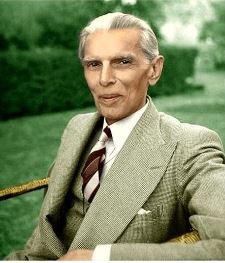



 Parameters
 Copy Code
 Tip:
Tip: Caution:
.gif)
.gif)
.gif)
.gif)
.gif)
.gif)
.gif)
.gif)
.gif)
.gif)
.gif)
.gif)
.gif)
.gif)
.gif)
.gif)
.gif)
.gif)
.gif)
.gif)
.gif)
.gif)
.gif) Now, it is just a matter of copying and pasting the information. Alternatively, you can use the file itself:oConnection.Open(“File Name=c:\temp\test.udl”)
Now, it is just a matter of copying and pasting the information. Alternatively, you can use the file itself:oConnection.Open(“File Name=c:\temp\test.udl”).gif)
.gif)
.gif)
.gif)
.gif)
.gif)
.gif)
